
 Member
 jimmac
Less is More
Spending less and less time on each track in Weeklybeats is making me a little nervous as to whether I will be able to finish such a marathon.
However a radical constraint of a single hour to lay down a pattern and record a jam, perhaps spending a few extra minutes to produce a video, has been extremely satisfying.

Even not being able to figure out how to do dual mono mix on the M8 is not a show stopper in such scenario (apologies to every one using headphones).
I hope a proper spring comes soon as I can't wait to FPV. This one pack in the garden was painful on the fingers.
Less is More
Spending less and less time on each track in Weeklybeats is making me a little nervous as to whether I will be able to finish such a marathon.
However a radical constraint of a single hour to lay down a pattern and record a jam, perhaps spending a few extra minutes to produce a video, has been extremely satisfying.
Even not being able to figure out how to do dual mono mix on the M8 is not a show stopper in such scenario (apologies to every one using headphones).
I hope a proper spring comes soon as I can’t wait to FPV. This one pack in the garden was painful on the fingers.
openSUSE Tumbleweed – Review of the week 2022/13
Dear Tumbleweed users and hackers,
During this week, we only managed to get 4 snapshots (0324, 0328, 0329, and 0330) out of the door. Seems QA is slowing us down too much, so I decided to give up on it. To make Tumbleweed more plannable for upgraders, the new process will foresee a fixed time when a snapshot will go out – daily at 5 pm UTC. We will just ship out whatever we have built by that time. This is a minimal tradeoff between stability and plannability – after all, we all trust our developers and maintainers and we know that they test things before sending them your way. So no more need to slow down using QA!
Anyway, the 4 snapshots we delivered during this week contained these updates:
- GStreamer 1.20.1
- Snapper 0.10.0
- Mozilla Firefox 98.0.2
- systemd 250.4
- timezone 2022a
- ibus 1.5.26 – fixes some incompatibilities with GNOME 42
Of course, we continue planning what will come through in the next few days; currently, the plan includes:
- Linux kernel 5.17.1
- KDE Plasma 5.24.4
- Mesa 22.0.1
- gcc12: we won’t be switching to it as the default compiler yet, but we will start using the provided libstdc libraries from gcc12 (phazes migration, as done in the past)
- procps-ng 4.0
New syslog-ng parser: flip-parser()
The latest pull request to syslog-ng adds a really useful feature: the flip-parser(): https://github.com/syslog-ng/syslog-ng/pull/3971
It allows you to flip the message text, reverse it, or both. As I also reported a couple of minor problems related to UTF-8 character handling, this PR most likely will not be merged today. However, you can compile it yourself, or if you use openSUSE Tumbleweed, use my packages from the openSUSE Build Service.
You can read the rest of my blog at https://www.syslog-ng.com/community/b/blog/posts/new-syslog-ng-parser-flip-parser

syslog-ng logo
Clang 14 faster at building LibreOffice
So I've updated my Clang to the newly released version 14, and while doing the LibreOffice rebuild afterwards I noticed that it seemed to build faster. I didn't measure it, but the build finished sooner than I expected. So of course I've measured it.
As a simple reference I used my year-old post about Clang 11 building faster with PCH, where Calc'c Library_sc built in 4 minutes and 39 seconds. And indeed now it's faster:
1105.84user 88.35system 2:55.07elapsed 682%CPU (0avgtext+0avgdata 1666576maxresident)k
180904inputs+2272520outputs (41390major+23529938minor)pagefaults 0swaps
Just to make sure it's not something else, I went back to Clang 13 to test it:
1581.76user 93.84system 4:14.75elapsed 657%CPU (0avgtext+0avgdata 1916380maxresident)k
153912inputs+2316696outputs (41891major+27245569minor)pagefaults 0swaps
So yes, it's real, and it's the compiler. It also suggests that there was an improvement also between Clang 11 and Clang 13, although not as noticeable as this.
I have no idea why that is, it seems too big of a difference to be just something random, but I see nothing relevant in the release notes (and it's not DWARF5, I tested that one). I also have no idea if it's a code change or if it's the compiler being faster because it generates faster code and is self-built. But hey, it's nice. I still vaguely remember the times when I was trying to avoid full Calc rebuilds like a plague, but that seems like a long time ago.
D-Installer First Public Release
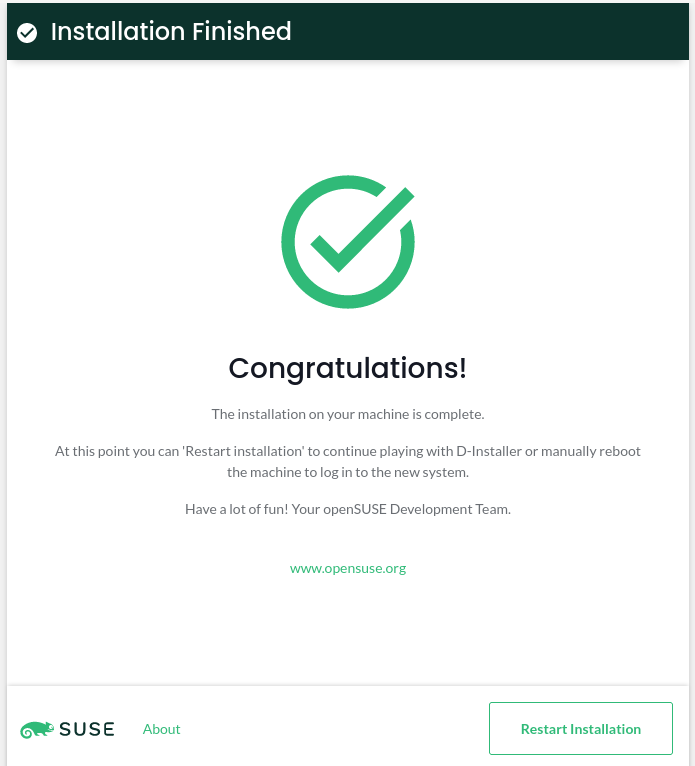
It is our pleasure to announce the availability of the first installation image based on D-Installer. Since our initial announcement in January, we have been working on going from a non-working proof-of-concept to something that you can actually use.
This article aims to summarize project's current status and what you can expect from the near future. Additionally, we will dig a bit into some internal details so you have a better overview of the path we are following.
D-Installer (kind of) works
D-Installer can install openSUSE Tumbleweed in simple scenarios. But, please, bear in mind that it is still an experimental project, so it is better to use a virtual machine if you decide to give it a try. After all, we do not want to be responsible for any data loss. 😉
You can grab a Live ISO from OBS. We refresh this image as often as possible to include the latest D-Installer changes for testing purposes. Once the ISO boots, log into the installer using "root" as user and "linux" as password and you should see the "Installation Summary" page.
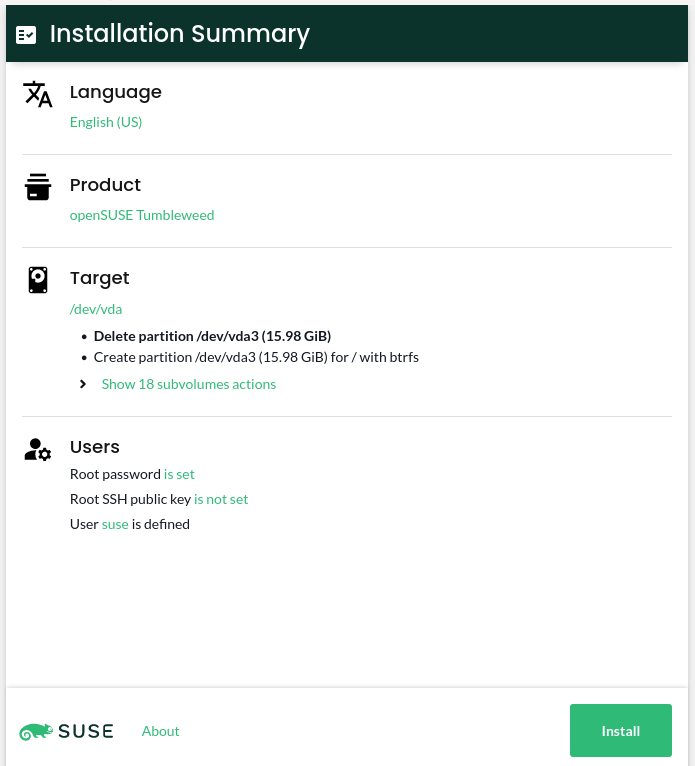
As we do not include any repository in the image, you need the machine to be connected to Internet so it can access Tumbleweed packages.
How D-Installer looks now
The "Installation Summary" page is the central point in the D-Installer's user interface. It allows the user to check the installation settings at a glance. You can think of this page as the "Installation Settings" screen in YaST. The main difference is that, in this case, it is the starting point, so you do not need to traverse any wizard to get into it.
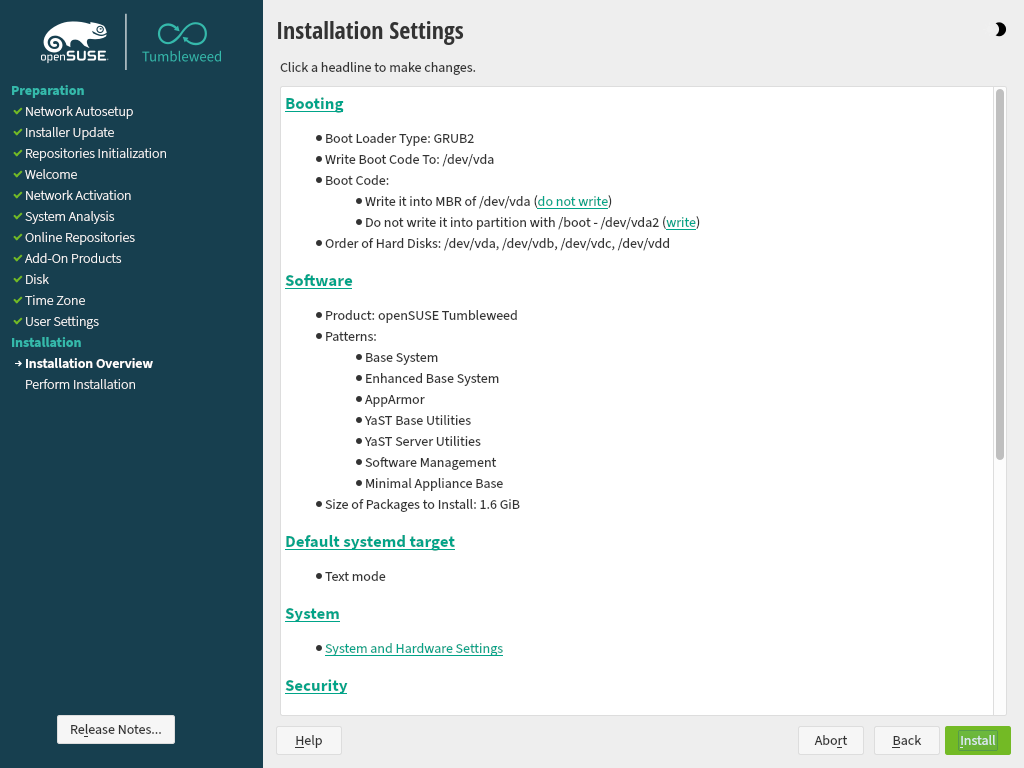
The overview is reduced to a few sections: language and product selection, partitioning settings, and users management.
Unsurprisingly, the language selector allows setting the language in the installed system. Take into account that, at this point, the user interface is not localized yet, so it does not affect the installer itself. Moreover, we would like to add support to change the keyboard layout in the future.
Software selection is pretty limited by now. D-Installer allows you to select which product to install, but that's all. Picking patterns or system roles is not supported yet.
Regarding partitioning, D-Installer relies on the YaST guided proposal, although it only allows selecting a device to install the system on. We plan to offer most of YaST's guided partitioning settings (using multiple disks, choosing a file system type, etc.).
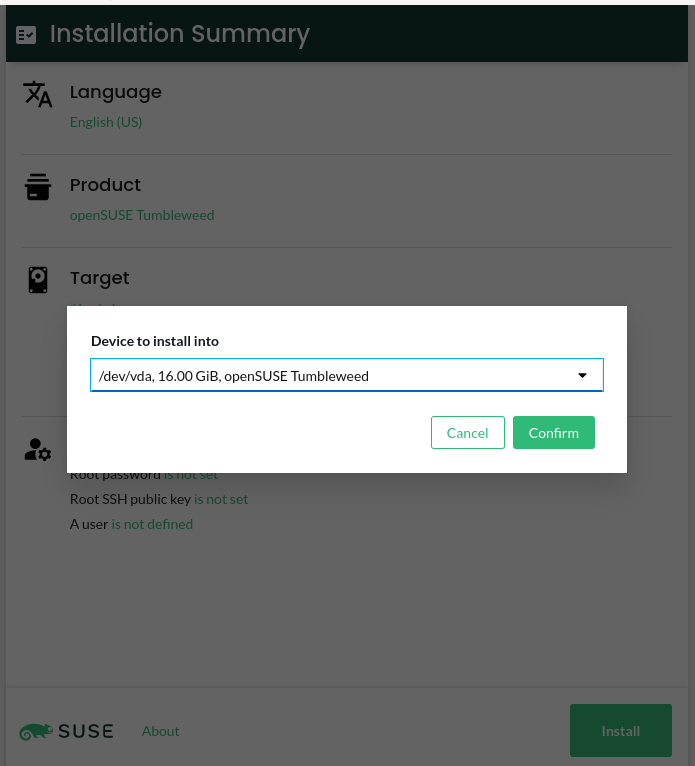
Last but not least, D-Installer allows configuring the root's authentication (password or SSH public key) and/or creating a first user to log into the installed system, similar to what YaST supports.
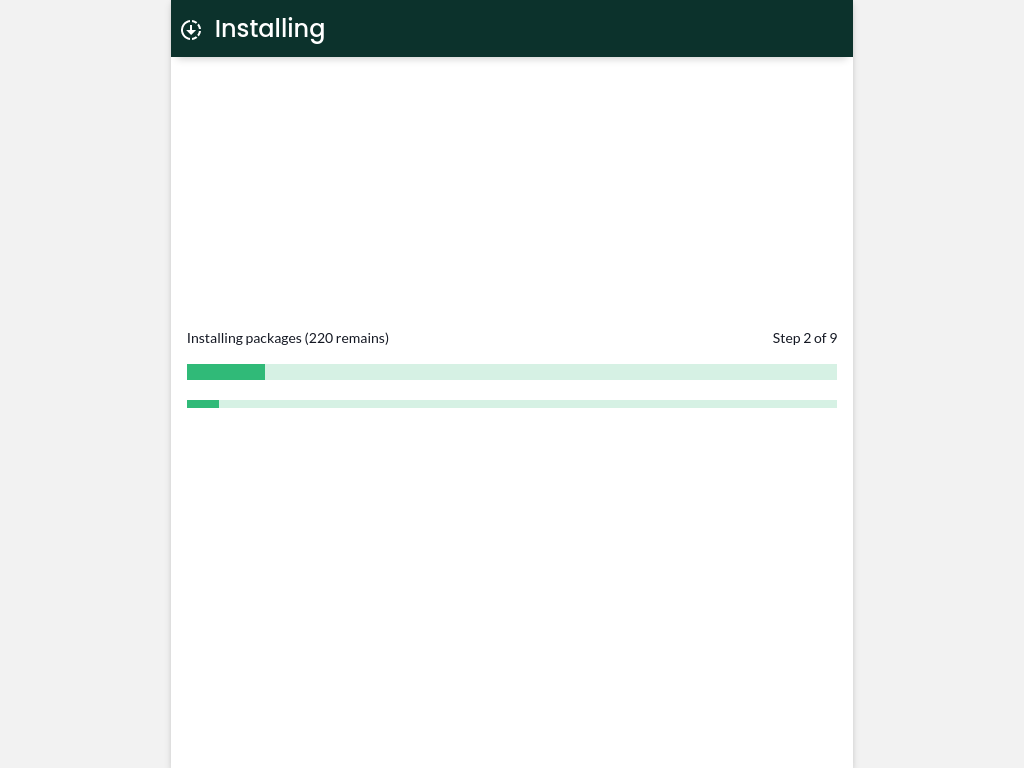
Once you tweak the installation options, clicking the Install button starts the installation.
YaST, D-Bus, React and Cockpit
We promised to dig a little into the details, so here we go. When it comes to the architecture, the approach has not changed that much from the one we described in the initial announcement. It is composed of three different parts: a system service, a D-Bus interface, and a web user interface.
The core is the D-Installer system service, which uses YaST libraries to inspect and install the system. We are reusing as much YaST code as possible, but at the same time, we are trying to use only the bits that we need. This service provides a D-Bus interface, so the user interface can interact with it. We are trying to keep the D-Bus interface decoupled from the business logic, although we do not plan to replace it for anything else.
Regarding the user interface, we decided to build a React application using PatternFly components. Why PatternFly? You will understand the reason in a minute if you keep reading. :-)
How do the components we have described talk to each other? That's an interesting question. Instead of rolling our own solution, we decided to rely on Cockpit. So we use Cockpit's infrastructure to connect the UI and the system service (through D-Bus). We even use Cockpit's web server to expose the UI in the installation medium.
And that's actually the main reason to use PatternFly. There is a chance that we can reuse parts of the installer UI in a Cockpit module in the future. Time will tell.
What to expect from now
We have learned a lot during this iteration, so we will use that knowledge to develop a roadmap. However, there are some areas we would like to work on soon that should get a prominent place in such a roadmap. Let's have a look at some of them.
Error reporting and user interaction
Our D-Installer service can send information about its current status and the installation progress. However, it is pretty bad at error reporting and cannot ask the user for additional information. For instance, it does not implement any mechanism to ask for the password if it finds an encrypted disk while analyzing the storage devices.
We consider this a critical requirement, so we would like to develop a reliable solution in the next iteration.
Better software handling
Selecting a product is not just picking a set of packages: it might affect the installer's behavior. For instance, if you want to install MicroOS, the partitioning proposal needs to be adapted to mount the root file system as read-only. Not to mention showing products' licenses or release notes. So it is not that simple.
Moreover, we have the concept of system roles, which may affect the software selection, services configuration, etc.
As there are many moving pieces, we need to define how far we are going with software handling. Of course, licenses and release notes are a must. But do we plan to support system roles? Most likely, yes. Which options would be supported? And what about selecting patterns or just individual packages? Too many open questions yet.
Full guided proposal supported
We do not plan to bring the partitioner to the web interface anytime soon. Instead, our plan is to support all the guided partitioning options, so you can select multiple devices, choose a different file system, enable LVM, use encryption, etc. So, in the medium term, it looks like a fair trade.
The user interface
We think that the user interface is good enough for the first iteration, but given that we plan to add support for more features, we need to work with our UX experts to improve the overall approach. For instance, using pop-ups all over the place is far from ideal.
Not to mention that, although we are using PatternFly, we try to stick to EOS Design System principles, so we might need some help.
Share your opinion
Now that you have something to try, it would be great if you shared your opinion. You can contact us
through the GitHub project's page or, as usual, in our
#yast channel at Libera.chat or the YaST Development mailing
list.
Have a lot of fun!

Tumbleweed updates sudo, systemd, ibus
A total of four openSUSE Tumbleweed snapshots were delivered this week to rolling release users.
Tumbleweed has consistently been releasing daily snapshots; a four-day period between two snapshots this week is the longest duration between snapshots since the fall of last year. Impressive.
The most recent snapshot, 20220330, updated just one package. The tiny update of perl-Mojolicious to version 9.23 enabled gzip compression by default with the Mojolicious renderer.
Snapshot 20220329 has several packages. Among the packages to update in the snapshot was ibus 1.5.26. The intelligent input bus for Linux enhanced Emoji features, enhanced compose keys and fixed the forward key keycode for GTK4. An update of strace 5.17, which is a diagnostic, debugging and instructional userspace, made some improvements and implemented a few decoding commands. Linux Bluetooth protocol bluez 5.64 removed a patch and created a fix for building with old glibc. The update of the INI file parser by kiwi Ben Hoyt to inih 55 improved the quality of shared objects by explicitly defining symbol visibility; it was updated from version 53. The snapshot also brought several Python Package Index updates. Two of those were python-cryptography 36.0.2, which updated operating systems to compile with OpenSSL 1.1.1n, and toolkit python-ipython 8.2.0, which allows auto-suggestion.
Updates of sudo and systemd came in snapshot 20220328. The 250.4 systemd copies holes when archiving Btrfs journal files and explicitly handles file systems that do not support hole punching. Some new options with sudo 1.9.10 will attempt to prevent passwords from being logged if log_passwords is disabled. Mozilla Firefox 98.0.2 fixed an issue preventing users from typing in address bar after opening a new tab and pressing cmd + enter. It also fixed an issue in session history that caused some sites to fail loading. Text shaping engine harfbuzz 4.1.0 had various bug fixes and libzypp fixed a possible hang. Packages gtk3 3.24.33+12, libsolv 0.7.22, xlockmore 5.69 and glib2 2.72.0 were some of the many to update in the snapshot.
The snapshot starting off the week, which was a day after GNOME 42 landed in Tumbleweed, was 20220324. There were a few 1.20.1 gstreamer packages to update in the snapshot. The GStreamer package fixed a gtk video sink involving a rotation not being applied when paused and various fixes to the webrtc-sendrecv. Text editor vim had a large amount of community contributions moving from version 8.2.4542 to 8.2.4602 and fixed some build failures with a combination of features. Gamers and musicians will appreciate the 0.4.9 pipewire update as surround sound in some games is now exposed properly and some bluetooth features were added and fixed. An update of the filesystem snapshot manager snapper 0.10.0 adjusted a transfer filelist to alleviate the message size for dbus.
Using the openSUSE Build Service to build software for POWER
My favorite and most used service for developers is the openSUSE Build Service (OBS). This is where I build syslog-ng packages first, before anywhere else. OBS is open source, highly flexible software to build software packages, and the instance at https://build.opensuse.org/ is free to use for anyone to build open source software. Best of all, it supports multiple architectures, including POWER.
Open Build Service
Actually the OBS acronym stands for two things. The software itself is called Open Build Service. It is open source and you are free to install it on your own network. You can use it to compile any software you like. The openSUSE Build Service is a public OBS instance. It is accessible to any registered user to build open source software.
OBS can be used not just to compile individual software packages, but to maintain and publish complete repositories. It can also build various images from the software compiled: both ISO images and disk images for different virtualization solutions.
The original focus of OBS was i586 and openSUSE. Soon other architectures and Linux distributions were introduced to OBS. While I only use it for openSUSE and SLES packages, many more are supported, including Fedora, RHEL, Ubuntu, Arch, even Raspbian on x86, ARM and POWER.
You can access the OBS both through its web interface and a command line client. In theory you should be able to configure everything from either of them. I tend to use both of them. I configure repositories through the web interface, but submit new builds using the CLI. If you want your software project to get compiled for POWER, it is just a few mouse clicks away. You add a distribution version to your project and then you can configure architectures. If you add an architecture only later, you do not have to re-submit packages as OBS automatically compiles all packages for the new architecture as soon as you click on “update”.

obs architecture selector
POWER
While the focus of POWER support in OBS is PPC64LE, meaning little endian 64 bit POWER, you can also use it to build both 32 bit and 64 bit big endian POWER architecture packages. There were times when the build capacity for POWER was relatively small. You had to wait long for POWER builds to complete. However, early this year the openSUSE received a huge hardware donation from SUSE and IBM: fast, new IBM POWER 9 servers. Building packages on POWER are blazing fast now, compiles finishing often before any other platforms. You can read the announcement at https://news.opensuse.org/2022/01/25/os-gains-new-hardeware/
If you take a look at https://build.opensuse.org/monitor you can see that there are now close to 300 POWER workers in OBS. 1.5x more than just a couple of months ago. They are often working close to full capacity (most likely when Factory is being rebuilt), but it seems that there are always some resources left free for random incoming jobs from users.
Why OBS?
I keep mentioning, that POWER is just one of the architectures supported by OBS. Then why I write my first blog after introducing myself as an IBM POWER Champion about the openSUSE Build Service? Because it is quite rare that you want to build a software only for a single Linux distribution on POWER. In that case OBS gives you tremendous speed and flexibility: you do a single submit and it gets compiled on a dozen of different Linux distributions and possibly also on a dozen of different architecture variants.

obs logo
Sudo 1.9.10: hiding passwords in session recordings
Session recording has been available in sudo for many years, however not many people are aware of it. Even less well-known is that you can save not just the terminal output, but also what the user types. That way you can analyze what the user is doing within a shell session. Recordings may also include user passwords, which is not always desirable. Version 1.9.10 of sudo allows you to hide passwords in session recordings if it recognizes a password entry.
From this blog you will learn how to turn on session recording in sudo, how to enable or disable hiding passwords in session recordings, and how to view the results: https://www.sudo.ws/posts/2022/03/sudo-1.9.10-hiding-passwords-in-session-recordings/

Sudo logo
Know the Visa, Health Requirements to Attend oSC22
For people planning on attending the openSUSE Conference 2022 in Nuremberg, Germany, from June 2 – 4, there are certain health and visa requirements that need to be met for travelers.
The openSUSE Conference will follow the Bavarian Ministry of Health’s requirements and posture regarding COVID. An FFP-2 mask and social distancing may be required. These regulations my change before or up to the day of the conference.
Those who are not a citizen of a Schengen country that are planning to attend should view the overview of visa requirements/exemptions for entry into the Federal Republic of Germany, which can be found at the Federal Foreign Office website.
Please note: the Travel Support Program has no provisions to cover the cost of a visa, so it’s the travelers responsibility for covering the additional cost.
For citizens who are not a citizen of a Schengen country, you may need a formal invitation letter that fully explains the nature of your visit. An alphabetical list of people from nations that require an invitation letter can be found on the Federal Foreign Office website. If the letter is needed, please contact the conference organizers.