
Nagappan Alagappan
posted at
Announce: LDTP 3.5 - Linux GUI test automation tool
Highlights:
New API:
* inserttext, objtimeout, guitimeout, getcellsize, getcellvalue,
getobjectnameatcoords, getcombovalue, getaccesskey in Python client
* doubleClick, doubleClickRow, onWindowCreate, getCellSize, getComboValue,
appUnderTest, getAccessKey in Java client
* getcellsize, getcellvalue in Ruby client
* GetCellSize, GetComboValue, AppUnderTest, GetAccessKey, MouseRightClick,
DoubleClick, DoubleClickRow, RightClick in C# client
New control type:
* POPUP MENU for Ubuntu environment
Bugs fixed:
Ruby client:
* Fixed optional arguments to imagecapture
* Check window_name parameter, if empty then use @window_name passed in
constructor
Python client:
* Fixed optional argument APIs to work on both Windows and Linux
* imagecapture x, y offset, height and width parameters are disregarded if
window parameter is provided - Bug#685548
* Return unicode string all the time on gettextvalue
* Fix partial match argument in selectrow, compatible with Windows
* Patch by ebass to support Python 2.6
* Added Errno 101 as we see in ebass Ubuntu 10.04 environment
Core LDTP2
* Include label type on gettextvalue
* Don't include separators in the list
Perl client:
* Added perl client
Credit:
* Sawyer X for the Perl interface
* ebass (IRC nick name)
* Marek Rosa
* Thanks to all others who have reported bugs through forum / email /
in-person / IRC
About LDTP:
Cross Platform GUI Automation tool Linux version is LDTP, Windows version
is Cobra and Mac version is PyATOM.
* Linux version is known to work on GNOME / KDE (QT >= 4.8) / Java Swing /
LibreOffice / Mozilla application on all major Linux distribution.
* Windows version is known to work on application written in .NET / C++ /
Java / QT on Windows XP SP3 / Windows 7 / Windows 8 development version.
* Mac GUI testing is known to work on OS X Snow Leopard/Lion/Mountain Lion.
Where ever PyATOM runs, LDTP should work on it.
Download source / binary (RPM/DEB)
Documentation references: API / JavaDoc
For detailed information on LDTP framework and latest updates visit
http://ldtp.freedesktop.org
Report bugs
To subscribe to LDTP mailing lists
IRC Channel - #ldtp on irc.freenode.net
How can you help: Spread the news and send back your feedback to us
New API:
* inserttext, objtimeout, guitimeout, getcellsize, getcellvalue,
getobjectnameatcoords, getcombovalue, getaccesskey in Python client
* doubleClick, doubleClickRow, onWindowCreate, getCellSize, getComboValue,
appUnderTest, getAccessKey in Java client
* getcellsize, getcellvalue in Ruby client
* GetCellSize, GetComboValue, AppUnderTest, GetAccessKey, MouseRightClick,
DoubleClick, DoubleClickRow, RightClick in C# client
New control type:
* POPUP MENU for Ubuntu environment
Bugs fixed:
Ruby client:
* Fixed optional arguments to imagecapture
* Check window_name parameter, if empty then use @window_name passed in
constructor
Python client:
* Fixed optional argument APIs to work on both Windows and Linux
* imagecapture x, y offset, height and width parameters are disregarded if
window parameter is provided - Bug#685548
* Return unicode string all the time on gettextvalue
* Fix partial match argument in selectrow, compatible with Windows
* Patch by ebass to support Python 2.6
* Added Errno 101 as we see in ebass Ubuntu 10.04 environment
Core LDTP2
* Include label type on gettextvalue
* Don't include separators in the list
Perl client:
* Added perl client
Credit:
* Sawyer X for the Perl interface
* ebass (IRC nick name)
* Marek Rosa
* Thanks to all others who have reported bugs through forum / email /
in-person / IRC
About LDTP:
Cross Platform GUI Automation tool Linux version is LDTP, Windows version
is Cobra and Mac version is PyATOM.
* Linux version is known to work on GNOME / KDE (QT >= 4.8) / Java Swing /
LibreOffice / Mozilla application on all major Linux distribution.
* Windows version is known to work on application written in .NET / C++ /
Java / QT on Windows XP SP3 / Windows 7 / Windows 8 development version.
* Mac GUI testing is known to work on OS X Snow Leopard/Lion/Mountain Lion.
Where ever PyATOM runs, LDTP should work on it.
Download source / binary (RPM/DEB)
Documentation references: API / JavaDoc
For detailed information on LDTP framework and latest updates visit
http://ldtp.freedesktop.org
Report bugs
To subscribe to LDTP mailing lists
IRC Channel - #ldtp on irc.freenode.net
How can you help: Spread the news and send back your feedback to us
Kostas Koudaras
posted at
 Member
 warlordfff
Organizing oSC13 - 64 days before
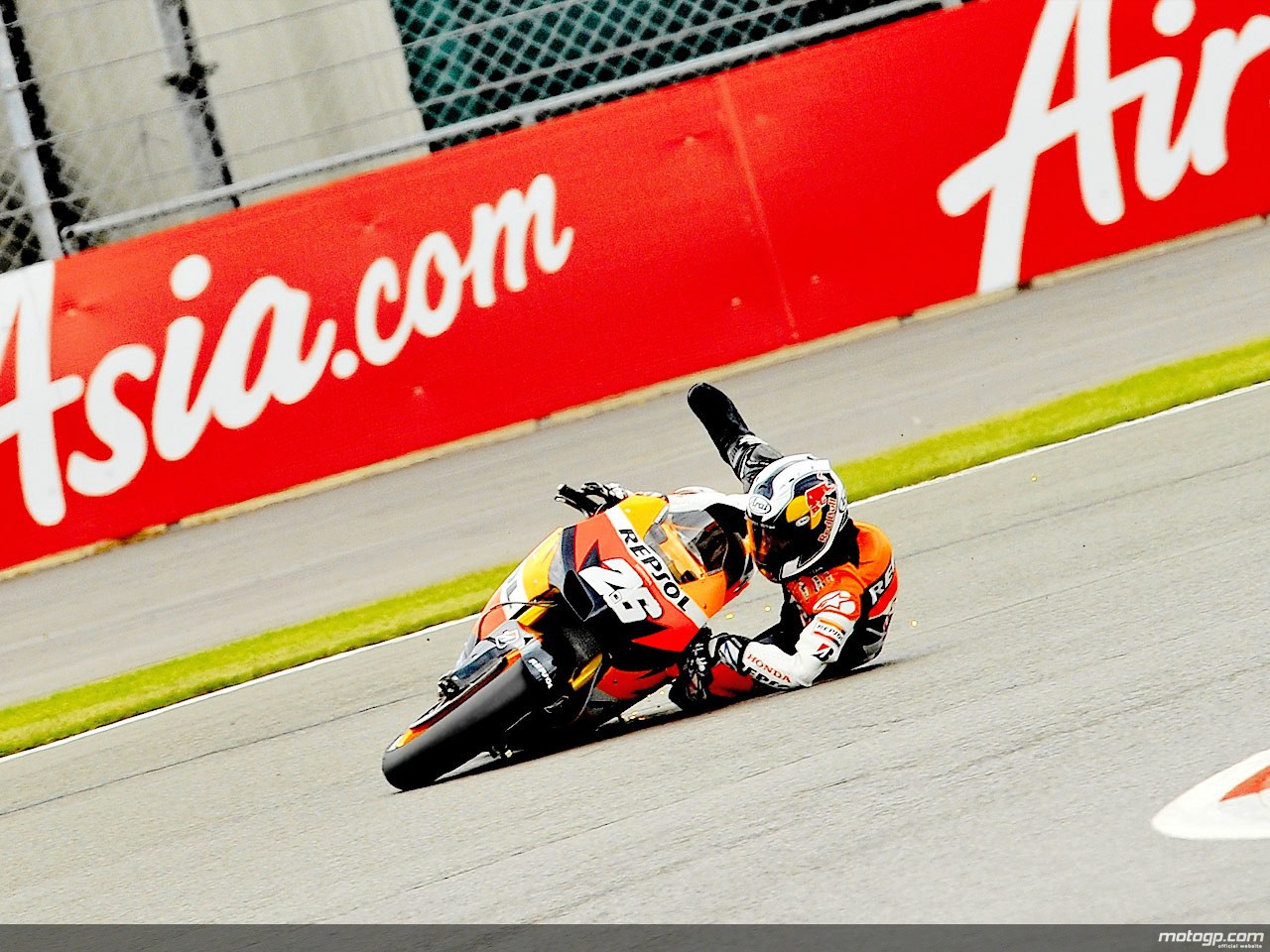
Rule #64// Cornering confidence increases with time and experience.
This pattern continues until it falls sharply and suddenly.
Taken From http://www.velominati.com/the-rules/
If you ride a bicycle of a motorcycle you should be very familiar with this rule either in theory as written above or in action if you ever slipped in a turn. There are always the bending places and then there is the breaking point of everything. Handling proper situations and 'bending' them when necessarily should also come with the ability of the handler of knowing when something breaks. Knowing and avoiding the breaking point like hell is pretty important. After that last bending point it is you who should come and fill the gap between those bending points. Being lazy for any reason to feel this gap can lead to a total collapse of your whole structure. This is pretty important when organizing something like a conference.
What the organization of a conference is actually looks a lot like a structure made of things that must be there and it is like the foundations of the building, things that is equally important to be there like windows and doors and things that is good to be there but the whole structure can be operational and without all those like the decoration of the building. The shitty thing here is that most of the people who only know a conference as visitors (and attract visitors is one of your the main goals) get all this backwards.
Having the perfect conditions and everything you need to organize a FOSS conference is beyond imagination so in order to do proper work and in the same time keep everyone of your visitors satisfied you have to 'bend' some things. Most of the time it is your patience and you time but many times is your volunteers and your budget. Did I ever mentioned so far that you have to be very creative? Well when organize a conference many times you will have lemons and you will be asked to make orange juice No worries. If you and your team are highly creative, making orange juice out of lemons is just foreplay. It is not impossible and once you do it once or twice then you come to a point when you find it very easy. The time you will find something (in other conditions extreme and undo-able) easy be very careful. This is the point when there is a big change to 'fall sharply and suddenly'. There is nothing wrong with failing up to a point. After that point is when you will start having structure problems. If you pay attention you will only have some bruises, if not...

Sascha Peilicke
posted at
Open source project licensing
Whenever you decide to publish some code somewhere in the internet, you have to think about the license. For many of us not being lawyers, this is a rather random choice. Given what we've been told is best, we usually just use any GPL flavor or Apache, MIT or BSD and don't spend much time … Continue reading Open source project licensing
Kostas Koudaras
posted at
Organizing oSC13 - 65 days before

Feedback is very important while organizing a conference or when organizing or creating anything. Right feedback when it comes it can give you everything. I mean really everything. It can show you what you are doing right or wrong. It can guide you in avoiding dificult situations. It can give you new ideas. It can save you a lot of time. So it is really important to seek and take feedback.
The most important and immediate source of feedback is yourself and the experience you have. The other is your team's experience. That is why when making a team try find people with experience, not neceserally conference or specific to whatever you do experience but life experience. Almost everything you do has to do with people so having people who know how people work is pretty important.
Another important source is feedback from past events. I read tons of blogs from people that attented past openSUSE Conferences. Finding what people liked and what they didn't is one of the best roadmaps you can get. I have to say here that before deciding to take over a conference is of high importance to make a research to see if you can actually do it.
Other than that feel free to bother people who organized great conferences you attended or you heard of. Never hesitate to ask anything, it is afterall the only way to get answers and feedback :D
Above all things try to stop what you are doing regularly and spend some time by asking people what do they think about what you are doing. I know perfectly well that time is really valuable but this is not at all wasted time. Have in mind that many times you will get feedback that you don't really like, meaning bad feedback that say that you are mistaken, accept it and value it. It can be a life saver if it comes from good source.
The feedback is something that is practically imposible to be finished in one(readable) post so I will continue with this at some other post. Afterall how the hll I will manage to fill 64 more posts?
Kostas Koudaras
posted at
Organizing oSC13 - 66 days before

I will take advantage of every humans hate for that day to write about things I and you might hate but when when you cannot avoid them maybe you should try to take advantage of them.
People who met me at least once might not believe the following but people who really know me know the truth. I don't really like to talk to people, when I was a little I had that problem and this was a big deal when I realize I like girls but in order to flirt you have to do some talking(at least most of the times). As time past by I had too so I started talking, I did that great ( I told you I am not feeling modest today...). In fact I did so great that most of the times I do talk now is because I like what it's happenning when I talk, than because I like talking. Where I am getting with this is that while organizing a conference one thing is for sure, you will do things that you don't really like and in some occasions you might even hate it. Doing those things have in mind that this does not mean that you are doing them wrong. It is very important to be concentrated to it no matter how you despise it so that you will do this thing right, since you have to do it then do it right. This is important also because if you are concentrated you will have to do it once. Also because you don't like on doing something that does not mean that you are not a natural talent. I mean look at me, I am a firefighter and I do not really like to organize conferenses, but I am doing it and trust me it will be one hell of a conference.
One question not answered clearly here is how you can take advantage of it? Well doing anything for the conference you organize, especially when you have to.
Now it is Monday so I am really bored in writting more for today
Kostas Koudaras
posted at
Organizing oSC13 - 67 days before

It is very important to know that you are in charge and what comes with the whole 'you are in charge' thing. A thing to be careful here is that being in charge does make you the one who lead but not the boss of anyone so under no circumstance you have the right to act like a boss. Acting like a boss is one of the things that can ruin your conference and make people leave and that is probably the less possible consequences that such an action will have.
You have to realise that being nice to people can open many doors and can make things happen. The thing here is to be actually nice and honest and not slimy. If you come to a point that you will become slimy people will eventually abominate you and it will probably have the same consequences as being bossy.
What I learned so far as a member of FOSS communities being and acting as politician is never the right thing to do since people are not stupid and it is impossible to fool a lot of people for a long time.
Now if you come to a point that acting like a polititian or acting honestly but being hard to someone are the only two choices you have my advise is to act hard. So far I believe I won more acting honestly but hard and most of all I gain respect from people for that. There are cases that I lost but if you put well your case then anyone with common sence will understand your possition, for all the others personally I just didn't care and this is not by choise but by nature.
Returning back to the 'you are in charge' thing I must say that it is very important to have some structure planned with your team of how you want things to be done and seperate fields of responsibilities for each part of the team and keep inside your part of responsibilities.
Having a structure will save you from doing unnecessary things and will give you a route of what you want to be done. In certain points this will even show you how to do things. If you have some 'talended' volunteers noticing Trello or whatever tool you will use for organizing your conference, it will show them too how to do things and this will make your life even better and it will save you a lot of time.
Seperate responsibilities with your team mates or giving responsibilities to other people outside your closed team that you trust and believe that will have the job done(Yes Stathis and Thanassis I am talking about you) is also a great thing to do. Most people in FOSS(and not only) love to be trusted and to be given responsibilities, although I wouldn't count that as a rule so make a conversation with them and be ABSOLUTELY SURE before hand them over such a great burden. If it turns out that you gave someone to do something that he/she was not sure or did not want it will be a great backfire to what you organise and can easily be the dynamite that will explode the whole organisation you do if you won't be careful.
Finishing for today I must say that a real important thing here is to always have an eye to those people, as said in 'The italian job' be carefull because "I trust everyone. It's the devil inside them I don't trust" and by that I mean that there are several cases were people drop something without telling you or any other just because for some reason they cannot tell you or any other. My opinion is that is human nature and I have done it at least once and heard about it like a million happenning. It is not really a trust issue but more of a safety issue in order to prevent bad things from happening. Last but not least, if you trust some pople enough to give them responsibilities, give them freedom to do it their way.
Kostas Koudaras
posted at
Organizing oSC13 - 68 days before

Cron Job in Google Blogger failed to publish the post I wrote yesterday morning in yesterday afternoon, so many of you saw it comming out some hours ago. I hope I did not confused anyone with that and I will take advantage of this 'failure' of Google Blogger (or with what I did wrong in there and missed it) and write today about situations like that, that can happen while organizing a conference.
So yesterday I wrote about alternatives and the importance of those while working on making a conference come to life. Today I will write some things about things that go wrong and you cannot or at the moment don't have the ability to think or predict.
I will start with a Murphy's law "Whatever can go wrong, will go wrong" that usually happens through the procedure, no matter how hard you try and how many alternatives you have. Good news is that this can be predicted to some point, the bad thing is that this prediction is not always easy and some times you just have to do a lot of double checking in order not to avoid it but to fix it before someone notices it. The quicker you accept that things can and will go wrong the faster you will be relaxed and concentrated enough to fix it quick(again: before someone notices it :D ). Let's start by how you can predict things from going wrong, although as said before that does not come with a 100% guarantee that won't happen but still...
The easiest way to do it is to find someone who is actually a professional in the task you need to be done and that is why selecting and sometimes rejecting some volunteers from doing something is equally important. What I mean by all that? Ok so let's say that you have a task that need to be done and that task is about writing a press article until the X deadline. Now what you need is someone who is actually qualified in finishing the task, in our case writing article, so if you have a professional journalist that is volunteering then you are a happy person and this gives you the best safety that this task will be successfully and on time. The thing is that if you are doing this like we do, meaning voluntarily there is a great possibility not to be able to find as I mention in my example a journalist or even if you do, he/she may not have the time to do this in the time you want. This gives you two actual choices both of which I will write at some point later. Either you adapt the time of your article either you select another volunteer based on some facts. Now let's say that you have the right guy for the right work, if you do this is how you can prevent that things will go the right way and nothing will go wrong. It sounds really simple but it is very common for people to give tasks to the first who asked it and don't look to the abilities of each person just because we want to get rid off one of the 10.000 tasks that we have in our head. I knew that from before but I still did that a couple of times on the heat of the moment and that exactly where the "prediction is not always easy and some times" is hidden.
Now you have the right person for the task and this person is doing his/her job perfectly, unfortunatelly this is not the complete task. The task is completed when this task once it is finished it is out there for all to see, meaning in this example the press release to reach the press you want to. No matter how perfectly the task is done it must reach its goal, otherwise it is a task not done. So you have to double check everything just to be sure. Recently I fell into something like just because for some reason the person did a task thought wrongly that he had finished. This of course was communication error but still the task was not completed and if you ever thing that you will start organizing a conference without communication errors happening then my opinion and my so far experience says that you are dreaming.
Last but not least for today is that if you use a tool like Trello that we use have the person that took the task assign himself/herself to it so that other people will know it.It will save your volunteers and yourself a lot of time and nerves.
Kostas Koudaras
posted at
Organizing oSC13 - 69 days before

It is impossible to organize such a thing and wait for everything to be perfect. It is too complicated and there are many things that nobody can actually predict and even if you done that before, most of the things you need to handle probably changed since the last time you did it. What I keep telling myself is to expect perfectness but be pleased if something is above very good. With that you are a bit more relaxed and as the years passed by I learned that the only actual way to reach perfectness in complicated situations it to be (relatively) relaxed so that you have eyes around and predict things that can make a situation go bad. Also being relatively relaxed gives you the ability to think for alternatives. A good advice I was given once upon a time after a failure of organizing a gig was "ALWAYS have alternatives". What I mean by that is that when you organize something you start making tasks, it is impossible for some of those tasks not to go wrong for many reasons. At certain situations it (depending on the affection of the task in what you organize) it is better to leave outside a good idea were there is no viable alternative than trying to do something Great and because of this you will deliver something less than good. Another thing to have always in mind is that 'The road to hell is paved with good intentions" and no matter how hard you try people will see the result in the end, not the effort you did for that result. Another thing is that in the end there always be someone that will not like what you did and probably will tell you that the worst way and at the worst time. Value feedback from all because it is priceless but learn to separate good from bad feedback.
I think this is enough for today. I am at my actual work today so I will spend less than the time I want to the oSC13 and this is not a bad thing actually, I will tell you why at some other point.
Kostas Koudaras
posted at
Organizing oSC13 - 70 days before

Disappointment is what I felt most of the times and other than the love for FOSS I really don't see another reason to do such a thing as organizing a conference, at least no other that acts as a countermeasure to disappointment when that comes. Beside that, it is a great life experience and it gets you closer to what you are made of which is great if you are into that kind of inner research.
Disappointment comes from anywhere and especially from people that told you that they will be there to help. I was lucky at that since there was always Stella who 70 days before and a year after is still standing and Henne who is just doing things, even when I got burned and could not work at all for some time those guys where there. It is great to have a co-pilots, if someone out there is looking on doing something like organizing a Conference that big he/she should find someone like them or just contact them :D
Now there is a bright side of course to all that but after 13 hours in front of 2 screens I find it dificult to describe it, maybe in Day 69 since my purpose is to blog every day up to the conference day.
For today all I can say is that I am hugely happy with myself since I finished more than double the tasks I planned for today and I just realize I still were my work uniform, I have a meeting in Skype now and after that I will have a bath and sleep. Nice thing that people cannot actually smell you through Skype :D
Stephane Delcroix
posted at
It's all about monkeys

Microsoft Belgium was hosting the session, and the room was packed !
I really enjoyed that evening, and just wanted to thank you all: attendees for their presence and interactions, MADN and DNH for the invite and the bottle of wine, Microsoft Belgium for the place, food and drinks, and Xamarin for the give away licences, monkeys and t-shirts.
