
 notlocalhorst
New Hardware for the OBS
Today we got new hardware for the Build Service!
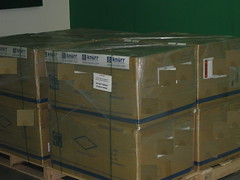


Thanks to AMD who sponsored the hardware, we will have soon a lot more buildpower resulting in less waiting time. We got 8 machines, each a 16 core system with 16GB ram. It will take some time to build all into the rack and have them up and running, so in the meantime we have some pictures for you 


 Member
Remastering openSUSE : How to Build your Own openSUSE Based Distro

I’m writing an article series about : “Remastering openSUSE : How to Build your own openSUSE Based Distro” as part of my presentation at Indonesian openSUSE Community monthly meeting [0] last week. The article based on my experience while making openSUSE 11.0 KDE 3.5+Multimedia Support LiveDVD (beware with it’s restricted media if you want to rebuild this. I make it as part of my presentation tutorial).
I’ve posted 2 article for now, “Kiwi as imaging system and how to install it on openSUSE”[1] and “How to build openSUSE Minimal System LiveCD” [2] and currently writing the third article “How to make openSUSE 11.0 KDE 3.5 LiveCD”
[0] : http://vavai.net/2008/10/09/indonesian-opensuse-community-monthly-meeting-10/
[1] : http://vavai.net/2008/10/15/remastering-opensuse-how-to-build-your-own-opensuse-based-distro/
[2] : http://vavai.net/2008/10/15/how-to-build-opensuse-minimal-system-livecd/
It was not a completed tutorial but I hope it could helped you for making openSUSE with your own specification. Sorry for any inconvenience.
Note : The term “Remastering” would not correct either, because I simply described how to make openSUSE with our specified configuration and application without change any openSUSE branding, splash screen or another openSUSE trademark.
Is Mathematics Beautiful? Second part: Fractals
"Mathematics, rightly viewed, possesses not only truth, but supreme beauty -- a beauty cold and austere, like that of sculpture, without appeal to any part of our weaker nature, without the gorgeous trappings of painting or music, yet sublimely pure, and capable of a stern perfection such as only the greatest art can show." - Bertrand Russell (1872-1970), The Study of Mathematics
A few days ago I posted some nice surfaces, a beauty of mathematics. Here I would like to post some interesting fractals.
Is Mathematics Beautiful? First part: Surfaces
"Mathematics, as much as music or any other art, is one of the means by which we rise to a complete self-consciousness. The significance of Mathematics resides precisely in the fact that it is an art; by informing us of the nature of our own minds it informs us of much that depends on our minds" - J.W.N.Sullivan (1886-1937), Aspects of Science, 1925.
Just some interesting surfaces. The software used is Python and MayaVi. I used the scripting facilities provided by this great visualization tool, called MayaVi.
Zimbra Mail Server : How to Make an Archive for Every Incoming & Outgoing Mail
 I’m running Zimbra Mail Server on openSUSE since last 2 years. I’m quite satisfied with the great features on Zimbra but I lost one nice feature as included on my old MDaemon Mail Server while still using Windows on 2003-2005. It was an Archival Feature.
One of the important features that are needed on a mail server is archiving, the backup copy of all incoming and outgoing mail.
Although we can do the backup process periodically for every account, archiving more better and efficient because we have all of copy email which 100% similar with the original.
I’m writing a simple tutorial and it’s impact in my personal blog. Click here to go to the article.
LaTeX useful Tips/Tricks
In my previous post I discussed a "small" but, I would say "complet" template to start your document. If you want to include also movies in your pdf documents, then this post can help you. If you need a good program for bibliographic management check this post.
Below I will post a lot of tips, tricks and useful stuff which helps me when I am using LaTeX, for details check the documentation of coresponding package name, or Google .
Customize your header and footer
\pagestyle{fancy}
\lhead{}
% \chead{}
\rhead{\leftmark}
% \lfoot{}
% \cfoot{}
% \rfoot{}
More packages
\usepackage{latexsym} % use \Box, \Join
\usepackage{setspace}
\usepackage{subfigure} % include subfigures
\usepackage{amsmath} % equation
% table of contents, list of figures
\usepackage[titles,subfigure]{tocloft}
\usepackage{lastpage} % total page count
\usepackage{makeidx} % create index
Old Makefile which I used, you can modify it for your needs
dvi: poster.tex
    latex poster.tex
bib:
    bibtex poster
view:
    kdvi poster.dvi
ps:
    dvips poster.dvi -o poster.ps
pdf:
    ps2pdf poster.ps poster.pdf
mp:
    psnup -9 -l -d2 poster.ps multpage.ps
a4:
    psresize -H118.9cm -W91.4cm -pa4 poster.ps a4.ps
    ps2pdf a4.ps poster_a4.pdf
.PHONY: clean
clean:
    @echo Cleaning...
    $(RM) *.log *.aux *.dvi *.bbl *.blg *~
    @echo Cleaning... done
Indexes and Glossaries
% first include the makeidx command in the preamble
\usepackage{makeidx}
\makeindex
To index something, use the command:
\index{Index Entry}
When the document has been processed through LaTeX, it will create a .idx file. You will then need to run the .idx file through the makeindex program:
makeindex filename
No file extension for the name. The program will look for the .idx file and will output a .ind file. This file is used by the command:
\printindex
Glossaries simply use the commands:
\makeglossary (used in the preamble, like the \makeindex command)
\glossary (used for the particular entries, like the \index command)
Include/Rotate/Reflect images
\includegraphics{image.png}
\includegraphics[angle=45]{image.png}
\includegraphics*[viewport=30 30 120 120]{image.png}
\includegraphics[scale=0.25]{image.png}
\includegraphics[width=5in,height=1in]{image.png}
% no explicit size for image
\includegraphics[width=0.88\hsize]{image.png}
% horizontally reflect a image
\reflectbox{\includegraphics{myimage.png}}
% strange text behaviour
\scalebox{2}{\rotatebox{60}{\reflectbox{Check this text!}}}
Complet environment with two images left-right
\begin{figure}[htbp]
\centering
\includegraphics[width=0.8\hsize]{image}\
\includegraphics[width=0.8\hsize]{image}
\caption{image caption}
\label{fig:mylabel}
\end{figure}


:::latex
\begin{figure*}[t]
\centerline{\includegraphics[width=0.8\textwidth]{figures/image}}
\caption{Caption title. {\it Caption text.}}
\label{fig:image}
\end{figure*}
Labeling sections in the document
\section{Introduction}
\label{sec:intro}
.....
% reference to section
\ref{sec:intro}
Adding external files to the document
\section{Introduction}
\label{sec:intro}
\input{sections/intro}
Math
\[...\] % produces an unnumbered formula
\(...\)
$...$
\begin{math} ... \end{math}
Type properties
\bf % bold
\sf % sans serif
\sc % small caps
\tt % typewriter
\tiny
\normalsize
\large
\Large
\LARGE
Lists
\begin{enumerate}
   \item First item
   \item Second item
\end{enumerate}
%
\begin{itemize}
   \item First item
   \item Second item
\end{itemize}
%
\begin{description}
   \item[first] A definition for the first item.
   \item[second] A definition for the second item.
\end{description}
Columns
\begin{tabbing}
text \= some text \
  \> text  \= text,
   \>       \> text; \
  \> text  \> text. \
endif
\end{tabbing}
%
\begin{tabular}{|l|c|c|}
   \hline
   {Row 1,Col1} & {Row1,Col2} & {Row1,Col3} \
  \hline
   {Row 2,Col1} & {Row2,Col2} & {Row2,Col3} \
  \cline{2-3}
   {Row 3,Col1} & {Row3,Col2} & {Row3,Col3} \
  \hline
\end{tabular}
%
\begin{tabular}{|l|c|c|}
   \hline
   {Row 1,Col1} & {Row1,Col2} & {Row1,Col3} \
  \hline
   {Row 2,Col1} & \multicolumn{2}{c}{Row2,Col2-3} \
  \cline{2-3}
   {Row 3,Col1} & {Row3,Col2} & {Row3,Col3} \
  \hline
\end{tabular}
Tables
{\protect
   \begin{table}[t]
      % Table body
      \caption{Caption title. {\it The caption text.}}
      \label{tab:schema}
   \end{table}
}
%
{\protect
   \begin{table}[t]
      \centering
      \footnotesize
      \begin{tabular}{|l|c|c|}
         \hline
         {Row 1,Col1} & {Row1,Col2} & {Row1,Col3} \
        \hline
         {Row 2,Col1} & {Row2,Col2} & {Row2,Col3} \
        \cline{2-3}
         {Row 3,Col1} & {Row3,Col2} & {Row3,Col3} \
        \hline
      \end{tabular}
      \caption{Caption title. {\it The caption text.}}
      \label{tab:schema}
   \end{table}
}
References:
- LaTeX Project WebSite
- LaTeX on Wikipedia
- Latex Makefile by Google
- Makefile: Rubber
- The TeX Catalogue Online has a very comprehensive list of all the LaTeX packages out there
- Latex Tutorial
- Header and Footer in LaTeX - Explained
- Latex Explained
- Installing and Using LaTeX Packages
- Noeckel: Computer Notes (LaTeX and useful stuff)
Starting with LaTeX/PdfTeX, a small template
Just a short template with some packages included:
\documentclass[a4paper,12pt]{article}

% let's use some nice packages
\usepackage{times}
\usepackage{amssymb}
\usepackage{amsmath}
% set all margins to 2.5 cm
\usepackage[margin=2.5cm]{geometry}
% for fancy and easy modification of header and footer
\usepackage{fancyhdr}
% include hyperlinks in pdf file
\usepackage{hyperref}
% decide if run PdfTeX or LaTeX
\ifx\pdfoutput\undefined
% we are running LaTeX, not pdflatex
\usepackage{graphicx}
\else
% we are running pdflatex, so convert .eps files to .pdf
\usepackage[pdftex]{graphicx}
\usepackage{epstopdf}
\fi

% also include colors
\usepackage{color}
% define bottom line of paper, for DRAFT option
\usepackage{prelim2e}\usepackage[none,bottom]{draftcopy}
\draftcopyName{preprint / }{1.2}
\renewcommand{\PrelimWords}{Draft%
 -- contact: user@mail.yoursite.com -- www.yoursite.com}

% define a path for your images
\graphicspath{{.},{../blog/images/},,{../../blog/images/}{../../anotherdir/}}

% define a new command
\newcommand{\mylab}[1]{\label{#1}}

\title{Your Title}
\author{Your Name}
\date{\today}

\begin{document}
% show the title, author and date
\maketitle

% article's abstract
\begin{abstract}
body of abstract
\end{abstract}

\section{Section Name}
\subsection{Subsection Name}

% include the bibliography but using bibtex
\bibliographystyle{plain}
\bibliography{bibfile1,bibfile2,bibfile3}

\end{document}
Next step is to look at this nice book. That's all. Bye!
Installing Enthought Tool Suite (ETS) on OpenSUSE 11
Today, I tried to install Enthought Tool Suite on OpenSUSE 11, with the help of my old post. For the moment there are no packages for OpenSUSE. I had to checkout their repository and build the eggs, in order to install the suite. The mentioned tutorial worked but of course that I had some minor problems. Now, the last version is ETS_3.0.3 and during the build of Enable_3.0.2 a small surprise on the screen:
` kage caller_level = caller_level + 1) File "/usr/lib64/python2.5/site-packages/numpy/distutils/misc_util.py", line 781, in _get_configuration_from_setup_py config = setup_module.configuration(*args) File "enthought/kiva/agg/setup.py", line 146, in configuration if int(gcc_version_head[2][0]) < 4: ValueError: invalid literal for int() with base 10: 'L'`
The solution was:
vim Enable_3.0.2/enthought/kiva/agg/setup.py
comment the line 146 and 147, Run the build again and everything went smoothly.
PageRank 6 for Indonesian openSUSE Community Website
 Today, I have a good news for Indonesian (and for all off) openSUSE community, our community website have PageRank 6 (PR 6). It would be not an important news for all of us, but it’s a good news for me because I know how difficult to get PR 6 with my personal blog
Indonesian openSUSE community website built on July 23, 2007 and serve as the first place for discussion, finding tutorial and supporting openSUSE fans.
Google PageRank trend is consistent with the increase in the number of users of openSUSE (user who install openSUSE in their PC or laptop) in Indonesia and in tune with the increasing number of forums and mailing lists user. It’s also consistent with the frequency of users who accessing the page tutorial on website.
Hopefully PR 6 can be the extra spirit to continue the improvement of the openSUSE community in Indonesia. We hope to provide best support for users of openSUSE and it’s variants distro.
Our next project is increasing tutorial page and encourage the member to create their personal blog within openSUSE blogger community. We hope to see more and more openSUSE related articles, with English or Indonesian or another language.
openSUSE Board Elections : Campaign for Pascal Bleser
openSUSE Board Elections phase 1 will be finally over at 1200 UTC on 09 October 2008. I’m quite silent with the elections discussion on openSUSE mailing list (marketing, project and another mailing list) due to my job, my project in Indonesian openSUSE community and due to Happy Eid Mubarak holiday here in Indonesia, but as openSUSE lovely user, I will vote for somebody who will be stand for openSUSE board, as our (or me as openSUSE user) gateway between community and Novell.
I’m really appreciated for everyone who take the opportunity as openSUSE board candidate. It should be a great job. All of openSUSE board candidate have technical or supporting background, active in the community and show their great effort and participation in the past.
One of openSUSE board candidate is Pascal Bleser (well known as yaloki on IRC). I have a nice discussion by IRC and by mail with him and get a good response. He is an incumbent of openSUSE board, means that he was currently openSUSE board member with AJ, Coolo, Federico and Francis.
 I know he has good technically background (describing zypper stuff for about 1 hour ), active on FOSDEM, good dad for his baby (look at the photos
  ) and don’t forget, he has been actively on merging and joining Packman repositories for openSUSE.
I don’t see any reason why I could not choose him as openSUSE member for next period. With his experience as first openSUSE board member; his technically background; his connection to another person in various open source project; and his good position to understand relation between Novell and the community, he would be the best choice for next openSUSE member.
Vote and campaign for Pascal Bleser as openSUSE Board member !