
 rriemann
Singles’ Night in the fancy Impérial Premium Bar Brussels
After the blog post on the Sauna adventure in 2013 in Marseille (German), this is the 2nd story of unexpected and awkward evenings. Unfortunately, this one is sad and no recommendation to try yourself. To the contrary.
Low value for money, bad service, few people, people smoke inside, 0 out of 5 stars.

Screenshot of the Booking Page
When a friend cancelled a dinner and home party invitation as he caught the flu, Jeanne (name changed) and I thought of other plans for Saturday night. We could not agree on a night out for dancing due to divergences on music taste (Jamaican music: one vote in favour, one vote against). Then, I proposed to go instead to the pretenious and stylish Imperial Premium Bar Brussels (map) who would host at this day event orgainsed by ‘Coeur à Coeur’: Grande Soirée Célibataire (on Facebook, on Eventbrite). After some hesitation and some giggling 🤣🤣, Jeanne and I decide to actually give it a try. 4 hours before the start, we can still buy an early bird ticket for 10€. On top, 1.68€ on Eventbrite fees.
The Cloakroom (Part 1)
We plan to get there quite early and Jeanne arrives on time ahead of me. She texts that cloak room is mendatory and I notice to not have any cash with me. Once I found my way to the cloak room in a separate entrace inside the building, I am relieved that they take also card payments. There is no queue and I learn immediately: It is 2€ per piece.
I put my scraf into my cap and stuff both into my heavy winter jacket. I hand my jacket over and proceed to pay contactless. Only then, I notice on my phone, that I have been charged 4€. I remark that I have been charged 4€. The lady on the other side of the desk explains me that it is 2€ per piece. I look at her. She looks at me. We do not understand each other – obviously. She explains then that out of curtesy, my hat would be for free and only my jacket and my scraf would be charged. 2 pieces makes 4€. Her voice lets no doubt on her being serious. I feel cheated for two reasons:
- Since when do cloakrooms charge also per scarf stuffed in jackets? Is this now a thing?
- Did she pay so carefully attention of what I put in my pockets and arms of the jacket? Should I be glad that I put my headphones in the pockets before I entered the cloakroom? 😳 I decide to not bring it up.
Instead, I decide that this way of doing cloakroom business is immoral and usury, which – if confirmed – would be prohibted under German law (BGB § 138). Of course, I am not in Germany and I am not aquinted enough with Belgium law. I ask if such unevitable fees should not be stated at the booking page Eventbrite and that this reservation is after all subject to a contract amongst two parties. The lady does not care. It remains totally unclear who would be the contracting party. So I ask instead to speak her superior. The lady tells me that she is her own superior. At this time, the subjective temperature in the cloakroom dropped already significantly. Jeanne texts me if I arrived already. I confirm. Jeanne may be already surrounded by single men. Obviously, Jeanne knows how to defend herself, but I better want to check soon and not get further delayed.

I ask the lady in front of me to issue my a paper receipt and then – if I find the motivation – complain later in writing. In this moment, a man in his 50s steps into the cloakroom. I make an attempt to find a comrade in my endeavour to fight against cloakroom injustice and start to talk to him in French. I say he better ought to be careful and keep his hat – because everything can be a piece and charged separately in this cloakroom. The man is obviously irritated and decides – that may come with the theme of the evening – to side with the lady. He asks rethorically if we would know each other. Then, he offers his jacket to the cloakroom, but keeps his hat on.
Eventually, I get the paper receipt.
The Bar
Eventually, I find Jeanne at the far-out corner. I pass by many tables with mostly men of which some seem to have brought female companions dressed in revealing clothing/style. The purpose of this is not clear to me given the theme of a Singles’ night.
Jeanne tells me how she ordered her distilled beverage. When she complaint that the liquor would barely spread out over the entire glass bottom, she was given a supplementary fill. The she was charged for two of them (for the record: 20€ in total). The bar keeper would offer then an excuse – but only after Jeanne paid the bill.
Prepared with these insights, I get to the bar myself with the goal to buy for us a Coke and a glass of Water. Indeed, the choice of softs is very limited. You got 5 refreshments of the Coca Cola Company to choose from or still or sparkling water from Evian. I have a short moment of feeling triumph, when I recognise that Coke and Water is bottled in this place and there can be no discussion on quantitities this way. I was wrong. The Impérial Premium Bar has at 21h45 no water anymore – at least not from Evian. They propose the much less premium water Chaudfontaine (also owned by Coca Cola) instead (for the same 5€/bottle 33cl). I am not a water gourmet anyway and accept. Unfortunately, this water doesn’t come in bottles. The barkeeper opens the 2cl Coke bottle, puts it on the bar and then fills up to a third a glass with water.
So Impérial Premium Bar seems to be consistent on their glass filling practices. Though I am prepared. I ask the bar keeper, if this should be 33cl in this glas. The bar keeper nods. I explain to the bar keeper that if I empty by 2cl Coke bottle in my Coke glass and then fill the water into the Coke bottle, it would need to overflow. The bar keeper looks now self critic and then asks his colleague to find him a larger glass.
The Socialising
Jeanne and I had a chat, we had a sip. Someone else talked for a moment to Jeanne. Otherwise not much happened. It is not clear if anyone from the organisers Coeur à Coeur is in the room (unclear if this would be good or bad). 3 musicians play some classical pieces and some Jazz Mannouche. Occasion for the audience to gather footage for their next Insta/TikTok/X/Facebook stories that give evidence of this privileged evening in the Impérial Premium Bar.
Twice we try out the dance floor in the cellar. For some reason, people smoke here and we only stay 2 songs.
Around midnight, we recognise that the crowd fill not change substantially. Few guests have left already. So we make our way to the exit. We bump into a distant friend of mine who also accompanied someone to this venue. We say hello. We stay a bit. We talk about Salsa at other venues. The girls change numbers. So for Jeanne, it was not all for nothing.
The Cloakroom (Part 2)
Jeanne and I found ourself in a small crowd waiting in front of the closed cloakroom. It is unclear what happened. Then, we learn that the lady from the cloakroom is also the lady from the bar and that the cloakroom is only available every now and then. Eventually, the lady appears and asks us for our cloakroom paper snippets. She gathers a few before she leaves, but unfortunately without the one from Jeanne. The cloakroom stays closed. Jeanne and I try to chase the lady through half of the venue.
Eventually, the lady decides it is easier to open the cloakroom for some time. We all get in at the same time and find our jackets spread out in the room. We manage to find our belongings and leave this place for good.
en français
Après le blog post sur l’aventure du Sauna en 2013 à Marseille (allemand), voici le 2ème récit de soirées inattendues et gênantes. Malheureusement, celui-ci est triste et aucune recommandation pour l’essayer vous-même. Au contraire.
Faible rapport qualité/prix, mauvais service, peu de monde, les gens fument à l’intérieur, 0 étoile sur 5.
Capture d’écran de la page de réservation
Lorsqu’un ami a annulé une invitation à un dîner et à une fête à la maison parce qu’il avait attrapé la grippe, Jeanne (nom modifié) et moi avons pensé à d’autres plans pour samedi soir. Nous n’avons pas pu nous mettre d’accord sur une soirée pour danser en raison de divergences de goûts musicaux (musique jamaïcaine : une voix pour, une voix contre). Ensuite, j’ai proposé d’aller plutôt au prétencieux et stylé Imperial Premium Bar Brussels (carte) qui accueillerait lors de cette journée l’évènement organisé par ‘Cœur à Coeur’ : Grande Soirée Célibataire (sur Facebook, sur Eventbrite). Après quelques hésitations et quelques rires 🤣🤣, Jeanne et moi décidons de tenter le coup. 4 heures avant le départ, nous pouvons encore acheter un billet early bird pour 10€. En plus, 1,68€ de frais Eventbrite.
Le vestiaire (partie 1)
Nous prévoyons d’arriver assez tôt et Jeanne arrive à l’heure avant moi. Elle m’envoie un texto disant que le vestiaire est obligatoire et je remarque que je n’ai pas d’argent liquide sur moi. Une fois que j’ai trouvé mon chemin vers le vestiaire dans une entrée séparée à l’intérieur du bâtiment, je suis soulagé de constater qu’ils acceptent également les paiements par carte. Il n’y a pas de file d’attente et j’apprends immédiatement : c’est 2€ la pièce.
Je mets mes déchets dans ma casquette et je fourre les deux dans ma lourde veste d’hiver. Je lui tends ma veste et procède au paiement sans contact. C’est seulement à ce moment-là que je remarque sur mon téléphone que j’ai été débité de 4€. Je constate qu’on m’a facturé 4€. La dame de l’autre côté du bureau m’explique que c’est 2€ la pièce. Et regarde-la. Elle me regarde. Nous ne nous comprenons pas – c’est évident. Elle m’explique alors que par courtoisie, mon chapeau serait gratuit et que seules ma veste et mon écharpe seraient facturées. 2 pièces font 4€. Sa voix ne laisse aucun doute sur son sérieux. Je me sens trompé pour deux raisons :
- Depuis quand les vestiaires facturent-ils également les écharpes glissées dans les vestes ? Est-ce que c’est désormais une chose ?
- Est-ce qu’elle a fait si attention à ce que je mettais dans mes poches et dans les manches de ma veste ? Dois-je être content d’avoir mis mes écouteurs dans mes poches avant d’entrer dans le vestiaire ? 😳 Je décide de ne pas en parler.
Au lieu de cela, je décide que cette façon de faire du vestiaire est immorale et constitue de l’usure, ce qui – si cela était confirmé – serait interdit par la loi allemande (BGB § 138). Bien sûr, je ne suis pas en Allemagne et je ne connais pas assez le droit belge. Je demande si de tels frais inacceptables ne devraient pas être indiqués sur la page de réservation Eventbrite et que cette réservation est après tout soumise à un contrat entre deux parties. La dame s’en fiche. On ne sait toujours pas vraiment quelle sera la partie contractante. Je demande donc plutôt à parler à son supérieur. La dame me dit qu’elle est sa propre supérieure. À ce moment-là, la température subjective dans le vestiaire avait déjà considérablement baissé. Jeanne m’envoie un texto si je suis déjà arrivé. Je confirme. Jeanne pourrait être déjà entouré par des hommes. De toute évidence, Jeanne sait se défendre, mais je ferais mieux de vérifier bientôt et de ne pas être davantage retardé.
Je demande à la dame en face de moi de me délivrer mon reçu papier et ensuite – si je trouve la motivation – je me plains plus tard par écrit. À ce moment-là, un homme d’une cinquantaine d’années entre dans le vestiaire. J’essaie de trouver un camarade dans ma lutte contre l’injustice des vestiaires et commence à lui parler en français. Je dis qu’il ferait mieux d’être prudent et de garder son chapeau - car tout peut être un morceau et facturé séparément dans ce vestiaire. L’homme est visiblement irrité et décide – c’est peut-être lié au thème de la soirée – de se ranger du côté de la dame. Il demande de manière rhétorique si nous nous connaissons. Il propose ensuite sa veste au vestiaire, mais garde son chapeau sur la tête.
Finalement, je reçois le reçu papier.
Le Bar
Finalement, j’ai trouvé Jeanne dans le coin le plus éloigné. Je passe devant de nombreuses tables avec principalement des hommes dont certains semblent avoir amené des compagnes féminines vêtues de vêtements/styles révélateurs. Le but de tout cela ne m’apparaît pas clairement étant donné le thème d’une soirée pour célibataires.
Jeanne me raconte comment elle a commandé son boisson distillée. Lorsqu’elle s’est plainte que l’alcool à peine s’étalait sur tout le fond du verre, on lui a donné un remplissage supplémentaire. Elle s’en est vu facturer deux (pour mémoire : 20€ au total). Le barman proposait alors une excuse, mais seulement après que Jeanne ait payé l’addition.
Préparé avec ces idées, je me suis rendu moi-même au bar avec pour objectif de nous acheter un Coca et un verre d’eau. En effet, le choix des boissons rafraîchissantes est très limité. Vous avez le choix entre 5 rafraîchissements de la société Coca Cola ou de l’eau plate ou pétillante d’Evian. J’éprouve un bref moment de triomphe lorsque je réalise que le Coca et l’eau sont vendus en bouteille à cet endroit et qu’il ne peut y avoir de discussion sur les quantités de cette façon. J’ai eu tort. À 21h45, l’Impérial Premium Bar n’a plus d’eau - du moins pas d’Evian. Ils proposent à la place l’eau beaucoup moins premium Chaudfontaine (également un marque de Coca Cola) (pour les mêmes 5€/bouteille 3.3cl). Je ne suis pas un gourmet d’eau de toute façon et j’accepte. Malheureusement, cette eau n’est pas disponible en bouteille. Le barman ouvre la bouteille de Coca de 2 cl, la pose sur le bar puis remplit un verre d’eau au tiers.
Ainsi, Imperial Premium Bar semble être cohérent avec ses pratiques de remplissage de verre. Toutefois, je suis préparé. Je demande au barman si cela devrait être 3.3cl dans ce verre. Le barman hoche la tête. J’explique au barman que si je vide ma bouteille de Coca de 2cl dans mon verre de Coca et que je remplis ensuite la bouteille de Coca avec de l’eau, celle-ci devra déborder. Le barman fait alors son autocritique et demande à son collègue de lui trouver un verre plus grand.
La Soirée
Jeanne et moi avons discuté, nous avons bu une gorgée. Quelqu’un d’autre a parlé un instant à Jeanne. Sinon, il ne s’est pas passé grand chose. On ne sait pas si quelqu’un des organisateurs Coeur à Coeur est présent dans la salle (on ne sait pas si cela serait bon ou mauvais). 3 musiciens interprètent quelques morceaux classiques et du Jazz Mannouche. L’occasion pour le public de rassembler des images et vidéos pour ses prochaines stories Insta/TikTok/X/Facebook qui témoignent de cette soirée privilégiée à l’Impérial Premium Bar.
Nous essayons à deux reprises la piste de danse qui se situe dans la cave. Pour une raison quelconque, les gens fument ici et nous ne restons que 2 chansons chaque fois.
Vers minuit, on constate que la foule ne change pas substantiellement. Quelques invités sont déjà partis. Nous nous dirigeons donc vers la sortie. Nous rencontrons un ami éloigné qui a également accompagné quelqu’un à cet endroit. Nous disons bonjour. Nous restons un peu. Nous parlons de Salsa dans d’autres lieux. Les filles changent de numéro. Donc pour Jeanne, tout cela n’a pas été pour rien.
Le vestiaire (partie 2)
Jeanne et moi nous sommes retrouvées dans une petite foule attendant devant le vestiaire fermé. On ne sait pas ce qui s’est passé. Ensuite, on apprend que la dame du vestiaire est aussi la dame du bar et que le vestiaire n’est disponible que de temps en temps. Finalement, la dame apparaît et nous demande nos bouts de papier du vestiaire. Elle en rassemble quelques-uns avant de partir, mais malheureusement sans celui de Jeanne. Le vestiaire reste fermé. Jeanne et moi essayons de suirve la dame à travers la moitié de la salle.
Finalement, la dame décide qu’il est plus facile d’ouvrir le vestiaire pendant un certain temps. Nous entrons tous en même temps et trouvons nos vestes éparpillées dans la pièce. Nous parvenons à retrouver nos affaires et à quitter définitivement cet endroit.

 Member
Tumbleweed – Review of the week 2025/06
Dear Tumbleweed users and hackers,
This week, we held back a few snapshots as we were unhappy with the openQA presented results. The main hold-up was a scripting error in gtk3-tools, which was exposed by RPM 4.20. It was bad enough to lead to crashes in multiple applications and thus definitively not something we wanted to release to the users. Once the issue was identified it was – as usual – a straightforward fix and Tumbleweed started rolling again. In total, we delivered 3 snapshots during this week (0130, 0204, and 0205)
The most relevant changes that were part of those snapshots are:
- timezone 2025a
- Meson 1.7.0
- RPM 4.20.0 – as a packager, please familiarize yourself with https://rpm.org/wiki/Releases/4.20.0
- Qt 6.8.2
- fwupd 2.0.5
- Linux kernel 6.13.1
- Mozilla Firefox 135.0
- GStreamer 1.24.12
- Python2 interpreter has been removed for good
The relevant changes coming your way as part of the next few snapshots should include:
- KDE Gear 24.12.2
- KDE Plasma 6.3
- Boost 1.87
- glibc 2.41: please help work out the errors in https://build.opensuse.org/project/show/openSUSE:Factory:Staging:O
- Python 3.13 as the default Python interpreter: Pending issues can be seen at https://build.opensuse.org/project/show/openSUSE:Factory:Staging:A
- The change of default LSM from AppArmor to SELinux is progressing, it’s expected to be switched during the next week

New Filters Added to the Request Index Page
CentOS Connect and FOSDEM 2025
This year, I was back in Brussels. I visited two conferences: CentOS Connect and FOSDEM. As usual, both events were fantastic, with great talks and nice people. And as usual, they were also exhausting and not just for introverts like me. I stayed to Belgium to recover, but that’s another story… :-)
CentOS Connect
Some people still ask me why I visit Red Hat events, especially because I am a proud openSUSE desktop user, while FreeBSD feels the closest to me when it comes to software design and philosophy – not to mention that it is the OS that I have been using the longest (since 1994). The answer is easy: over 70% of syslog-ng users run syslog-ng on RHEL, CentOS or a compatible operating system. This means that regardless of my OS preferences, I have the strongest connections with the Fedora / RHEL / CentOS & Co. communities. And over the past 15 years, many of these professional relationships evolved into friendships.
As expected, the main topic of CentOS Connect was CentOS Stream 10, EPEL 10 and of course, the upcoming RHEL 10 release. To me, the event’s main message was that version 10 is an evolution and not a revolution. In other words, if a piece of software worked on RHEL 9, then there is a very good chance that it will also work on RHEL 10 without any changes. All components were updated to the latest available versions, but there were no groundbreaking changes like the introduction of systemd a decade ago.
Last year, I started experimenting with Alma UBI / RHEL UBI containers for syslog-ng. This year, I plan to keep going and check these containers in a Kubernetes environment. Knowing our users, the obvious choice would be Red Hat OpenShift. Just as testing and developing on CentOS Stream is recommended for those targeting RHEL, OKD is the way to go for those who want to support a new OpenShift version from day one. I plan to start with OKD.
We already test syslog-ng on Fedora Rawhide and CentOS Stream 9 before each commit: https://www.syslog-ng.com/community/b/blog/posts/rolling-rpm-platforms-added-to-the-syslog-ng-package-build-system Creating automatic tests for OKD / OpenShift will be a bit more challenging, but I hope to start testing them at least manually soon.
As an introvert, I easily get people overdose. Luckily, there was a beautiful botanical garden right next to the CentOS Connect venue:

Brussels Botanical Garden
FOSDEM
This year, I presented syslog-ng in the BSD devroom. As I mentioned earlier, I have a special bond with FreeBSD, as I have been using it for the past 31 years. A few months ago, I was at EuroBSDCon, where I was asked if we could add a syslog-ng source for FreeBSD audit logs. I did it as soon as I got back from the conference: https://www.syslog-ng.com/community/b/blog/posts/freebsd-audit-source-for-syslog-ng I presented this effort at FOSDEM and also added some information on how to make it general, that is how to integrate any application output with syslog-ng. After my talk, I had some great discussions with happy users inspired by my syslog-ng talks and one of our contributors. Expect some news about these in the coming months! :-)
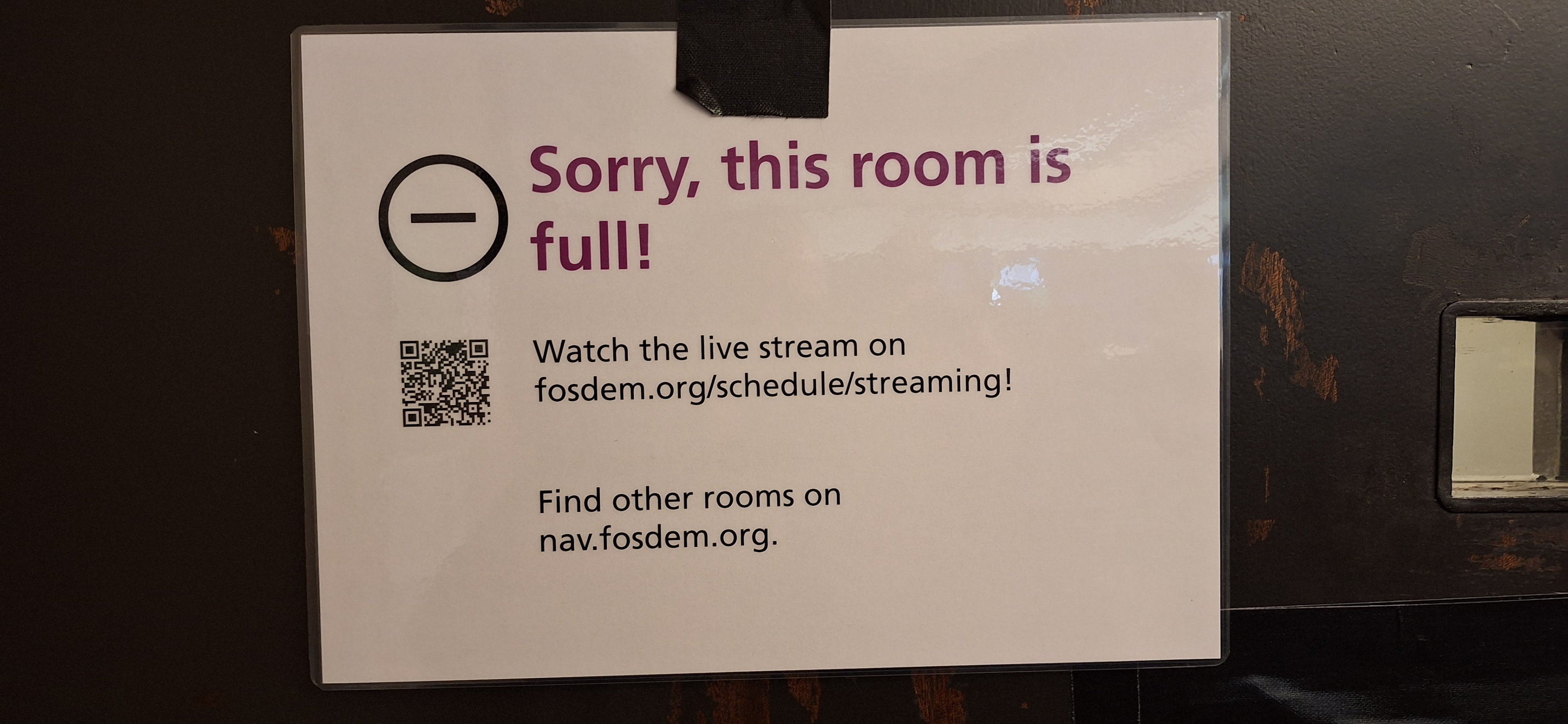
FOSDEM: room is full
Of course, many FOSDEM rooms operated at full capacity and there were quite a few talks which I will watch once their recordings are on-line. I do not want to list individual talks here, just some major takeaways:
-
AArch64 packages are available for everything. There was only one project without it, but even they promised to have it utilized in the next few months. Expect some syslog-ng news on this topic… :-)
-
Risc-V is getting popular among developers, but it’s still far from being usable for average users.
-
Documentation is an integral part of a software release. Without it, a piece of software is useless and not worth releasing. Previously, I only heard this opinion from users and documentation people, so it was good to hear it from developers as well!
-
SBOM (Software Bill of Materials) is becoming a hot topic.
-
Both admins and developers are now expected to know Kubernetes. Of course, there were some people who complained about it, but for most, it was normal. For me, this means that it’s time to gather some practical semi-production experience about Kubernetes, instead of just simply learning about it… :-)
To summarize both events as simply as possible: I hope to see you again next year! And maybe I’ll also go to Configuration Management Camp…
pam_pkcs11: Possible Authentication Bypass in Error Situations (CVE-2025-24531)
Table of Contents
- 1) Introduction
- 2) Discovery of the Issue / Relation to GDM Smart Card Authentication
- 3) The
PAM_IGNOREIssue in pam_pkcs11 - 4) Affected Distributions and Configurations
- 5) Possible Workaround
- 6) Bugfix
- 7) Lessons Learned
- 8) Timeline
- 9) References
1) Introduction
This report is about a regression in pam_pkcs11 version
0.6.12. In this release the implementation of
pam_sm_authenticate() has been changed to return
PAM_IGNORE in many exit paths, which can lead to a complete authentication
bypass in some scenarios. This report is based on upstream Git tag
“pam_pkcs11-0.6.12”. A bugfix is found in release
0.6.13.
Whether this issue can be exploited is a complex question that depends a lot on the system configuration. The following section gives some insight into how we discovered the issue and why its severity can be high in some circumstances. Section 3) looks in detail into the issue found in pam_pkcs11. The rest of the report explores which Linux distributions might be affected by the issue, a possible workaround and the upstream bugfix. Finally we will be taking a look at the lessons that can be learned from this finding.
2) Discovery of the Issue / Relation to GDM Smart Card Authentication
Fellow SUSE engineer Marcus Rückert uses a YubiKey for login at his openSUSE Tumbleweed desktop system. In October 2024 he noticed a change in behaviour in his GDM login setup. By digging a bit deeper he noticed that in some situations login was possible without entering a password or using his YubiKey at all.
While analysing the issue we found that there is a bug (or a feature?) in GDM 3 that causes YubiKeys to be treated as smart cards. This is one ingredient that comes into play here. A number of Linux distributions use a dedicated “gdm-smartcard” PAM stack configuration file for smart card login in GDM. On openSUSE we rely on pam_pkcs11 as the sole (proper) authentication module in this gdm-smartcard PAM stack. It took us a while to understand where exactly this gdm-smartcard PAM stack is used in GDM. The logic to select this PAM stack is found in a wholly different Gnome component, namely gnome-shell. There, some JavaScript is responsible for detecting smart cards via the D-Bus interface of the gnome-settings-daemon, and for changing the authentication mode of GDM.
We reproduced the situation by using smart card emulation in a QEMU Virtual machine, to be able to achieve proper smart card detection in both GDM and pam_pkcs11. As soon as the smart card is properly setup in the system, GDM switches into smart card authentication mode (support for this is enabled by default). A user list is no longer shown in the display manager, instead the username has to be entered manually. After entering the username, the “gdm-smartcard” PAM stack is executed, and with it pam_pkcs11. No password is asked for and login succeeds.
What happens in this test setup, as well as in the real life setup using a YubiKey, is that pam_pkcs11 stops execution after logging “Failed to initialize crypto” and, surprisingly, login succeeds. The reason for this lies in pam_pkcs11, as is described in the next section.
We did not investigate why exactly the “initialize crypto” error occurs, as we don’t believe it is relevant for the security issue. Even when errors occur, the outcome of the PAM stack execution shouldn’t allow authentication without providing credentials.
3) The PAM_IGNORE Issue in pam_pkcs11
The successful login without proper authentication in pam_pkcs11 stems from a change that found its way into pam_pkcs11 version 0.6.12. The issue has been introduced with commit bac6cf8 (note that there seems to exist an artifact in the upstream Git repository: a seemingly identical commit 88a87d5 in the commit log on “master”).
With this change, many exit paths of the
pam_sm_authenticate() function now return
PAM_IGNORE instead of PAM_CRED_INSUFFICIENT. In particular, the code found
at line 284 means that the default return value on
error conditions is PAM_IGNORE, if there is no “login token name”:
if (!configuration->card_only || !login_token_name) {
    /* Allow to pass to the next module if the auth isn't
       restricted to card only. */
    pkcs11_pam_fail = PAM_IGNORE;
} else {
  pkcs11_pam_fail = PAM_CRED_INSUFFICIENT;
}
The card_only flag refers to a module
parameter, whose meaning seems to have
changed over time and is no longer fully conforming to what is documented. It
is enabled in the “gdm-smartcard” stack, thus this part of the if condition
will not trigger. The background of the login_token_name is that the PAM
module contains special logic for unlocking the screen saver, but only if the
session login was performed using pam_pkcs11. This will always be false
during initial login, and thus this part of the if condition applies in this
case.
When a PAM module returns PAM_IGNORE, its outcome should not be used to
determine the result of the PAM stack execution. openSUSE uses the required
control setting for pam_pkcs11 in its “gdm-smartcard” configuration. In
extended PAM syntax required is expressed like this:
    required
        [success=ok new_authtok_reqd=ok ignore=ignore default=bad]
When pam_pkcs11 returns PAM_IGNORE then the “required” control setting no
longer results in what the average administrator will expect, namely that
authentication fails if no successful smart card authentication is possible.
What happens instead depends on the rest of the modules present in the “auth” section on the PAM stack. When no other PAM module at all is on the stack, then authentication fails, because the PAM library expects at least one decisive return value from any module on the stack. When there is another PAM module on the stack that actually authenticates, then that module will set a failed state if no credentials are provided, thereby preventing successful login.
To judge the situation with the “gdm-smartcard” PAM stack, let’s look more closely at its “auth” section:
auth       requisite                   pam_faillock.so      preauth
auth       required                    pam_pkcs11.so        wait_for_card card_only
auth       required                    pam_shells.so
auth       requisite                   pam_nologin.so
auth       optional                    pam_permit.so
auth       required                    pam_env.so
auth       [success=ok default=1]      pam_gdm.so
auth       optional                    pam_gnome_keyring.so
There are a lot of other modules configured, alas, none of them is actually
authenticating. These are what we like to call “utility modules” in this
discussion: they provide support functions. Examples are the pam_faillock
module which checks whether excess authentication errors occurred, or
pam_gnome_keyring which attempts to intercept the cleartext password used
for login to transparently unlock the user keyring. Commonly, such modules
return PAM_SUCCESS in most situations. As a result, when pam_pkcs11 returns
PAM_IGNORE, the overall outcome of the PAM authentication will become
PAM_SUCCESS, supplied by non-authenticating modules in the “gdm-smartcard”
PAM stack.
Below the code location in pam_sm_authenticate() function shown above, only
two code paths return something other than PAM_IGNORE:
Both return paths will reset pkcs11_pam_fail to a safe PAM_AUTH_ERR value.
The following is a list of all the other return paths which will return
PAM_IGNORE:
- line 305: if a user is logging in from remote, or can control the DISPLAY environment variable (e.g. in sudo context).
-
line 316: if the
crypto_init()call fails. -
line 328: if a screen saver context is detected and no login token is
recorded, then an explicit jump to a
PAM_IGNOREreturn is performed. - lines 343, 357: if loading or initializing the PKCS#11 module fails.
-
line 374: if the configured token is not found and
card_onlyis not set. This might be okay in light of the semantics ofcard_only, but it is still strange. If system administrators want to make pam_pkcs11 authentication optional then they can do so by using the PAM stack configuration already, by using theoptionalcontrol setting. Changing the module result semantics this drastically through a seemingly harmless module option is unusual. -
line 416: if no smart card is found even after potentially waiting for it.
If a smart card is found, but one of various PKCS#11 library functions or certificate
checks fail, then further
PAM_IGNOREreturns can happen if any of the following operations fail:-
open_pkcs11_session()(line 432) -
get_slot_login_required()(line 443) - when reading in a password fails (line 471)
- empty password was read without
nullokset (line 486) -
get_certificate_list()(line 522) -
pam_set_item(..., PAM_USER, ...)(line 597) -
match_user()(line 613) -
(no matching certificate found)(line 634) -
get_random_value()(line 663) -
sign_value()(line 677) -
close_pkcs11_session()(line 776)
-
As this long list demonstrates, it is likely that a local attacker will be able
to provoke a PAM_IGNORE return value in pam_pkcs11. For a physical attacker
the simplest way is to insert an arbitrary smart card into an existing reader,
or attach a peripheral smart card device to the system. The pam_pkcs11
module, if configured, will attempt to access the smart card: if the access
fails, then the module returns PAM_IGNORE, resulting in a possible
authentication bypass.
4) Affected Distributions and Configurations
The issue was introduced in pam_pkcs11 version 0.6.12, released in July 2021. Any PAM stack that relies on pam_pkcs11 as the only authentication factor will be affected by the issue.
On openSUSE Tumbleweed the issue became apparent only due to the mentioned changes in GDM, which cause YubiKeys to be treated as smart cards in some situations. We believe plugging in any kind of mismatching smart card (or YubiKey) on openSUSE Tumbleweed with GDM as a display manager will allow to bypass login.
Similar situations could occur on other Linux distributions if GDM smart card login is enabled and smart cards are autodetected. Even then, an affected “gdm-smartcard” PAM stack still needs to be in place for the issue to trigger. gdm-smartcard PAM stacks relying on pam_pkcs11 are found in the GDM repository for:
We tried reproducing the issue on Arch Linux. There the gdm-smartcard PAM stack is installed along with GDM, but there is no pam_pkcs11 package in the standard repositories. It can be installed from the AUR, however. When doing so and also installing the gdm and ccid packages, then the issue becomes basically exploitable as well. We only tested this with a crafted sudo PAM stack, though, since we did not manage to get gdm into smart card authentication mode on Arch Linux. It seems some ingredient was still missing to trigger that.
On Arch Linux we also noticed that the AUR pam_pkcs11 package does not
place any default “pam_pkcs11.conf” file into /etc. This also avoids the
security problem, because when the slot_num setting
is left unconfigured to its built-in default value of -1, then
pam_sm_authenticate() will return early with PAM_AUTHINFO_UNAVAIL. On
openSUSE we do ship a default configuration of slot_num = 0, however.
Current Fedora Linux does not use pam_pkcs11 for smart card authentication anymore (pam_sss is used instead). Older versions of Fedora might still be affected.
5) Possible Workaround
A quick workaround to prevent login bypass is to use the following PAM stack configuration line instead of what is found e.g. in the gdm-smartcard PAM stacks:
auth [success=ok default=bad] pam_pkcs11.so wait_for_card card_only
Instead of using ignore=ignore as seen in the required control setting
shown in section 3), the PAM library will consider ignore (actually any other
outcome than success) a bad result for the authentication stack. This will
cause authentication to fail even if pam_pkcs11 returns PAM_IGNORE.
6) Bugfix
After extensive discussions about the nature of the problem and potential
compatibility issues, upstream arrived at a rather straightforward bugfix
which is found in commit 2ecba68d40. Basically the
PAM_IGNORE return values have been changed into PAM_CRED_INSUFFICIENT
again.
This bugfix is part of upstream release 0.6.13, which also fixes another vulnerability in the PAM module, which has been discovered independently.
7) Lessons Learned
We could not find any clear advice in PAM admin or developer documentation
regarding the proper use of PAM_IGNORE. Therefore we try to give an overview
of the current situation and suggested best practices in this section.
On the use of PAM_IGNORE
As there have been doubts if pam_pkcs11 is to blame for its use of
PAM_IGNORE, we made a survey of other PAM modules packaged in openSUSE. We
found one PAM module, pam_u2f, that also had problematic uses of PAM_IGNORE
in error situations and we published the issue already in a previous
report. This report already resulted in a discussion
on the oss-security mailing list about possible
structural problems when implementing PAM modules.
Apart from this we found the following uses of PAM_IGNORE:
Core PAM Modules
- pam_wheel: this is only kind of a filter module, such that non-
rootwill be denied, while forrootit returnsPAM_IGNORE; the actual authentication decision is made by other modules. - pam_sepermit: returns
PAM_IGNOREif users are not listed in the configuration file. - pam_lastlog: uses
PAM_IGNOREif the lastlog file (in a privileged location) cannot be read. - pam_userdb: returns
PAM_IGNOREif no database is configured. - pam_listfile: returns
PAM_IGNOREif the user about to login does not match the configured criteria.
Third Party PAM Modules
- pam_google_authenticator: returns
PAM_IGNOREif there is no state file and thenullokoption is passed the module. - nss-pam-ldapd: returns
PAM_IGNOREif the user is unknown or no auth info is available, but only if explicitly configured to do so (cfg->ignore_authinfo_unavail,cfg->ignore_unknown_user) - pam_krb5:
- returns
PAM_IGNOREif the user it not known, but only ifoptions->ignore_unknown_principalsis set. - returns
PAM_IGNOREif aminimum_uidis configured and the user doesn’t match that.
- returns
- pam_radius: returns
PAM_IGNOREif the network is unavailable and ignore has been explicitly configured via thelocalifdownoption. - pam_yubico: returns
PAM_IGNOREif there are no tokens for the user and thenullokoption is passed to the module.
As can be seen from this list, most PAM modules only return PAM_IGNORE if
there is an explicit opt-in either through a configuration option or a setting
in a privileged configuration file. Most of the time the meaning of the return
value is that the authentication mechanism is not configured at all, or not
configured for the user that is authenticated. Such configurations can only be
used in a safe way if the module in question is an optional authentication
mechanism, and a fallback PAM module for authentication is present on the
stack.
From the issues seen in pam_pkcs11 and pam_u2f we believe it is especially
important for PAM module implementations to take care not to use PAM_IGNORE
in unclear error situations, since local or physically present attackers might
be able to trigger them.
On the use of PAM_SUCCESS
PAM modules that only serve utility functions but do not actually authenticate
could consider not returning PAM_SUCCESS but PAM_IGNORE instead. This
would avoid unintended successful authentication in a situation like described
in this report. It seems natural to PAM module authors to return PAM_SUCCESS
if nothing in their module failed, however. A lot of modules work this way and
changing them all would be a big effort.
Conservative PAM Stack Configuration
Sadly PAM can be difficult to understand for non-developers and sometimes even for PAM module authors. Even more so admins and integrators should be careful when writing PAM stacks, especially when less common PAM modules are used as the only authentication requirement. Extended PAM syntax like used in our suggested workaround could be used in such situations for hardening purposes, to make sure no unexpected authentication outcomes can occur.
8) Timeline
| 2024-11-06 | There was no maintainer, security contact or disclosure process documented in pam_pkcs11 or the OpenSC project. In an attempt to find a suitable upstream contact we approached Ludovic Rousseau, who was a contributor to pam_pkcs11 and a member of the OpenSC organization on GitHub. |
| 2024-11-06 | Ludovic replied that he is no longer active in the project and pointed to public means of reporting the issue, which we would rather not use at this point. |
| 2024-11-07 | We approached Paul Wolneykien, another recent pam_pkcs11 contributor, and asked for guidance. |
| 2024-11-07 | Paul replied that Ludovic would be the proper maintainer, with Frank Morgner as a fallback. He also pointed to the (public) opensc developer mailing list. |
| 2024-11-08 | Still without a conclusive contact we publicly asked for a security contact on the opensc developer mailing list. |
| 2024-11-08 | In response to our question, Frank Morgner of the OpenSC project enabled private security reporting in the pam_pkcs11 GitHub repository. |
| 2024-11-11 | We shared our report using the now available GitHub private issue reporting, offering coordinated disclosure and an embargo period of up to 90 days. |
| 2024-11-12 | A couple of upstream developers joined the private GitHub issue and various discussions started. |
| 2024-11-13 | Due to uncertainty on the proper use of PAM_IGNORE and what the proper fix in pam_pkcs11 could be, we suggested an early publication of the issue to allow a public discussion of the issue. |
| 2024-11-17 | Different opinions were expressed with regards to publishing the issue, so no agreement could be found at this point. No planned release date could be established. |
| 2024-11-20 | While looking into other PAM modules and their use of PAM_IGNORE, we found that the pam-u2f module suffered from a similar problem. We reported the issue to Yubico upstream, see our earlier report. |
| 2024-11-26 |
linux-pam developer Dmitry V. Levin got pulled into the discussion to judge whether the use of PAM_IGNORE in pam_pkcs11 is problematic or not. He stated that the switch to PAM_IGNORE is problematic when end users are not aware of the behavioural change. |
| 2024-12-05 | With no clear path forward we suggested to share the report with the linux-distros mailing list soon to achieve some progress. No agreement regarding publication could be found, though. |
| 2025-01-07 | Upstream developers discussed a patch to fix the issue, but communication died down since December 12. We asked once more about a path forward to publish the report and bugfix. |
| 2025-01-13 | Upstream asked us to request a CVE for the issue. We requested it from Mitre, but the request got stuck for nearly two weeks. |
| 2025-01-14 | The spin-off pam-u2f issue was published. It was unfortunate that this got published first, since we could not publicly discus the bigger picture involving pam_pkcs11 at this time. |
| 2025-01-20 | An upstream developer stated that a private branch containing a bugfix is available, and asked whether this should be published. We asked not to publish anything without an agreement on the date and procedure. |
| 2025-01-23 | The issue with the Mitre CVE request got resolved and CVE-2025-24531 was assigned for it. We shared this CVE in the private upstream issue. |
| 2025-01-23 | We asked once more for a coordinated release date and suggested to share the issue with the linux-distros mailing list on Jan 30 and to perform general publication on Feb 6. |
| 2025-01-24 | General agreement was achieved for the suggested publication dates. |
| 2025-01-30 | We shared the report and bugfix with the linux-distros mailing list, communicating an embargo period until publication on Feb 6. |
| 2025-02-06 | Upstream published bugfix release 0.6.13 as planned. |
9) References

Simplifying Admin Tasks in openSUSE with the Wheel Group
Tumbleweed – Review of the week 2025/05
Dear Tumbleweed users and hackers,
It seemed like a quiet week to me. Probably people are getting ready to meet up in Brussels for FOSDEM. Make sure to visit the booth area and talk to the people there. We have managed to release 4 snapshots (0124, 0125, 0127, and 0128)
The most relevant changes delivered this week are:
- Mesa 24.3.4
- Mozilla Firefox 134.0.2
- Drop of nscd
- Systemd 257.2
- FWupd 2.0.4+4
- Wine 10.0
- Removal of python 2
The outlook for the future sounds interesting too:
- Meson 1.7.0
- Timezone 2025a
- RPM 4.20: support for declarative build systems. I started playing with this a little bit using meson.
- KDE Plasma 6.3: beta 2 is currently staged
- Change of default LSM from AppArmor to SELinux is progressing, status is tracked at https://bugzilla.opensuse.org/show_bug.cgi?id=1230118.

Tumbleweed Monthly Update - January 2025
Tumbleweed remains a strong example of a reliable rolling release as we step into 2025. This month delivered multiple snapshots and a wide range of updates! Two much anticipated major version updates arrived in snapshots this month; GIMP’s release candidate is giving users a good look into the 3.0 version and libvirt 11.0.0 improves virtualization performance, stability and flexibility. KDE Gear 24.12.1 improves app usability and KDE Plasma 6.2.5 brings some additional stability.
As always, be sure to roll back using snapper if any issues arise.
Happy updating and tumble on!
For more details on the change logs for the month, visit the openSUSE Factory mailing list.
New Features and Enhancements
GIMP 3.0.0~RC2: This makes a major leap to version 3.0 with significant updates and fixes. The build process is streamlined with improved handling of fonts, such as replacing Bitstream Vera with Google Noto Sans and ensuring stability even when fonts are missing. The Python runtime dependencies and enhanced debugging support with libbacktrace ensure smoother builds and better issue resolution. Experimental features like the Lua plugin are now gated for optional use, and Fedora-imported patches improve system monitor profile defaults, external help browser support, and privacy settings. These updates modernize GIMP’s architecture and prepare it for the final 3.0 release.
KDE Gear 24.12.1: Notable updates in this release were made to Dolphin, which improved behavior on X11, fixed thumbnail updates on renaming, and ensured search box initialization fixes. With Itinerary, enhancements for trip group handling were made; there were also improvement made to weather forecasts and it was optimized for crash prevention. Kdenlive addressed timeline issues, fixed crashes, improved layout handling and restored effects presets. KMail improved search functionalities and KPublicTransport enhanced station name recognition.
KDE Plasma 6.2.5: The Discover app store fixes overlapping update descriptions text and kpipewire fixes issues when streaming fails to update. The plasma update also prevents crashes by adding a dummy clipboard. Some screencasting was resolved with KWin. PowerDevil resolves crashes in unloadAllActiveActions and Plasma Networkmanager reverts fixing an issue with the connection speed tab remaining visible after disconnecting.
Rsync 3.4.1: This update brings critical bug fixes and security enhancements. Key updates include improved handling of the -H flag, resolution of a use-after-free issue in rename logging, and removal of the dependency on alloca() in the bundled popt. Security fixes address multiple vulnerabilities such as CVE-2024-12747, which mitigates a race condition in handling symbolic links, as well as CVE-2024-12084 through CVE-2024-12088, tackling heap buffer overflows, information leaks, and directory traversal risks. The update also introduces protocol version 32 and refines developer tools for improved permissions handling.
libvirt 11.0.0: This major release adds VLAN tagging and trunking support for network interfaces on Linux host bridges and enables domains to use advanced tlbflush Hyper-V features. User-defined aliases for devices in domain XML and virtiofs read-only mode are now supported. Enhanced vGPU migration between mdev and SRIOV VF devices is also introduced. Key fixes address transient domain TPM profile crashes, disk image deletion with snapshots, and post-copy migration recovery errors, alongside improvements in domain XML formatting and CPU model support.
libcdio 2.2.0: The library now uses GNU/Linux’s new ioctl with kernel 5.16+ and incorporates GitHub CI checks for better development workflow. Additionally, the update ensures compatibility with widestring APIs and provides better pkg-config detection.
Amarok 3.2.1 & 3.2.2: Amarok introduces Qt6 and KF6 compatibility, enabling support for gpodder, last.fm, and the Wikipedia context applet. The collection can now be filtered by empty tags, and the context view applet for the current track is displayed by default. Key fixes address crashes during file transfers to MTP devices, Ampache logins, and collection filtering. Additional improvements include reduced MTP device query flooding, refined font size limitations in the context view, and enhanced compatibility across compiler and Qt6 versions. Amarok now depends on KDE Frameworks 5.108, marking a step toward modernized builds and better stability.
libxml2 2.13.5: New features include API additions for more reliable malloc failure reporting and context-specific error handlers, such as xmlCtxtSetErrorHandler. The update introduces the XML_PARSE_NO_XXE parser option, enhancing security by disabling external entity loading. Key bug fixes address regressions in xmlIO, xmlreader, and handling of parameter entities. Additionally, significant optimizations ensure better compatibility with modern systems, improved error handling, and support for new configurations. Deprecated features such as HTTP POST support and legacy FTP functionality are gradually being phased out, which reflects a shift toward streamlined and secure XML processing.
Key Package Updates
Kernel Source 6.12.8, 6.12.10 and 6.13.0: The rolling release was one of the first to update to the 6.13 kernel and notable changes for it include a PCI/DPC quirk for PIO log size adjustments on Intel Raptor Lake-P (bsc#1234623). The update also drops a mainline patch for Nouveau backlight control and includes refreshed configurations. Enhanced USB handling, better support for various arm platforms and multiple bug fixes for IIO devices arrived in a previous kernel update. Key changes address vulnerabilities, improve stability and refine hardware compatibility across various subsystems. Version 6.12.8 had enhancements to ALSA and Bluetooth subsystems to address issues like memory leaks and invalid parameter handling. Btrfs received fixes for race conditions and improvements to power supply drivers were made.
btrfs-progs 6.12: This update includes recursive subvolume deletion for accessible subvolumes and the --subvol option in mkfs to create subvolumes with specific properties (read-only, read-write, or default). Other notable improvements include hard link detection in the --rootdir option, refined verbosity in receive and more accurate handling of compressed extents in check. The release also addresses several bugs, such as false positive checksum reports and improper subvolume iteration in rescue clear-ino-cache.
Systemd 257.2: Key updates in this package include improvements to user@.service. Various patches, such as fixes for TPM2 utilities and initrd_prepare behavior, have been integrated upstream. While the testsuite now requires cloning the systemd repository due to upstream changes; efforts are underway to adapt the sub-package.
Mesa 24.3.3: Fixes in this release include resolving rendering issues in Portal 2 and Half-Life 2, addressing crashes in Artifact Classic, and correcting a regression that broke Wayland on RS480M GPUs. Additional updates fix prop disc rendering in X-Plane 12, improve H264/H265 VAAPI encoding on R6700XT with proper QP value handling, and resolve missing text in Age of Mythology Retold on Arc b580 GPUs.
HarfBuzz 10.2.0: Font handling improvements arrive in this package. Unicode Variation Selectors are now considered during “cmap” table subsetting, while malformed UTF-8 strings are better guarded in hb_cairo_glyphs_from_buffer(). Rendering and parsing see significant fixes, including corrected scaling for “COLR” v1 glyphs and locale-independent double number parsing in the hb-subset tool. New APIs enable advanced font table serialization, repacking, and font variation settings conversion.
Coreutils 9.6: This release addresses multiple bug fixes, such as correcting issues in cp, mv, ls and tail, improving reliability and compliance with POSIX standards. Enhancements include new features like CRC32b support in cksum, indexed arguments in printf, and POSIX:2024 string comparison in test. Performance improvements touch key utilities like wc, cksum and sort to ensure faster operations on modern systems.
PHP 8.3.16: This package delivers a wide range of bug fixes and stability improvements across core features and extensions. Enhancements include addressing issues in DatePeriod, SimpleXML and FFI, resolving memory leaks in components like LibXML and Sockets, and improving compliance with standards such as RFC 6890 for IP filtering. Key fixes span vulnerabilities like use-after-free (UAF) in DOM and Iconv, segmentation faults in Gettext and Phar, and overflow issues in Streams. Developers benefit from improved error handling, compatibility updates, and hardened security measures for critical functions like proc_open().
Flatpak 1.16.0: The latest version has new environment variables like FLATPAK_TTY_PROGRESS, FLATPAK_DATA_DIR, and FLATPAK_DOWNLOAD_TMPDIR offer greater flexibility for configuring runtime behavior, such as progress indicators and alternative directory paths. Notable bug fixes include improved handling of dangling symlinks, corrections to introspection annotations in libflatpak, and resolving regressions with Wayland socket handling. Other refinements ensure smoother operation and compatibility, including fixes for terminal progress indicators and the installation of missing test data.
Bug Fixes and Security Updates
Several key security vulnerabilities were addressed this month:
- CVE-2024-12747: Fixed a race condition in handling symbolic links.
- CVE-2024-12084: Resolved a heap buffer overflow in checksum parsing.
- CVE-2024-12085: Fixed an information leak via uninitialized stack contents, defeating ASLR.
- CVE-2024-12086: Addressed server leakage of arbitrary client files.
- CVE-2024-12087: Resolved an issue allowing a server to make clients write files outside the destination directory using symbolic links.
-
CVE-2024-12088: Fixed a bypass for
--safe-linksfunctionality.
git 2.48.1:
- CVE-2024-50349: Fixed an issue where crafted URLs could inject ANSI escape sequences, potentially misleading users into sending credentials to malicious hosts.
- CVE-2024-52006: Addressed incorrect handling of line endings in credential helpers, preventing credential exposure.
- CVE-2020-6923: Fixed a memory buffer overflow vulnerability in HPLIP versions 3.20.8 and earlier, which could allow arbitrary code execution or denial of service.
- CVE-2024-40896: Fixed an out-of-bounds read and write vulnerability when processing HEIF files with forged overlay image offsets.
- CVE-2024-57823: Patch added to fix an integer underflow, which could lead to potential vulnerabilities.
Mozilla Firefox 134.0:
- CVE-2025-0244: Address bar spoofing using an invalid protocol scheme on Firefox for Android.
- CVE-2025-0245: Lock screen setting bypass in Firefox Focus for Android.
- CVE-2025-0246: Address bar spoofing using an invalid protocol scheme on Firefox for Android.
- CVE-2025-0237: WebChannel APIs susceptible to confused deputy attack.
- CVE-2025-0238: Use-after-free when breaking lines in text.
- CVE-2025-0239: Alt-Svc ALPN validation failure when redirected.
- CVE-2025-0240: Compartment mismatch when parsing JavaScript JSON module.
- CVE-2025-0241: Memory corruption when using JavaScript Text Segmentation.
- CVE-2025-0242: Memory safety bugs fixed across multiple versions of Firefox and Thunderbird.
- CVE-2025-0243: Memory safety bugs affecting Firefox, Thunderbird, and ESR versions.
- CVE-2025-0247: Memory safety bugs fixed in Firefox 134 and Thunderbird 134.
- CVE-2024-13176: A timing side-channel vulnerability in ECDSA signature computations could allow attackers to recover private keys.
Conclusion
KDE users will appreciate the refined experience offered by the latest KDE Gear and Plasma releases, with improved usability and bug fixes. Under the hood, Tumbleweed continues to receive critical updates, including security enhancements for Rsync and improved XML processing with libxml2. These updates, along with numerous others continue to make Tumbleweed a secure, stable and useful open-source platform.
Slowroll Arrivals
Please note that these updates also apply to Slowroll and arrive between an average of 5 to 10 days after being released in Tumbleweed snapshot. This monthly approach has been consistent for many months, ensuring stability and timely enhancements for users.
Contributing to openSUSE Tumbleweed
Stay updated with the latest snapshots by subscribing to the openSUSE Factory mailing list. For those Tumbleweed users who want to contribute or want to engage with detailed technological discussions, subscribe to the openSUSE Factory mailing list . The openSUSE team encourages users to continue participating through bug reports, feature suggestions and discussions.
Your contributions and feedback make openSUSE Tumbleweed better with every update. Whether reporting bugs, suggesting features, or participating in community discussions, your involvement is highly valued.
No Keyboard Input on Some Flatpak Games