
Opensuse-Nicaragua in Software Freedom Day
in the community of opensuse-Nicaragua, we have organized together with NI-LUG (Linux user group for Nicaragua) the Software freedom day, an event in which we celebrate the freedoms of free software, and we know the alternative to free we have the unique program, in which case I am proud to say that in the area of facilities were installed 17 machines with 11.0 opensuse already acada a promoDVD them a gift, like all people asking q arrived on opensuse, they were promoDVD a gift.
There was an area of sales of T-shirts, where we make shirts for sale along with the shirts and gave a promoDVD.
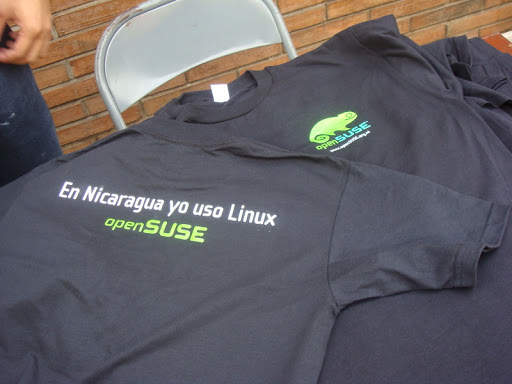

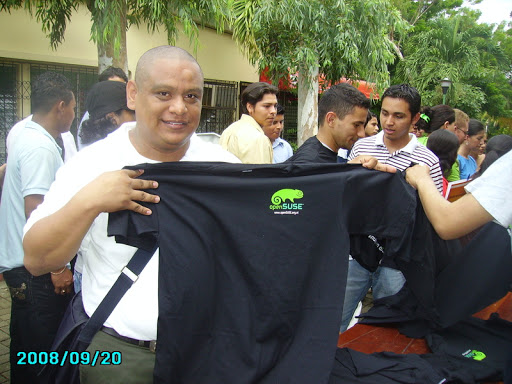
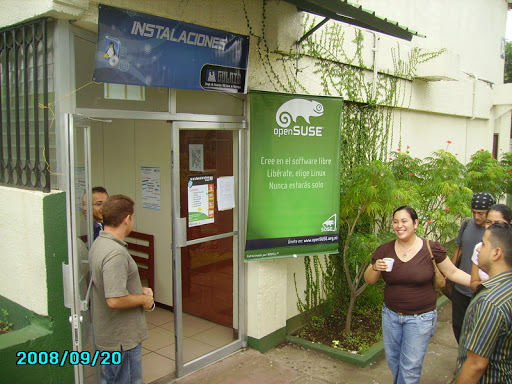
Software Freedom Day was a success!
Introductions
I recently became an openSUSE member and good manners dictate that I introduce myself.
My name is Johan Kotze and I work as a pre-sales engineer for Novell. I live in Paarl, South Africa – a beautiful town in the Cape winelands. I am married and have a 5 year old daugther (yes she does have her daddy wrapped around her little finger )
Like all geeks I like to play with new stuff, so my primary contribution to openSUSE is to try out all the new releases and file bug reports. I run openSUSE on all of my machines at work and at home and spread the word whenever I can.
My other interests include programming (pascal and C#) and bird watching (the feathered kind) and traveling. I’ll gladly give advice to anyone wanting travel info on Souther Africa.
I am currently running openSUSE 11 with KDE 4.1 on my primary laptop (a Lenovo T61p). It took me a while to figure out that you to have to click on the little kidney thing in the right corner before you can move plasmoids around on the taskbar.
I will try (no promises) to blog about my experiences with openSUSE and other open source software.
My switch from Windows to Linux
In March 2006 I lost my patience with Microsoft Windows XP Prof. which I’d bought together with a hardware upgrade on my older computer. I had allready been using StarOffice 5.2/OpenOffice for letters and spreadsheets for 6 years and Firefox had been my preferred webbrowser for some years after 5 to 6 months using Netscape Navigator.
At that time I had only heard a little about Linux, and when I googled I only found sites advertising installation CD’s. Not really what i needed.
One day though I saw an article from an experience from a company, who had switched over to SuSE Linux 10.0. The result was, that the majority of emploiees in that particular company hardly noticed any difference from what they were used to. And some even thought it to be easier. Encouraging article that woke up my curiousity – I wanted to learn more.
Several searches later I had learned about the danish Linux forums and I discovered the danish guide written and maintained by Martin Schlander (cb400f). The guide described how to download and burn .iso images etc. Five (5) CD’s was it, which made me wonder, whatever that were all about. Never the less I downloaded, burned, and backed up my files on my computer. Through my 12 years Windows experience I had learned to allways partition my harddisk and keep important files on the D:-drive.
I were ready to jump into it.
What a surprise. I were used to spend an entire day installing first the OS with a couple of reboots. Then install drivers – reboots – programmes – reboots same-old-story-etc. etc. It were all don in only 40 minutes including upgrades through my wireless router. All my hardware (except from my webcam) worked out-of-the-box. Installing files needed for mp3-files and to be able to watch DVD’s etc. was described in the guide.
Deeply impressed I were ready to learn more. Not only about Linux but also about the community. I subscribed to some forums and newsletters and started my voyage into a totally different world.
To be continued…
YDialogSpy Can Now Show Widget Properties
Yesterday I wrote about YDialogSpy, the new interactive YaST dialog debugger. The plans for its future included showing the properties of the currently selected widget. Well, that future came much quicker than expected; it arrived late this afternoon:
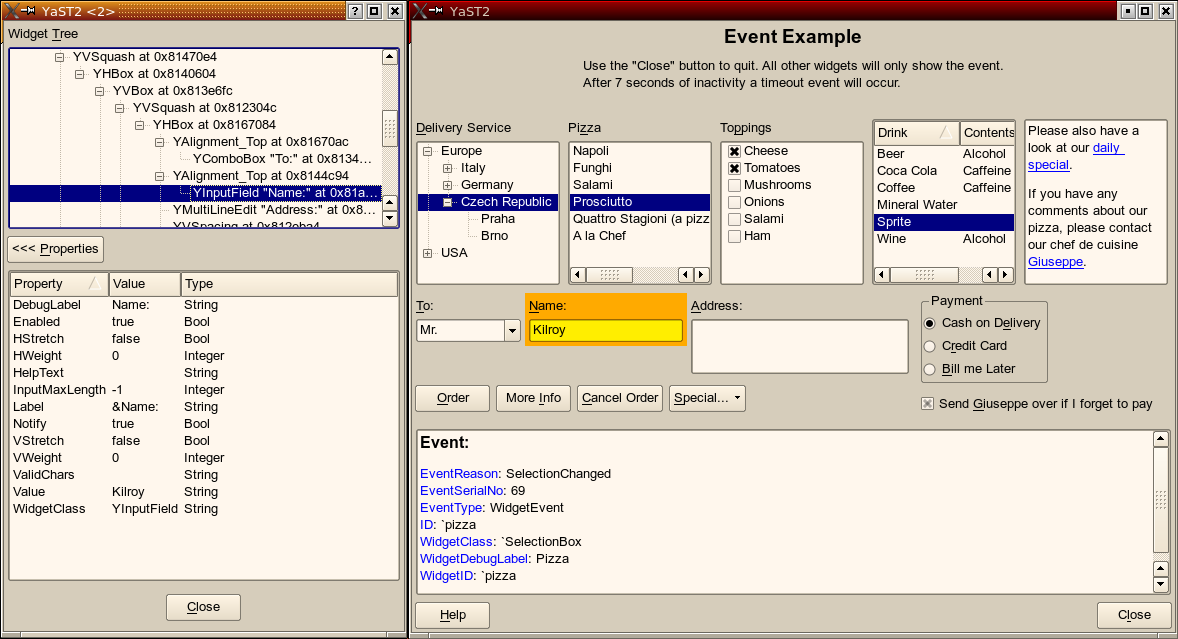


(click for large versions)
The underlying abstract YaST UI library (libyui) already had most of what it took to make this happen: An abstract concept of properties for each widget class including setting, getting and enumerating those properties.
What I had to add was the table widget for the YDialogSpy window (of course) and to add some more fields of the YWidget base class of all YaST widgets to those properties (VStretch, HStretch, VWeight, HWeight). This has the added benefit that they can now also queried and changed as properties from YCP code.
BTW the funny thing about this YDialogSpy is that you can apply it onto itself: You can start another YDialogSpy from the YDialogSpy if you hit Ctrl-Shift-Alt-Y there. That’s how I colorized the widgets in the screen shots above.
Further reading
http://en.opensuse.org/YaST/Development/Misc/YDialogSpy
Installation over serial line
It’s now possible to install openSUSE if you only have a serial line (without additional tricks). Our graphical bootloader frontend used to ignore serial input. That’s now (starting with 11.1 beta1) changed.
In the default setting it monitors com1/com2 (the first two bios configured serial ports) for input. Baud rate is autodetected (you have to press a few keys until it catches on). Output is sent to all lines it receives input from.
When it works, the first screen looks like:
openSUSE 11.1 installation
=== Main Menu ===
Select a boot entry.
1) * Boot from Hard Disk
2) Installation
3) Repair Installed System
4) Rescue System
5) Check Installation Media
6) Firmware Test
7) Memory Test>
If two lines are not enough: it can work with up to four serial lines. You’ll just have to adjust these lines in gfxboot.cfg:
; serial line setup (up to four lines)

; format: port,baud,dev

;   - port: 0-3: first four BIOS serial lines (COM1-COM4); >=4: I/O port (0x3f8)

;   - baud: baud rate (e.g. 115200); 0 = autodetect (considers baud rates >= 9600)

;   - dev: linux device name (e.g. ttyS0)

; - all lines are set up with 8 bits, no parity, 1 stop bit

; - if the bootloader also has a serial line setup, the port is

;   automatically used

serial.line0=0,0,ttyS0

serial.line1=1,0,ttyS1

serial.line2=

serial.line3=
Learning YaST (YCP language)
My name is Alexander i`m a trainee at SUSE.
In my blog i will write about my experience with learning YCP (YaST Control Language)
First of all, most important part of learning is to have a good manual.
Here you have some links to start:
YCP book ->must read! (up to date)
YCP User interface referece book
Later i add additional info …..

 Member
 cgoncalves
openSUSE KDE Bug Squashing Days (20-21 September)
 The openSUSE KDE team wants to dedicate some time on KDE bugs before openSUSE 11.1 gets released, focusing on reported KDE bugs on bugzilla.novell.com inviting the community to take part of it.
Let's stamp out bugs in KDE for openSUSE 11.1! The openSUSE KDE team is holding a Bug Squashing event to work the KDE bugs reported in bugzilla.novell.com. You can be a part of a bug-free KDE!
The openSUSE KDE Bug Squashing event is scheduled September 20 through September 21 (right after openSUSE 11.1 Beta1 release), and the main goal is to have zero bugs!
In order of priority, we have the following list:
- Find duplicated bugs, and obviously close then as DUPLICATE;
- Non openSUSE KDE bugs (KDE upstream bugs) should be:
- Reported on bugs.kde.org (if not yet);
- Added the upstream bug URL to the URL field on bugzilla.novell.com;
- Closed as UPSTREAM (resolution field).
- Filter KDE 4.0 bug reports and try to reproduce them on KDE 4.1:
- If you can't reproduce close them as WORKSFORME and leave a comment as it was most probably fixed on KDE 4.1;
- If you still can reproduce them, try to investigate why/how that happens (eg: step-by-step on how to reproduce) and state it's still reproducible;
- Same as above but for KDE 4.1 - taking in consideration the quicklydevelopment of KDE4 it's really easy that those bugs reported have beenfixed meanwhile.
- Help providing info for bugs marked as NEEDINFO
- Set priority for bugs with Priority = P5(None).
- Explore KDE3 and KDE 4.1 looking for bugs. See if KDE3 ones are fixed for KDE4. Bug report them.
Note: Bug squashers should start from higher severity/priority bug reports to lower ones.
To successfully achieve all these tasks, the openSUSE KDE team needs as many people as possible. All you need to help is one (or more) of the following to help us with debugging:
- An updated openSUSE 11.0 or openSUSE 11.1 system
- KDE 3.5.10 installed from KDE:KDE3 OBS repository
- KDE 4.1 installed from KDE:KDE4:Factory:Desktop OBS repository
During the event the community will be in the #opensuse-kde channel on irc.freenode.org to help you out in whatever you might need. The openSUSE KDE mailing list is also a great way to communicate with the KDE community.
See the openSUSE KDE Bug Squashing Days page for more and updated information at http://en.opensuse.org/KDE/Bug_Slashing/20080920
Have a lot of... openSUSE KDE Bug Squashing Days! ;-)
YDialogSpy: An Interactive YaST Dialog Debugger
Programming a GUI version of “Hello, World” is easy in the YaST programming environment, no matter if it’s YCP (the YaST-specific scripting language), plain C++, Perl, Python, or Ruby.
But if dialogs become more complex, it can get demanding to make them look good and – equally important – to behave well as the user resizes dialogs:
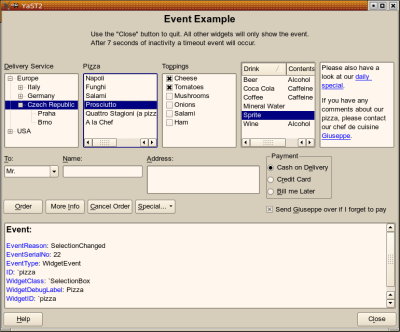
The YaST UI (user interface) engine now features a new debugging tool to make life easier for developers: YDialogSpy. In the Qt version, hit the magic key combination
Ctrl-Shift-Alt-Y
and you will get a YDialogSpy window like this:
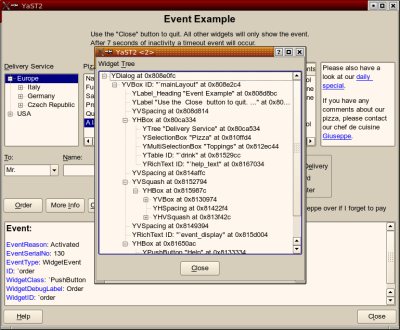
This shows the widget hierarchy of the original dialog as a tree. Clicking around in that tree, you can highlight the corresponding widget (and its child widgets) in the original dialog (move the YDialogSpy window to the side first):
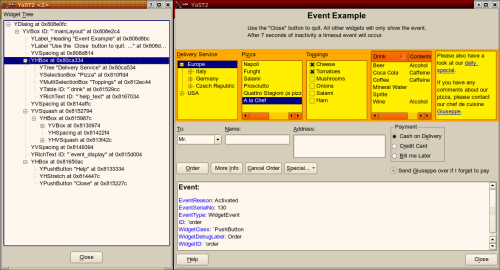
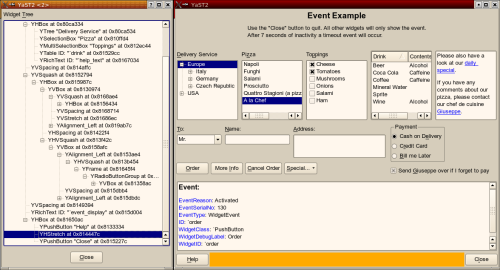
This can also make widgets visible you normally can’t see such as H/VSpacing, H/VStretch etc., and it shows the extent of alignment widgets (left, right, top, bottom) as well as layout boxes (H/VBox):
Availability
yast2-libyui-2.17-9 or later
yast2-qt-2.17.8 or later
The Future
This is just a first version, of course. Future versions will get a “Properties” table that can show certain values of the current widget. Maybe there will also be some (very limited) editing capabilities.
Stay tuned.
Further Reading
http://en.opensuse.org/YaST/Development/Misc/YDialogSpy
(With original-size screen shots)
openSUSE Buildservice: cross-build with OBS Part 3
This is the third part of my article series about the Hackweek Project “cross-build in the OBS” and the current OBS development. The first part can be found here, the second here.
What happened in the meantime?
First of all, the generic code for cross-build went into the subversion repository. The specific patch for cross-build is currently in the flow, because Michael Schröder will incorporate Worker Resource Management into the OBS. This is also important for cross-build, and covers also some areas of the code where also cross-build is implemented. So the cross-build patch is currently kept separate, until Michael is finished. Also, we are working on a more elegant solution to install the qemu packages in the chroot before the worker / local build starts in the emulator. And the KIWI support inside OBS should also work with cross-build repositories.
Second, there are now completely prebuild cross-build OBS packages inside build.o.o. You can use cross-build with “osc build” local build and with OBS workers. Just install the packages from openSUSE:Tools:Devel/obs-all-cross (currently using OBS svn trunc -r 4948). Also, there is an updated qemu inside openSUSE:Tools:Devel/qemu-svn (currently using QEMU svn trunc -r 5181 with lots of patches), that you should install. In case of non cross-build, the codepath should behave exactly as before and exactly as the pure obs snapshot from subversion without the cross-build patches. The solution is good enough to compile complete packages and even projects for Debian:Etch/armv4l, and for Maemo:4.1/armv4l. I measured an average speed mix between IO bound jobs and CPU bound jobs of ca. 1:5-7, which is faster than expected, and also a lot faster than using system emulation. Should you be using native PowerPC workers, you have to deactivate cross-build for PowerPC at the moment inside the code (until Worker Resource Management is implemented).
There are plans to activate cross-build also on build.o.o, for everybodies use. But we are currently fighting with the qemu user mode issues, especially on non Arm architectures. QEMU on PowerPC specifically in user emulation is not generally usable for cross-build at the moment.
Dirk has in the meantime also provided a collection of the Maemo 4.1 packages, so at a later stage these can be used on Arm. This is currently work in progress, so don’t expect it to work yet. The project Name in build.o.o is Maemo:4.1. It provides an arm development enviroment for the Nokia N810 Linux Mobile Phone as well as exactly the same packages for i586, to develop and run the software also on a PC, and is based on Debian.
Next Steps?
Integration of the remaining cross-build code into the mainline OBS code when Michael has done some grounding work.
Installation of the emulators with the OBS preinstall facility. This will also allow to replace very slowly emulated packages by some cross-build packages instead. It allows a mixture of cross-build Type 3 and Type 4.
Integration of Marcus Hüwes work on remote repositories, allowing to get packages and projects from normal ftp/http installation/update trees.
Kiwi support for cross-built repositories.
Activation of cross-build on build.o.o.
If I forgot a cool feature to mention, I would be happy to get feedback on what you would like us to do.
Keep happy hacking with the cross-build OBS packages provided.
ENOS 2008: a quick review
As announced on openSUSE News, ENOS 2008 took place this Saturday, September 6th at ISEP, Porto, Portugal. The event started at 10:00 am (local time) and during 1h:30m people had the opportunity to meet each other in a non formal environment, and at the same time I gave away openSUSE t-shirts, caps, lots of stickers and PromoDVDs (thanks Novell, specially to Martin Lasarsch!) to them. At 11:30 we started the two scheduled morning presentations:
- "The openSUSE 11.0 News" (Carlos Gonçalves, PDF) - as the name says, I presented the news of openSUSE 11.0, but also took the opportunity to do an overview of the openSUSE project since many of the attendance wasn't openSUSE users, and at the end random slides including information on how to get involved, how to communicate, openSUSE 11.1 roadmap, etc.
- "Migrating from Windows to Linux" (Lívio Cipriano, PDF) - a great talk by Lívio on how to migrate from Windows to Linux with good points of view and tips to easily migrate even in enterprises environments, eg: start using cross-platform software such as OpenOffice.org, Firefox, and Thunderbird and later migrate to Linux - users won't notice much difference indeed.
- "YaST - a programming platform. PackgeKit and PolicyKit" (Ricardo Cruz) - it was mainly a technical talk about YaST. Ricardo showed us how simply is to create a "Hello World!" windows, buttons and some widgets. He also introduced PackageKit and PolicyKit.
-
"Oxygen, a pillar of KDE4" (Nuno Pinheiro, PDF) - Pinheiro's main goal with this presentation was to demonstrate that Oxygen is not a KDE icons theme, but rather much more stuff than that.
-
"Qtractor, an Audio/MIDI multi-track sequencer" (Rui Capela, PDF) - Linux Audio hacker on his spare time Rui spoke about his audio/MIDI multi-track sequencer Qtractor application, gave audio demos using it, and highlighted some Linux Kernel Real Time 2.6.{26,27} issues as for example the time lag problem kernel-rt is facing at the moment.
-
"Mono - introducing Mono and its features" (Andreia Gaita) - what can I say... awesome talk! Andreia presented Mono and MonoLight, what made them, developers, develop such technology, what we can do with it, etc. This talk was indeed one of the reasons to people have attended ENOS 2008.
Gallery
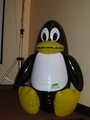
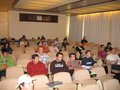
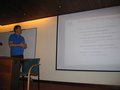
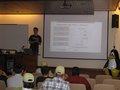
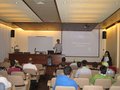
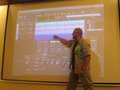
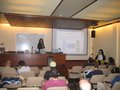
See the rest of the photo gallery
ENOS 2009:
ENOS 2009 already has place, Castelo Branco, and it will be organized by Associação de Informática de Castelo Branco. Anyone interested in helping us is highly welcome. I hope see you next year! ;-)The Community:
- Mailing list: opensuse-pt@opensuse.org (subscribe)
- IRC: #opensuse-pt on irc.freenode.net
- Web: http://opensusept.org/
Big thanks to Porto Linux, ISEP, and Novell for the support!
Thanks to all attendees for participating!
P.S.: there are two presentation PDFs missing. I will add them as soon as possible.