
 Member
 baltolkien
Sincronización de los LED de color del teclado. Novedades de Plasma 6.1 (IV)
El martes 18 de junio fue lanzada la primera gran revisión Plasma 6. Ya es hora de ir analizando sus novedades. Ya he hablado del escritorio remoto integrado en Plasma, la nueva forma de personalizar el escritorio y de las aplicaciones persistentes. Hoy toca hablar de la sincronización de los LED de color del teclado, otra forma de personalizar nuestro entorno de trabajo real.
Aplicaciones persistentes en Plasma. Novedades de Plasma 6.1 (III)
La Comunidad KDE publicó hace un tiempo la primera actualización de la sexta rama de su escritorio, o dicho de otra forma, Plasma 6.1, una versión que suponía un punto y seguido en la evolución positiva que sigue haciendo el entorno de trabajo más popular del proyecto KDE y la primera en ofrecer novedades realmente revolucionarias. Es hora de empezar a repasarlas.
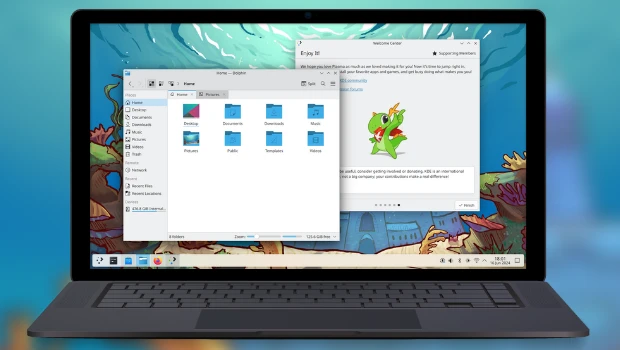
En palabras de sus desarrolladores:
No sería una nueva versión de Plasma sin al menos una función de personalización estética elegante. Esta vez, sin embargo, le damos la facultad de ir más allá de la pantalla, hasta llegar al teclado, que ahora permite sincronizar los colores LED de las teclas para que coincidan con el color de acento del escritorio.
La mejora definitiva para el usuario preocupado por la moda.
Tenga en cuenta que esta característica no funcionará en los teclados no reconocidos (¡aunque el reconocimiento de más teclados está en camino!).
Más información: KDE
Las novedades de Plasma 6.1
Hoy es un día de descarga y actualizaciones, y mientras espero que esté disponible para mi KDE Neon, os comento algunas de sus novedades:
No obstante, aquí tenéis unas pinceladas de las novedades que nos facilitaron los desarrolladores en su fase beta fueron las siguientes:
- Triple búfer en KWin para una mejor renderización y animaciones más fluidas.
- Permitir el uso del protocolo de sincronización explícita de Wayland, lo que debería mejorar la vida de los usuarios de NVIDIA en particular.
- Permitir el uso del portal de captura de entrada.
- Integración del sistema de escritorio remoto para permitir conexiones de clientes RDP con el escritorio Plasma, además de una nueva página en las «Preferencias del sistema» para configurarla.
- Nueva experiencia de usuario para el modo de edición de Plasma, para hacer que su modalidad sea más obvia y visualmente más elegante.
- Se ha añadido una barrera de borde configurable entre pantallas, para que sea más fácil alcanzar los elementos de la interfaz de usuario que tocan los bordes entre pantallas. Esto también permite que los paneles que se ocultan automáticamente en los bordes entre las pantallas funcionen correctamente.
- Restauración de falsa sesión en Wayland que, por lo menos, vuelve a abrir las aplicaciones que estaban abiertas la última vez, incluso aunque no vuelvan a estar situadas en el mismo lugar. Todavía se sigue trabajando en la restauración real de la sesión.
- Compatibilidad con la sincronización del color de la luz RGB posterior del teclado con el color de acento de Plasma.
- Permitir el uso del perfil de color integrado en la pantalla, para las pantallas que lo incluyan.
- Permitir que Discover pueda sustituir aplicaciones Flatpak que han alcanzado el final de soporte con sus reemplazos.
- Compatibilidad con las funciones del modo de conservación de batería en muchos portátiles Lenovo IdeaPad y Legion.
- Compatibilidad con el bloqueo de pantalla sin contraseña, que permite usarlo como un salvapantallas en entornos sin problemas de seguridad.
- Ahora se puede hacer un clic central en el widget de «Energía y batería» para bloquear o desbloquear el reposo automático y el bloqueo de la pantalla. También se puede usar la rueda del ratón sobre él para cambiar el perfil de ahorro de energía activo.
- Esquinas ligeramente redondeadas y más coherencia entre los radios de las esquinas en todas partes.
- Mejor algoritmo de organización de ventanas para la «Vista general».
- El efecto «Mover el cursor para encontrarlo» se ha activado de forma predeterminada.
- Nuevo efecto desactivado de forma predeterminada para ocultar el puntero del ratón tras un período de inactividad.
- La página del teclado de las «Preferencias del sistema» se ha reescrito en QML.
En los próximas entradas más detalles.
La entrada Sincronización de los LED de color del teclado. Novedades de Plasma 6.1 (IV) se publicó primero en KDE Blog.
Aplicaciones persistentes en Plasma. Novedades de Plasma 6.1 (III)
El martes 18 de junio fue lanzada la primera gran revisión Plasma 6. Ya es hora de ir analizando sus novedades. Ya he hablado del escritorio remoto integrado en Plasma o la nueva forma de personalizar el escritorio. Hoy toca habla de las aplicaciones persistente, un claro ejemplo de cómo, con bastante celeridad, vuelven alguna de las funcionalidades perdidas en la transición de Qt5 a Qt6.
Aplicaciones persistentes en Plasma. Novedades de Plasma 6.1 (III)
La Comunidad KDE publicó hace un tiempo la primera actualización de la sexta rama de su escritorio, o dicho de otra forma, Plasma 6.1, una versión que suponía un punto y seguido en la evolución positiva que sigue haciendo el entorno de trabajo más popular del proyecto KDE y la primera en ofrecer novedades realmente revolucionarias. Es hora de empezar a repasarlas.
En palabras de sus desarrolladores:
Plasma 6.1 en Wayland dispone ahora de una función que «recuerda» lo que estaba haciendo el la última sesión, como hacía en X11, aunque todavía está en pleno desarrollo. Si cierra la sesión y apaga el equipo con muchas ventanas abiertas, Plasma las abrirá la próxima vez que acceda al escritorio, haciendo que sea más rápido y más fácil volver a lo que estaba haciendo.
Más información: KDE
Las novedades de Plasma 6.1
Hoy es un día de descarga y actualizaciones, y mientras espero que esté disponible para mi KDE Neon, os comento algunas de sus novedades:
No obstante, aquí tenéis unas pinceladas de las novedades que nos facilitaron los desarrolladores en su fase beta fueron las siguientes:
- Triple búfer en KWin para una mejor renderización y animaciones más fluidas.
- Permitir el uso del protocolo de sincronización explícita de Wayland, lo que debería mejorar la vida de los usuarios de NVIDIA en particular.
- Permitir el uso del portal de captura de entrada.
- Integración del sistema de escritorio remoto para permitir conexiones de clientes RDP con el escritorio Plasma, además de una nueva página en las «Preferencias del sistema» para configurarla.
- Nueva experiencia de usuario para el modo de edición de Plasma, para hacer que su modalidad sea más obvia y visualmente más elegante.
- Se ha añadido una barrera de borde configurable entre pantallas, para que sea más fácil alcanzar los elementos de la interfaz de usuario que tocan los bordes entre pantallas. Esto también permite que los paneles que se ocultan automáticamente en los bordes entre las pantallas funcionen correctamente.
- Restauración de falsa sesión en Wayland que, por lo menos, vuelve a abrir las aplicaciones que estaban abiertas la última vez, incluso aunque no vuelvan a estar situadas en el mismo lugar. Todavía se sigue trabajando en la restauración real de la sesión.
- Compatibilidad con la sincronización del color de la luz RGB posterior del teclado con el color de acento de Plasma.
- Permitir el uso del perfil de color integrado en la pantalla, para las pantallas que lo incluyan.
- Permitir que Discover pueda sustituir aplicaciones Flatpak que han alcanzado el final de soporte con sus reemplazos.
- Compatibilidad con las funciones del modo de conservación de batería en muchos portátiles Lenovo IdeaPad y Legion.
- Compatibilidad con el bloqueo de pantalla sin contraseña, que permite usarlo como un salvapantallas en entornos sin problemas de seguridad.
- Ahora se puede hacer un clic central en el widget de «Energía y batería» para bloquear o desbloquear el reposo automático y el bloqueo de la pantalla. También se puede usar la rueda del ratón sobre él para cambiar el perfil de ahorro de energía activo.
- Esquinas ligeramente redondeadas y más coherencia entre los radios de las esquinas en todas partes.
- Mejor algoritmo de organización de ventanas para la «Vista general».
- El efecto «Mover el cursor para encontrarlo» se ha activado de forma predeterminada.
- Nuevo efecto desactivado de forma predeterminada para ocultar el puntero del ratón tras un período de inactividad.
- La página del teclado de las «Preferencias del sistema» se ha reescrito en QML.
En los próximas entradas más detalles.
La entrada Aplicaciones persistentes en Plasma. Novedades de Plasma 6.1 (III) se publicó primero en KDE Blog.
#openSUSE Tumbleweed revisión de las semanas 26 y 27 de 2024
Tumbleweed es una distribución de GNU/Linux «Rolling Release» o de actualización contínua. Aquí puedes estar al tanto de las últimas novedades.

openSUSE Tumbleweed es la versión «rolling release» o de actualización continua de la distribución de GNU/Linux openSUSE.
Hagamos un repaso a las novedades que han llegado hasta los repositorios esta semana.
Y recuerda que puedes estar al tanto de las nuevas publicaciones de snapshots en esta web:
El anuncio original lo puedes leer en el blog de Dominique Leuenberger, publicado bajo licencia CC-by-sa, en este este enlace:
En este lapso de tiempo de dos semanas se han publicado un total de 12 snapshots (0620, 0621, 0622, 0624, 0625, 0627, 0628, 0629, 0701, 0702, 0703, y 0704)
Los cambios más relevantes que han traído estas snapshots son:
- GDB 14.2
- MariaDB 11.4.2
- Mesa: con la solución a los problemas gráficos de ATI/AMD, versión 24.1.2
- Shadow 4.16.0
- Wayland 1.23.0
- KDE Plasma 6.1.0, 6.1.1 y 6.1.2
- GCC 14.1.1
- Qt 6.7.2
- Linux kernel 6.9.6 (con solución a los problemas de conexión con iwlwifi) & 6.9.7
- NetworkManager 1.48.2
- ClamAV 1.3.1
- GNOME 46.3
- GStreamer 1.24.5
- Perl 5.40.0
- LLVM 18.1.8
- Poppler 24.07.0
- Qemu 9.0.1
- Systemd 255.8
- Cups 2.4.10
- Samba 4.20.2
- PyTest 8.2.2
- openssh que soluciona la vulnerabilidad CVE-2024-6387, aka RegreSSHion
Y esto se está preparando para próximas snapshots:
- Mesa 24.1.3
- Mozilla Firefox 127.0.2
- LibreOffice
- Agama paquetes e instalador.
- KDE Gear 24.05.2
- SELinux 3.7
- cmake 3.30.0
- transactional-update: habilitar soft reboot
- dbus-broker: algún problema de red después de que las actualizaciones se hayan resuelto
- GCC 14
Si quieres estar a la última con software actualizado y probado utiliza openSUSE Tumbleweed la opción rolling release de la distribución de GNU/Linux openSUSE.
Mantente actualizado y ya sabes: Have a lot of fun!!
Enlaces de interés
- ¿Por qué deberías utilizar openSUSE Tumbleweed?
- zypper dup en Tumbleweed hace todo el trabajo al actualizar
- ¿Cual es el mejor comando para actualizar Tumbleweed?
- ¿Qué es el test openQA?
- http://download.opensuse.org/tumbleweed/iso/
- https://es.opensuse.org/Portal:Tumbleweed

——————————–
Tumbleweed – Review of the weeks 2024/26 & 27
Dear Tumbleweed users and hackers,
My excuse to span two weeks in this report is quite simple: last week was the openSUSE Conference in Nuremberg and I spent my time talking to all the fun people from the community instead. And I am sure you are forgiving me for this. With the conference in full swing and weekends in between, it is quite amazing that the release Team (mostly Ana these days) still managed to produce and publish 12 snapshots (0620, 0621, 0622, 0624, 0625, 0627, 0628, 0629, 0701, 0702, 0703, and 0704)
The most relevant changes from these snapshots include:
- GDB 14.2
- MariaDB 11.4.2
- Mesa: work around broken graphics on ATI/AMD chipsets, Version 24.1.2
- Shadow 4.16.0
- Wayland 1.23.0
- KDE Plasma 6.1.0, 6.1.1 & 6.1.2
- GCC 14.1.1
- Qt 6.7.2
- Linux kernel 6.9.6 (fixing connection issues with iwlwifi) & 6.9.7
- NetworkManager 1.48.2
- ClamAV 1.3.1
- GNOME 46.3
- GStreamer 1.24.5
- Perl 5.40.0
- LLVM 18.1.8
- Poppler 24.07.0
- Qemu 9.0.1
- Systemd 255.8
- Cups 2.4.10
- Samba 4.20.2
- PyTest 8.2.2
- openssh fix against CVE-2024-6387, aka RegreSSHion
Quite an impressive list in just 2 weeks I’d say. At least in the northern hemisphere, the summer holiday is starting (including my own – so no reports from me for the next two weeks! Please follow the individual snapshot release announcements on the factory@lists.opensuse.org mailing list). With many people enjoying a break, we will likely see fewer requests going to Tumbleweed.
Looking at what is currently to be found in the staging area, we can predict those changes to happen in the next few days/weeks:
- Mesa 24.1.3
- Mozilla Firefox 127.0.2
- LibreOffice: fix excessive recommends on libreoffice-qt6
- Agama packages and installer to appear. Not yet QA’ed as part of the Tumbleweed release process, but feel free to test and play with it
- KDE Gear 24.05.2
- SELinux 3.7
- cmake 3.30.0
- transactional-update: enable soft reboot; see https://microos.opensuse.org/blog/2024-06-13-soft-reboot/
- dbus-broker: some networking issue after upgrades left to work out
- GCC 14: phase 2: use gcc14 as the default compiler – lots of help needed: https://build.opensuse.org/project/show/openSUSE:Factory:Staging:Gcc7
Thunderbird 128 a la vuelta de la esquina
Ya puedes probar la versión Beta de Thunderbird 128, el potente cliente de correo de software libre

El cliente de correo Thunderbird sigue preparando su versión 128, que se publicará el próximo 10 de julio de 2024. Pero ya está disponible su versión Beta para probarla en nuestros equipos y echar un vistazo a las novedades y contribuir reportando errores.
Esta será una actualización un poco más corta ya que la comunidad de Thunderbird dedicó la mayor parte de se esfuerzo en probar y pulir 128 beta, que se convertirá en ESR el 10 de julio. Pero aún así se han corregido un total de 127 errores y se están solucionando algunas cosas más. Por ejemplo…
Ahora se pueden ver los colores personalizados que elegiste para sus diferentes cuentas en las ventanas de redacción del correo electrónico. Esta fue una solicitud que se realizó hace 18 años y que finalmente se ha podido cumplir gracias al increíble trabajo que muchos desarrolladores realizaron durante los últimos 2 años. Las cosas llegan…
Ha sido necesario reestructurar el código para hacerlo más confiable y modular, con una separación más clara entre los datos y la interfaz de usuario. Esta profunda mejora hace que se puedan ofrecer estas funciones solicitadas desde hace mucho tiempo mucho más rápido.
El código del cliente está terminado, todo está en su lugar y estamos probando la sincronización de los datos del servidor con un servidor provisional temporal.
También siguen trabajando en una sincronización de cuentas, al estilo del navegador Firefox, para sincronizar Thundebird en todos tus dispositivos.
Todavía se está trabajando para generar su propio servidor de producción, pero requiere más trabajo para tenerlo disponible, por lo que potencialmente no se habilitará la sincronización de forma predeterminada para la primera versión de ESR y, en cambio, se mantendrá oculta temporalmente, con el objetivo de habilitarla en una versión futura (tal vez 128.1 o 128.2) dependiendo de cuándo este listo el servidor de producción.
Todo esto y mucho más es lo que espera a este gran software, que te ayuda a gestionar tus correos electrónicos, tus contactos, tus calendarios y mucho más…
Puedes probar la versión Beta, sin necesidad de reemplazar tu versión estable y disfrutar de las novedades antes que nadie si te puede la curiosidad…
Enlaces de interés
- https://blog.thunderbird.net/2024/07/thunderbird-monthly-development-digest-june-2024/
- https://www.thunderbird.net
- https://www.thunderbird.net/en-CA/thunderbird/115.0/beta-appeal/

Segunda actualización de KDE Gear 24.05
La Comunidad KDE es una comunidad responsable y no solo se preocupa en lanzar novedades sino que también en mejorarlas. Me complace presentar la segunda actualización de KDE Gear 24.05 que apareció hace casi dos meses. Más estabilidad, mejores traducciones y pequeñas mejoras para las aplicaciones de nuestro entornos de trabajo.
Segunda actualización de KDE Gear 24.05
A pesar de lo que puedan pensar muchas personas, las aplicaciones no son perfectas. Entre las líneas de código se pueden colar errores de tipografía o que el usuario realice alguna opción que en un principio no estaba prevista por los desarrollador, por poner solo un par de ejemplos de imperfecciones.
Este no es un problema del Software Libre ya que el Software actual funciona de esta manera ya que no se piensa en él como un producto final que se encierra en una caja y se olvida. En la actualidad se sabe que el Software está vivo y sería estúpido ir guardando las mejoras sin dejarlas a disposición del gran público.
Con esto se gana en rapidez y evolución pero puede aumentar el número de errores (por norma general) leves, los cuales son subsanables con pequeñas actualizaciones.
La Comunidad KDE lo tiene claro: grandes lanzamientos cada cuatro meses y actualizaciones mensuales para subsanar errores.

Por ello me congratula compartir con vosotros la segunda actualización de KDE Gear 24.05 que nos ofrece más de 180 errores resueltos entre aplicaciones, librerías y widgets, algo que mejora el rendimiento del sistema.
Aquí podéis encontrar la lista completa de cambios de KDE Gear 24.05.02, pero por poner unos cuantos ejemplos de los errores que sea han resuelto tenemos:
- kdepim-runtime: Corrección de una fuga de memoria en el recurso EWS
- kio-gdrive: arreglado «Este archivo no existe» después de hacer clic en una carpeta
- partitionmanager: Corregido fallo causado por hacer clic en el botón de eliminar punto de montaje
Más información: KDE Gear 24.05.02
La entrada Segunda actualización de KDE Gear 24.05 se publicó primero en KDE Blog.

My First OpenSUSE Bug Report
My First OpenSUSE Bug Report
One of the first contributions one can make to an Open Source community is a bug report. Effectively, except for one wifi issue on my Tumbleweed computer that seemed to go away on its own, I haven't actually run into many bugs.
However, when using my LEAP laptop, I was constantly driven to distraction by accidentally pasting when I was trying to click. What was happening was I would click the middle part of the bottom of my track pad, and that would trigger the "past by middle click" "feature" in GNOME.
I was a bit surprised by the lack of configurability for the track pad, but I chalked that up to GNOME being GNOME. I tried to disable "tap to click" as a work around.
This didn't seem to work, so I decided to log a but report:

Notice that bug report is set to RESOLVED. This is because the person investigating the issue pointed me to gnome-tweaks, which did have the kind of configurability I was expecting.

I ended up closing the bug report after leaving some comments about how I handled it.

All in all, I had a highly positive experience reporting the issue. I am not sure that I actually helped anyone so much as got tech support from the community, but I now have my first bug report under my belt!

Workflow Run Easy Filtering And Others
🥬🧺 IX Trobada Ğ1 València Sud! 🍎🍯
Me congratula promocionar la 🥬🧺 IX Trobada Ğ1 València Sud! 🍎🍯organizada por Ğ1 València Sud y Emancipació Comunitària. Se trata de una nueva inicicitaiva que tiene como principal objetivo concienciar en el uso del software libre y en el uso de redes sociales no federadas. Más información, sigue leyendo.
🥬🧺 IX Trobada Ğ1 València Sud! 🍎🍯

Me complace compartir con vosotros una nueva iniciativa del grupo de personas que en València está impulsado el Software Libre y temas relacionados con el empoderamiento de la sociedad. Se trata del grupo Ğ1 València Sud! y de la incansable Emancipació Comunitària.
A lo largo de ya varios años han relizado numerosas charlas promocionando el Software Libre, casi todas orientadas a la concienciación y a la iniciación de nuevos usuarios, casi todas ellas con un Taller de Instalación asociado con el que facilitar la entrada a todo el mundo.
En esta ocasión se trata de una propuesta para el próximo domingo 7 de julio, a partir de las 11 de la maña que empieza con un mercado dedicado al intercambio de bienes mediante moneda libre.
Programació
✨11:00h. Comença el mercat
✨14:00h. Menjar. Fideuà vegana sense gluten (50 Ğ1)
Reserva la teua ració: @hectorvicentormo
✨16:00h. Xarrada. «Introducció al programari lliure i les xarxes socials federades»
✨18:00h. Tancament de la Trobada.
Nota 1: Xanclas presentarà el projecte «Cibercirujas», una iniciativa que busca combatre l’obsolescència programada i promoure la reutilització de maquinari tecnològic.
Els «cybercirujas» són activistes tecnològics que recuperen i reparen dispositius antics, donant-los una segona vida i lluitant contra el malbaratament tecnològic i les grans corporacions que ens forcen a actualitzar constantment els nostres equips. Aquest moviment defensa la sostenibilitat i l’ètica en l’ús dels recursos tecnològics, i promou el software lliure com a eina d’alliberament i resistència.
Nota 2: Si és la teua primera vegada muntant una parada al mercat, la comunitat t’oferirà un incentiu en forma de monedes lliures per animar-te a participar.
Programación
✨11:00h. Empieza el mercat
✨14:00h. Comida. Fideuà vegana sin gluten (50 Ğ1)
Reserva tu ración: @hectorvicentormo
✨16:00h. Charla. «Introducción al software libre y las redes sociales federades»
✨18:00h. Cierre del encuentro
Nota 1: Xanclas presentará el proyecto «Cibercirujas», una iniciativa que busca combatir la obsolescencia programada y promover la reutilización de hardware tecnológico.
Los «cybercirujas» son activistas tecnológicos que recuperan y reparan dispositivos antiguos, dándoles una segunda vida y luchando contra el derroche tecnológico y las grandes corporaciones que nos fuerzan a actualizar constantemente nuestros equipos. Este movimiento defiende la sostenibilidad y la ética en el uso de los recursos tecnológicos, y promueve el software libre como herramienta de liberación y resistencia.
Nota 2: Si es tu primera vez montando una parada al mercado, la comunidad te ofrecerá un incentivo en forma de monedas libres para animarte a participar.
Os dejo el cartel, realizado únicamente con Software Libre, como debe ser:

Más información: Grupo y Canal de Telegram de Emancipació Comunitària
La entrada 🥬🧺 IX Trobada Ğ1 València Sud! 🍎🍯 se publicó primero en KDE Blog.

Tumbleweed Monthly Update - June 2024
Welcome to the monthly update for openSUSE Tumbleweed for June 2024. This month was busy with events like the Community Summit in Berlin and the openSUSE Conference, but a number of snapshots continued to roll out to users. Developers, system administrators and users receive updates designed to enhance your experience and ensure high levels of security and performance.
Should readers desire a more frequent amount of information about snapshot updates, readers are encouraged to subscribe to the openSUSE Factory mailing list.
Let’s go!
New Features and Enhancements
-
Linux Kernel 6.9.7: This kernel introduces several important fixes and enhancements across various subsystems. Key updates include addressing undefined references in netfilter when
CONFIG_SYSCTLis disabled, correcting TCP Fast Open handling, and resolving a conflicting quirk in Advanced Linux Sound Architecture for Realtek devices. Improvements in file system writeback operations, multi-threaded path handling and memory management for Hisilicon crypto drivers enhance stability. Networking updates include fixes for race conditions in netpoll, enhancements for specific SFP modules, and improvements in WiFi drivers such as RTW89, Ath9k, Ath12k, and MT76. Additional platform-specific updates address issues in ACPI, ARM64 configurations, HID device handling, and Bluetooth driver fixes. - PipeWire 1.2.0 and WirePlumber 0.5.4: PipeWire 1.2.0 introduces asynchronous processing, node.sync-group for synchronized scheduling, and improved config parsing error reporting. It also adds mandatory metadata support for buffer parameters, multiple data-loops with CPU affinity, and dynamic log level adjustments. Key fixes include RTP-SAP module enhancements, ROC 0.3 support, and improved Bluetooth BAP broadcast code parsing. WirePlumber 0.5.4 refines the role-based linking policy, allowing role-based sinks alongside standard audio operations and enabling regular filters to act as best targets. It addresses startup crashes due to empty config files, improves Bluetooth profile auto-switching, and fixes issues with DSP filters and infinite loop scenarios in autoswitching scripts. Together, these updates enhance the flexibility, reliability, and overall performance of audio management in Linux environments. Both also received updates in snapshot 20240627
-
Mesa and Mesa-drivers 24.1.2: Both packages underwent a specfile cleanup, involving the relocation of Rust crate sources into subprojects folders and updates to
baselibs.conf. Due to the maintenance burden associated with Rust crates as system dependencies, these crates are now downloaded as vendored dependencies, as detailed in the README-suse-maintenance.md. The update adds support for building libvulkan_nouveau, including necessary Rust crates such as paste-1.0.14, proc-macro2-1.0.70, quote-1.0.33, syn-2.0.39, and unicode-ident-1.0.12. However, building libvulkan_nouveau on Leap is not possible due to the requirement for rust-cbindgen >= 0.25. For more details, refer to the release notes at https://docs.mesa3d.org/relnotes/24.1.2. - KDE Plasma 6.1.1: Discover improves UI elements and Packagekit support, while Dr Konqi corrects the Sentry dbus interface usage. Plasma Addons addresses reference issues in Effects/cube, and krdp ensures version compatibility and resolves session controller bugs. Kscreenlocker improves greeter functionality, and KWin introduces multiple fixes for shaders, tiling, and input panels. Libkscreen and libplasma update protocol versions and fix plugin loading issues. Plasma Desktop enhances task icon sizing, panel opacity and file dragging across screens. Plasma Audio Volume Control removes unnecessary symlinks, and Plasma Systemmonitor correctly positions loading overlays. Powerdevil improves battery protection UI and limits backlighthelper calls.
-
Python-setuptools 70.0: Key features in this new major version include emitting warnings for ignored [tools.setuptools] entries in
pyproject.toml, improved error messaging forpkg_resources.EntryPoint.requireand handlingNonelocation distributions more gracefully. The update also refreshes unpinned vendored dependencies, supports PEP 625 by standardizing package name and version in filenames and ensures encoding consistency for.pthfiles. Obsolete Python < 3.8 code has been removed, andpkg_resourcesnow usesstdlibimportlib.machinery. Bug fixes address race conditions in the install command, improve handling of nested namespaces withpackage_dirand correct variouspkg_resourcesmethod behaviors. The patch for reproducibility has also been refreshed. - Xen 4.18.2_06: This version resolves intermittent system hangs when Power Control Mode is set to Minimum Power. Patches also improve CPU mask handling and interrupt movement in various scenarios. Upstream bug fixes include improvements in scheduler resource data management and include fixes for building with GNU Compiler Collection 14.
Key Package Updates
-
NetworkManager 1.48.2: This package updates support for matching OVS system interfaces by MAC address and fixes port reactivation and VPN secrets handling for 2-factor authentication. It saves connection timestamps during shutdown for proper autoactivation after restart. Key changes in 1.48.0 deprecate autotools building, add support for changing OpenSSL ciphers for 802.1X authentication, and set unmanaged device reasons in the
StateReasonproperty visible in nmcli. Additionally, it replaces themac-address-blacklistproperty withmac-address-denylist, improves WiFi 6 GHz band detection and optimizes performance to avoid high CPU usage during route updates. Previous version 1.46 adds brought dynamic SSID-based stable IDs, randomized MAC addresses and several enhancements for handling IPv6, D-Bus and cloud setup. -
ibus-table 1.17.6: This update drops Python2 support, transitioning all scripts to Python3 using pyupgrade. It now allows the use of keys with Unicode keysyms in keybindings, enhancing customization and flexibility. Additionally, the
frames_per_buffer=chunk_sizeoption is now utilized inself._paudio.open()for improved audio handling. The update also includes translation enhancements from Weblate, with Czech translations reaching 36.6 percent, Japanese at 45.3 percent, and Chinese (Simplified) at 92.0 percent. -
btrfsprogs 6.9: The
mkfsutility now halts if the mount status cannot be determined when using the--forceoption and corrects the minimum size calculation for zoned devices. The check command removes the--clear-ino-cacheoption, shifting its functionality to therescuecommand group, and adds detection and repair for incorrect file extent itemram_bytesvalues. The qgroup commands now sync the filesystem before searching for stale entries, handle uncleaned subvolumes andsquotaenabled scenarios, and display the cleaning status of subvolumes. Thereceivecommand fixes stream parsing for strict alignment hosts, andtune change-csumanddump-treecommands include updates for handlingdev-replacestatus items. Theconvertcommand improves extent iteration for preallocated/unwritten extents. The build process now ensures compatibility with e2fsprogs 1.47.1 and improves header file dependency tracking. Documentation was also updated. - GNU’s Emacs 29.4: An emergency bugfix took place in this release. In this update, arbitrary shell commands are no longer executed when enabling Org mode, significantly enhancing security by preventing the execution of potentially malicious commands.
Bug Fixes
- Python-dnspython 2.6.1:
- CVE-2023-29483 - Eventlet before 0.35.2 in dnspython allows remote “TuDoor” DNS attack interference.
-
php8 8.3.8:
- CVE-2012-1823 involved a vulnerability where attackers could inject arguments into PHP-CGI, leading to potential security issues. The new vulnerability, CVE-2024-4577, was discovered to bypass this original fix, allowing the same or similar types of argument injection attacks. The update ensures that this bypass is no longer possible, reinforcing the security measures originally put in place for CVE-2012-1823.
- Similarly, the bypass of CVE-2024-1874 was made with the fix to CVE-2024-5585.
- kernel-firmware-nvidia-gspx-G06 (NVIDIA GPU driver)
- CVE-2024-0090 was a vulnerability where a user can cause an out-of-bounds write.
- CVE-2024-0091 was a vulnerability where a user can cause an untrusted pointer dereference. A successful exploit of this vulnerability might lead to denial of service.
- CVE-2024-0092 was an improper check or improper handling of exception conditions might lead to denial of service.
- XZ 5.6.2:
- CVE-2024-3094 Through a series of complex obfuscations, the liblzma build process extracts a prebuilt object file from a disguised test file existing in the source code, which is then used to modify specific functions in the liblzma code. This results in a modified liblzma library that can be used by any software linked against this library, intercepting and modifying the data interaction with this library. More details in snapshot 20240605
- cJSON v1.7.17:
- CVE-2024-31755 - A segmentation violation, which can trigger through the second parameter.
Conclusion
The month of June 2024 saw a range of significant updates, security fixes and enhancements. The Linux Kernel 6.9.7 update improved stability and performance. Mesa and Mesa-drivers 24.1.2 introduced Rust crate dependencies and improved Vulkan support. KDE Plasma 6.1.1 brought UI improvements and a major version of Python-setuptools 70.0 arrived for rolling release users. A few critical security vulnerabilities were taken care of and fixes related to the XZ backdoor continued, so that Tumbleweed remains secure, efficient and feature-rich for all users.
For those Tumbleweed users who want to contribute or want to engage with detailed technological discussions, subscribe to the openSUSE Factory mailing list . The openSUSE team encourages users to continue participating through bug reports, feature suggestions and discussions.
Contributing to openSUSE Tumbleweed
Your contributions and feedback make openSUSE Tumbleweed better with every update. Whether reporting bugs, suggesting features, or participating in community discussions, your involvement is highly valued.
(Image made with DALL-E)