
CLI: Check if there are jobs running
I recently automated the installation of updates on my openQA development instance. The goal was to make the instance updates itself over night, but only if it is idle, i.e. there are no running jobs. Sometimes when I’m busy, the instance needs to work overnight and despite openQA being able to restart cancelled jobs from a reboot, I prefer to avoid situations where this might result in problems in times, where I really can’t have that.

Kernel Updates in Tumbleweed, Development Seeks Volunteers
Snapshot updates of openSUSE Tumbleweed were frequent and consistent this week while another development project seeks to get things moving.
A post to developers on the Factory mailing list titled openSUSE ALP: Call for Volunteers aims to gain contributors for rebuilding an openSUSE Leap 15 successor based on a forthcoming commercially available ALP distribution being pioneered by SUSE.
While the call for volunteer post has gained interest and still needs more, Tumbleweed released Linux Kernel 6.3 in snapshot. 20230503. The update from kernel-source 6.2.12 to 6.3.1 went through a considerable amount of testing before finally being released in the snapshot. A Btrfs change for the kernel fixed an uninitialized variable warning and a patch for a regression in the 6.3 version was added to the update. There was an update to enable armv7hl and arm64 configurations. The 9.3 version of libvirt was released in the snapshot. Improvements made to the release include better validation of watchdog devices related to qemu, and arm and RISC-V architectures now use the virt machine types by default. There were also several bug fixes; one was related to UEFI firmware and another related to NVMe drivers concerning locked memory. Just a few documentations improvements and updated translations were made in the spellcheck library gspell 1.12.1. The update of gtk3 3.24.37+70 was made to fix a crash. A Common Vulnerability and Exposure was fixed with the vim 9.0.1504 text editor update. CVE-2023-2426, which used an out-of-range pointer offset with the GitHub repository, won’t bug users anymore.A few other packages to update in the snapshot included GNOME’s amtk 5.6.1, gucharmap 15.0.4 and more.
The team of audacity contributors was very active this week as the second version of the week was released in snapshot 20230502. Audacity 3.3.1 fixed a calculation error when trying to upload to audio.com. The audio editor fixed crash reporting being disabled and fixed custom sample rates from being uneditable. Xfce users will be happy to feel less CPU usage thanks to a reversion that prevents this in thunar 4.18.6. The file manager also improved error handling of undo and redo. Community package serd, which is a lightweight C library for working with RDF data, updated to version 0.30.16 and addressed memory consumption when reading documentation as well as fixes spelling mistakes for manpages. An update of yast2-trans provided updates for Portuguese and Swedish languages. A few other packages were updated in the snapshot include docbook-xsl 1.79.2.1, libsoup 3.4.2, guestfs-tools 1.50.1, libupnp 1.14.17 and more.
The lightweight C library for loading and wrapping LV2 plugin User Interfaces was the only package to update in snapshot 20230501. The suil 0.10.18 version had some fixes for MacOS, but fixed issues with newer toolchains and removed Qt 4 support and some of its dead code.
Snapshot 20230430 was large, but updated a few libraries. The Wayland 1.22.0 update added explicit events for the preferred buffer scale. The display server included a few new convenience functions and bug fixes. The 3d graphical package Mesa had changes in several areas of the 23.0.3 version. There was an overlay fix that was unable to launch titles on Steam and a crash for a slicer was fixed for GNOME. Some incorrect settings were also fixed for RADV and yast2-country 4.6.2 did some configuration modules cleanup related to the keymap for Russia.
Another audio package, JACK, arrived in snapshot. 20230429. JACK 1.9.22 dropped dependencies used for the example client and fixed the build with Python 3.11+. The libzypp 17.31.11 package fixd an endless loop if the wrong credentials are stored and the package introduces a timeout in the configuration. The Perl modules package for various bootloaders eloquently perl-Bootloader reached its first major version. It updated from version 0.941 to 1.0 and removed the legacy parts. The spec file was moved to git repository and changes were made to distinguish between 32 bit and 64 bit UEFI platforms. Other packages to update in the snapshot were libxmlb 0.3.11, makedumpfile 1.7.3, postfix 3.8.0 and xdpyinfo 1.3.4.
Packages to update from last Friday’s snapshot, 20230428, were audacity 3.3.0, which now supports ffmpeg 6, and ModemManager 1.20.6, which adds additional support for 5G modems and fixed the unsolicited message with LTE. An update of gnome-shell 44.1 fixed several aspects of the package. This includes fixing placeholder alignment in the bluetooth menu, accessible names in the VPN menu and various improvements to the light theme variant. Another GNOME package to update was its window manager mutter 44.1. The update fixed some resizing windows via keyboard, an anchor position when dragging a window and the package also fixed a plugged leak. Several other packages update in the snapshot.

 Member
 CzP
CzPGetting syslog-ng 4
Version 4 of syslog-ng was released last December. Quite a few people use it already in production. How can you install it for a test drive? It might be already available in your Linux distribution. There are also several unofficial repositories with the latest syslog-ng.
From this blog, you can learn how to check your syslog-ng version, where to check if it is not yet installed, and a few additional resources, if you want to install the latest version from unofficial repositories.
Read more at https://www.syslog-ng.com/community/b/blog/posts/getting-syslog-ng-4

syslog-ng logo

Library of oneAPI-TBB version 2021.9.0 available for openSUSE Linux.
Build version 2021.9.0 and update the latest version of the oneTBB is a flexible C++ library that simplifies the work of adding parallelism to complex applications, even if you are not a threading expert. The library lets you easily write parallel programs that take full advantage of the multi-core performance.

Add repository and install manually
zypper addrepo https://download.opensuse.org/repositories/home:cabelo:intel/15.4/home:cabelo:intel.repo
zypper refresh
zypper install intel-oneapi-tbb
More information : HERE
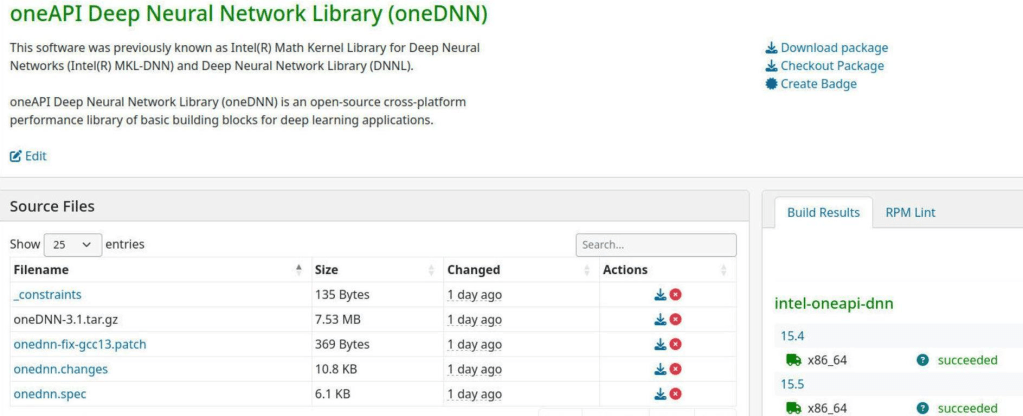
Library of oneAPI-DNN version 3.1 available for openSUSE Linux.
Build and update 3.1 version of the oneAPI Deep Neural Network Library (oneDNN) is an open-source cross-platform performance library of basic building blocks for deep learning applications. oneDNN is part of oneAPI. The library is optimized for Intel(R) Architecture Processors, Intel Processor Graphics and Xe Architecture graphics.
Add repository and install manually
For standard run the following as root:
zypper addrepo https://download.opensuse.org/repositories/home:cabelo:intel/15.4/home:cabelo:intel.repo
zypper refresh
zypper install intel-oneapi-dnn
More information : HERE

Newly Documented API Endpoints for Comments, Status Messages and Staging
Udev Rules for Dirtywave M8
This post is very unlikely for you. It's for future me.
The little magic box that is the Dirtywave M8 tracker is pretty well supported in Linux. It works great as an audio device (input and output), it does usb midi and you can also use its remote display using laamaa's m8c which now also does audio monitoring.
M8c isn't an app, so it's a bit of a hassle to build it and use it from within a toolbx. Regular Linux distro chore. In addition, to update its firmware, which Timothy pushes very frequently and brings amazing new functionality, requires adding udev rules to have the device writable by a user. Which is what this post is about. I have no clue what I'm doing, but having this config in /etc/udev/rules.d/50-myusb.rules (first is the regular device for m8c and the latter is the second stage of the firmware update using tytools):
SUBSYSTEMS=="usb", ATTRS{idVendor}=="16c0", ATTRS{idProduct}=="048a", GROUP="users", MODE="0666"
KERNEL=="hidraw*", ATTRS{idVendor}=="16c0", GROUP="users", MODE="0666"
Enjoy my last track, Sines of our fathers if you don't care of any of the above ;)
Udev Rules for Dirtywave M8
This post is very unlikely for you. It’s for future me.
The little magic box that is the Dirtywave M8 tracker is pretty well supported in Linux. It works great as an audio device (input and output), it does usb midi and you can also use its remote display using laamaa’s m8c which now also does audio monitoring.
M8c isn’t an app, so it’s a bit of a hassle to build it and use it from within a toolbx. Regular Linux distro chore. In addition, to update its firmware, which Timothy pushes very frequently and brings amazing new functionality, requires adding udev rules to have the device writable by a user. Which is what this post is about. I have no clue what I’m doing, but having this config in /etc/udef/rules.d/50-myusb.rules (first is the regular device for m8c and the latter is the second stage of the firmware update using tytools):
SUBSYSTEMS=="usb", ATTRS{idVendor}=="16c0", ATTRS{idProduct}=="048a", GROUP="users", MODE="0666"
KERNEL=="hidraw*", ATTRS{idVendor}=="16c0", GROUP="users", MODE="0666"
Enjoy my last track, Sines of our fathers if you don’t care of any of the above ;)
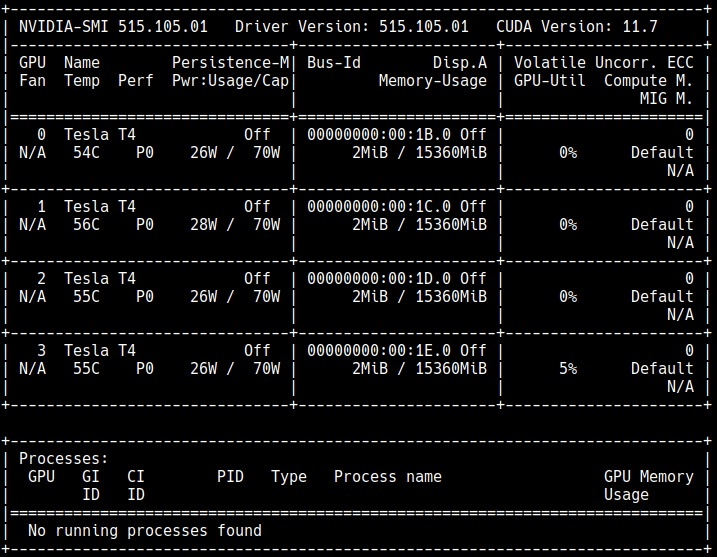
Installing NVIDIA Tesla T4 in the Amazon EC2 G4 Instances
This post explains the process of installing NVIDIA Tesla T4 drivers on openSUSE images specifically designed for Amazon EC2 G4 Instances.
First remove nouveau module kernel.
rmmod nouveau
Download the NVidia driver and run it.
wget https://us.download.nvidia.com/tesla/515.105.01/NVIDIA-Linux-x86_64-515.105.01.run
sudo sh NVIDIA-Linux-x86_64-515.105.01.run
Done. Use the force!

[Felieton] Microsoft i chłopi pańszyźniani
Jakiś czas temu czytałem wyciek informacji od jednego z pracowników MS, że Bill Gates zaproponował: albo zabronimy wam korzystać z oprogramowania konkurencji, albo zabierzemy darmowe piwa.Wspomnę tylko, że picie piwa może upodlić. W ten sposób, chyba w 15-17 wieku, szlachta starała się ubezwłasnowolnić chłopów pańszczyźnianych. Mieli nadmiar alkoholu, więc wmuszano go w chłopów, by Ci byli bardziej posłuszni. Skutki były opłakane. Nawet księża zarzucali chłopom, że to „psy, nie ludzie, pozbawieni uczuć, dla których liczy się tylko wódka”.Wiadomo – profesjonalista IT (nie inżynier projektujący mosty czy silniki, nie grafik komputerowy, tylko rasowy profesjonalista IT) potrzebuje często skorzystać z programów nie wydanych tylko pod Windows, jak narzędzi GNU. Ci inżynierowie i graficy wchodzą potem na internet i się kłócą, jaki to Windows nie jest najlepszy, bo jest najpopularniejszy, a pod niego tylko jest AutoCard i Photoshop, chociaż innych CAD-ów i programów do grafiki rastrowej, ani systemów operacyjnych na uczy nie widzieli. To jest błędne myślenie, bo:
1. Nie koniecznie to najlepsze staje się od razu najpopularniejsze (patrz IE i Firefox)
2. Skoro skutek w implikacji jest spełniony, to niekoniecznie przyczyna musi być, bo dróg do celu często jest wiele, a my nie jesteśmy w stanie wziąć wszystkich zmiennych
W takim razie, profesjonaliści IT, często sięgają po inne systemy, czy to MacOS, czy to Linuksy. Z różnych przyczyn, bo np. szef dostarczył laptopa z preinstalowanym Windowsem, musieli korzystać z półśrodków, jak np. MSYS, CYGWIN czy MINGW, albo maszyna wirtualna z Linuksem.
Nie wiem, czy eksperyment z pracownikami się powiódł. Po pierwsze, ostatnio MS dodał do umów na swoje usługi chmurowe zapis, zabraniający korzystania z produktów konkurencji (konkurencyjnych chmur), więc może się powiódł? Z drugiej strony, wydano WSL, więc może MS się ugiął? Nie wiem.
W każdym razie, to jest to kolejny dowód na to, że korporacje pokroju MS, traktują swoich konsumentów, jak swoją własność. To samo mówi kobieta, gdy facet się nią nie zajmuje i odcina ją od otoczenia – wiem! Ale coś jest na rzeczy, bo wyobraźcie sobie przyszłość, gdy instalując jakikolwiek produkt MS, pozbywamy się prawa do korzystania z produktów konkurencji. MS nie wydał aplikacji do czegoś? Pozostaje napisać ją samemu, a potem oddać za darmo MS prawa autorskie, wraz z kodem, itd. Potem MS pozwoli nam korzystać z niej przez miesiąc za darmo, a potem opłata 2,5 USD dziennie.
Coś takiego jednak dzieje się od dłuższego czasu, np. poprzez DRM, gdzie MS ogranicza swoich konsumentów i całą resztę, by zachować pozycję rynkową. To traktowanie swoich konsumentów, jak swoją własność. Kupiłeś film we Francji i poleciałeś do USA, do cioci? Nie odtworzysz go, bo ma zabezpieczenia regionalne! Spróbujesz ominąć? Poniesiesz konsekwencje! Podobną historię miał Amerykański Prezydent z Prezydentem Francji. Ten drugi „kupił” pierwszemu kolekcję Amerykańskich filmów. Jakie było zdziwienie, gdy filmy pod Windowsem, nie działały. To pokazuje, że Politycy nie rozumieją świata, jaki nam (wraz z korporacjami) urządzili, a co normalnie normalny człowiek. Normalnemu człowiekowi żal czasu na przeczytanie umowy, którą podpisuje, np. licencji, bo licencji stworzono tylko po to, by karać złych piratów.
W licencji World of Goo z CD-Action był zapis, że będę bronić dystrybutora i producenta tej gry przed sądem każdej instancji. Wiem, że taki zapis nie jest wiążący na całym świecie. Jednak pewnie w jakimś kraju jest, skoro go tam umieścili, bo przecież nie po to, by okłamać konsumenta. Konsument i tak tego nie przeczyta! Wyobraźmy sobie sytuację, że firma ma długi, wierzyciele żądają zwrotu. Firma wysyła mnie do innego kraju, np. Niemiec, USA, bym bronił ją przed sądem. Mam teraz kłamać sąd, że firma na pewno spłaci długi z odsetkami, ale dopiero za dwadzieścia lat? Nie ważne, co bym zrobił, to złamałbym zasady. Ale czy kogokolwiek obecnie obchodzą zasady, skoro ludzie dają się tak traktować, a sami nie czytają tego, co podpisują? Jeżeli wszystko pójdzie dobrze, to wraz z postępem czasu i dobrej woli wielu korporacji, staniemy się niewolnikami producentów rzeczy, z których chcemy korzystać. Już teraz ludzie są nieświadomi, jak siebie dają oszukiwać.
Inną sprawą jest jednostronność podpisywanych umów, co w Polskim prawie (chyba) jest nielegalne. W wielu licencjach jest napisane, że producent może zmienić treść umowy w każdym momencie. Ja miałem tyle szczęścia, że np. Stellaris korzysta z Launchera, więc wyświetlił mi się komunikat, że zmieniła się licencja, zasady korzystania z usług internetowych, a także polityka prywatności. Miałem przez to okazję się z tym zapoznać, ale zajęło mi to parę godzin, zanim mogłem uruchomić grę. W dodatku, to treść części dokumentów, byłą po Angielsku. Co jednak z sytuacją, gdy launchera nie ma? Mam, korzystając z zamkniętego programu, odświeżać co sekundę stronę, na której może pojawić się nowa umowa, co uniemożliwi mi przełączenie na okno programu?
Jeżeli nie zaczniemy działać, to będzie jeszcze gorzej. Ktoś musi posprzątać ten bałagan licencyjny, jaki zgotował nam Bill Gates. Skoro przedsiębiorstwa tworzące oprogramowanie, przy próbie przeforsowania zmian w prawie, nagminnie powtarzają, że chcą tylko, by dobro niematerialne, było traktowane na równi z tym materialnym, to niech SPRZEDAJĄ JE, a nie stosują ścieżkę wytyczoną przez Pana Gate-sa.
Sprzedaż programów istniała wcześniej i konsument miał praktycznie nieograniczone prawa do niego. Wpojona w nas, że na wolnym rynku komercyjnym, to konsument jest panem. W przypadku świata IT, konsument jest ścierwem, jego Panem jest producent dobra, z którego zamierza korzystać.
Dziękuję.
Orginalny wpis został opublikowany na: https://www.dobreprogramy.pl/@nintyfan/felieton-microsoft-i-chlopi-panszyzniani,blog,207819