
 cabelo
openSUSE Leap 15.4 cool packages available!
Have you installed openSUSE Leap 15.4? And now what to install? What about proprietary codecs? And the multimedia codecs? It took a while but it’s over! The Cool Package is a process that installs some software necessary for the day to day of a SUSEIRO and solves all dependency problems. The Cool Pack provides:
- Thunderbird
- Codecs
- VLC
- KDEnlive
- DVDAuthor
- MPV
- ffmpeg
- Lame
- E outros…
Then the 1-click Install button. to solve these issues as this button installs the first important software for daily task such as: Thunderbird email client, VLC, MPV, proprietary codecs and video editors. Any questions, criticism and suggestions at cabelo@opensuse.org


openSUSE Leap 15.4 Released, Let's party 🥳 🍻
openSUSE Leap 15.4 was released on 8th June 2022.
Leap is binary compatible with SUSE Linux Enterprise (SLE) as it shares the same source. Therefore, you can switch a Leap instance to SLE and benefit from paid support without any hassle. This comes very handy in environments where you build and test on Leap but deploy on SLE — lift & shift can't be any simpler.
Leap 15.4 is a minor release but coinciding with this release, the openSUSE Project introduced a new version of Leap designed for containers and virtualised workloads. It's called Leap Micro. The current version is 5.2.
Leap Micro shares same source as SLE Micro.
In order to celebrate this release, we organised a virtual openSUSE Beer Party in Mauritius.
Hello everyone! The openSUSE Mauritius community will host a virtual #openSUSE Beer Party TODAY 16h30 — 19h00 to celebrate the Leap 15.4 release. They will do a Leap 15.4 installation live and talk about the openSUSE local mirror. Here is the link to join: https://t.co/D6DpmheC3D pic.twitter.com/SBxiXHrwGA— MSCC (@MSCraftsman) June 10, 2022 Embedded JavaScript
The virtual party was held using the Jitsi Meet platform provided by MIXP. Since it's hosted locally, we expected a smooth quality in video and audio.
Chittesh & Aditya joined the call early on.
We're at https://t.co/6oTYOsRycW doing an #openSUSE Leap 15.4 installation & celebrating the recent release. 🍻🥳 pic.twitter.com/AxUuh18Mg1— Ish Sookun (@IshSookun) June 10, 2022 Embedded JavaScript
I had to juggle between doing a few things at home, handling the kid and getting back to call. Sandeep & Nirvan joined us too, and by the end, David joined the call, for the geek chat.
We installed Leap 15.4 in a VM. While chatting with Chittesh & Aditya, I selected the server profile from the installer instead of a GNOME Desktop. Facepalm!
After the installation, I installed patterns-gnome-gnome to have a full blown GNOME Desktop. Sandeep commented downloading of the packages appeared slow. Yes, indeed. So, here I manually switched the repo to mirror.opensuse.mu the ~700 packages downloaded in ~5 mins.
openSUSE Bar
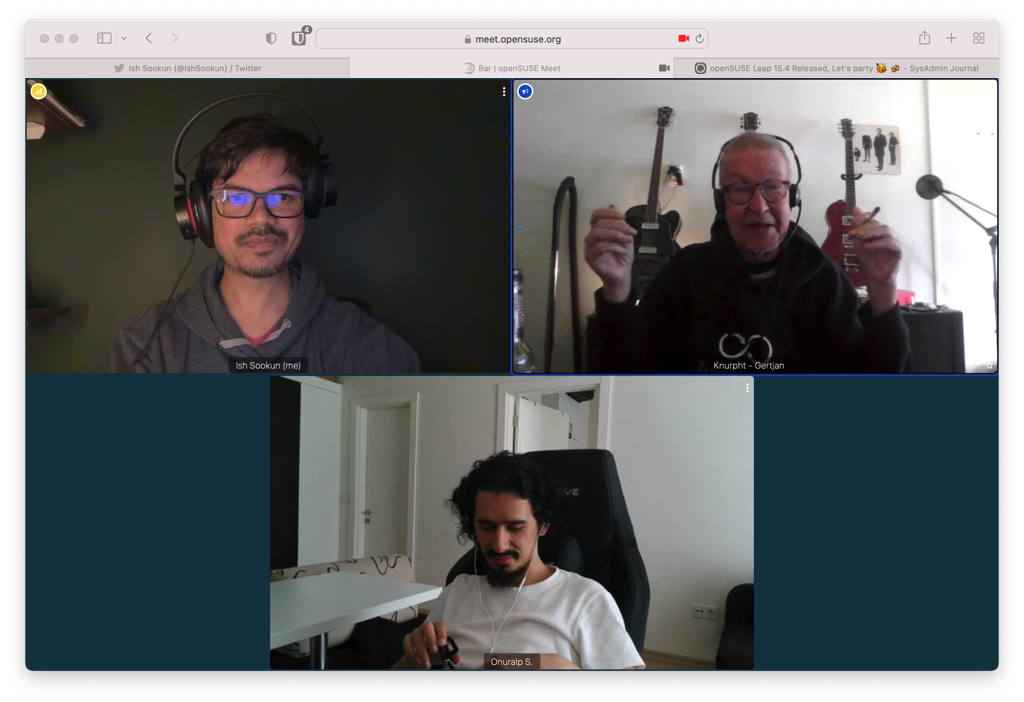
A while later, I joined the openSUSE Bar at meet.opensuse.org/bar. It was nice to have a catch-up with Gertjan after a long time.

 Member
openSUSE Tumbleweed – Review of the week 2022/23
Dear Tumbleweed users and hackers,
Another week is over and many people had the pleasure to meet in person at the openSUSE conference ’22 this year. I hear it was a great event, with lots of fun. Exactly, what the openSUSE community stands for. And as usual, the same openSUSE community also works without interruption on the rolling release: openSUSE Tumbleweed. In this week, we have seen daily snapshots (0602…0608).
The main changes included in these snapshots include:
- Bind 9.18.3
- Poppler 22.06.0
- libdrm 2.4.111: libkms has been removed
- Linux kernel 5.18.1 & 5.18.2
- Mozilla Firefox 101.0
- Mesa 22.1.1
- Wine 7.10
Looking at the current staging projects and the release schedule of some upstream, next week promises to be interesting. We are currently working on:
- openssl 1.1.1o
- KDE Plasma 5.25.0
- KDE Gear 22.04.2
- Systemd 251.2
- SELinux 3.4
- Python 3.10 as the default interpreter: all build fails should be addressed and first, preliminary openQA results looked good. Almost there!
- krb5 1.20.0: breaks samba
- Sphinx 5: breaks qemu

Kubic Project Wound Down
Announcement
As previously discussed on the Kubic Project mailing lists, the Kubic Project is now officially wound down.
Kubic is no longer available for download, and will no longer be maintained.
openSUSE MicroOS, once an offshoot of the Kubic Project, will now take more of a prominent role for those of us contributing who previously needed to split our attention between them.
Users wishing to run kubernetes workloads atop of an openSUSE base are recommended to install openSUSE MicroOS and then install k3s.
Users who prefer the kubernetes RPM packages and containers formerly offered by the Kubic Project may continue to use them, as they will be maintained by a new community maintainer going forward. Please understand this effort is entirely voluntary and on a ‘best effort’. It is not expected to be as polished an experience as previously offered under Kubic. Exact details regarding any installation/migration/upgrade steps using those packages will be communicated via the Kubic mailing list and openSUSE wiki.
All of the ‘non-kubernetes’ official openSUSE containers that were jointly maintained by the MicroOS and Kubic Project teams will continue to be maintained and supported for MicroOS. You can get them, as always, direct from registry.opensuse.org
Thanks for everyones contributions over the years, and we look forward to seeing where we can take MicroOS with this more focused approach.
The Kubic/MicroOS Team
openSUSE Leap 15.4 available on AWS
I build the openSUSE Leap 15.4 version available on AWS. In addition to multipurpose, complete stable and easy to use. It is intended for users, developers, administrators, and any professional who wants openSUSE features on the server.

This release provides full compatibility (same source) with SUSE Linux Enterprise 15 Service Pack 4 (SP4) binary packages, openSUSE Leap 15.4 makes it easy to migrate if necessary to SUSE Linux Enterprise Server (SLES) or vice versa almost immediate.
It is worth paying attention to some packages such as the Linux kernel 5.14 which is fully maintained by SUSE and with support for Raspberry Pi 4 embedded hardware. In addition to the packages It is worth noting the Artificial Intelligence (AI) packages such as Grafana, ONNX, Prometheus, PyTorch and TensorFlow Lite, and the Linux kernel 5.3.18 which is fully maintained by SUSE and supports Raspberry Pi 4 embedded hardware.
This distribution caters for beginners, experienced users and ultra geeks, in short, it’s perfect for everyone! Suggestions at cabelo@opensuse.org, AMI image link here: https://aws.amazon.com/marketplace/pp/prodview-lyboctxh3gu76octxh3gu76
Source: https://assuntonerd.com.br/2022/06/09/opensuse-leap-15-4-disponivel-na-aws/

A quick textmode-themed update
Summer is coming and I've got a couple of posts cooking that may turn out mildly interesting, but — time constraints being what they are — in the meantime there's this.
Chafa
I (judiciously, as one might opine) pulled back from posting about every single feature release, but things have kept plodding along in quiet. ImageMagick is finally going away as per a buried remark from 2020, which means no more filling up /tmp, no more spawning Inkscape to read in SVGs, and so on. There's also lots of convenience and robustness and whatnot. Go read the release notes.

As for eye candy, I guess the new 16/8-color mode qualifies. It's the good old "eight colors, but bold attribute makes foreground bright" trick, which requires a bit of special handling since the quantization step must apply two different palettes.
With this working, the road to ANSI art scene Naraka nirvana is short: Select code points present in your favorite IBM code page, strip newlines (only if your output is 80 columns wide), and convert Chafa's Unicode output to the target code page. You'll get a file worthy of the .ANS extension and perhaps a utility like Ansilove (to those who care: There's some mildly NSFW art in their Examples section. Definitely don't look at it. You've been warned).
Taken together, it goes something like this:
$ chafa -f symbol -c 16/8 -s 80 -w 9 --font-ratio 1 --color-space din99d \
    --symbols space+solid+half+stipple+ascii they_wont.jpg | tr -d \\n | \
    iconv -c -f utf8 -t cp437 > they_wont.ans
$ ansilove -f 80x50 -r they_wont.ans -o top_notch_blog_fodder.png
It's a bit of a screenful, but should get better once I get around to implementing presets.
Finally, I added a new internal symbol range for Latin scripts. It's got about 350 new symbols to work with on top of the ASCII that was already there. Example anim below; might be a good idea to open this one in a separate tab, as browser scaling kind of ruins it.

--fg-only --symbols latin. Input from 30000fps.Thanks
Apart from the packagers, who are excellent but too numerous to list for fear of leaving anyone out, this time I'd like to thank Lionel Dricot aka Ploum for lots of good feedback. He develops a text mode offline-first browser for Gemini, Gopher, Spartan and the web called Offpunk, and you should check it out.
One more. When huntr.dev came onto my radar for the first time this spring, I admit to being a little bit skeptical. However, they've been a great help, and every interaction I've had with both staff and researchers has been professional, pleasant and highly effective. Big thumbs up. I've more thoughts on this, probably enough for a post of its own. Eventually.
A propos
I came across Aaron A. Reed's project 50 Years of Text Games a while back (via Emily Short's blog, I suspect), and have been following it with interest. He launched his kickstarter this week and is knocking it out of the park. The selection is a tad heavy on story/IF games (quoth the neckbeard, "grumble grumble, Empire, ZZT, grumble"), but it's really no complaint considering the effort that obviously went into this.

Seems low-risk too (the draft articles are already written and available to read), but I have a 75% miss rate on projects I've backed, so what do I know. Maybe next year it'll be 60%.

Leap 15.4 Offers New Features, Familiar Stability
CA / CS / ES / FR / JA / NL / PT-BR / SV / ZH-CN / ZH-TW
NUREMBERG, Germany – The next minor release of openSUSE Leap 15 is now available on get.opensuse.org for users, professionals, hobbyists and developers who want to update to the latest version.
Leap 15.4 is a feature release version and provides a significant amount of updates from previous Leap 15.x versions along with new offerings.
“Leap 15.4 continues to provide a familiar rock-hard release and delivers stable open-source software for desktops, servers, containers and virtualized workloads,” said Max Lin, a member of the release team. “Leap is a hard distribution to ignore for technology specialists; security fixes, new technologies and updated packages give professionals a well engineered community release that is identical to its enterprise twin. And it offers an enormous amount community software.”
As with the previous Leap version, users can migrate to SUSE Linux Enterprise and leave workloads running as normal. This release further enhances migration proficiency because the YaST team developed a simplified migration tool for migrations to SLE.
Containers and workloads transition seamlessly, and the container story for Leap has expanded with a new offering of Leap Micro.
New to Leap 15.4 is Leap Micro 5.2. Leap Micro is a modern lightweight operating system that is immutable and ideal for host-container and virtualized workloads. Leap Micro is well suited for decentralized, computing environments, edge uses and embedded/IoT deployments. Developers and professionals can build and scale systems for uses in aerospace, telecommunications, automotive, defense, healthcare, hospitality, manufacturing and robotics. Leap Micro provides automated administration and patching. One of the packages related to Leap Micro for developers is Podman. Podman gives developers options to run their applications with Podman in production and the upgraded 3.4.2 version brings new pods support for init containers, which are containers that run before the rest of the pod starts.
Large development teams gain added value with openSUSE Leap 15.4 and Leap Micro 5.2 since workloads can be lifted and shifted to SUSE Linux Enterprise Linux 15 SP4 or SLE Micro for extended maintenance and favourable version migration advantages.
This version of Leap simplifies multimedia codec installation. Progress has been made to bring Cisco’s openh264 video codecs to users via a repository present by default on the system, which will come in a maintenance update. The release not only gains multimedia improvements; it gains open-source driver support. Besides AMD’s and Intel’s continual open-source Linux graphics drivers commitment, users of modern NVIDIA GPUs will benefit from it signing firmware images for the latest-generation GeForce 30 series GPUs.
Another new package to Leap 15.4 is Dell’s sassist. The package helps with troubleshooting/debugging issues with Dell PowerEdge Server and runs on the Linux Operating System to work with Dell integrated Dell Remote Access Controller (iDRAC) enabling log and configuration collection.
Those using Leap for server deployments will find a few notable changes. These changes include the deprecation of Python 2, libvirt LXC containers, and OpenLDAP server. The 389 Directory Server is the primary LDAP server, which replaces the OpenLDAP server.
PHP 8.1.0 has been added and brings many improvements. These include Enumerations, readonly properties, fsync, and many others. There’s also a 3.5 percent speedup with PHP 8.1.0 for WordPress and the new PHP version provides a Just-In-Time backend for ARM64 along with other JIT improvements and fixes. A couple other notable changes for Leap is that Wayland now works with the latest NVIDIA proprietary driver and LUKS2 is supported in the YaST Partitioner, but it has to be explicitly enabled.
Leap has a vast selection for desktop users and has a tradition of offering Long-Term Support versions of several packages; this community release does not disappoint either. Leap’s new minor version will offer KDE Plasma 5.24 LTS, on top of Qt 5.15 LTS with the “KDE Qt 5 Patch collection” on top.
“To transition to great future technologies like Qt 6, we need to have the peace of mind that our current users are catered for,” said KDE e.V. President Aleix Pol in an annoucement about Qt 5 patch collection. “With this patch collection we gain the flexibility we need to stabilize the status quo. This way we can continue collaborating with Qt and deliver great solutions for our users.”
Several other deliberately selected packages are aimed at the release’s stability and development purposes, including Qt6.
There are some newer desktop environments like Plasma 5.24, GNOME 41, Enlightenment 0.25 and MATE 1.26. These desktops will offer newer features, though not all desktops in the release will gain new features. Leap 15.4 will keep Xfce 4.16, which was updated in the Leap 15.3 release. Deepin 20.3 is initial bringing in Leap 15.4.
Leap 15.4 comes with KDE Frameworks 5.90.0, which made changes to several packages including Baloo, Breeze Icons, KConfig, KIO, Kirigami, KWayland, Oxygen Icons and more. This Leap version also includes KDE Gear 21.12.2; the Gear applications includes improvements to the music player Elisa, search tags for the file manager Dolphin and provides faster editing with KDE’s advanced video-editing application Kdenlive.
Versatile application framework Qt 5.15.2 will be upgraded; it’s 5.12.7 version has been in the distribution unchanged since Leap 15.2. This release brings in features of three minor releases and comes with a fully supported Qt Quick 3D.
The core of the system has received numerous updates. This Leap release updates systemd to version 249, which has plenty of changes to enhance user experience. The new system components can now correctly identify Amazon EC2 environments, and various improvements were made for the DHCP server network management protocol. A new udev hardware database has been added for FireWire devices and another notable change in the version is whole-file-system A/B updates where new operating system versions are dropped into partitions whose label is then updated with a matching version identifier. Leap provides the most up to date compiler set. The LLVM Compiler 13.0 version has some major new features and Improvements to Clang’s diagnostics. There are about a handful of new compiler flags.
The DNF stack was updated to version 4.10.0 and adds new features. Added support for autodetecting and excluding packages from being installed due to weak dependencies gives the package manager new quality.
Leap isn’t just for the savvy system administrator or IT professional. Leap gives musicians software to enhance the sound, recording and streaming quality of their performance. Virtual Studio Technology with packages like PipeWire, Wireplumber and synthesizer LV2 take instruments and lyrics to a new level. Professional content creators and website designers can leverage 3D modelling tools like Blender, video editor Kdenlive and image-editing software like Krita to turn their vision into reality.
Users who want specific packages in the next version of Leap 15.5 are encouraged to reach out to the release team. If there are community efforts that can be put forth to maintain certain packages, some packages might be able to be upgraded in the next release. Leap 15.5 is not expected to be a feature release and should have many of the same version packages that are in Leap 15.4. The successor to Leap 15 is likely to come soon after the release of Leap 15.5.
Find more information about openSUSE Leap 15.4 Windows Subsystem for Linux here.
End of Life
openSUSE Leap 15.3 will have its End of Life (EOL) six months from today’s release. Users should update to openSUSE Leap 15.4 to continue to receive security and maintenance updates within six months of June 8, 2022.
Download Leap 15.4
To download the ISO image, visit https://get.opensuse.org/leap/
Questions
If you have a question about the release or think found a bug, we’d love to hear from you at:
https://lists.opensuse.org/opensuse-support/
https://discordapp.com/invite/openSUSE
https://www.facebook.com/groups/opensuseproject
Get involved
The openSUSE Project is a worldwide community that promotes the use of Linux everywhere. It creates two of the world’s best Linux distributions, the Tumbleweed rolling-release, and Leap, the hybrid enterprise-community distribution. openSUSE is continuously working together in an open, transparent and friendly manner as part of the worldwide Free and Open Source Software community. The project is controlled by its community and relies on the contributions of individuals, working as testers, writers, translators, usability experts, artists and ambassadors or developers. The project embraces a wide variety of technology, people with different levels of expertise, speaking different languages and having different cultural backgrounds. Learn more about it on opensuse.org
The lie of 'Just a Little More'
Most people I talked to about buying expensive products are aware of “the law of diminishing returns”. When you buy a product, the more you pay for it the less extra quality you get for the extra spending. However, not many people recognize that the same can be said of most human activities. It is a lie that “just a little more effort” will lift you from above average to the top, as the law of diminishing returns hits even harder. You can have all the money in the world, but time - that is limited.
The law of diminishing returns
I am a HiFi maniac, so I am affected greatly by this law. I can choose to buy a pair of headphones for $20, $200, or for over $2000. There is probably a 2-3x quality increase in sound between the $20 and $200 headphones. The difference in quality is even less noticeable from $200 to $2000. I try to convince myself that my Sony WH 1000XM3 or my Sennheiser HD300Pro are good enough. They are more expensive and of better quality, than what most people use around me. I am happy with them, but unfortunately, I can hear the difference between them and the $1000+ category. Thankfully, I am not this picky when it comes to many of my other interests. :-)
Just a little more
Photography. Hiking. Listening to music. Biking. Playing the synth. Reading. Writing. Teaching. Traveling. Coding. This is just a partial list of what I love to do in my free time. And I love to do all of these. It effects my mood if any of these are missing for a longer time.
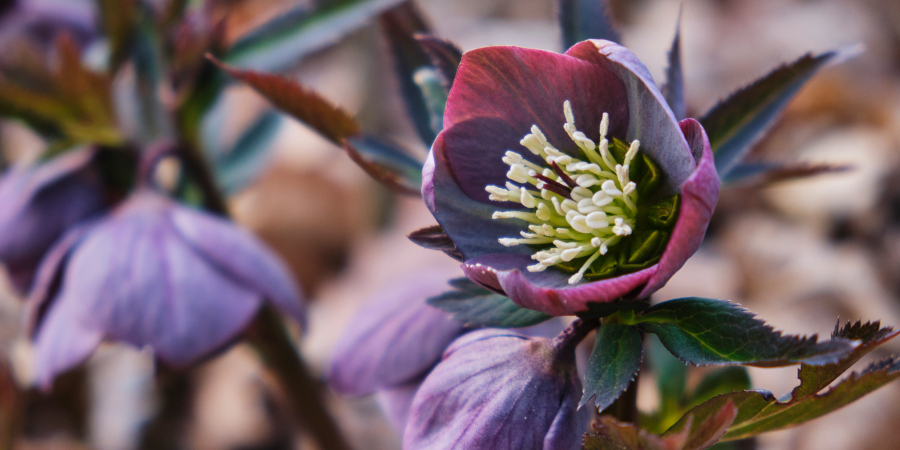
Taking photos is fun. I love flowers and nature. I love to show people how beautiful our World is. I do not like taking photos of people, but occasionally, I do that as well. People love the results. They try to convince me to take photos at events. They tell me, that my photos are fantastic, that I am talented, and with a bit more effort I could be a real artist. It took me the past forty years to get to this level and I would need to practice a lot more, spend my time reading books and going to a years long photography training. I love photography, but not in place of all my other activities.
flower
Coding is a fantastic brain exercise. I coded a lot during my university years. Simulations, measurement automation, data analytics. Even now, I write code occasionally. Many of my technical blogs have sample code in Python for sudo and syslog-ng. I even wrote some simple code to collect air humidity data on a Raspberry Pi. However, to be able to develop production-ready code, I would need to do more coding…
I started my personal blog, because I love writing. I am often told, that I should write more. Here, on my personal blog, to opensource.com, to the FreeBSD Journal, and elsewhere. But I do not feel pressured to write every day, or on a weekly basis.
Progress requires time.
Time
I learned writing at a major Hungarian magazine of the time. I spent there eight hours a week + travel + writing my home work. It was a lot of fun. I enjoyed almost every moment of it. My colleagues and readers could feel the improvement. However, it also meant that each week, I spent over 15 hours on improving my writing skills. I did this for a whole year. Most of this time was taken away from other activities. I learned the hard way that 24 hour days are not enough for everything.
When it comes to activities, “just a little more” means that you have to make a tough choice about how you manage your time. Of course, it can be a worthy sacrifice, like my year-long writing course. However, it is better to think twice before falling for the “just a little more” suggestion, no matter how tempting it sounds when someone praises you.
openSUSE’s Brazilian Community to Celebrate Leap Release
Members of the openSUSE Brazilian community are getting together for a release party on June 15 for openSUSE Leap 15.4.
The team is developing a full schedule and will be doing live lectures and will give away a few items.
The event will be on YouTube and people are asked to sign up for a ticket to receive the participation link.
The event will run from 1 to 6 p.m. Brazilian Standard Time (16:00 UTC - 22:00 UTC). Leap 15.4 will be released on June 8.


NVIDIA Open GPU kernel modules: openSUSE/SLE packages available
Important Notice
With my new blogpost Installation of NVIDIA drivers on openSUSE and SLE this article here became more or less obsolete. So it is highly recommended to read my new article there instead.
Introduction
On May 19, 2022 NVIDIA made a release of their Open GPU kernel modules for their newer GPU platforms (Turing and newer) with Risc-V system processor. Meanwhile we have packages available in our currently supported openSUSE/SLE distributions. If you want to use these you need to install nvidia-open-driver-G06-signed package.
Installation
Installation instructions since Leap 15.6/SLE15-SP6 and Tumbleweed:
# will install needed packages
zypper in nvidia-open-driver-G06-signed-kmp-default
Find supported Turing/Ampere/Hopper/Ada/Blackwell GPUs here. Check with inxi -aG. Use hwinfo --gfxcard on SLE.
Display Drivers
nvidia-video-G06, nvidia-gl-G06 and nvidia-compute-utils-G06 packages are
available via NVIDIA’s openSUSE/SLE repositories, which
then can be used together with NVIDIA’s Open GPU kernel modules above.
Installing Display Drivers on Leap 15.6/Tumbleweed/SLE15-SPx
# if you have not added this repository yet
# Leap 15.6
zypper addrepo https://download.nvidia.com/opensuse/leap/15.6/  nvidia
# Leap 16.0 (Beta)
zypper addrepo https://download.nvidia.com/opensuse/leap/16.0/  nvidia
# Tumbleweed
zypper addrepo https://download.nvidia.com/opensuse/tumbleweed/  nvidia
# SLE15-SP6
zypper addrepo https://download.nvidia.com/suse/sle15sp6/  nvidia
# SLE15-SP7
zypper addrepo https://download.nvidia.com/suse/sle15sp7/  nvidia
# SLE16 (Beta)
zypper addrepo https://download.nvidia.com/suse/sle16/  nvidia

# install all required packages
version=$(rpm -qa --queryformat '%{VERSION}\n' nvidia-open-driver-G06-signed-kmp-default | cut -d "_" -f1 | sort -u | tail -n 1)
zypper in nvidia-video-G06 == ${version} nvidia-compute-utils-G06 == ${version}
CUDA
With that - after installing nvidia-compute-utils-G06 (which requires nvidia-compute-G06, which contains libcuda) - you can experiment with CUDA. Install CUDA stack from NVIDIA’s webserver.
Installing CUDA on Leap 15.6/Tumbleweed/SLE15-SPx
# if you have not added this repository yet
# Leap 15.6/16.0(Beta)/Tumbleweed
zypper addrepo https://developer.download.nvidia.com/compute/cuda/repos/opensuse15/x86_64/  cuda
# SLE15-SPx/SLE16(Beta) (x86_64)
zypper addrepo https://developer.download.nvidia.com/compute/cuda/repos/sles15/x86_64/  cuda
# SLE15-SPx/SLE16(Beta) (aarch64)
zypper addrepo https://developer.download.nvidia.com/compute/cuda/repos/sles15/sbsa/  cuda

# will install needed CUDA packages
zypper in cuda-toolkit-12-8

# Unfortunately the following package is not available for aarch64,
# but there are CUDA samples available on GitHub, which can be
# compiled from source: https://github.com/nvidia/cuda-samples
zypper in cuda-demo-suite-12-8
Let’s have a first test for using libcuda (only available on x86_64).
/usr/local/cuda-12.8/extras/demo_suite/deviceQueryCUDA Minimal Installation
Users, who don’t need a graphical desktop, can omit the installation of the display driver packages above and perform a CUDA Minimal Installation instead.
version=$(rpm -qa --queryformat '%{VERSION}\n' nvidia-open-driver-G06-signed-kmp-default | cut -d "_" -f1 | sort -u | tail -n 1)
zypper in nvidia-compute-utils-G06 == ${version} cuda-libraries-12-8
Longterm Kernel on Tumbleweed
In case you’re using Tumbleweed’s longterm Kernel (kernel-longterm), please replace default with longterm in the commands above, i.e.
[...]
# Installation
zypper in nvidia-open-driver-G06-signed-kmp-longterm
[...]
# Display Drivers / CUDA Minimal Installation
version=$(rpm -qa --queryformat '%{VERSION}\n' nvidia-open-driver-G06-signed-kmp-longterm | cut -d "_" -f1 | sort -u | tail -n 1)
[...]
Feedback
If you have questions, comments and any kind of feedback regarding this topic, don’t hesitate to contact me via email. Thanks!