
 Member
 CzP
CzPBee pastures -- or how my Facebook post got deleted
Most people only know that I work in IT. Some even call me a hacker – which I really appreciate :-) However, by university degree I am an environmental engineer (and English - Hungarian translator). Even if I never worked in my field, except for some student jobs, I still follow any news related to the environment closely. This is why I was very happy to learn, that my home city, Budapest, introduced bee pastures in the city.
Bee pastures
So, what are bee pastures? Most people expect that public areas in a city have shortly cut grass. It is convenient for humans, you can walk on it, you can play games on it or bask in the sun. The price is that it needs to be cut regularly and there are no flowers: bees cannot eat there. Bees have an essential role in our ecosystems. Unfortunately, the area where they eat and live is continuously shrinking, due to humans. Establishing bee pastures, areas with the right mix of flowering plants can help the bee population to survive and grow. Establishing bee pastures in selected areas of cities can help in multiple ways. It helps the bees, it looks nice and can also save costs on lawn mowing.
Where it went wrong in Budapest
Turning a grass area into bee pasture does not mean that it does not need maintenance any more. It just means less frequent maintenance. Of course, there are also some properly maintained bee pastures in Budapest. The problem is, that in most cases, in practice it means an area with a “Bee Pasture” sign and completely left alone. In real life I have only seen this problematic version, where behind the “Bee Pasture” sign one could only see overgrown areas, full of highly allergenic plants.
My Facebook post
Facebook is aware, that I like reading about environmental issues. So, one of the posts on my time line was a photo from the UK, which showed bee pastures on the streets and parks of a small town. It looked like what you would expect when someone mentions bee pasture. I shared the photo with a short text: “This is a fantastic idea, and there are places where they do this properly”.
Offending two sides
So, where is the problem? If you read so far, you can see that I support a progressive idea and criticize how it is carried out. The discussion below my post grew into a flame-war. To understand why, here is some background information. The “bee pasture” idea came from the leaders of the city of Budapest, led by a major opposition figure. What does it mean? Anyone supporting the opposition parties support bee pastures, even if in practice it means large fields of allergenic plants. Anyone supporting the governing party considers the bee pasture idea crazy, even where it is implemented properly. My post offended both sides, as I supported an opposition idea, but I criticized how it was implemented.
This post was only shared with my Facebook friends. Still, after a few days my post was reported enough times to be deleted.
How does it come to an IT blog?
You might wonder how this story is related to IT, the primary focus of my blog. It is related. Most of the time I am independent. There are hot debates in IT as well, where I avoid taking a side – at least publicly. If I need to write about the topic publicly for example to inform syslog-ng users in a question, I keep a safe distance from all sides involved. I do not judge who is good, who is bad, just focus on how the given problem affects syslog-ng users. Just to mention a few:
- ElasticSearch vs. OpenSearch – the most frequently used log destination in syslog-ng
- RHEL vs. CentOS Stream vs. CentOS replacements – the most frequently used operating system to run syslog-ng
Taking a side, seeing everything in black and white is easier: less thinking, feeling of belonging. But that’s not how I work in IT or in real life.
You can also make a difference if you have a garden. Make sure that you have some flowering plants in parts of your garden all around the year. And avoid using chemicals as much as possible.

Digest of YaST Development Sprints 129 & 130
For some people, vacation season is just the right time for housekeeping or for learning new skills. And that’s exactly what the YaST team has been doing in the latest two sprints.
- We improved some YaST internals including:
- Management of the
Helpbutton in text mode - Unmounting of file-systems at the end of installation
- Handling of progress bars
- Management of the
- Our users also made YaST better with their contributions
- The dedicated subset of the YaST Team keeps making progress regarding the Release Tools
Let’s go into the details.
Keeping the YaST Internals in Shape
In the software development world is not uncommon to sweep the dirt under the carpet. If something seems to work from the user point of view, just leave it as it is. But there is no carpet to hide anything when you develop Free Software with an open spirit. And in the YaST Team we simply don’t feel comfortable when we know the pieces under the hood are not really well adjusted. Thus, we invested some of our summer time fixing some internal issues (both real and potential), although none of them currently have visible impact of our users.
- All YaST screens contain a
Helpbutton that shows an explanatory text. But, what happens if there is no such text? It’s a theoretical problem (there is ALWAYS a help text) but the situation in the ncurses text mode really needed a better handling. - Unmounting file-systems at the end of the installation process is another of those things that seem to work flawlessly… until you take a look to the YaST logs and find out it used to be an slightly convulted process. But we restructured the component taking care of the process and things now look equally good in the surface and under the hood.
- The way progress bars are handled in YaST is admitedly error-prone and could result in the user
interface crashing in some extreme situations. We also improved
that by making the
Yast::Progressinternal module more robust.
Integrating Community Contributions
Another of the great things of working in an Open Source project is getting contributions from your own users. In that regard, we recently added support for the AFNOR variant of the French keyboard, which was useful to realize we haven’t incorporated such layout to SUSE Linux Enterprise. We did now, so both SLE and openSUSE got better thanks to the openSUSE community. Something that will soon happen also to the YaST Journal module as soon as we merge this other contribution currently under review.
Release Tools: We Keep Learning
And talking about collaboration, in our previous post we told you about our new mission of helping with the development and maintenance of the (open)SUSE Release Tools. We keep working on that front, although progress can only be slow when most of the people we have to interact with (and a big part of the YaST Team itself) is on vacation. Nevertheless, we keep researching possible solutions for the known problems, improving the testing infrastructure and using a test-driven approach to lower the entry barrier for newcomers.
See you soon
The vacation season in Europe is comming to an end, so we hope to have more exciting news for upcoming blog posts. Meanwhile, please keep helping us and having a lot of fun!

Top 11 Reasons YaST makes openSUSE Awesome
Securing the sudo to sudo_logsrvd connection
Securing the sudo to sudo_logsrvd connection
Using sudo_logsrvd to centrally collect sudo session recordings from your network is a huge step forward in security: users cannot delete or modify session recordings locally. However, by default, transmission of recordings is not encrypted, making it open to modifications and eavesdropping. Encrypting the connection between sudo and sudo_logsrvd can eliminate these problems. Larger environments usually either have in-house PKI tooling in place, or colleagues who know all openssl options off the top of their heads. However, small and medium enterprises often lack the infrastructure or knowledge to work with TLS certificates.
This blog can help you to secure connections between sudo and sudo_logsrvd when there is no PKI tooling available to you, or you want to create all the certificates yourself using openssl. It is based on the sudo_logsrvd manual, but changed in such a way that all information is entered on the command line. While interactive certificate generation works fine for a single cert, generating multiple client certificates is easier when everything is on the command line.
Read my blog at https://blog.sudo.ws/posts/2021/08/securing-the-sudo-to-sudo_logsrvd-connection/

GNA compatibility with openSUSE
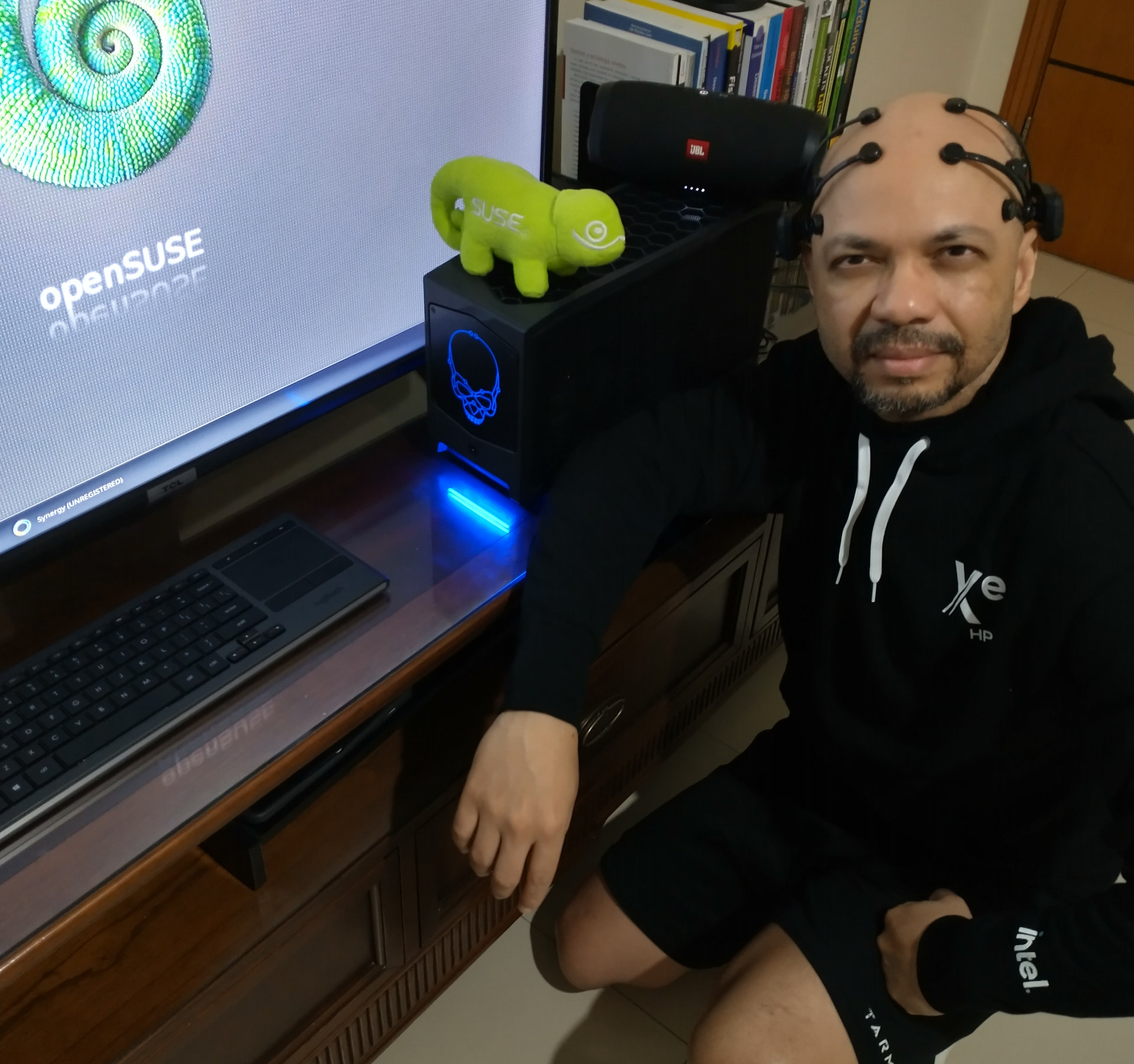
While focused on the openSUSE Innovator initiative as an openSUSE member and official Intel oneAPI innovator, I tested the Beast Canyon NUC 11 machine on openSUSE Leap 15.3 and Tumbleweed; With all the work, we made available in the SDB an article on how to use the GNA Technologie on the openSUSE platform. More information can be found at https://en.opensuse.org/SDB:Install_GNA_in_NUC_Beast_Canyon.
Beast Canyon (still on pre-order) is the highest-performing Intel® NUC available today. Beast Canyon is the evolution of Intel’s modular gaming mini PC, a more compact gaming PC than most gamers could dream of building on their own. The equipment in some models has the Core i9-11900KB processor with the GNA feature: Gaussian & Neural Accelerator Library.
Intel® Gaussian & Neural Accelerator is a low-power neural coprocessor for continuous inference at the edge. For more information, visit : https://github.com/intel/gna
Noodlings 32 | Settling In
openSUSE Tumbleweed – Review of the week 2021/34
Dear Tumbleweed users and hackers,
Thanks to Richard for taking care of Tumbleweed for us the last few weeks, while I did an electro-detox. Took some effort, but I did actually manage to stay away from all and any computers. But now I’m back, full in swing and helping Tumbleweed to roll at full speed again. Richards last review covered up to Snapshot 0817. Since then, and thus during the one-week time frame, 4 snapshots have been published (0820, 0823, 0824, and 0825).
The most noteworthy changes in those snapshots were:
- Mesa 21.2.0
- Mozilla Firefox 91.0.1 & Thunderbird 91.0.1
- Linux kernel 5.13.12
- Node.JS 16.6.2
- Python 3.8.11
- Poppler 21.08.0
- gcc 11.2.1
- Most of GNOME 40.4 (some late packages coming in the next days)
The staging projects are quite crowded, the main topics being worked on at the moment being:
- glibc 2.34
- openssl 1.1.1l
- rpmlint 2.1
- meson 0.59.1
- openssl 3 – test project
- Linux kernel 5.13.13
- systemd 249.2
elementary OS 6.0 | Review From an openSUSE User

Tumbleweed Updates Kismet, PulseAudio, Python
Snapshot releases of openSUSE Tumbleweed began to flow this week for the rolling release.
Moving past last week’s build failures and the obstacles with the ISO media size being excessively large, three snapshots were released this week.
The latest 20210824 snapshot updated Mozilla Thunderbird from version 78.13.0 to version 91.0.1, which is the next Extended Support Release codebase. The new email client offers many new features like keyboard shortcuts to access To/CC/BCC fields and a PDF JavaScript viewer is now included in Thunderbird. Two major version updates were in the snapshot; an update to nftables 1.0.0 now recognizes the command-line option --define. GTK based volume control tool pavucontrol 5.0 has support for switching Bluetooth codecs that comes new in PulseAudio 15.0, which was released in the 20210823 snapshot 24-hours earlier. GNU Compiler Collection was updated to version 11.2 and fixed the One-time Passwords In Everything package with glibc 2.34. A few GNOME and RubyGems packages were updated in the snapshot. Command-line utility grep updated to version 3.7, which skipped the stack overflow tests in the qemu build. The runtime nodejs16 16.6.2 update fixed the improper handling of untypical characters in domain names and fixed three Common Vulnerabilities and Exposures.
The network-detector, packet-sniffer, and intrusion-detection package Kismet updated to its latest 2021.08 version in snapshot 20210823; the packages made some small improvements and has a new Wireless Intrusion Detection System alert. PulseAudio 15.0 dropped several BlueTooth patches and improved hardware support. PDF rendering package poppler 21.08.0 added an Application Programming Interfaces to allow the addition and modification of outlines into a PDF. An updated 1.9.7 version of sudo enabled OpenSSL support for a secure central session recording collection. And yast2-bootloader 4.4.6 replaced mkinitrd with dracut.
The 20210820 snapshot updated the Linux Kernel to version 5.13.12, which had several network device support fixes. The update of Mozilla Firefox 91.0.1 fixed an issue that caused tabs from private windows to be visible in non-private windows and it had several CVE fixes in the updated browser version. The update of python38 3.8.11 addressed some security issues and fixed a regression introduced in the previous version. Updated graphics package Mesa 21.2.0 enabled the Gallium3D OpenGL driver in case there is an issue with some video hardware acceleration. Other packages to update in the snapshot were document reader okular 21.08.0, libstorage-ng 4.4.35, diffutils 3.8 and several YaST packages.
Skia on Mac
So, current LibreOffice git version now has support for drawing based on Skia also for the Mac. Both Raster and Metal (the Mac GPU framework). Below is the obligatory screenshot, and here is the hey-it-can-be-faster video.
