
Digest of YaST Development Sprint 117
It’s time for more development news from the YaST Team. In this occasion, most of the work has gone into improving features already implemented in previous sprints and, thus, presented in former blog posts. That includes:
- Improvements when writing wireless security settings for NetworkManager
- Fixes in the new management of hibernation
- Possibility to tweak the I/O device autoconfiguration in the installed system
- Usability improvements regarding nested items in the table widget
- Better LibYUI packaging including a revamped CMake build system
- Enhancements in the YaST Autoinstallation module regarding partitioning
- Many other improvements and fixes here and there
As you surely remember, in the previous sprint we added support for writing basic NetworkManager configuration during installation. But it was quite limited regarding wireless, so it only was capable to translate WPA-PSAK and open wireless configuration. During this sprint, we enhanced the NetworkManager config writers to support the same wireless setups that are currently supported by wicked (WEP, WPA-EAP…). In addition, some UI problems were found and fixed.
In the previous sprint we also improved the hibernation support by tuning the scenarios in which
YaST adds the resume= parameter to the bootloader configuration. While testing that improved
behavior, some problems were detected both by ourselves and by the awesome QA team at SUSE.
Now all those inconvenients are fixed: the bootloader proposal is properly
recalculated when needed, the resume parameter
is not longer added for small swap devices and
we improved the detection of virtual setups in which
traditional hibernation is not wanted.
But not all the features we polished during this sprint are so recent. For several months, we have been describing the different steps in the implementation of support in YaST for I/O devices auto-configuration on s390 mainframes. The latest reference was on our blog post of sprint 105 (time flies!). But we still had one more thing in our TO-DO list and, since we recently had to modify the YaST2 Tune module to remove some obsolete settings, we decided to take the opportunity and also add the I/O device autoconfig checkbox to that module. See details and screenshots at this pull request.
We also improved the usability of our most recent LibYUI feature. In the YaST partitioner, which is
so far the only application using the new feature to have nested rows in a table, the [Space] key
did not only open or close tree branches in the ncurses text-mode interface. It also sent an
“Activated” event (the counterpart of double-clicking an item in the Qt graphical user interface),
resulting in a quite confusing behavior. See the fix
for more detailed information.
And talking about LibYUI, we also decided it was time to tackle one big problem that we have been dragging for too long. The structure of our development repositories and our over-complicated CMake build environment was making too hard to add new features to LibYUI without risking breakage in the distributions. Every change implied a lot of extra synchronization work, which also was an obstacle for external contributions and maintaners of additional plugins and backends. After several weeks of work, we have now walked the first step out of that mess with the new CMake build system for LibYUI
And there is no YaST Team sprint without some news about AutoYaST. This time we have improved the
part of the YaST Autoinstallation module that can be used to create and tweak the <partitioning>
section of the AutoYaST profile. Apart from several small fixes (like improved
visualization or fixes in the fstopt
field), it’s now possible to manage
<drive> sections to describe NFS and
tmpfs file systems.
As usual, there would be much more to report like usability improvements and speedups in YaST Network, fixes in hwinfo or important updates in the documentation… but we need to go back to coding at some point!
So see you again in a couple of weeks with more news about YaST and, if everything works as expected, some reflections about the long-term future. Stay safe and have a lot of fun!

 Member
 Futureboy
Microsoft Teams on openSUSE

Perl binaries are mismatched - the revenge of the lazy person
The uninvited eldrich terror
You use local::lib, and the pain unfolds: A shell is started, and you find a dreaded:
Cwd.c: loadable library and perl binaries are mismatched (got handshake key 0xdb00080, needed 0xdb80080)

Which means: that the module (Cwd in this case) is not compatible (Because it’s an XS module) with your current version of perl, installed on your system: Likely it was compiled for a previous version, leadin to those binaries mismatching
Don’t panic!
I wrote about this however, I left out how to get to the point where you have already an usable Perl again?
The light
Instead of downloading local::lib from git as I used to do… this time I decided to do it on a much simpler way: use perl-local-lib from my distribution, and let it do the magic, I mean
that’s why I run openSUSE Tumbleweed
 zypper in perl-local-lib
 rm -rf perl5-old || echo "First time eh?"
 mv perl5 perl5-old
 perl -MCPAN -Mlocal::lib -e 'CPAN::install(App::cpanminus)'
 cpanm App::MigrateModules
 perl-migrate-modules --from ~/perl5-old/lib/perl5 /usr/bin/perl
Et voilà, ma chérie!


Reducing the scope of software.opensuse.org
We have some exciting news to share regarding the consolidation of our web pages.
We’ve decided to drop functionality behind https://software.opensuse.org/distributions and instead provide a redirect to https://get.opensuse.org. Submit request can be found here https://github.com/openSUSE/software-o-o/pull/943.
Both sites were offering similar functionality for downloading install media. Both sites had to be updated with every Alpha, Beta, or changes to media descriptions. The new reduced scope of software-o-o will be purely browsing of available software. The scope of get-o-o won’t change. It will be media downloads and pointers to relevant documentation such as installation or upgrade instructions. We believe that these changes will help to keep it small and simple.
We’re happy to reduce duplication of efforts while not introducing further fragmentation as get.opensuse.org has been around for quite some time already.
Efforts to make the changes were discussed as part of the Web Development Sprint last week. There are descriptions for each distribution on get.opensuse.org to better let new users understand the difference in each openSUSE Distribution. Changes to software-o-o are also expected to be revamped in the future.
The next Web Development Sprint will take place on March 4 at 18:30 UTC on https://meet.opensuse.org/websprints. Notes from the sprint can be accessed at https://etherpad.opensuse.org/p/websprints.

Using Rancher and RKE with MicroOS and Kubic
Intro
Since SUSE acquired Rancher Labs, it’s time to explain how to run Rancher on MicroOS and how to import a Kubic cluster.
I used Rancher 2.5.5 for this, newer versions my have different requirements.
Rancher with MicroOS
The good news is: Rancher works out of the box on MicroOS.
The necessary steps are:
- Install MicroOS as base OS (no Container Host system role is necessary)
- Install docker:
transactional-update pkg install docker - Reboot:
systemctl reboot - Enable and start docker:
systemctl enable --now docker
From here you can follow the standard Rancher documentation
and install Rancher: docker run -d --restart=unless-stopped -p 80:80 -p 443:443 --privileged rancher/rancher
Rancher with RKE and MicroOS
Rancher offers the possibility to setup a new kubernetes cluster using RKE on an existing, running OS. This section explains how to do that using MicroOS as the host OS.
While in general, RKE works fine on MicroOS, there could be two pitfalls:
- MicroOS is using a read-only root filesystem while RKE tries to write to /usr/libexec/kubernetes
- Rancher reports an error that the API is not reacheable.
The second problem is most likely a docker problem. I suggest to start with openSUSE MicroOS Build 20210205 or newer, I have never seen this problem with docker 20.10.3ce introduced with this build. In my case, the reason for the error message was that IP forwarding didn’t got fully enabled by docker. Please make sure that IP forwarding is enabled for all devices:
# sysctl -a |grep \\.forward
net.ipv4.conf.all.forwarding = 1
net.ipv4.conf.default.forwarding = 1
net.ipv4.conf.docker0.forwarding = 1
net.ipv4.conf.eth0.forwarding = 1
net.ipv4.conf.lo.forwarding = 1
There are the steps to setup MicroOS for this:
- Install MicroOS as base OS (no Container Host system role is necessary)
- Install docker:
transactional-update pkg install docker - Reboot:
systemctl reboot - Enable and start docker:
systemctl enable --now docker
On the Rancher GUI select “Existing Nodes” of “Create a new Kubernetes cluster With RKE and existing bare-metal servers or virtual machines” and follow the documentation for Flatcar Container Linux.
Rancher with Kubic
Importing an openSUSE Kubic cluster can be simple or difficult, depending
on which kubernetes version your cluster is running.
openSUSE Kubic currently comes with kuberenetes 1.20.2 as default. Rancher
only works with kuberenetes up to 1.19.7, it does not work with 1.20.2 as of
today. So if you haven’t updated your cluster yet to 1.20.x, you can go to
Register an existing Kubernetes cluster, select Other Cluster and follow
the workflow.
At the end, Rancher will come up with two errors:
- Alert: Component controller-manager is unhealthy.
- Alert: Component scheduler is unhealthy.
You can ignore this errors: Rancher uses a deprecated interface, which kubeadm disables by default.

DIY KVM over IP with pikvm
(Note: this post also appears in Planet KDE and Planet openSUSE because I thought this might be interesting to others)
As I mentioned in some other posts, I have a small “server” which I use as a NAS to provide archiving for photos and other files of interest. As it runs in a remarkably small (and quiet) enclosure, I’ve managed to put it in an incospicuous part of the room it is in. For the most part, it runs without a hitch: but in some (rare) occasions it needs to be looked at, and sometimes either logging via SSH is not possible, or it is not enough to diagnose the problem. In other words, I need to check what’s on the display. And the position it is in means that attaching a monitor and a keyboard can be inconvenient at best. In other words, I needed out-of-band management.
KVM over IP
This machine does not run on server-grade hardware, and as such, it lacks a Baseboard Management Controller (BMC) like the ones found in more expensive boards (like HP’s iLO, Dell’s iDRAC, or the ASPEED AST2400 found in Supermicro boards), which means it does not have an additional network interface to do out of band management. An alternative to do this kind of work is having an additional piece of hardware, connected to the network and the server, which captures the server’s video output along with keyboard / mouse input, so that it can be controlled remotely, a so called KVM over IP.
There are a number of manufacturers that offer such devices, like Lantronix or Aten. The problem is that they’re absurdly expensive, going in the 500-1000€ range, which frankly is too expensive for my hobby-level interest.
Here comes a new challenger
One day, doing a casual search I became aware of someone who apparently had the same problem, who decided to do something about it and created pikvm. This is, according to the page itself
A very simple and fully functional Raspberry Pi-based KVM over IP that you can make with your own hands without any soldering!
This was certainly intriguing. Even more intriguing was that the project is entirely Free Software, which made it even more fit to my requirements. So after a few days of reading and researching, I decided to have a go at it.
Hardware and important notices
These are the materials and parts I used:
- One Raspberry Pi 4 2GB
- A 64GB micro SD card
- A USB-C power splitter (more on that later)
- A short USB C to USB C cable
- A Pi case with fan (this proved ultimately to be a mistake; see later on for why)
- A HDMI to CSI 2 module to feed the server’s video input to the Pi
- A USB C to USB A cable, to connect the Pi to the server for keyboard / mouse control
- A Raspberry Pi USB C power supply (at least 3A)
pikvm uses USB On-The-Go to be able to capture input from the server’s USB port and also optionally mount media (then made available to the server; think ISOs mounted as virtual CD-ROMS, for example). However, connecting directly the Pi to the USB ports of the server can be extremely problematic. The Pi’s USB C port delivers both data and power; the host machine USB ports also deliver power. In certain circumstances, this can cause a significant reverse current into the host’s USB ports, potentially frying hardware.
To prevent this “inconvenience”, one can either make a split Y cable (warning: video link), separating the power and the data lines, or use a ready-made splitter. As I frankly suck at anything which involves precision work at a reasonable level (I still can’t believe how I managed as a lab bench scientist in my early career days) I went for the splitter: one port would get only power, and the other only data, eliminating the problem.
Assembling the hardware
Unfortunately I took no photos while assembling the hardware, because I only thought about writing a blog post much later, therefore you’ll have to live with my $ADJECTIVE_OF_CHOICE prose for now. Setting the whole thing up was quite easy, easier than expected, in fact. It was only a matter of removing tape from the acrylic pieces of the case, set up spacers, and place the Pi inside.
The case I bought came with a daughterboard to provide more convenient access to the Pi’s USB ports. I attached it to the Pi itself without much thought, yet unaware of the mistake I was doing (yes, I’m building up the “suspense”).
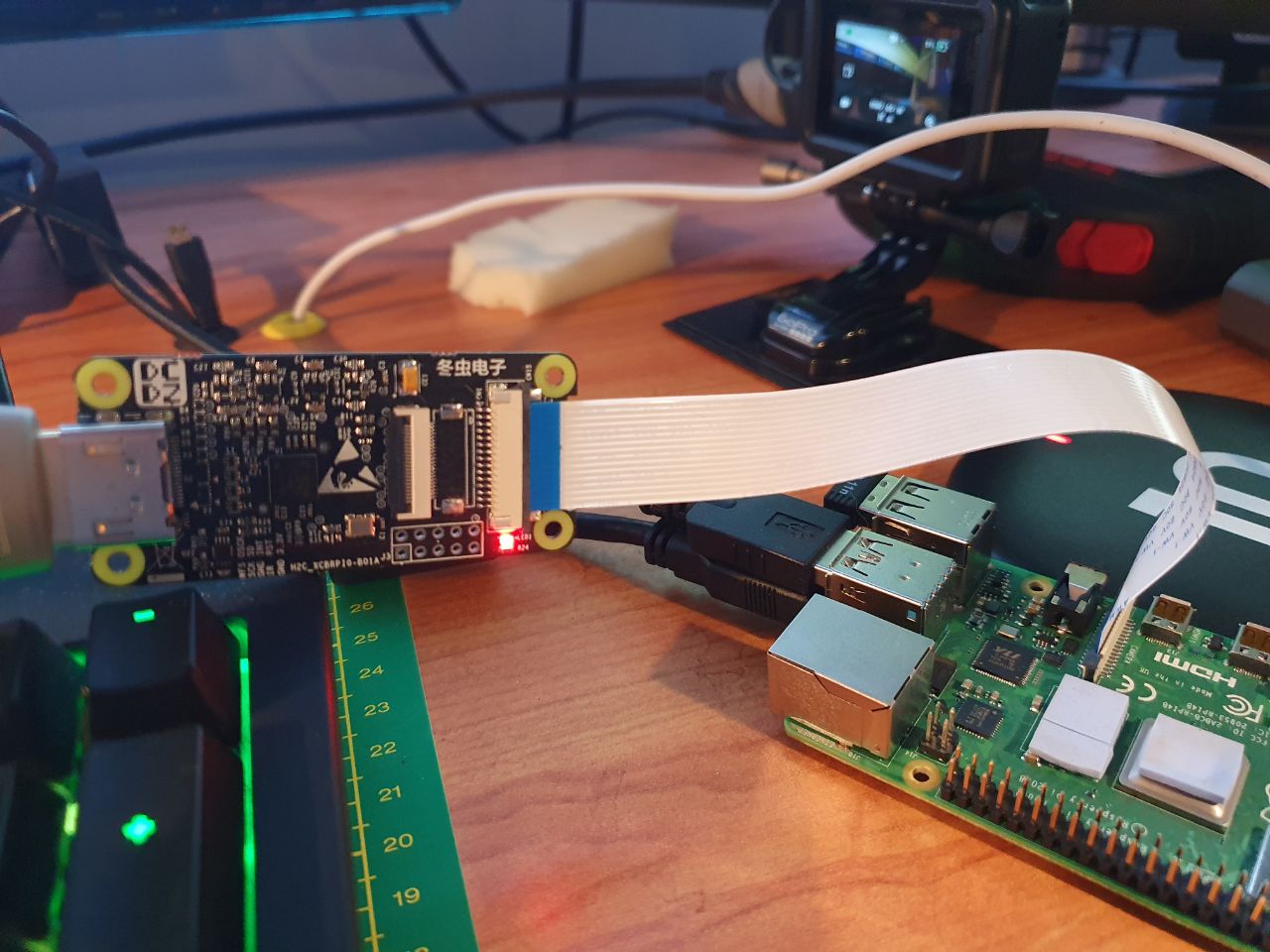
Attaching the HDMI to CSI-2 module proved a little harder. You have to connect its ribbon cable to the Pi’s camera port (image by Ram.Sh, taken from the Raspberrpi Pi forums), but without bending it because it can easily snap if you’re not careful. I had to fiddle a bit to make sure that the tiny plastic piece acting as a stopper to the cable was actually firmly in place.
As the case could not house the splitter and the HDMI to CSI-2 module (I had originally planned to put them inside, but I based my plan on a different version of the case, and the one I have they wouldn’t fit properly) I mounted them on top of the case, using a couple of M2 standoffs and additional screws.
The original (let’s call it version 1) was something like this:
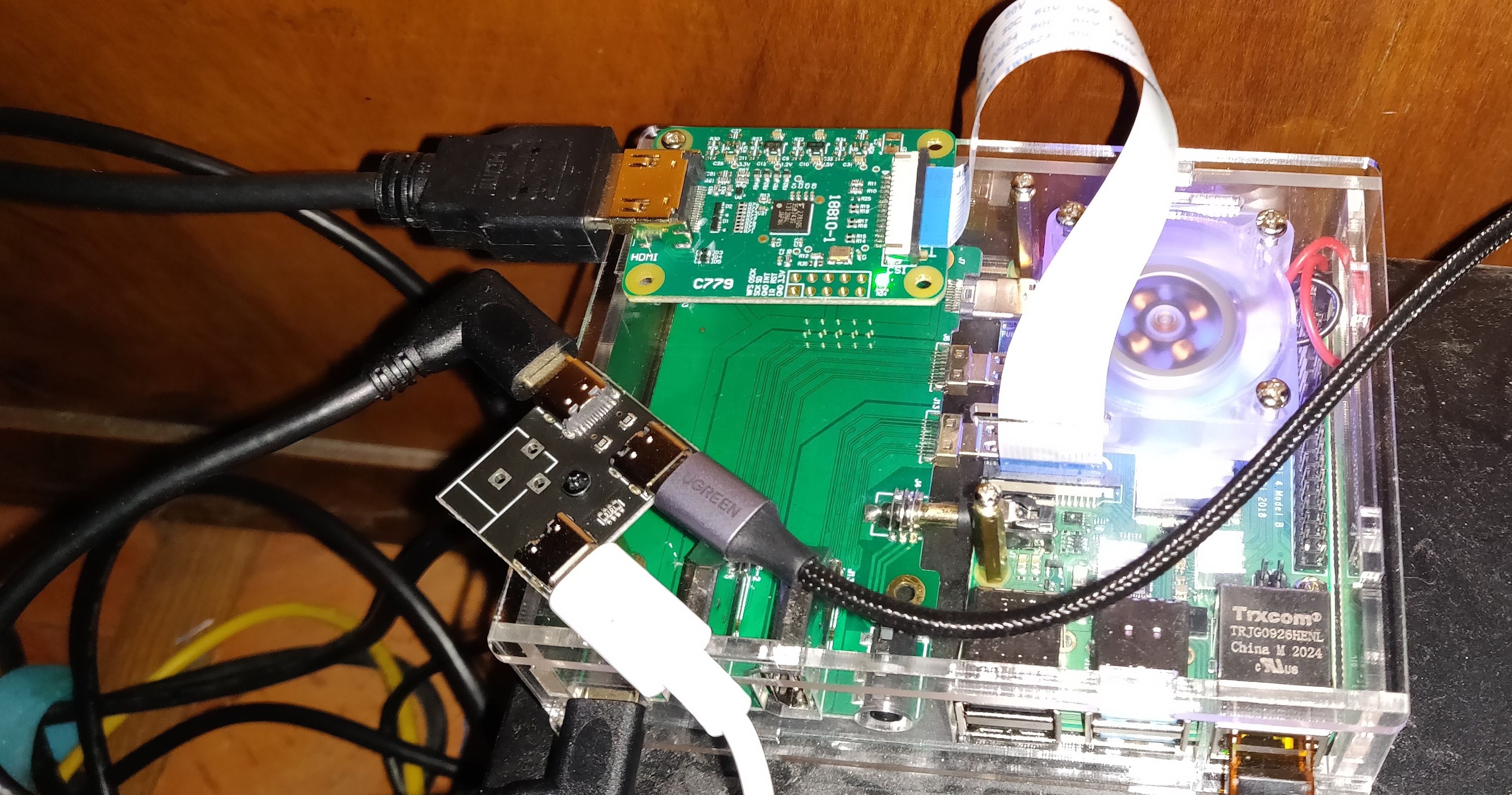
First version of pikvm
Then, I had to download the appropriate image for the Pi, flash it to the microSD card, then put the microSD card in the Pi. After that, it was just a matter of connecting the cables (USB to splitter and server; HDMI to module; network cable) and plugging in the USB C power supply.
Initial test run
First of all… it turned on, which was already a good result in itself. After a longer than expected boot (because it was generating certificates and SSH keys), the machine was finally reachable on the network (actual domain name redacted):
$ ping pikvm.example.com -c 3
PING pikvm.example.com (192.168.10.83) 56(84) bytes of data.
64 bytes from 192.168.10.83 (192.168.10.83): icmp_seq=1 ttl=62 time=3.96 ms
64 bytes from 192.168.10.83 (192.168.10.83): icmp_seq=2 ttl=62 time=4.09 ms
64 bytes from 192.168.10.83 (192.168.10.83): icmp_seq=3 ttl=62 time=3.86 ms
The first step was to change the default password for root (which is, unsurprisingly root, although I would have preferred “hunter2”). pivkm runs Arch Linux as base (with some additional repositories set up by pikvm’s author) and keeps the whole filesystem read-only. So after connecting via SSH, the first thing to do is to switch it to read-write and then change the password. There are two convenience aliases provided to make things simple.
[root@pikvm ~]# rw
[root@pikvm ~]# passwd
New password:
[...]
[root@pikvm ~]# ro
After that, it was time to access the web interface provided by pikvm. It is password protected by default, and also in this case the login / password combination is predefined (admin and admin). Thus first I accessed the terminal again and set a different password:
[root@pikvm ~]# rw
[root@pikvm ~]# kvmd-htpasswd set admin
[...]
[root@pikvm ~]# ro
Then I could finally log in and be presented by this interface:

Main web interface of pikvm
As you can see, there’s also a web terminal for those who don’t want to use SSH. You can also use VNC in place of the web interface should you want it. As I wanted to see if everything was working, I went for the KVM option. After a small embarrassing moment where I got no signal because the HDMI cable was not plugged in properly in the module (ahem), I was presented with the login screen from the server (any reference to Preem Palver, the First Speaker is not coincidental).
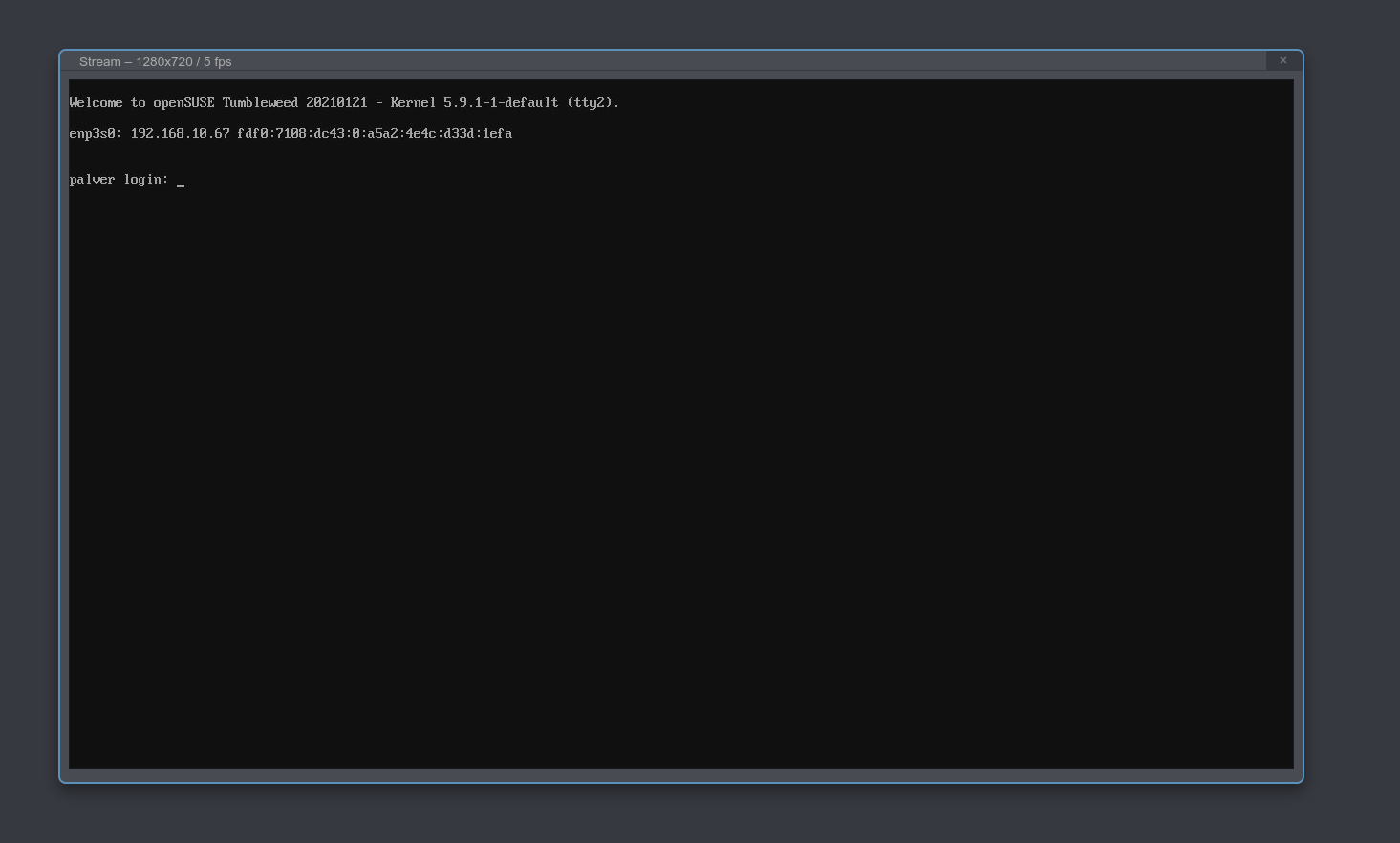
Screen capture from the server
I was working! But then, I tried using the keyboard… and no input arrived to the server.
Diagnosing the problem
I then tried to troubleshoot the problem. pikvm’s diagnostic said that the stream from USB was “paused” so I suspected the cabling, or the USB splitter. I then tried:
- Replacing the USB C to USB A cable (three different cables): no dice;
- Replacing the USB C to USB C cable to the splitter (three different cables): no dice;
- Using a USB C hub in place of a splitter; no dice.
I was at my wits’ end, so I just posted a question on the subreddit dedicated to the project. It was then a suggestion was made, to actually test and remove the daughterboard I had attached to the Pi. I was vaguely aware that it needed specific boot options to be used, but they were incompatible with the ones used by pikvm, so I had left them alone.
I proceeded to do so, and after removing one side of the case (or the USB C cable wouldn’t fit), I came up with the following solution:
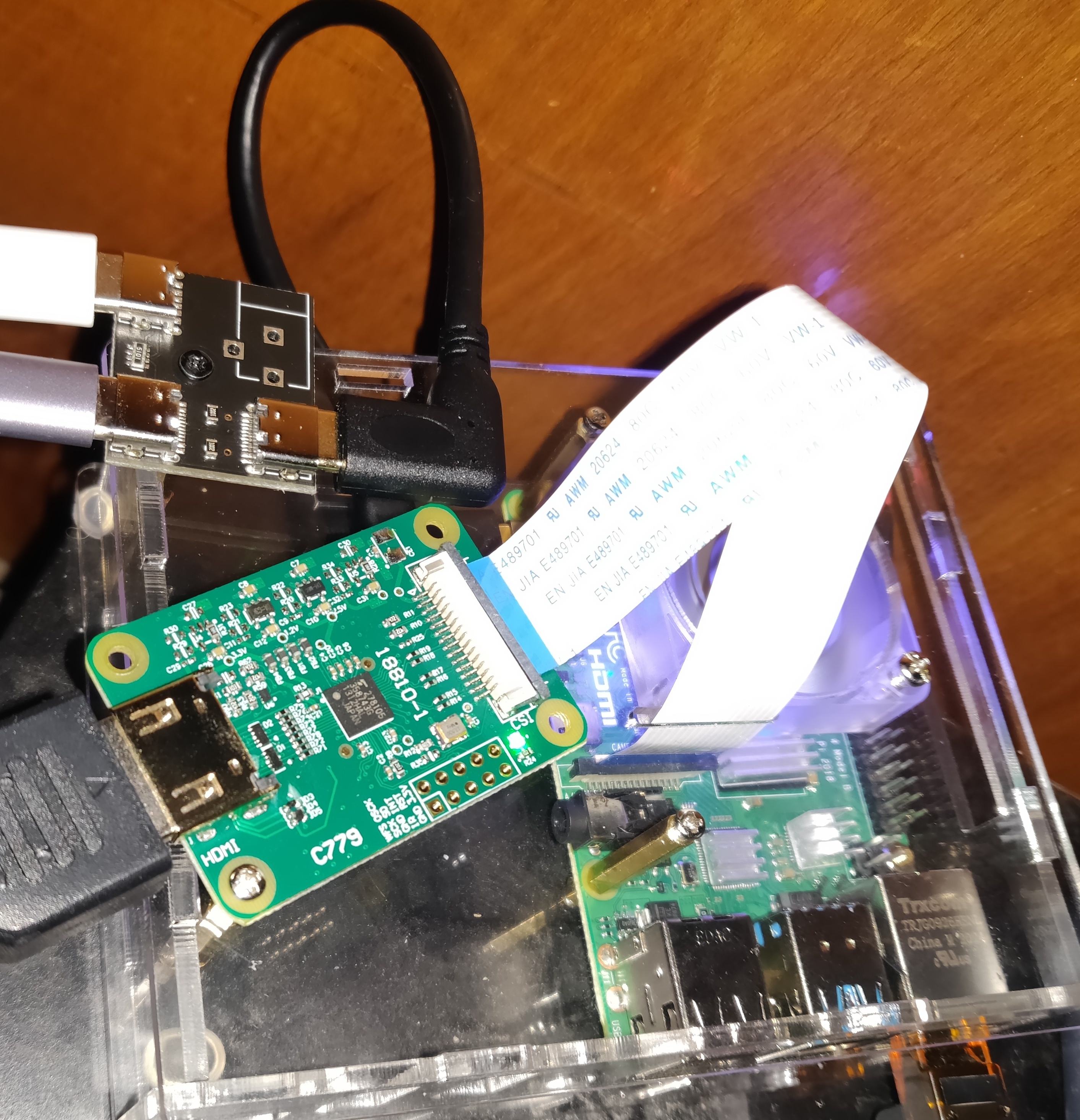
Adjusted version without daughterboard
And after I attached it back to the server, lo and behold, keyboard input was working!
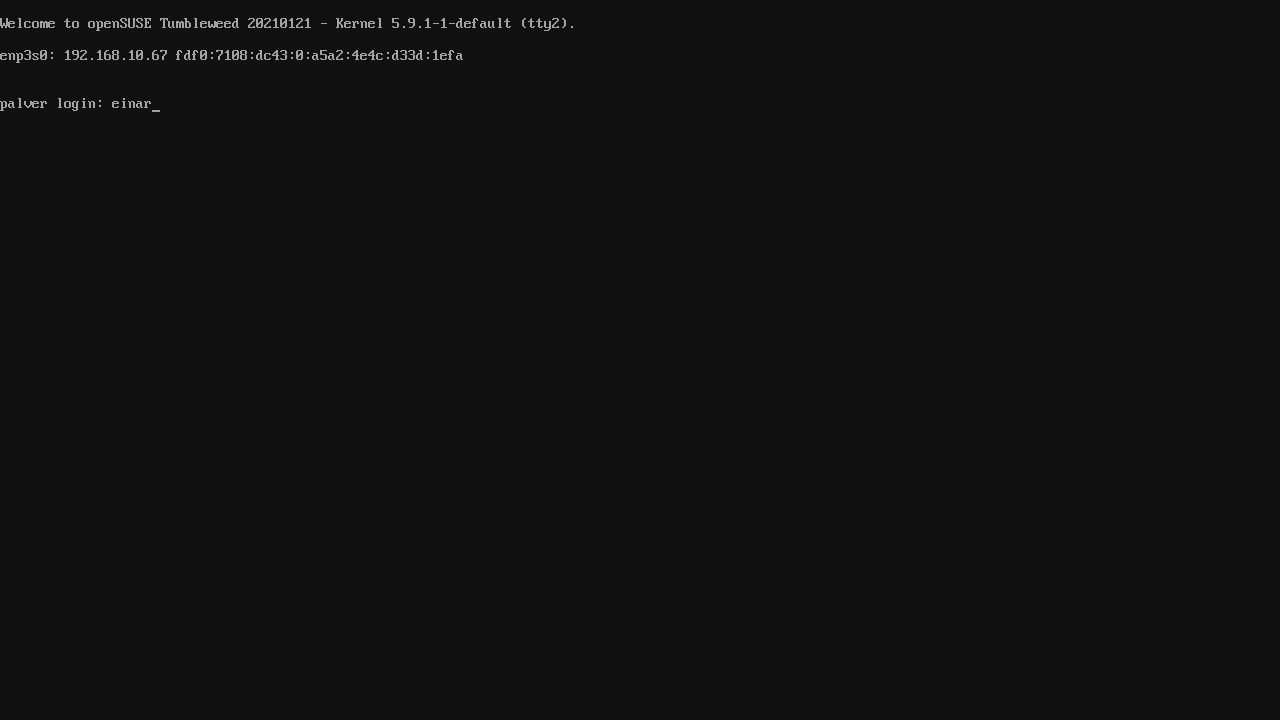
Login screen with characters typed
That is why I said it was a mistake to use that case, or at least the daughterboard. It was not suitable for the purpose and it took a while just to realize it was not forwarding data properly. In retrospect, I would’ve used a different case.
Conclusion
So that’s how I was able to prepare an affordable KVM-over-IP solution and be happy (?). The project’s maintainer, aside sponsorships, is actually working on a proper HAT (warning: video link) which is about to go on sale: a possibly better option for those who don’t want to fiddle too much like I did, which also offers additional options which require more manual work and that I did not do (like ATX power control to control the server’s power remotely).
Meetings, ugh! Let’s change our language
“How was your day?” “Ugh, I spent all day in meetings, didn’t get any work done!”
How often have you heard this exchange?
It makes me sad because someone’s day has not been joyful; work can be fun.
I love a whinge as much as the next Brit; maybe if we said what we mean rather than using the catch-all “meetings” we could make work joyful.
Meetings are work
Meetings are work. It’s a rare job where you can get something done alone without collaborating with anyone else. There are some organisations that thrive with purely async communication. Regardless, if you’re having meetings let’s recognise that they are work.
What was it about your meeting-full day that made you sad? It doesn’t have to be that way.
Working together can be fun
I’ve seen teams after a day of ensemble (mob) programming. Exhausted, yet elated at the amount they’ve been able to achieve together; at the breakthroughs they’ve made. Yet a group of people, working together, on the same thing, sounds an awful lot like a meeting. Aren’t those bad‽
Teams who make time together for a full day of planning, who embrace the opportunity to envision the future together, can sometimes come away filled with hope. Hope that better things are within their grasp than they previously believed possible.
Yet the more common experience of meetings seems synonymous with “waste of time” or “distraction from real work”. Why is this? Why weren’t they useful?
One team’s standup can be an energising way to kick off the day. Hearing interesting things we collectively learned since yesterday Deciding together what that means for today’s plan; who will work with whom on what?
For another team it may be a depressing round of status updates that shames people who feel bad that they’ve not achieved as much as they’d hoped.
How do we make meetings better?
A first step is talking about what did or didn’t work, rather than accepting they have to be this way. Because there’s no “one weird trick” that will make your meetings magical. You’ll need to find what works for your team.
Why should you care? You probably prefer fun work. If you could make your meetings a little more fun you might enjoy your work a lot more.
Meetings beget meetings. Running out of time. Follow-ups. Clarifying things that were confusing from the first meeting… Ineffective meetings breed. Tolerating bad leads to more misery.
Saying what we mean
Here’s some things we could say that are more specific
We didn’t need a meeting for that.
Was it purely a broadcast of information with no interactivity? Could we have handled it asynchronously via email/irc/slack etc?
I didn’t need to be there
No new information to you? Nothing you could contribute? If you’re not adding value how about applying the law of mobility and leave / opt out in future. Or feed back to the organiser. Maybe they’re seeing value you’re adding that you’re oblivious to.
I don’t know what that meeting was for
How about we clarify the goal for next time. Make it a ground rule for future meetings. If it’s worth everyone making time for it’s worth stating the purpose clearly so people can prepare & participate.
It wasn’t productive
Was the meeting to make a decision and we came out without either deciding anything or learning anything?
Was the meeting to make progress towards a shared goal and it feels like we talked for an hour and achieved nothing.
Perhaps we’d benefit from a facilitator next time.
It was boring
Can we try mixing up the format? Could you rotate the facilitator to get different styles? How can you engage everyone? Or does the boredom indicate that the topic is not worth a meeting?
If it is important but still boring how do we make it engaging? It’s telling that “workshop” “retrospective” “hackathon” and other more specific names don’t have the same connotation as the catch-all “meetings”. Just giving the activity a name shows that someone has thought about an appropriate activity that will engage the participants to achieve a goal.
I needed more time to think
Could we share proposals for consideration beforehand? Suggest background reading to enable people to come prepared? Allocate time for reading and thinking in the meeting?
It was too long
We could have achieved the same outcome in 5 minutes but ended up talking in circles for an hour.
I didn’t hear from ____
Did we exclude certain people from the conversation, intentionally or unintentionally? What efforts can you make to create a space for everyone to participate?
Not enough focus time
Do you need to defragment your calendar? Cramming in activities that need deep focus in gaps between meetings is not a recipe for success. Do you need to ask your manager for help rescheduling meetings that you can’t control? Should you be going to them all or can you trust someone else to represent you?
Too many context switches
Even if you don’t need focus time, context switching from one meeting to another can be exhausting. Are you or your team actively involved in too many different things? Can you say no to more? Can you work with others and reschedule meetings to give each day a focus?
It wasn’t as important as other work
Maybe you’re wasting lots of time planning things you might never get to and would be better off focusing on what’s important right now? Is your whole team attending something that you could send a representative to? Perhaps reading the minutes will be enough.
Highlight the value
We decided on a database for the next feature
We learned how the production incident occurred
We heard the difficulty the customer is having with…
We made a plan for the day
We shared how we halved our production lead time
We realised that our solution won’t work
We agreed some coding principles
Tackling your meetings
What’s your least valuable meeting? Which brings you the least joy?
What’s your most valuable meeting? Which brings you the most joy?
What’s the difference between these? What made them good or bad.
Turn up the good; vote with your feet on the bad.
The post Meetings, ugh! Let’s change our language appeared first on Benji's Blog.
Git Worktree — Concurrent Development

Sometimes you have to sit on two chairs at the same time. No, I don't mean to give you east-European political advice. I mean developing things in two concurrent branches can be a pain with the constant switching.
In my case I need to develop a stylesheet for both gtk3 and gtk4 at the same time, usually having to compare the two running concurrently. Matthias recently introduced me to the secret cabal of people knowing about git worktree. Thanks to it you can have two branches of the same project checked out at the same time, not only saving you the (cheap) drive space, but keeping a single history so cherry picking and diffing between the two doesn't need to involve refreshing remotes or jumping through other hoops.
So let's take a look at my scenario. I have gtk checked out in Builder, by default going to ~/Projects/gtk. The master branch equates to the new goodness of gtk4. Pushing the run button will build me gtk4-widget-factory ready to test the stylesheet. But to have the gtk3 equivalent run side by side, I don't use a duplicate of the repo, but instead created a worktree copy:
cd ~/Projects/gtk
git checkout -tb gtk-3-24 origin/gtk-3-24
git checkout master
git worktree add ../gtk3 gtk-3-24
At this point you can open the gtk3 project in Builder and works as if those were not closely interconnected. But every commit is 'visible' in the other project.
Wayland, firewalld, PulseAudio update in Tumbleweed
A total of five openSUSE Tumbleweed snapshots were released so far this week.
Among some of the more known packages to update this week in Tumbleweed were firewalld, Flatpak, Wayland, LibreOffice, PulseAudio and both Mozilla Firefox and Thunderbird.
Two out the five snapshots updated more than three packages like the most recent snapshot; snapshot 20210203 updated gthumb 3.10.2. The image viewer and browser utility for the GNOME environment fixed a jump to the bottom when selecting thumbnails with mouse and fixed a possible crash to the app after cancelling a search. KDE’s hex editor for viewing and editing raw data of a file, okteta 0.26.5, improved the cursor flash time setting and improved a new menu entry for selecting a custom UI color scheme. The xfce4-cpufreq-plugin 1.2.4 package now creates a label widget if it does not already exist. This panel plugin shows information about the CPU governor and frequencies supported and used by a system.
PulseAudio disabled Link Time Optimisation on armv7 in the updated 14.2 version in Snapshot 20210202. The snapshot updated the Linux Kernel to version 5.10.12 and ImageMagick to version 7.0.10.59, which now generates histograms by comparing pixel components rather than color. LibreOffice fixed some text that wrongly aligned in its 7.0.4 update. Wayland 1.19.0 had a minor update with bug fixes and protocol updates. Several Python Packages were updated in the snapshot including python-packaging 20.8, which reverted back to setuptools for compatibility purposes for some Linux distros, and python-Pillow 8.1.0, which fixed Common Vulnerabilities and Exposures that a Read Overflow in PCX Decoding. A patch was removed in firewalld 0.9.3 and fixes were made for iptables when an ipset is used as a zone source. The general-purpose parser generator bison 3.7.5 fixed the Table Generation that was generating incorrect parsers when there are many useless tokens. Other packages updated in the snapshot were xterm 363, yast2 4.3.51, iproute2 5.10.0 and zeromq 4.3.4.
Snapshot 20210131 updated the theorem prover from Microsoft Research; this z3 package was updated to version 4.8.10, which rewrote the arithmetic solver thereby replacing the legacy arithmetic solver.
Both Mozilla Firefox and Thunderbird were updated in snapshot 20210130. The new 85.0 major version of Firefox eliminated 13 CVEs. A new feature in the browser protects from supercookies, which is a type of tracker that can stay hidden in the browser and track even after clearing cookies. Thunderbird 78.7.0 fixed a half dozen CVEs. One of the CVEs was related to an IMAP response injection when using the Opportunistic Transport Security Layer. Flatpak 1.10.1 switched to an upstream release tarball, updated translations and had a fix for some compiler warnings. Documentation typos were fixed and a fix to a minor extensions problem was made in the update of sqlite3 3.34.1. Other packages to update in the snapshot were bind 9.16.11, icewm 2.1.1, soundtouch 2.2 and yast2-bootloader 4.3.20, which ensures the proposal is re-calculated when the partitioning plan has changed,
Another snapshot with three packages updated was 20210128. This snapshot updated perl-Mojolicious to version 8.72, which deprecated quite a few connection methods, but did add support for trusted reverse proxies. Other packages to update in the snapshot were perl-IO-Tty 1.16, which switched to a github for tracking issues, and kvm_stat 5.10.9, which installs the systemd unit file in the proper place, so that the service can be started right away.
Animated Tour
We've struggled with bringing subtle animation to GNOME in the past. There is interest in bringing it in some shape or form to gtk4. The bad news is the tools are still lacking on the production side. There's not much past Glaxanimate to do even simple transforms.

While we iterated on the GNOME 40 onboarding, it became clear a subtle animation for the touch gestures would really help. And because the CSS machinery in gtk is fairly capable, I experimented implementing such a thing with good'ol @keyframes.
While anything more complex would be a nightmare, animating the hand going back and forth is well served by a simple CSS rule:
@keyframes left-and-right {
    from { background-position: 40% 30%, center 30%, center; }
    to { background-position: 60% 30%, center 30%, center; }
}

.page:nth-child(6) {   /* left right */
  background: url('/org/gnome/Tour/hand-fg.svg'),
              url('/org/gnome/Tour/leftright-bg.svg');
  background-repeat: no-repeat;
  background-position: center 30%;
  animation: left-and-right 2s ease-in-out infinite alternate;
}
It's a bit fragile, but a first shy step for animations in the UI. Hopefully first of many.