
 Member
 dragotin
Kraft Version 0.57 verfügbar
Im November 2014 wurde die Version 0.57 von Kraft veröffentlicht, ich möchte nachholen, sie hier zu erwähnen, da ein Update zu empfehlen ist. Es ist die letzte fehlerbereinigende Version der 0.5x Reihe. Eine ganze Menge von Fehlern wurde behoben, für Details siehe das englische Changelog.
Zum Beispiel wurde die Dokument-per-Email-versenden Funktion überarbeitet. Sie ermittelt jetzt die Emailadresse des Empfängers aus den Kontaktdaten des Kunden. Ausserdem funktioniert die Mailfunktion wieder mit dem Emailprogramm Thunderbird.
Spezialposten wie Bedarfs- und Alternativposten können wieder auf normale Posten zurückgesetzt werden. Auch wurde die Ok/Abbrechen-Behandlung des Dokumenteditors repariert. Sollte bei einem bestehenden Dokument der Dokumenttyp geändert werden, wird jetzt auch die Dokumentnummer aus dem entsprechenden Nummernkreis nachgezogen. Einige Fixes im Bereich der Speicherverwaltung des Programmes, die sogar Abstürze verhindern, runden das Release ab.
Installationen älterer Versionen sollten aktualisiert werden.
Wie geht es weiter? Als nächstes wird der Port auf KDE Frameworks 5 in Angriff genommen. Das passiert, um am Ball zu bleiben, aber auch damit Kraft eines Tages auch auf Mac und möglicherweise auch Windows erscheinen kann.
Ich freue mich wie immer über Kommentare zu Blog und Kraft ganz allgemein, entweder per Kommentar hier im Blog oder: Kontakt zu Kraft!

2014 Learning Retrospective
- Worked on Korkai - A corpus builder for Tamil. It extracts unique Tamil words from blogger, wordpress and wikipedia dumps. Learnt a lot about XML processing and golang
- Started working on Vaiyakani, an auto-completing, dictionary-based, self-learning, transliterating text-editor for Tamil, after getting unsatisfied with the lack of offline Tamil typing software in Linux. Learnt a great deal about Tries, Prefix Datastructures, Sqlite database engine performance, Datastructures used in the implementation of maps in various libraries and programming languages etc.
- The quest for implementing a perfect text editor led to a brief phase of disappointment where I complained on every layer wondering why the below layer is bad and briefly attempting to improve it. (The application is bad, The toolkit is bad, The compiler is bad, The operating system is bad, The hardware is the root of all evil etc.) Thankfully shepherded back into proper line of thinking by the helpful Evan Martin.
- Started writing a book on Operating Systems in Tamil. The project is kind of stalled for a while now due to some copyright related issues with the dayjob employer. Hopefully should resume working on it by this month end.
- Started tinkering around big data applications and large scale distributed systems. Started feeling the joy of building largescale systems using Golang. Did some prototypes for a new product idea in office and all these prior experiences helped to be very productive.
- Explored a lot of databases, especially Cassandra. Built it from source. Started using it in a system with millions of queries load. Explored the gocql (Golang's Cassandra driver) sources.
- Played around with a lot of key value datastores (like leveldb, bolt, lmdb etc.) Started with a lot of hope on these and slowly started feeling that k-v stores are probably over-rated (for large scale systems). As if to prove my point, came to know that Spanner the successor to Bigtable is multi-columnar.
- Learnt a bit about Docker, Containers, Kubernetes etc. Should explore them more deeply this year.
- All these work on database engines, distributed systems, distributed databases etc. lead me to read the underlying research papers of such systems. Realized that for understanding these systems, there needs to be a richer knowledge of some discrete math and richer literature.
- Learnt about Paxos, Raft and other distributed consensus ideas. Humbled to know of a few brilliant minds like Leslie Lamport, Jim Gray, etc. Got inspired to know of a few more interesting people and ideas as well.
- Thanks to a DE in Novell, got the opportunity to play with various Amazon cloud services free of cost (there is a free tier for the curios).
- Trying to understand how things work behind the screens in Amazon (the cloud company not just the online shop), Came across the interesting DynamoDB paper and came to know of a few interesting/inspiring people (they don't know me yet, though ;) ) like James Hamilton, Swaminathan Sivasubramanian , Werner Vogels etc.
- Got too tempted to leave the dayjob and do some real research / Ph.D but considering the financial constraints, will probably stick to the dayjob.
- Gave a couple of talks about Golang. One for a startup and another for a bunch of engineers. Attended a talk on Google cloud technologies and slashn.
- Came across Pig, Hive and Qubole but did not explore deeply
- Learnt a lot about markup languages, LaTeX etc.
- Started some work on a paper on distributed systems, only to get overwhelmed on how to proceed, considering the vastness of the topic that I have chosen for writing. Hopefully should get it into shape in the next few months or just throw it away and proceed with the daily grind.
- Wrote a blog post about technology catchup for the last decade and a bunch of other long posts, which got some unexpected accolades.
- Started daydreaming if I should choose a nascent area (such as Quantum Computing) to work in the freetime. It will throw up less instances of some paper published on 1960s / a patch in 1990s, for an idea, that I so enthusiastically assumed that I have invented (in current operating systems/storage etc.) until I search for it.
- Switched to openSUSE Factory and loving it.

Standing for re-election: openSUSE Board Election Jan. 2015
My name is Robert Schweikert, IRC handle robjo, and I am standing for re-election in the upcoming openSUSE Board election in January of 2015.
With the end of 2014 my first term on the openSUSE board is already coming to an end, time flies. During my first term we collectively have seen many changes to our project. Many of these changes were difficult and I would say we had a rough ride for a good chunk of th last 2 years. I think, and am hoping others agree, that I was able to help smooth some of the rough spots and help the project move into what could now be considered calmer waters. It was not easy, but I am glad I was able to contribute.
Since 2009 I work for SUSE in the ISV Engineering team. When I started I primarily worked with IBM on joint projects. I also worked with other ISVs helping them with questions regarding their application on top of SUSE Linux. In recent years my role has transitioned and I am now focused on Public Cloud work, working with our partners.
I have been using SUSE Linux, now known as the openSUSE distribution since the beginning, i.e. I still remember when SUSE Linux 10 was released. I have been contributing to the project for many years, not from the get go, it took me some time to move from user to contributor, by maintaining packages, more recently also maintaining and publishing openSUSE images in the public cloud, and helping with organization of events. For the past two years I also had the privilege to contribute to the project as a board member. I would very much enjoy being able to continue my contribution to the board for another 2 years.
Looking forward I see the need that an effort needs to be made to re-invigorate our project. As a whole the distribution “business” has lost some of its appeal and shine. Something that is certainly to be expected. Never the less even in a world that is getting more and more dominated by cloud services, containers, and whatever else, distributions are a necessity and the openSUSE distributions always stands out as one of the top notch community distributions. We have also proven that there is still plenty of innovation potential with the recent merge of Tumbleweed and Factory, turning what was previously a pure development stream into a usable rolling release. The credit for this of course goes to the Factory team, release team and many others that contributed to the new tools and backend infrastructure that make all this possible. Re-invigoration for me not only means being proud and excited about such major technical accomplishments but also means we need to be better organized when it comes the representation of our project at FOSS events. Although the new booth box material is great we have had a difficult time getting things organized and helping those that want to represent the project at events. I want to continue to push on this part and help make the distribution of material better. There is plenty of work to be done at the board level and I am asking for your vote in the upcoming election to allow me to continue what is already in the works and help start new initiatives to re-invigorate our project.

Testing Fedora with openQA
I've been working a lot with openQA lately, openSUSE's great operating system testing tool, and I think some of what I've been getting up is kind of interesting.
This is likely to be the first of a series of blog posts about my crazy adventures with this awesome tool.
What is openQA?
openQA is a fully featured operating system testing tool.
It takes an operating system ISO or Disk Image, and using its Domain Specific Language (DSL) conducts a series of tests consisting of keyboard and mouse inputs while analysing the screen output for specific matches (called 'needles') to ensure the operating system is behaving as intended.
A typical, simple example of an openQA test for looks like this
#Header, doesn't normally need to be changed
use base "basetest";
use strict;
use testapi;

#run() subroutine, where the test code goes
sub run() {

#test functions
assert_screen "inst-bootmenu", 6;
send_key 'ret';

}

1;
This test is used to check a boot loader. The 'assert_screen' function in this case is looking for a matching 'needle' (screenshot) which has a tag named 'inst-bootmenu'. If it doesn't find a matching needle within the defined timeout (6 seconds) the test fails. If it finds a matching needle within 6 seconds, the test continues, and presses the return key with the 'send_key' function.
The results of these tests are provided in the form of logs, screenshots, and video recordings delivered over the openQA web interface. You can have a look at openSUSE's production instance at http://openqa.opensuse.org and an example of a single set of test results HERE.
Screenshots? Isn't it a pain in the arse maintaining the Needles?
Not at all. The openQA webUI contains a needle editor (example HERE) which lets testers see both the reference screenshots and the accompanying JSON file, and edit both with a WYSIWYG editor.
Select the areas of the UI you're interested in, click save, done. It takes seconds to update your needles to accept intended changes to a UI.
As needles are only looking for specific UI elements on the screen, well crafted needles can often allow regular UI changes to pass unmolested. If you're not interested in confirming the version number drawn on the screen, don't include the version number in your needles, and you'll have a version neutral needle - like in the example HERE.
The openQA web interface can automatically commit and (if you want) push your needles to a git repository (openSUSE's are HERE) making it really easy for testers/test developers to work together on keeping your needle collection up to date.
Is openQA just for openSUSE?
NO! While it's mainly used and contributed to by the openSUSE Project for testing Tumbleweed and the openSUSE Distribution, it's always been designed to be not only distribution-neutral (ie. it can test any Linux Distribution) but technically operating system-neutral - Linux, BSD, Windows, openQA doesn't care about what it's testing.
Yeah, right...prove it.
I haven't been working on openQA for a very long time. For a few weeks I've been working on new openQA tests for openSUSE and SUSE Linux Enterprise, but as we already have a huge collection of tests in our public git repository, a good number of my new tests are borrowing code and ideas from our existing test library.
So I got wondering, how hard is it to test a totally differing operating system, with a totally different installation workflow?
So, after reading the recent Register review of Fedora 21 that had a subtitle mentioning 'install woes', I decided to pick on our friends at the Fedora Project and downloaded a copy of Fedora 21 Workstation.
'Designing' tests for openQA is easy. I fired up the ISO in a VM and kept notes on which screens would make good needles and which keys to press. Each of the screens became an 'assert_screen' call in my tests, and each keypress became a 'send_key'.
NOTE: I could have used openQA's 'assert_and_click' function to check the screen for a needled area and click in the middle of it - it's a great for pressing buttons, but I decided to take a very keyboard centric approach.
In a few hours I had thrown together a basic set of tests, which you can get on GitHub
These tests successfully complete a full installation of Fedora 21 Workstation, as you can see from the openQA-produced Video I uploaded to YouTube
It wasn't perfect though, no QA tool is any good if it doesn't find bugs - luckily even these really simple tests were able to reliably reproduce a known issue in anaconda which apparently had been causing problems since October and hasn't yet been fixed.
Wanting to prove the tests and needles were generic enough that they could be reused for future testing, I've also run these against a recent Rawhide build.
Everything looks really promising, but a bug in Rawhide with Keyboard Shortcuts needs to be fixed before my tests can complete a full run.
Not bad for a few hours work if I say so myself, and I'd really like it if other people want to pick up where I've left off and extend these tests to provide more comprehensive coverage.
I'm interested, where can I find out more?
The main openQA website on GitHub is at http://os-autoinst.github.io/openQA/ and contains all the Documentation and Downloads you need to get started.
It takes about 1 hour to setup openQA on a basic openSUSE installation, and it doesn't have any crazy hardware requirements. If you can run KVM virtualisation, you can run openQA. All these Fedora tests have been run on a local instance of openQA on my X220 Laptop running openSUSE Tumbleweed.
I'd especially recommend the Getting Started Guide which explains a lot more about the fundamentals of openQA
For more help, the best place is the #opensuse-factory IRC channel on irc.freenode.org (where I can be found as ilmehtar and/or sysrich) or the opensuse-factory@opensuse.org mailinglist
Have a lot of fun!

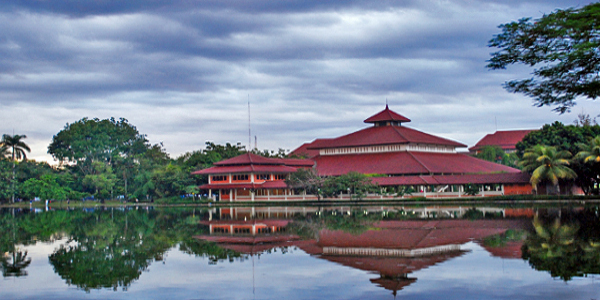
GNOME.Asia Summit 2015 to be hosted in Depok Indonesia
GNOME.Asia Summit 2015 to be hosted in Depok Indonesia
The ssh client has a config file?
A long time a go a coworker documented the ssh forwarding with xinetd trick that i showed him. We use it heavily on our virtualisation cluster for openSUSE. Of course it gets annoying if you have to pass the port parameter to each invocation of ssh or scp. Especially since ssh and scp are so nicely consistent for that. ;)
As the title already implies, ssh has a config file which we can use. It allows us to basically set every setting that can also pass via command line argument and all that per host.
more pam_systemd madness...
I quickly found out, that the recent update of the systemd package had reenabled pam_systemd in the pam config.
Now I'm fighting with the systemd package maintainer about if reenabling this on every package update is a good idea in openSUSE bug 908798. I certainly think it's not.
pam_systemd might have its merits on a desktop system, but I'd really like to know what it should be good for on a server? The manpage has shown me no feature that would be helpful there.
Let's see how many "RESOLVED INVALID" / "REOPENED" cycles this bug has to go through...

Kurz práce v příkazové řádce Linuxu nejen pro MetaCentrum 2015
Since academic year 2015/16 is the course scheduled in SIS as MB120C17.
Dolphin Overlay Icons for ownCloud Sync Client
Our recent ownCloud Client 1.7.0 release contains the new feature of overlay icons in GNOME nautilus, MacOSX and Windows. That is nice, but that makes us as old KDE guys sad as Dolphin was missing on the list. [caption id=“attachment_536” align=“alignnone” width=“554”] KDE’s Dolphin with overlay icons for ownCloud’s file sync[/caption] That needs to change, and here we go: Olivier Goffart wrote a patch to do overlay icons also in Dolphin, which was not straightforward, because in addition to an dolphin plugin, also a patch for libkonq was required.
We prepared some test packages in our development repository isv:ownCloud:devel for those who wanna try and know their way around. Current it only builds for a couple of openSUSE Distros. You need to install kdebase4 and dolphin-plugins and after installation, it’s easiest to restart KDE to make it registered. But be warned: The two packages replace packages from the previous installation, only do it if you really know what you’re doing!
It would be great if at least the libkonq patch could make it to upstream, and I would appreciate if somebody who is a bit more fluent with recent KDE libs development could give me a hand on that. Otherwise, if distros wanna pick up the patches to make the overlays work, of course the patches are here: patch for libkonq and the ownCloud Dolphin plugin. The plugin will work with the released version 1.7.0 of ownCloud Client.
Workshop at CERN
 Last week, Thomas, Christian and myself were attending a workshop in CERN, the European Organization for Nuclear Research in Geneve, Switzerland.
CERN is a very inspiring place, attracting intelligent people from all over the world to get behind the secrets of our being. I felt honored to be at the place where for example the world wide web was invented.
The event was called Workshop on Cloud Services for File Synchronisation and Sharing and was hosted by CERN IT department. There have been around 100 attendees.
I was giving a talk called The File Sync Algorithm of the ownCloud Desktop Clients, which was very well received. If you happen to be interested in the sync algorithm we’re using, the slides are a nice starting point.
What amazed me most was the great atmosphere and the very positive attitude towards ownCloud. Many representatives of edu organizations that use ownCloud to which I talked were very happy with the product (even though there are problems here and there) from the technical POV. A lot of interesting setups and environments were explained and also showcased ownCloud’s flexibility to integrate into existing structures.
What also was pointed out by the attendees of the workshop was the importance of the fact that ownCloud is open source. Non free software does not have a chance at all in that market. That was the very clear statement in the final discussion session of the workshop.
The keynote was given by Prof. Benjamin Pierce from Pennsylvania with the title Principles of Synchronization. He is the lead author of the project Unison which is another opensource sync project. It’s sync engine marks very high quality, but is not “up-to-date software” any more as he said. I had the pleasure to spend quite some time with him to discuss syncing in general and our sync algorithms in particular, amongst other interesting things.
[caption id=“attachment_525” align=“alignleft” width=“254”] Atlas Detectors[/caption]As part of his work, he works with a tool called QuickCheck to do very enhanced testing. One night we were sitting in the cantina there hacking to adopt the testing to ownCloud client and server. The first results were very promising, for example we revealed a “problem” in our sync core that I knew of, which formally is a sync error, yet very very unlikely to happen and thus accepted for the sake of an easier algorithm. It was impressive how fast the testing method was identifying that problem. I like to follow up with the testing method.
Furthermore we met with a whole variety of other interesting people, backend developers, operators of the huge datasets (100 Peta-Byte), the director of CERN IT, a maintainer of the Scientific Linux and others.
Also we had the chance to visit the Atlas experiment, it is 100 meter underneath the surface and huge. That is where the particles are accelerated, and it was great to have the chance to visit that.
The trip was a great experience and very motivating for me, and I think it should be for all of us all doing ownCloud. Frank was really hitting a nerv when he was seeding the idea, and we all were doing a nice product of it so far.
Lets do more of this cool stuff!