
 smithfarm
What is the SUSE equivalent of "httpd -S"?
rcapache2 config -SThe short answer, for SLE12:
start_apache2 -SIn SUSE/openSUSE, the
httpd command is renamed to httpd2, but don't use plain httpd2 -S because it doesn't look in /etc/sysconfig/apache2Read more »
Vim reading list
Read more »
 Member
KDE:Unstable:Playground is no more (or: adjustments in KDE repositories)
As you may know, there is an ongoing effort to rearrange and adjust the openSUSE KDE repositories. In line with the previously announced deletions, and more recent adjustments, a number of changes went into the organization and layout of the KDE repositories:
-
KDE:Distro:Factory and KDE:Release:4xy will now hold the “core” KDE packages: this means the base Development Platform, Workspaces and Applications, and additional applications for a basic desktop experience. Other, non-core packages have been moved to KDE:Extra
-
“Extra” packages that qualify as non-core are now in the KDE:Extra repository. If you are a previous user of KRxy or KDF, you might want to add the relevant Extra repository
-
KDE:Unstable:Playground is no more, replaced by KDE:Unstable:Extra
In addition, the repository page on the openSUSE wiki has been updated to reflect these changes. If in doubt, take a look there.
Should you have any additional questions, feel free to hop on #opensuse-kde on Freenode, or use the opensuse-kde mailing list.
Use port forwarding to selectively grant access to machines behind firewall/NAT
Read more »
openSUSE: manipulate patterns without Yast
Read more »

Launchpad pull request
Stop right there! The content of this blog post has been migrated to this question in stackoverflow. Move on, nothing to see here.
Tied to the Rails
Having published a transcript of the talk I gave last year at OSDC 2012, I stupidly decided I’d better do the same thing with this year’s OSDC 2013 talk. It’s been edited slightly for clarity (for example, you’ll find very few “ums” in the transcript) but should otherwise be a reasonably faithful reproduction.
Hi everybody, for those of you that don’t know me, my name’s Tim and I work for SUSE. I’m here to talk today about Ruby and Ruby on Rails.
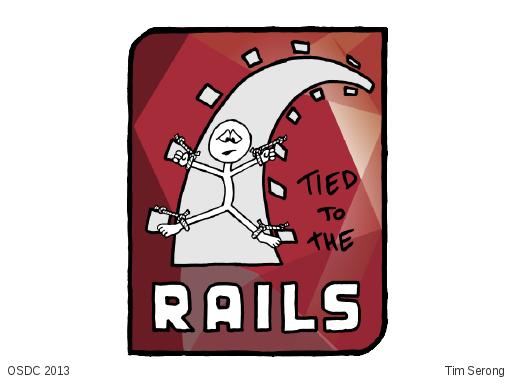
I’ve been using Ruby and Rails for about four years. Ruby is a delightful language, and Rails is a very powerful framework for building web apps. It does lots of things for you. But I’ve found that if you need to do something slightly differently than the way things are usually done – for instance if you need to distribute a Rails application as an actual native Linux distro package, which is a little bit different from a standard web deployment – you can get a bit trapped, bound to specific version dependencies. And you can have annoying build and deployment problems. So I’ve often actually found myself feeling like this poor sod, literally tied to the rails, hence the title of my talk.
A little bit of background first…

Who here is a Ruby developer? [one hand goes up … laughs]
And, Rails people? [another, curiously, different hand goes up]
OK, cool, so, in that case the next couple of slides will help lots of people.
The pieces we’re talking about are…
Ruby, which is a programming language created in the mid 90s by a Japanese bloke who goes by Matz. At the time he said he “wanted a scripting language that was more powerful than Perl, and more object-oriented than Python”. Which to me sounds like a really good way to start a fight, but anyway that’s his stated reason for creating Ruby.
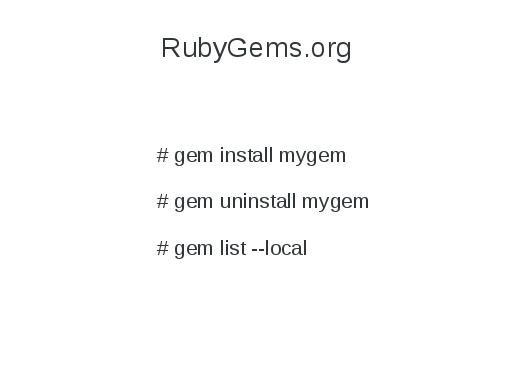
We have RubyGems which is a package manager for Ruby. You might think of this as being analogous to CPAN for Perl, or easy_install for the Python Package Index, or node.js’ NPM thing. The RubyGems web site hosts gems, the gem program itself you run from a terminal; run “gem install <something>” and it will go and download and install that gem on your system. Or “gem uninstall” to uninstall, or “gem list” to list what gems are installed. And there’s other commands for creating and packaging your own gems.
And we have Rails. Which is a model-view-controller style web application framework. It’s been around since about 2004, it does a whole lot of stuff for you. It knows how to talk to SQL databases, it knows how to do form field validation, it protects against cross site scripting, cross site request forgery, that sort of thing, and unsurprisingly it’s available as a rubygem so you can go “gem install rails” and have it on your system and use it. But, on Linux at least – I can’t talk about MacOS and Windows because I almost never use them – on Linux you’ll find your distro of choice, be it SUSE, Fedora, Debian, Ubuntu, whatever, has taken those Rails gems and packaged them up as a native distro package which you can just install with your usual tools.
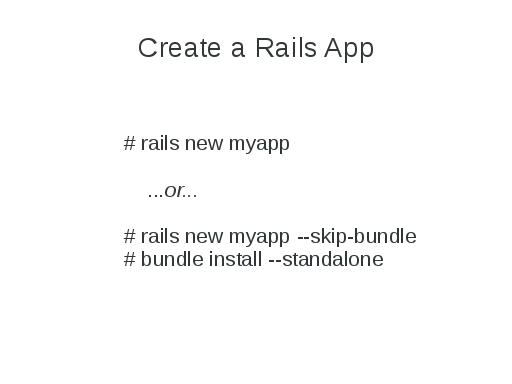
So, to create a new Rails application, again from the terminal, run “rails new myapp” and this gives you the skeleton of a web app. There’s a little script in there that you can run that lets you fire up a web server and you can point your browser back at localhost and a page says “Hey! This is Rails! Now go fill in your application on top of this”.
Interestingly, with Rails 3 at least, when you run that command… Rails itself has many other dependencies that it requires, and they’re all packaged as gems as well, so when you run that first command, it invokes this thing called Bundler to go and download all of those dependencies and install them on your system globally (you do get asked for the root password for that to happen). If you don’t want that to happen, if you don’t want all those dependencies cluttering up your base system, you can run “rails new myapp –skip-bundle”, and it won’t do that. Then later you can run “bundle install –standalone” and then all your dependencies, everything you need for your application, ends up somewhere in your application directory rather than clobbering whatever’s already on your system.
This is actually usually a good thing if you’re deploying a web application. You’re probably managing that deployment yourself. You do your development work on your desktop or laptop or whatever, and then you deploy it to a dev/test server – I hope you’re not deploying straight to production but we’ve all done that at some time  – and then you test it. You make sure it works and then once that’s all good you deploy to your production server.
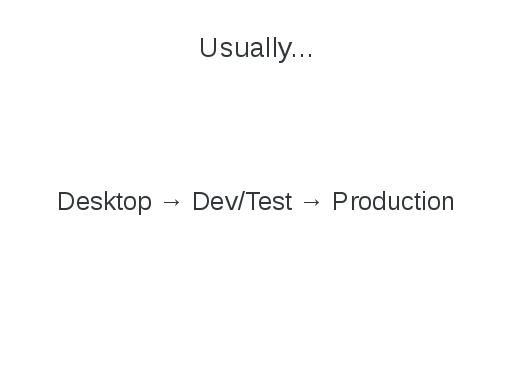
So in this scenario, embedding many tens of dependencies into your application can actually be quite desirable, because you might be managing the deployment of the web app, but you might not be administering the servers that it runs on. You might be deploying to a cloud platform as a service thing like Engine Yard or whoever, and you may not control the base distro. You might not be able to rely on the pieces of Rails that you need already being there for you, or they might have different versions on there which don’t work with your application, so embedding your dependencies is actually OK for that type of deployment.
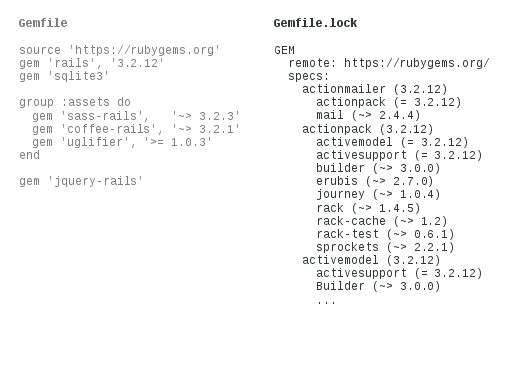
Now how this works is Bundler looks at this thing called a Gemfile which is actually just Ruby source. Below is a very minimal one, it says that the gems are to be obtained from rubygems.org, this application requires rails 3.2.12 and sqlite3. For asset files for doing CSS and JavaScript stuff we’re being fancy and we’re using sass and coffee and uglifier, and we’re using jquery-rails because jQuery.
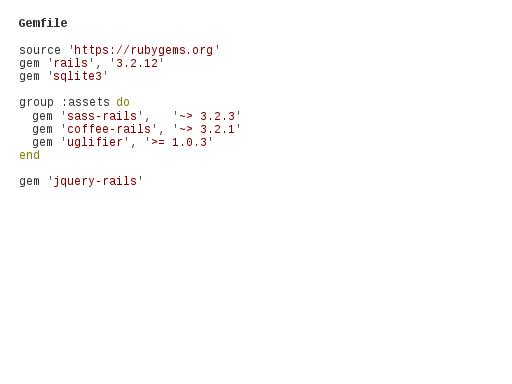
So you’ve written this Gemfile on the left, or it’s been generated for you when you created your Rails app, and then you invoke Bundler to install everything, or for that matter when your application starts up, it invokes Bundler as well, not to install but just to verify. When Bundler gets run it generates this Gemfile.lock thing. Bundler goes through the dependencies that you know about, and all their dependencies and gives you a complete dependency tree with the versions (some of these are a little bit fuzzy, and some of them are very specific) of all the packages that you need so the next time you run your application it will refuse to start if that stuff isn’t there.
Like I said, that’s OK in this deployment scenario, you’ve tested against those dependencies, this is all good, you know they work, if you have embedded them all in your application you know that if somebody goes and changes the base operating system out from underneath you, your application keeps running as expected.
That’s fine if you’re the one running the deployment. And if you’re the one keeping an eye on security updates for Rails and all of your other dependencies, and if you’re continually pushing those out, if you’re constantly redeploying your app with new features and things this is actually OK.
But what if you’re doing something a little bit different? What if you’re trying to take a Rails application and rather than deploy it yourself on a web server, you want to package that as an RPM or a DEB or something like that, so that somebody can just go and install that on their own Linux system. It turns out that’s exactly what I’m doing.
I hope this is all going to make sense.

In my case that application is called Hawk, which stands for High Availability Web Konsole. We ship this on SUSE Linux as an RPM file, I’ve got Fedora builds as well, somebody else made a Debian version a while ago. It’s a Rails application with a few C binaries included, a lighttpd config file, and an init script to start the whole thing up. And people who are running Pacemaker high availability clusters can use this web app, running on the nodes in their cluster, to manage and monitor their systems. So it’s not a public web site. It’s a specific management tool that happens to be implemented as a Rails app. My users should actually just be able to install this thing using their regular distro package management tools on all of the systems they want to run it on. This is getting back to the difference between DIY and Infrastructure that Sam was talking about in the Monday keynote. As web developers we don’t mind DIYing, pulling source from somewhere and installing extra gems and things. But people who are running high availability clusters just want to be able to have their infrastructure work, right? It’s not that people who run HA clusters – they’re hopefully fairly smart – mightn’t be able to deploy Rails apps themselves by pulling source from here and there and fiddling around with Bundler and whatnot, but it’s that they shouldn’t have to in that environment, and they probably don’t want to.

The interesting thing here is that if I’ve used Bundler inside Hawk to embed all the dependencies in there, how do I handle security updates? If there’s a security update to Rails, I have to build and ship a new version of Hawk to all my users, even if I haven’t changed any functionality. And we have a few other Rails apps that other people at SUSE have developed that we ship in the same way, and we’re all building on the same base version of Rails which actually already exists as a regular distro package. But if we’ve all had this sucked into our individual applications by Bundler, all of us have to release new versions of all our applications when one of our dependencies changes. This is crazy. We don’t statically link C applications – we have dynamic libraries for that. And like I said we’ve already got the various dependencies in the base operating system. We should just be able to ship updated Rails packages and have our applications take advantage of them.

So how did it come to this? I know that bundling all that stuff up makes sense for certain types of traditional web site deployment, but how did we in the Ruby and Rails community come to think that in general going back to the bad old days before dynamic libraries was a good idea? I understand having dependencies on major version numbers, because you might have API changes that are incompatible, but binding hard to a minor version number of a dependency or a point release just doesn’t make sense to me.
And so I was thinking about how we came to this late one night. It occurred to me – and I could be completely wrong about this – that maybe it’s because we in general have forgotten an important lesson.
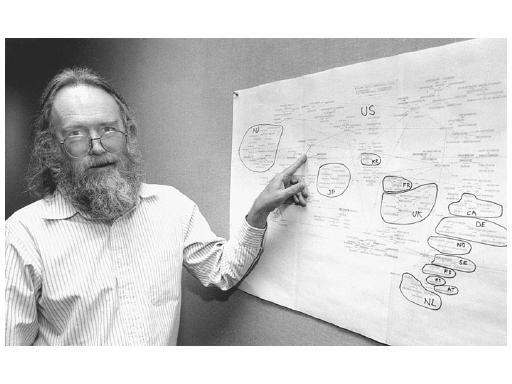
This gentleman here, Jon Postel (photo by Irene Fertik, USC News Service, © 1994, USC), without him the Internet wouldn’t be what it is today. He was the editor of the RFC document series from 1969 until his death in 1998. He administered IANA until his death. He wrote and co-authored more than two hundred RFCs, including the ones that define the Internet Protocol. So he’s sort of important.

There’s a quote that he’s particularly famous for, “be liberal in what you accept, and conservative in what you send”. This was written in the context of network protocols, but I think that it can be broadly applied to many fields of endeavour.
I’m not here for social commentary though, so I’ll stick to the Rails stack. I think that if Bundler was adhering to this philosophy it would make Gemfile.lock fuzzy by default in its version matching. Or maybe it wouldn’t include versions at all. And if people developing Gems were bearing this in mind, they’d be taking great care to ensure API stability. And some of them do! But some of them don’t. If APIs were more stable, Bundler wouldn’t need to be so paranoid about things in the first place. I know that you can deliberately specify fuzzy version dependencies when you’re creating gems, so if people did more of this that would be reflected in Gemfile.lock and things would get a bit easier.
Now I have to digress slightly. I keep talking about distro packaged versions of things, so I want to talk a bit about how software is installed to explain why I think distro packages are so important and good.
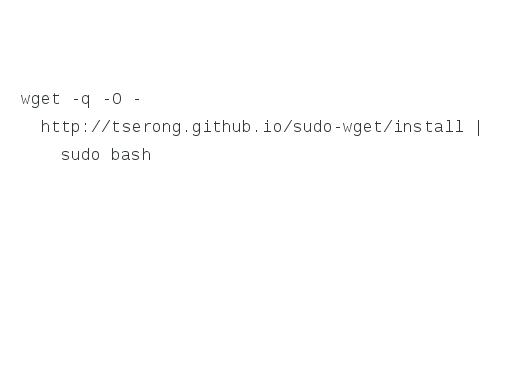
Who’s seen this recommended as a way of installing software? [almost every hand in the room goes up]
OK, every time you do this, someone on a security team somewhere, someone who’s job it is to ensure that the software we use is free from exploits, one of these people throws up their hands in despair, they throw all of their computer equipment out the window, it smashes into a pile of rubble on their driveway and they give up and they go and live in the hills.

Right?
[Interjection from audience member: “looking good, Tim”]
Ha. Somebody sent me this picture and said “hey do you look like that yet?” (which is why I can’t provide a proper photo credit, sorry).
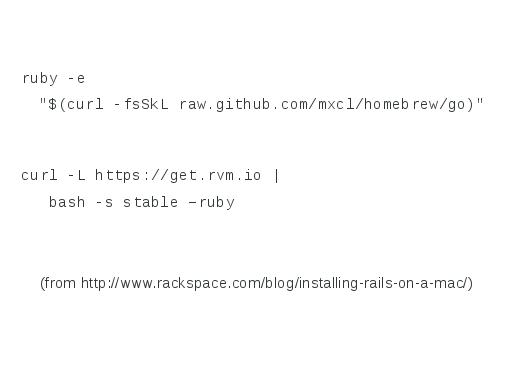
Anyway, the problem with that command is that you’re downloading something from the internet and running it in a root shell. There could be DNS cache poisioning going on, there could be a hacked router or something else providing a man in the middle attack like Dennis mentioned in the SSL talk on Tuesday, which means that you’re actually getting something other than what you thought you were getting and running it without actually checking what it was. Of if your network’s OK, maybe the server you were getting it from has been compromised and somebody’s put something malicious on there, which again you’re just downloading and running as root without thinking about it. And it’s not uncommon to see this, there’s a Rackspace blog post – not to pick on Rackspace because they’re apparently a really good company – but this blog post says to run ruby and have it evaluate this thing that it’s just ripped out of github to install Rails on a Mac. And I just… No, please no, just don’t.
So, RubyGems? This Ruby package manager thing? Is this any better?
A little while ago at the RubyNation conference a guy called Ben Smith gave a talk called Hacking with Gems. Not Hacking Gems, but Hacking with Gems, and using gems as an attack vector. Because anybody can go and publish the gems that they’ve created on rubygems.org.
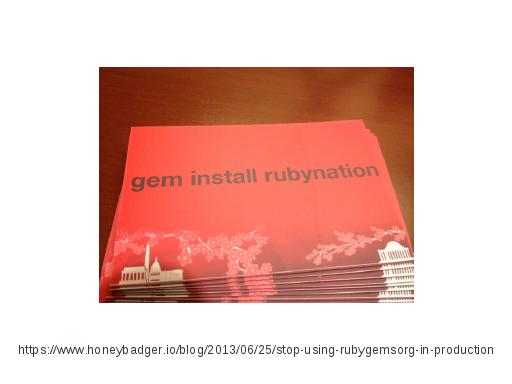
He handed out these cards at this conference and ten percent of attendees, about 25 people, went off and ran “gem install rubynation” on their systems. You can read more about that in this blog post, but the important thing is what this gem didn’t do. When it was installed it didn’t steal any of the users’ passwords, and it didn’t add secret ssh keys to their systems, or anything like that, but it could have. It’s just software.
[Interjection from audience: Jacob Kaplan-Moss did exactly the same trick and called it python-nation at PyCon AU a few months ago, so it’s not just a Ruby thing]
So RubyGems doesn’t really provide trust, necessarily. And the server actually suffered in January from the code exploit Tom mentioned in his serialization talk, so there was a window of opportunity there where people could’ve actually used a remote code exploit to wreck perfectly good gems that were already available there.
The thing that a distro package gives you is an extra layer of trust. Whoever it is that’s made your Linux distro has taken these gems and then packaged them again, and depending on your distro they’ve done some amount of QA, or maybe the people who are doing the packaging are also active contributors to these projects. The packages from your distro are digitally signed by them, they’re verified when you install them, so it’s that extra level of trust and possibly support or reliability that you get.
The distro packages will lag a little bit behind – sometimes a long way behind – what’s on rubygems.org, and you will never get everything that’s on rubygems.org into a Linux distro, but distro packages are still really important.
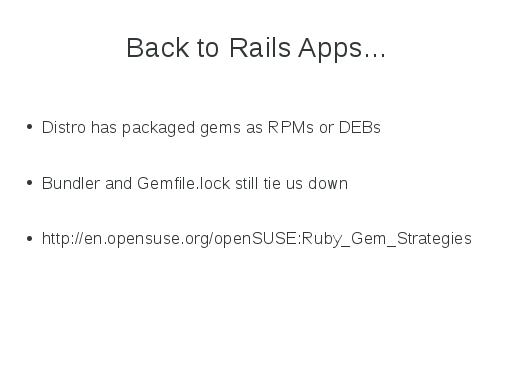
So, back to rails apps. Like I said, your distro has packaged up a bunch of Rails and bits and pieces as RPMs or DEBs, but if I’m shipping my Rails app as an RPM, Bundler and Gemfile.lock are still tying me down. One of my colleagues, Adam, put a great deal of effort into writing a wiki page, openSUSE Ruby Gem Strategies, to talk about ways of packaging gems as RPM files. I’m not going to talk about that part of it, but you should read it if you’re interested. The other thing that he talked about, or that he collected from the discussions that we had, was four strategies for dealing with Gemfile.lock, which was binding us to particular versions of our dependencies.
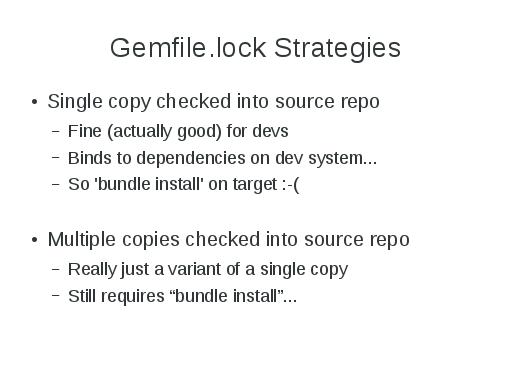
The first two options don’t really help end users, but they do help developers. If you’ve got a distributed team working on a particular application, actually having your Gemfile.lock generated and checked into your source tree can be good, because then you know that your whole team is using the same set of dependencies. Or if your team is working on different distros with slightly different sets of dependencies, or you want to experiment with different things you can have multiple copies checked into the source repository. But that ends up getting shipped with your application, so you’re still tied to particular versions and you’re hosed at end user time.
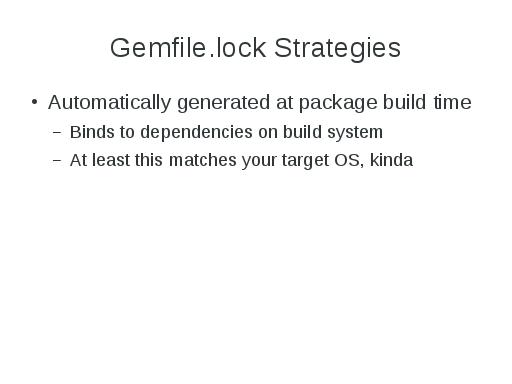
Another way is to generate Gemfile.lock automatically when your packaged application is built. Typically when you build an RPM or whatever, this happens in a clean chroot environment or on a virtual machine, which has your target operating system installed cleanly on it with all the updates and everything. So your application binds to the dependencies on the build system, and so at least this actually matches your target operating system, kinda.
There’s a problem with this though. Looking at the Gemfile.lock example from before, it specified Rails 3.2.12, and if that Gemfile.lock exists in my package and somebody goes and installs that on a system that already has Rails 3.2.12, awesome, fine. Later on, we release a security update for Rails and it goes up to 3.2.13. Then my application doesn’t run anymore, because it’s tied to Rails 3.2.12, which doesn’t exist because it’s been upgraded to 3.2.13. My end user would have to know to go and delete the Gemfile.lock and regenerate it on the system they deployed it on, which they shouldn’t have to know, and is nasty.
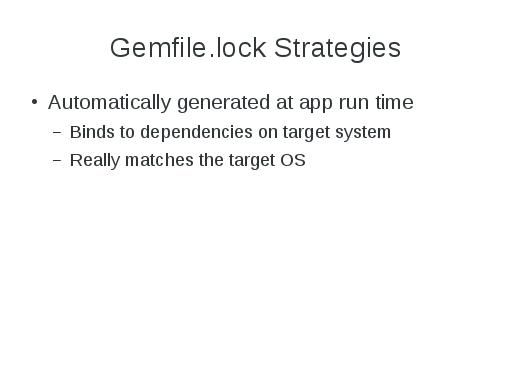
So the final option was to automatically generate Gemfile.lock when the application starts. If you’ve written an init script that starts up a web server and thus Rails app, the first thing the init script does is actually delete Gemfile.lock. Then when your application invokes Bundler to set itself up, it regenerates Gemfile.lock at that point based on whatever dependencies are installed on the system. That works, but it still seems kind of messy to me, and so the thing that I finally came around to, at least for Hawk, is I just delete the damn thing.
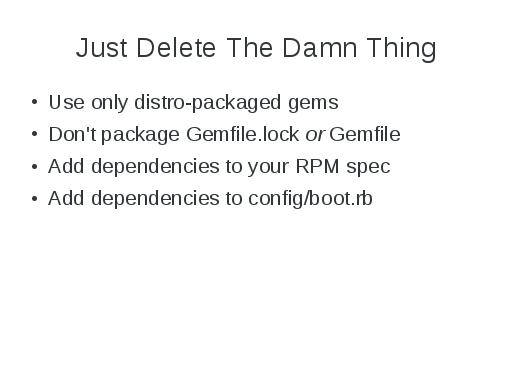
I’m only depending on base distro packages for Rails and my dependencies, and in the Hawk package I don’t include Gemfile.lock or Gemfile, at all. I have my dependencies listed in my RPM spec file as you usually do for RPMs, and I also add those dependencies to the config/boot.rb file, which is part of my Rails app. This is kind of interesting. My Gemfile minus rather a lot of comments looks like this:
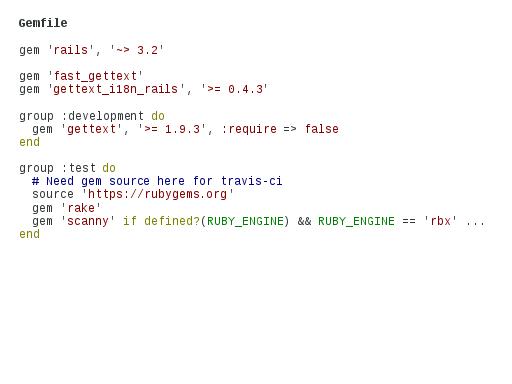
Up the top, I’m saying that I need Rails above 3.2 but less than 4, that’s what that funny squiggly greater than thing means. I need a couple of gettext things because I’ve got internationalization stuff going on, and at that point in the Gemfile I haven’t specified “source rubygems.org”, so if Bundler were ever run on this it actually wouldn’t try to go out to rubygems.org and get anything, it’d just rely on whatever’s already installed.
Next, Rails applications can be in production mode, or development mode, or test mode, depending on what you’re doing. The “group development” and “group test” parts indicate what to include in these cases. In development mode, I also need an extra gettext package to generate .mo files for different languages, and when I’m testing, I’ve got my github repo hooked up to travis-ci, so on every commit, travis-ci goes and grabs all my source and at this point the travis-ci server does go out to rubygems.org and pulls all my dependencies into its test build environment, and then it runs all my application’s tests. So Bundler actually is getting used at that point, but that’s fine, that’s when I want Bundler to be used. That’s when I want it to do its magic, during development and testing, I just don’t want it in the way at deployment time.
My config/boot.rb file, which is something that’s invoked early when a Rails application starts, usually just consists of “require bundler/setup”. And that means any time your application starts it invokes Bundler and Bundler does all of its Gemfile locky madness. In my case I’ve said, if the Gemfile exists (which it will when I’m doing development and testing) still go and require Bundler and let it do its thing. But at runtime when that file is gone, I’ve manually required rails, fast_gettext and gettext_i18n_rails, which I’ve also got listed back in my Gemfile.
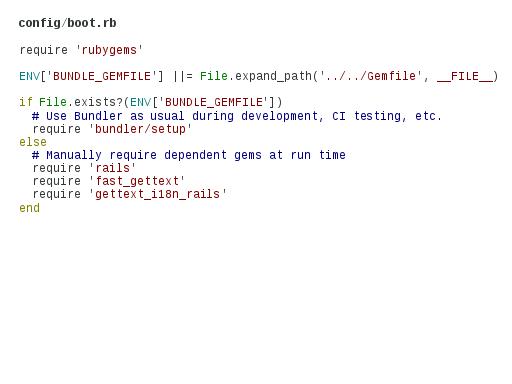
That is, I’m repeating myself here, which violates one of those Rails things, “don’t repeat yourself”, i.e. don’t duplicate things. In this case I am duplicating something, but I don’t mind paying that price in this instance. Because it gives me an application that I can actually deploy the way I want to.
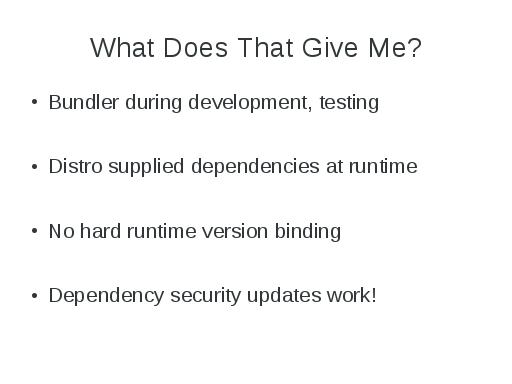
So what does that give me? It means that I’m using Bundler during development and testing, which is exactly when I want to use it. I’m using the distro supplied dependencies at runtime, I haven’t got any hard version binding going on there. Security updates of dependencies as base distro packages work; if we ship a new Rails version my application can just use it without anyone having to screw around, and this works for me, in my case at least. I deliberately have very few dependencies, I’ve tried to be conservative in that, partly because we have to support the dependencies, so the fewer the better. It may be a less interesting solution if you’ve got many, many dependencies that you’re having to list in two places, but that’s where I ended up, and this works in my case.
So hopefully I haven’t completely confused you all with this because it’s kind of dense material, or it can be. Rather, hopefully I’ve given you a few things to think about, and a few possible solutions if more than one of you is doing Rails and is trying to package Rails apps on a Linux distro.
For everybody else, the other thought that I’d like to finish with is:

“There is no spoon”
Um, no, not quite.

“There are more things in Heaven and Earth, Horatio, than are dreamt of in your philosophy”
Which is not quite it either.

“When the going gets weird the weird turn pro”
Um.
Actually I think it’s really all three of these things.

These three disparate quotes say to me that the world is a really weird place, and I think that the software development world is no exception to this. So hopefully I can get people thinking a bit about how there’s more than one deployment environment, there’s more than one type of developer, there’s more than one type of user, and all of these many people and environments, they all work a little bit differently, they have different needs, different requirements, different assumptions and different reality tunnels. And if we all remember this when we’re developing software, and try to be liberal in what we accept and conservative in what we send (to borrow Jon’s quote again), I think that we can all create better, more reliable software, that’s easier to deploy for everybody.
So, with that, thank you for your time, and does anybody have any questions?

Audience Member: One of the things which I find interesting with this whole thing is that Linus Torvalds has been ferociously against anyone including any kind of version check in APIs in the kernel or talking to userspace, or anything like that. One of the fundamental rules is don’t break userspace. I’m always kind of surprised that package writers of things like ruby, perl, python, they all do this, have missed both the underlying utility of that, and still think that that’s a good pattern. Is there any chance that they will actually see that we don’t want to enforce hard version numbers?
I hope that if I can give this talk enough times that maybe I’ll change the world but I don’t know. Weirdly, for someone who does Ruby on Rails stuff, I haven’t had an enormous amount of interaction with the wider Ruby community; I haven’t been to the conferences, I didn’t manage to make it to a Railscamp, because I was somewhere else at the same time. But the impression that I’ve come away with is that there’s so much development going on, so many different gems that do all sorts of funky things, and development of them is happening very fast. People want to create the next new shiny thing, and they’re not necessarily thinking about “not breaking userspace”, they’re not necessarily thinking about API or ABI stability if they’re just trying to churn through something and get something really cool developed. And then other people start using it. And then you realise that you need to refactor this thing that you’ve made, and your API was a complete pile of shit, because you didn’t know the problem yet, right? And then you have to go and change your API, and suddenly all the people that were using your thing, if they get the new version, they’re hosed because it all falls in a smoking heap. And so my impression is that that rapid pace of development has caused other developers who use those things, to become deeply paranoid about upgrades of their dependencies, and I suspect that that’s what encouraged the development of Bundler.
Another Audience Member: API stability is very expensive and you have to have extremely good tests, and you have to be careful not to refactor your tests while you’re refactoring your code. You don’t get any benefit if you’re building a library, it’s your users that get the benefit.
It’s a hard problem, and it’s a lot of work
Third Audience Member: And it’s deeply unpopular in open source because it’s a boring problem. Nobody bothers with it because it’s boring.
Audience Member The Fourth: The whole versioning thing of libraries in the Java world – it’s pretty standard to include all your dependencies, because you’ve tested with that version of that JAR and you know what’s in it. You can just put in into your environment.
First Audience Member: But what about security updates? Then you’re saying “oh actually I don’t care ever if any of these things breaks”.
Fourth Audience Member: Yeah, it’s not not a problem, but it’s either you run with code that you’ve tested with, or stuff breaks, APIs change.
I think if that’s the biggest risk in a particular environment, that things are going to fall in a smoking wreck, then it’s good to do that, provided that you’re happy to also take on the responsibility of ensuring that if there’s critical security updates for your dependencies, that you then repackage and redeploy. So there’s a balance there, somewhere, and it’s going to be different potentially for every every toolkit or deployment environment or whatever, it’s going to vary.
LESS, Sass, Stylus - CSS Preprocessors

A few months ago I started using CSS preprocessors to write CSS files. When I heard about them I just wanted to see how they work and what they can do but after some days I could see how useful they are. I started with LESS and after getting a good understanding how they work I said that knowing how to use Sass will be nice as well. These days I am using both. Just try them and see which one you prefer. There is also Stylus but to be honest I didn't used/try it.
If you are thinking to start using CSS preprocessors, here are some links and apps which can help you, as well:
LESS home webpage has everything you need to start and to read about. LESS syntax is similar to CSS.
Sass home webpage, Sass Basics, Sass reference contains a lot of useful stuff in the case you want to begin with Sass.
Stylus - the homepage has the necessary documentation.
After you will start reading more about Sass you will notice that some people are using a syntax and some people prefer a different syntax. Yes, both of them are supported, one is based on indentations and { } ; are optional and the other one is more similar to standard CSS. Check Sass vs. SCSS: Which Syntax is Better? to see how they differ.
As I mentioned above you should decide which one you use, but here is an article if you want to have a look: Sass vs LESS.
In order to make preprocessing of Sass and LESS files easier there are a handful of apps to help you. Here are some of them:
- less.app - free (support for LESS files)
- SimpLESS - free (for LESS files, CSS Minification, Cross-browser CCS Prefix using prefixr.com)
- Crunch - free (support for Less files)
- Scout - free (Sass and Compass files)
- Koala - free (Less, Sass, Compass and CoffeeScript compilation)
- Prepos - free + paid (the free version compiles LESS, Sass, SCSS, Stylus, Jade, Slim, Coffeescript, LiveScript, Haml, Markdown, image optimization, js concatenation, browser refresh, built-in http server). Paid option has 1-Click FTP deployment, Team collaboration, ...)
- LiveReload - free + paid (Sass, Compass, LESS, Stylus, CoffeeScript, IcedCoffeeScript, Jade, HAML, SLIM, browser refresh)
- Compass - free + paid (for Sass and Compass, built-in web server, livereload support)
- CodeKit - paid (process Less, Sass, Stylus, Jade, Haml, Slim, CoffeeScript, Javascript, Compass files, minification, optimize images, live browser reload)
- Hammer - paid (SASS - with Bourbon, CoffeeScript, HAML and Markdown)
- Fire.app - paid (Sass, Compass, CoffeScript, browser refresh)
- Mixture - paid (Sass, LESS, Stylus, CoffeeScript and Compass are supported. Images are optimised and built-in support for concatenation is also present.)
If you don't like to have a GUI app you can also use a command line tool, for example: guard-livereload.

Lenovo BIOS Update method for Linux and USB thumb drive
If your like me and you don't ever like the methods that are laid out by
the manufacturer to burn an ISO to CD or use a Windows Update utility
then follow these instructions.

Linux Instructions.

1. Get the bios update ISO from the lenovo support site.
I have a ThinkPad W530 (2447-23U)

You will want to grab your Machine Type (mine was 2447)
You will also want to grab your Model (mine was 23U)

In order to grab this information you can use dmidecode or hwinfo.

Here is a link to the ISO file I downloaded for my Machine type and
model.
http://support.lenovo.com/en_US/downloads/detail.page?DocID=DS029170#os

(g5uj17us.iso)

Once you have the right ISO file then move to step 2.

2. Get 'geteltorito' and extract the boot image from the iso. Execute
the below commands.
$ wget
'http://userpages.uni-koblenz.de/~krienke/ftp/noarch/geteltorito/geteltorito.pl'
$ perl geteltorito.pl g5uj17us.iso > biosupdate.img
Note: if your wondering where to get the geteltorito perl script and the link above is not working for you then you can visit the developers website at http://freecode.com/projects/geteltorito
3. Copy the image to the USB thumdrive once your thumb drive is connected.

$ sudo dd if=biosupdate.img of=/dev/usbthumdrive bs=512K

Reboot, Press F12 and boot from USB

Execute the Flash Utility

Have a lot of fun!

Latest Images
I have not been very active with my blog lately. Things are always changing and having time to gather some visuals is harder at times.
Over the past few weeks I have been involved in making some artwork for the openSUSE Summit coming up in November in Florida. It has been a great opportunity to put out some simple designs for our newest conference format. This conference will follo SUSECon set to be right before the Summit. If you are in the Florida area, head on over to summit.opensuse.org and find out the latest about this conference.
In the mean time I took a trip around Utah (my backyard) to see some good landscape and take some pictures. I believe Utah has a lot to offer to those who love the cooler seasons. Its landscape is made up of beautiful mountains and wonderful shrubbery. When fall (Autumn) comes around, many people from all over come to Utah to travel the national parks looking for the perfect changes in leaf color and a mix between patches of snow and amazing sunsets.
Taking this to heart, I dedicated an afternoon to take some shots and test my luck with light. Here are the results. Maybe, even some of these could do for an awesome fall wallpaper.
Enjoy!


