
 Member
 jimmac
R.I.P. Gorilla
Someone asked me the other day if I plan to resume work on my pet project, Gorilla. I thought it's worth replying in public.

Continuing to embrace the unique Gorilla style I would be undoing hundreds of hours of work we invested in the Tango project. I am happy to see people willingly or inadvertently staying within the boundaries set by the guidelines. There is nothing worse than getting a fan mail from someone who has assembled a "theme" composed of all the clashing styles you have created.
Gorilla, you're my (the?) first SVG icon set, you are my darling. But the world is better without you. Rest in peace.
openSUSE Conference: Day 3, The conference continues, the Greeks attack!
We arrived a bit late but luckily they haven't started yet! There were again many interesting presentations among about community, distribution and about technology. Presentations that stood out where “openSUSE Tumbleweed” Mr. KH, Greg, “Ambassador Program: Current status,potential changes and improvements” by Mr. KOUDARAS, Kostas (openSUSE), Mr. GUPTA, Manu (openSUSE), “Our experience in organizing a local community: The Greek example” by by Mr. KOUDARAS, Kostas (openSUSE) and “How to get more Women into openSUSE” by PINTSCHER, Lydia (KDE). Do not forget the LPI exams we had at the conference.


After the presentations were over there were a big “Rodeo Texas Party”! There were free hamburgers for everyone, poker tables and a bull in order to try to ride! Geekos gathered outside the building of the Conference, ate a lot, played poker and had fun riding the bull!


After that, there was live music at Zentrifuge with rock music! Geekos gathered there, danced, drunk beer and some OUZO Kostas brought there till late at night! :)

You can find photos from the openSUSE Conference at our facebook group, and at Kostas Koudaras Picasa. We upload photos all day long !
Last but not least, you can get informed of what is happening at openSUSE Conference via the Greek Community twitter account, the openSUSE Conference twitter account, Kostas Koudaras and George Bratsos.
From Nuremberg,


XDC: How to bring in more contributors
During the discussion it turns out that for X.org the changes are either very non-trivial, or (better) somewhat implemented already (like the list of low hanging fruits, which basically boils down to our ToDo list and the Janitor subproject).
I didn't really expect any direct outcome from this discussion (as it's more like a meta discussion because we need to understand the real issues first), but I think it was fruitful especially in keeping everybody aware of the situation.
One interesting aspect regarding our (very) low female contributor ratio was brought up by Brian Cameron: The Gnome project has an apparently successful program to promote contributions of women in their project. Something to be checked out in the future, maybe X.org can join forces or set up something similar.
Greek openSUSE community, Translation of openSUSE Weekly news in Greek (issue 191)

Greetings for every from the openSUSE Conference in Nuremberg!
We are very pleased to announce the new issue (191) of openSUSE Weekly News in Greek.
In this issue you will read about:
* Pascal Bleser: My talks at the openSUSE Conference 2011
* Pascal Bleser: On communication, cultural differences, and the openSUSE Conference
* Jos Poortvliet: CLS, DS, COSCUP… Plasma Active, ARM, …
* Andrew Wafaa: What the openSUSE Conference means to me
* Jan Weber: Keysigning Party, Web Of Trust, PGP? What’s that all about?
As well as many interesting news about openSUSE and useful advice, which can make our lives easier.
Enough said though... Read more at: http://own.opensuse.gr, http://el.opensuse.org/Weekly_news or www.os-el.gr
We are always looking forward to receiving your comments as well as suggestions regarding things you would like to read about in our next issue.
The openSUSE Weekly News is being translated in the Greek language from issue #150. You can read older translated issues here: http://el.opensuse.org/Κατηγορία:Weekly_news_issues
Enjoy it!
Efstathios Agrapidis (efagra)
--
We rock baby and we like it
openSUSE Conference: Day 2, The Conference Begins
When we arrived people were awesome. Everyone was there... The day's program was printed so we took a copy in order to see and decide which awesome presentations we will attend!

We all attended the presentation of Mr. ZYSK, Gregory “Introduction to Cross-Cultural Communication, Conflict and Collaboration”. After presenting his model of cross-cultural communication model and his ambitions, he made an awesome test... He made everyone in the room pick a mate that he hadn't worked with him at all or get to know and after he gave us two papers of different scenarios he made us conflict and find a common solution to solve the scenario!


It was a difficult choice on decide which presentation we will attend and everyone made his own choice. There were community based presentations, and many technical presentations. Everything went as programmed and after a day full of knowledge it came about 18:00 when we started a “Barbeque Party” !!! Kostas, wore his firefighter uniform in order to be ready to protect us from the flames while me and Stathis were helping baking the sausages. After that, a party started with rock music beers and geekos talking, laughing and having fun till late at night!


Last but not least, you can get informed of what is happening at openSUSE Conference via the Greek Community twitter account, the openSUSE Conference twitter account, Kostas Koudaras and George Bratsos

openSUSE Conference: First Day
After we met up at the airport we checked in and we entered the airplane. It is the first journey of the Greek community to a Conference like that. After two and a half hours we arrived at Zurich airport where we stayed for two hours waiting for the next flight to Nuremberg. The flight between Zurich and Nuremberg lasted half an hour an finally after 4 hour traveling we arrived at Nuremberg.


At Nuremberg, we went to the hotel we left our luggage and we went straight to Zentrifuge in order to meet the other geekos and help organizing and in general help at the openSUSE Conference. When we arrived we found people already working there... Bruno who was at Fosscomm was setting up the sound over the halls, other were creating pins with the names of the participants, other were preparing some special bags which include a poster, stickers, a magazine and many other things and other were setting up the presentation laptops. Stella and I helped with the bags, Kostas and Stathis helped with the pins were they excel,and by folding fliers. After that, Jos the community manager decided that we must decorate the halls so George and Stella went with him at IKEA and bought some pretty things for the halls.


After a long and difficult day at 19:00 we stopped working and started drinking beers :) We had a small “Pizza Party” !!! Fifteen pizzas arrived at Zentrifuge for the geekos there! Old Toad the openSUSE beer helped geekos retrieve their strength for the next day! We ate, talked about several things laughed a lot and drunk many beers!


After the long day, we took the metro and returned to our hotel in order to rest, take a bath and prepare our selves for the next awesome day.
You can find photos from the openSUSE Conference at our Facebook Group and at Kostas Koudaras Picasa. We upload photos all day long !
Last but not least, you can get informed of what is happening at openSUSE Conference via the Greek Community twitter account, the openSUSE Conference twitter account, Kostas Koudaras and George Bratsos

openSUSE Greek community and 76th International Trade Fair, Thessaloniki


The openSUSE Greek community will participate to the 76th International Trade Fair (TIF), 10-18th of September in Thessaloniki.
The 76th TIF focuses on outlets in development and innovation, as well as new ideas. This year’s event will highlight the opportunities and challenges generated by the crisis in the Greek economy, which is the starting point for the development of healthy entrepreneurship and modernising the public sector.
The 76th TIF will accordingly present the opportunities for development through specific and measurable activities with a tangible content and with actions that are directed at both the commercial as well as the ordinary visitors.
We would like to thank our sponsor Minisystems for the space they provide us.
We will be happy to see you there.
VENUE: THESSALONIKI INTERNATIONAL EXHIBITION CENTRE
Pavillion 13, Booth 8
Our place:



Back from the Desktop Summit 2011 in Berlin
 Perhaps I am the last one writing about the wonderful Desktop Summit in Berlin some days ago. Nevertheless I want to summarize my personal highlights.
 In a combined cross desktop marketing BoF we discussed some ideas how we (GNOME and KDE) could join forces to get bigger media coverage (e.g. TV, radio or big newspapers). One intresting first step is by paying attention on our messages. It occured that the message was: "... is THE Linux Desktop Environment" or "A is better than B".
From a commercial marketing perspective this is very common. Just a little bit ignoring the reality and making a strong statement (with the hope the unknowing reader is going to believe it) is usual. On the other hand this takes us (down) to the same level of trust many of the big companies have today. Exacletly this is one of the big differences we want to make. We are NOT like these big companies, playing with "the truth" to manipulate people. So we agreed to use phrases like "... is ONE of the leading / bigest / ... Desktop Environments for Linux" etc. There is GNOME, there is the KDE Plasma Workspace etc. and if we look at the whole market we see, that the big competition is not the other community.
Further I had some good discussions with different people about the improvement of the business side of KDE. Recent (economic) developments showed us the danger of having only a few, but big companies in our environment. The big ones are very nice, however, we gain stability by having many small businesses as well in our ecosystem. You might like business or not. But who would deny some money for hacking on his/her favorite open source project?
I recognized with big pleasure how powerful, creative and successful small/medium companies could be when they cooperate. Plasma Active is here one excellent example. In my view we need more such cooperation. There were some ideas how we, the community could build a better context for those developments.
Besides the talks and BoFs there were many techical and social activities together.


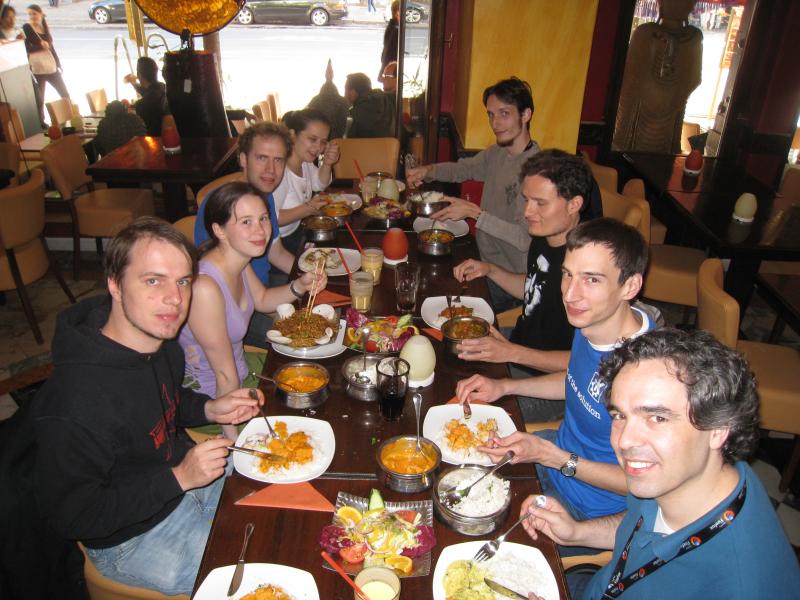

There were really many great events. One of my personal favorite was the football match (thanks to openSUSE/SUSE for sponsoring).
Like last year I came back with a huge motivation and many plans how I could help to bring KDE further. As I know big plans and great ideas do not matter in our world, it is the result, the things you have actually done. My daylife hit me (not really soft) when I came back and I did a poor job for KDE so far. Other times will come in a few months.
Adding Several Repositories with a Single Installation URL
<?xml version="1.0"?><add_on_products xmlns="http://www.suse.com/1.0/yast2ns"xmlns:config="http://www.suse.com/1.0/configns"><product_items config:type="list"><product_item><!-- Mandatory --><url>http://download.opensuse.org/repositories/devel:/languages:/ruby/openSUSE_11.4/</url><!-- Mandatory, use "/" if you don't know --><path>/</path><!-- Optional, default => empty list --><install_products config:type="list"><product>Product-ID-From-Repository</product></install_products><!-- Optional, default => do not ask --><ask_user config:type="boolean">true</ask_user><!-- Optional, recommended if ask_user == true --><name>Add-on Name to Display</name><!-- Optional, default => selected --><selected config:type="boolean">true</selected><!-- Optional, default => none, set by packager --><priority config:type="integer">20</priority></product_item><product_item>...</product_item></product_items></add_on_products>
- url - Definitely mandatory ;) Defines the URL of additional repository to add.
- path - Mandatory by design, defines additional relative path to a product at URL. Use "/" if you don't know.
- install_products / product - Optionally defines which products should be selected for installation from that URL.
- ask_user - Should be user asked whether to add this repository? Default is false and repository is just automatically added.
- name - Name of the repository used in dialog while asking user whether to add that repository.
- selected - Defines the default status of repository while asking user...
- priority - Optional item defining the priority of repository to add (an integer value between 0 - the highest priority; and 200 - the lowest priority), since yast2-packager-2.21.12
Bye bye, SUSE...
 .
.Now I'm moving (back) to academia, and will start teaching and researching at the Georg-Simon-Ohm University of Applied Science, as "Professor for Applied Computer Science" (which is the official job title).
Currently, it's the free period of the summer semester, and the University is almost deserted. I'm currently only starting to get used to the new environment, prepare courses, meet with other professors, etc.
I'm pretty excited about the new opportunities in this position, and will keep you posted how everything turns out!
Now back to Fantasy Film Fest again ;-)