
 skh
skhNuernberg Photos
Accident and Calamity


NAS for Home
Dear Lazyweb,
Does anyone have suggestions on what to use for centralized storage at home? I have a lot of music/photos here piling up and would like to put them on some energy-efficient NAS box. Ideally it would have some sort of of built-in backup solution as well. A lot of the NAS-in-a-box solutions seem to have RAID 1, but that really only helps for HA. I am more concerned with never ever losing this stuff than having it available 24/7.
IPv6 - network, applications, ...

But what is really new - support to configure apache2 server for IPv6 environment:

Setup on which addresses apache listen

Detail of virtual host (based on IP)
And test that it works:

This is in version yast2-http-server-2.17.2
 Member
Registering new DNS Nameserver with Godaddy
After you have the domain from Godaddy it't time to change the default parking option in order to put your nameservers for domain. First you need to register your new nameservers with them and only after that to change the nameservers for your domain, otherwise you will see a nice "ERROR DETECTED" message. So, here is what you have to do:
Your Account --> Domains --> All My Domains --> (select your domain) --> Host Summary (add)
Enter ns1 and its ip address click OK, and do the same step for ns2 with its ip address.
Now you are ready to put and to use your new registered nameservers for your domain.
That's all.
Showing package dependencies
In order to give an answer about “Why this package will be installed and who needs it?” I have added a new Dialog in the QT single package selector:
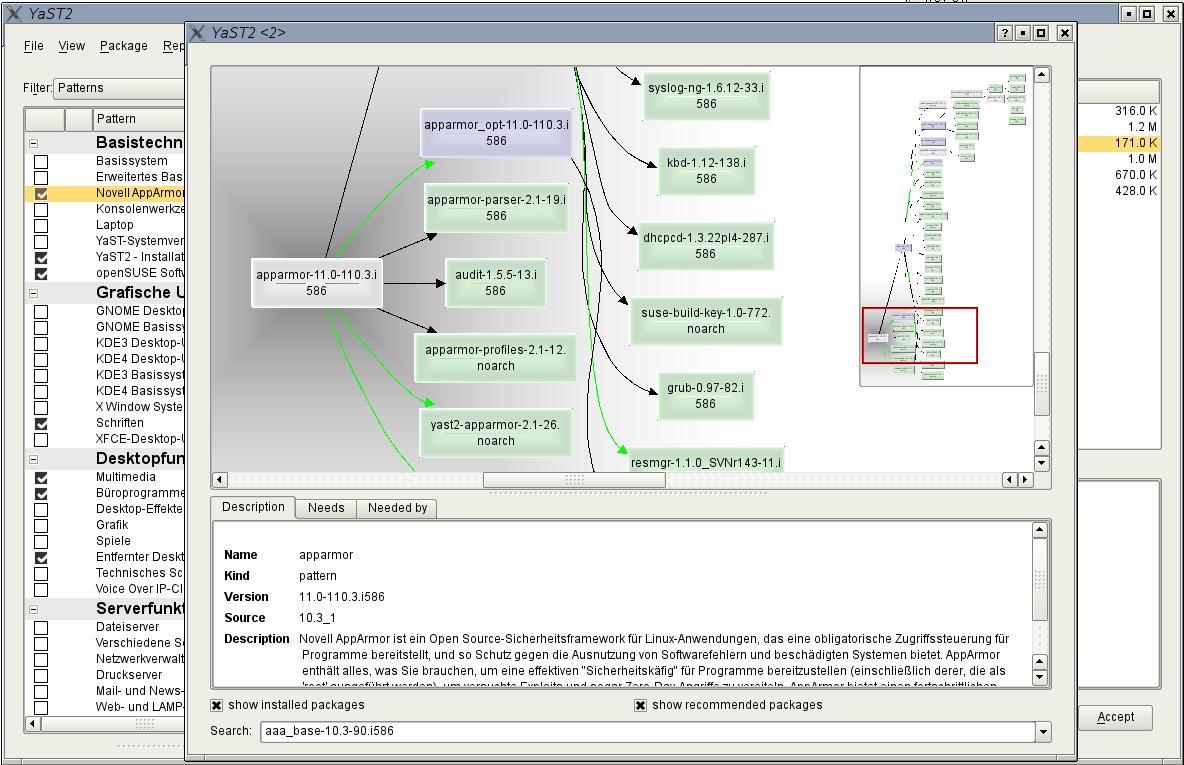
Select one item (pattern, package) in the single selection frame, use the right mouse button and select “Show solver information”. A solverrun will be made for this item and the result will be shown with this dialog.
- Black arrow : This item will be required by….
- Green arrow: This item will be recommended by…
- Green boxes: This package is already installed
- Grey boxes: This package will be installed
- Blue boxes: Patterns
You can navigate through the tree via the overview frame:
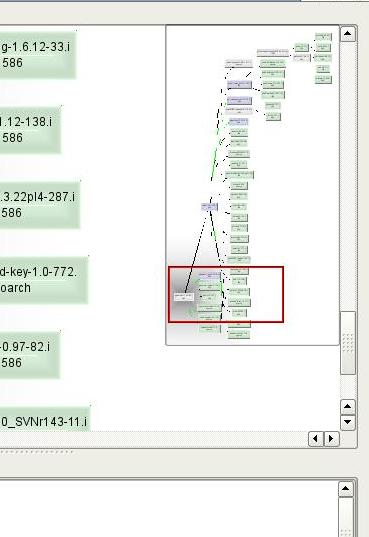
After you have selected one item in the tree you can see more information about:

e.G. this item will install two further patterns due to the shown dependencies.
In order to decrease the complexity of the tree you can blind out:
- already installed packages
- recommended packages/patterns
So you will get a shrinked tree:

Technical Background:
This is a simple Qt Dialog widget which can be used in other programs too. ( Package libqdialogsolver1)
YaST uses this widget as a YaST plugin. So if this package is not available you will get a popup in single selection only.
Debugger integration in MonoDevelop
The short answer is that we are working on it. The debugger integration work has started, and there is already support for breakpoints, stepping, call stack view, current frame selection, basic variable watch window, and attaching/detaching to/from running processes. All this is working in MonoDevelop from SVN (still with some stability issues).
And here are some big news: we are integrating not only MDB (the Mono debugger), but also GDB, and thanks to the debugger abstraction layer we built in MD, we'll be able to use the same GUI for both debuggers. Two debuggers for the price of one!
We are going to do a MonoDevelop release next week. However, this release will not include the debugger integration because it still depends on Mono and MDB from SVN and we would not be able to package it. If you want to try the debugger (beware, this is work in progress), you have to do the following:
- Get and build Mono from SVN.
- Get and build the Mono Debugger from SVN.
- Get MonoDevelop from SVN.
- At the MonoDevelop's top-level directory, run './configure --select'. Make sure the extras/MonoDevelop.Debugger.Mdb add-in is selected (and/or extras/MonoDevelop.Debugger.Gdb if you want GDB support).
- Build MonoDevelop.

Viennale! We're ready.
KDE Project:
After a very relaxing night, we can finally plan the dressing code for sunday.


Get your openSUSE posters! Posters for everyone!


These three openSUSE posters have been up for a while, but I now have the SVG files up so people can edit them, add their LUG or openSUSE Local User Group name/logo & address to them, change the design, etc. They are up on the Miscellaneous Artwork page, so our community can use them for flyers, posters, or to spam their neighbor’s mailboxes*. Comments, questions, or suggestions about the posters? Use that comment box below, folks ;-).
*Neither Kevin Dupuy, the openSUSE Project, nor Geeko endorse plastering people’s mailboxes with a bunch of openSUSE flyers. Save the trees, use email instead ;-).
zypper's wiki updated
If there is something wrong or something you'd like to see in those pages, let me know (or just add/change it). Feedback and help is welcome.
(Writing docs is quite some work, it took me whole week to update those pages and the man page (which still has some glitches). Didn't i already tell to myself that i must make sure to update them as soon as any change happens? Well, but that's one week less for development... :O) oh...)