
 Member
 DimStar
Tumbleweed – Review of the week 2024/47
Dear Tumbleweed users and hackers,
As there was hackweek this week, attention on the Stagings might have been a bit distracted, although it does not look like anything was stuck longer than usual. We have released 5 snapshots during this week (1114, 1115, 1117, 1118, and 1119).
The most relevant changes this week are:
- Linux kernel 6.11.8
- gnutls 3.8.8
- PostgreSQL 17.1
- Mozilla Firefox 132.0.2
- Plymouth 22.02.122+180 ( more recent git snapshot)
- Python 3.13 modules enabled; Python 3.11 is – for now – still the default (plans to change that are emerging)
Staging projects are still crowded, testing these parts:
- ICU 76.1 (part of snapshot 1121)
- Linux kernel 6.12.0
- Debugedit 5.1
- cmake 3.31.0
- Python setuptools 75.6
- systemd 257
- Mesa 24.3.0


Hackweek 24

It's the time for a new Hack Week. The Hack Week 24 was from November 18th to November 22th, and I've decided to join the New openSUSE-welcome project this time.
The idea of this project is to revisit the existing openSUSE welcome app, and I've been trying to help here, specifically for the GNOME desktop installation.
openSUSE-welcome
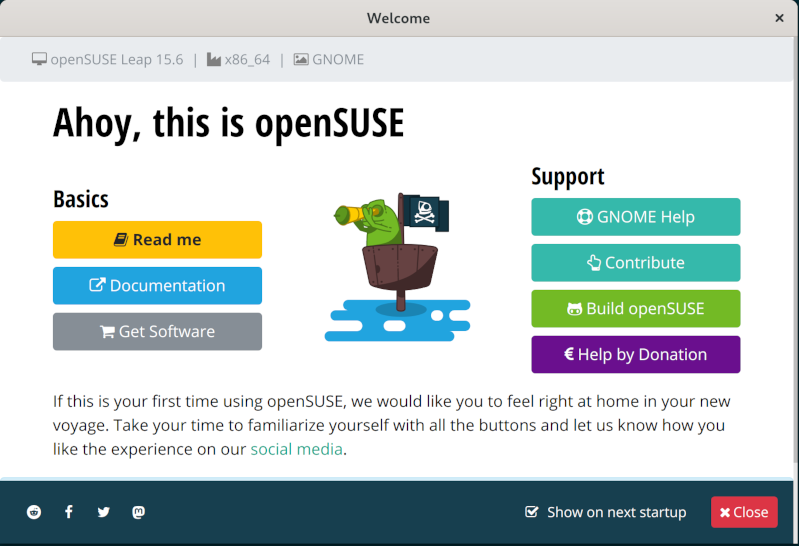
Right now after installing any openSUSE distribution with a graphical desktop, the user is welcomed on first login with a custom welcome app.
This custom application is a Qt/QML with some basic information and useful links.
The same generic application is used for all desktops, and for popular desktops right now exists upstream applications for this purpose, so we were talking on Monday morning about it and decided to use specific apps for desktops.
So for GNOME, we can use the GNOME Tour application.
gnome-tour

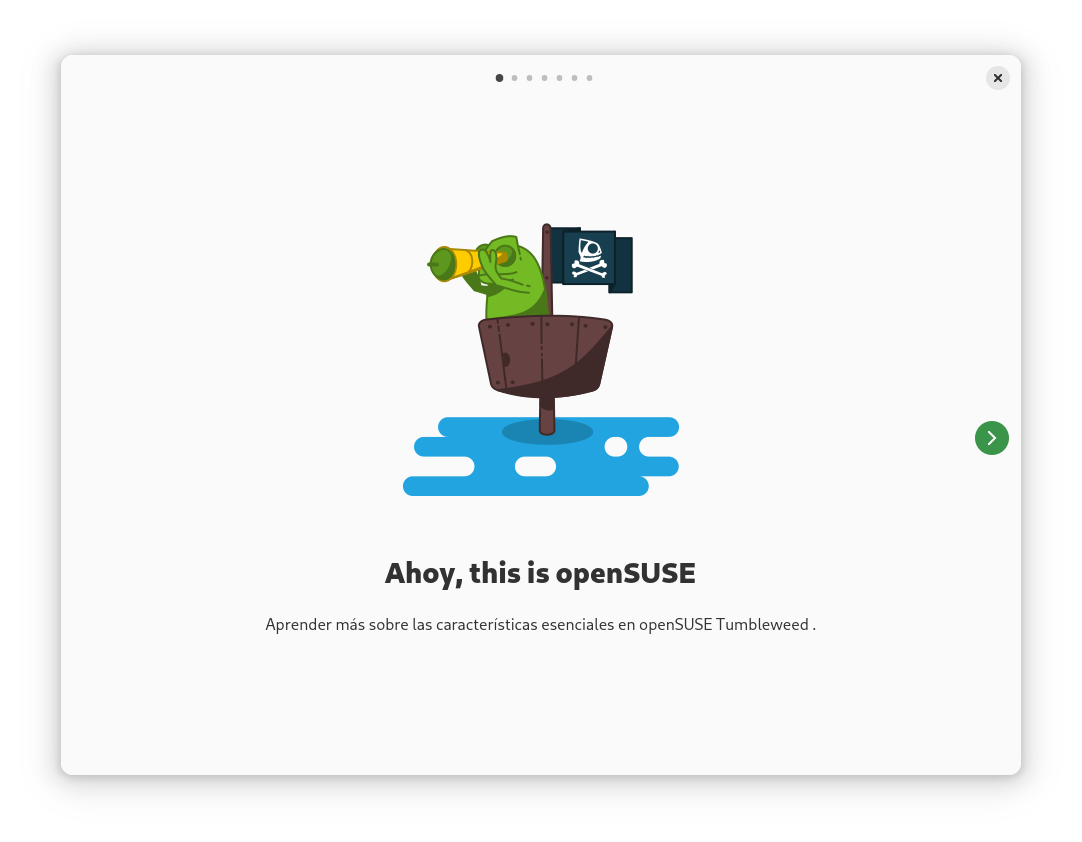
GNOME Tour is a simple rust/gtk4 application with some fancy images in a slideshow.
This application is generic and just shows information about GNOME desktop, so I created a fork for openSUSE to do some openSUSE specific customization and use this application as openSUSE welcome in GNOME desktop for Tumbleweed and Leap.
Desktop patterns, the welcome workflow
After some testing and investigation about the current workflow for the welcome app:
- x11_enhanced pattern recommends opensuse-welcome app.
- We can add a
Recommends: gnome-tourto the gnome pattern - The application run using xdg autostart, so gnome-tour package
should put the file in
/etc/xdg/autostartand set to hidden on close. - In the case of having a system with multiple desktops, we can
choose the specific welcome app using the
OnlyShowIn/NotShowInconfig in desktop file
So I've created a draft PR to do not show the openSUSE-welcome app in GNOME, and I've also the gnome-tour fork in my home OBS project.
I've been testing this configuration in Tumbleweed with GNOME, KDE and XFCE installed and it works as expected. The openSUSE-welcome is shown in KDE and XFCE and the gnome-tour app is only shown in GNOME.

Next steps
The next steps to have the GNOME Tour app as default welcome for openSUSE GNOME installation are:
- Send forked
gnome-tourpackage toGNOME:Nextproject in OBS. - Add the
Recommends: gnome-tourtopatterns-gnometoGNOME:Nextproject in OBS. - Make sure that any other welcome application is not shown in GNOME.
- Review openQA tests that expect opensuse-welcome and adapt for the new application.

Switching from Docker to Podman
The State at the Beginning
Earlier I had made progress on my server to serve different websites from inside containers, including refreshing SSL certificates. But the server started to be aging, and for both learning and future proofing purposes I started looking at migrating to something newer. And, I never really finished all the old work anyway. Instead I have a new container in use that has SSH running inside, that should be migrated as well.
OS / Software Upgrades
First of all I updated the OS, to have the latest or at least newer Podman available, as I tend to prefer the distro version to any special repositories. I encountered a few problems with disk space running out a few times, but managed to sort out those issues without rendering the server unusable.
From Docker to Podman
The main topic was switching from Docker to Podman. That involved reading about docker-compose vs podman-compose, the different formats for those two, quadlets, pods… so many options, and interestingly many of those have been in varying states of development for the past years, so I’m glad I haven’t been too fast on making this switch.
I have liked docker compose. Creating pods from CLI is certainly not interesting for me so not worth the effort. Quadlets would be elegant, but I yearn for something more automatically created from a single definition for quadlets like the podlets, which however are not to be merged into podman upstream. Lots of interesting discussion on which ones of these are deprecated, no longer hot etc.
I checked that indeed it seemed I can use podman as a drop-in replacement for Docker, using the docker-compose format. However, the idea to move to native podman-compose format was hindered by comments like ”compose is no longer the way to go with Podman” 🤔
Reality Check
At this point I decided to actually test this ”drop-in replacement” I mentioned seemed working, and while the container was indeed running without a hitch, I found out that .. well, the services didn’t work. So before I got too excited about rewriting everything in something new, I went towards actually figuring out what are the problems currently.
That took quite a bit of time, but eventually I was back to the status before starting. I spent a bit too much time assuming the problem was with podman configuration, while at the end I needed correct firewall routings to the podman network interface, something that wasn’t explicitly required before with docker and earlier OS version.
Problem solved! Except that now SSH to container worked, but some SSH features did not work… again, some time was spent until I found out that Podman has dropped AUDIT_WRITE capability from default settings at some point, mostly needed by SSH. Problem Solved! Except that even though there was a change in error messages, it still didn’t work. AUDIT_CONTROL or a workaround is needed too, for obvious-to-anyone reasons (a nice read, plot thickens etc).
At this point I thought that rewriting anything more would just complicate things, and it’d be better to make the current solution to ”actually work”. So far I had played with the single container that was already in use, but I knew there’d be a bigger effort to combine that with the containerized nginx proxy and let’s encrypt that were not yet running in a container by default, running on host instead, and having all of those work together.
At the End
For my use on this single server case, I found that actually podman-compose with the compatible docker format is not too bad thing to use. I have a more recent platform in use, Podman even in rootful mode is somewhat more secure than Docker, and I have solved issues in integrating this migrated container and some of the other services working in another migrated container too. Most importantly, at the end I had not created more problems than I solved, I have version controlled configuration, improved Ansible scripts and functional backups for re-deployment. Given the time restrictions I have for working on things like these, it’s better to have something that a) works, b) is re-deployable than something that is using another technology but is more hackish.
While I could move from podman-compose to quadlets, that would actually make things more complex at least in the current state of things in case I’d like to move to kubernetes. compose -> quadlets and compose -> kubernetes seem quite straightforward, but quadlets -> kubernetes is a bit different topic. Not that I’d really have any use for kubernetes, but for learning purposes it could be nice to keep the option. Maybe using .kube files with quadlets could be ok though.
A separate project would be also to switch to native Podman compose YAML format to strive towards rootless containers.
Hackweek 24
It's the time for a new Hack Week. The Hack Week 24 was from November 18th to November 22th, and I've decided to join the New openSUSE-welcome project this time.
The idea of this project is to revisit the existing openSUSE welcome app, and I've been trying to help here, specifically for the GNOME desktop installation.
openSUSE-welcome
Right now after installing any openSUSE distribution with a graphical desktop, the user is welcomed on first login with a custom welcome app.
This custom application is a Qt/QML with some basic information and useful links.
The same generic application is used for all desktops, and for popular desktops right now exists upstream applications for this purpose, so we were talking on Monday morning about it and decided to use specific apps for desktops.
So for GNOME, we can use the GNOME Tour application.
gnome-tour
GNOME Tour is a simple rust/gtk4 application with some fancy images in a slideshow.
This application is generic and just shows information about GNOME desktop, so I created a fork for openSUSE to do some openSUSE specific customization and use this application as openSUSE welcome in GNOME desktop for Tumbleweed and Leap.
Desktop patterns, the welcome workflow
After some testing and investigation about the current workflow for the welcome app:
- x11_enhanced pattern recommends opensuse-welcome app.
- We can add a
Recommends: gnome-tourto the gnome pattern - The application run using xdg autostart, so gnome-tour package
should put the file in
/etc/xdg/autostartand set to hidden on close. - In the case of having a system with multiple desktops, we can
choose the specific welcome app using the
OnlyShowIn/NotShowInconfig in desktop file
So I've created a draft PR to do not show the openSUSE-welcome app in GNOME, and I've also the gnome-tour fork in my home OBS project.
I've been testing this configuration in Tumbleweed with GNOME, KDE and XFCE installed and it works as expected. The openSUSE-welcome is shown in KDE and XFCE and the gnome-tour app is only shown in GNOME.
Next steps
The next steps to have the GNOME Tour app as default welcome for openSUSE GNOME installation are:
- Send forked
gnome-tourpackage toGNOME:Nextproject in OBS. - Add the
Recommends: gnome-tourtopatterns-gnometoGNOME:Nextproject in OBS. - Make sure that any other welcome application is not shown in GNOME.
- Review openQA tests that expect opensuse-welcome and adapt for the new application.
Experimental syslog-ng container image based on Alma Linux
The official syslog-ng container image is based on Debian Stable. However, we’ve been getting requests for an RPM-based image for many years. So, I made an initial version available based on Alma Linux and now I need your feedback about it! This image uses the “init” variant of Alma Linux 9 containers as a base image. What does this mean? Well, it uses systemd service management inside, making it possible to run multiple services from a single container. While only syslog-ng is included right now, I also plan to add the syslog-ng Prometheus exporter to the image. Note that while the example command lines show Docker, I also tested it using Podman.
Read more at: https://www.syslog-ng.com/community/b/blog/posts/experimental-syslog-ng-container-image-based-on-alma-linux

syslog-ng logo

Leap Micro 6.1 Alpha is now available. Get ready for Leap Micro 5.5 End of Life.
Leap Micro 6.1 Alpha images can be found at get.opensuse.org. Unless some serious issues are found, users can expect a quick transition to GA within a few weeks.
About Leap Micro
Leap Micro 6.1 is a rebranded SUSE Linux Enterprise Micro 6.1 which is an ultra-reliable container and Virtual Machine host by SUSE. Leap Micro is released twice a year and has support over two releases.
Leap Micro 5.5 will be EOL with the release of Leap Micro 6.1
With the release of Leap Micro 6.1, Leap Micro 5.5 reaches End Of Life; users will no longer receive maintenance updates and are advised to upgrade to 6.1.
More conservative users can stay on Leap Micro 6.0, which will receive updates until the release of Leap Micro 6.2.
Notable changes
Users performing clean install will notice visible changes to the first boot wizard. The jeos-firstboot wizard can now create an additional user and optionally the 2FA secret but the PAM config is missing. It will be added with the GM builds.
We’ve added soft-reboot support.
Inclusion of vhostmd for SAP Virtualization. Addition of chrony-pool-empty and pf-bb-config. PREEMPT_RT kernel for Arm, ZRAM support, and support for TOTP 2fa for pam login mainly for the cockpit. Working JIT compilation of eBPF rules.
SLE Micro 6.1 received additional support for ppc64le, however, we intend to keep Leap Micro only for x86_64 and aarch64. The main reason is that there is no demand from the community to support these arches.
Understanding individual images
Users can refer to the Leap Micro 6.0 announcement where we already covered this part.
Upgrading from previous release.
A recommendation for migration from 5.X is to make a clean install since this is a brand-new major version.
For those who’d like to try migration, please follow the upgrade guide.
Migration from 6.0 should work with zypper --releasever 6.1 dup inside transactional-update shell
There is a chance that we’ll include a new migration tool which is expected to be developed as part of hackweek in Leap Micro 6.1 Beta. This would make the upgrade more straightforward for the future upgrades.
Release Notes
Users can refer to SLE Micro 6.1 Release notes once available.
Leap Micro 6.1 uses openSUSE-repos for repository management. It is highly recommended to pay attention to this detail, especially for those who migrate. Here is an article explaining how openSUSE repos work.
Just like 6.0, Leap Micro 6.1 has no longer a dedicated SLE update repo. This has been merged into the main repository.
Upgrade to Freedom! The Switch from Windows 10
The end of Windows 10 support in October 2025 presents a great opportunity for the Linux community to collectively help users transition their still-functional hardware to operating systems that can extend the life of their laptops, desktops or other devices.
Millions of users face the prospect of upgrading to a new version of Windows or transition to alternatives like openSUSE’s operating system or other Linux alternatives.
This looming transition sets the stage for Linux communities to embrace the Upgrade to Freedom! campaign; its aims is to help Windows users understand how to continue using their current hardware and switch to a Linux distribution like openSUSE, or others. Many of which are just as user-friendly and familiar in design as paid operating system versions.
This time next year Windows 10 is expected to no longer receive security and maintenance updates, which leaves systems vulnerable to malware, cyberattacks and other threats. This should raise significant concerns about data privacy and system reliability for businesses, governments and individuals.
The Upgrade to Freedom! campaign is designed to encourage people to select an environmentally responsible solution by collectively guiding users through the process of transitioning to a Linux Distribution.
One key argument for moving to Linux is the environmental benefits. Joanna Murzyn, who spoke at the KDE Akademy conference in 2024, warns about the increasing problem of electronic waste (e-waste). In her presentation, titled Only Hackers Will Survive, she highlights the environmental toll of throwing out perfectly usable computers.
E-waste, which includes discarded laptops, desktops and other electronics, releases toxic substances like lead, mercury and cadmium into the environment, according to Murzyn. These substances can contaminate soil and water as well as cause long-term harm to ecosystems and human health. Murzyn urged people to resist the urge to “upgrade” to new hardware and instead explore solutions like Linux that extend the life of existing devices.
Distributions like Ubuntu, Fedora, AlmaLinux and more are likely to do similar campaigns to bring users into the Linux ecosystem. Members of the openSUSE community feel that it would be best to combine forces with these distributions and have a unified and collaborative approach that highlights the shared benefits of transitioning to Linux. Linux communities can amplify their collective impact and make the transition smoother for users.
This campaign has the desired effect to show powerful, secure and customizable alternatives to Windows can be. One of the campaign’s core goals is to show users that their existing hardware is still fully functional, even if Windows 10 is reaching its end-of-life.
For users with older laptops and desktops, especially those incompatible with Windows 11, switching to a Linux distribution is a powerful way to avoid discarding perfectly usable hardware. openSUSE, for example, provides excellent performance on a wide range of hardware, including machines more than a decade old. By choosing Linux, users can continue using their devices for years to come and don’t need to invest in new hardware.
The Upgrade to Freedom! campaign will begin hosting webinars, releasing video tutorials and live Q&A sessions to help users make the switch to Linux. Whether you’re a gamer, a developer, or an everyday user, there are Linux distributions that cater to your needs.
If you decide to make openSUSE your choice as the result of the Freedom Campaign, great! Use the steps below to get started. If you want more exhaustive steps, click here.
How to Download and Install openSUSE:
Step 1: Download the ISO
- Go to get.opensuse.org.
- Choose your preferred version of openSUSE (E.g. Leap or Tumbleweed).
- Download the ISO file to your computer.
Step 2: Create a Bootable USB
- Insert a USB drive (at least 4GB) into your computer.
- Use software like Etcher, Rufus (Windows), or Impression (Linux) to write the openSUSE ISO to the USB drive.
- Select the downloaded ISO file and start the process to create a bootable USB.
Step 3: Install openSUSE
- Once the system boots from the USB, select “Install openSUSE.”
- Follow the on-screen instructions to choose your language, region, and partition your hard drive.
- Confirm the installation and let the process complete.
Step 4: Restart and Enjoy
- Once the installation is complete, restart your computer.
- Remove the USB drive.
- Boot into your new openSUSE system and enjoy!
Steps if you have problems
- Check your bios options in Window and change it for the USB.
- If you encounter issues, reach out to the openSUSE forum.
Notes on installing openSUSE remotely
Or said in another way: How to run openSUSE on Hetzner dedicated servers.
TL;DR:
- Install any other linux distribution from their installer.
- Follow the SDB article about remote installation
- Install openSUSE via SSH.
Why not build an image for their installimage tool? I have that too. But last time I used that, the install tool logged more things to their logging server than I liked. And it did so via plain HTTP.
Ignite Creativity in Hack Week
Open-source software developers, tech enthusiasts and innovators worldwide are set for Hack Week 24 that starts today and runs through Nov. 22.
The event is a cornerstone of fostering creativity and collaboration and invites participants to explore personal and community-driven projects.
Hack Week provides a unique opportunity for developers to step away from their usual tasks and dive into passion projects, learning new skills and forge new connections.
This year’s theme is “Train of Thought” and draws inspiration from the idea that seemingly unrelated ideas can connect to spark innovative breakthroughs.
Here are some Hack Week 24 projects that are garnering attention.
- New openSUSE-welcome: This project aims to revamp the openSUSE Welcome app to enhance the first-time user experience. Key goals include integrating end-of-life (EOL) notifications for openSUSE Leap, addressing potential upgrade notifications and ensuring the application is rebranded and maintained. The updated application will be submitted to openSUSE Factory and Leap 16.0, with corresponding updates to openQA testing.
- Port Classic Games to Linux: Revive 1990s-era games by reverse-engineering their data and creating open-source engines.
- Cluster API Provider for Harvester: This project builds on progress made in Hack Week 23 to create an infrastructure provider for Harvester using Cluster API (CAPI). Enhancements for 2024 include adding support for ClusterClass, improved CI and end-to-end testing. Developers are also exploring packaging templates as Helm Charts and testing with newer Harvester versions. The project encourages collaboration from those familiar with CAPI, Harvester, and related technologies.
- openSUSE on LoongArch: Targeting a new architecture from China, this project focuses on building openSUSE support for LoongArch, which has already seen adoption in Debian Ports and Gentoo. The initial goal is to integrate LoongArch into OBS (Open Build Service) and build a minimal set of packages.
Other projects range from deep learning integration to creating openSUSE images for emerging architectures like Arm and RISC-V. Participants can also join efforts to modernize system tools or explore creative avenues like applying AI to board games or designing user-friendly command-line tools.
Hack Week thrives on collaboration and participants are encouraged to join discussions through platforms like the Uyuni Gitter channel or work on group projects.
Whether you’re an experienced coder or a curious learner, Hack Week 24 offers a welcoming environment to push the boundaries of open-source innovation.
For more details, visit the Hack Week website.
