
 Member
 rhorstkoetter
Time to say Goodbye
Almost one year ago, the openSUSE Project launched the openSUSE forums as a merger of former suselinuxsupport.de, suseforums.net and the openSUSE support forums at forums.novell.com. Right from the beginning of this project, I served as the Project Manager and afterwards contributed as a Moderator at the OSF to the openSUSE community. Therefore the happenings at the openSUSE forums are certainly in my personal interest.
Today, Wolfgang Koller, the founder of former suselinuxsupport.de and one of the three Site Admins of the openSUSE forums, announced his immediate resignation from the OSF staff. I myself feel this as a loss, that is both unexpected and severe. From my perspective, he deserves our respect and appreciation for everything he has done for the openSUSE community and thus this post is dedicated to his person and contribution.
Also in answer to his decision, I myself announced my own immediate resignation from the OSF staff as well. Herewith I’d like to make the openSUSE community aware of these recent changes – this shouldn’t happen silently from my perspective.
Let me take the opportunity to wish the remaining OSF staff all the best for upcoming activities. Lead the openSUSE forums community into an even better future!

Automatic installation via PXE
There are some docu pages:
http://en.opensuse.org/SuSE_install_with_PXE_boot
http://en.opensuse.org/SDB:Network_Installation_of_SuSE_Linux_via_PXE_Boot
but they're both old and step-by-step doesn't work.
First of all, download openSUSE11.1.iso and create installation source:
wget http://download.opensuse.org/distribution/11.1/iso/openSUSE-11.1-DVD-i586.iso
mkdir /srv/www/htdocs/11.1
mount -o loop,uid=wwwrun openSUSE-11.1-DVD-i586.iso /srv/www/htdocs/11.1
Install apache web server:
zypper in apache2
Configure apache to use symlinks:
in /etc/apache2/default-server.conf, in section <Directory "/srv/www/htdocs">
change "Options None" to "Options FollowSymLinks"
restart apache:
rcapache2 restart
Note: my PXE server mas 172.168.1.1 IP address. PXE client will have 172.168.1.2 IP address and 08:00:27:B9:42:52 MAC address
Install DHCP server
zypper in dhcp-server
Configure DHCP server, to offer PXE, dhcpd.conf:
option domain-name-servers 172.168.1.1;
option routers 172.168.1.1;
default-lease-time 14400;
ddns-update-style none;
subnet 172.168.1.0 netmask 255.255.255.0 {
range 172.168.1.2 172.168.1.30;
default-lease-time 14400;
max-lease-time 172800;
}
group { # id="pxe-client"
next-server 172.168.1.1;
filename "pxelinux.0";
host PXEclient { hardware ethernet 08:00:27:B9:42:52; }
}
rcdhcpd restart
Install yast2-tftp-server and configure tftp service:
yast2 tftp (confirm to create /tftpboot)
Install syslinux and copy into /tftpboot:
zypper in syslinux
cp /usr/share/syslinux/pxelinux.0 /tftpboot/
rcxinetd restart
Copy and configure isolinux:
mkdir /tftpboot/pxelinux.cfg
cp iso/boot/i386/loader/isolinux.cfg /tftpboot/pxelinux.cfg/default
Copy kernel and initrd
cp iso/boot/i386/loader/linux
cp iso/boot/i386/loader/initrd
Edit config file to boot this as default:
/tftpboot/pxelinux.cfg/default:
default linux
label linux
append initrd=initrd splash=silent showopts install=http://172.168.1.1/11.1 insecure=1
implicit 1
display message
prompt 1
timeout 40
Configure your client (in BIOS setup) to "Boot from LAN", "PXE", "network boot" or something similar (depends on BIOS version).
Now we can start installation. On the last dialog, check "create reference profile" checkbox and click OK. When this will be done, copy profile from /root/autoyast.xml on your PXE server as /srv/www/htdocs/AY.xml.
Now you can update your /tftpboot/pxelinux.cfg/default (add autoyast option):
append initrd=initrd splash=silent showopts install=http://172.168.1.1/11.1 insecure=1 autoyast=http://172.168.1.1/AY.xml
Ok, the result is what we wanted:
When you reboot client machine, it will be be automatically reinstalled to default installation (from autoyast profile). If you comment filename option (and restart dhcp server), client machine will only boot into installed system.
I hope it's clean to understand/reproduce and I hope it will help to somebody.
If not, I'm looking for your feedback ;-)
Extended Deadline: openSUSE Conference 2009
The program committee has extended the deadline for participation in the openSUSE Conference 2009. Find the updated Call for Papers document at http://en.opensuse.org/OpenSUSE_Conf_2009/Call_for_Papers. This gives you nearly two more weeks to come up with a proposal for a talk, a panel discussion or a birds of a feather (BOF) session.
The current plan is to have a preliminary detailed schedule of most talks around June 26, 2009.
Volunteers needed!
It'll be a most valued contribution, as it will help improve the strategy used in analyzing natural language commands. Please email your results to mohit.verma.in@gmail.com with subject "gsoc help" or post your samples as comments here.
Questionnaire:
1. You want to play music (you may mention the media player or not), based on artist, genre, album etc.
2. You want to install/upgrade a software.
3. You want to initiate an IM conversation with a friend (you may mention the protocol or not, for eg. yahoo chat).
4. You want to locate a file/folder in your home directory.
5. You want to find an application which does a particular task (probably mentioned in its description).
6. You want to browse a website (possibly present in the history or in bookmarks).
(If you feel there are other common desktop activities, then please mention them as well in the sample submitted).
System Design # 1

Here's the basic layout of the system.
The layer will accept inputs in two forms-
1. Regular text
2. Speech
The speech input will first have to be converted to text
using a speech recognition system called Sphinx. Since this
conversion is usually error prone, the text will be enhanced
using knowledge of the system.
After this, it can be handled in a similar way to regular text input.
At the first phase, a parser will generate a tree and tags for
a given user command. For this, a statistical parser written in
Java at the Stanford University Natural Language Group will be used, it can be checked here.
After this, the analyzer will try to determine the kind of action the user wants to perform and then the application specific interpreter will try to find the arguments in the natural language text, for example if a user wants to play some music, the title, artist, genre etc will probably be mentioned in the text, that will have to be mined.
Several times, the system will not be completely sure of the result generated, hence user recommendation will be taken to improve the accuracy.
The summer begins (officially)
So here I am with a replaced motherboard and upgraded RAM in my laptop, all gung-ho to start my first dream project.. And at this very moment, I need some help :P
The project is about making a software layer which lets a computer understand a user's commands in a natural language (through text or speech), which is why I'd like some people to give in a sample of their natural language commands. To give a clue, if I could give commands to your computer in English, I'd say things like this --
1. "Privately message Nihar Joshi on Google Talk"
2. "Enqueue all the Coldplay songs in the player"
I do have a basic strategy in place to understand such commands, the first step being a parser, after which an application-specific analyzer will convert such a command to a bash command (which can be executed directly on a Linux platform). However, since commands in a natural language like English can be of a very wide variety and my strategy might be suffering from a lack of perspective, I'd like to take inputs from several sources to test my strategy.
Imagine that you do have such a system working on your computer, what kind of commands would you like to give to your computer in English? Please don't restrict yourself to my examples and try to think of all routine desktop activities you perform on your computer. Should you prefer anonymity you can mail me your list at mohit.verma.in@gmail.com with subject "GSoC help".
Cheers and looking forward to your support, (support open source, thats what good guys do :P )
My openSUSE-Education Community Week Report
The openSUSE Community Week is over now and the openSUSE-Education Team participated with great success. The review of our simple generic schedule containing just the times where Team members hanging around looks like a good solution: many people have joined or IRC-Channel (#opensuse-edu) on Freenode during this time, started asking simple questions – and often we’ve interesting discussions (and technical solutions) afterwards.
Here’s a short subjective excerpt of the week:
- openSUSE is now officially on the Sugar radar as being a main distro behind Fedora! We will provide a Sugar-Live Media based on the packages from the Sugar repository in the Build service, soon. (The current openSUSE-Live Media already contains a desktop icon starting sugar-emulator.)
- The final release of openSUSE-Education for 11.1 makes big progress. Yes: we’ve still no final frozen Repository on opensuse-education.org – but at the moment it’s just filling up the repo with packages not available on the official openSUSE-DVD.
- One of the biggest success stories from this week: cyberorg started pulishing and polishing our Live-Media, including the latest openSUSE Updates and our new “Li-f-e” branding theme (thanks to Sam!).
- We also reached the interesting point where people ask if they can distribute our downloadable ISO-Images on real medias for money. At the moment, adding your compensation for expenses of burning, shipping, etc. is ok. But please inform us or the openSUSE-Board, if you start marketing and shipping.
- The Novell-Training team allows us to package their training material for openSUSE – and even better: they licensed it under a Creative Commons License! So from now on, we can provide professional training material for openSUSE starters!
- We started specialized ISO images for small kids, school desktops and servers. More will come in the next weeks.
- We got our own Category here on lizards.opensuse.org – so it should be easier to find openSUSE-Education related topics here on lizards.opensuse.org
 from now on.
 - SLEducator starts providing support via skype – if anyone wants to speak to him directly, just phone “os4ed_support”
- Jeff Shantz has started to work on the YaST2 Education Module – and is happy to receive opinions on what is needed. Currently, he has a big list of topics – some are already discussed in our mailinglist.
- We start a discussion about the initial greeter for new users: currently, this is an “openSUSE” only greeter – perhaps we can patch the current one and adapt it for our Li-f-e images.
- Talked about real “one-click-installs” for server based applications like drupal, moodle, koha and so on. Target is a running application – ready to use. The YaST2 Education module might be a solution – another one might be subpackages doing all needed things via scripts.
 from now on.
There are for sure many more topics discussed during the week – the above is just covered by me. Looking at the list, I’m very interested how we will look like on one or two years…

Mozilla Firefox doesn't start after update
In the Mozilla Buidservice repo I use (http://download.opensuse.org/repositories/mozilla/openSUSE_11.0/i586/) the
xulrunner package is updated to 1.9.0.11 (mozilla-xulrunner190-1.9.0.11-2.2.i586.rpm) while Firefox is still 3.0.10 (MozillaFirefox-3.0.10-3.1.i586.rpm). Just downgrade xulrunner* to 1.9.0.10 and everything should work again.
New Blogger : James A Tremblay aka The SLEducator
Well, this is my first use of this tool so this will be short, I want to see how what I type gets presented and where, so bare with me.
Last week was openSUSE community week, For the Education Team things were pretty much “status quo” we have an exciting team.
We have announced several new features, new live disks and achievements. Please visit us at #opensuse-edu on irc.freenode.net anytime

Tomboy 0.14.2 Released - 25% Faster Start-Up!
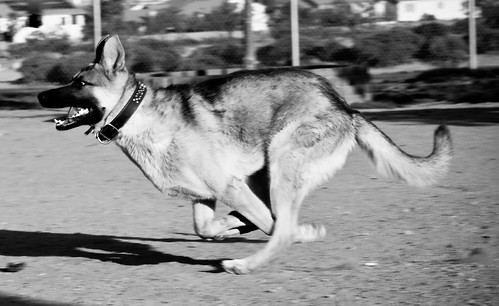 "Running Shep", Copyright Ellery Armstrong, Milk Teeth Photography, Used With Permission
Last week we released Tomboy 0.14.2, a new stable release with a lot of fixes cherry-picked from the development branch. We remedied a couple of crashes, squashed some weird errors and behavior, and we even improved memory usage and start-up performance. Here are the highlights:
- Start Tomboy in 25% less time
- Fix random start-up crash on distros like Ubuntu 9.04
- Recognize presence of FUSE when built into kernel (not as module)
- Fix error when opening New Note Template on Ubuntu 9.04
- Stop seeing "this/that/other" as a file link (whoops!)
- Don't crash when opening invalid or improperly-formatted notes
- Better error-reporting on Windows
- Updated cross-platform documentation
- Updated translations
This start-up performance fix was also in 0.15.0, but I didn't realize how significant it was until after I'd already announced it. We found that this simple fix saved us around 25% on Tomboy start-up. On my system, start-up time was cut from 4 seconds to 3 seconds (these are warm starts, I did not have time to test cold starts).
These traces were created using Ruben's patch and Federico's graphing tool. You can click them to see the full graphs (note that apps run slower with tracing turned on). Compare the numbers for setting up our AddinManager in 0.14.1...

...versus the new numbers for 0.14.2...

The funny thing is, all I did was change a couple of lines in our Mono.Addins initialization code to reflect the latest recommendations of the maintainer.
This "free" boost isn't even part of the low-hanging fruit I keep talking about when it comes to Tomboy performance optimizations. I'm working on another fix that should cut down on memory consumption, too, and you should expect performance improvements in every release this cycle. If you would like to help us set up an automated way to track memory usage and start-up time in Tomboy, that would be an awesome contribution. :-)
Following the GNOME schedule, our next development release, Tomboy 0.15.1, is scheduled for May 25. Stay tuned for some exciting announcements!
This post brought to you by the Tomboy Blogposter add-in.