
 G0NZ0
G0NZ0Converting Babylon Dictionaries to Stardict Format in OpenSuse
This blog does not add any information to the documentation you can find around. Anyway, it is not too long since someone was able to make Babylon dictionaries usable by software other than the proprietary Babylon application. And they have been trying for years… so it has not been a trivial step 
If you do not know Stardict, you can get it from Yast. This is the official site.
A few dictionaries are also linked – ready and free to use – at Stardict website. However, I used Babylon when I was a Windows user and i have to admit that their dictionaries remain unbeaten. Matters not what language you want, mono-language or bi-language, technical, general purpose etc etc… they just rock!
You can get tons of dictionaries for free from Babylon website:
Now, go to Yast Software Manager and search for dictconv. Alternatively, you can install from source (which is what I personally did).
Installing is very easy: ./configure and then make all install
Now you’re all set. To use it to convert:
cd to the directory where you have the .BGL dictionaries and type: dictconv INPUT_FILENAME.BGL -o OUTPUT_FILENAME.ifo
Pay attention to the extension: must be .ifo. This will generate 3 files for each BGL dictionary: .ifo, .idx, .dict
Place all these 3 files in /usr/share/stardict/dic/ creating a separate folder for each dictionary. Then rebook Stardict and go to Manage Dictionary (bottom right): there you can select what comes first, activate or deactivate etc etc
Nothing difficult but def worth, and not only for non native speakers.. there are lots of technical terminology Babylon dictionaries that may well come handy.
Notice that with Stardict you can also implement Pronunciations of the typed words: see Stardict site: “WyabdcRealPeopleTTS package make StarDict pronounce English words. It is just many .wav files. Extract(tar -xjvf) the tarball at /usr/share/”.
~~~~~~~~~~~~~~~~~~~~~~~~~~~~~~~~~~~
Sooo well… Have fun ~ Buon divertimento ~ Viel Spaß ~ I que te diviertas ~ Maak plezier ~ ha så roligt [hmm i’m just hoping the dictionaries mentioned just above are not making me do some poor figure for these few transations of “Have Fun”.. cuz i have no idea for any language except Italian :D]
running YaST in debugger
Second - we have some prototype for mysql-server configuration written in Python I never tried before.
So I check-in code from subversion and try to run. Unfortunately it exits with some errors like "couldn't initialize UI". So I open the code in Eric - great Python debugger.
With breakpoints, globals and locals variables dispatcher it was really easy to find problematic places in code. Also possibility to write code interactively into interpreter is very helpful.
And finally module runs ;-)
Sorry, video is pretty slow - probably ati driver problem ;-(

2 + 1

Alexander James, 30 minutes old
 Member
Installing Enthought Tool Suite (ETS) on OpenSUSE 10.3
The Enthought Tool Suite (ETS) is a collection of components developed by Enthought to construct custom scientific applications. It includes a wide variety of components, including:
- an extensible application framework
- application building blocks
- 2-D and 3-D graphics libraries
- scientific and math libraries
- developer tools
- MayaVi Data Visualizer
It is available for Linux, Mac OS X and Windows, but they don't provide binaries for OpenSUSE, I don't now why.
Here are just some steps to get it running on OpenSUSE 10.3. But, you
have to install some packages, check
here
before to proceed:
My system:
ionut@vaio:~> cat /etc/SuSE-release
openSUSE 10.3 (X86-64)
VERSION = 10.3
I installed the suite in /usr/local/lib64/python2.5/site-packages so, let's create the directories:
sudo mkdir -p /usr/local/lib64/python2.5/site-packages
Get the souces for ets tool from their repository:
svn co https://svn.enthought.com/svn/enthought/ETSProjectTools/trunk ETSProjectTools
Build ets (it is a kind of wrapper for their repository), a tool that automates the checkout process.
cd ETSProjectTools
python setup.py install
Get the latest souces for the project files, and build the eggs for the components:
ets co ETS
cd ETS_3.0.0b1
svn export https://svn.enthought.com/svn/enthought/sandbox/egg_builder.py
python egg_builder.py
If the build was successful, you would not have received any errors (though there will be one warning at the end about not building egg.info files) and the built eggs would be residing in a directory called dist
Install the eggs in the directory which we created at the beginning:
sudo easy_install -f dist/ -H dist/ ETS
Now you can try some examples which are included:
- check if Traits is working:
python Traits_3.0.0b1/examples/demo/Applications/converter.py
- check if Mayavi is working:
python Mayavi_3.0.0a1/examples/mayavi/scatter_plot.py
python Mayavi_3.0.0a1/examples/mayavi/streamline.py
or just run mayavi2 command.
In my case everything is working fine, I hope that also for you. Here are some references:

Xfce Project Status Report 06/2008
As some of you might already have noticed, we are working on a better integration of Xfce in openSUSE. The aim of the Xfce Project is to establish Xfce as well-accepted desktop environment besides GNOME and KDE. We have already started building Xfce LiveCDs with KIWI but still fail in getting yast-live to work.
Besides that we had some success in the re-design process, so this is how the upcoming Xfce in openSUSE might look like:
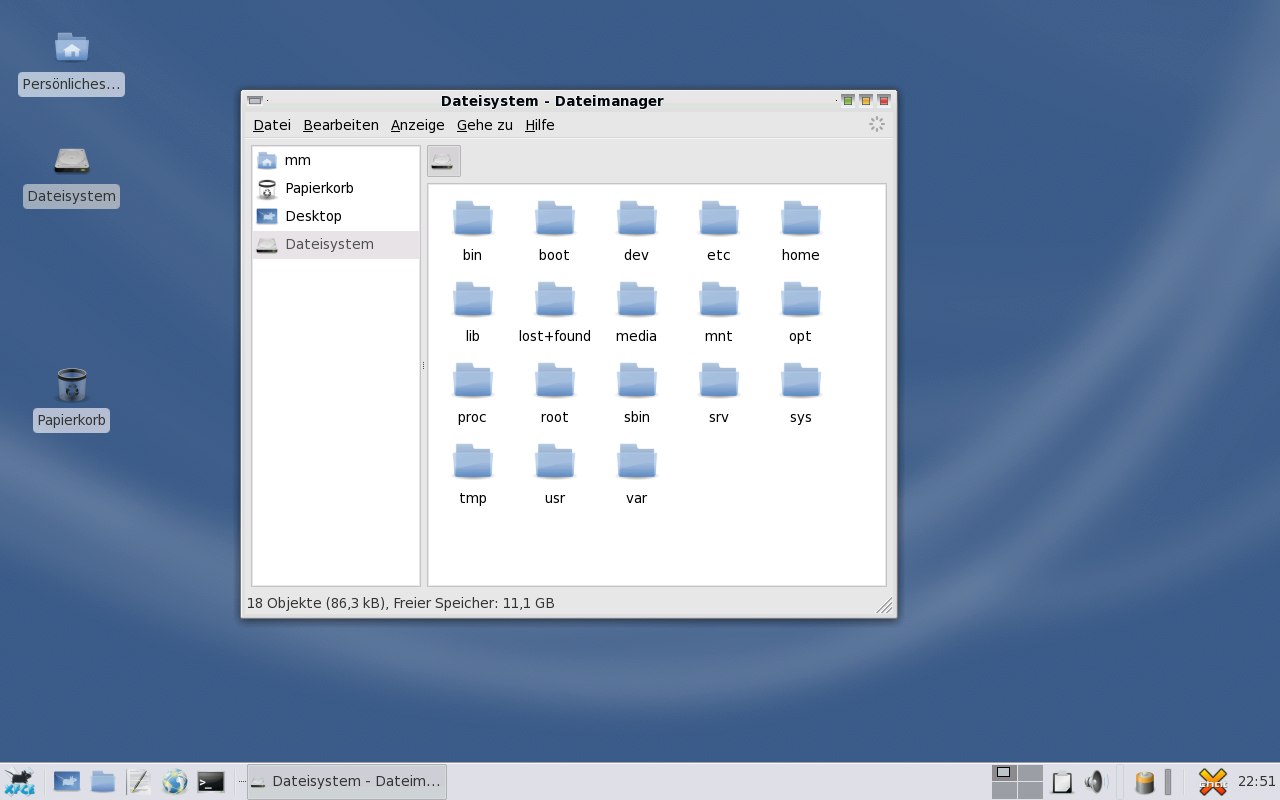

Miguel Cruz has provided his great CrashBit theme and designed a few new icons to improve Xfce support.
I have also finished a SLiM Display Manager theme and work on some packages for that. There is still a lot of work to be done and things to coordinate. We are going to set up a oS Xfce Mailing List soon, that all interested people should join. In the near future I am continuing to blog about the current development process, so stay tuned.
Update: The Mailinglist is now availabl.: To subscribe send an eMail to: opensuse-xfce+subscribe@opensuse.org
I have also added an upgraded screenshot showing how it would look like using the Gilouche Window decoration.
Marcus

WTF
  combo_box =
    GTK_COMBO_BOX (NAUTILUS_NAVIGATION_WINDOW (window)->view_as_combo_box);
  /* Clear the contents of ComboBox in a wacky way because there
   * is no function to clear all items and also no function to obtain
   * the number of items in a combobox.
   */
  model = gtk_combo_box_get_model (combo_box);
  g_return_if_fail (GTK_IS_LIST_STORE (model));
  store = GTK_LIST_STORE (model);
  gtk_list_store_clear (store);
Clearly, we need some improvements in Gtk+ API. I'd bet it's much easier with MWF unfortunately. At least, the developer that coded this was kind enough to file a bug, which BTW is 3 years old and, of course, still not fixed.
polishlinux
Welcome to the Official openSUSE Forums !
After announced on March 11, 2008, official openSUSE forums has been established and starting work for providing better support for openSUSE community on June 09, 2008. Forums merges 3 existing openSUSE forums, suseforums.net, suselinuxsupport.de and the openSUSE support forums at forums.novell.com.

You could use single sign-on login with your Novell/openSUSE account. It’s also should be work with your existing account at existing forums but I didn’t try it ;-), so, please try to login before create another new account.
Thanks for all of Novell staff and openSUSE community members who make the dream come true. Quoting what Michael said last 3 month : “a big gain for the whole openSUSE Community !”
http-server, dns-server integration
Integration in this case means that you can configure DNS server records while adding new virtual hosts for apache HTTP server (with YaST, both on the same machine)
yast2-dns-server
First - DNS server must be installed, enabled and running:

Then add new zone (it must be type "Master"):

yast2-http-server
Then in yast2-http-server module add new virtual host. Server name belongs into dns zone "example.com" we configured in yast2-dns-server:

Virtual Host ID must be valid IP address
And here we can see there is button "Add to Zone" which in this case will add record www.example.com with IP address 10.20.30.40 into example.com zone

yast2-dns-server
When you open YaST DNS server again, you can see that new record for "example.com" zone was correctly added.

Boost signals as hooks to extend libzypp?
It would be nice if libzypp had some framework that allowed to implement extensions like e.g. a history of installed and removed packages easily.
I’m currently looking into the boost signals library to see if we could use it to provide hooks for such extensions.
A future ZYpp::commit would then emit signals e.g. before and after installation/deletion of packages. Some extension code could then connect to those signals to create e.g. such a history.
Another candidate would be the repository management emitting signals as repositories are added removed refreshed.