
 Member
 baltolkien
Slimbook renueva su página web
Nadie que me conozca o que se lector del blog debería desconocer que me encanta la marca de ensambladores de dispositivos Slimbook. Los conocí el verano del 2015 cuando buscaba un portátil que llevara GNU/Linu de serie y tuve la gran suerte de ser uno de sus primeros clientes. Desde entonce, tanto a nivel personal como en colaboraciones con el blog o con el proyecto KDE, la relación con esta empresa valenciana no ha podido ser más que satisfactoria. Es por ello que no dudo en compartir las novedades de esta empresa… y eso que me contengo ya que anunciar que Slimbook renueva su página web es algo obsoleto en estos tiempos de la inmediatez que corren, pero es que esos días ya inundé el blog con noticias de esta compañía y no quería agobiar.
Slimbook renueva su página web
Como decía, la pequeña pero inquieta compañía valenciana inició su andadura allá por el 2015, y lo hizo con una web simple, limpia pero eficiente web con su aparador de dispositivos (uno para empezar), su tienda, su foro y poco más.
Han pasado ocho largos y productivos años, tanto para ellos como para el mundo GNU/Linux, y han pensado que era hora de renovar su web, incluyendo en su página principal dando más importancia a las publicaciones de su blog, añadiendo un carrusel de opiniones de sus clientes y, por último y lo que más me gusta, ubicando la sección de colaboraciones con el Sofware Libre con su KDE, Manjaro y Fedora Slimbook. Evidentemente, a pie de página nos encontramos con las típicas formas de contacto y enlaces de interés.
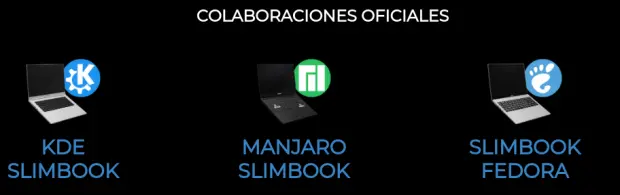
El anuncio oficial dice lo siguiente:
¡Tenemos nueva página web!
Y estamos muy contentos de compartirla con vosotros, aunque siendo sinceros, se ha precipitado un poco, pero ha sido por tener en el BlackFriday, toda la información de los nuevos modelos.
Es por ello, que os pedimos paciencia, si algo no funciona bien o alguna información se ve un poco extraña.
Este cambio merecerá mucho la pena, ya que nos permite tener mejores secciones en la web. Así que, empezamos, y os iremos desvelando más 🙂
Gracias por vuestra paciencia, y bienvenidos a nuestra nueva casa, que es también la vuestra.
– Slimbook Team –
Evidentemente, la página se complementa con un menú superior que nos lleva a su aparador de productos (que cada vez es más grande), a la sección de soporte, la parte de «nosotros» y, finalmente, a la tienda. Hay que destacar que en ese menún principal hay una sección llamada «Linux», donde explican su amor por este movimiento, y donde aparece un ¡KDE Slimbok!, marcando su especial preferencia por la Comunidad KDE.

Creo que falta una sección que una la web principal con Linux Center, ese centro de reuniones donde casi cada mes se realizan algunas charlan o talleres sobre el Software Libre. Estoy seguro que en breve aparecerá ese enlace.
Más información: Slimbook
PD: Quisiera recordar una cosa que he dicho ya en varias ocasiones. No penséis que hago toda esta publicidad porque reciba una compensación económica… la publicidad del margen fue iniciativa mía, y por tanto, no recibo un euro de ello. El banner está porque creo firmemente en este proyecto, igual que el de Freewear. A Google si le cobro (pero me da tan poquito que solo sirve para chuches)
La entrada Slimbook renueva su página web se publicó primero en KDE Blog.
#openSUSE Tumbleweed revisión de las semanas 48 y 49 de 2023
Tumbleweed es una distribución de GNU/Linux «Rolling Release» o de actualización contínua. Aquí puedes estar al tanto de las últimas novedades.

openSUSE Tumbleweed es la versión «rolling release» o de actualización continua de la distribución de GNU/Linux openSUSE.
Hagamos un repaso a las novedades que han llegado hasta los repositorios esta semana.
Y recuerda que puedes estar al tanto de las nuevas publicaciones de snapshots en esta web:
El anuncio original lo puedes leer en el blog de Dominique Leuenberger, publicado bajo licencia CC-by-sa, en este este enlace:
Estas dos semanas han estado repletas de publicaciones, ya que se han publicado un total de 13 nuevas snapshots han llegado a los repositorios de tu equipo.
Entre los cambios más importantes que podemos resaltar se encuentran estas actualizaciones:
- Python 3.11.6
- PHP 8.2.13
- Mozilla Firefox 120.0
- Pipewire 1.0.0
- Perl 5.38.2
- gpgme 1.23.2
- systemd
- LLVM 17.0.6
- MariaDB 11.1.2
- Qt 6.6.1
- GNOME 45.2
- SQLite 3.44.1
- El paquete de software cnf-rs ha sido renombrado como cnf
- Los cambios de Sudo/polkit introducen configuraciones para que el grupo sudo/wheel se autoautorice. Utiliza los dos paquetes sudo-policy-sudo-auth-self y sudo-policy-wheel-auth-self para configurar tu sistema
Muchas cosas de la última revisión aún están pendientes en los proyectos de preparación, y es probable que permanezcan allí por bastante más tiempo a menos que alguien comience a solucionar los problemas identificados:
- KDE Plasma 5.27.9
- KDE Gear 23.08.4
- cmake 3.28.0
- libxml 2.12.0
- openSSL 3.2.0
- RPM 4.19
- c-ares 1.21.0
- wxWidgets 3.2.3
- dbus-broker
Si quieres estar a la última con software actualizado y probado utiliza openSUSE Tumbleweed la opción rolling release de la distribución de GNU/Linux openSUSE.
Mantente actualizado y ya sabes: Have a lot of fun!!
Enlaces de interés
- ¿Por qué deberías utilizar openSUSE Tumbleweed?
- zypper dup en Tumbleweed hace todo el trabajo al actualizar
- ¿Cual es el mejor comando para actualizar Tumbleweed?
- ¿Qué es el test openQA?
- http://download.opensuse.org/tumbleweed/iso/
- https://es.opensuse.org/Portal:Tumbleweed

——————————–
openSUSE Tumbleweed – Review of the week 2023/48 & 49
Dear Tumbleweed users and hackers,
The last two weeks have been filled with Tumbleweed snapshots! A staggering 13 releases (1123…1206, without 1125) found their way over the ether to your computers. Even if you don’t do daily updates, you get all the updates whenever you want.
The following changes were applied to your system in this period:
- Python 3.11.6
- PHP 8.2.13
- Mozilla Firefox 120.0
- Pipewire 1.0.0
- Perl 5.38.2
- gpgme 1.23.2
- systemd: permissions tightened on DRM render nodes
- LLVM 17.0.6
- MariaDB 11.1.2
- Qt 6.6.1
- GNOME 45.2
- SQLite 3.44.1
- the package cnf-rs was renamed to cnf (matching the command name)
- Sudo/polkit changes introduce configurations for the sudo/wheel group to self auth. Use the two packages sudo-policy-sudo-auth-self and sudo-policy-wheel-auth-self to configure your system
Many things from the last review are still pending in the staging projects – and are likely to stay there for quite a bit longer unless somebody starts fixing the issues identified
- KDE Plasma 5.27.9
- KDE Gear 23.08.4
- cmake 3.28.0: breaks libzypp (fix in progress) and ceph
- libxml 2.12.0 – I can’t even start to list what is not building
- openSSL 3.2.0
- RPM 4.19
- c-ares 1.21.0: breaks nodejs
- wxWidgets 3.2.3: breaks wxPython bindings
- Testing of the two compiler flags -fcf-protection=full and -ftrivial-auto-var-init=pattern: not compatible with gcc13 on i586
- dbus-broker: no progress: openQA fails to launch the network stack in the installer
omegat-textra-plugin の公式サイトが代わっていた
この記事は openSUSE Advent Calendar 2023 の8日目です。
前回の記事 で、omegat-textra-plugin の最新版(v2022.2.2)が動かない、と詳解したのですが、実は、omegat-textra-plugin の公式サイトは github から codeberg に引っ越していたのでした。そちらの方では引き続き開発が行われていて、最新版は v2023.2.0 になっていたのでした。このバージョンをインストールすると正常に動きました。
coreberg への引越は、少なくとも2022年7月以降と思われます。そのため、各所に散在している omegat-textra-plugin の説明資料には古い開発サイトへのリンクしかないので、新しいサイトがあることに気がつきませんでした。
Cuarta actualización de KDE Gear 23.08
La Comunidad KDE es una comunidad responsable y no solo se preocupa en lanzar novedades sino que también en mejorarlas. Me complace presentar la cuarta de KDE Gear 23.08 que apareció hace unos meses. Más estabilidad, mejores traducciones y pequeñas mejoras para las aplicaciones de nuestro entornos de trabajo.
Cuarta actualización de KDE Gear 23.08
A pesar de lo que puedan pensar muchas personas, las aplicaciones no son perfectas, algo que poco a poco es más fácil de entender gracias a los smartphones. Entre las líneas de código se pueden colar errores de tipografía, que el usuario realice alguna opción que en un principio no estaba prevista por los desarrollador y que salte algún error o, simplemente, que el programador encuentre una solución más eficiente a alguna acción, por poner solo unos ejemplos de imperfecciones.
Este no es un problema del Software Libre ya que el Software actual funciona de esta manera ya que no se piensa en él como un producto final que se encierra en una caja y se olvida. En la actualidad se sabe que el Software está vivo y sería estúpido ir guardando las mejoras sin dejarlas a disposición del gran público lo antes posible. Como decía un formador que tuve, lo mejor es enemigo de lo bueno.
Con esto se gana en rapidez y evolución pero, por lo general, aumenta el número de errores leves, los cuales suelen ser molestos que no críticos y que son subsanables con pequeñas actualizaciones.
La Comunidad KDE lo tiene claro: grandes lanzamientos cada cuatro meses y actualizaciones mensuales para subsanar errores.

Por ello me congratula compartir con vosotros la cuarta actualización de KDE Gear 23.08 que nos ofrece más de 120 errores resueltos entre aplicaciones, librerías y widgets, algo que mejora el rendimiento del sistema.
Aquí podéis encontrar la lista completa de cambios de KDE Gear 23.08.4, pero por poner unos cuantos ejemplos de los errores que sea han resuelto tenemos:
- Dolphin-plugins: añadidos los mimetypes de disco sin procesar preferidos.
- Falkon: Se corrigió la configuración predeterminada del motor de búsqueda la página de inicio.
- Kdepim-runtime: Volver a cargar correctamente la configuración
Más información: KDE Gear 23.08.4
La entrada Cuarta actualización de KDE Gear 23.08 se publicó primero en KDE Blog.

Tumbleweed gets LLVM, Sudo, GCC Updates
This week openSUSE Tumbleweed has been on a constant roll as consecutive snapshots arrive with fresh software updates.
MariaDB, GTK and gnome-software were part of a range of updates introduced this week, in addition to the ones highlighted in the headline.
Just two packages updated in snapshot 20231206. The Chinese lunar date library lunar-date has a new major version with the 3.0.1 update; it introduces a localized interface and changes the project option names. The package also updates its license as it has been changed to LGPL-2.1. The update of the rubygem-rubocop 1.58.0 package resolves issues like false negatives for various styles, improves some code quality and ensures more accurate autocorrections for different code patterns. The 1.58.0 rubygem-rubocop version was also updated in the Arm Tumbleweed 20231206 snapshot.
An update of snapshot gnome-shell 45.2 became available in snapshot 20231205. The release addresses several performance issues, improves GNOME’s application search function, and fixes bugs related to the on-screen keyboard. The update improves high-contrast styling, fixes tablet ring and strip mapping, addresses some crashes and updates translations. There were bug fixes that caused unnecessary reloading of the trip query with gnome-maps 45.2. Various enhancements were made with the fwupd 1.9.10 update along with bug fixes. Notable additions were support for not_hardware requirements and loongarch64 microprocessors. The update improves USB claim retry count configuration, enforces version requirements, hides sensitive information in debugging logs, and refines device-specific functionalities, such as Wacom USB device emulation. An update of sudo 1.9.15p2 addresses sudo -l command warning messages, enhances security against rowhammer attacks, and makes improvements to log messages for better user understanding and system security. An 123 version update of the application development toolkit for controlling system-wide privileges, polkit introduces enhanced safety measures, such as deeper restrictions on configuration files, owner restriction for the daemon under systemd, and improves sandboxing within systemd units with the aim to better system security. An update of sqlite3 3.44.2 rectifies issues such as CLI mistakes, Full-Text Search (FTS5) problems identified during internal testing and compiler warnings in debug builds with GNU Compiler Collection 16. The snapshot had updates for hwdata 0.377, ncurses 6.4.20231202 and more. Many of the same packages updated in the Arm Tumbleweed 20231205 snapshot.
Several Qt 6 subpackages updated in snapshot 20231204. The 6.6.1 version of qt6-base fixes QMenuBar functionality limitations and corrects errors related to QFont’s feature Application Programming Interfaces. The update of qt6-wayland 6.6.1 fixes crashes related to texture orphanage and fixes issues with drag and drop with a Wayland display. An update of ibus 1.5.29 enhances Continuous Integration (CI), adds signals to PostProcessKeyEvent, which prevents a tab from being committed by the Input Method and fixes key typing, Emoji, and Unicode issues. The libguestfs 1.51.8 package, which is a tool for accessing and modifying virtual machine (VM) disk images, adds a --chown option for virt-customize and a new --tar-in operation. A few other packages were updated in the snapshot.
An update of snapshot llvm17 17.0.6 landed in snapshot 20231203. The update for the compiler and toolchain package includes rebase patches, adjustments to the versioned executables for better support, and standardizes the management of clang-cpp using update-alternatives akin to other binaries for smoother operation. The 11.1.2 version of mariadb includes several fixes related to unwanted binary locations, memory constraints on ppc64le and skipped tests. An update of the a calendar widget for Chinese lunar library lunar-calendar 3.0.1 involves a modification of the license that transitions to LGPL-2.1 from the previous licensing terms.
An update of gnome-software 45.2 came in snapshot 20231202 and primarily focuses on translations updates for multiple languages, according to the changelog. An older GNU Compiler Collection had a git update with gcc13 13.2.1+git8109. It had fix for building MariaDB on i686 systems and implements changes related to LLVM dependency. An update of inkscape 1.3.2 addresses a data loss issue and corrects a saving error related to some shapes and 3D boxes. The app for organizing personal data and scheduling, evolution, updates to version 3.50.2 and fixes a crash and a memory leak; it also fixes an issue with the search functionality. The gtk4 4.12.4 update improves accessibility name computation, fixes memory format table errors, updated translations and makes some additional refinements.
The snapshot starting off the week was 20231201. An update of perl 5.38.2 fixes two Common Vulnerabilities and Exposures. One of those was CVE-2023-47038, which occurs when a crafted regular expression is compiled by perl. The other was CVE-2023-47039. Snapper 0.10.7 addresses issues related to diff for Logical Volume Manager-based configs and SystemCmd accepting a collection of strings. An update of iproute2 6.6 removes several features and adds backup support in the bridge along with adjustments for the security protocol suite. Other packages to update in the snapshot were ethtool 6.6, gpgme 1.23.2 and more.
Two other Arm Tumbleweed snapshots this week were 20231204 and 20231203.
Lanzado KStars 3.6.8, el planetario de KDE
Sigue el desarrollo del planetario de la Comunidad KDE. Hoy me complace anunciar que ha sido lanzado KStars 3.6.7, una nueva versión de la aplicación que nos ayuda a conocer mejor la porción del inmenso Universo que nos rodea. Un imprescindible para los amantes de la astronomía.
Lanzado KStars 3.6.8, el planetario de KDE
No hablaba de esta aplicación desde hace unos cuantos años, momento en el cual comentaba el lanzamiento de la versión 3.0, y comentaba que signfica un gran salto en cuanto calidad y funcionalidades. Hace poco comenté el lanzamiento de la versión 3.5.9 y hoy ya toca hablar de otra. Esta aplicación no para de mejorar.
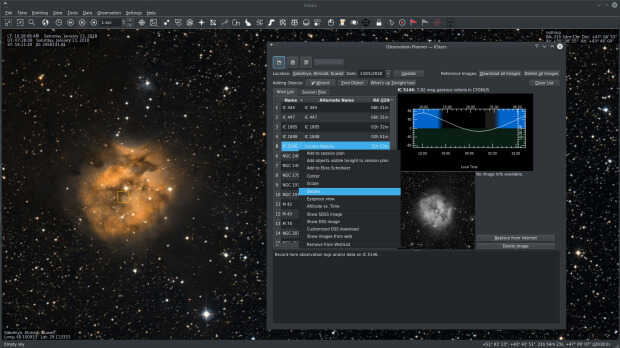
Así que me complace escribir que la evolución de esta rama ha seguido a buen ritmo y que ha sido lanzado KStars 3.6.8 que trae las siguentes novedades:
- John Evans presenta la interesante herramienta Aberration Inspector, una herramienta que hace uso del Autoenfoque para analizar el contraenfoque y la inclinación del sensor en el tren óptico conectado. Resuelve hasta 9 mosaicos virtuales en el sensor definidos por la máscara de mosaico existente.
- Joseph McGee sigue añadiendo mejoras y correcciones para la calculadora de subexposición. En cuanto a la facilidad de uso, ahora se puede cambiar el tamaño de la ventana, se ha corregido un problema con la visualización de los consejos sobre herramientas y se ha añadido un indicador para el tipo de sensor de la cámara seleccionada (Mono/Color). En cuanto a la funcionalidad: se ha aumentado el límite superior del parámetro de entrada Incremento de ruido y se ha añadido soporte para cámaras con ruido de lectura no variable (cámaras con sensores CCD).
- Hy Murveit ha añadido una función muy útil al Visor FITS: ¡un solucionador integrado!
Y otras pequeñas mejoras que podréis leer en la entrada del proyecto y que muestran sin lugar a dudas el buen estado del proyecto
¿Qué es KStars?
Para los que no lo sepan, KStars es un programa de planetario para el escritorio KDE, con él podemos ver en nuestra pantalla de ordenador todo el cielo de cualquier parte del mundo.
Es decir, proporciona una representación gráfica exacta del cielo nocturno, desde cualquier lugar de la Tierra, en cualquier fecha y hora. La exhibición incluye hasta 2.5 millones de estrellas (con addons adicionales), 13.000 objetos del cielo profundo, las 88 constelaciones, los 8 planetas, el Sol y la Luna, y miles de cometas y asteroides.
Tiene características para atraer a usuarios de todos los niveles, desde aficionados a profesionales, teniendo un gran potencial educativo.
La entrada Lanzado KStars 3.6.8, el planetario de KDE se publicó primero en KDE Blog.
Music of the week: String Quartets
One of my favorite albums is Vedres Csaba és a Kairosz kvartett – Áldott Idő / Blessed Time. It was made by Hungarian pianist Csaba Vedres, who worked together with a string quartet. Their music taught me that string quartets playing alone, with a piano, or with any other instrument can do some fantastic music.

The band was founded by Csaba Vedres, who had a classical music education. Besides playing the piano, he also researched the topic of classical vs. popular music. And just like me, he does not like these categories. One of his examples was Trilogy from ELP, but that will be another story :-) This album sounds more like what we usually call classical music, but not completely. Csaba is one of the best rock pianists of Hungary and you can hear that from some of the songs. I could only find a single song from the album on YouTube, but luckily you can find the full album on TIDAL.
TIDAL: https://listen.tidal.com/album/27780222
You can also find the CD at the publisher http://perifericrecords.com/hun/catalogue.php?cont=artist&artist_id=1002, together with other albums from Csaba Vedres.
I must admit that I’m not a big Jethro Tull fan. However, seeing the album cover of “The String Quartets”, I became curious and listened to the album. I was quickly addicted to it. Many old Jethro Tull songs are rearranged for a String Quartet and of course for the flute. And best of all, most songs are purely instrumental.
TIDAL: https://listen.tidal.com/album/71409468
Another album, Silver Lining Suite, which I listened to because it was a piano and a string quartet was made by Hiromi, a Japanese piano player. She wrote the album during Covid. I quickly bought it and another one of her albums on HDtracks in maximum quality, and listened to the album many times. It is difficult to choose a favorite from the album, so let me just simply link the first song. Its title is typical to Covid: “Isolation”.
TIDAL: https://listen.tidal.com/album/199559675
Finally, listen to a piece from a string quartet without any additional instruments. The Sturcz-kvartett plays their arrangement of a song by Solaris, a progrock group. It is probably the least classical sounding of the four songs, showing that a string quartet can really play any kind of music. This song was played on the 40th anniversary of Solaris as part of an online concert, due to Covid. This song is only available on YouTube.
I really hope that the rest of the songs from that concert will be available online or on Blu-Ray!
Lanzada la décima actualización de 5.27 edición ‘KDE 💖 Free Software’
Siguiendo el calendario de lanzamiento de los desarrolladores, la Comunidad KDE han comunicado que ha sido lanzada la décima actualización de Plasma 5.27, ya que esta versión es una LTS y, por tanto, tiene un peridodo de mantenimiento más alto. Además, dado que es el último hasta el lanzamiento de Plasma 6 es normal que ésta versión tenga una vida mucho más larga.
Lanzada la décima actualización de 5.27 edición ‘KDE 💖 Free Software’
No existe Software creado por la humanidad que no contenga errores. Es un hecho incontestable y cuya única solución son las actualizaciones. Es por ello que en el ciclo de desarrollo del software creado por la Comunidad KDE se incluye siempre las fechas de las actualizaciones.
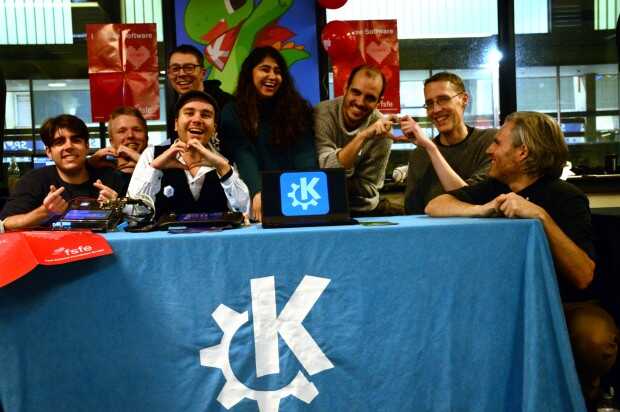
La Comunidad KDE ha publicado hoy que ha lanzado la sexta actualización de Plasma 5.27, una versión que nos ofrecen un gran conjunto de novedades y propuestas que nos acercan a lo que vendrá cuando se realice la transición a Plasma 6. No obstante, en esta versión se han dedicado a introducir la presentación en mosaico de las ventanas, las nuevas pantallas de bienvenida y mejoras notables en Discover, por nombrar solo tres de ellas.
Entre los errores solucionados nos encontramos con:
- Discover: Soporta versiones AppStream 1.0 y 0.x.
- Powerdevil Backlighthelper: Implementadosoporte para la interfaz backlight(8) de FreeBSD.
- KWin: Permitir ejecutar kwin5 en ventana en kwin6.
Más información: KDE
Las novedades de Plasma 5.27
Ya hablé largo y tendido de las novedades de Plasma 5.27, no obstante aqui os dejo unas pinceladas de las más importatantes:
- Nuevas pantallas de bienvenida.
- Mejoras en las preferencias de permisos para Flatpak.
- Mejoras en la refactorización multimonitor.
- Sistema de mosaicos de KWin.
- Añadido el Calendario Hebreo en el calendario emergente del reloj digital.
- Mejoras en Discover.
- Más funcionalidades para Krunner.
- Mejoras en los plasmoides.
La entrada Lanzada la décima actualización de 5.27 edición ‘KDE 💖 Free Software’ se publicó primero en KDE Blog.
Syslog-ng can now do a full configuration check
One of the most frequent syslog-ng feature requests is now resolved. Welcome the –check-startup option, allowing you to check the syntax and also spot spelling mistakes!
You can learn more about it at: https://www.syslog-ng.com/community/b/blog/posts/syslog-ng-can-now-do-a-full-configuration-check
