
 Member
 baltolkien
Cuarta actualización de Plasma 6.7
Me alegra compartir con todos vosotros la cuarta actualización de Plasma 6.7, continuando así la serie de revisión de software que le dotará de más estabilidad, mejores traducción y resolución de errores. Estas actualizaciones son 100% recomendables y casi obligatorias para cualquier usuario ya que lo único que hacen es mejorar la versión sin comprometer sus funcionalidades.
Cuarta actualización de Plasma 6.7
No existe Software creado por la humanidad que no contenga errores. Es un hecho incontestable y cuya única solución son las actualizaciones. Es por ello que en el ciclo de desarrollo del software creado por la Comunidad KDE se incluye siempre las fechas de las mismas siguiendo una especie de serie de Fibonacci.
Así que me congratula en presentar que hoy martes 4 de agosto de 2026, unas semanas después de liberar el código de Plasma 6.7 la Comunidad KDE presenta la cuarta actualización de errores.

Más información: KDE
Las novedades generales de Plasma 6.7
Aprovecho para realizar un listado de las novedades generales de Plasma 6.7:
- Escritorios virtuales por pantalla: Ahora es posible configurar escritorios virtuales de forma independiente para cada monitor.
- Prueba del volumen del micrófono: Se ha añadido una herramienta para comprobar los niveles de entrada de audio, facilitando el diagnóstico de problemas con el micrófono.
- Caracteres especiales en teclado virtual: Al usar el teclado virtual, es posible mantener pulsada una tecla para acceder a los caracteres especiales asociados a ella.
- Interruptor rápido de temas: Se incluye un nuevo control para cambiar instantáneamente entre los temas globales claros y oscuros.
- Calendario lunar vietnamita: Se ha integrado este calendario en el sistema para permitir su uso junto al gregoriano.
- Mejora en «Aplicaciones en segundo plano»: La bandeja del sistema ahora muestra también las aplicaciones que utilizan el sistema de segundo plano moderno, frecuente en paquetes Flatpak.
- Monitorización de impresión: El icono de la bandeja del sistema para impresoras ahora muestra una placa indicando el número de trabajos activos.
- Gestión de colas de impresión: Se ha introducido una nueva herramienta para gestionar colas de impresión, diseñada tanto para un uso doméstico sencillo como para la gestión avanzada de múltiples impresoras.
-
Acceso rápido a escritorios en Vista general: Desde la Vista general (
Meta+W), ahora es posible cambiar entre escritorios virtuales usando el ratón o las teclasRePágyAvPág. - Favoritos por arrastrar y soltar: Se ha simplificado la gestión de favoritos en los lanzadores y menús de aplicaciones mediante la función de arrastrar y soltar.
La entrada Cuarta actualización de Plasma 6.7 se publicó primero en KDE Blog.
KDE será más rápido copiando archivos pequeños
Los desarrolladores de KDE no cejan en su empeño de solucionar todos los problemas que tiene su software a la hora de ser más eficiente utilizando nuestros dispositivos. Es por ello que el miembro de la Comunidad Méven Car ha mejorado el proceso de copia y KDE será más rápido copiando archivos pequeños. Un pequeño paso que veremos a partir KDE Frameworks 6.29 y que no es más que otro paso para conseguir la excelencia.
KDE será más rápido copiando archivos pequeños
En ocasiones no te das cuenta que algo no funciona bien hasta que compartes experiencias con otras personas. Me ocurrió el otro día mientras pasaba documentos a mi pendrive de mi ordenador a otro con otro sistema. Me sorprendió que en mi portátil tardara tanto, así que me ha venido de perlas leer este artículo en el Planet.
Resulta que el desarrollador de KDE Méven Car se ha propuesto encontrar la solución a un problema histórico en el entorno gráfico KDE: la lentitud extrema al copiar una gran cantidad de archivos pequeños (registrado originalmente en 2014 como el «bug 342056»).

Al parecer, históricamente KIO (la capa encargada de las operaciones de archivos en KDE y aplicaciones como el explorador Dolphin) utilizaba procesos separados (conocidos como kioslaves) que se comunicaban mediante sockets. Aunque esto era necesario antes de que Linux tuviera un soporte de hilos robusto y garantizaba que un fallo en la red no colapsara el gestor de archivos, representaba una sobrecarga innecesaria para las operaciones locales en disco (file://). Cada solicitud y respuesta requería serialización y un salto en el bucle de eventos, lo que encarecía masivamente las tareas repetitivas con miles de archivos pequeños.
Afortundamente, este problema está en vías de solucionarse y para la versión KDE Frameworks 6.29, el equipo ha introducido mejoras clave para cerrar la brecha de rendimiento frente a comandos nativos como cp o rsync. Estas mejoras se concretan en las siguientes acciones:
-
Eliminación del socket en procesos internos: A pesar de que los trabajadores de KIO pasaron a ejecutarse en un hilo dentro de la aplicación en 2022, seguían utilizando un par de sockets para comunicarse, lo que añadía sobrecarga. Ahora se ha implementado un nuevo transporte interno en memoria (
ThreadConnectionBackend) que permite lecturas directas y sin serialización (zero-copy). - Optimización de consultas al sistema: Se ha reducido la comprobación redundante del sistema de archivos de destino que se realizaba de forma repetitiva por cada archivo copiado.
Las pruebas realizadas por los desarrolladores muestran los siguientes resultados: el rendimiento de KIO al procesar miles de archivos pequeños se multiplicó por cuatro, reduciendo drásticamente el tiempo de espera y acercando la velocidad de Dolphin a la de herramientas de consola optimizadas.
En esta primera iteración se excluyen los sistemas de archivos como FAT y NTFS (comunes en memorias USB o discos duros de Windows). Esto se debe a que tienen reglas especiales para los nombres de archivos y los enlaces simbólicos (symlinks) que el sistema normal maneja mejor archivo por archivo. No obstante, seguro que en un futuro estas restricciones desaparecerán.
Solo queda decir ¡Buen trabajo, Méven!
La entrada KDE será más rápido copiando archivos pequeños se publicó primero en KDE Blog.
Recopilación del boletín de noticias de la Free Software Foundation – agosto de 2026
Recopilación y traducción del boletín mensual de noticias relacionadas con el software libre publicado por la Free Software Foundation.

La Free Software Foundation (FSF) es una organización creada en Octubre de 1985 por Richard Stallman y otros entusiastas del software libre con el propósito de difundir esta filosofía, frente a las restricciones y abusos a los usuarios por parte del software privativo.
La Fundación para el software libre (FSF) se dedica a eliminar las restricciones sobre la copia, redistribución, entendimiento, y modificación de programas de computadoras. Con este objeto, promociona el desarrollo y uso del software libre en todas las áreas de la computación, pero muy particularmente, ayudando a desarrollar el sistema operativo GNU.
Mensualmente publican un boletín (supporter) con noticias relacionadas con el software libre, sus campañas, o eventos. Una forma de difundir los proyectos, para que la gente conozca los hechos, se haga su propia opinión, y tomen partido si creen que la reivindicación es justa!!
- En este enlace podéis leer el original en inglés: https://www.fsf.org/free-software-supporter/2026/august
- Y traducido en español (cuando el equipo de traducción lo tengamos disponible) en este enlace: https://www.fsf.org/free-software-supporter/2026/agosto

Puedes ver todos los números publicados en este enlace: http://www.fsf.org/free-software-supporter/free-software-supporter
¿Te gustaría aportar tu ayuda en la traducción y colaborar con la FSF? Lee el siguiente enlace:
Por aquí te traigo un extracto de algunas de las noticias que ha destacado la FSF este mes de agosto de 2026.
Detener la Ley GUARD y las leyes de verificación de edad en todo el mundo
Del 13 de julio
Si se aproba, la Ley GUARD prohibiría a nivel nacional que los menores usen servicios de «chatbot» y exigiría que todos los usuarios de dichos servicios en Estados Unidos se sometan a la verificación obligatoria. En resumen, abriría la puerta a un «régimen de vigilancia».
Un régimen así haría que crear un paquete libre de aprendizaje automático fuera casi, si no totalmente, imposible debido a sus restricciones de desarrollo y amenazas de criminalización. Despídete del uso anónimo de tales herramientas y di hola a la asfixia del desarrollo de software libre y de la tecnología en general.
Si estás en Estados Unidos, llama a tu senador estatal para informarle de los peligros de este tipo de legislación.
Otro estado alemán cambia a Microsoft por software libre «nacido en la UE»
Del 6 de julio por Christine Hall
El estado alemán de Mecklemburgo-Pomerania Occidental se está uniendo al movimiento de la UE hacia el software libre. A julio de 2026, unos 5.000 empleados estatales están utilizando activamente Nextcloud, una plataforma de compartición federada con una edición comunitaria bajo la AGPLv3, para compartir archivos, con planes de también cambiar a los empleados al chat, videoconferencia y software grupal de Nextcloud.
Hay muchos factores que impulsan la transición al software libre en la UE, incluido el de Mecklemburgo-Pomerania Occidental. Entre ellas se incluye el deseo de dejar de realizar pagos mensuales o anuales por permiso para usar software propietario de empresas como Microsoft, así como evitar formatos de documentos basados en supuestos estándares «abiertos» que contienen componentes heredados que nunca han sido completamente documentados.
Puedes leer más sobre cómo el software libre apoya la soberanía digital en los artículos siguientes.
- https://fossforce.com/2026/07/another-german-state-swaps-microsoft-for-born-in-the-eu-open-source/
- https://www.fsf.org/blogs/community/your-government-should-use-free-software
La ESA adopta oficialmente ARRAKIHS como Misión F2
Del 11 de junio por ARRAKIHS Mission Consoritum
La misión ARRAKIHS fue adoptada oficialmente por la Agencia Espacial Europea (ESA) para su lanzamiento en 2030. Este es un hito importante para Gnuastro porque el Harvester ARRAKIHS (su pipeline de reducción de datos) está escrito en Gnuastro (con Maneage como gestor de flujo de trabajo).
Las capacidades únicas de Gnuastro en la reducción de bajo brillo superficial y la experiencia de su equipo en su uso y desarrollo, demostrada en muchos proyectos anteriores, fueron algunos pilares de este éxito.
Debido a su apoyo a Gnuastro, ARRAKIHS es el principal motor del desarrollo de Gnuastro en la próxima década. Puedes aprender más sobre la misión Arrakihs en los artículos a continuación.
- https://www.arrakihs-mission.eu/2026/06/11/esa-officially-adopts-arrakihs-as-f2-mission-europe-leads-the-exploration-of-the-low-surface-brightness-universe/
- https://lists.gnu.org/archive/html/info-gnuastro/2026-06/msg00000.html

Estas son solo algunas de las noticias recogidas este mes, ¡¡pero hay muchas más muy interesantes!! si quieres leerlas todas (cuando estén traducidas) visita este enlace:
Y todos los números del «supporter» o boletín de noticias de 2026 en español, francés, portugués e inglés aquí:
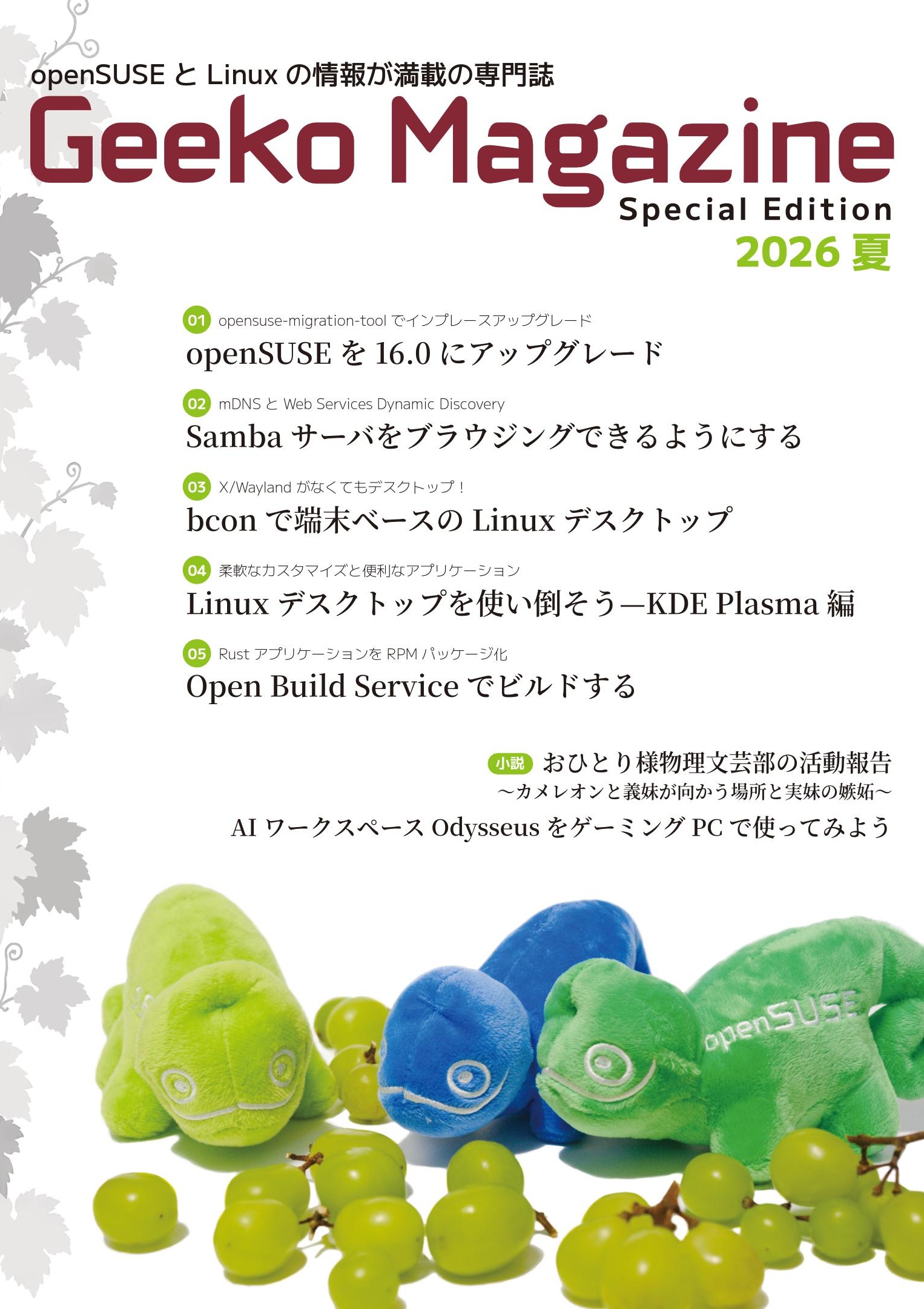
「Geeko Magazine 2026夏」発行のお知らせ
コミックマーケットC108に合わせ、Geeko Magazine Special Edition 2026夏号を発行します。今回の内容は次のようになっています。
- openSUSE を 16.0 にアップグレード
- Samba サーバをブラウジングできるようにする
- bcon で端末ベースの Linux デスクトップ
- Linux デスクトップを使い倒そう—KDE Plasma 編
- Open Build Service でビルドする
- おひとりさま物理文芸部の活動報告 〜カメレオンと義妹が向かう場所と実妹の嫉妬〜AI ワークスペース
- AI ワークスペース Odysseus をゲーミング PC で使ってみよう
頒布日は2日目となる8月16日(日)、スペースは東7 V17b です。となりは小江戸らぐで、技術系の本が集まるエリアにいます。最近は外に並びさえしなければ、比較的快適に過ごせることが多いです。お越しの際はあらかじめ、参加証を購入の上、ご来場下さい。
Este mes de julio en KDE Linux
Hoy os traigo otro resumen del progreso en KDE Linux, un informe detallado de la última entrada de Nate Graham esta vez aparecido directamente en el Planet KDE, donde nos pone al día sobre los avances de KDE Linux, el sistema operativo «del futuro» de la comunidad KDE. Es decir, que bienvenidos a el progreso de este mes de julio en KDE Linux, otro paso que nos acerca a un sueño para los simpatizantes de este entorno de trabajo.
Este mes de julio en KDE Linux
El bueno de Nate no solo se encarga de informarnos del progreso de Plasma en sus artículos de «This week in Plasma, sino que en ocasiones nos obsequia con una mirada a otros proyectos de la Comunidad.

Hace unos meses se publicaron artículos como «Busy months in KDE Linux«, «This month in KDE Linux«, «This month in KDE Linux: March 2026», «This month in KDE Linux: May 2026» y «This month in KDE Linux: June 2026» en los que Nate nos muestra que el proyecto está vivo y que si no pasa nada en unos meses tendremos entre nosotros la primera versión estable de esta distribución. Por cierto, el título parece haberse estabilizado.
Y el mes de julio nos volvió a obsequiar con una revisión del proyecto con la colaboración de John Veness, que evidentemente os animo a leer completo, que ha titulado «This month in KDE Linux: July 2026» y del cual os ofrezco un resumen del mismo para los que no tenemos un dominio exhaustivo del inglés.
- Nuevo sistema de QA: Pruebas integradas para detectar errores críticos de rendimiento y login antes de que lleguen al usuario.
- Seguridad y rendimiento: Ajustes de seguridad en el kernel, inicio más rápido al eliminar módulos innecesarios y sistema de impresión CUPS por demanda.
- Soporte de aplicaciones: La herramienta de compatibilidad ahora ofrece descargar automáticamente entornos para ejecutar Java (JRE) y DOS (DOSBox) desde Flathub.
- Correcciones clave: Reparadas las VPNs IPsec, el soporte para modems WWAN y la suspensión USB en perifericos sin nombre.
-
Varios: Mejoras en máquinas virtuales con
vulkan-virtioy guías publicadas para Fcitx 5 en XWayland y arranque múltiple.
Como vemos, KDE Linux no es solo una «distro» más; es el campo de pruebas y la vitrina oficial de lo que KDE puede ofrecer cuando controla todo el ecosistema, un sueño que no viene de ahora (ya escuché esto en la Akademy de A Coruña de 2015 y cuyo primer se dio con KDE Neon).
Vemos que el desarrollo de esta Comunidad cuyos objetivos están claros se construye dando pasos pequeños pero seguros.
La entrada Este mes de julio en KDE Linux se publicó primero en KDE Blog.
Redimensionamiento de emojis – Esta semana en Plasma
El incansable trabajo de promoción que está realizando Nate (ahora con ayuda de otros desarrolladores) en su blog sigue su ritmo. Cada semana hace un resumen de las novedades más destacadas, pero no en forma de telegrama, sino de artículo completo. Su cita semanal no falla y desde hace un tiempo que le voy a siguiendo semana tras semana, traduciendo sus artículos al castellano utilizando los magníficos traductores lo cual hará que la gente que no domine el inglés esté al día y que yo me entere bien de todo. Bienvenidos pues a «Redimensionamiento de emojis» de «Esta semana en Plasma», donde nos presentan como mejorar la visualizacón de estos recursos visuales que ayudan a la comunicación escrita.
Redimensionamiento de emojis – Esta semana en Plasma
Nota: Artículo original en Blogs KDE. Traducción realizada utilizando Perplexity. Esta entrada está llena de novedades de la Comunidad KDE. Mis escasos comentarios sobre las mejoras entre corchetes.
¡Bienvenido a un nuevo número de This Week in Plasma!
…pero antes de empezar, aquí tienes un recordatorio rápido: ¡hemos entrado en la última semana para enviar tu propuesta para el próximo
ciclo de KDE Goals!
Si no estás listo para liderar un objetivo, aún puedes involucrarte uniéndote a una de las propuestas existentes como colaborador o apoyándolas.
Y ahora, sin más rodeos…
Además de la función principal y las mejoras de interfaz y correcciones de errores esperadas, esta semana incluye algunas mejoras técnicas y de rendimiento muy prometedoras. Échale un vistazo:
Nuevas mejoras
Plasma 6.8
Ahora puedes hacer que los emojis de la ventana de selector de emojis sean más grandes o más pequeños. (Jason Uithol, plasma-desktop MR #3878)
En la página de Configuración de pantalla de Configuración del sistema, ahora puedes mover las pantallas píxel a píxel usando las teclas de flecha mientras estás en modo de edición del diseño. (Antti Savolainen, kscreen MR #476)
Mejoras en la interfaz de usuario
Plasma 6.7.4
La ventana del selector de emojis ahora siempre es lo suficientemente alta para mostrar su barra lateral sin necesidad de hacer scroll. (Christoph Wolk, KDE Bugzilla #523090) [un detalle que facilita su uso].
Spectacle ahora detecta códigos QR en las capturas de pantalla que tomas de forma que nunca se muestra la interfaz principal; si haces clic en “Anotar” desde la notificación correspondiente, el código QR también se detectará allí. (Kai Uwe Broulik, KDE Bugzilla #521097)
Plasma 6.8
En la ventana de configuración de Spectacle, los controles de calidad de imagen solo están disponibles para los tipos de imagen cuya calidad se puede ajustar. (Zhora Zmeykin, spectacle MR #568)
Se han aclarado un poco las instrucciones de la página de Escritorio remoto de Configuración del sistema. (Nate Graham, krdp MR #224 y krdp MR #225)
Kup 0.11.0
Se ha modernizado la interfaz del widget de bandeja del sistema del sistema de copias de seguridad Kup, de modo que ahora coincide con otros widgets de Plasma que pueden mostrar de forma similar varios elementos, cada uno con sus propias acciones. (Bharadwaj Raju y Tomáš Hnyk, kup MR #53 y kup MR #54) [Esta es una funcionalidad poco utilizada y algo desconocida]


Corrección de errores importantes
[No comento las correcciones de errores ya que son bastante evidentes].
Plasma 6.6.7
Se ha corregido un caso en el que el servicio en segundo plano ksystemstats podía bloquearse de forma aparentemente aleatoria. (Méven Car, KDE Bugzilla #523562)
Se ha corregido una regresión reciente que hacía que aparecieran iconos de documentos en blanco en la vista del historial de notificaciones. (Kai Uwe Broulik, KDE Bugzilla #522846)
Se ha corregido un error que podía hacer que palabras extremadamente largas en las descripciones emergentes de Plasma se desbordaran en lugar de ajustarse. (Nate Graham, KDE Bugzilla #523614)
Se ha corregido un error que hacía que los widgets de terceros no pudieran inhibir la gestión de energía más de una vez. (Vincent de Robert, KDE Bugzilla #523605)
Plasma 6.7.4
Se ha corregido un fallo visual por el que el área resaltada de elementos de lista expandidos en varios widgets de la bandeja del sistema a veces era demasiado pequeña para mostrar su contenido. (Bharadwaj Raju, KDE Bugzilla #506295)
Plasma 6.8
Se ha corregido un problema que a veces podía corromper capturas de pantalla muy grandes tomadas en Spectacle cuando se pegaban en otro lugar. (Cezar Craciunoiu, spectacle MR #566)
Frameworks 6.29
Abrir varias ventanas y diálogos usando componentes de Kirigami ya no hace que el contenido se desplace hasta quedar a la vista sin una razón especialmente buena. (Manuel Alcaraz Zambrano, KDE Bugzilla #515811)
ddcutil 2.2.8
Se han corregido varios problemas que podían hacer que el proceso en segundo plano powerdevil se congelara o se bloqueara. (Sanford Rockowitz, ddcutil issue #581 y ddcutil issue #587)
Destacado en rendimiento y aspectos técnicos
Plasma 6.8
Se ha mejorado significativamente el rendimiento con GPU externas. Puedes leer más sobre esto en el blog de Xaver. (Xaver Hugl, kwin MR #7101)
Ahora puedes cambiar el tamaño (y la resolución efectiva) de las pantallas virtuales creadas para la emisión de pantalla, en lugar de estar limitadas a una resolución fija de 1920 × 1080 píxeles. (David Edmundson, KDE Bugzilla #512620)
El modo flotante de los paneles ahora se puede cambiar mediante scripting de escritorio en Plasma. (Ramil Nurmanov, KDE Bugzilla #521549)
KWin ahora reconoce las teclas “Descolgar teléfono” y “Colgar teléfono” en algunos teclados, lo que permite usarlas en atajos de teclado para desencadenar acciones. (Méven Car, kwin MR #7892)
Frameworks 6.29
Se ha corregido un problema de rendimiento que podía hacer que Plasma se congelara al enviar una notificación con muchos emojis. (Devin Lin, KDE Bugzilla #508070)
Cómo puedes ayudar
KDE se ha vuelto importante en el mundo, y tu tiempo y contribuciones han ayudado a llegar hasta aquí. A medida que crecemos, necesitamos tu apoyo para mantener KDE sostenible.
¿Te gustaría ayudar a preparar este informe semanal? Preséntate en la sala de Matrix y únete al equipo.
Más allá de eso, puedes ayudar a KDE involucrándote directamente en cualquier otro proyecto. Donar tiempo es realmente más impactante que donar dinero. Cada colaborador marca una gran diferencia en KDE — ¡no eres un número ni un engranaje en una máquina! No tienes que ser programador, existen muchas otras oportunidades.
También puedes ayudar haciendo una donación. Esto ayuda a cubrir costes operativos, salarios, gastos de viaje para colaboradores y, en general, a mantener KDE llevando Software Libre al mundo.
-
Redimensionamiento de emojis – Esta semana en Plasma
 Bloqueo y desbloqueo automáticos para sesiones de escritorio remoto – Esta semana en Plasma
 -
Bloqueo y desbloqueo automáticos para sesiones de escritorio remoto – Esta semana en Plasma
 Bloqueo y desbloqueo automáticos para sesiones de escritorio remoto – Esta semana en Plasma
 -
Sombras para Steam y Discord – Esta semana en Plasma
 Sombras para Steam y Discord – Esta semana en Plasma


La entrada Redimensionamiento de emojis – Esta semana en Plasma se publicó primero en KDE Blog.

Linux Saloon 213 | News Flight Night
Cómo Extremadura cambió el Software Libre para siempre – Episodio 2 del Podcast «La era de las distros»
Hace poco que os vine a recomendar el podcast «La era de las distros» un proyecto del gran Lorenzo Carbonell que junto a los protagonistas correspondientes repasa lo que fue la punta de lanza del desembarco de Software Libre en España: las distribuciones educativas autonómicas. Dado que quiero que este proyecto llegue al máximo número de pesonas posibles voy a ir promocionando episodio a episodio porque bien vale la pena escucharlos. Bienvenidos al Episodio 2 del Podcast «La era de las distros», que lleva por título «Cómo Extremadura cambió el Software Libre para siempre» donde nos relatan el nacimiento de Linex, la distribución extremeña que inició la revolución.
Cómo Extremadura cambió el Software Libre para siempre – Episodio 2 del Podcast «La era de las distros»
Como sabréis los que me siguen, he sido docente de secundaria en la Comunidad Valenciana desde el 2000, así que viví los años de la irrupción informática en las aulas en primera persona: los primeros ordenadores en las salas de profesores, las primera aplicaciones para la gestión de los colegios, los tímidos intentos de acercar las TIC al alumnado, las primeras escaramuzas para controlar los móviles en las aulas, etc.
En ese panorama, algunas comunidades autónomas del estado español decidieron que era el momento de dar una oportunidad al Software Libre, tanto por razones económicas como por tener la soberanía digital que tanta importancia está adquiriendo ultimamente.

Contar la historia de estas iniciativas es el propósito del Podcast de «La era de las distros» que en este segundo episodio nos cuentan la historia del nacimiento de LinEx, pero mejor que nos lo describan los protagonistas:
A principios de los años 2000, el mundo tecnológico era un lugar muy distinto al que conocemos hoy. Microsoft Windows dominaba prácticamente el 100% de los escritorios domésticos y gubernamentales. En ese contexto, pensar que una región eminentemente rural como Extremadura, en el suroeste de España, pudiera plantar cara al gigante de Redmond parecía una locura digna de Don Quijote. Pero sucedió. Y se llamó LinEx.
En este segundo episodio de «La Era de las Distros», hemos tenido el privilegio de charlar con Jesús Rubio, una de las personas que hizo posible este milagro. Junto a Jesús González Barahona, desgranamos los entresijos de una época donde la soberanía tecnológica dejó de ser un concepto teórico para convertirse en una realidad instalada en miles de ordenadores.
Os puedo asegurar que vale la pena escucharlo para que no caiga en el olvido el increíble trabajo que realizaron las personas involucradas en el proyecto y para aprender a gestionar el futuro, aprendiendo de las cosas que no se pudieron hacer bien en el pasado.
Puedes escuchar el podcast en cualquiera de las siguientes plataformas:


-
Cómo Extremadura cambió el Software Libre para siempre – Episodio 2 del Podcast «La era de las distros»
 Bienvenidos al Episodio 2 del Podcast «La era de las distros», que lleva por título «Cómo Extremadura cambió el Software Libre para siempre» donde nos relatan el nacimiento de Linex, la distribución extremeña que inició la revolución.
 -
Lanzado LinEx Colegios 2010
 Y otro lanzamiento más. En esta ocasión otra distribución más para colegios por parte de una administración pública, concretamente de la comunidad autónoma de Extremadura y su Linex. LinEx Colegios… Lee más: Lanzado LinEx Colegios 2010
 -
Anuncios sobre Linux (V): LinEx
 Esta vez le toca a LinEx, la distribución Linux de Extremadura, la cual también se decanta por Gnome ya que se basa en Debian (gracias env)(la moda de Ubuntu es… Lee más: Anuncios sobre Linux (V): LinEx


La entrada Cómo Extremadura cambió el Software Libre para siempre – Episodio 2 del Podcast «La era de las distros» se publicó primero en KDE Blog.
#openSUSE Tumbleweed revisión de la semana 31 de 2026
Tumbleweed es una distribución de GNU/Linux «Rolling Release» o de actualización contínua. Aquí puedes estar al tanto de las últimas novedades.

openSUSE Tumbleweed es la versión «rolling release» o de actualización continua de la distribución de GNU/Linux openSUSE.
Hagamos un repaso a las novedades que han llegado hasta los repositorios esta semana.
Y recuerda que puedes estar al tanto de las nuevas publicaciones de snapshots en esta web:
El anuncio original lo puedes leer en el blog de Dominique Leuenberger, publicado bajo licencia CC-by-sa, en este este enlace:
Esta semana se han publicado 5 Snapshots (0723, 0724, 0726, 0728, y 0729)
Se alcanzó un hito importante cuando GCC 16 ha aterrizado oficialmente como el nuevo compilador predeterminado del sistema de Tumbleweed en la snapshot 0726. Debido a que esta transición requirió recompilar todo el repositorio para beneficiarse de las nuevas optimizaciones del compilador, la instantánea 0726 era excepcionalmente grande.
Con actualizaciones tan jugosas e interesantes como:
- GCC 16 como el compilador predeterminado
- linux-glibc-devel 7.1
- Mozilla Firefox 153.0
- systemd 261.2
- OpenSSH 10.4p1
- multipath-tools 0.15~1
- ntfs-3g_ntfsprogs 2026.7.7
- btrfsprogs 7.1
- python-numpy 2.4.6
- java-25-openjdk 25.0.4.0
- AppStream 1.1.5
- freerdp 3.30.0
- bind 9.20.26
- cryptsetup 2.8.7
- virtualbox 7.2.14
- wicked 0.6.80
- util-linux 2.42.2
- fwupd 2.1.7
- libostree 2026.2
- rpmlint
Y para próximas snapshots, ya se están preparando las siguientes actualizaciones:
- Podman 6.0.0
- Linux Kernel 7.1.5
- Mozilla Firefox 153.0.1
- Samba 4.24.5
- PHP 8.5.9
- python-Sphinx 9.1.0
- glibc 2.44
Si quieres estar a la última con software actualizado y probado utiliza openSUSE Tumbleweed la opción rolling release de la distribución de GNU/Linux openSUSE.
Mantente actualizado y ya sabes: Have a lot of fun!!
Enlaces de interés
- ¿Por qué deberías utilizar openSUSE Tumbleweed?
- zypper dup en Tumbleweed hace todo el trabajo al actualizar
- ¿Cual es el mejor comando para actualizar Tumbleweed?
- ¿Qué es el test openQA?
- http://download.opensuse.org/tumbleweed/iso/
- https://es.opensuse.org/Portal:Tumbleweed
——————————–
Sigo con la iniciativa
Sigo con la iniciativa #viernesdeescritorio. Bienvenidos a mi escritorio Plasma de junio 2026, que en este mes cambio de dispositivo a mi Slimbook Evo, con el que llegamos a las 74 entregas compartiendo «Mi escritorio» de forma mensual, una edición especial ya que es el primero en el que muestro mi nuevo portátil y del que hablaré en un futuro.
Mi escritorio Plasma de julio 2026 #viernesdeescritorio
Esta va a ser la entrega número 74 en la que muestro mi escritorio Plasma 6 en público, lo cual es número nada desdeñable de entradas que sigue creciendo de forma constante.
Como decía en la introducción la realizo de nuevo sobre mi ultrabook Slimbook Evo, el cual tiene instalado un KDE Neon con Plasma 6.7.3 sobre una versión de KDE Frameworks 6.28.0 y una versión de Qt 6.11.1. El servidor gráfico es Wayland y el Kernel es 7.0.0-28-generic (64 bits).
La barra de tareas la tengo en la parte izquierda ocupando todo ese espacio y contiene de arriba a abajo.
- Reloj digital
- Selector de escritorios virtuales
- Gestor de tareas solo iconos
- Bandeja del sistema
- Vista de escritorio
- Lanzador de aplicaciones.
Como fondo de escritorio he seleccionado el básico de Plasma 6.7 ya que realmente queda bien y siempre me gusta promocionar la tarea del VDG de la Comunidad KDE.
Además, el fondo contiene el reloj Mike TimeStamps simplificado ya que este plasmoide coge bien la información del idioma de mi sistema, y por ello aparece el día de la semana en valenciano, el plasmoide Bare Weather, que me encanta para saber lo que nos queda por padecer por culpa de la calor y el plasmoide Meteoclimatic Feeds de Victorhck (tengo pendiente hacer una revisión del mismo ya que ha sacado nueva versión), por tener una información en tiempo real más precisa. He hablado de todos ellos en el blog.
El resultado de mi escritorio Plasma de julio de 2026 es un entorno de trabajo oscuro y, como siempre, funcional que podéis ver en la imagen inferior (pinchad sobre ella para verlo un poco más grande).

La entrada se publicó primero en KDE Blog.