
 Member
 baltolkien
06×08 Kdenlive y las novedades KDE de junio y julio
Me congratula anunciar un nuevo episodio de los podcast de KDE España titulado 06×08 Kdenlive y las novedades KDE de junio y julio, un nuevo episodio que dedicamos a los editores de vídeo libres, con el foco puesto, como no podía ser de otra forma, en Kdenlive.
06×08 Kdenlive y las novedades KDE de junio y julio

Octavo capítulo de la sexta temporada de los podcast de KDE España. Esta semana exploramos y damos pinceladas del gran número de editores de vídeo no-lineales de código abierto, poniendo el foco en el de la Comunidad KDE: Kdenlive.
También se habló de las novedades de las aplicaciones KDE de junio y julio, destacando el nuevo servicio kup que ofrece la Comunidad KDE y la disponibilidad de utilizar Krita en dispositivos Android.
Además, este podcast, como el anterior, fue grabado y ha sido publicado en diferido, tal y como la mayoría de vosotros ha demandado en las diferentes encuestas realizadas. En mi opinión, seguimos ganando en calidad gracias al trabajo de Jorge Lama y a que vamos adquiriendo mejores medios técnicos (¡Rubén estrenaba micrófono!)
Los integrantes del podcast fueron:
- Daniel Gutiérrez: profesor de la Universidad Pública del País Vasco, miembro de KDE España y curtido organizador de eventos.
- Baltasar Ortega: editor de KDE Blog, secretario de KDE España, miembro de GNU/Linux València y de KDE e.V.
- Maika: miembro de pleno derecho de KDE España
- Rubén Gómez: miembro de KDE España, de HackLab Almería y de Document Foundation.
- Jorge Lama: Diseñador sonoro/productor de podcasting: Coruña Dixital https://spoti.fi/34vr6Ve Bricolabs Podcast http://bit.ly/2KhYBnW NOlegaltech Radio http://goo.gl/GZ2gT3 y, ahora, productor del podcast de KDE España,
Y no os entretengo más, os dejo con el vídeo:
Espero que os haya gustado, si es así ya sabéis: “Manita arriba“, compartid y no olvidéis visitar y suscribiros al canal de Youtube de KDE España.
Como siempre, esperamos vuestros comentarios que os aseguro que son muy valiosos para los desarrolladores, aunque sean críticas constructivas (las otras nunca son buenas para nadie). Así mismo, también nos gustaría saber los temas sobre los que gustaría que hablásemos en los próximos podcast.


Release Team Asks for Feedback on openSUSE Leap 15.2
The openSUSE release team is would like feedback from users, developers and stakeholders about the release of the of community-developed openSUSE Leap 15.2 through a survey.
The survey is available at https://survey.opensuse.org.
openSUSE Leap 15.2 was released on July 2. Two weeks of people installing the release and using it is a good timeframe to capture fresh ideas and thoughts about how people felt about the release. The survey centers on these two questions: what went well and what didn’t go well?
That is the question the release team is asking of those who installed and used openSUSE Leap 15.2.
The team hopes the feedback will provide enough information to help improve the release processes and other elements people found important.
The survey will close on August 4.
Plugins Gallery untuk Menggantikan Gallery Block WordPress (Images Size)
Saya sebenarnya cukup senang dengan editor Wodpress versi yang baru (Gutenberg), hanya saja ada kesulitan dalam menggunakan block gallery-nya.
Saat menggunakan gallery block bawaan Gutenberg, saat posisi draft tampilan grid gallery block-nya rapi seperti ini :

Namun saat publish, hasilnya jadi berantakan seperti ini :

Saya tahu, ukuran size gambar-nya memang berbeda-beda. Justru karena itu saya kepingin si gallery lebih cerdas, jadi menyesuaikan ukurannya agar lebih enak dilihat. Buktinya saat posisi draft, ukurannya bisa seragam semua kok.
Setelah beberapa lama mencari-cari konfigurasi atau settings yang tepat, browsing ke beberapa literatur tanpa hasil dan mencoba utak-atik coding khawatir tidak standard, akhirnya saya mencoba plugins lain yang fungsinya sejenis.
Akhirnya ketemu plugins Simply Gallery Box atau Simply Lightbox. Plugins ini berfungsi sebagai pengganti gallery block bawaan Gutenberg WordPress. Bisa digunakan persis sama sebagaimana gallery block, namun hasilnya excellent 
Ini contoh draft menggunakan Simply Gallery Box

Dan ini adalah hasil saat publish/view :

Hasilnya konsisten, tampilannya lebih enak dilihat dan dibuat model grid. Selain tampilan grid, Simply Gallery Block juga menyediakan model tampilan Masonry Gallery (penempatan gambar disesuaikan dengan tinggi rendah gambar, menyamakan tinggi gambar tapi menyesuaikan lebar, jadi tidak monoton sama rata seperti grid) dan ada juga model Justified, yang akan menyamakan tinggi gambar namun mempertahankan lebarnya.
Contoh penggunaan gallery ini saya gunakan pada posting “Membangun Rumah Kabin/Rumah Kayu di Kebun Pisang”.
Programa de charlas de Akademy 2020 en línea
Ya se ha publicado el programa de charlas de Akademy 2020 en línea que se celebrarán del 4 al 11 de septiembre. Es el momento de repasar los temas de las ponencias y que las expectativas del evento crezcan y crezcan.
Programa de charlas de Akademy 2020 en línea
Los eventos grandes del Software Libre son, como todas las grandes ferias, ideales para presentar grandes novedades, avances e incluso cambios de dirección.
Es por ello que se esperan con interés muchas de las ponencias de Akademy para conocer cual va a ser el rumbo que va a seguir la Comunidad KDE durante el año de desarrollo hasta el evento del 2020 y saber cuál será su senda futura.
Este año, aún siendo mediante webconferencias, no está siendo una excepción, y una buena demostración de ello es que me consta que han sido rechazadas muchas propuestas de charlas, lo que garantiza una calidad de las mismas. El hecho de que no fuera necesario estar físicamente en el evento constituye una facilidad y quizás ponga esta modalidad de charlas como habituales en futuros eventos.

De esta forma es sumamente grato comentaros que ya tenemos el programa de charla de Akademy 2020 en línea en las cuales se hablará entre otros temas como los objetivos de KDE, sus aplicaciones, KDE Free Qt Foundation, Linux en los automóviles y un largo etcétera.
Como vemos en esta breve reseña de todo y variado, abarcando temas de todo tipo y plantando temas de futuro.
Más información: Akademy 2020
¿Qué es Akademy?
Para los que no lo sepan, Akademy es el evento de la Comunidad KDE que aúna en una gran conferencia todo tipo de simpatizantes de KDE como desarrolladores, diseñadores, usuarios, traductores, promotores, ideólogos, etc. Allí se reunirán a lo largo de una semana para compartir charlas, cenas, ponencias, talleres y, en definitiva, para trabajar juntos.
Es una gran semana que sirve para unir más fuerte los lazos que unen nuestra Comunidad, así como para crear nuevos que se mantendrán gracias a las listas de correo, canales irc o Sprints.
GNOME, KDE, libvirt Packages Update in Tumbleweed
The desktops had a big week of updates in openSUSE Tumbleweed snapshots this week.
Among the packages updated for the desktops this week were GNOME’s 3.36.4 version and the July 7 release of KDE’s Plasma 5.19.3, Applications 20.04.3 and the July 4 release of Frameworks 5.72.0.
Tumbleweed snapshots are trending stable this week and snapshot 20200714 is trending at a 99 rating, according to the Tumbleweed snapshot reviewer. Both Frameworks and Applications were in the most recent snapshot. Applications had updates for the open-source video editing software Kdenlive. Fixes were made to new clips that could possibly crash and/or make clips disappear. The Akonadi storage framework had a server fix for the fetching of attributes with empty data; the topic need to be revisited, according to the commit. Frameworks 5.72.0 added a new DAV protocol implementation with KJobs. KDE’s input/output system library KIO and the user interface builder Kirigami had multiple updates. The Kirigami update provided better collapsing handling for UI and better presentation for list header items. The virtualization package Xen had a small update for its 4.13.1 version to fix incorrect error handling in event channel port allocation; A few patches were added and a handful of Common Vulnerabilities and Exposures were addressed. The hxtools collection of tools and scripts updated to 20200712 and added a new utility for arpeggio/polyphonic mixing of bsvplay/qplay outputs. Rubygem also had several different packages updated in the snapshot.
Snapshot 20200713 brought GNOME 3.36.4 that brought several bug fixes and enhancements to the control center, desktop, gnome-maps evolution browser and music. GNOME’s note editor bijiben 3.36.2 fixed a memory leak in an OwnCloud provider. Mutter 3.36.4 plugged a memory leak and fixed a crash on area screenshots with fractional scaling. The Advanced Linux Sound Architecture provided some regression fixes and configuration modifications. The libvirt 6.5.0 version added several new features like adding the ability to create mediated devices and allowing firmware blobs configuration, which the new sysinfo/ type introduced holds these new blobs. PHP7 7.4.8 had more than a dozen bug fixes. Other packages that were updated were autoyast2 4.3.22, glib2 2.64.4 and yast2 4.3.14, which make a change to only record the first two numbers of a Kernel version. The snapshot is trending stable with a rating of 99, according to the Tumbleweed snapshot reviewer.
The snapshot that began the week, 20200710, also updated some GNOME 3.36.4 packages brought an update to Plasma 5.19.3. The Plasma desktop fixed a potential null pointer deref in the file manager chooser and Plasma Workspace made fixes to the system tray applet for loading configurations defaults from the main.xml file.It also had a fix for exiting a plasma-session that was blocked until the startup sound completes. The small utility program k4dirstat fixed crashes on startup in some certain KIO related circumstances with version 3.2.1. An update of libstorage-ng 4.3.34 extended integration tests and is bringing an experimental support for RAID journal devices. The 3.1.9 mariadb-connector-c package fixed a memory leak in GnuTLS if the connection couldn’t be established. The fast MP3 Player for Linux and UNIX systems known as mpg123 enabled terminal control by default only when both input and output are connected to a terminal; doing thist avoids messing with terminal settings when piping stderr to a pager, which takes over terminal input while mpg123 still thinks it has control, in version 1.26.2. PDF rendering library poppler 0.90.0 made some color profile tweaks, signature improvements and fixed some calculations for when Type 3 fonts are used. YaST had some updates and the yast2-storage-ng 4.3.12 package warns the user in the partitioner before performing certain actions on an LVM snapshot. The snapshot is trending stable with a rating of 98, according to the Tumbleweed snapshot reviewer.
In other Tumbleweed news, Python3 package will be renamed to python38 with the goal to allow multiple python versions to more easily coexist, according to the 2020/28 week review.
Actualizaciones de aplicaciones KDE de julio de 2020
Como decía ayer, me ha pillado el toro con las novedades de la Comunidad KDE, la cual decidió hace unos meses cambiar la anunciar las actualizaciones de sus aplicaciones. Bienvenidos pues a las actualizaciones de aplicaciones KDE de julio de 2020 en la que descubriremos novedades importantes en tres clásicos: KTorrent, KMyMoney y KDiff3.
Actualizaciones de aplicaciones KDE de julio de 2020
Por fin ha llegado la versión 5.2.0 de KTorrent, la aplicación para compartir archivos tipo torrent de la Comunidad KDE.
Esta versión nos ofrece importantes mejoras gracias a la optimización de Distributed Hash Table, lo cual implica una mejor gestión de los nodos y, por tanto, una descarga más rápida de los ficheros.

Por otra parte, se ha migrado al nuevo QtWebengine, sobre el que funciona Chrome dejando de lado el viejo QtWebkit.
Por otro lado, ha sido lanzado KMyMoney 5.1, uno de los dos gestores de finanzas que tiene la Comunidad KDE (el otro es Skrooge), el cual nos ofrece dos novedades:
- Soporte para el símbolo de la rupia india: ₹
- Añadida la opción “«revocar cargos y pagos» a la importación OFX y la vista de presupuestos muestra ahora todo tipo de cuentas.

Pra finalizar, comentar que la herramienta de comparación de archivos KDiff3 ha lanzado la nueva versión 1.8.3, que contiene gran cantidad de correcciones de estabilidad y ofrece las siguientes mejoras.
- El uso de KDiff3 como herramienta de diferencias para Git ya no provoca errores con los archivos que no existen.
- Los errores que ocurren durante la comparación de directorios se encolan correctamente para que solo se muestre un único mensaje.
- Se ha corregido la recarga en Windows.
- Se ha eliminado un bloqueo de la aplicación cuando el portapapeles no está disponible.
- Se ha revisado la conmutación a pantalla completa para evitar una problemática llamada a la API de Qt.
Más información: KDE

openSUSE Board Non-Confidence Petition result announced
Two weeks ago the openSUSE Election Committee set up an electronic petition to measure whether 20% of the community members are in favour of a re-election of the current elected Board Members. Let me remind that a non-confidence vote was called by openSUSE member Pierre Böckmann. He explained his reasoning in the email he addressed to community members.
The openSUSE election rules state that:
If 20 per cent or more of the openSUSE members require a new board, an election will be held for the complete elected Board seats.
As explained in my earlier post a few weeks ago, the Election Committee was tasked find out whether 20% of the community is indeed calling for a re-election.
We set up an electronic petition using Helios, the voting platform used by the community to run the board elections.
Voting "Yes, I want to sign the petition to call for a re-election of the openSUSE Board" would give us an idea of how many members are calling for re-election.
If a member did not support a re-election, there was no need to vote. This was explained in an email sent to community members on the project mailing list and via the voting credential email sent by Helios to eligible voters.
The petition ran for two weeks, starting on 30 June 2020. It ended on 14 July 2020. The result was published this morning on the project mailing list and members also received an email via Helios announcing the result.
Result
Out of the 509 eligible voters on Helios, 59 voted "Yes" for a re-election of the openSUSE Board. This result indicates that only 11.6% of the community voted in favour of a re-election.
Since the result is less than the 20% required for the complete Board's re-election, the Election Committee will proceed with an election to fill the current vacant seats only.
Actualizaciones de aplicaciones KDE de junio de 2020
La Comunidad KDE decidió hace unos meses cambiar la anunciar las actualizaciones de sus aplicaciones. De esta forma ahora se realizan de forma mensual y se destaca algo importante de algunas aplicaciones. Bienvenidos pues a las actualizaciones de aplicaciones KDE de junio de 2020 en la que descubriremos un nuevo miembro del ecosistema que creo que era necesario. Por cierto… voy con retraso con estas noticias, ya se ha anunciado las novedades de julio, pero eso será en otro artículo.
Actualizaciones de aplicaciones KDE de junio de 2020
Varias son las novedades importantes que nos encontramos en esta actualización de junio, aunque las más importantes son la incorporación de Kup al paraguas de KDE y la posibilidad de utilizar Krita en dispositivos Android, además de algunas pequeñas mejoras.
Kup, la herramienta para copias de seguridad

Tengo el gusto de presentaros a Kup, una herramienta de copias de seguridad que puede usar para mantener seguros tus archivos y que, tras el proceso de incubación, se ha unido a la Comunidad KDE convirtiéndose oficialmente en un proyecto de KDE.
Con Kup se puede realizar copias de seguridad usando «rsync» o hacer copias de seguridad con versiones mediante la herramienta «Bup» de Python.

Mientras investigo su funcionamiento, os dejo un vídeo muy interesante sobre su funcionamiento.
Krita disponible para tablets Android
La otra gran novedad viene de la maravillosa Krita, y es que gracias al duro trabajo de Sharaf Zaman, ya está disponible en la tienda Google Play para tablets con Android y Chromebooks (aunque no para teléfonos con Android).
Esta aplicación, todavía en fase beta, está basada en Krita 4.2.9 y es simplemente la versión completa de Krita para el escritorio, por lo que todavía no dispone de una interfaz táctil especial. Se trata pues del primer paso, que puede parecer pequeño pero es muy importante ya que ahora Krita ya está ahí para las tabletas, se puede usar y su desarrollo para este tipo dispositivos se acelerará.
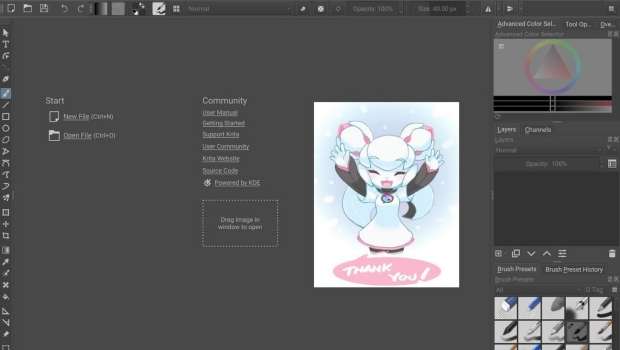
Hay que destacar que, a diferencia de las tiendas para Windows y Steam, no se solicita dinero para Krita en esta tienda pero se puede comprar una insignia de apoyo a la aplicacióna para sostener su desarrollo.
En el anuncio se especifica la forma de instalar Krita en tabletas con Android.
Otras pequeñas novedades
En cuanto a otros pequeños avances vale la pena destacar que:
- KIO Fuse ha realizado su primer lanzamiento beta este mes.
- También han llegado correcciones de errores para
- El gestor de colecciones Tellico, con un diálogo de filtrado actualizado que le permite realizar búsquedas con texto vacío.
- En el navegador de la red local SMB4K se ha corregido la forma de guardar preferencias durante el cierre.
- Los desarrolladores del IDE KDevelop han realizado una actualización para los repositorios de KDE que se han trasladado.
- El proyecto KDE Homebrew, que ha estado funcionando de forma externa a KDE durante un tiempo, se ha trasladado a KDE para convertirse en parte de nuestra comunidad y facilitar a los usuarios
Más información: KDE
Recopilación del boletín de noticias de la Free Software Foundation – julio de 2020
Boletín de noticias relacionadas con el software libre publicado por la Free Software Foundation.

La Free Software Foundation (FSF) es una organización creada en Octubre de 1985 por Richard Stallman y otros entusiastas del software libre con el propósito de difundir esta filosofía.
La Fundación para el software libre (FSF) se dedica a eliminar las restricciones sobre la copia, redistribución, entendimiento, y modificación de programas de computadoras. Con este objeto, promociona el desarrollo y uso del software libre en todas las áreas de la computación, pero muy particularmente, ayudando a desarrollar el sistema operativo GNU.
Además de tratar de difundir la filosofía del software libre, y de crear licencias que permitan la difusión de obras y conservando los derechos de autorías, también llevan a cabo diversas campañas de concienciación y para proteger derechos de los usuarios frentes a aquellos que quieren poner restricciones abusivas en cuestiones tecnológicas.
Mensualmente publican un boletín (supporter) con noticias relacionadas con el software libre, sus campañas, o eventos. Una forma de difundir los proyectos, para que la gente conozca los hechos, se haga su propia opinión, y tomen partido si creen que la reivindicación es justa!!
- En este enlace podéis leer el original en inglés: https://www.fsf.org/free-software-supporter/2020/july
- Y traducido en español en este enlace: https://www.fsf.org/free-software-supporter/2020/julio

Puedes ver todos los números publicados en este enlace: http://www.fsf.org/free-software-supporter/free-software-supporter
Después de muchos años colaborando en la traducción al español del boletín, desde inicios de este año 2020 he decidido tomarme un descanso en esta tarea.
Pero hay detrás un pequeño grupo de personas que siguen haciendo posible la difusión en español del boletín de noticias de la FSF.
¿Te gustaría aportar tu ayuda en la traducción? Lee el siguiente enlace:
Por aquí te traigo un extracto de algunas de las noticias que ha destacado la FSF este mes de julio de 2020
Las patentes de software frenan el progreso — inclusive en el sector de la salud
Del 22 de junio
El viernes 8 de mayo, la oficina de patentes y marcas de los Estados Unidos (USPTO) anunció un programa piloto de evaluación prioritaria para COVID-19. Modificado para parecer una respuesta útil a la pandemia global, es realmente lo contrario. Bajo el programa, la USPTO va a eximir de algunos pagos asociados con la aplicación acelerada de la revisión de patentes sobre trabajos que requieren de la aprobación de la entidad de administración de drogas y alimentos de los Estados Unidos (FDA). Ellos también trabajaran para que estas aplicaciones sean concedidas dentro de seis meses.
Estos cambios harán que las personas puedan obtener patentes de manera mas fácil y rápida sobre cualquier tecnología relacionada con la pandemia, incluyendo patentes de software. No esta dentro de nuestro alcance determinar el impacto de otro tipo de patentes; pero sabemos específicamente que ellas son terribles para el software y en un momento como el actual, en el que el software es critico para salvar vidas, acelerar las aplicaciones para patentes de software solo causarán daño.
Dando mis clases en el MIT sólo con software libre
Del 10 de junio por Gerald Jay Sussman
Esta primavera (2020), el Instituto Tecnológico de Massachusetts (MIT) migró todas sus clases a internet debido a la pandemia COVID-19. Dispuso licencias para varios programas no libres, pero por principios me opuse a ellos. Para mi clase, una clase avanzada de programación informática, hice arreglos para evitar sugerir cualquier software no libre a mis estudiantes.
En su lugar, usé una instalación de BigBlueButton ejecutándose en un servidor propiedad de la FSF. Rubén Rodriguez de la FSF me ayudó a conseguirlo y el funcionamiento de otro software.
En cuanto al nombre de Git y de la rama
Del 23 de junio por la Software Freedom Conservancy
Tanto Conservancy como el proyecto Git son conscientes de que el nombre inicial de la rama, “master,” resulta ofensivo para algunas personas, y sentimos empatía con aquellos que se sienten afectados por el uso de ese término.
Como primer paso, Git añadirá un mecanismo para permitir a los usuarios especificar el valor por defecto usado como el nombre de la primera rama al crear un nuevo repositorio. Además, de acuerdo con la gestión de su proyecto, Git ha emprendido un proceso comunitario para explorar la posibilidad de cambiar el nombre de la primera rama creada automáticamente para los nuevos repositorios aparte de “master.” Ese cambio se está discutiendo actualmente en nuestra lista de correo. Como siempre, los cambios en el núcleo de Git minimizarán la interrupción para los usuarios de Git e incluirán períodos de depreciación apropiados.
Los derechos digitales y el movimiento Black-led contra la violencia policial
Del 25 de junio por la Electronic Frontier Foundation (EFF)
Las vidas negras importan en las calles. Las vidas negras importan en Internet. La EFF está con las comunidades que lloran a las víctimas de los homicidios policiales. Apoyamos a los manifestantes que son arroyados por los patrulleros.Estamos con los periodistas esposados o a los que se les dispara mientras informan sobre estas atrocidades. Y estamos con todos aquellos que usan sus cámaras, teléfonos y herramientas digitales para asegurarse de que no podemos apartarnos de la verdad.

Estas son solo algunas de las noticias recogidas este mes, pero hay muchas más muy interesantes!! si quieres leerlas todas (cuando estén traducidas) visita este enlace:
Y todos los números del “supporter” o boletín de noticias de 2020 aquí:

—————————————————————
Podman - unable to pull image
Today, while pulling the latest Nextcloud container image from the docker.io repository I noticed that it is failing. Looking at the read: connection reset by peer error I assume it could be primarily due to network failure; maybe poor quality of the connection.
Note that Mauritius is far from "everywhere" else and connectivity issues are nothing new.
ish@coffee-bar:~> podman pull docker.io/library/nextcloud
Trying to pull docker.io/library/nextcloud...
Getting image source signatures
Copying blob e0276193a084 done
Copying blob eb2d00c10344 done
Copying blob 3a60f364b0c5 done
Copying blob e0d3d1244592 done
Copying blob f54006e0dc29 done
Copying blob 8559a31e96f4 done
Copying blob b22875b95a2a done
Copying blob f65316e96b10 done
Copying blob 3e309988c00b done
Copying blob 0c78caf16ec3 [======================================] 13.1MiB / 13.2MiB
Copying blob 4fc30aae7ee5 done
Copying blob 37b016cacdc6 done
Copying blob fd56bf3cc539 done
Copying blob e3cd35f544b5 done
Copying blob 467fea8f6f80 done
Copying blob 0dc7444f9282 done
Copying blob 547ae6684264 done
Copying blob 3139b6de5be7 done
Copying blob 00e77223b529 done
Copying blob 2b37e3b3a856 done
  read tcp 192.168.100.6:33536->104.18.124.25:443: read: connection reset by peer
Error: error pulling image "docker.io/library/nextcloud": unable to pull docker.io/library/nextcloud: unable to pull image: Error writing blob: error storing blob to file "/var/tmp/storage720474498/10": read tcp 192.168.100.6:33536->104.18.124.25:443: read: connection reset by peer
Podman does not retry to copy the image in case of failures.
A few days ago there was a suggestion to implement a similar feature in Podman that is present in Buildah, which provides the "image copy retry" functionality.

For the curious, the implementation of retryCopyImage in Buildah can be seen here.
Container images that are pulled by Buildah are stored in the local repository which can also by accessed by Podman, so that's an advantage. I tried pulling the Nextcloud container image using Buildah and it completed successfully.
ish@coffee-bar:~> buildah pull nextcloud
Getting image source signatures
Copying blob e0d3d1244592 done
Copying blob 8559a31e96f4 done
Copying blob eb2d00c10344 done
Copying blob 3a60f364b0c5 done
Copying blob f54006e0dc29 done
Copying blob e0276193a084 done
Copying blob f65316e96b10 done
Copying blob b22875b95a2a done
Copying blob 3e309988c00b done
Copying blob 0c78caf16ec3 done
Copying blob 4fc30aae7ee5 done
Copying blob 37b016cacdc6 done
Copying blob e3cd35f544b5 done
Copying blob fd56bf3cc539 done
Copying blob 467fea8f6f80 done
Copying blob 0dc7444f9282 done
Copying blob 547ae6684264 done
Copying blob 2b37e3b3a856 done
Copying blob 00e77223b529 done
Copying blob 3139b6de5be7 done
Copying config 327476ebe3 done
Writing manifest to image destination
Storing signatures
327476ebe3280c7b570d8463edd136956eab120959976b643cb7dbfaa73f98c1
Now, the downloaded container image is also accessible by Podman.
ish@coffee-bar:~> podman images
REPOSITORY                     TAG      IMAGE ID       CREATED        SIZE
docker.io/libreoffice/online   latest   0586fecfa3c1   28 hours ago   2.84 GB
docker.io/library/nextcloud    latest   327476ebe328   3 days ago     774 MB
To conclude, while we are waiting that a retryCopyImage function is available in Podman, we can use Buildah to pull container images that are troublesome due to network issues.