princeofgiri
Starting EndlessOS
Did you know about EndlessOS? you can read here.
Since end of October, I’m joining Endless Ambassadors Programme. And on November 3rd until November 5th, we have reatreat in Jogjakarta with others Ambassador and Endless employee.
Today, I’m decide to use EndlessOS as my daily OS. I wanna try it, if it’s can fit with me or not. Before using EndlessOS, I’m using Ubuntu and Debian. Personally, since it’s using Linux, I have no struggle on it.
But EndlessOS is different. I according to my first impression before (I install it on another computer), it’s good for new comers but not for advance users.
Right now I’m using EndlessOS 3.3 on my X1 Carbon that using Intel Core i7 5600U and single boot. I’m downloading from Buaya. Yes that’s local repository. It’s because more faster than from the original download source.
First Impression
Fast!
Yes it’s fast, from boot until going to desktop. Even faster than BlankOn.
Nice
I love the wallpaper.

Just Work
My laptop just work on it. Everything seems ok even I have some notes and I will put on last section of this post.
App Center
After installing, I need to make sure that my needs are ready in App Center, so I just randomly look at that.
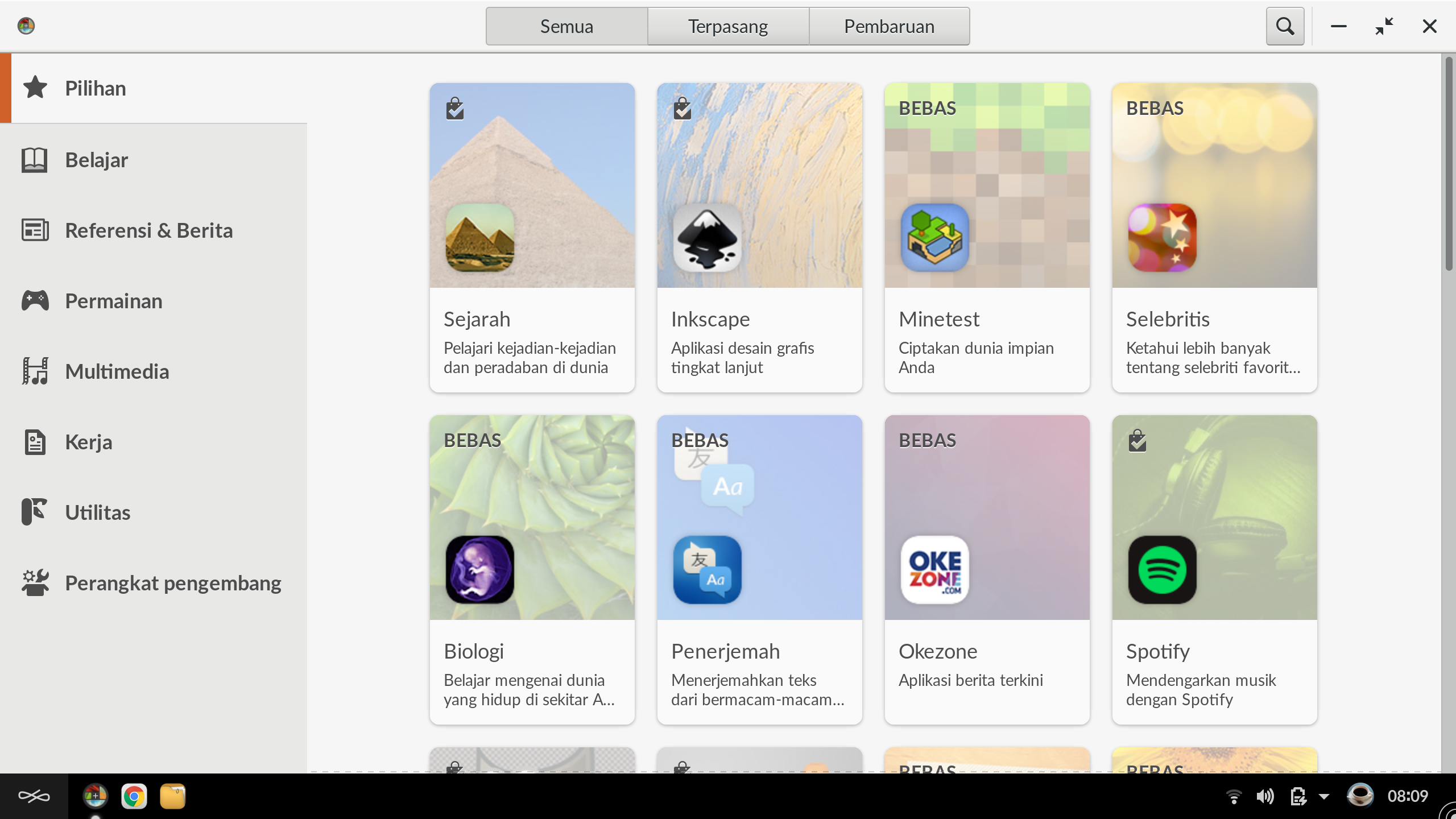
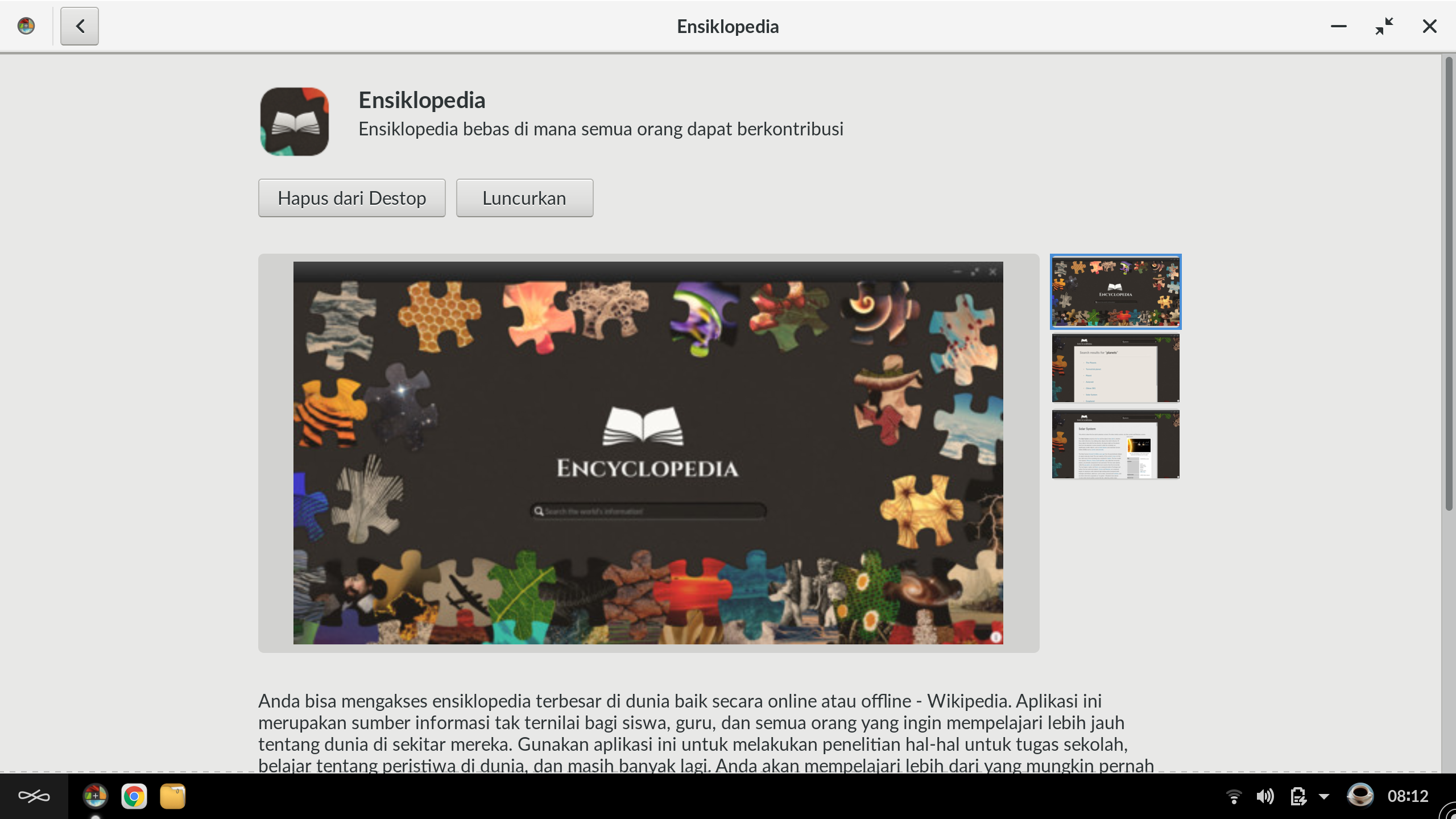
There’s local encyclopedia, so you don’t need to connect internet everytime.
And there’s also Android Studio.
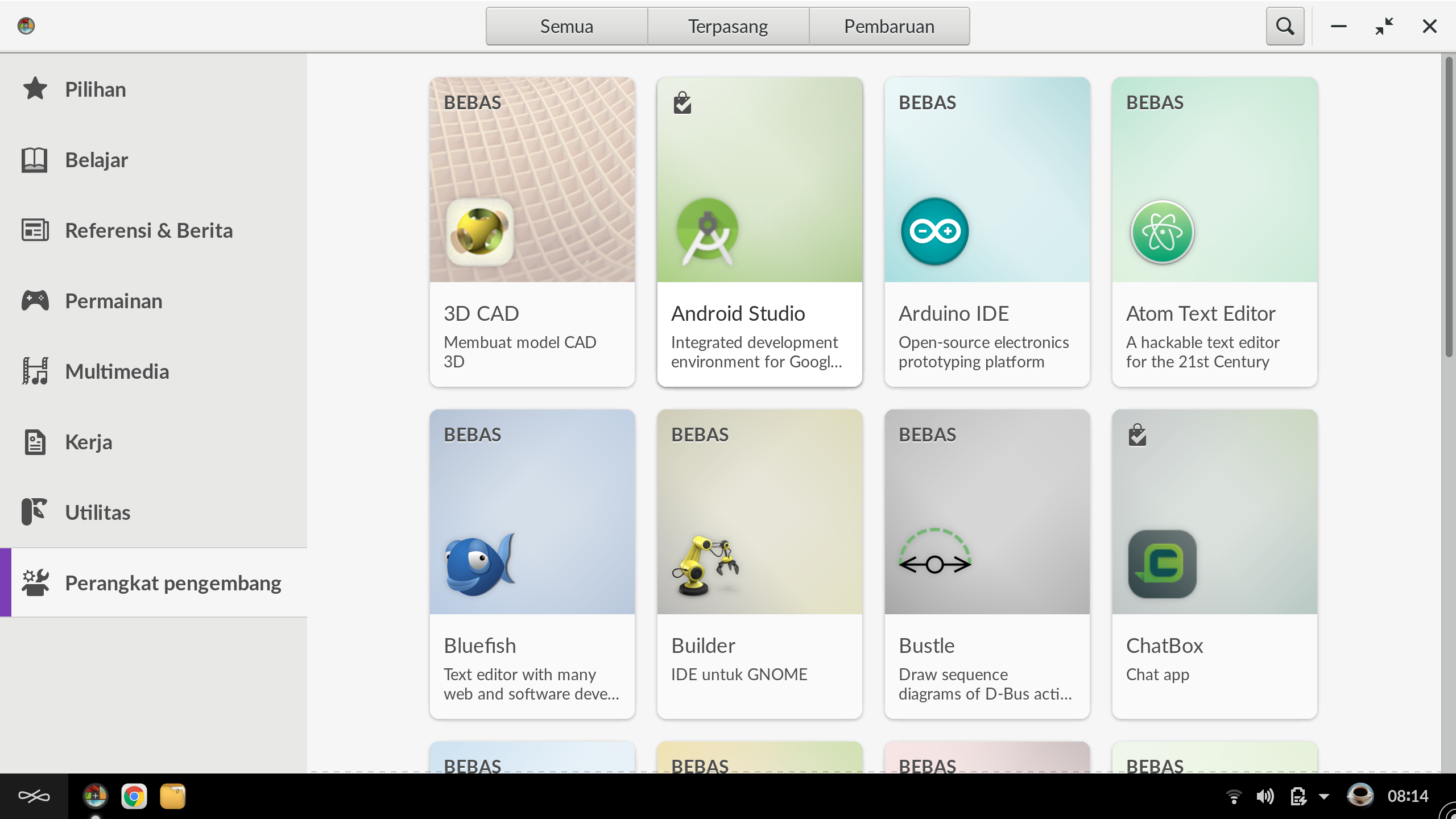
I install some of them according to my needs. They’re success installed on my system. One or two seem has problem when downloading the package. I was wondering that’s because internet connection not good. As far I know, that’s need international connection and mostly, this country connection not good at that.

There’s some “weird” in App Center. It’s has two GIMP. Probably it can make new comers feel confuse at first time. They need to choose which one is the “real” one.

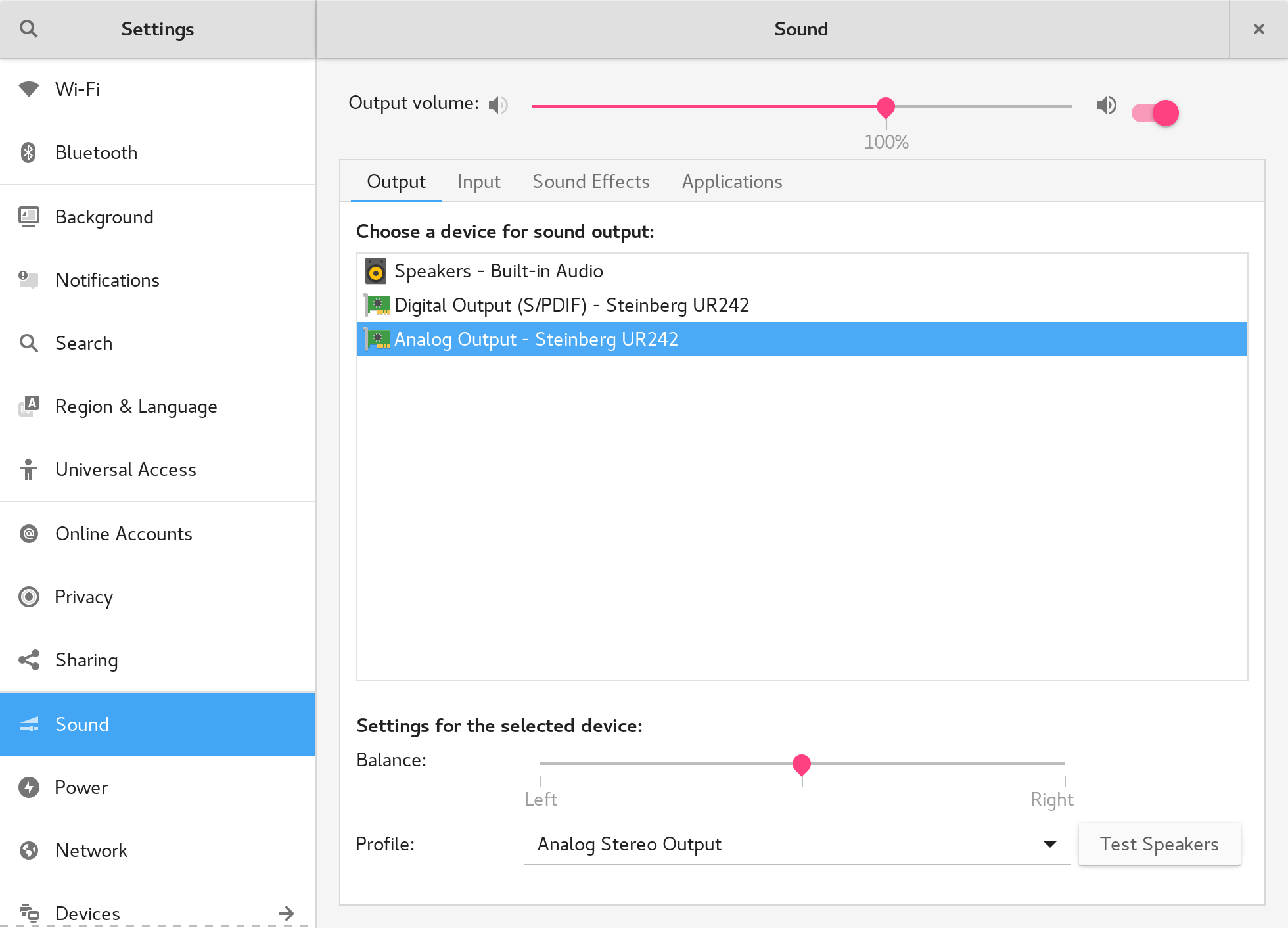
Steinberg UR242

My external soundcard is working here (even I just only playing music from youtube). I have Steinberg UR242. And it’s smoothly can play song from youtube.

What is missing?
TuxGuitar – Yeah! there’s no tuxguitar in App Center right now. This is my “must have apps all the time”.
Ardour – this is also in my list of apps.
Thunderbird – I can’t find it in App Center. My office use it and I already has backup from previous installation.
VirtualBox – No virtualbox. 
Touchpad – My touchpad always stopped to able to scroll after suspending system (or close the screen). It’s happen in Ubuntu 17.10, and can be solved by installing xserver-xorg-input-synaptics.
Telegram Desktop – It’s not working for me. It’s always force close when I input phone number.
Translations
I found some translation that not fit (yes of course I can help to make better translations).


Sydney OpenStack Summit - Started
 Today the OpenStack Summit started in Sydney with the keynotes. This time the keynotes are only on the first day, which is really nice since it's only a 3 days event - more time for the presentations.
- Multicloud requirements and implementations: from users, developer, service providers (Panel, Mon 6 , 2:20pm-3:00pm, step in for Kurt Garloff from T-Systems)
- Email Storage with Ceph (Lightning Talk, Tue 7 , 9:15am-9:25am)
- Vanilla vs OpenStack Distributions - Update on Distinctions, Status, and Statistics (Presentation, Wed 8 , 9:00am-9:40am)

 Member
Migrated to Hugo
openSUSE.Asia Summit 2017
During the preparation we have online meeting every week since February 15, 2017. I was so happy to help the preparation of this yearly openSUSE Summit for Asia Region. Indonesia community also contribute to provide the online voting for the logo contest this year through the voting site.
On the midnight on October 17, 2017 together with my friend Estu Fardani, I went to Tokyo.

It was 7 hours long flight. While almost half of the flight was so bumpy because the initiation of Lan Cyclone, in the morning of October 18, 2017 I enjoyed the clear sky with the golden hour in Japan air around Okinawa prefecture.

After the good landing on Haneda Airport, I passed the immigration gate. What a surprise that my friend, Takeyama san already waiting us in the arrival gate with the openSUSE.Asia Summit 2017 flag on his hand. That was an enjoyable moment. Arigatou Takeyama san.

To make it short, well a lot of story to be written event that I just arrive in Haneda, I bought the Pasmo Card which is a must for every foreigner in Tokyo. After that I setup the Hongkong 3G/4G card which I bought cheap on the Internet and roaming auto-magically to the Japan Softbank network. Now we ready to experience the complicated yet superior Tokyo train and it's station :-)
On 7 PM October 20 night, Takeyama san and Japan local committee invite all of speakers to UEC. They organized a special welcoming party. I was so glad that I met with Richard, Ludwig, Ana, Andreas, Takeyama, Hato-chan, Ogasawara, Sunny, Zhao Qiang, Max Lin, Ben Chou and many others from local committee and libreoffice japan. 11 from 12 Indonesian speakers attended this welcome party, me, Yan, Andi, Tonny, Kukuh, Estu, Moko, Saputro, Dhenandi, Alin, Umul. Only Sendy did not attend on that occasion. Anyway, thanks to all of you.

On October 21, the first day of the summit started on 9.30 AM. There is an opening speech by Takeyama san from the local committee. It follows by Richard Brown, chairman of openSUSE Board with his keynote speech "openSUSE - A Reintroduction"

The first day complete schedule can be seen from OSEM.
I follow almost all the class on Main Room, except from 13:30 - 14:30 I follow Alcho class on workshop place.

My schedule is at the end of the day 1 on Main Room. It is a very challenging presentation because almost all of us is already exhausted and tired. At 5.15 PM I stand in the Main Room to give my presentation.

After day 1 finish, the friendly local committee ask all the participants to have a dinner. Thanks to Japan Team that provide halal food for us, you're all very kind! We eat so much until around 9 PM :-) and went back to our hotel after that.

The day 2 start at around 9.30 AM. Beside me and Dhenandi, who had the presentation on day 1, almost all Indonesian speakers will give the presentation on day 2. It was very difficult to choose which class I should follow because the speakers and materials are all awesome!
Actually my personal target to encourage many Indonesia young speakers to come to this Summit is to give them the opportunity to meet and have the conversations with other openSUSE contributors from all over the world directly face to face. Hopefully it can increase their confidence and in the end they can also become the better contributor in the future. They are not perfect and even one of the fellow speaker said that Indonesian-English is one of the worst English in the world :-) . I have to admit that English of my fellow Indonesian speakers are not good, I know. Nevertheless, I'm really proud of them, they can handle the language barriers and not being trapped by the inferior complex :-)
Ah we also did not forget to take a group photo

Takeyama san and local committee had been so kind to us to make a one-day tour after the summit. On Monday October 23, we had a great time visiting Asakusa temple, Skytree and Akihabara.

openSUSE.Asia Summit 2017 was a wonderful experience for me. Thank you openSUSE, SUSE, our lovely communities, and Japan local committee. See you next year for the openSUSE.Asia Summit 2018.
Flickr photo of the summit can be seen on:
[1] my flickr photo album
[2] openSUSE.Asia Summit 2017 flickr group album
openSUSE, Tokyo, Ansible; Story Tales
“Cerita dari Negeri Matahari Terbit”
Foto diambil dari album openSUSE Asia Summit 2017. Thanks Pak Edwinz, Dhenandi, Kukuh, Takeyama, Pak Yan atas fotonya.

This is my third time join openSUSE Asia Summit. Previously at Taiwan, Dec 2015. And last year at Yogyakarta. Last year I join as event coordinator for openSUSE Asia Summit 2016. and present as workshop speaker with tittle Manage Log using ELK Stack in openSUSE.
I came again as workshop speaker with title Testing Ansible Roles using Molecule at openSUSE.
This year, we went from Indonesia with big team. 11 people except me with various background. There are:
- M. Edwin Zakaria, veteran contibutor for openSUSE since 1999, https://events.opensuse.org/conference/summitasia17/program/proposal/1572
- Andi Sugandi, teacher on High School, former President of openSUSE Indonesia Community. https://events.opensuse.org/conference/summitasia17/program/proposal/1608.
- Sendy Aditya Suryana, last year join as Volunteer Coordinator for openSUSE Asia Summit 2016, https://events.opensuse.org/conference/summitasia17/program/proposal/1534
- Yan Arief Purwanto, since long-long time ago part of openSUSE Indonesia Community. https://events.opensuse.org/conference/summitasia17/program/proposal/1614.
- Kukuh Syafaat, president of openSUSE Indonesia Community, https://events.opensuse.org/conference/summitasia17/program/proposal/1502.
- Syah Dwi Prihatmoko. Currently working as DevOps Engineer at KodeKreatif. Last year join as Speaker too, https://events.opensuse.org/conference/summitasia17/program/proposal/1544.
- Saputro Aryulianto, working as OpenStack Engineer Certified at PT. Boer Technology (Btech), https://events.opensuse.org/conference/summitasia17/program/proposal/1570.
- Umul Sidikoh. Student at STT NURUL FIKRI, last year join for first time as speaker at openSUSE Asia Summit 2016 Yogyakarta. https://events.opensuse.org/conference/summitasia17/program/proposal/1616.
- Alin Nur Alifah. Working as Programmer at Universitas Pertanian Bogor, https://events.opensuse.org/conference/summitasia17/program/proposal/1590.
- Tonny Sabastian, working as CTO at Peentar.id, https://events.opensuse.org/conference/summitasia17/program/proposal/1548.
- Muhammad Dhenandi Putra, working as Engineer at PT. Excellent Infotama Kreasindo, https://events.opensuse.org/conference/summitasia17/program/proposal/1520.
One Day Before Summit
Committee invite us for welcome party at University. Many new people join. Cozy moment. Some people say hallo, talking about their project, about difference culture, community etc.


Day One Summit

Its rainy day, little bit cold, 12 degree Celsius.
Summit be opening by Takeyama-san with receive album of summit from Indonesia Team as Host for last year to Japan Team.
First Keynote speaker from Richard Brown, Chairman of openSUSE Board), talk about openSUSE update from Nuremberg. Then Omo-san (Kazuki Omo) talk about security at FOSS. Ludwig Nussel from SUSE give talk about roadway to openSUSE Leap 15 which will be release at April 2018.
Lunch break. We all going to Surabaya Restaurant. Of course Indonesia food.

After lunch, various speaker start present on parallel class room.


Day one close by some of lightning talk. And Committee invite dinner with all volunteers and speakers.

Day one end.
Day Two Summit
Weather still cold, and typhoon Lan will arrive Tokyo tonight.
Opening by Takeyama. Talk about who the behind summit this year. And we add special gift, pair of shoes with openSUSE Logo from Sepatu Fans for the best volunteer.

Day two is part of LibreOffice Mini Conference. Some interesting topic; “The Office Suite with Mixing Bowl Culture” by Naruhiko Ogasawara and “A War of File Format ODF vs OOXML” by Franklin Weng.

My workshop will be last slot after tea break. Not many people join my workshop. Demo working smoothly. And gladly, taking 90 minutes, my workshop finish.
Day two summit closing by some lightning talk.

One Day Tour
After typhoon last night, sky very bright. No cloud can be see.
Our destination Asakusa, Tokyo SkyTree, dan Akihabara.


Tuesday, Time to back home

Thanks for committee to allow me bring my presentation and openSUSE who bring me a travel support. Thanks Japan Team, Takeyama-san, Naruhiko Ogasawara, Shinji Enoki.
Thanks to Binar Academy and Peentar to allow me attend this conference.
See you next year.
Estu~

Plasma Mobile Roadmap
 In the past weeks, we have noticed an increased interest in Plasma Mobile from different sides. Slowly, but surely, hardware vendors have discovered that Plasma Mobile is an entirely different software platform to build products on top of. For people or companies who want to work or invest into Plasma Mobile, it’s always useful to know where upstream is heading, so let me give an overview of what our plans are, what areas of work we’re planning to tackle in the coming months and years, where our focus will be and how it will shift. Let’s talk about Plasma Mobile’s roadmap.
Our development strategy is to build a basic system and platform around our core values first and then extend this. Having a stable base of essentials allows us to focus on an achievable subset first and then extend functionality for more and more possible target groups. It avoids pie-in-the-sky system engineering something that will never be useful and designed for a unicorn market that never existed. Get the basics right first, then take it to the next levels. These levels are:
- Prototype (already finished)
- Feature Phone
- Basic Smartphone
- Featured Smartphone

Let’s look at these steps in detail.
Prototype and Product Vision
The first public release of Plasma Mobile was this prototype. It showed a very basic and incomplete-for-daily-use system on actual, modern smartphone hardware. You could make phone calls, start and manage apps, and manipulate some basic system functionality. It showed a smartphone system based on Plasma could be done, and more importantly, it taught us a lot about where we want to take things on a technical level.
Along with the prototype, we developed a product vision for Plasma Mobile, a direction where we want to take it (emphasis added by yours truly):
“Plasma Mobile aims to become a complete software system for mobile devices. It is designed to give privacy-aware users back the full-control over their information and communication. Plasma Mobile takes a pragmatic approach and is inclusive to 3rd party software, allowing the user to choose which applications and services to use. It provides a seamless experience across multiple devices. Plasma Mobile implements open standards and it is developed in a transparent process that is open for the community to participate in.”
Feature Phone
The feature phone milestone is what we’re working on right now. This involves taking the prototype and fixing all the basic things to turn it into something usable. Usable doesn’t mean “usable for everyone”, but it should at least be workable for a subset of people that only rely on basic features — “simple” things.
Core features should work flawlessly once this milestone is achieved. With core features, we’re thinking along the lines of making phone calls, using the address book, manage hardware functions such as network connectivity, volume, screen, time, language, etc.. Aside from these very core things for a phone, we want to provide decent integration with a webbrowser (or provide our own), app store integration likely using store.kde.org, so you can get apps on and off the device, taking photos, recording videos and watching these media. Finally, we want to settle for an SDK which allows third party developers to build apps to run on Plasma Mobile devices.
Getting this to work is no small feat, but it allows us to receive real-world feedback and provide a stable base for third-party products. It makes Plasma Mobile a viable target for future product development.
Basic Smartphone
The basic smartphone extends the feature set of Plasma Mobile to a wider group of target users. The plan is to add personal information management features, such as reading and sending emails, calendaring and reminders. We also want to add file management capabilities in this milestone, because we think that the user should be able to deal with the data in her phone in the most transparant way, and file management is something that allows users to look into the fabric of their data, and that of the phone itself. Another big topic for the Basic Smartphone milestone is extending the app ecosystem through third-party and original applications to allow the user to do more things with the device.
Featured Smartphone
For the featured smartphone, we want to add more system-level integration features such as deeply integrated private cloud storage and have grown our own ecosystem with more apps and of course games. An often requested feature is support for Android apps. Supporting Android apps could give Plasma Mobile a huge boost in terms of possible target groups, since it allows users to switch away from Android more easily, even when they are requiring a few apps and can’t really live without these. Being able to run Android apps on a Plasma Mobile device can ease the transition considerably and it allows us to capture potential target user groups that rely on proprietary services which Plasma Mobile, at first, cannot serve simply because as a smaller player, it’s not an attractive enough platform to have the likes of WhatsApp develop native clients for.
When it’s ready!?
On purpose, we did not add a specific timeline to this roadmap for two reasons: First, Plasma Mobile is a participative project, if you want to see something done, get involved. We’re not running the show all by ourselves. We want to create an open eco system where people who do the work decide on its direction. This means if you get involved, you can help us shape the future of mobile computing instead of being just a code monkey that does what someone else has decided. Secondly, we don’t want to deliver half-assed software just because we set a timeline. We want to create quality software to build products upon. If you or your company want to ship on a specific date, work with us and we’ll plan together. We won’t make promises when something is ready beforehand, but as an upstream project, we want to ship “when it’s ready”. This “when” depends on all our input and hard work. So don’t sit in your armchairs and wait for someone else to do the heavy lifting, but let’s get cracking!
OpenStack Sydney: Turning one into two
 Last week I started to update/prepare the slides for my Lightning Talk ("Vanilla vs OpenStack Distributions - Update on Distinctions, Status, and Statistics") at the OpenStack Summit in Sydney (November 6-8, 2017). But then I have been asked by the Summit Speaker Support to present on the same topic also in a 40 min slot. No problem, but I didn't like to speak twice about the same. I asked to use the Lighning Talk for another topic on Ceph: "Email Storage with Ceph".
openSUSE.Asia Summit 2017


AG Open Source and our responsibilities
Last semester I founded the AG Open Source at our university. We are organizing workshops and hackathons in cooperation with open source projects/ companies. Our students should learn more about open source development and how to contribute. The difference to the Friedrich-Alexander-University and their professorship in open source development is that we want to learn the real practice by professionals.
After 3 months we had a reputation. The AG Open Source should be open for other faculties, too. EFI (electronic – fine mechanics – information technology) has been interested for our events. So students in Computer Science and Electronics are receiving basic courses in Linux and using git. In addition, we create a program which is different every semester. Last semester we had topics like security and the ownCloud hackathon. This semester our focus is on monitoring and docker.
I am the Lead of the AG Open Source. I am educating other students in the student council for different positions in the AG. We need an additional lead. So I have one student as a Junior Lead who is being taught in organization, email writing and publishing by me. Two other students want to become Linux Trainers. They have to know all about the cooperation with other AGs in the student council and their processes, too.
Last semester I was the Linux Trainer in all Linux workshops. One (advanced) student supported me with running through the lines and looking for different students. Other students in my semester are interested for this job this semester, too. Last week we received the request for a Linux course for advanced Linux users parallel to the Linux course for beginners. So I am teaching one student to pick up my course for beginners. Next semester we’ll use 2 rooms for this event. I’m planning the course for Advanced Linux Users.
Since this week we are responsible for a new task at our university: Linux
support for students
A EFI student stood in the door of our student council for Computer Science and said: „I’m not from this faculty, but I need Linux support by the AG Open Source. Nobody else can help me. I was in the data center. They want to support only Windows. I can’t find anybody at our faculty, too.“
The data center has reconfigured eduroam. That’s the Wifi for students and professors. We need additional entries for Linux systems and a new certificate now. I configured his Wifi and I know: I have to educate Linux Supporters for our AG. On our internal homepage openSUSE and Android are listed as supported operating systems (Linux) by the data center, but our Sysadmins don’t know what to do there. All students are coming to the student council for Computer Science now, because they are receiving Linux workshops by us.
Our AG Open Source is growing, but our responsibilities are growing, too!
The post AG Open Source and our responsibilities first appeared on Sarah Julia Kriesch.
Steinberg UR242 Ubuntu 17.10
Bulan ini saya jajan kartu suara baru buat bermain gitar. Sebelumnya nyoba beberapa kartu suara hasil minjem dari beberapa teman. Atas rekomendasi pakar studio rekaman Nada Musika, terpilihlah Steinberg UR242.

Saya colokkan ke USB di MacOS, langsung ketedek. Saya langsung optimis bahwa ini akan berfungsi di linux (kecuali fitur DSP, karena saya belum tau entah ada atau tidak di linux). Dan benar saja, dicolokkan ke Ubuntu 17.10 langsung jreng.