
 smithfarm
Set up Linux box as a router
- one Linux box with multiple Ethernet interfaces
- at least two networks with segments assigned
- a desire to make the Linux box route packets between the networks
Read more »

Greetings OpenStack Planet!
-C
 Member
Finally booting any kernel
Since last time I had kernel source code repository and initramfs used in stock kernel and I thought that the way to boot will be easy. Unfortunatelly there are several facts I needed to accept and tasks I needed to do. This will give you idea what have I done in the meantime:
- to be able to flash or boot kernel I needed to unlock bootloader -
Sony is respectable that it offers way to unlock your bootloader
(with loosing or reducing warranty though)
- if you want to be able to re-lock your bootloader, you need to backup your TA partition, before unlocking (you'll need root for that)
-
unlocking doesn't work well before latest Sony update (you'll loose some functionality when unlocking on 4.1)
-
updating to lastest Sony firmware will remove your root access
- the only way I found is slightly crazy, but works.
-
updating to lastest Sony firmware will remove your root access
At the end of this saga, I was running Sony's Android 4.3 with root access and I could start playing with fastboot's boot command. After plethora of unsuccessful attempts I get to know that it is crippled in Sony's bootloader and won't work - that was dead end for me. Flashing kernel using fastboot protocol worked but my experimental kernel didn't boot. Furthermore experimenting with kernel builds and flashing each of them would kill my flash memory very soon.
I left Sony's stock firmware and installed Cyanogenmod 10.2 which
works quite nice. I was able to build identical kernel by myself and could play further. I
tried to enable kexec() support in kernel but as you probably expect,
it didn't started the kernel correctly so this was also dead end for now.
People from FreeXperia community gave a lot of useful information about almost everything (i.e. proper location of boot kernel and meaning of other partition) and told me also about Little Kernel bootloader. Lilstevie even made port to Xperia Tablet Z already.
I need to have device initialized during boot before loading kernel and that is the job for Sony's bootloader. In LK bootloader scenario Sony's bootloader loads Little Kernel instead of Linux Kernel so Little Kernel doesn't have to care about HW initialization and can only load and run kernel. FreeXperia community used this method to have two separated images with kernels and initial ramdisk instead of one kernel+initrd which can behave both as normal boot or recovery. In this setup you don't have to worry about flashing wrong kernel anymore as it will be fixable even without computer access.
LK was already prepared so I could only grab binaries and flash it, with some minor differences - I used actual version of TeamWin recovery project, and Cyangenmod's boot.img. It worked nicely but only after applying this kernel patch I could use `adb reboot recovery' to get to recovery. Besides Little Kernel usefulness it has also one nice feature - it supports fastboot protocol as well and it's boot command implementation even works!
I spent some time on building my own LK binary (which seems to be very
sensitive to toolchain used) to be able to hack it as well. There is
currently missing screen support or led support for Xperia Tablet
Z sp it is hard to say when you enter or leave LK. I indicate that Little
Kernel is up and ready by polling using `watch -n 0 fastboot devices'.
After entering LK you have ~5 seconds to press VolDown button to
listen for fastboot interface.
And before end one less serious note. When I have seen logo.rle file in initrd image, I couldn't resist to play with that a bit. When you think Sony logo during boot is not nice anymore or when do you want to make it a bit more personal. You'll need installed ImageMagick, to565 (i.e. this), from565 (could be found here and ability to repack initrd image. To convert logo to some more sane format use:
$ ./from565 -rle < /Devel/xperia/logo.rle > logo.raw
$ convert -depth 8 -size 1920x1080 rgb:logo.raw logo.png
To convert sane format to the one used in initrd:
$ convert -depth 8 logo.png rgb:logo.raw
$ ./to565 -rle < logo.raw > logo.rle
Don't forget that initrd image is gzipped cpio archive of exact format:
$ cd initrd-unpacked
$ cp new-logo.rle logo.rle
$ find | cpio -o -H newc | gzip -9 > ../new-initrd.img
It seems that you can easily meet initrd size limit so don't use too complicated pictures.
That's all for today. After my second blog entry on this topic I can finally boot my own kernel (which currently panics) and have some initial terribly broken framebuffer console to even see the panic! Now I can focus on kernel itself.
Xperia, FOTA format
Long time no see. I got new Sony Xperia Z Tablet (WiFi, not LTE one) to play with and I thought that it would be nice device to run our openSUSE with my Enlightenment on that to combine cool hardware and cool software.
It seems that there is not much project targeted on running full blown Linux distribution on Android devices. You can meet Replicant (which is great anyway), you can meet Ubuntu Touch but that is almost all. So I decided to revive my old blog and write here my notes.
I played in past with HTC Desire Z with the same desire, but as I had very little time in the end, I didn't progressed significantly beyond interesting Hackweek project. I hope that this time it will do better and at least it is not my only mobile I'd wreck :)
I started with rooting the device, which was very simple thanks to the article on unlockr and the work of DooMLoRD. I prepared then openSUSE chroot on microSD card, automated chrooting process and installed some basic tools (gcc, git, mosh + ssh) and E17. To see I have working installation I used Android's native XWindow implementation.
To boot openSUSE I'd need to boot kernel with something like
root=/dev/block/mmcblk1p4(where my openSUSE partition is) or even provide my initramfs which will take care of mounting and other needed stuff. To be able to boot without bricking I need to find way how to provide kernel to bootloader without changing contents of flash.
fastbootshould do the job (at least it did with my HTC Desire Z attempts).
It seems that I can't influence kernel parameters for now so let's build own kernel with root device settings hardcoded. Sony provides repository with kernel source on github. Kernel configuration was not present so I took the one from Cyanogenmod project.
Let's have a look on internal flash to find some more information:
# fdisk -l /dev/block/mmcblk0
WARNING: fdisk GPT support is currently new, and therefore in an experimental phase. Use at your own discretion.

Disk /dev/block/mmcblk0: 15.8 GB, 15758000128 bytes, 30777344 sectors
Units = sectors of 1 * 512 = 512 bytes
Sector size (logical/physical): 512 bytes / 512 bytes
I/O size (minimum/optimal): 512 bytes / 512 bytes
Disk label type: gpt


#         Start          End    Size  Type            Name
 1          256         4351      2M  unknown         TA
 2         4352         4607    128K  unknown         sbl1
 3         4608         5119    256K  unknown         sbl2
 4         5120         5631    256K  unknown         s1sbl2
 5         5632         6655    512K  unknown         sbl3
 6         6656         7679    512K  unknown         aboot
 7         7680         8703    512K  unknown         tz
 8         8704         8959    128K  unknown         alt_sbl1
 9         8960         9471    256K  unknown         alt_sbl2
10         9472         9983    256K  unknown         alt_s1sbl2
11         9984        11007    512K  unknown         alt_sbl3
12        11008        12031    512K  unknown         alt_aboot
13        12032        13055    512K  unknown         alt_tz
14        13056        14079    512K  unknown         rpm
15        14080        15103    512K  unknown         alt_rpm
16        16384        49151     16M  Linux filesyste LTALabel
17        49152        90111     20M  unknown         boot
18        90112        91671    780K  unknown         modemst1
19        94208        95767    780K  unknown         modemst2
20        98304        99863    780K  unknown         fsg
21        99864       110103      5M  unknown         ramdump
22       110104       126487      8M  Linux filesyste apps_log
23       126488       159255     16M  unknown         FOTAKernel
24       159744      4354047      2G  Linux filesyste system
25      4354048      5480447    550M  Linux filesyste cache
26      5480448      6266879    384M  Linux filesyste B2B
27      6266880     30535646   11.6G  Linux filesyste userdata
And some basic identification of the partitions:
# file -s /dev/block/mmcblk0p{1..27}
/dev/block/mmcblk0p1:  data
/dev/block/mmcblk0p2:  data
/dev/block/mmcblk0p3:  data
/dev/block/mmcblk0p4:  data
/dev/block/mmcblk0p5:  data
/dev/block/mmcblk0p6:  Hitachi SH big-endian COFF object, not stripped
/dev/block/mmcblk0p7:  data
/dev/block/mmcblk0p8:  data
/dev/block/mmcblk0p9:  data
/dev/block/mmcblk0p10: data
/dev/block/mmcblk0p11: data
/dev/block/mmcblk0p12: Hitachi SH big-endian COFF object, not stripped
/dev/block/mmcblk0p13: data
/dev/block/mmcblk0p14: data
/dev/block/mmcblk0p15: data
/dev/block/mmcblk0p16: Linux rev 1.0 ext4 filesystem data, UUID=57f8f4bc-abf4-655f-bf67-946fc0f9f25b (extents) (large files)
/dev/block/mmcblk0p17: ELF 32-bit LSB executable, ARM, version 1, statically linked, stripped
/dev/block/mmcblk0p18: data
/dev/block/mmcblk0p19: data
/dev/block/mmcblk0p20: data
/dev/block/mmcblk0p21: data
/dev/block/mmcblk0p22: Linux rev 1.0 ext4 filesystem data, UUID=57f8f4bc-abf4-655f-bf67-946fc0f9f25b (needs journal recovery) (extents) (large files)
/dev/block/mmcblk0p23: ELF 32-bit LSB executable, ARM, version 1, statically linked, stripped
/dev/block/mmcblk0p24: Linux rev 1.0 ext4 filesystem data, UUID=57f8f4bc-abf4-655f-bf67-946fc0f9f25b (extents) (large files)
/dev/block/mmcblk0p25: Linux rev 1.0 ext4 filesystem data, UUID=57f8f4bc-abf4-655f-bf67-946fc0f9f25b (needs journal recovery) (extents) (large files)
/dev/block/mmcblk0p26: Linux rev 1.0 ext4 filesystem data, UUID=57f8f4bc-abf4-655f-bf67-946fc0f9f25b (extents) (large files)
/dev/block/mmcblk0p27: Linux rev 1.0 ext4 filesystem data, UUID=57f8f4bc-abf4-655f-bf67-946fc0f9f25b (needs journal recovery) (extents) (large files)
I have read somewhere that there is different format used than boot.img. I also found that there is already tool for extracting this format. Unfortunately it didn't work for me.
Fortunately the format was ELF executable used as container and we have tools for analyzing or manipulating that. So, it seems that FOTAKernel is kernel and initramfs in single ELF executable in mmcblk0p23.
# readelf -a mmcblk0p23-FOTAKernel ELF Header: Magic: 7f 45 4c 46 01 01 01 61 00 00 00 00 00 00 00 00 Class: ELF32 Data: 2's complement, little endian Version: 1 (current) OS/ABI: ARM ABI Version: 0 Type: EXEC (Executable file) Machine: ARM Version: 0x1 Entry point address: 0x80208000 Start of program headers: 52 (bytes into file) Start of section headers: 7720040 (bytes into file) Flags: 0x0 Size of this header: 52 (bytes) Size of program headers: 32 (bytes) Number of program headers: 2 Size of section headers: 40 (bytes) Number of section headers: 1 Section header string table index: 0 Section Header: [Nr] Name Type Addr Off Size ES Flg Lk Inf Al [ 0]You can see two program headers, offsets and filesizes. First entry is kernel's. To extract kernel you can simply use dd:LOUSER+53494e 00000000 75bc68 001000 00 0 0 0 Key to Flags: W (write), A (alloc), X (execute), M (merge), S (strings) I (info), L (link order), G (group), T (TLS), E (exclude), x (unknown) O (extra OS processing required) o (OS specific), p (processor specific) There are no section groups in this file. Program Headers: Type Offset VirtAddr PhysAddr FileSiz MemSiz Flg Align LOAD 0x000074 0x80208000 0x80208000 0x581698 0x581698 0 LOAD 0x58170c 0x82200000 0x82200000 0x1da55c 0x1da55c 0 There is no dynamic section in this file. There are no relocations in this file. No version information found in this file.
$ dd if=/dev/block/mmcblk0p23 of=vmlinuz skip=$((0x74)) count=$((0x581698)) bs=1To get to contents of initramfs you have to do some more steps:
$ dd if=/dev/block/mmcblk0p23 skip=$((0x58170c)) count=$((0x1da55c)) bs=1 | zcat | cpio -id
So, now I have original initramfs I can modify to boot from microSD card after all that HW specific black magic, I have kernel to use, so experiments with boot can start next time.
republished to get to planet.opensuse.org page
Being Current
It is not news that openSUSE, through to the effort of the openSUSE community KDE team, offers several third-party repositories for those who want the latest software from KDE. Since a while, stable releases were offered in the KDE:Release:4x repositories, created with every major release of KDE software. These were meant to offer the latest and greatest to the users without having them to track KDE:Distro:Factory, which is instead used to track packaging for the next openSUSE release and is more in a state of flux.
Then there are repositories which offer additional applications outside the main openSUSE KDE desktop packages, KDE:Extra (for stable releases) and KDE:Unstable:Extra (for development snapshots). In this case, they complement the already existing KDE repositories.
Given the rapid pace of development from KDE, which switched to 4 month based releases, this setup has shown some limits: the KDE:Extra and KDE:Unstable:Extra repositories would need to be built against each of the KDE:Release:4x ones, draining a lot of the build power available to the Open Build Service, and also maintenance was problematic, due to the number of repositories involved and the limited manpower at disposal of the openSUSE community KDE team.
This is why we’re announcing a change today: effective with the 4.12.4 release from KDE, the KDE:Release:4x repositories will be retired, replaced by a single resource which tracks the latest stable release from KDE, KDE:Current. This approach will greatly reduce the number of repositories to track and ease maintenance a great deal. KDE:Extra and KDE:Unstable:Extra will also be adjusted to offer KDE:Latest as build targets (and removing KR4x as well), with the net effect of saving a lot of OBS build power.
Of course, KDE:Current will include 4.13 packages once the official release is out.
Therefore, if you are a user of KDE:Release:4x, be aware that from tomorrow (at the same time as the 4.12.4 release)the repository will _cease to exist _and you should move to KDE:Current.
For questions and suggestions, feel free to drop by the #opensuse-kde channel on Freenode, or use the openSUSE KDE mailing list.
This post was brought to you by the bright (?) minds of the openSUSE community KDE team, with particular thanks to Raymond “tittiatcoke” Wooninck, who did most of the work
P.S.: No, this is not an April Fools’ joke. ;)
Magic Lantern @ LGM in Leipzig
… on Wednesday April 2nd. Their talk will begin 18:30 o’clock local time in the New Paulinum of the University of Leipzig.

Magic Lantern was started in 2009 by Trammel Hudson to bring professional video recording and advanced photographic features to Canon EOS DSLR cameras.
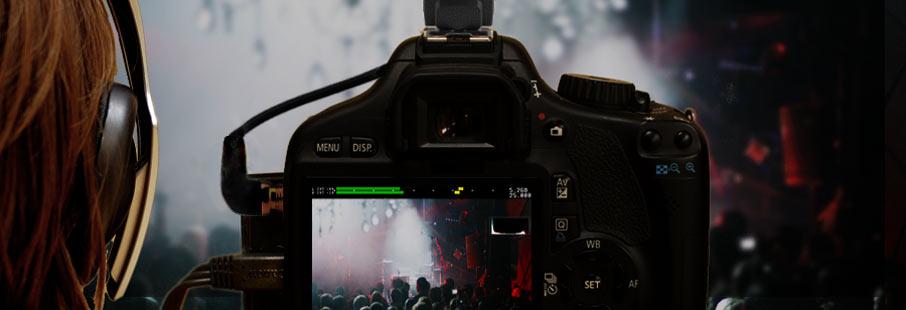
The project expanded and its feature set. Custom video overlays, raw video recording, time lapsed video, manual audio control and more belong to it. With these tools Magic Lantern greatly improved useability in many areas upon bare Canon firmware and is now daily used by many professional photographers, journalists and movie makers.

Einführungs- und Abschlußtexte voreinstellen
Es gibt gelegentlich die Frage, ob man Einführungs- und Abschlußtexte für Dokumente vorbelegen kann. Das heisst, wenn eine neue Rechnung erstellt wird, soll diese gleich einen vom Benutzer einmal festgelegten und vorbereiteten Standardtext voreingestellt bekommen. Das geht mit Kraft natürlich, nur ist das zugegebenerweise etwas versteckt.
Hier also die Schritt-für-Schritt Anleitung:
Die Standardtexte werden für jeden Dokumenttyp eingestellt, dh. eine Rechnung erhält einen anderen Standardtext als ein Angebot. Um die Vorlagetexte zu editieren, muss ein vorhandenes (oder neu erstelltes) Dokument geöffnet werden. Dann, um einen Einführungstext für den Dokumentkopf zu erstellen, muss auf den Kopfbereich gewechselt werden. Dann wird per Schaltfläche „Vorlangen Anzeigen“ in den Vorlagen-Auswahlmodus gestellt.

Vorlagetext anlegen.
Auf dem Beispielbild gibt es noch garkeine Textvorlage, also auch keinen Standardtext für den Dokumenttyp „Angebot“. Daher wird die Information in dem roten Feld angezeigt.
Ein Klick auf den Knopf mit dem Pluszeichen (Pfeil im Bild) öffnet einen Editor, mit dem ein neuer Text eingegeben werden kann.
Wichtig ist nun der Name dieses Textes, der in dem Editor im oberen Textfeld eingegeben werden kann. Als voreingestellter Text für neue Dokumente wird von Kraft der Text mit dem Namen „Standard“ verwendet.
Um also einen Standardtext für diesen Dokumenttext anzulegen, muss nur ein Vorlagetext mit dem Namen „Standard“ erzeugt werden. Das kann für jeden Dokumenttyp gemacht werden, und dieser Text wird dann bei neu angelegten Dokumenten des Types ausgewählt.
Natürlich können pro Dokumenttyp auch noch andere Vorlagetexte mit anderen Namen angelegt werden, die bei Bedarf ausgewählt werden können. Dazu wird der Name in der Liste ausgewählt und ein Klick auf den Pfeil übernimmt den Text in das bearbeitete Dokument.
openSUSE – proprietären Grafik-Treiber AMD FirePro and FireMV Unified Driver 13.251.1 als RPM installieren
AMD FirePro and FireMV Unified Driver (fglrx 13.251.1) wurde veröffentlicht und unterstützt Grafikkarten der Serie FirePro und FireMV. Das Skript makerpm-amd-unified-13.251.1.sh steht ab sofort zum Download zur Verfügung und unterstützt openSUSE 11.4, 12.1, 12.2, 12.3 sowie bis Kernel 3.9. Im aktualisierten Packaging Skript wurde openSUSE 13.1 freigeschaltet und eine Reihe von Kernel-Patches hinzugefügt. Somit ist der Treiber bis Kernel 3.14 lauffähig.
Eine Release Notes gibt es zu diesem Treiber offiziell noch nicht.
Eine kleine Bitte habe ich: Wenn irgendwelche Probleme mit dem Treiber auftauchen, scheut euch nicht mir zu berichten (Ich nehme deutsche und englische Bugreports gerne entgegen).  Ich werde versuchen, soweit es mir möglich ist, den gemeldeten Fehler zu reproduzieren. Zusammen mit den nötigen System-Informationen werde ich mich direkt an die richtige Stelle bei AMD wenden, um den Bug in der nächsten Treiber-Version beheben zu lassen. Danke schön.
Downloads:
Die Installation des AMD FirePro and FireMV Unified Treibers ist bis auf den Dateinamen des Skriptes nahezu identisch mit dem AMD Catalyst Treiber. Daher verweise ich auf die AMD Catalyst Installationsanleitung.
Installationsanleitung:
http://de.opensuse.org/SDB:AMD/ATI-Grafiktreiber#Installation_via_makerpm-amd-Skript
Über das makerpm-amd-Skript
Das Skript makerpm-amd-unified-13.251.1.sh ist sehr mächtig, robust und läuft vollautomatisch. Der AMD-Installer wird automatisch heruntergeladen, falls er nicht schon im Verzeichnis liegt. Zudem wird geprüft, ob die Grafikkarte vom Treiber unterstützt wird. Auf Wunsch wird nach dem Bau des RPM-Packages der fglrx-Treiber installiert.
Folgende Argumente können dem Skript übergeben werden:
| -b | Nur das RPM-Package bauen (Standard) |
| -c <type> | Nur X-Server konfigurieren. Monitor-Typ: single = 1 Monitor, dual = 2 Monitore (Wichtig: Nur ausführen, wenn es Probleme mit der Standardkonfiguration des X-Servers auftreten) |
| -d | Nur den AMD-Installer downloaden |
| -i | Das RPM-Package bauen und installieren bzw. updaten |
| -kms <yes|no> | Kernel-Mode-Setting (KMS) aktivieren oder deaktivieren |
| -nohw | Hardware-Erkennung explizit ausschalten. (z.B. beim Bau in einer VM) |
| -old2ddriver <yes|no> | den alten 2D-Treiber aktivieren oder deaktivieren |
| -r|–report | erstellt ein Report und speichert diese in eine Datei namens amd-report.txt |
| -u|–uninstall | entfernt AMD FirePro and FireMV Unified Driver restlos vom System. Zuerst wird das fglrx-Package (falls vorhanden) vom System deinstalliert. Danach werden vorhandene AMD-Dateien und -Verzeichnisse entfernt. Hinweis: Falls das Rebuild-Skript installiert wurde, wird es ebenfalls entfernt und das Initskript /etc/init.d/xdm wiederhergestellt. |
| -ur|–uploadreport | wie Option –report nur zusätzlich wird der Report auf einem NoPaste-Service sprunge.us hochgeladen und gibt bei Erfolg den Link zurück. |
| -h | Die Hilfe anzeigen lassen |
| -V | Version des Skript anzeigen |
Hilfe, es funktioniert nicht!
Bitte haltet folgende Regel ein:
- Bei der Eingabe der Befehle auf mögliche Tippfehler überprüfen.
- Möglicherweise ist die Lösung für das Problem im Wiki vorhanden.
- In Kommentaren lesen, ob eine Lösung zu einem Problem bereits existiert.
Wenn keines der o.g. Regel greift, dann könnt ihr mit eurem Anliegen an mich wenden. Damit ich euch helfen kann, müsst ihr erst vorarbeiten. Bitte ladet euch das Skript makerpm-amd-unified-13.251.1.sh herunter und erstellt einen Report von eurem System in der Konsole:
su -c 'sh makerpm-amd-unified-13.251.1.sh -ur'
Das Skript lädt das Report auf sprunge.us hoch und gibt anschließend einen Link aus. Diesen Link postet ihr in eurem Kommentar zusammen mit einer Beschreibung zu eurem Problem an mich. Ich werde mir euren Report anschauen und Hilfestellung geben, wo evtl. das Problem liegen könnte.
Feedbacks sind wie immer willkommen. 
openSUSE 13.1 Release Party [Austria]

This Monday 24.03, I will make a Release Party in Austria (Klagenfurt am Wörthersee) [1] , in collaboration with the local IEEE Student
Branch. Here you can find all the relevant information [2], [3],[4] and also download the poster of the event [5].
If you are in Austria or close to Klagenfurt , feel free to pass by the Party! 
Have fun!
Ilias R.
openSUSE – proprietären Grafik-Treiber AMD Catalyst 14.3 Beta V1.0 als RPM installieren
AMD Catalyst 14.3 Beta V1.0 (fglrx 13.35.1005) wurde veröffentlicht und unterstützt Grafikkarten ab Radeon HD 5000 und höher. Das Skript makerpm-amd-14.3-betav1.0.sh steht ab sofort zum Download zur Verfügung und unterstützt openSUSE 11.4, 12.1, 12.2, 12.3, 13.1 sowie bis Kernel 3.13. Zum Packaging Skript wurde ein Patch hinzugefügt und unterstützt bis Kernel 3.14
Nachfolgende Release Notes von AMD zum AMD Catalyst 14.3 Beta V1.0:
Folgende Probleme sind im Treiber behoben worden:
- [394848] – Xorg crashed playing AVI video file in VLC player or Parole player
- [394705] – „Nexuiz – Demo3“ Ubuntu performance lower than Redhat
- [394704] – „Nexuiz – Demo3“ Linux performance lower than Windows
Offene Probleme:
- [390964] : Stuttering and poor performance after playing an OpenGL game for a several minutes on Ubuntu
- [393377] : Terminal panel stops refreshing until there is movement from mouse cursor
- [392546] : System hang observed while hotpluging the stereo display
- [388835] : Corruption and system hang observed while running Sanctuary BM with TFD enable
- [392552] : Enabling Overlay: StartX , the screen shows corruption
Link: AMD Catalyst 14.3 LINUX Beta Driver Release Notes
Folgende Steam-Spiele habe ich getestet und laufen mit diesem Treiber:
- Amnesia: The Dark Descent
- Cities in Motion 2
- Crusader Kings II
- Duke Nukem 3D: Megaton Edition
- Euro Trucker Simulator
- Europa Universalis IV
- Half-Life 2: Deathmatch
- Half-Life 2: Lost Coast
- Hotel Miami
- Project Zomboid
- Shadow Warrior Classic Redux
- Strike Suit Zero
- Survivor Squad
- Wargame Franchise Pack
Eine kleine Bitte habe ich: Wenn irgendwelche Probleme mit dem Treiber auftauchen, scheut euch nicht mir zu berichten (Ich nehme deutsche und englische Bugreports gerne entgegen). Ich werde versuchen, soweit es mir möglich ist, den gemeldeten Fehler zu reproduzieren. Zusammen mit den nötigen System-Informationen werde ich mich direkt an die richtige Stelle bei AMD wenden, um den Bug in der nächsten Treiber-Version beheben zu lassen. Danke schön.
Für Benutzer älterer AMD Grafikkarten (Radeon HD Serie 2000 – 4000) wird dringend die Installation dieses Treibers abgeraten. AMD hat einen Legacy-Treiber zur Verfügung gestellt. Achtung: openSUSE 12.3 und 13.1 wird nicht unterstützt. Mehr Informationen zum Legacy Treiber: http://www.sebastian-siebert.de/2013/01/25/opensuse-amd-catalyst-13-1-legacy-treiber-als-rpm-installieren/
Downloads:
Installationsanleitung:
http://de.opensuse.org/SDB:AMD/ATI-Grafiktreiber#Installation_via_makerpm-amd-Skript
Über das makerpm-amd-Skript
Das Skript makerpm-amd-14.3-betav1.0.sh ist sehr mächtig, robust und läuft vollautomatisch. Der AMD-Installer wird automatisch heruntergeladen, falls er nicht schon im Verzeichnis liegt. Zudem wird geprüft, ob die Grafikkarte vom Treiber unterstützt wird. Auf Wunsch wird nach dem Bau des RPM-Packages der fglrx-Treiber installiert.
Folgende Argumente können dem Skript übergeben werden:
| -b | Nur das RPM-Package bauen (Standard) |
| -c <type> | Nur X-Server konfigurieren. Monitor-Typ: single = 1 Monitor, dual = 2 Monitore (Wichtig: Nur ausführen, wenn es Probleme mit der Standardkonfiguration des X-Servers auftreten) |
| -d | Nur den AMD-Installer downloaden |
| -i | Das RPM-Package bauen und installieren bzw. updaten |
| -kms <yes|no> | Kernel-Mode-Setting (KMS) aktivieren oder deaktivieren |
| -nohw | Hardware-Erkennung explizit ausschalten. (z.B. beim Bau in einer VM) |
| -old2ddriver <yes|no> | den alten 2D-Treiber aktivieren oder deaktivieren |
| -r|–report | erstellt ein Report und speichert diese in eine Datei namens amd-report.txt |
| -u|–uninstall | entfernt AMD Catalyst restlos vom System. Zuerst wird das fglrx-Package (falls vorhanden) vom System deinstalliert. Danach werden vorhandene AMD-Dateien und -Verzeichnisse entfernt. Hinweis: Falls das Rebuild-Skript installiert wurde, wird es ebenfalls entfernt und das Initskript /etc/init.d/xdm wiederhergestellt. |
| -ur|–uploadreport | wie Option –report nur zusätzlich wird der Report auf einem NoPaste-Service sprunge.us hochgeladen und gibt bei Erfolg den Link zurück. |
| -h | Die Hilfe anzeigen lassen |
| -V | Version des Skript anzeigen |
Hilfe, es funktioniert nicht!
Bitte haltet folgende Regel ein:
- Bei der Eingabe der Befehle auf mögliche Tippfehler überprüfen.
- Möglicherweise ist die Lösung für das Problem im Wiki vorhanden.
- In Kommentaren lesen, ob eine Lösung zu einem Problem bereits existiert.
Wenn keines der o.g. Regel greift, dann könnt ihr mit eurem Anliegen an mich wenden. Damit ich euch helfen kann, müsst ihr erst vorarbeiten. Bitte ladet euch das Skript makerpm-amd-14.3-betav1.0.sh herunter und erstellt einen Report von eurem System in der Konsole:
su -c 'sh makerpm-amd-14.3-betav1.0.sh -ur'
Das Skript lädt das Report auf sprunge.us hoch und gibt anschließend einen Link aus. Diesen Link postet ihr in eurem Kommentar zusammen mit einer Beschreibung zu eurem Problem an mich. Ich werde mir euren Report anschauen und Hilfestellung geben, wo evtl. das Problem liegen könnte.
Feedbacks sind wie immer willkommen.