
 Member
 baltolkien
Novedades de Itinerary en KDE Gear 25.12
El pasado jueves 11 de diciembre fue lanzado la nueva hornada de las aplicaciones de la Comunidad KDE , el cual vino cargado de nuevas funcionalidades, las cuales empezamos a repasar con esta entrada con las novedades de Itinerary en KDE Gear 25.12, grandes mejoras para la aplicación para organizar tus viajes que no deja de mejorar versión tras versión.
Novedades de Itinerary en KDE Gear 25.12
Lamentablemente no viajo demasiado, así que no utilizo mucho esta aplicación pero parece que Itinerary cada vez tiene más adeptos.
Para los que no lo conozcan, Itinerary es una aplicación para planificar viajes que funciona en el equipo de sobremesa y en el teléfono. Puede almacenar información sobre alojamientos, generar códigos QR para las tarjetas de embarque, informar de retrasos y cancelaciones, encontrar rutas o medios de transporte alternativos, ayudar a encontrar el andén correcto en una estación o puerta de embarque desconocida, e incluso guardar copias de certificados y pases sanitarios.
Las novedadades principal de Itinerary en KDE Gear 25.12 son las siguientes.
Se ha añadido más de una docena de extractores adicionales (los complementos que permiten procesar información de tus billetes de forma automática) de compañías ferroviarias, eventos y otros.
De esta forma, la versión más reciente de Itinerary simplifica la planificación del viaje y puede determinar automáticamente tu ubicación como punto de partida.
Por otra parte, ahora mientras viajas, Itinerary no solo muestra tu ubicación en un mapa, sino que también te indicará la altura y, cuando llegues a tu destino, podrás usar el conversor de moneda incorporado para comprar recuerdos para tus amigos.

Más información: KDE
KDE Gear, un Software gratuito para todo el mundo pero que necesita de tu apoyo

Recuerda, todo este software es gratuito y sin publicidad en todos los sentidos: no te cuesta ni un euro y no se cobra en en forma de datos personales. No obstante, si quieres ayudar a su desarrollo siempre puedes participar en su campaña de recaudación de fondos.
La entrada Novedades de Itinerary en KDE Gear 25.12 se publicó primero en KDE Blog.
Ian Murdock y el Manifiesto Debian en Compilando Podcast
Hoy me complace compartir con vosotros un nuevo episodio de Compilando Podcast, que ha vuelto con fuerza en forma de episodios tipo píldora muy instructivos. En esta ocasión se trata del episodio 65 que lleva por título «Ian Murdock y el Manifiesto Debian» donde Paco nos explica la apasionante, triste y, sobre todo, importante historia que rodea a esta figura del Software Libre.
Ian Murdock y el Manifiesto Debian en Compilando Podcast

En palabras del gran Paco Estrada, extraídas de la nueva web de Compilando Podcast y que sirven de introducción del episodio 65:
En este episodio de Compilando Podcast recuperamos una figura esencial en la historia del software libre: Ian Murdock, creador de Debian y autor del célebre Manifiesto Debian, un documento que cambió para siempre la manera de construir, mantener y entender una distribución GNU/Linux.
A lo largo del programa repasamos:
- El contexto en el que Ian Murdock comenzó a experimentar con Linux y sus primeras frustraciones con SLS.
- Cómo nació Debian en 1993 y por qué su diseño fue una revolución para la época.
- El significado del nombre “Debian”, el origen del logo en espiral y la curiosa relación con Toy Story.
- La importancia de APT y del enfoque modular que sentó las bases de muchas distros actuales.
- El impacto del Manifiesto Debian en la ética y la gobernanza del software libre moderno.
- El trabajo posterior de Murdock en Sun Microsystems, la Linux Foundation y Docker.
- Sus últimos días, llenos de incertidumbre, y el legado que sigue vivo en millones de sistemas y servidores en todo el mundo.
Un episodio para entender no solo la historia de una distribución fundamental, sino también la visión de la persona que la hizo posible
Música: https://incompetech.filmmusic.io/ by Kevin McLeod y musopen.org
Licencia : Creative Commons (CC BY-NC-SA)
Más información: Compilando Podcast
¿Qué es Compilando Podcast?
Dentro del mundo de los audios de Software Libre, que los hay muchos y de calidad, destaca uno por la profesionalidad de la voz que lo lleva, el gran Paco Estrada, y por el mimo con el que está hecho. No es por nada que ganó el Open Awards’18 al mejor medio, un reconocimiento al trabajo realizado por la promoción .
A modo de resumen, Compilando Podcast es un proyecto personal de su locutor Paco Estrada que aúna sus pasiones y que además, nos ofrece una voz prodigiosa y una dicción perfecta.
La entrada Ian Murdock y el Manifiesto Debian en Compilando Podcast se publicó primero en KDE Blog.
Presenta tu charla al encuentro de #openSUSE en América Latina
Ya puedes presentar tu charla para la próxima cumbre openSUSE America Summit que tendrá lugar en Barranquilla, Colombia en abril de 2026

La organización de la próxima openSUSE Summit en América ya ha abierto el periodo de presentación de charlas para la que se celebrará en Colombia el próximo abril de 2026.
Aprovechando que este pequeño blog tiene lectores y lectoras por toda América Latina quiero hacerme eco de esta noticia y así darle más alcance.
Ya se ha abierto el plazo para entregar tus propuestas de charlas o talleres para el encuentro, que se llevará a cabo del 29 al 30 de abril de 2026 en la Universidad CUC, en Barranquilla, Colombia.
El evento está siendo organizado por Astian Inc., con el apoyo de la comunidad local LinuxBQ y de la Universidad CUC. La sede cuenta con un auditorio principal con capacidad para entre 300 y 350 personas, salas de talleres y un laboratorio de ciberseguridad diseñado para sesiones prácticas.
El periodo de presentación de propuestas estará abierto hasta el 1 de marzo de 2026. Se aceptan propuestas para charlas de 30 minutos, charlas breves de 15 minutos y talleres de una hora.
Si tienes la posibilidad de asistir no dudes en acercarte a esta cita para aquellas personas que disfrutan y quieren aprender sobre GNU/Linux en general y openSUSE en particular.
El proyecto openSUSE está formado por una comunidad global, que de Asia a América pasando por Europa organizan encuentros en los que participar y difundir conocimientos sobre GNU/Linux y software libre y lo más importante, encontrar a personas con intereses similares. ¿Te animas a participar o a asistir?
Enlaces de interés
Nueva etapa de KDE Blog
De forma fortuita y no planeada hoy se inicia oficialmente una nueva etapa de KDE Blog. La razón es que después de 17 años de funcionamiento del blog sobre los servidores de Ebooz, a partir del 10 de diciembre ahora funciona alojado en los de Neodigit, una empresa de Tecnocrática, tras una migración realizada en menos de un día.
Los inicios del blog
Para explicar el cambio y lo que puede ocurrir a partir de ahora debo contaros un poco el inicio del blog, lo cual he explicado muy pocas veces, al menos en los detalles técnicos.
Mis inicios en el mundo de la edición de blogs empezaron con una invitación a publicar en un blog existente llamado Gaceta Digital. El acuerdo era que yo publicaba regularmente en un blog que se alojaba en los servidores de Ebooz, una compañía malagueña. Yo creaba contenido y, si quería monetizar, tenía libertad para hacerlo, mientras ellos pagaban el dominio, el alojamiento, hacían el mantenimiento y ponía algunos enlaces o escribían artículos que quisieran. Lo hacían en muy pocas ocasiones.
A mi me venía bien, era un hobby que me servía para aprender y cogía tablas en la edición de blogs, y ellos ganaban visitas al tener un editor que no cobraba.
Pasado un tiempo, tras mis primeros pasos en el mundo GNU/Linux, y como pago a lo que ofrecía esta tecnología, tuve la idea de crear KDE Blog y, ya que estaba a gusto con ellos, decidí proponérselo a ellos. En un breve periodo de tiempo me contestaron que sí, y el 24 marzo de 2008 nació el blog.

Las condiciones fueron las mismas: ellos se ocupaban de las cosas técnicas y de los gastos, yo escribía. Además, en el caso de KDE Blog me hice la promesa de publicar diariamente, algo que he cumplido religiosamente. Eran buenos tiempos para los blogs y la blogosfera estaba activa, yo motivado y tiempo por delante.
Creo recordar que tiempo más tarde también me dediqué a escribir en un tercer blog llamado LinuxJuegos, pero mi paso por el mismo fue más efímero, pero sí, llevé tres blogs de forma simultánea.
Evidentemente el ritmo era insostenible. Además, las obligaciones familiares y las laborales cada vez apretaban más, al tiempo que me involucraba más en la Comunidad con eventos, charlas, podcast, etc. El desenlace era inevitable. Primero cayó LinuxJuegos y después la Gaceta Digital (¿o fue al reves? Sinceramente no lo recuerdo).
Así que finalmente me centré en KDE Blog, que seguía alojado en Ebooz de forma feliz y sin preocupaciones ya que ellos se ocupan de los temas técnicos, e incluso de alguna que otra mejora: poner los plugins que quería, nuevos diseños, etc.
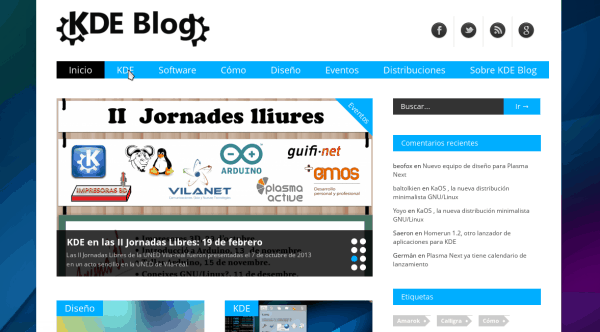
De esta forma, a lo largo de 17 años apenas he tenido problemas… aunque siempre tenía la espina de que dependía de ellos. Hablé en muchas ocasiones de qué pasaría si las cosas cambiaban y siempre me decían que estuviera tranquilo, que el blog era mío. Y así ha sido.
Nueva etapa de KDE Blog
De esta forma, este mes de noviembre, cuando el blog ha tenido algún problema que otro en cuanto a rendimiento, me puse a pensar que quizás, tras todos estos años y viendo que los blogs no son ya atractivos para las empresas, me estaba aprovechando de la inercia y que era el momento de cambiar.
Tenía que hacer el blog 100% mío, con todas las consecuencias y no depender de una empresa que podría desaparecer y que, pensado fríamente, no me debía nada aunque siempre se había portado de maravilla.
Así que tras hablar con ellos y reflexionar mucho decidí migrar mi blog a mi servidor alojado en Neodigit, una empresa de Tecnocrática, asumiendo yo los gastos y pensando cómo financiar este proyecto. De hecho, tengo un plan que requerirá de vuestra colaboración para que mis preocupaciones sean simplemente escribir y mantener técnicamente el blog.
En este punto debo decir que he hablado con gente de la Comunidad y que todo el mundo se ha ofrecido en ayudarme de una forma u otra, desde KDE España a KDE e.V., pasando por Slimbook, pero al final he decidido que, de momento, este es mi blog para lo bueno y para lo malo, que voy a pedir la colaboración económica voluntaria para su mantenimiento (que también os digo, no será condición necesaria para su existencia) y que este proyecto debe seguir adelante por muchos años de forma libre e independiente, es decir, aunque tenga fuertes lazos con la Comunidad este no es el blog oficial de KDE España o KDE e.V.
En definitiva, a partir de ahora llevaré íntegramente el blog, alojado en los servidores de Tecnocrática, los cuáles me han ayudado a realizar la migración y que es bueno recordar que son los que ofrecen de forma gratuita los servidores donde se aloja la web de KDE España.
No quiero finalizar esta entrada sin agradecer los servicios de Ebooz y, especialmente, a uno de sus CEOS, Daniel, que siempre me ha tratado de maravilla, siendo una de las personas que ha facilitado que el blog haya funcionado bien a lo largo de estos 17 años. Muchas gracias de corazón.
Espero que esta nueva andadura no presente mayores dificultades, y os aseguro que las publicaciones seguirán siendo diarias, que se han iniciado cambios estéticos en el blog y que pronto os pediré ayuda para que este proyecto no pare.
¡Nos leemos en este nuevo KDE Blog 4.0!
La entrada Nueva etapa de KDE Blog se publicó primero en KDE Blog.

Tracking kernel commits across branches
With all of the different Linux kernel stable releases happening (at least 1 stable branch and multiple longterm branches are active at any one point in time), keeping track of what commits are already applied to what branch, and what branch specific fixes should be applied to, can quickly get to be a very complex task if you attempt to do this manually. So I’ve created some tools to help make my life easier when doing the stable kernel maintenance work, which ended up making the work of tracking CVEs much simpler to manage in an automated way.
Libro: El Palacio de los sueños de Ismail Kadaré
Una distopía con aires Kafkianos en el imperio Otomano con mensaje a la Albania comunista

Nuevamente en mi vagar por la biblioteca municipal me llevó a la parte inferior de una de las estanterías de novela marcada con la letra K. Kafka, Kundera y echando un vistazo me encuentro con varios de un desconocido para mí como era Ismail Kadaré.
Desde la desconocida tierra de Alabania, Ismail Kadaré lanza en algunos de sus libros proclamas contra el regimen autoritario comunista que regía con ojo avizor y oidos en todas partes los pensamientos de los albaneses para impedir la disidencia y el pensamiento crítico frente a un sistema y un líder que se mantuvo durante décadas en el poder.
El Palacio de la sueños ha sido el segundo libro del autor que me he leído, después de su libro Spiritus donde sin rodeos escribe sobre el asfixiante control del estado y sus más oscuros medios para controlar a sus gobernantes mediante la policía secreta o Sigurimi.
Me gustó ese primer libro y de este segundo me atrajo su sugerente título y la portada que lo decoraba que creo que casaba muy bien.
Es un libro corto de 7 capítulos (creo recordar) situado en el tiempo en el imperio otomano pero conociendo al autor es inevitable entender que bien podría referirse a Albania y su líder comunista cuando habla del gran sultán o de los visires.
Ya desde el comienzo lo primero que percibí fue un ambiente angustioso en la representación que hace del propio Palacio de los sueños. Kafka se cuela por esos pasillos en los que temes perderte, y esas estancias y ambientes de luz apagada y ambiente opresivo.
El protagonista que viene de familia con renombre en el imperio y cuyo linaje ha tenido sus más y sus menos en cuanto a relaciones de poder con quien lo ostentaba en cada periodo, es empleado en el misterioso Palacio de los sueños.
Este Palacio es un gran ministerio lleno de funcionarios abnegados que pululan en diferentes secciones y departamentes del Palacio. Lleno de estancias y pasillos misteriosos y laberínticos en los que temes perderte para siempre.
A ese Palacio de los sueños llegan los miles de sueños que sueñan los súbditos del Imperio. Miles de correos que recorren el imperio a caballo en una actividad frenética llevan los sueños escritos de todas las partes del imperio hasta el Palacio, donde son recibidos por cientos de funcionarios que los leen y en primera instancia los clasifican.
Esas clasificaciones preliminares hacen que los sueños lleguen más tarde hasta otro departamento donde son interpretados, todo ello para tratar de dar con conspiraciones o conatos de rebeliones por parte del pueblo contra el poder.
El gran mandatario del Imperio quiere saber qué se esconde en esa parte íntima de sus súbditos. Quiere recabar aquello que de otro modo no se puede saber y donde se destila la verdadera esencia, el verdadero pulso de lo que está por venir.
De mano del protagonista perdemos los nervios con el ambiente de hormiguero del Palacio, lo recorremos y vamos encontrando nuevas estancias y nuevos departamentos. Asistimos a la pausa y al alboroto de cientos de funcionarios tratando de tomar su café.
Somos testigos de su ascenso inusual dentro del Palacio y también nos hace confidentes de secretos oscuros que guarda el propio Palacio y del ambiente opresivo y fatal que está por resolverse.
Leer los sueños de millones de personas es agotador, y desquiciante y también a nosotros nos afecta aquello que se va desplegando en las páginas. No digo más, el resto si te apetece tendrás que descubrirlo si te quieres leerlo.
Mención especial a ese ambiente, es la portada del libro ilustrada con un fragmento de un cuadro de Françoise Nomé, pintor que desconocía por completo y que echando un vistazo a sus obras me ha gustado mucho.
Paisajes y edificios muy grandes, inmensos en los que queda de relieve la insignificancia de la persona en ese edificio. Edificios reales que expresan una decadencia onírica. El sueño o la pesadilla más bien, se funde y derriba esos espacios. Tonos en claro/oscuro y visiones borrosas dan un toque inquietante a todas sus pinturas. Sabemos que no son reales, pero podemos pensar que pueden serlo cuando todo se derrumbe.

Vigesimoprimera actualización de KDE Frameworks
Como los lectores habituales del blog sabrán,el 28 de febrero de 2024 la Comunidad KDE realizó un importante salto tecnológico, uno que va a marcar su evolución para los próximos años. Este gran cambio a las libreríasQt 6 nos proporcionó el nuevo escritorio Plasma 6, del que ya he hablado a lo largo de muchas entradas. Pero no solo fue eso, sino que además nos trajo el salto también a KDE Frameworks 6, las librerías propias del proyecto KDE. El pasado 12 de diciembre se anunció la vigesimoprimera actualización de KDE Frameworks 6, el motor del proyecto que soporta todo el resto de la infraestructura.
Vigesimoprimera actualización de KDE Frameworks 6
A pesar de que para los usuarios corrientes esta noticia sea algo confusa ya que no se trata de realzar una nueva aplicación ni de una nueva gran funcionalidad del escritorio, el desarrollo de KDE Frameworks tiene repercusiones directas en él a medio y largo plazo.

Para los que no lo sepan, KDE Frameworks añade más de 70 librerías a la propias de Qt que proporcionan una gran variedad de funcionalidades necesarias y comunes, precisadas por los desarrolladores, testeadas por aplicaciones específicas y publicadas bajo licencias flexibles.
De esta forma, KDE Frameworks se convierte en la base de trabajo de los desarrolladores para realizar sus aplicaciones o sus desarrollos para los entornos de trabajo (escritorio para ordenadores, plasma mobile, etc).
Un buen símil es que KDE Framworks es como el papel y las herramientas de dibujo para un artista: cuanto mejor sea el papel y mejores pinceles tenga, la creación de una artista será mejor.
Como he dicho, el pasado 28 de febrero de 2024 KDE Frameworks saltó de la versión 5 a la 6, y el pasado, 12 de diciembre de 2025 fue anunciado que ya tenemos la vigesimoprimera actualización de la rama, es decir, que ha sido lanzadoKDE Frameworks 6.21.
Hay que destacar que esta versión forma parte de una serie de versiones mensuales planificadas para poner las mejoras a disposición de los desarrolladores de forma rápida y previsible y que es absolutamente recomendable su actualización.
Aquí podéis encontrar un listado con todos estos frameworks y la serie de artículos que dedico a KDE Frameworks en el blog,
Más información: KDE
La entrada Vigesimoprimera actualización de KDE Frameworks se publicó primero en KDE Blog.

Rehgulasch mit Klößen

Home made venison goulash with red cabbage and dumplings as family dinner for my mother’s 80th birthday.
Vigesimoprimera actualización de KDE Frameworks
Como los lectores habituales del blog sabrán, el 28 de febrero de 2024 la Comunidad KDE realizó un importante salto tecnológico, uno que va a marcar su evolución para los próximos años. Este gran cambio a las librerías Qt 6 nos proporcionó el nuevo escritorio Plasma 6, del que ya he hablado a lo largo de muchas entradas. Pero no solo fue eso, sino que además nos trajo el salto también a KDE Frameworks 6, las librerías propias del proyecto KDE. XXXXX anunció la vigesimoprimera actualización de KDE Frameworks 6, el motor del proyecto que soporta todo el resto de la infraestructura.
Vigesimoprimera actualización de KDE Frameworks 6
A pesar de que para los usuarios corrientes esta noticia sea algo confusa ya que no se trata de realzar una nueva aplicación ni de una nueva gran funcionalidad del escritorio, el desarrollo de KDE Frameworks tiene repercusiones directas en él a medio y largo plazo.
Para los que no lo sepan, KDE Frameworks añade más de 70 librerías a la propias de Qt que proporcionan una gran variedad de funcionalidades necesarias y comunes, precisadas por los desarrolladores, testeadas por aplicaciones específicas y publicadas bajo licencias flexibles.
De esta forma, KDE Frameworks se convierte en la base de trabajo de los desarrolladores para realizar sus aplicaciones o sus desarrollos para los entornos de trabajo (escritorio para ordenadores, plasma mobile, etc).
Un buen símil es que KDE Framworks es como el papel y las herramientas de dibujo para un artista: cuanto mejor sea el papel y mejores pinceles tenga, la creación de una artista será mejor.
Como he dicho, el pasado 28 de febrero de 2024 KDE Frameworks saltó de la versión 5 a la 6, y el pasado, 12 de diciembre de 2025 fue anunciado que ya tenemos la vigesimoprimera actualización de la rama, es decir, que ha sido lanzadoKDE Frameworks 6.21.
Hay que destacar que esta versión forma parte de una serie de versiones mensuales planificadas para poner las mejoras a disposición de los desarrolladores de forma rápida y previsible y que es absolutamente recomendable su actualización.
Aquí podéis encontrar un listado con todos estos frameworks y la serie de artículos que dedico a KDE Frameworks en el blog,
Más información: KDE
La entrada Vigesimoprimera actualización de KDE Frameworks se publicó primero en KDE Blog.
Duplicación de pantallas Wayland y modos personalizados – Esta semana en Plasma
Es increíble el trabajo de promoción que está realizando Nate en su blog, desde hace más del tiempo que puedo recordar. Cada semana hace un resumen de las novedades más destacadas, pero no en forma de telegrama, sino de artículo completo. Su cita semanal no falla y voy a intentar hacer algo que es simple pero requiere constancia. Traducir sus artículos al castellano utilizando los magníficos traductores lo cual hará que la gente que no domine el inglés esté al día y que yo me entere bien de todo. Bienvenidos pues a » Duplicación de pantallas Wayland y modos personalizados» de la serie Esta semana en Plasma. Espero que os guste.
Duplicación de pantallas Wayland y modos personalizados – Esta semana en Plasma
Nota: artículo original en Blogs KDE. Traducción realizada utilizando Perplexity. Esta entrada está llena de novedades de la Comunidad KDE. Mis escasos comentarios sobre las mejoras entre corchetes.
¡Bienvenido a una nueva edición de This Week in Plasma!
Esta semana el equipo hizo avances significativos en el soporte de pantalla Wayland de KWin. Específicamente, se implementaron mejora duplicación de pantalla y modos personalizados —ambos elementos de la página de «Known Significant Issues»— para Plasma 6.6. Los elementos restantes en esa página también son áreas de enfoque activo, mientras corremos hacia la línea de meta de Wayland.
…¡Pero espera, hay más!
Nuevas funcionalidades
El widget Lista de ventanas te permite filtrar ventanas que no estén en la pantalla actual, escritorio virtual o actividad —igual que hacen los widgets Administrador de tareas. (Shubham Arora, plasma-desktop MR #3341)
Discover ahora permite instalar y eliminar fuentes en distribuciones con gestores de paquetes que usan la librería PackageKit. (Joey Riches, discover MR #1113)
Mejoras en la interfaz de usuario
Plasma 6.6.0
El script de KWin «Minimize All» (incluido por defecto pero no activado) ahora también te permite minimizar todas las ventanas excepto la activa usando el atajo de teclado Meta+Shift+O. (Luis Bocanegra, bug #197952) [Una funcionalidad interesante para focalizarte solo en la pantalla que estés trabajando].
KWin ahora establece factores de escala predeterminados razonables para televisores recién conectados. (Xaver Hugl, kwin MR #8537)
Varios elementos de menú relacionados en los menús contextuales de los widgets Kicker/Kickoff/Application Dashboard han sido agrupados. (Kisaragi Hiu, plasma-desktop MR #3381)

La herramienta kscreen-doctor ahora te informa que es posible hacer mirroring de tus pantallas. (Nicolas Fella, libkscreen MR #267)
Corrección de errores importantes
Plasma 6.5.4
Se corrigió una regresión reciente que hacía que los iconos del escritorio no se mantuvieran en la pantalla correcta con ciertas configuraciones multi-pantalla. (Błażej Szczygieł, plasma-desktop MR #3330)
El atajo Meta+P para abrir el selector de pantalla OSD ahora funciona en distribuciones de estilo inmutable. (Nate Graham, kscreen MR #440)
Plasma 6.5.5
Se corrigió una regresión reciente que causaba congelamientos de pantalla en algunos hardware justo antes de que entrara en funcionamiento la gestión de energía. Hemos pedido a las distribuciones que retrotraigan la corrección lo antes posible para que todos la reciban rápidamente. (Xaver Hugl, bug #513151)
Se corrigió un caso donde KWin podía cerrarse inesperadamente en la sesión X11 al usar un headset Valve Index antiguo. (David Edmundson, bug #507677)
Se corrigió un problema que podía hacer que eventos de teclas modificadoras errantes se enviaran a aplicaciones que usan XWayland, especialmente al cambiar a ellas con atajos que involucran teclas modificadoras. (Vlad Zahorodnii, enlace)
Se corrigió un caso donde KWin manejaba incorrectamente el texto arrastrado y soltado, lo que podía hacer que las operaciones de soltar fallaran en algunas aplicaciones. (Vlad Zahorodnii, bug #512235)
Se corrigieron dos problemas del bloqueo de pantalla que podían hacer que fuera más lento desbloquear vía KDE Connect, y que mostrara erróneamente texto sobre un lector de huellas o tarjeta inteligente cuando no eran relevantes. (Fushan Wen, kscreenlocker MR #296)
Se corrigió el botón Atrás en el estilo de visualización de lista de los widgets Folder View. (Christoph Wolk, plasma-desktop MR #3387)
Se corrigió un problema en System Monitor que permitía finalizar procesos usando el teclado que ya habían bloqueado el método basado en ratón. (Oliver Schramm, bug #510464)
Otra información de errores destacables:
- 5 errores Plasma de muy alta prioridad (igual que la semana pasada). Lista actual de errores
- 55 fallos de Plasma de 15 minutos (muchos más que la semana pasada). Lista actual de fallos
¡Podrías notar un gran aumento en el número de errores de alta prioridad (HI) esta semana! Esto se debe a que estamos comenzando una iniciativa de calidad y usando el nivel de prioridad HI para rastrear errores que arreglar rápidamente. Queremos asegurarnos de que Plasma reciba grandes cantidades extra de pulido y trabajo de estabilidad estos días.
Mejoras de rendimiento y aspectos técnicos
Plasma 6.5.4
Se tapó una fuga de memoria de GPU en la implementación del portal de KDE. (David Edmundson, bug #494138)
Plasma 6.5.4
Se corrigió un caso donde archivos .desktop con nombres que violan la especificación podían causar grandes cantidades de spam en los logs. (David Redondo, bug #512562)
Plasma 6.6.0
Se mejoró masivamente el soporte para mirroring de pantalla en la sesión Wayland. ¡Ahora funciona realmente bien! (Xaver Hugl, bug #481222 y kscreen MR #439)
Ahora puedes usar la herramienta kscreen-doctor para añadir modos de pantalla personalizados, útil para soportar pantallas exóticas o con mal comportamiento en la sesión Wayland. (Xaver Hugl, bug #456697)
Se hizo que la regla de KWin para forzar barra de título y marco también funcione para ventanas de aplicaciones nativas Wayland. (Xaver Hugl, bug #452240)
Ahora puedes mover ventanas con Meta+arrastrar cuando uses un stylus de tableta de dibujo. (Vlad Zahorodnii, bug #509949)
Cómo puedes ayudar
¡Donad a la recaudación de fondos de 2025 de KDE! Realmente marca una gran diferencia.
Si andáis mal de dinero, podéis ayudar a KDE convirtiéndoos en un miembro activo de la comunidad e involucrándoos de alguna manera. Cada colaborador marca una enorme diferencia en KDE — ¡no sois un número ni un engranaje en una máquina! Tampoco es necesario que seáis programadores; también existen muchas otras oportunidades.
No tienes que ser programador. Existen muchas otras oportunidades:
- Clasificar y confirmar informes de errores, tal vez incluso identificar su causa raíz.
- Contribuir al diseño de fondos de pantalla, iconos e interfaces de aplicaciones.
- Diseñar y mantener sitios web
- Traducir elementos de texto de la interfaz de usuario a su propio idioma.
- Promover KDE en su comunidad local
- …¡Y un montón de cosas más!
Para obtener una nueva característica de Plasma o una corrección de errores mencionada aquí, siéntase libre de enviar un commit a la solicitud de fusión correspondiente en invent.kde.org.
La entrada Duplicación de pantallas Wayland y modos personalizados – Esta semana en Plasma se publicó primero en KDE Blog.