
 zoumpis
Fiesta de lanzamiento del openSUSE 12.2 [Barcelona] – openSUSE 12.2 Release Party

Español
Despues de la fiesta de lanzamiento del openSUSE 12.2 que tuvo lugar en Madrid , el Martes que viene [06/11] tendrá lugar fiesta de lanzamiento en Barcelona! Mas información podéis encontrar aqui.
English
After the openSUSE 12.2 Release Party took place in Madrid , the next Tuesday [06/11] the openSUSE 12.2 Release Party will take place in Barcelona! More info can be found here.
Informe de la fiesta de lanzamiento del openSUSE 12.2 [Madrid] – Report from openSUSE 12.2 Release Party [Madrid]

Español
Recién llegado del openSUSE Conference, el viernes pasado (26/10/2012, 21:00) tuvo lugar la fiesta del lanzamiento del openSUSE 12.2. Después de mis clases del Máster [URJC] profesores y estudiantes fuimos a un pub para tomar unas cervezas y hablar del openSUSE. Algunos de mis colegas me preguntaron cosas como “Qué entornos gráficos incluyen el DVD” y “Los dvd’s son de 64 bits”, “Cómo se puede contribuir en el proyecto openSUSE como desarrollador”.
Además profesores y colegas cogieron unos DVD’S promo y uno de ellos, que utiliza otra distribución con XFCE, probará el openSUSE con XFCE. Finalmente tuvo lugar un sorteo y dos participantes ganaron materiales de openSUSE Conference.Al final adjunto el código fuente de sorteo. El código fuente está debajo de la licencia GPL y podéis utilizarlo en su sorteo también.Aquí están algunas fotos de la fiesta.
English
After arriving from openSUSE Conference , the last Friday (26/10/2012, 21:00) the openSUSE 12.2 Release Party took place in Madrid. When my Master classes [URJC] finished professors and students we went to an Irish Pub to drink a beer and discuss about openSUSE Project. Some of my classmates asked me questions like “How many GUI does the DVD include?” , “The DVD’s are 64-bits version?” , “How can i contribute to the openSUSE Project as a developer?”.
Furthermore professors and classmates took some openSUSE DVD’s and one of my classmate who uses Xubuntu is gonna try openSUSE with XFCE. Finally a draw took place and two of the participants won material stuff from the openSUSE Conference. I submit the source code of the “draw”. You can use the source code for free [for your draw as well  ] it is under GPL License. Here you can find the Release Party photos.

 Member
What I need from a WM/Desktop
My requirements are:
- win + left , win + right keys should align windows in the left and right halves of the screen, max-vertically, respectively
- win + top, win + bottom should align windows in the top and bottom halves of the screen, max-horizontally, respectively
- win + f or win + enter should fullscreenize the current window
- Should support 3x3 workspaces. My main development workspace will be in center. All other things like mail, browser, IRC, IM should be just one hop away in any of the neighboring four workspaces
- The currently focused window should be brighter than the rest of the windows in the background
- If I click on a window in the background, it should just get focused and not interpret as a click on the window (say if I click on a link in the browser in a bg window, it should not change the location but just bring the window to fg)
- There should be a tile option to arrange all windows in the current workspace, into quadrilaterals of equal width and height
- There should be an expose like option where I should be able to see all the open windows (may be triggered on win + f7 key or three-finger-scroll in the touchpad). This should just arrange the currently open windows
- There should be no always-present bar in any edge of the screen (unlike gnome3). Intelli-hide panel on the bottom is good (like gnome-do docky) etc.
- There should be no animations at all when the windows are resized/tiled/etc.
- There should be no animations at all when we switch workspaces.
- ALT + TAB should alternate between open windows (not applications) in the current workspace ONLY.
- The title bar of the windows should be as thin as possible, such that it will accommodate three buttons for minimize, maximize and close. But they should not be too big like in GNOME 3 wasting a lot of space. Does not matter if it is configurable/themable or not.
- Notifications should popup in some fixed location (say top-right corner) and stay until dismissed (I do not use notifications for individual chat message receiving etc. so this is good for me. I need to be notified only for a new chat and not messages in an already open chat window etc.)
- Should allow changing of control key position to either alt key (to help when working along with Mac) or capslock key
- Should have an option to have one workspace dedicated for an additional monitor and a keyboard shortcut to switch to that workspace
- Things like multimedia keys, password store etc. are not exactly a big need. If they exist, it is good but if they don't they are not deal breakers. My main requirements are for the WM aspects and not really these features.
Are there any other WM needs that should be added to the above list to make my programming environment better ?
Please share your comments/helps/config-files. Thanks.
openSUSE Conference 2012
Finally got around to find time to write a bit about my attendance of the openSUSE Conference 2012 in Prague.
Overall I found it a quite successful event even when I could think of a few improvements for next time. I’ve attended quite some talks during the days and also helped recording some of them. But to me the most important thing was to meet and talk to people. Since openSUSE 11.4 is going to go Evergreen very soon there were quite some discussions including two related BOFs and a maintenance hands-on with Marcus from the SUSE Maintenance team as we are planning to use OBS’ maintenance features for the upcoming 11.4.
What I missed was a bit more space to meet and hack a bit. Both venues were a bit short on seats outside of the talks or BOF rooms. But congratulations for a pretty stable wifi network during the conference. I missed it at the hotel though 
Apart from that I’ve met some new (to me) people and missed some other community members including some from the board which is a bit unfortunate for the main community event but still there were many good conversations.
Special thanks to Petr from SUSE showing us the city and helping me to find my hotel when I arrived (and everything else) and also the openSUSE travel support program which was sponsoring my travel to the conference.
I’m looking forward to next year’s conference and hope I can attend there as well again.
openSUSE conference
Mein Workshop zu AppArmor wurde von rund 15 Personen besucht, die jetzt mehr über AppArmor wissen. Es wurden auch Fragen zum Packaging von Profilen gestellt - mit etwas Glück bekommen also ein paar Programme ein AppArmor-Profil in ihr Paket oder das Profil wird upstream zur Aufnahme zu den Standard-Profilen vorgeschlagen. Die Folien zum Workshop gibt es am Ende dieses Eintrags.

Zum openSUSE Jeopardy kamen nur 5 Personen. Diese haben aber alle mitgespielt und hatten sichtlich Spaß, die passenden Fragen zu meinen Antworten rund um Linux und openSUSE zu finden - vor allem Jan, der beide Runden (und somit zwei Flaschen Wein) gewann. Der IRC-basierte "Buzzer" hat dabei gut funktioniert und kommt mit etwas Glück beim nächsten LinuxTag nochmal zum Einsatz.
Am Montag war ich einer der wenigen Teilnehmer der BoF zur openSUSE landing page, die wir spontan etwas verlängerten. Daher fiel die admin@-BoF mehr oder weniger aus, was mangels anwesender Admins auch nicht wirklich schlimm war. Danach wurde ich von Coolo noch zum Filmen freiwillig gemeldet ;-) - die schrecklichen Publikums-Bilder vom Montag Nachmittag (Project Meeting etc.) und Dienstag (hauptsächlich Raum Riker) stammen von mir ;-)
Vielen Dank an alle, die zur openSUSE Conference beigetragen haben, and für die Unterstützung bei den Reisekosten!
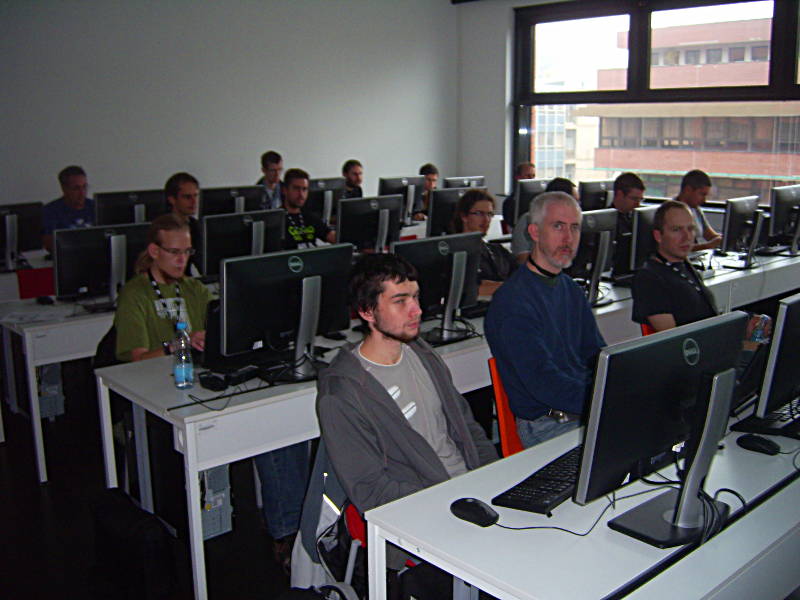
Last weekend (until tuesday) I visited the openSUSE conference which was in the "golden town" Prague this year. The conference was very interesting. One part are the talks, the other part is the "hallway track" where I met lots of people I only knew from mailinglists or bugzilla.
About 15 persons took part in my AppArmor workshop, which means they now know more about AppArmor. Some also asked about packaging of AppArmor profiles. If we are lucky, some applications will receive a profile in their package, or their profile will be proposed for inclusion the the upstream set of default profiles. The slides I used in the workshop are available for download at the end of this post.
Only 5 persons came to my openSUSE jeopardy, but they all played and had fun in finding the matching questions for my answers about Linux and openSUSE. Jan must have had most fun - he won both rounds (and two bottles of wine). The IRC based "buzzer" worked quite well and will probably be used again at next LinuxTag.
On monday, I was one of the few participants of the BoF about the openSUSE landing page, which we extended time-wise. This also means the admin@ BoF was more or less dropped, which wasn't really bad because there weren't admins around. Afterwards, Coolo volunteered me ;-) to operate a video camera. The terrible pictures of the audience on monday afternoon (project meeting etc.) and tuesday (mostly room Riker) are from me ;-)
Thanks to everybody who contributed to the openSUSE Conference, and for the travel support!
Slides:
What's cooking for KDE in openSUSE 12.3 - theming
Although the release of openSUSE 12.3 is yet to come, the people of the openSUSE community contributing to KDE are already at work to bring the best possible KDE experience for the new release.
One of the changes that started off already is the development of a new Plasma theme and color scheme. Based on the original Produkt theme, it has been adapted to be better integrated with openSUSE’s customary green:
[caption id=“attachment_1003” align=“aligncenter” width=“300”][]({{ site.url }}/images/2012/10/snapshot4.png) Widget view[/caption]
[]({{ site.url }}/images/2012/10/snapshot1.png)
Aside from general changes, theming has also been extended to the new logout dialog from the next release of the KDE Workspace (4.10) which will be in openSUSE, and to the logout screen:
[caption id=“attachment_1002” align=“aligncenter” width=“200”][]({{ site.url }}/images/2012/10/snapshot3.png) Lock dialog[/caption]
[caption id=“attachment_1001” align=“aligncenter” width=“200”][]({{ site.url }}/images/2012/10/snapshot2.png) Logout dialog[/caption]
Last but not least, the theme extends to the alt-F2 launcher (KRunner) and to the system tray (shown is the new QML system tray from Plasma Workspace 4.10):
[caption id=“attachment_1006” align=“aligncenter” width=“175”][]({{ site.url }}/images/2012/10/snapshot7.png) System tray[/caption]
[caption id=“attachment_1005” align=“aligncenter” width=“253”][]({{ site.url }}/images/2012/10/snapshot6.png) KRunner view[/caption]
Don’t forget that everything is a work in progress.
This theme is the result of the hard work of the following people:
-
shumski
-
Raymond “tittiatcoke” Wooninck
-
Alin M Elena
Thanks also go to Melissa Adkins for reviewing the theme from a graphics design point of view.

Heartbeat dan DRBD
Implementasi heartbeat saja sangatlah mudah. Cukup mendownload, mengkompilasi dan mengkonfigurasi tiga buah file /etc/ha.d/ha.cf, /etc/ha.d/authkeys dan /etc/ha.d/haresources. Untuk drbd bisa download tarball dan jangan lupa untuk membaca dokumentasinya, karena drbd harus dikompilasi dengan kernel source secara baik, kalau tidak anda dapat menemui kesulitan dalam mem-probe modul drbd. Pada server ini saya menggunakan openSUSE 11.1 sehingga hidup jadi lebih mudah, tinggal gunakan 1-click install untuk heartbeat, drbd kernel module dan drbd user space, atau bisa juga dengan mengaktifkan repositori http://download.opensuse.org/repositories/server:/ha-clustering/
Konfigurasi Heartbeat
Pastikan anda menggunakan dua buah server untuk high availability cluster. Kalau hanya punya satu ya tidak perlu heartbeat dan drbd :-). Untuk penggunaan lebih dari 2 buah server sebaiknya menggunakan pacemaker dan openAIS karena dapat melakukan N-to-N atau N+1 cluster sampai jumlah yang teorithically tidak terbatas. Tetapi saya tidak akan menjelaskan pacemaker dan openAIS di sini.
Pada setiap server menggunakan dua buah ethernet card, atau bisa juga 1 ethernet card dan koneksi langsung antar kedua server dengan menggunakan null-modem cable.
Satu buah ethernet terhubung ke jaringan dan satu buah lagi sebaiknya dihubungkan antar server langsung menggunakan cross cable (tidak harus tetapi disarankan)
Pastikan ethernet bekerja dengan baik.
Pada skenario di atas eth0 real ip diset secara permanen dengan ifup, sedangkan virtual ip akan diset melalui file /etc/ha.d/haresources. Silakan ganti ip address sesuai dengan yang anda gunakan.
Konfigur file /etc/ha.d/ha.cf, /etc/ha.d/haresources, /etc/ha.d/authkeys. File-file ini harus sama di kedua server.
Contoh file ha.cf
keepalive 2
warntime 5
deadtime 15
initdead 90
udpport 694
auto_failback on
bcast eth0
node server1 server2
bcast eth0, maksudnya adalah ethernet yang akan digunakan oleh client untuk mengakses server. node, diikuti dengan nama server primary dan server secondary sesuai dengan hasil "uname -n"
Contoh file authkeys
Jika kedua server terhubung dengan kabel null-modem atau kabel cross anda dapat mengabaikan enkripsi dan mengisi file authkeys dengan misalnya:
auth 2
2 crc
Tetapi jika anda menggunakan jaringan, misalnya letak kedua server terpisah secara geografis maka penggunaan enkripsi sangat dianjurkan dengan format
auth num
num algorithm secret
Untuk membuatnya dapat gunakan script dibawah
# ( echo -ne "auth 1 1 sha1 "; dd if=/dev/urandom bs=512 count=1 | openssl md5 ) > /etc/ha.d/authkeys
Selanjutnya jangan lupa set agar authkeys hanya bisa dibaca dan ditulis oleh root # chmod 0600 /etc/ha.d/authkeys
Contoh file /etc/ha.d/haresources
Konfigurasi haresources tanpa drbd / sebelum drbd diaktifkan misalnya
server1 IPaddr::10.8.2.100/24/eth0 named dhcpd apache2
Arti dari baris tersebut adalah:
server1 --> nama server primary sesuai "uname -n"
IPaddr::10.8.2.100/24/eth0 --> ipaddress virtual yang digunakan di eth0
named dhcpd apache2 --> nama services yang redundan
Anda dapat menset service heartbeat agar jalan di run level saat booting, misalnya dengan perintah "chkconfig heartbeat on" atau pada openSUSE dengan "insserv /etc/init.d/heartbeat". Saya sendiri di openSUSE lebih menyukai untuk menjalankannya melalui file /etc/init.d/after.local misalnya vim /etc/init.d/after.local:
#! /bin/sh
sleep 2
rcheartbeat start
Jangan lupa untuk mengcopy semua file konfigurasi yang anda buat di server1 ke server2 (gunakan scp or whatever) ha.cf, haresources, authkeys dan after.local (kalau anda pakai). Heartbeat sebenarnya menyediakan fasilitas mencopy konfigurasi dari node primary ke node cluster lainnya dengan ha_propagate. Coba cari filenya di /usr/share/heartbeat/ha_propagate atau di /usr/lib/heartbeat/ha_propagate. Saya sendiri lebih prefer menggunakan scp :-)
Dari server1 coba "ifconfig" maka kalau semuanya ok akan muncul eth0:0 dengan ip 10.8.2.100. Dari client coba ping dan ssh ip tersebut, kalau masuk ke 10.8.2.4 maka heartbeat sudah bekerja sempurna. Selanjutnya matikan service heartbeat di server1, cek dengan ifconfig bahwa eth0:0 sudah tidak ada. Masuk ke server2 dan cek dengan ifconfig, harusnya sekarang eth0:0 dengan ip 10.8.2.100 sudah diambil alih oleh server2. Untuk mengembalikan ke server1 maka aktifkan service heartbeat di server1. Kalau ini semua ok berarti service heartbeat sudah berjalan dengan sempurna. Anda dapat juga mentest dengan mematikan eth0 pada server1, dan yakinkan bahwa ip virtual eth0:0 juga diambil alih oleh server2.
Konfigurasi drbd
Drbd merupakan singkatan dari Distributed Replicated Block Device. Drbd akan me-mirror seluruh block device yang telah didefinisikan dan bekerja sebaga raid-1 over network. Konfigurasi drbd cukup mudah walaupun tidak semudah heartbeat :-P Anda butuh kesabaran. Beberapa hal yang perlu diperhatikan. User space dan kernel space harus dengan versi yang sama. Ada kejadian dimana seseorang mendownload tarball dan kemudian mengupdate instalasi drbd. Waktu menjalankan configure dia tidak mendefinisikan kernel directory, akibatnya user space drbd (misalnya drbdadm) meningkat versinya tetapi modul drbd.ko tidak terupdate. Akibatnya mesin bisa hang :-( Setidaknya dalam mengkonfigure jalankan ./configure --prefix=/usr --localstatedir=/var --sysconfdir=/etc --with-km
Selanjutnya jalankan:
# cd drbd
# make clean
# make KDIR=/path/to/kernel/source
Untuk pengguna openSUSE tidak perlu melakukan langkah-langkah ini cukup install menggunakan 1-click install seperti yang sudah saya sebutkan di awal tulisan.
Hal lain yang sering salah dilakukan waktu mengkonfigurasi drbd adalah membuat filesystem saat merepartisi disk untuk drbd device. Hal ini harus dihindari sampai modul drbd kita panggil untuk pertama kali. Berikut adalah langkah-langkahnya:
siapkan pastisi untuk /dev/drbd yang akan digunakan untuk saling bereplikasi dan biarkan partisi tanpa filesystem. Ukuran partisi akan menentukan berapa lama keduanya bersinkronisasi, makin besar ukuran partisi maka makin lama sinkronisasi mencapai kondisi Consistent. Selain itu bisa juga disiapkan satu partisi tambahan untuk metadata walaupun tidak mandatory. Ukuran partisi di kedua server haruslah sama.
Edit file /etc/drbd.conf menjadi:
# You can find an example in /usr/share/doc/drbd.../drbd.conf.example
#include "drbd.d/global_common.conf";
#include "drbd.d/*.res";
global{
usage-count yes;
}
common{
protocol C;
}
resource r0{
net{
after-sb-0pri discard-younger-primary;
after-sb-1pri discard-secondary;
after-sb-2pri disconnect;
}
on server1{
device /dev/drbd0;
disk /dev/cciss/c0d0p6;
address 10.8.2.4:7788;
meta-disk internal;
}
on server2{
device /dev/drbd0;
disk /dev/cciss/c0d0p6;
address 10.8.2.5:7788;
meta-disk internal;
}
}
Pada server1 & server2 jalankan perintah:
# modprobe drbd
# drbdadm up all
# cat /proc/drbd
akan muincul tampilan dikedua server seperti:
server1:~ # cat /proc/drbd
version: 8.2.7 (api:88/proto:86-88)
GIT-hash: a1b440e8b3011a1318d8bff1bb7edc763ef995b0 build by lmb@hermes, 2009-02-20 13:35:59
0: cs:Connected st:Secondary/Secondary ds:Inconsistent/Inconsistent C r---
ns:45542488 nr:0 dw:0 dr:45542488 al:0 bm:2779 lo:0 pe:0 ua:0 ap:0 ep:1 wo:b oos:0
server2:~ # cat /proc/drbd
version: 8.2.7 (api:88/proto:86-88)
GIT-hash: a1b440e8b3011a1318d8bff1bb7edc763ef995b0 build by lmb@hermes, 2009-02-20 13:35:59
0: cs:Connected st:Secondary/Secondary ds:Inconsistent/Inconsistent C r---
ns:45542488 nr:0 dw:0 dr:45542488 al:0 bm:2779 lo:0 pe:0 ua:0 ap:0 ep:1 wo:b oos:0
Selanjutnya buatlah metadata untuk drbd di setiap server
server1:~ # drbdadm create-md r0
server1:~ # rcdrbd start
server2:~ # drbdadm create-md r0
server2:~ # rcdrbd start
Kita akan menjadikan server1 sebagai primary node, karena iotu pada server1 jalankan:
server1:~ # drbdadm primary all
server1:~ # drbdadm connect all
Jika ada masalah, kemungkinan besar adalah karena sudah ada file system. Untuk menghapus file sistem tanpa mengubah partisi dapat menjalankan perintah
dd if=/dev/zero bs=512 count=512 of=/dev/your_partition
Bisa juga ditemukan atau adanya kesalahan saat menginisiasi drbd yang berakibat kedua disk sudah berada dalam kondisi Primary/Secondary Inconsistent/Inconsistent. Pada saat awal harusnya semua dalam kondisi Secondary/Secondary. Jika menemui masalah ini jalankan:
server1:~ # drbdadm -- --overwrite-data-of-peer primary all
Selanjutnya jalankan pada server 1
server1:~# drbdsetup /dev/drbd0 primary --overwrite-data-of-peer
Sekarang inisial sinkronisasi akan mulai berjalan.
server1:~ # cat /proc/drbd
version: 8.2.7 (api:88/proto:86-88)
GIT-hash: a1b440e8b3011a1318d8bff1bb7edc763ef995b0 build by lmb@hermes, 2009-02-20 13:35:59
0: cs:SyncSource st:Primary/Secondary ds:UpToDate/Inconsistent C r---
ns:36350976 nr:0 dw:0 dr:36351244 al:0 bm:2218 lo:0 pe:0 ua:0 ap:0 ep:1 wo:b oos:68502008
[=====>..............] sync'ed: 34.7% (66896/102392)M
finish: 53:31:01 speed: 348 (320) K/sec
Prosesnya cukup memakan waktu dan bergantung dari ukuran disk yang digunakan sebagai device drbd. Bersabarlah dan menunggu sampai prosesnya selesai. Saya selalu menunggu sinkronisasi sampai selesai 100% untuk yang pertama kali sebelum melakukan apapun (walaupun tidak harus). Jika sudah selesai maka hasilnya akan seperti:
server1:~ # cat /proc/drbd
version: 8.2.7 (api:88/proto:86-88)
GIT-hash: a1b440e8b3011a1318d8bff1bb7edc763ef995b0 build by lmb@hermes, 2009-02-20 13:35:59
0: cs:Connected st:Secondary/Secondary ds:UpToDate/UpToDate C r---
ns:45542488 nr:0 dw:0 dr:45542488 al:0 bm:2779 lo:0 pe:0 ua:0 ap:0 ep:1 wo:b oos:0
server2:~ # cat /proc/drbd
version: 8.2.7 (api:88/proto:86-88)
GIT-hash: a1b440e8b3011a1318d8bff1bb7edc763ef995b0 build by lmb@hermes, 2009-02-20 13:35:59
0: cs:Connected st:Secondary/Secondary ds:UpToDate/UpToDate C r---
ns:0 nr:44887544 dw:44887544 dr:0 al:0 bm:2740 lo:0 pe:0 ua:0 ap:0 ep:1 wo:b oos:0
Selanjutnya pada server1 kita akan membuat file system. Cukup dilakukan di server1, karena server2 akan mengikuti:
server1:~ # drbdadm primary all
server1:~ # mkfs.ext3 /dev/drbd0
sekarang kita siapkan directory untuk mysql di server1
mkdir /data-mysql
mount -t ext3 /dev/drbd0 /data-mysql
mv /var/lib/mysql /data-mysql
ln -s /data-mysql/mysql /var/lib/mysql
umount /data-mysql
di server2:
mv /var/lib/mysql /tmp
ln -s /data-mysql/mysql /var/lib/mysql
Edit file /etc/ha.d/haresources di server1 dan server2 menjadi
server1 IPaddr::10.8.2.100/24/eth0 drbddisk::r0 Filesystem::/dev/drbd0::/data-mysql::ext3 named dhcpd apache2 mysql
Selanjutnya tinggal memanggil drbd dan heartbeat di runlevel 3 dan 5 setiap kali server di boot. Saya sendiri di openSUSE mmenggunakan /etc/init.d/after.local untuk memanggil drbd dan heartbeat. Ini hanya untuk memastikan bahwa drbd dan heartbeat dipanggil terakhir kali setelah semua service yang lain berjalan. Cukup buat file /etc/init.d/after.local dan isikan misalnya:
#!/bin/sh
sleep 1
rcdrbd start
sleep 2
rcheartbeat start
Sekarang kita tinggal mengujinya. Apakah service-service yang didefinisikan di /etc/ha.d/haresources akan berpindah ke server2 jika server1 dimatikan. Tahu kan cara menguinya? Kira-kira sama dengan cara menguji heartbeat di atas.
Have a lot of fun
Asterisk 1.6.1 on openSUSE 11.1 (Part 5)
One thing I found really annoying is the echo if we connect asterisk to PSTN line. I use digium TDM 410P and leave the card without tune it will give annoying echo. In my earlier post (Part 2) I explain that by running /usr/sbin/dahdi_genconf dahdi will automatically create /etc/dahdi/system.conf file that already contain information about hardware echo canceller. First thing you should remember if you have the budget is buy a card with hardware echo canceller. It will let the card to manage the echo without give the processor too much task to reduce it. After that you should tune the card. Luckily Digium give the best tools to tune the card named fxotune. To tune your card first shutdown the asterisk service and then run:
# /usr/sbin/fxotune -i 0
I put 0 (zero) because to dial an outside line I set the asterisk configuration to use 0. You should change it to whatever number you use. fxotune will create /etc/fxotune.conf file to put all the configuration it creates to reduce the echo. Pleas read "man fxotune" for more explanation about the tools.
To enable Asterisk to use the card configuration every time we boot the server we need a slight modification of init script. We should call the fxotune before we call Asterisk, you can either modify the init script of Asterisk to call fxotune before it call the Asterisk or you can modify /etc/init.d/after.local (yes, I use openSUSE). I prefer to use after.local. Create /etc/init.d/after.local and fill the lines below:
# ! /bin/sh
/usr/sbin/fxotune -s
sleep 1
/etc/init.d/asterisk161 start
Also you need to remove asterisk service from init script
# insserv -r /etc/init.d/asterisk161
You can boot the server and hear the difference. If everything goes well you can hear no echo :-)
Now let's take a look back to our extension.conf that I already give in the part 3.
[recordings]
exten => 500,1,Answer
exten => 500,2,Playback(en/silakanrekamgreeting)
exten => 500,3,Record(en/mymessage:gsm)
exten => 500,4,Playback(en/pesananda)
exten => 500,5,Playback(en/mymessage)
exten => 500,6,Playback(en/tekan1)
exten => 500,7,WaitExten(3)
exten => t,1,Playback(en/maafmohonulangi)
exten => t,2,Goto(500,5)
exten => i,1,Playback(en/pesanandasalah)
exten => i,2,Goto(500,5)
exten => 1,1,System(/bin/mv /var/lib/asterisk/sounds/en/mymessage.gsm /var/lib/asterisk/sounds/en/autoattendant.gsm)
exten => 1,2,Playback(en/terimakasih)
exten => 1,3,Playback(en/tekan3)
exten => 2,1,Goto(500,1)
exten => 3,1,Goto(500,1)
exten => 4,1,Hangup
include => internal-sip
This is the context about recording that we put it in extensions.conf and also in sip.conf, that's why I put "include => internal-sip" in the bottom of the context. We create the special extension 500 to record the greeting for our system. We will put the record as greeting, when someone from outside call our lines, then Asterisk will play this greeting. I will explain it to you don't worry :-). Those lines means:
If dial 500 then answer.
Play the sound file /var/lib/asterisk/sounds/en/silakanrekamgreeting.gsm. You can record a custom sound file which contain something like "Please record your greeting after the beep", save it as gsm format and call it from here.
Record your message (say the greeting you want to record) and put it as /var/lib/asterisk/sounds/en/mymessage.gsm
Play the file /var/lib/asterisk/sounds/en/pesananda.gsm. You can record a custom sound file which contain something like "Your greeting is", save it as gsm format and call it from here.
Play your record greeting that just you record in step 3.
Play the sound file /var/lib/asterisk/sounds/en/tekan1.gsm. You can record a custom sound file which contain something like "Please press 1 to save your message", save it as gsm format and call it from here.
Wait 3 second for pressing 1
t,1 means that if 3 seconds already time-out then play the sound file /var/lib/asterisk/sounds/en/maafmohoulangi.gsm. You can record a custom sound file which contain something like "Please re-record your message", save it as gsm format and call it from here.
t,2 go to point 6 above and repeat the steps.
i,1 means if you press another number in step 7 (you don't record the message) then play the sound file /var/lib/asterisk/sounds/en/pesanandasalah.gsm. You can record a custom sound file which contain something like "Sorry I didn't get that", save it as gsm format and call it from here.
i,2 go to point 6 above and repeat the steps.
1,1 if you press 1 in step 7 then asterisk will move /bin/mv /var/lib/asterisk/sounds/en/mymessage.gsm to /var/lib/asterisk/sounds/en/autoattendant.gsm
1,2 means play the sound file /var/lib/asterisk/sounds/en/terimakasih.gsm. You can record a custom sound file which contain something like "thankyou", save it as gsm format and call it from here.
1,3 means play the sound file /var/lib/asterisk/sounds/en/tekan3.gsm. You can record a custom sound file which contain something like "press 3 to record another message", save it as gsm format and call it from here.
include => internal-sip, means that asterisk will see also [recording] context in [internal-sip] context, usually we manage [internal-sip] in sip.conf.
Now ti's time to configure /etc/asterisk/sip.conf. This file manage the sip for ip phone and other peripheral in our setup. I use several desk ip-phone, wireless ip-phone (Polycom Kirk DECT) and also GSM gateway (Zed, Musitel etc), all of it running well. My sip.conf looks something like:
[general]
port = 5060
bindaddr = 10.7.1.120
disallow=all
allow=all
allow=ulaw
allow=gsm
context=internal-sip
;--------------------xxxxx site ---------------------------
;Polycom IP330
[8001]
type=friend
host=dynamic
dtmfmode=rfc2833
language=en
context=internal-sip
nat=no
canreinvite=no
username=TELEPH01
userid=8001
callerid=TELEPH01 <8001>
mailbox=8001
allow=all
qualify=yes
[8002]
type=friend
host=dynamic
dtmfmode=rfc2833
language=en
context=internal-sip
nat=no
username=TELEPH02
userid=8002
callerid=TELEPH02 <8002>
mailbox=8002
allow=all
qualify=yes
[8006]
type=friend
host=dynamic
dtmfmode=rfc2833
language=en
;context=internal-sip
context=recordings
nat=no
canreinvite=no
username=TELEPH06
userid=8006
callerid=DPTELEPH06 <8006>
mailbox=8006
allow=all
qualify=yes
; KIRK DECT 3040 at site
[8020]
type=friend
host=dynamic
dtmfmode=rfc2833
language=en
context=internal-sip
nat=no
username=TELEPH20
userid=8020
callerid=TELEPH20 <8020>
mailbox=8020
allow=all
qualify=yes
;Zed GSM GATEWAY
[8031]
type=peer
insecure=very
disallow=all
allow=ulaw
allow=alaw
allow=gsm
context=internal-sip
host=10.7.1.31
username=GS8
permit=10.7.1.31/255.255.255.255
qualify=yes
canreinvite=no
call-limit=4
dtmfmode=rfc2833
nat=no
[8032]
type=peer
insecure=very
disallow=all
allow=ulaw
allow=alaw
allow=gsm
context=internal-sip
host=10.7.1.32
username=GS8
permit=10.7.1.32/255.255.255.255
qualify=yes
canreinvite=no
call-limit=4
dtmfmode=rfc2833
nat=no
[8001] and [8006] are the desk ip-phone, [8020] is wireless ip-phone, and [8031] and [8032] are Zed gsm gateway. Please pay attention to [8001] and [8006] almost all the configuration are same, except one line.context. For 8001 context=internal-sip but 8006 context=recording. This line tell us that for recording / greeting purpose we will use the phone with extension 8006. So we can only dial 500 and do the recording in that phone as we set it in /etc/asterisk/extension.conf. You cannot dial 500 and do recording in the phone with the sip configuration doesn't include the line context=recording. I hope you get it :-)
For gsm gateway, I set it up just like the other as internal-sip. But there are a lot of gsm gateways out there and every brand has their own configuration so please read the manual of your gsm gateway and set it up properly. You can use it in front of digium as fxo/fxs or you can also set it up as sip extension depend on you gsm gateway type.
Let's move to chan_dahdi.conf that I already attached several post earlier. Let me remind part of the file:
[channels]
language=en
context=internal-fxo
signalling=fxs_ks
rxwink=300
cidstart=polarity
answeronpolarityswitch=no
hanguponpolarityswitch=no
pulsedial=no
cidsignalling=dtmf
busydetect=yes
busycount=6
......
echocanceller=mg2,1-12
channel => 1-12
there is line with "context=internal-fxo". Basically it means that all the channels 1 through 12 are in the context of internal-fxo. By doing this all the lines will follow the setup we already done in extensions.conf under context [internal-fxo], please take a look extensions.conf in earlier part. You got it, don't you :-) ?
Let me finish this asterisk session, 5 part seem not enough but I'm afraid this will make my blog so bore :-). So final notes is about iax.conf. If you have several locations with asterisk server in every location you can connect the server and make conversation like you dial an extension. First of all you should setup a VPN between the site. I presume you already now how to set it up, there are a lot of howto in internet. Then you should configure the iax.conf. I already give the example in previous post, let me explain. Take attention in this part:
[general]
bindport=4569
bindaddr=10.8.1.120
.......................
register => ncpabxsv:0000@10.1.1.120:4569
register => dppabxsv:0000@10.7.1.120:4569
register => ygpabxsv:0000@10.8.1.120:4569
This server address is 10.8.1.120 and the port 4569 use for the iax. We should register all the server including this server in the 3 lines at the bottom.
Also we should make the setup for every server like below:
[ncpabxsv]
type=friend
auth=md5
secret=0000
context=local
host=dynamic
defaultip=10.1.1.120
qualify=yes
requirecalltoken=no
[dppabxsv]
type=friend
auth=md5
secret=0000
context=local
host=dynamic
defaultip=10.7.1.120
qualify=yes
requirecalltoken=no
[ygpabxsv]
type=friend
auth=md5
secret=0000
context=local
host=dynamic
defaultip=10.8.1.120
qualify=yes
requirecalltoken=no8020>8006>8002>8001>
In all site with the asterisk server we should configure iax.conf so every server can be registered with each other. By doing this you can call other site with extension. Now take a look again our extensions.conf in this section:
[internal-sip]
exten => _1.,1,Dial(IAX2/ygpabxsv:0000@10.1.1.120/${EXTEN:1}@local)
exten => _1.,2,Hangup()
exten => _2.,1,Dial(IAX2/ygpabxsv:0000@10.7.1.120/${EXTEN:1}@local)
exten => _2.,2,Hangup()
Above lines means:
_1. --> if you start a call with "pressing 1 then follow by extension then you connect to asterisk server in ip address 10.1.1.120". 10.1.1.120/${EXTEN:1} means the asterisk server in ip 10.1.1.120 will stripe the first digit.
_2. --> if you start a call with "pressing 2 then follow by extension then you connect to asterisk server in ip address 10.7.1.120". 10.7.1.120/${EXTEN:1} means the asterisk server in ip 10.7.1.120 will stripe the first digit.
I think I already explain everything that you should know about how to setup and configure an asterisk server, make a conference room, setting up extension, and even connecting between two or more asterisk server using iax. Now it is your turn :-) You can experiment with my setting until you get used to it and try another configuration that match with what you want.
Don't forget to have a lot of fun.
Asterisk 1.6.1 on openSUSE 11.1 (Part 4)
I got a bunch of email from Indonesian gentle readers about this topic, so I decide to write in Bahasa Indonesia for the Part 4. But don't worry google translate is there. Happy reading :-)
Pertama-tama terima kasih atas antusiasme rekan-rekan yang sudah nge-japri dan memberi komentar. Saya mohon maaf karena bagian ke-4 ini agak telat, namanya kuli harus tour of duty dan ngejar setoran :-)
Pada part 3 saya telah memberikan contoh extensions.conf, saya perlu menyertakan beberapa contoh file konfigurasi lain yang dibutuhkan agar penjelasan extension.conf bisa dimengerti. File-file tersebut adalah:
/etc/asterisk/chan_dahdi.conf
/etc/asterisk/sip.conf
/etc/asterisk/iax.conf
/etc/asterisk/meetme.conf
/etc/asterisk/voicemail.conf
Contoh chan_dahdi.conf:
;
; dahdi_channels.conf configuration of digium card
;
; Configuration file
[channels]
language=en
context=internal-fxo
signalling=fxs_ks
rxwink=300
cidstart=polarity ; jangan ada line yang ngutang akan mengacaukan DTMF dan cid signalling
answeronpolarityswitch=no
hanguponpolarityswitch=no
;cidstart=ring ; ini test saja
pulsedial=no
;useincomingcalleridondahditransfer=yes
cidsignalling=dtmf
busydetect=yes
busycount=6
usecallerid=yes
callerid=asreceived
hidecallerid=no
callwaiting=yes
usecallingpres=yes
callwaitingcallerid=yes
threewaycalling=yes
transfer=yes
cancallforward=yes
callreturn=yes
echocancel=yes
echocancelwhenbridged=no
echotraining=800
rxgain=3.0
txgain=0.0
group=0
callgroup=1
pickupgroup=1
immediate=no
faxdetect=no
group=1
disallow=all
allow=all
echocanceller=mg2,1-12
channel => 1-12
Contoh sip.conf:
[general]
port = 5060
bindaddr = 10.8.1.120
disallow=all
allow=all
allow=ulaw
allow=gsm
context=internal-sip
[9001]
type=friend
host=dynamic
dtmfmode=rfc2833
language = en
context=recordings
nat=no
username=YGTELEPH01
userid=9001
callerid=YGTELEPH01 <9001>
mailbox=9001
allow=all
qualify=yes
[9002]
type=friend
host=dynamic
dtmfmode=rfc2833
language = en
context=internal-sip
nat=no
username=YGTELEPH02
userid=9002
callerid=YGTELEPH02 <9002>
mailbox=9002
allow=all
qualify=yes
;tambahkan sesuai extension yang anda miliki
[9031]
type=peer
insecure=very
disallow=all
allow=ulaw
allow=alaw
allow=gsm
context=internal-sip
host=10.8.1.31
username=GS8
permit=10.8.1.31/255.255.255.255
qualify=yes
canreinvite=no
call-limit=4
dtmfmode=rfc2833
nat=no
[9032]
type=peer
insecure=very
disallow=all
allow=ulaw
allow=alaw
allow=gsm
context=internal-sip
host=10.8.1.32
username=GS8
permit=10.8.1.32/55.255.255.255
qualify=yes
canreinvite=no
call-limit=4
dtmfmode=rfc2833
nat=no
Contoh iax.conf:
; Inter-Asterisk eXchange driver definition
;
; This configuration is re-read at reload
; or with the CLI command
; reload chan_iax2.so
;
; General settings, like port number to bind to, and
; an option address (the default is to bind to all
; local addresses).
;
[general]
bindport=4569
bindaddr=10.8.1.120
delayreject=yes
language=en
bandwidth=high
disallow=all
allow=ulaw
allow=alaw
allow=gsm
jittertargetextra=40
jitterbuffer=yes
dropcount=3
maxjitterbuffer=300
minjitterbuffer=300
minexcessbuffer=200
mailboxdetail=yes
autokill=yes
register => ncpabxsv:0000@10.1.1.120:4569
register => dppabxsv:0000@10.7.1.120:4569
register => jbpabxsv:0000@10.9.1.120:4569
tos=0x10
[guest]
type=user
context=default
callerid="Guest IAX User"
;
; Trust Caller*ID Coming from iaxtel.com
;
[iaxtel]
type=user
context=default
auth=rsa
inkeys=iaxtel
;
; Trust Caller*ID Coming from iax.fwdnet.net
;
[iaxfwd]
type=user
context=default
auth=rsa
inkeys=freeworlddialup
[ncpabxsv]
type=friend
auth=md5
secret=0000
context=local
host=dynamic
defaultip=10.1.1.120
qualify=yes
requirecalltoken=no
[dppabxsv]
type=friend
auth=md5
secret=0000
context=local
host=dynamic
defaultip=10.7.1.120
qualify=yes
requirecalltoken=no
[ygpabxsv]
type=friend
auth=md5
secret=0000
context=local
host=dynamic
defaultip=10.8.1.120
qualify=yes
requirecalltoken=no
[jbpabxsv]
type=friend
auth=md5
secret=0000
context=local
host=dynamic
defaultip=10.9.1.120
qualify=yes
requirecalltoken=no
Contoh meetme.conf:
[rooms]
;#include meetme_additional.conf
conf => 5000
conf => 6000
conf => 7000
Contoh voicemail.conf:
;
; Voicemail Configuration
;
;
; NOTE: Asterisk has to edit this file to change a user's password. This does
; not currently work with the "#include
; configuration files, nor when using realtime static configuration.
; Do not use them with this configuration file.
;
[general]
format=wav
serveremail=asterisk
fromstring=Asterisk PABX
sendvoicemail=yes
language=en
operator=no
envelope=yes
attach=yes
maxmsg=20
maxsecs=180
minsecs=6
maxgreet=60
skipms=3000
maxsilence=5
silencethreshold=128
maxlogins=3
emailbody=Anda mempunyai pesan baru
emaildateformat=%A, %d %B %Y at %H:%M:%S
mailcmd=/usr/sbin/sendmail -t
sendvoicemail=yes ; Allow the user to compose and send a voicemail while inside
; VoiceMailMain() [option 5 from mailbox's advanced menu].
; If set to 'no', option 5 will not be listed.
[default]
; isikan sebanyak extension yang anda miliki
9001 => 9001,medwinz,,,attach=no
9002 => 9002,medwinz,,,attach=no
[zonemessages]
yogyakarta=Asia/Jakarta|'vm-received' Q 'digits/at' R
Desain yang saya buat ini secara sederhana digambarkan dalam diagram dibawah
 Ip phones mempunyai extension 9001 sampai dengan 9027. GSM gateway diperlakukan sebagai sip extension dengan nomer extension 9031 dan 9032. Lihat file sip.conf. Bagaimana membuat agar sebuah ip phone mempunyai nomor extensi? Ini tergantung dari ip phone yang anda gunakan, untuk langkah awal anda dapat menset sebuah dhcp untuk kemudian setiap ip-phone akan mengambil sebuah ip. Biasanya didalam sebuah ip-phone sudah ditanam sebuah webserver yang dapat diakses dari browser untuk selanjutnya kita beri nomor extensi. Proses ini sering dinamakan provision. Favorit saya untuk mem-provisi ip-phone adalah dengan menset sebuah ftp server yang kemudian setiap ip-phone akan mendownload konfigurasi dari ftp server tersebut. Lebih lengkapnya silakan baca manual ip-phone anda.
 Sekarang mari kita mulai membahas file extensions.conf. Yang penting diketahui bahwa dialplan itu terdiri dari beberapa context. Context ditandai dengan [...], misalnya [incoming], [internal-fxo], [internal-sip] dsb. Context ini saling berhubungan antara extensions.conf dengan file-file yang lain. Context akan mengatur perlakuan terhadap suatu incoming atau outgoing call oleh asterisk. Asterisk mengenal beberapa standard extensi yaitu:
i : invalid
s : start
h : hangup
t : timeout
T : absolute timeout
a : asterisk extension
o : operator
Yang biasanya sering digunakan adalah:
s : start : apa yang harus dilakukan oleh asterisk kalau ada incoming call
i : invalid entry : apa yang dilakukan kalau entry yang dimasukkan salah
t : time out : apa yang dilakukan kalau timeout sudah lewat
Sekarang coba kita perhatikan syntax extensions.conf berikut:
[internal-fxo]
exten => s,1,Answer
exten => s,2,Wait(1)
exten => s,3,Background(en/autoattendant)
exten => s,4,WaitExten(2)
Maka artinya kurang lebih adalah untuk context internal-fxo kalau ada telepon yang masuk maka yang harus dilakukan oleh asterisk adalah:
dijawab (diangkat) --> s,1,Answer
tunggu selama 1 detik --> s,2,Wait(1)
jalankan di latar belakang file /var/lib/asterisk/sound/en/autoattendant.gsm --> s,3,Background(en/autoattendant)
tunggu input keypad selama 2 detik --> s,4,WaitExten(2)
Mudahkan? ;)
Asterisk mempunyai beberapa aplikasi yang bisa dipanggil melalui extensions.conf yang saya gunakan di sini adalah VoiceMail yaitu aplikasi untuk meninggalkan pesan jika telepon tidak diangkat atau sibuk, meetme untuk melakukan conference call (percakapan dengan peserta lebih dari 2 orang), dan Monitor untuk merekam suatu percakapan ke dalam file. Mari kita lihat contoh extensions.conf:
[internal-fxo]
............
exten => 5000,1,MeetMe(5000)
exten => 6000,1,MeetMe(6000)
exten => 7000,1,MeetMe(7000)
Perhatikan juga contoh meetme.conf:
[rooms]
;#include meetme_additional.conf
conf => 5000
conf => 6000
conf => 7000
Kita telah mendefinisikan 3 ruangan untuk melakukan konferensi yaitu extensi 5000, 6000, dan 7000. Kemudian pada context [internal-fxo] di extensions.conf kita definisikan bahwa user yang mengakses extensi 5000, 6000 dan 7000 akan masuk ke ruangan konferensi. Mudahkan ;). Perlu diketahui bahwa ruangan konferensi ini tidak hanya bisa diakses oleh extensi lokal tetapi juga dari telepon di tempat lain, baik voip, GSM, atau PSTN. Misalnya kita ingin mengajak rekan kita yang kebetulan sedang diluar kantor untuk ikut meeting, maka kita dapat menghubungi handphonenya dan selanjutnya kita transfer ke 5000, 6000 atau 7000.
VoiceMail cukup mudah untuk dikonfigurasi jika kita menginginkannya. Ada beberapa flag yang digunakan untuk mengatur VoiceMail yaitu:
s : jika diberikan akan membuat pesan "Please leave your message after the tone. When done, hang up, or press the pound key" tidak dimainkan
u: jika diberikan akan memutar pesan "The person at extension ... 1234 ... is unavailable"
b: jika diberikan akan memutar pesan "The person at extension ... 1234 ... is busy"
Kita dapat mengkombinasikan flag tersebut misalnya:
su : pesan unavailable akan diputar tetapi pesan instruksi tidak
sb : pesan busy akan diputar tetapi pesan instruksi tidak
u : pesan unavailable akan diputar dilanjutkan dengan pesan instruksi
b : pesan busy akan diputar dilanjutkan dengan pesan instruksi
Pada context [incoming] di extensions.conf saya mendefinisikan:
exten => _XXXX,1,Answer
exten => _XXXX,2,Dial(SIP/${EXTEN},${RINGDELAY},t)
exten => _XXXX,3,Voicemail(${EXTEN}@default,u)
exten => _XXXX,4,Hangup()
exten => _XXXX,103,Voicemail(${EXTEN}@default,b)
exten => _XXXX,104,Hangup
Maksudnya kurang lebih adalahkalau ada yang men-dial extensi XXXX (sesuai dengan yg telah didefinisikan di sip.conf) misalya 9001 maka:
jawab
dial extension selama 20 detik (ini ditentukan pada context [globals] RINGDELAY => 20), kalau sudah lewat 20 detik maka
putar pesan unavailable dilanjutkan dengan instruksi untuk menyimpan pesan.
hangup
jika nada sibuk, putar pesan sibuk dilanjutkan dengan instruksi untuk menyimpan pesan
hangup
Pesan yang masuk akan disimpan pada /var/spool/asterisk/voicemail/context/boxnumber/INBOX. Misalnya dalam kasus di atas maka :
context = default, sesuai exten => _XXXX,3,Voicemail(${EXTEN}@default,u)
boxnumber adalah mailbox untuk nomer extensi tertentu, misalnya untuk extensi 9001 kebetulan saya set mailbox=9001 sama dengan nomor extensinya. Lihat file sip.conf di atas.
maka jika penelpon menelpon 9001 dan meninggalkan voicemail maka lokasi penyimpanannya pada /var/spool/asterisk/voicemail/default/9001/INBOX
Kita bisa menyimpan semua percakapan yang terjadi melalui asterisk dengan memanfaatkan aplikasi Monitor. Tentu saja untuk mengkonfigurasinya anda harus menanyakan policy mengenai hal ini kepada pemilik jaringan/asterisk di mana anda memasangnya. Karena hal ini berhubungan dengan privacy. Ada beberapa hal yang sebaiknya diperhatikan dalam mensetup Monitor, standar styntax adalah sebagai berikut: Monitor(ext,basename,flags). Penjelasan sederhananya adalah sebagai berikut:
ext : format sound file, defaultnya adalah .wav
basename : dalam contoh saya menggunakan Call-${CALLERID(num)}-${EXTEN}-${STRFTIME(${EPOCH},,%Y%m%d-%H%M%S, ini akan mengakibatkan file disimpan dengan nama misalnya Call-8001-02125558785-20091222-161031.wav dimana 8001 adalah nomer extensi, 02125558785 adalah nomer yang dituju, 20091222 adalah tanggal-bulan-tahun, 161031 adalah jam-menit-detik. Demikian juga kalau incoming call, kalau anda berlangganan CID maka asterisk bisa membaca asterisk yang masuk, tetapi sekiranya anda tidak berlangganan CID maka incoming call akan disimpan dengan nama misalnya Call- -8019-20091222-122545.wav
m : adalah flag yang bila digunakan maka asterisk akan memanggil program diluar asterisk untuk mengkombinasikan dua buah sound file, in dan out, ke dalam sebuah file. Program yang dipanggil adalah sox. Kadang-kadang sox tidak bisa mengenali dan menggabungkan format sound (alaw) akibatnya seringkali kita menemukan untuk sebuah percakapan masih terdapat dua buah file, in dan out. Misalnya : Call-8019-723964-20091222-151827-in.wav dan Call-8019-723964-20091222-151827-out.wav
Untuk mengaktifkan Monitor tidaklah sulit, sebagai contoh perhatikan lagi file extensions.conf:
[internal-fxo]
.......
exten => _XXXX,1,Monitor(wav,Call-${CALLERID(num)}-${EXTEN}-${STRFTIME(${EPOCH},,%Y%m%d-%H%M%S)},m)
exten => _XXXX,2,Dial(SIP/${EXTEN},${RINGDELAY},t)
exten => _XXXX,3,Voicemail(su${EXTEN})
exten => _XXXX,4,Hangup()
exten => _XXXX,103,Voicemail(sb${EXTEN})
exten => _XXXX,104,Hangup()
Maksud dari baris ini:
untuk extensi xxxx, rekam percakapan dengan format Call-no.extensi-tanggal-jam
dial extensi xxxx dan dering selama 20 detik (masih ingat ya, yang diatas)
kalau lewat 20 detik maka aktifkan voicemail
kala nada sibuk aktifkan voicemail
hangup
Hmm... banyak juga ya. Mudah-mudahan tidak memusingkan. Masih ada beberapa hal di dalam extensions.conf yang akan saya jelaskan misalnya bagaimana mengkoneksi asterisk server di lokasi lain, bagaimana merekam pesan (recording untuk greeting), dan terutama pengaturan context yang berkaitan dengan channel dahdi dan sip.conf. Ada baiknya kita sudahi dulu, silakan diendapkan dan dibawa mimpi :-). Kita lanjutkan di tulisan berikutnya.
Stay tuned and have a lot of fun :-)
Asterisk 1.6.1 on openSUSE 11.1 (Part 3)
Just remember that Digium cards are no longer use zapata driver, and some changes has been made to the configuration file name and location, /etc/zaptel.conf become /etc/dahdi/system.conf and /etc/asterisk/zapata.conf become /etc/asterisk/chan_dahdi.conf
In the client site you can use any SIP client hardwares or softwares. Ekiga and Emphaty are the good choice for you who prefer GTK libraries and KCall and KPhone are for you who prefer Qt libraries. IP phone hardware now widely available in the market from cheap to high price, you can select any brand as long as it compatibles with Asterisk. In this project I choose Polycom IP-330, I also used Grandstream and Aastra in other implementation. In this implementation the owner also ask me to use Polycom KIRK Wireless Server 600V3 with Polycom DECT Handset 3040.
Now the time for the dialplan, extensions.conf, which is the core of asterisk implementation, as an example let me introduce you with my configuration. It is a good habit to always backup default asterisk configuration, and start the new configuration from the scratch.
My extensions.conf is:
; extensions.conf - the Asterisk dial plan
; Created by M. Edwin Z for xxxxxxxxxxxxxxxx
; medwinz@gmail.com
;
; Static extension configuration file, used by
; the pbx_config module. This is where you configure all your
; inbound and outbound calls in Asterisk.
;
; This configuration file is reloaded
; - With the "dialplan reload" command in the CLI
; - With the "reload" command (that reloads everything) in the CLI
;
[general]
static=yes
writeprotect=yes
[globals]
RINGDELAY => 20
DYNAMIC_FEATURES => automon
[incoming]
exten => s,1,Answer
exten => s,2,Background(en/greeting-indonesia)
exten => s,3,Hangup()
exten => h,1,Hangup()
exten => 9999,1,VoiceMailMain()
exten => asterisk,1,VoicemailMain()
exten => 5000,1,Set(CHANNEL(language)=en) ; conference 1
exten => 5000,2,Meetme(5000)
exten => 5000,3,Hangup
exten => 6000,1,Set(CHANNEL(language)=en) ; conference 2
exten => 6000,2,Meetme(6000)
exten => 6000,3,Hangup
exten => 7000,1,Set(CHANNEL(language)=en) ; conference 3
exten => 7000,2,Meetme(7000)
exten => 7000,3,Hangup
exten => _XXXX,1,Answer
exten => _XXXX,2,Dial(SIP/${EXTEN},${RINGDELAY},t)
exten => _XXXX,3,Voicemail(${EXTEN}@default,u)
exten => _XXXX,4,Hangup()
exten => _XXXX,103,Voicemail(${EXTEN}@default,b)
exten => _XXXX,104,Hangup
[internal-fxo]
exten => s,1,Answer
exten => s,2,Wait(1)
exten => s,3,Background(en/autoattendant)
exten => s,4,WaitExten(2)
exten => 5000,1,MeetMe(5000)
exten => 6000,1,MeetMe(6000)
exten => 7000,1,MeetMe(7000)
exten => _XXXX,1,Monitor(wav,Call-${CALLERID(num)}-${EXTEN}-${STRFTIME(${EPOCH},,%Y%m%d-%H%M%S)},m)
exten => _XXXX,2,Dial(SIP/${EXTEN},${RINGDELAY},t)
exten => _XXXX,3,Voicemail(su${EXTEN})
exten => _XXXX,4,Hangup()
exten => _XXXX,103,Voicemail(sb${EXTEN})
exten => _XXXX,104,Hangup()
exten => h,1,Hangup()
exten => t,1,Monitor(wav,Call-${CALLERID(num)}-9019-${STRFTIME(${EPOCH},,%Y%m%d-%H%M%S)},m)
exten => t,2,Dial(SIP/9019&SIP/9006&SIP/9007&SIP/9001&SIP/9002&SIP/9015,${RINGDELAY},t)
exten => t,3,Hangup
exten => t,305,Dial(SIP/9001&SIP/9002&SIP/9003&SIP/9004&SIP/9005&SIP/9006&SIP/9007&SIP/9008&SIP/9009&SIP/9010&SIP/9011&SIP/9016&SIP/9017&SIP/9018&SIP/9019)
exten => t,306,Hangup
include => incoming
[internal-fxs]
include => incoming
[internal-sip]
exten => _1.,1,Dial(IAX2/ygpabxsv:0000@10.1.1.120/${EXTEN:1}@local)
exten => _1.,2,Hangup()
exten => _2.,1,Dial(IAX2/ygpabxsv:0000@10.7.1.120/${EXTEN:1}@local)
exten => _2.,2,Hangup()
;;GSM call to Telkomsel/HALO
exten => _000811.,1,Monitor(wav,Call-${CALLERID(num)}-${EXTEN:2}-${STRFTIME(${EPOCH},,%Y%m%d-%H%M%S)},m)
exten => _000811.,2,Dial(SIP/9031/${EXTEN:1})
exten => _000811.,3,Hangup
;;GSM call to Telkomsel/Simpati
exten => _000812.,1,Monitor(wav,Call-${CALLERID(num)}-${EXTEN:2}-${STRFTIME(${EPOCH},,%Y%m%d-%H%M%S)},m)
exten => _000812.,2,Dial(SIP/9031/${EXTEN:1})
exten => _000812.,3,Hangup
;;GSM call to Telkomsel/Simpati
exten => _000813.,1,Monitor(wav,Call-${CALLERID(num)}-${EXTEN:2}-${STRFTIME(${EPOCH},,%Y%m%d-%H%M%S)},m)
exten => _000813.,2,Dial(SIP/9031/${EXTEN:1})
exten => _000813.,3,Hangup
;GSM call to Telkomsel/As
exten => _000852.,1,Monitor(wav,Call-${CALLERID(num)}-${EXTEN:2}-${STRFTIME(${EPOCH},,%Y%m%d-%H%M%S)},m)
exten => _000852.,2,Dial(SIP/9031/${EXTEN:1})
exten => _000852.,3,Hangup
;;GSM call to Telkomsel/As
exten => _000853.,1,Monitor(wav,Call-${CALLERID(num)}-${EXTEN:2}-${STRFTIME(${EPOCH},,%Y%m%d-%H%M%S)},m)
exten => _000853.,2,Dial(SIP/9031/${EXTEN:1})
exten => _000853.,3,Hangup
;;GSM call to Indosat
exten => _000814.,1,Monitor(wav,Call-${CALLERID(num)}-${EXTEN:2}-${STRFTIME(${EPOCH},,%Y%m%d-%H%M%S)},m)
exten => _000814.,2,Dial(SIP/9031/${EXTEN:1})
exten => _000814.,3,Hangup
;;GSM call to Indosat
exten => _000815.,1,Monitor(wav,Call-${CALLERID(num)}-${EXTEN:2}-${STRFTIME(${EPOCH},,%Y%m%d-%H%M%S)},m)
exten => _000815.,2,Dial(SIP/9031/${EXTEN:1})
exten => _000815.,3,Hangup
;;GSM call to Indosat
exten => _000816.,1,Monitor(wav,Call-${CALLERID(num)}-${EXTEN:2}-${STRFTIME(${EPOCH},,%Y%m%d-%H%M%S)},m)
exten => _000816.,2,Dial(SIP/9031/${EXTEN:1})
exten => _000816.,3,Hangup
;;GSM call to Indosat
exten => _000855.,1,Monitor(wav,Call-${CALLERID(num)}-${EXTEN:2}-${STRFTIME(${EPOCH},,%Y%m%d-%H%M%S)},m)
exten => _000855.,2,Dial(SIP/9031/${EXTEN:1})
exten => _000855.,3,Hangup
;;GSM call to Indosat
exten => _000856.,1,Monitor(wav,Call-${CALLERID(num)}-${EXTEN:2}-${STRFTIME(${EPOCH},,%Y%m%d-%H%M%S)},m)
exten => _000856.,2,Dial(SIP/9031/${EXTEN:1})
exten => _000856.,3,Hangup
;;GSM call to Indosat
exten => _000857.,1,Monitor(wav,Call-${CALLERID(num)}-${EXTEN:2}-${STRFTIME(${EPOCH},,%Y%m%d-%H%M%S)},m)
exten => _000857.,2,Dial(SIP/9031/${EXTEN:1})
exten => _000857.,3,Hangup
;;GSM call to Indosat
exten => _000858.,1,Monitor(wav,Call-${CALLERID(num)}-${EXTEN:2}-${STRFTIME(${EPOCH},,%Y%m%d-%H%M%S)},m)
exten => _000858.,2,Dial(SIP/9031/${EXTEN:1})
exten => _000858.,3,Hangup
;;GSM call to XL
exten => _000817.,1,Monitor(wav,Call-${CALLERID(num)}-${EXTEN:2}-${STRFTIME(${EPOCH},,%Y%m%d-%H%M%S)},m)
exten => _000817.,2,Dial(SIP/9032/${EXTEN:1})
exten => _000817.,3,Hangup
;;GSM call to XL
exten => _000818.,1,Monitor(wav,Call-${CALLERID(num)}-${EXTEN:2}-${STRFTIME(${EPOCH},,%Y%m%d-%H%M%S)},m)
exten => _000818.,2,Dial(SIP/9032/${EXTEN:1})
exten => _000818.,3,Hangup
;;GSM call to XL
exten => _000819.,1,Monitor(wav,Call-${CALLERID(num)}-${EXTEN:2}-${STRFTIME(${EPOCH},,%Y%m%d-%H%M%S)},m)
exten => _000819.,2,Dial(SIP/9032/${EXTEN:1})
exten => _000819.,3,Hangup
;;GSM call to XL
exten => _000859.,1,Monitor(wav,Call-${CALLERID(num)}-${EXTEN:2}-${STRFTIME(${EPOCH},,%Y%m%d-%H%M%S)},m)
exten => _000859.,2,Dial(SIP/9032/${EXTEN:1})
exten => _000859.,3,Hangup
;GSM call to XL
exten => _000878.,1,Monitor(wav,Call-${CALLERID(num)}-${EXTEN:2}-${STRFTIME(${EPOCH},,%Y%m%d-%H%M%S)},m)
exten => _000878.,2,Dial(SIP/9032/${EXTEN:1})
exten => _000878.,3,Hangup
;GSM call to 3
exten => _000898.,1,Monitor(wav,Call-${CALLERID(num)}-${EXTEN:2}-${STRFTIME(${EPOCH},,%Y%m%d-%H%M%S)},m)
exten => _000898.,2,Dial(SIP/9032/${EXTEN:1})
exten => _000898.,3,Hangup
;GSM call to 3
exten => _000899.,1,Monitor(wav,Call-${CALLERID(num)}-${EXTEN:2}-${STRFTIME(${EPOCH},,%Y%m%d-%H%M%S)},m)
exten => _000899.,2,Dial(SIP/9032/${EXTEN:1})
exten => _000899.,3,Hangup
;;GSM call to Axis
; exten => _000831.,1,Monitor(wav,Call-${CALLERID(num)}-${EXTEN:2}-${STRFTIME(${EPOCH},,%Y%m%d-%H%M%S)},m)
; exten => _000831.,2,Dial(SIP/9032/${EXTEN:1})
; exten => _000831.,3,Hangup
;;GSM call to Axis
; exten => _000838.,1,Monitor(wav,Call-${CALLERID(num)}-${EXTEN:2}-${STRFTIME(${EPOCH},,%Y%m%d-%H%M%S)},m)
;exten => _000838.,2,Dial(SIP/9032/${EXTEN:1})
;exten => _000838.,3,Hangup
include => global
include => incoming
[global]
exten => _0.,1,Monitor(wav,Call-${CALLERID(num)}-${EXTEN:1}-${STRFTIME(${EPOCH},,%Y%m%d-%H%M%S)},m)
exten => _0.,2,Dial(DAHDI/g1/${EXTEN:1})
exten => _0.,3,Hangup
exten => _0.,103,Playback(en/tt-allbusy)
exten => _0.,104,Hangup
[recordings]
exten => 500,1,Answer
exten => 500,2,Playback(en/silakanrekamgreeting)
exten => 500,3,Record(en/mymessage:gsm)
exten => 500,4,Playback(en/pesananda)
exten => 500,5,Playback(en/mymessage)
exten => 500,6,Playback(en/tekan1)
exten => 500,7,WaitExten(3)
exten => t,1,Playback(en/maafmohonulangi)
exten => t,2,Goto(500,5)
exten => i,1,Playback(en/pesanandasalah)
exten => i,2,Goto(500,5)
exten => 1,1,System(/bin/mv /var/lib/asterisk/sounds/en/mymessage.gsm /var/lib/asterisk/sounds/en/autoattendant.gsm)
exten => 1,2,Playback(en/terimakasih)
exten => 1,3,Playback(en/tekan3)
exten => 2,1,Goto(500,1)
exten => 3,1,Goto(500,1)
exten => 4,1,Hangup
include => internal-sip
[local]
;
; Master context for local, toll-free, and iaxtel calls only
;
ignorepat => 9
include => default
include => parkedcalls
include => internal-sip
[default]
include => internal-sip
I know it seems make pain in your head, so now take a cup of coffee, read the above configuration carefully until it comes up into your dream :-) . I will explain everything in the next post.
Have a lot of fun.