
 Member
 alexbariv
Encrypt your files quick n’ dirty
Encrypt a file can be useful when we want to keep sensitive information but do not trust the site is being stored.
GnuPG allows to quickly and easily create encrypted files without the use of public keys or complicated procedures, just run the following at a Linux terminal:
$ gpg -c test.txt _
Enter Password:
Repeat Password:
$ _
After you have run the command gpg -c, this will leave intact the original file and create another file called “test.gpg” in the same directory. This second file is the place where you want to prune without fear that information may be disclosed. You can then proceed to remove the original if needed.
To retrieve the contents of the file, perform the following process on the encrypted file:
$ gpg test.gpg _
Enter Password:
Repeat Password:
$ _
GnuPG will automatically detect that it is an encrypted file, and request the key that first used.
Hope its useful 

Community Discussion - Part 6 Feedback

Novell Client on openSUSE 11.2
This has been covered on a couple of forums out there, but I’ve yet to find a decent comprehensive post. This is for 32bit systems, it’s easily modified for 64bit setups.
First off, search your favorite RPM repo for binutils-2.19-9.3. I like to use http://rpm.pbone.net, but at the time of writing, they happen to be down.
Get a copy of the Novell Client ISO from http://download.novell.com and mount it:
sudo mount -o loop novell-client-2.0-sp2-sle11-i586.iso /mnt
Extract the files from the RPM:
rpm2cpio binutils-2.19-9.3.i586.rpm | cpio -idv
This should create a “usr” directory in your present working directory. Go ahead and copy it’s contents to your filesystem:
sudo cp -R usr/* /usr/
Change directories to wherever you mounted your ISO (in this case “/mnt”) and run the installer:
cd /mnt && sudo ./ncl_install
As the packages attempt to install, you’ll be given options and warnings concerning libbfd and several other packages. Choose option “2” for everything (“Break dependencies”). Don’t worry about actually breaking anything, just roll with option 2.
Lastly, issue ldconfig as root and reboot:
sudo /sbin/ldconfig

sudo /sbin/reboot
That should get you up and running. You can run “ncl_tray” directly from the command line, or create a shortcut to the client. If you’re having connection issues, make sure that openSLP is configured.
The only issues I’ve had so far is the inability to browse trees, which turned out to be a DNS problem on my end. Occasionally I get warnings on login about novfs kernel modules not being properly loaded, but this appears to be benign.
Check your WPA2 Enterprise setup
Do you have to enter user name and password to establish a link with
your wireless network? If so chances are good that WPA2 Enterprise
with EAP-TTLS or PEAP are used. Sounds familiar? Better check your
setup then. An attacker might easily impersonate your access point
and steal your password if the client you are using isn’t configured
properly.
You are likely vulnerable if you’ve disabled certificate checks
or you’ve checked some button to use a public CA but didn’t specify
any “Subject” or “Common Name” that has to match. NetworkManager for
example doesn’t even allow to enter the latter.
Read more in the paper I’ve written.
Only a few days for the FLISOL in Venezuela
 Venezuelan Linux community is finishing all the preparations for the April 24, the day that all Latin America celebrate the FLISOL, Latin American Festival of Free Software Installation.
Through the sponsorship of Novell, the collaboration of ambassadors from other distributions, and GoSVe, the user group from Venezuela openSUSE, our distro will be present in all the sites of the great event of free software in the region, giving away DVD’s, LiveCD’s, stickers, t-shirts, and more.
In the city of Merida, we will be giving talks and demonstrations of our distribution and giving away all the material of that will be common in all the sites and stuffed animals for those that choose to “free” their computers and install openSUSE Linux.
Next to come: A lot of pictures


zypper-1.4.2: rewritten package selection code
I'll submit zypper 1.4.2 including this change to Factory soon. It seems to work fine for the most part, but if you spot something that used to work for you in 1.4.1, please let us know via bugzilla. Don't forget to attach both zypper.log and solver test case.
The new version already enables use of unified package arguments (in install, update, and remove commands) in the form of:
[+/-][repo:][type:]name[.arch][OPevr[.arch]]

± (or ~|!)                        ; install/remove modifier
repo  =                           ; repo alias, number, or name
type  = patch|pattern|product     ; if not specified 'package' isimplied
name                              ; can even be a glob
OP    = -|=|>=|<=|>|<             ; version operator
evr   = [epoch:]version[-release] ; edition (version)
E.g. $ zypper in packman:xine-ui-0.99.5cvs20091115-0.pm.1.4 (don't forget to quote the args, if they contain ?/*/</> or spaces).
More about all this (and about a few more features added in the last months) later ...
There is still some work to do to fully support this (especially don't try foo.arch :O), but the main focus now is to make sure that all that used to work before works also now. For future plans see roadmap and comments in the SolverRequester_test code. Don't hesitate to send feedback to or discuss this stuff on zypp-devel@opensuse.org or comment this blog post.
oSC09 videos
Well it’s been almost seven months since our inaugural conference, and there were a load of videos taken. The problem was that our usual VT gurus have been unavailable to do any of the editing etc. So the raw video has languished on the servers waiting for some kind soul to help edit them.
After multiple calls for help and nudges from the marketing team, I decided to see if I could slot it in anywhere (yay me, I’m such a hero :-P) Thankfully I had some brilliant help from SankarP who refreshed my memory on how to edit video, thanks chief!
Currently only Day 1 of the conference is available, you can view online (flash) or download (ogg) the talks from the openSUSE TV channel on BlipTV. I am working on getting a channel on YouTube to enable a wider reach, as some people have bandwidth issues with Blip. You can also subscribe to the feeds in multiple formats – rss, miro, itunes.
If anyone has any openSUSE related video that they would like put on the channel, then please let me know 
Community Discussion - Part 5
Conference in FLISOL Nicaragua 2010
The folks of the openSUSE Community in Nicaragua, are preparing a great event in the city of Granada, Nicaragua, in Central America.
Now we have a schedule for that special day:
| Sede | Hora | Tema | Ponente | ||
|---|---|---|---|---|---|
| Granada | 09:00 am – 09:40 am | Introduction to the world of GNU / linux with gnome, basic Aplicacions | Denis Torres | ||
| Granada | 09:50 am – 10:30 am | Introduction to the world of GNU / linux with KDE, basic Aplicacionss | Adolfo Fitoria | ||
| Granada | 10:40 am – 11:20 am | Openoffice.org | Carlos Leal | ||
| Granada | 11:30 am – 12:10 pm | Multimedia Aplication | Jose Angel Bonilla | ||
| Granada | 01:00 pm – 01:40 am | Introduction to the world of GNU / linux with gnome, basic Aplicacions | Denis Torres | ||
| Granada | 01:50 am – 02:30 am | Introduction to the world of GNU / linux with KDE, basic Aplicacions | Adolfo Fitoria | ||
| Granada | 02:40 pm – 03:20 pm |
|
Carlos Leal | ||
| Granada | 03:30 pm – 04:00 pm | Multimedia Aplication | Jose Angel Bonilla |
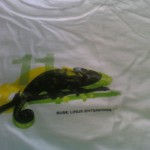
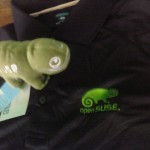
And we just recieve the package from novell


European Legal Network (ELN) Workshop Amsterdam Day-2
The topics of discussion in the final day were compliance, risk, patents and industry development. Different organizations made presentations in the morning regarding licensing compliance and how it pertains to the internal part of the organization, as well as, through to distribution. Intra-organization compliance systems were discussed in short and the various mediums that could be used in order to insure that the vendor(s) is complaint. Most all were in agreement that it was vital for an organization to integrate a compliance policy into the supply chain. Different measures on how this compliance policy could be constructed were discussed also.
The second topic discussed was Risk and how to evaluate and contain it. A balanced discussion on risk from both the legal and business sides of things gave a realistic case view on what open source companies are facing in the current and expanding market. Members of the ELN have also created and are developing a Risk Grid to address procurement of F/OSS and it's function within the supply chain. This grid aims to assist professionals in the field to regulate their actions with their suppliers and buyers by allocating risk to the appropriate actor within the supply chain.
A patent panel also discussed briefly about the pro's and con's of patents within the organization and argued how these patents can hinder, as well as, support innovation within an organization. The affects of patents on licensing and the various complications that arise were also discussed, but agreed that another workshop will be set aside to discuss patents in more detail.
Finally, Future developments were discussed and their impacts on the F/OSS industry. Technological innovations and shifts were discussed and weighed against the developments of the F/OSS movement in the past. We are seeing quite a shift from software as a product to more of a service driven industry with such developments as the cloud and embedded MID's. Awareness must be made now that assists professionals in evaluating legal risk in accordance to licensing and procurement, through educating professionals on the importance of compliance and how to properly implement a compliance policy within their respective organizations. Moreover, it is generally agreed that there must be more interaction with developers/engineers and management/legal counsel to work together and build a "best case" practice that incorporates the developer/engineers issues and needs together with the organizations compliance. The most sound method of accomplishing this is through working together to reach our common goal with special emphasis on proper education and documentation.
I would like to thank the Free Software Foundation Europe and everyone who attended the ELN workshop and especially thank them for allowing me to participate in this closed discussion. It definitely opened my eyes to topics in which I have only scratched the surface on. The complexities of the topics discussed were just another confirmation that we need to work even harder together to meet the ever growing issues faced by all levels of the F/OSS movement. I look forward to working together with you at the ELN and sharing the knowledge and contributions from the unique position I hold between industry and community.