
GNOME, curl, LLVM Update in Tumbleweed
This week in openSUSE Tumbleweed had both enormous and single-package snapshots.
A new GNOME, compiler tools and music player updates arrived this week along with a ton of other packages.
Snapshot 20230329 provided an update of Mesa 23.0.1, which fixed some bugs from its major release. Sandboxing tool for Flatpak and similar projects had an update; bubblewrap 0.8.0 added a --disable-userns option to prevent the sandbox from creating its own nested user namespace. Fixes for recent GLibs warnings were made in the libostree 2023.2 update. A 1.3 release of fwupd-efi had a few fixes for arm devices and fixed a regression.
A few packages arrived in snapshot 20230328. The XFS utilities package xfsprogs was among the updates. The 6.2.0 version now has a command that can now retrieve the UUID of mounted filesystems and has a fix for broken realtime free block unit conversions. A major version of the compiler and toolchain LLVM brought Clang compiler tools. One of those tools is used to detect locally available GPUs by the Clang OpenMP driver. Another standalone tool determines which headers are used by using existing functionality in clangd. File-synchronization tool unison 2.53.2 improves stopping of update propagation, and fuse3 3.14.1, which is the Interface for userspace programs to export a filesystem to the Linux kernel, no longer has flags available that were introduced in 3.14, but will likely be reintroduced in the next release. updated to version. A few other packages were updated in the snapshot.
The snapshot with the single-package update was 20230327. That single package was transactional-update 4.1.5. This package, which provides updates for Linux operating systems in a transactional way, adds support for configuration of file snippets.
The snapshot from the day prior wasn’t much bigger. Snapshot 20230326 updated two packages. One GNOME package received its second update this week; gnome-music updated from its release candidate, which arrived in snapshot 20230324, to version 44. The music application for GNOME users made a small change with the appdata for the 44.0 release. Another of the project’s packages that was updated was gobject-introspection 1.76.1. This package updated documentation and the handle null default values.
A major update of xwayland 23.1.0 took care of some regressions in snapshot 20230325; it also improved rootful mode for using Xwayland as a nested Xserver. An update of php 8.1.17 fixed some incorrect check conditions and a memory leak. The libstorage-ng package had some cleanup and propagated the failure of the snapper installation-helper with the 4.5.87 update. There were a couple time zone packages updated in the snapshot related to changes surrounding daylight savings. Egypt now uses daylight savings again and Morocco will move the clocks forward April 23 rather than April 30. KDE music player amarok fixed a crash and added support for ffmpeg 5.0 with a minor version bump. A 4.18.0 samba update provided Server Message Block performance improvements and a new wbinfo --change-secret-at option. A few other packages updated in the snapshot.
Snapshot 20230324 was enormous in size. GNOME 44 was released in this snapshot and the Kuala Lumpur code-name release didn’t disappoint. A new grid view is available with the use of GTK4. However, some appy may still use the previous version. The Device Security that was introduced in the previous version gains a new status view as either “Checks Failed”, “Checks Passed”, or “Protected”. The accessibility setting had a redesign and the sound setting gained a number of polish improvements. Another new major version in the snapshot was curl 8.0.1. It fixed a crash, added Fortran bindings and took care of more than a few Common Vulnerabilities and Exposures. One of those was CVE-2023-27538 that reuses a previously created connection even when an ssh related option had been changed, which should have prohibited reuse. Several regressions in the handling of GFileInfo attributes were made with the glib2 2.76.1 update. An update of ImageMagick 7.1.1.3 reverted some changes due to file conflicts and the version build aids with AVX2 and enables the hwcaps library for x86-64-v3 so try a zypper inr if you have v3 hardware. LibreOffice reverted some patches and had a harfbuzz text shaping fix. Several other packages updated in the snapshot including GTK3 3.24.37, gvfs 1.50.4, sqlite 3.41.2, webkit2gtk3 2.40.0 and many more.

 Member
 Futureboy
Linux Saloon | 25 Mar 2023 | Archcraft Linux

Releasing version 0.8
Six weeks ago we announced D-Installer 0.7 and a lot has happened since then. The most important news is that we just released a new prototype with version 0.8, integrating several exciting new features we will go through in this post. But this prototype is not only important because of those features, but also because it will be the last D-Installer release! Fear not, we are not abandoning the project... quite the opposite.
We want to consolidate D-Installer in the following months from the experimental project it currently is into a solid alternative for installing several Linux distributions. And the name was perceived by some people as an obstacle for that. So we will change it to an already decided alternative starting with the next prototype.
Adjusting the scope
As said, we want D-Installer to become a real alternative to install some of the future and even present (open)SUSE distributions. So the first step was to better define the list of supported distribution, called "products" in D-Installer jargon. If you grab the default flavor of the testing ISO we provide, you will see the following selection.
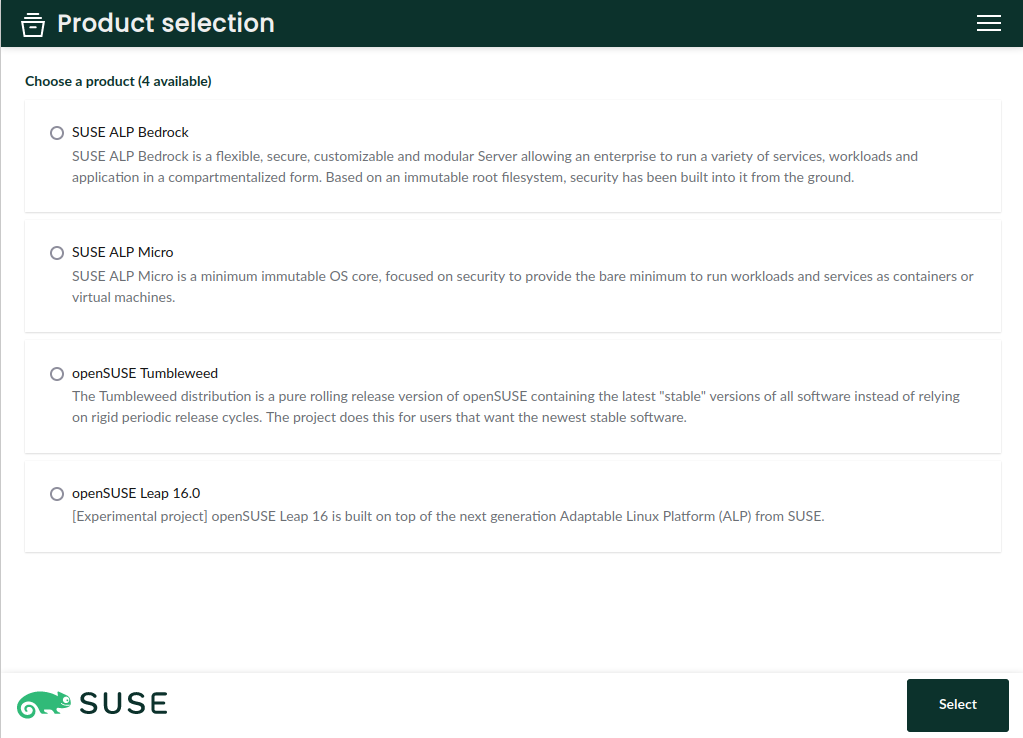
Take into account the YaST Team is not in charge of those distributions. D-Installer simply grabs the packages and default patterns from the corresponding repositories and installs them into your system. If you detect any inconsistency in the patterns of a distribution or any missing package, please contact the corresponding maintainers so they can fix the issue.
Support for s390x
One of the main highlights of the latest D-Installer prototype is the ability to install the mentioned distributions in s390x mainframes. That includes installing in LPAR mode, on z/VM and as a KVM guest.
That's a bigger achievement that it may look like. Sure having YaST under the hood eased the task of handling of the nuances of installing into such a special platform. But the real challenge here was making it possible to run D-Installer itself on all kind of s390 systems. We usually execute D-Installer using an slightly modified version of a live image in which we pack D-Installer and Firefox. The point is that regular (open)SUSE live images didn't come with full support for s390x out of the box.
Fortunately, SUSE is full of smart people that know a lot about Linux and all kind of hardware architectures. So after knocking on the appropriate doors we got a nice image that can be used to install any of the distributions supported by the D-Installer on any kind of s390x system by just following these instructions.
Advanced storage devices: iSCSI and DASD
Apart from its multi-architecture nature, another key aspect of the (open)SUSE installation process is its broad support for all kind of storage devices. D-Installer aims to simplify the installation experience without sacrificing those historical possibilities, like installing into network disks through iSCSI and FCoE or into disks relying on s390x technologies like DASD, XPRAM or zFCP.
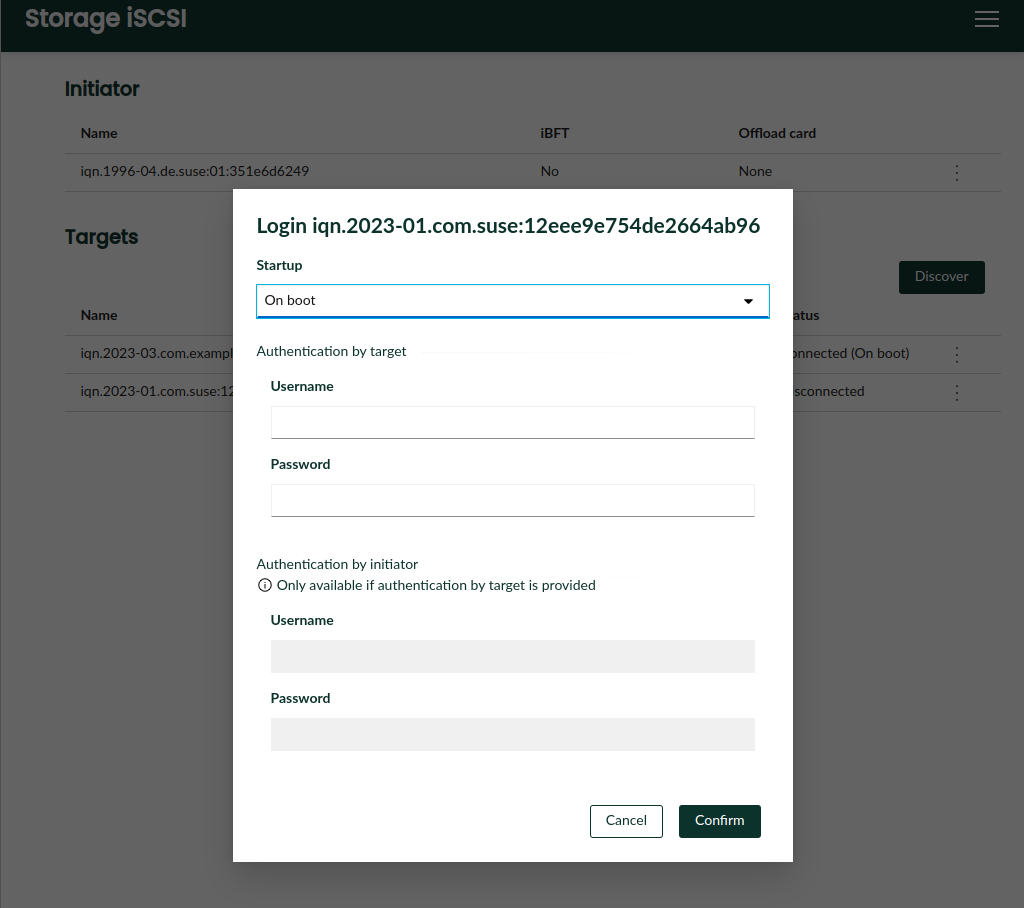
The latest version of D-Installer supports configuring an iSCSI initiator and connecting to iSCSI targets during the installation process, including the configuration of both discovery and login authentication. Of course, the iSCSI configuration is transferred to the target system. If iBFT is used to configure iSCSI via firmware, D-Installer recognizes and displays the corresponding configuration and makes it possible to install the system into the remote iSCSI disk.
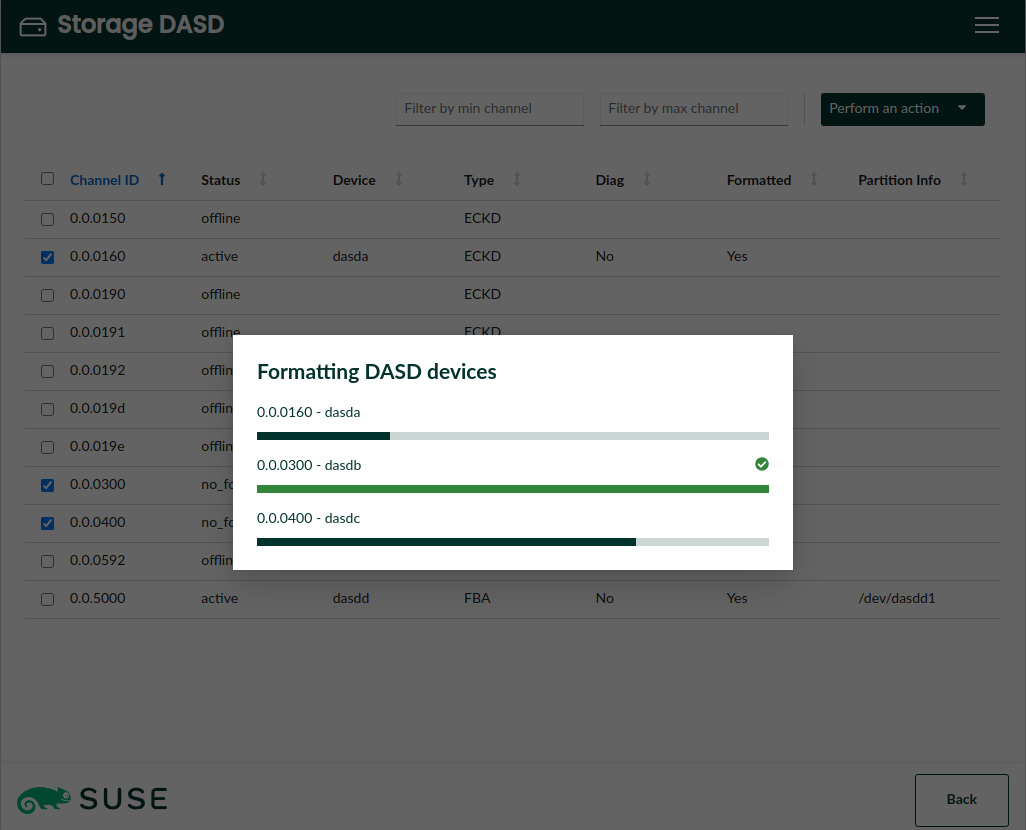
The iSCSI protocol is widely used in data-centers with all kind of hardware architectures. But in the mainframe world, DASD is probably the most common technology to provide storage space. DASDs need some previous configuration before they can accommodate a Linux system and now D-Installer offers the possibility to activate and format DASDs, together with other operations that have been traditionally available in YaST, like deactivation or configuration of the DIAG mode.
Interface polishing and reorganization
In addition to all the advanced features mentioned above, D-Installer 0.8 brings good news also for those geckos not running a full-featured data-center. 😉 First of all, we polished a bit the summary page to offer a more clear overview of the installation settings, moving configuration of authentication and network to new separate pages. See the screenshots at the corresponding pull request.
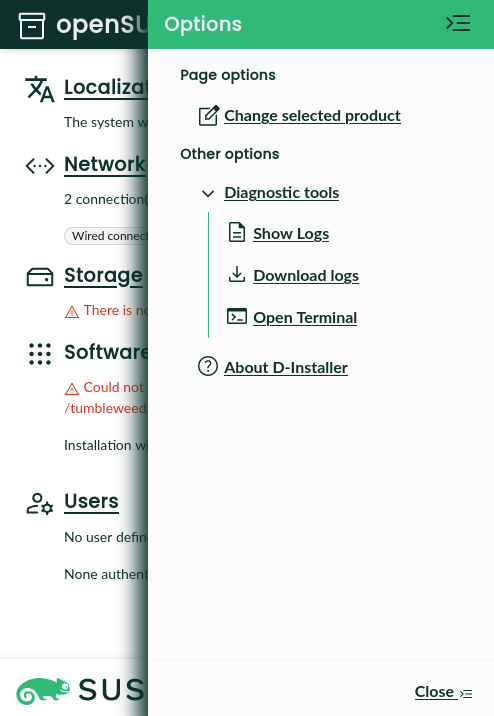
Moreover, we reorganized the sidebar that contains the advanced menu (which we fondly call "the hamburger menu). The actions are now grouped by topics and the menu offers contextual actions related to the current page, like configuration of iSCSI or DASD when the user is visiting the storage section.
Integrated terminal
In the screenshot above, you may have noticed the entry "Open terminal" in the "Diagnosis tools" sub-menu. No surprises there, it does exactly what you would expect. That is, offering a terminal embedded in the web interface that runs a shell on the very same Linux system that is executing D-Installer. Because we know our users can not resist to tweak and inspect all kind of things in the systems they run!
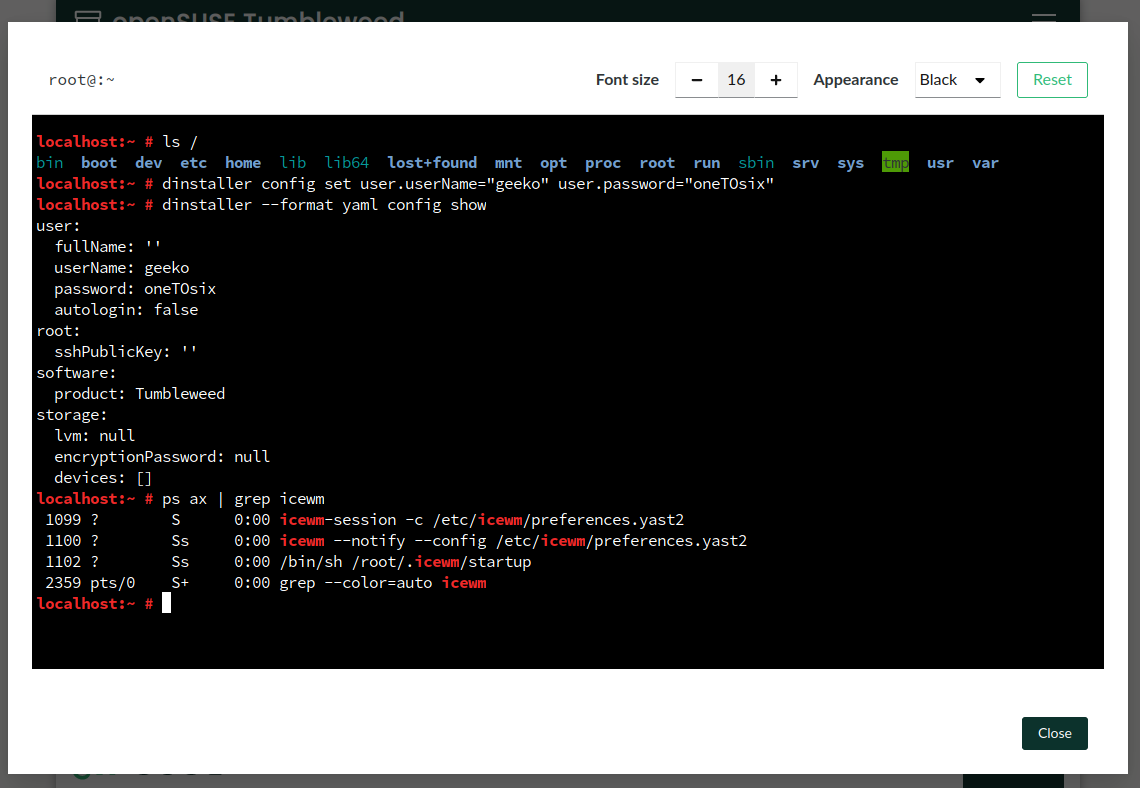
Kudos to the Cockpit project, relying on its infrastructure made this feature quite straightforward to implement.
Re-implemented command-line interface
You surely know D-Installer is way more than just a web front-end for YaST. Its architecture is designed to provide different kinds of interfaces and ways to operate. To make that more more visible than ever, D-Installer 0.8 comes with a new command-line interface rewritten from scratch (using the Rust programming language, if you are interested in those geeky details).
With the command-line interface you can drive the installation with sequences of command like:
dinstaller config set software.product=Tumbleweed


dinstaller config set user.fullName="Jane Doe" user.userName="jane.doe" user.password="12345"


dinstaller install
What is even better, that command-line is a crucial building block for another very relevant feature...
Preliminary support for unattended installation
Many (open)SUSE users rely on AutoYaST to install their systems. D-Installer aims to also be useful in the kind of unattended and mass-deployment scenarios in which AutoYaST shines. But D-Installer will follow a slightly different path. First of all, D-Installer offers two alternative approaches.
On the one hand, the user can provide a file, known as a "profile", with the settings to use during installation. This might sound familiar to AutoYaST users. The format and philosophy of D-Installer profiles is different from the AutoYaST ones, although there are plans to partially support AutoYaST profiles at D-Installer.
On the other hand, D-Installer can accept just a plain shell script, enabling custom installation workflows that rely on the D-Installer infrastructure and, potentially, also on other tools available in the installation media.
A more detailed explanation of both modes can be found at this document that covers several topics like the different ways to trigger an unattended installation, the format of the profile files, the mechanisms to make those profiles dynamic, etc.
Stay in touch
The D-Installer project is heading into interesting times, starting with the rename already pointed at the beginning of this document. We also want to take some time to reflect on internal aspects like memory usage and usability topics like exposing more possibilities to configure the network or the storage layout.
All opinions and feedback are welcome. So do not hesitate to give D-Installer a try and tell us
about your experience and thoughts. You can contact us through the
GitHub project's page or, as usual, in our #yast channel at
Libera.chat or the
YaST Development mailing list.

Announcing D-Installer 0.8
Six weeks ago we announced D-Installer 0.7 and a lot has happened since then. The most important news is that we just released a new prototype with version 0.8, integrating several exciting new features we will go through in this post. But this prototype is not only important because of those features, but also because it will be the last D-Installer release! Fear not, we are not abandoning the project… quite the opposite.
We want to consolidate D-Installer in the following months from the experimental project it currently is into a solid alternative for installing several Linux distributions. And the name was perceived by some people as an obstacle for that. So we will change it to an already decided alternative starting with the next prototype.
Adjusting the Scope
As said, we want D-Installer to become a real alternative to install some of the future and even present (open)SUSE distributions. So the first step was to better define the list of supported distribution, called “products” in D-Installer jargon. If you grab the default flavor of the testing ISO we provide, you will see the following selection.

Take into account the YaST Team is not in charge of those distributions. D-Installer simply grabs the packages and default patterns from the corresponding repositories and installs them into your system. If you detect any inconsistency in the patterns of a distribution or any missing package, please contact the corresponding maintainers so they can fix the issue.
Support for s390x
One of the main highlights of the latest D-Installer prototype is the ability to install the mentioned distributions in s390x mainframes. That includes installing in LPAR mode, on z/VM and as a KVM guest.
That’s a bigger achievement that it may look like. Sure having YaST under the hood eased the task of handling of the nuances of installing into such a special platform. But the real challenge here was making it possible to run D-Installer itself on all kind of s390 systems. We usually execute D-Installer using an slightly modified version of a live image in which we pack D-Installer and Firefox. The point is that regular (open)SUSE live images didn’t come with full support for s390x out of the box.
Fortunately, SUSE is full of smart people that know a lot about Linux and all kind of hardware architectures. So after knocking on the appropriate doors we got a nice image that can be used to install any of the distributions supported by the D-Installer on any kind of s390x system by just following these instructions.
Advanced Storage Devices: iSCSI and DASD
Apart from its multi-architecture nature, another key aspect of the (open)SUSE installation process is its broad support for all kind of storage devices. D-Installer aims to simplify the installation experience without sacrificing those historical possibilities, like installing into network disks through iSCSI and FCoE or into disks relying on s390x technologies like DASD, XPRAM or zFCP.
The latest version of D-Installer supports configuring an iSCSI initiator and connecting to iSCSI targets during the installation process, including the configuration of both discovery and login authentication. Of course, the iSCSI configuration is transferred to the target system. If iBFT is used to configure iSCSI via firmware, D-Installer recognizes and displays the corresponding configuration and makes it possible to install the system into the remote iSCSI disk.

The iSCSI protocol is widely used in data-centers with all kind of hardware architectures. But in the mainframe world, DASD is probably the most common technology to provide storage space. DASDs need some previous configuration before they can accommodate a Linux system and now D-Installer offers the possibility to activate and format DASDs, together with other operations that have been traditionally available in YaST, like deactivation or configuration of the DIAG mode.

Interface Polishing and Reorganization
In addition to all the advanced features mentioned above, D-Installer 0.8 brings good news also for those geckos not running a full-featured data-center. :wink: First of all, we polished a bit the summary page to offer a more clear overview of the installation settings, moving configuration of authentication and network to new separate pages. See the screenshots at the corresponding pull request.
Moreover, we reorganized the sidebar that contains the advanced menu (which we fondly call “the hamburger menu). The actions are now grouped by topics and the menu offers contextual actions related to the current page, like configuration of iSCSI or DASD when the user is visiting the storage section.

Integrated Terminal
In the screenshot above, you may have noticed the entry “Open terminal” in the “Diagnosis tools” sub-menu. No surprises there, it does exactly what you would expect. That is, offering a terminal embedded in the web interface that runs a shell on the very same Linux system that is executing D-Installer. Because we know our users can not resist to tweak and inspect all kind of things in the systems they run!

Kudos to the Cockpit project, relying on its infrastructure made this feature quite straightforward to implement.
Re-implemented Command-line Interface
You surely know D-Installer is way more than just a web front-end for YaST. Its architecture is designed to provide different kinds of interfaces and ways to operate. To make that more more visible than ever, D-Installer 0.8 comes with a new command-line interface rewritten from scratch (using the Rust programming language, if you are interested in those geeky details).
With the command-line interface you can drive the installation with sequences of command like:
dinstaller config set software.product=Tumbleweed
dinstaller config set user.fullName="Jane Doe" user.userName="jane.doe" user.password="12345"
dinstaller install
What is even better, that command-line is a crucial building block for another very relevant feature…
Preliminary Support for Unattended Installation
Many (open)SUSE users rely on AutoYaST to install their systems. D-Installer aims to also be useful in the kind of unattended and mass-deployment scenarios in which AutoYaST shines. But D-Installer will follow a slightly different path. First of all, D-Installer offers two alternative approaches.
On the one hand, the user can provide a file, known as a “profile”, with the settings to use during installation. This might sound familiar to AutoYaST users. The format and philosophy of D-Installer profiles is different from the AutoYaST ones, although there are plans to partially support AutoYaST profiles at D-Installer.
On the other hand, D-Installer can accept just a plain shell script, enabling custom installation workflows that rely on the D-Installer infrastructure and, potentially, also on other tools available in the installation media.
A more detailed explanation of both modes can be found at this document that covers several topics like the different ways to trigger an unattended installation, the format of the profile files, the mechanisms to make those profiles dynamic, etc.
Stay in Touch
The D-Installer project is heading into interesting times, starting with the rename already pointed at the beginning of this document. We also want to take some time to reflect on internal aspects like memory usage and usability topics like exposing more possibilities to configure the network or the storage layout.
All opinions and feedback are welcome. So do not hesitate to give D-Installer a try and tell us
about your experience and thoughts. You can contact us through the GitHub
project’s page or, as usual, in our #yast channel at
Libera.chat or the YaST Development mailing
list.
Syslog-ng 101, part 13: Updating syslog-ng, syslog-ng 4
Version 4 of syslog-ng is now available. The good news is that it is fully backwards compatible. If the version string in your configuration is set to a 3.X version, it will work as expected even after updating to version 4. Of course you might run into corner cases, but I had no problems even with complex configurations. Today, we learn about updating syslog-ng, and some of the new features of syslog-ng 4.
You can watch the video on YouTube:
and the complete playlist at https://www.youtube.com/playlist?list=PLoBNbOHNb0i5Pags2JY6-6wH2noLaSiTb
Or you can read the rest the tutorial as a blog at: https://www.syslog-ng.com/community/b/blog/posts/syslog-ng-101-part-13-updating-syslog-ng-syslog-ng-4

syslog-ng logo
Hands-on, Ad-free browsing at your home with Leap Micro 5.4 Beta
The Beta version of our Immutable HostOS Leap Micro 5.4 is now available. The update brings SELinux in enforcing mode by default as well as tuned. Leap Micro is not a traditional distribution, but rather a lightweight HostOS for running virtual machines and containerized workloads.
Leap Micro is an openSUSE equivalent of SUSE’s SLE Micro.
In this article, I would like to show you how it can be practically used to enhance your daily ad-free experience at home. I was able to replicate the entire setup in the VM, including downloading the image, in under 15 minutes.
My personal use case for Leap Micro is to have as much ad-free browsing as possible, DNS entries for local services, and a Nextcloud instance as a bridge to share pictures and videos in between my wife’s iPhone, kids tablet and my Android phone.
My private home setup is a Raspberry Pi 4 8GB with 1TB SDD connected via USB 3.0 to SATA III. I have a mesh via TP Link Deco X20. I do use port mapping from the Deco to expose services to the public via a static public IP.
The RPI has a reserved address based on its MAC address to keep stuff simple. If you have a dynamic public address, you can consider some dynamic DNS (DDNS) solutions.
I am personally happily using the described setup on my 8GB Raspberry Pi 4 with Leap Micro 5.3 along with Pi-hole for ad-free browsing and mapping of my NextCloud instance to a local address.
If you want to just test it out, virtual machines will work as well; just make sure that the VM’s virtual network interface is in bridge mode or uses forwarding of incoming connections. This can be easily set up with NetworkManager in just two clicks. Otherwise, you won’t be able to access web management of the VM services and the article becomes pointless.
The benefit I see in using Leap Micro is that the machine does not require any of my attention. I have automatic updates and self-healing on. The machine automatically reboots into an updated snapshot in the defined maintenance window (set by default) and if there is an issue that requires my attention, then I simply resolve the issue with the Cockpit interface in the web browser.
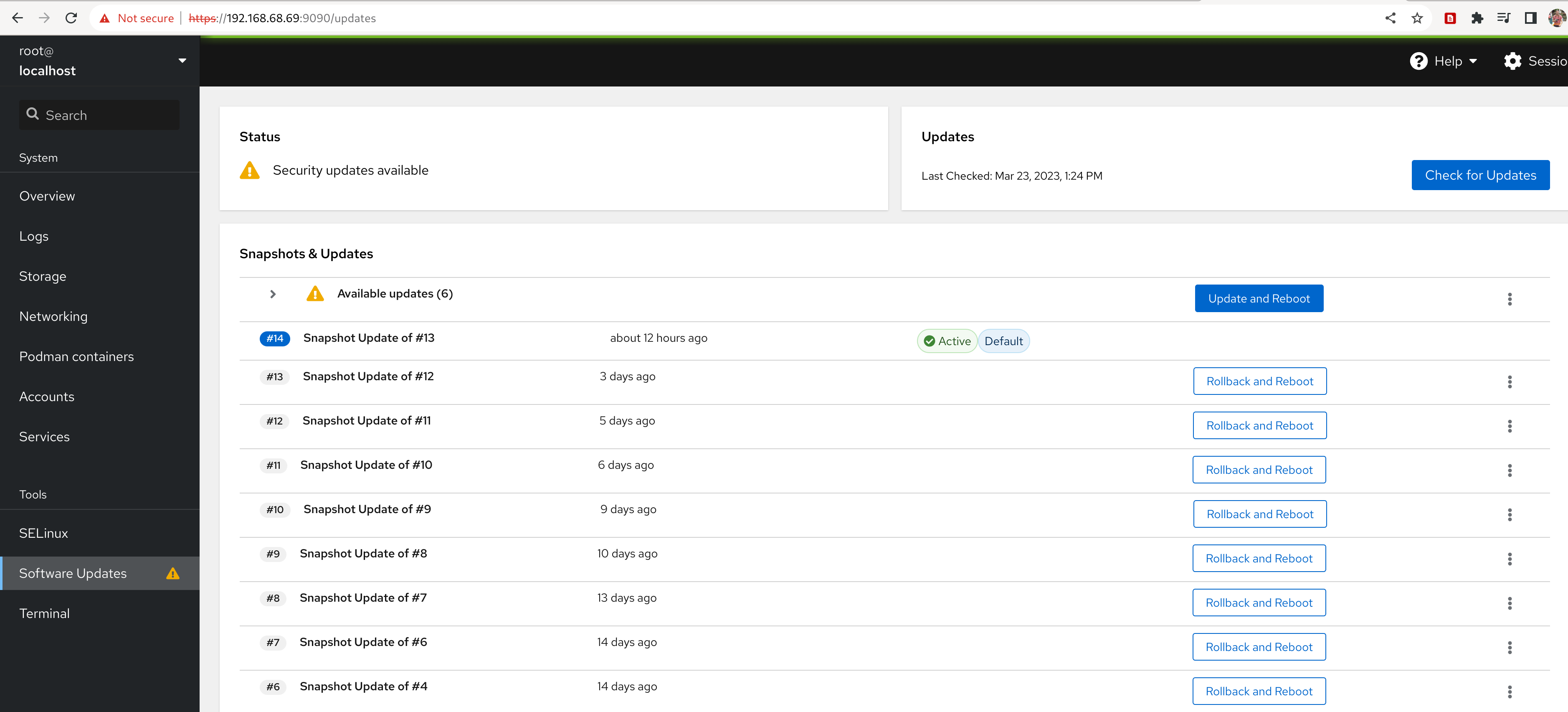
Leap Micro is an immutable operating system with read-only root. openSUSE solves this via btrfs snapshots and tools that enable automatic rollback and boot into a previous snapshot in case a system identifies that the boot into a new snapshot has failed.
Getting the Leap Micro 5.4 Beta
What is a self-install image?
The self-install image is essentially a bootable image that writes the pre-configured image of Leap Micro to the disk and enlarges system partitions to the disk size. In this way, installation takes less than two minutes in my VM (VM storage is a file, and I have PCI-e 4 gen M.2 SSD).
Download the self-install image from https://get.opensuse.org/leapmicro/5.4/ make sure to choose correctly the architecture x86-64, or AArch64 for arm devices. We’ll use a self-install x86-64 image as this article uses a VM for the demonstration.
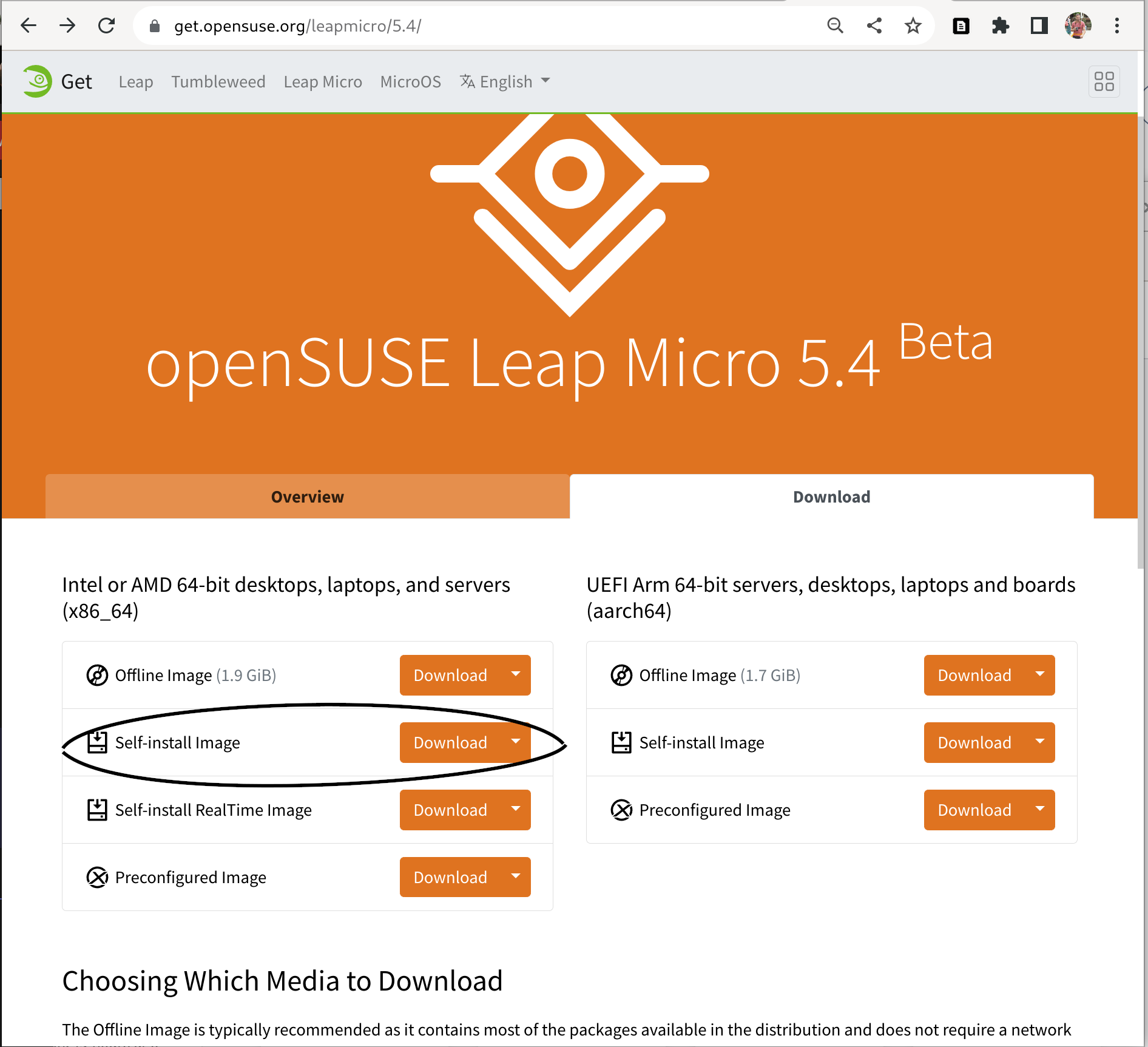
If you are using a physical device then please use zypper to install image writer. Users on other distributions can install e.g. Fedora Media Writer from Flathub. Use the tool of your choice to write the downloaded image to the USB flash drive.
$ sudo zypper in imagewriter
or
$ flatpak --user install org.fedoraproject.MediaWriter
Follow these instructions if you are reading this article on Windows: https://en.opensuse.org/SDB:Create_a_Live_USB_stick_using_Windows
Note - Users using Raspberry Pi without the USB boot enabled: Please download directly the pre-configured image and write it to the SD Card via the following command. The rest of the steps are the same.
xzcat [image].raw.xz | dd bs=4M of=/dev/sdX iflag=fullblock oflag=direct status=progress; sync
Need to avoid user interaction during the installation?
Users who want to avoid user interaction during installation (e.g. due to not having connected peripherals to the machine) can use Ignition or Combustion https://en.opensuse.org/Portal:MicroOS/Combustion to do the initial setup for them. For that use case, please use the preconfigured image that you will write to the disk drive by yourself. Self-install media requires user confirmation on overwriting the disk. Check this video tutorial for more information https://www.youtube.com/watch?v=ft8UVx9elKc
Writing the self-install image to the USB drive
This can be skipped in case you’re using a virtual machine. Make sure to have a tool for writing an image to the drive such as our image writer or e.g. Fedora Media Writer from Flathub if you are on an immutable system and want to avoid a reboot.
Booting the image
For demonstration purposes, I will be using Leap Micro 5.4 Beta x86-64 self-install image running in GNOME Boxes.
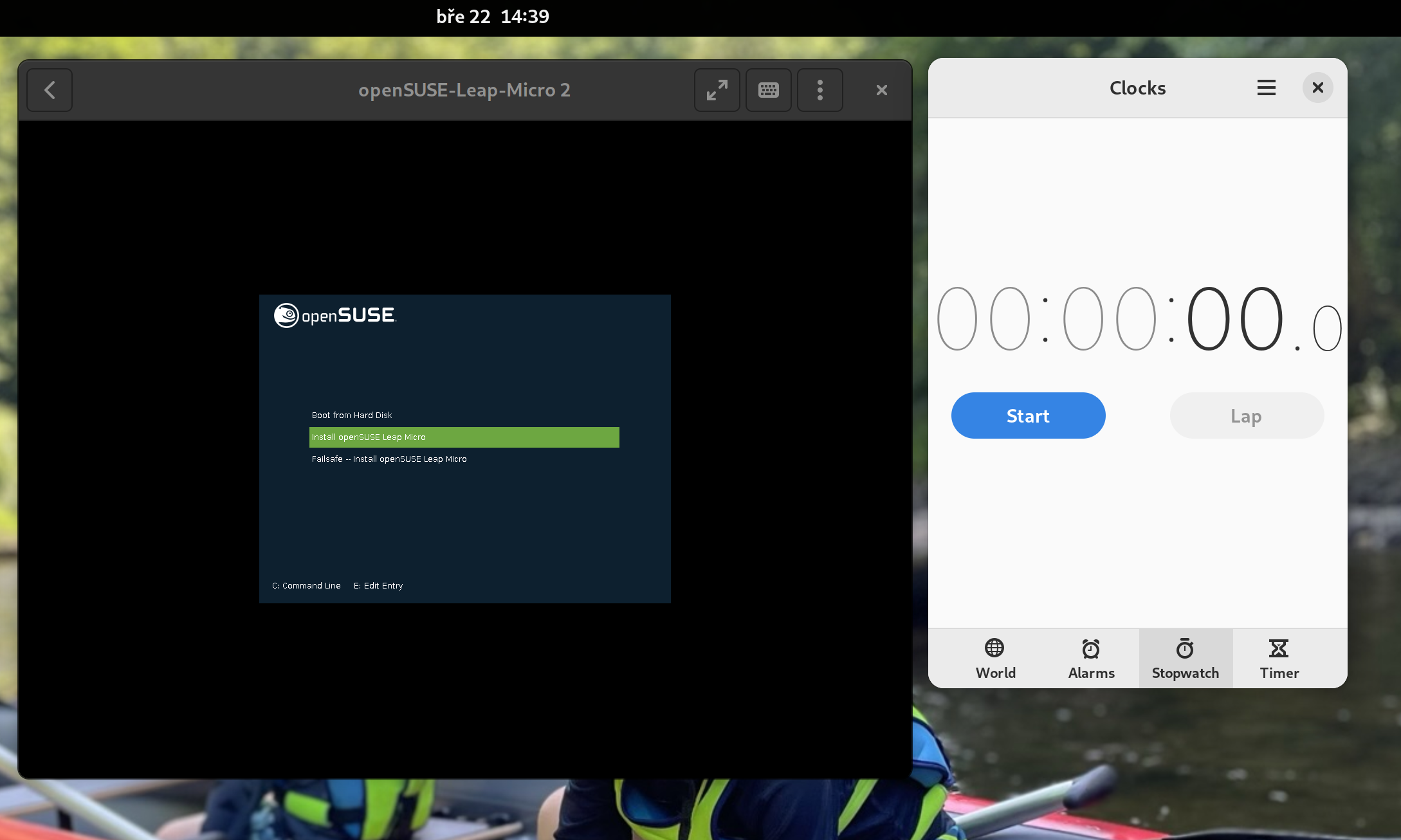
The self-install image is pretty straightforward. As mentioned before, it’s essentially a bootable image that writes a pre-configured image of Leap Micro to the disk and enlarges system partitions to the disk size.
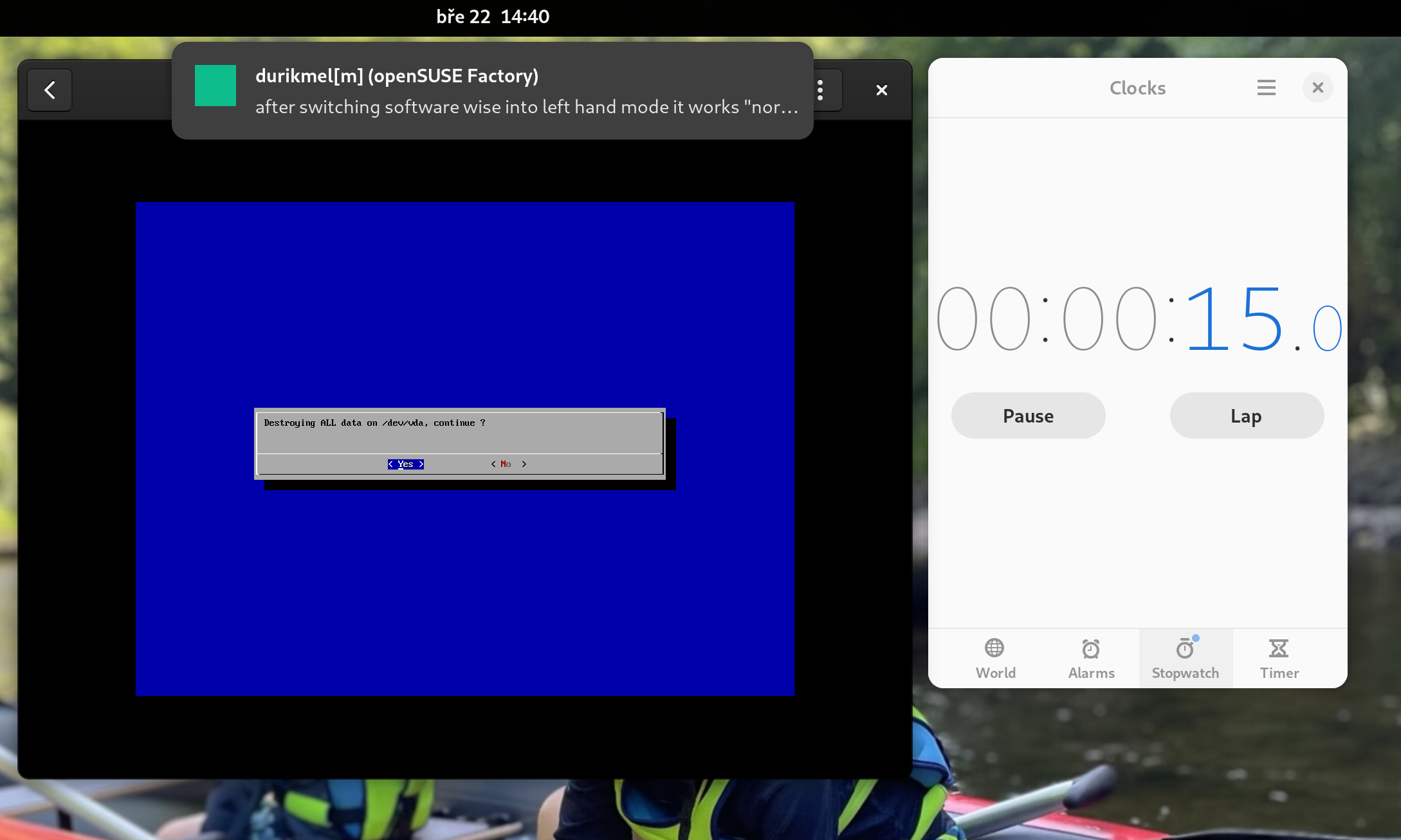
About a minute after we are already booting into the deployed Leap Micro 5.4 Beta.
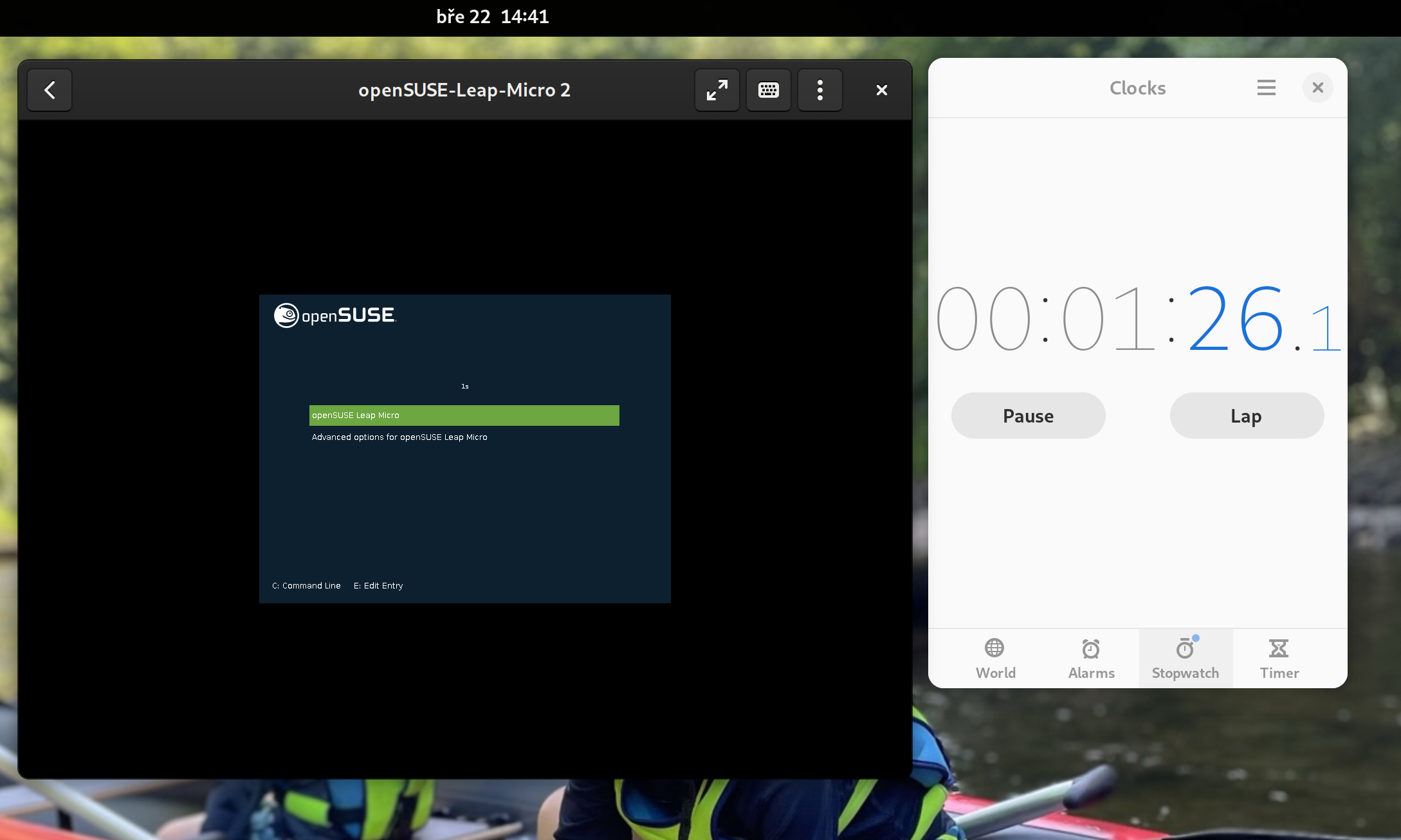
The boot itself takes a few seconds, and we are entering a simple first boot wizard known from our minimal images (used to be called JeOS).
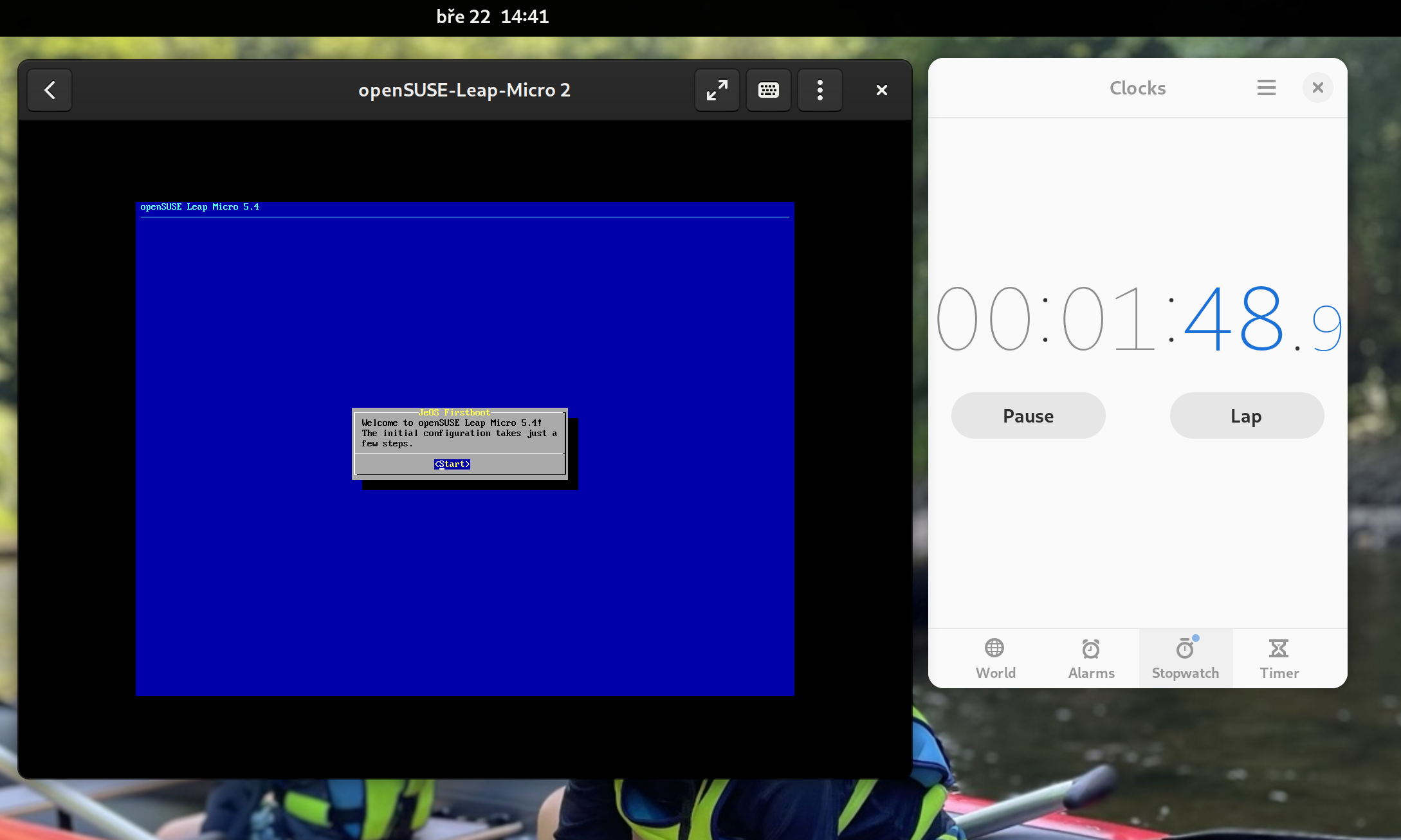
First boot wizard lets you choose Timezone, Language and a root password, and your Leap Micro 5.4 is ready to be used (can be automated with Ignition/Combustion). We are ready to serve after two minutes including the initial configuration.
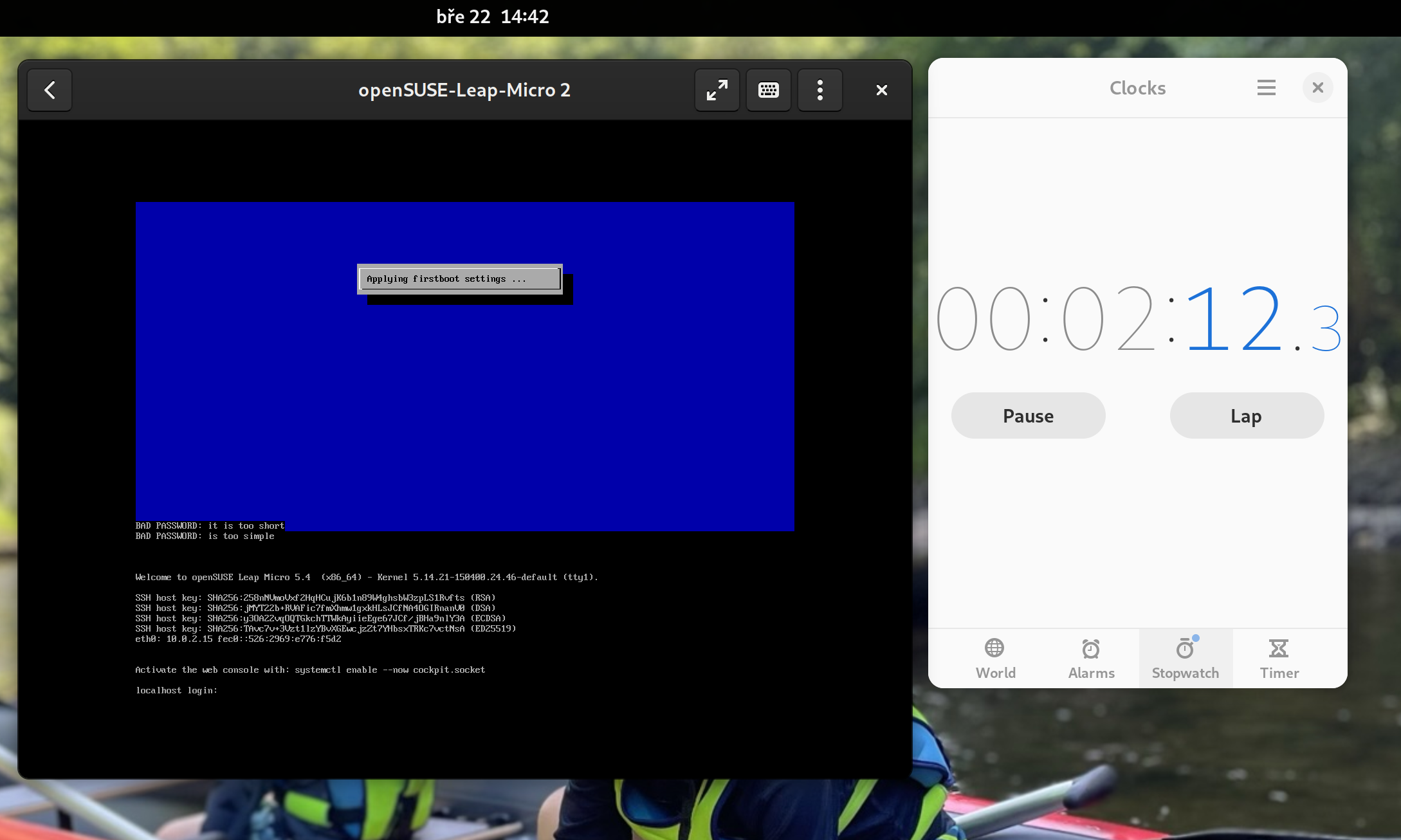
Getting into the cockpit
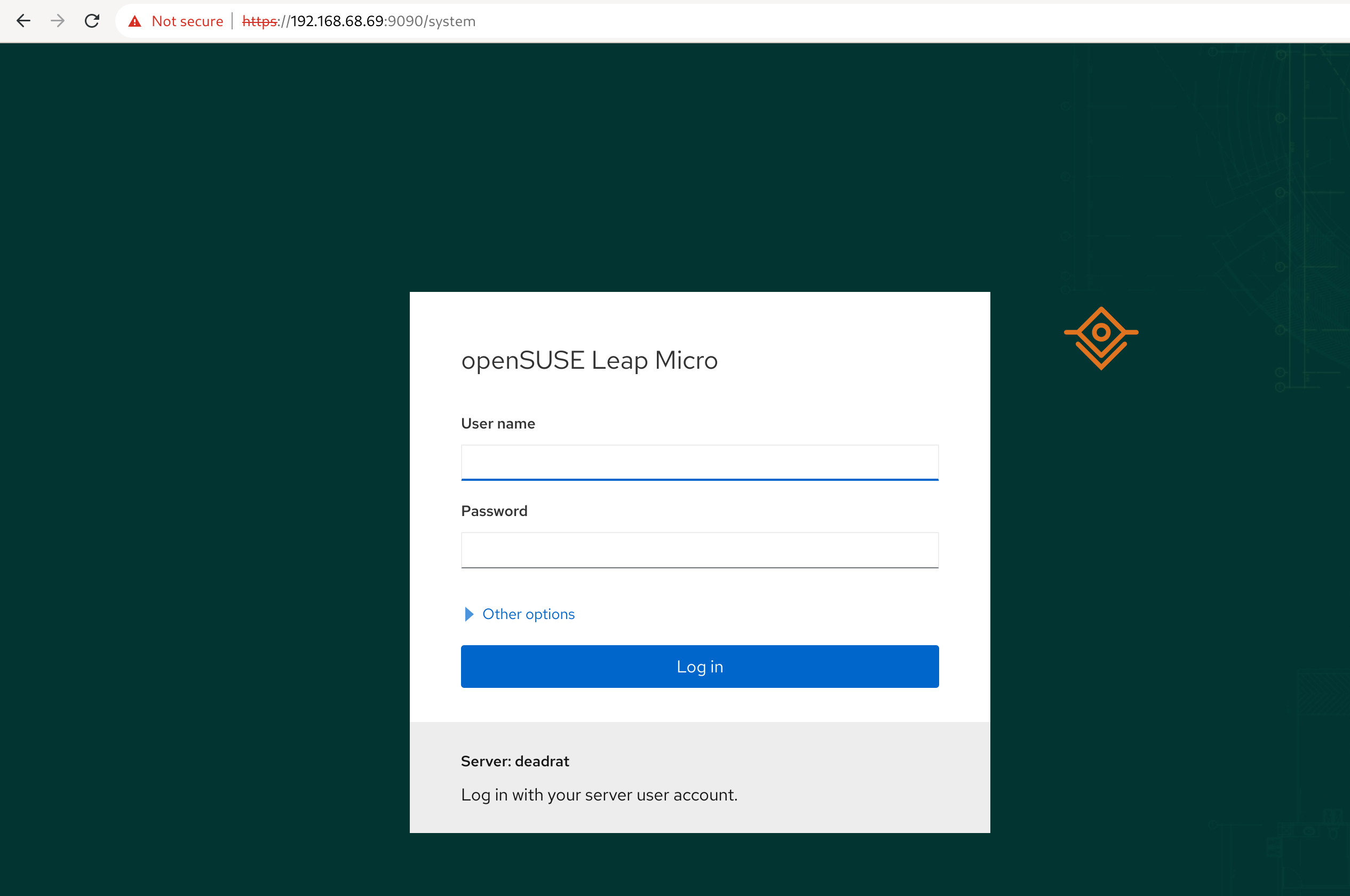
Message of the day (MOTD) suggests you enable the cockpit web. It will be accessible through the ip.address.of.this.server:9090. Login to the cockpit as root.
Note: For home purposes, I highly recommend not exposing this port to the public and keeping it for management only from your local network or at least that is how my setup looks like. You can completely skip SSH since the cockpit allows you to access the terminal via a web browser.
$ systemctl enable --now cockpit.socket
Podman vs Docker
In this tutorial, we will run Pi-hole as a containerized workload. Leap Micro uses a podman by default. Cockpit has a nice podman plugin so you can pull && run containers directly from cockpit.
Unless the suggested deployment is very Docker centric, you should be able to just substitute docker with podman respective podman-docker and be good.
Pi-hole advertises Docker in its example; we can use this as an opportunity to show you how to install additional software on a transactional-update system.
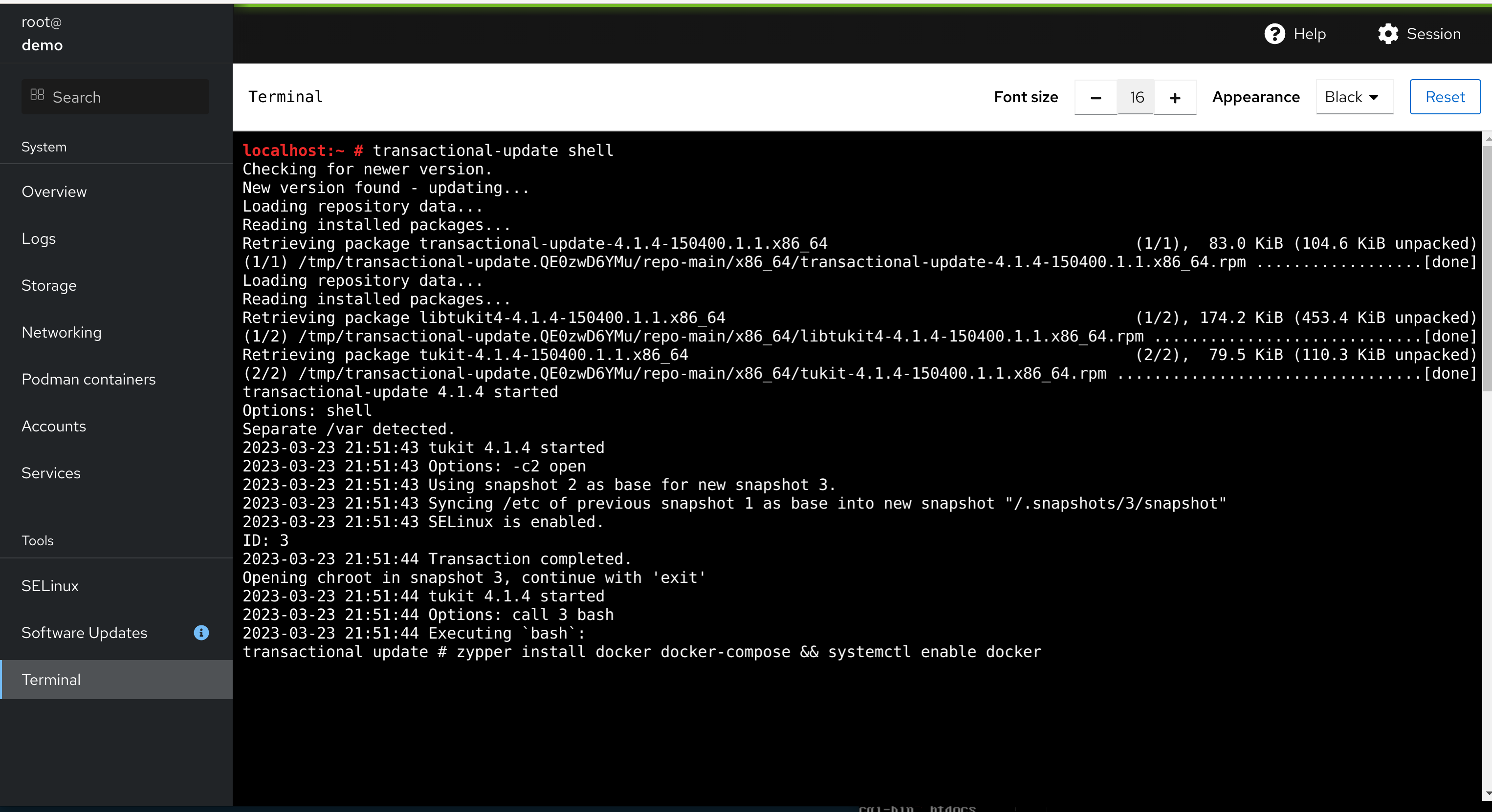
You can use transactional-update pkg install docker or preferably use the transactional-update shell, which gets you a shell in a chroot of the newly created snapshot. There you can continue working just like it would be a traditional system.
# sudo transactional-update shell
# zypper install docker
# systemctl enable docker
# exit
# reboot
Do not forget to exit the transactional-update shell (type exit) and reboot afterward. All of the changes were done into a btrfs snapshot of the current environment, so we have to reboot it to see the changes. Fortunately, the reboot of vanilla Leap Micro takes less than 10 seconds
Note: A recommended way to install additional tools without a reboot is to use Distrobox
Deploying Pi-hole
We will follow instructions from https://github.com/pi-hole/docker-pi-hole#readme. This part took me literally two minutes.
This is essentially a copy-paste from the readme that runs the Pi-hole container in the background. Please change the password and set your time zone. Pay special attention to the host-to-container port mapping -p HOST_PORT:CONTAINER_PORT especially if you are running multiple workloads.
The -p 8888:80 says that we are mapping port 8888 of the Host to port 80 (web management interface) in the container. Port 53 (DNS) is mapped to the same port in the container.
You can store this in a wrapper e.g. /root/pihole_deploy.sh
Docker volume
In this example, we’re passing local /root/etc-pihole and /root/etc-dnsmaq.d directories to the container as Docker volumes where they’ll be present as /etc/pihole and /etc/dnsmasq.d respectively.
# mkdir -p /root/etc-pihole /root/etc-dnsmasq.d
# docker run -d \
--name pihole \
-p 53:53/tcp -p 53:53/udp \
-p 8888:80 \
-e TZ="Europe/Prague" \
-e WEBPASSWORD="CHANGEME" \
-v "/root/etc-pihole:/etc/pihole" \
-v "/root/etc-dnsmasq.d:/etc/dnsmasq.d" \
--dns=127.0.0.1 --dns=1.1.1.1 \
--restart=unless-stopped \
--hostname pi.hole \
-e VIRTUAL_HOST="pi.hole" \
-e PROXY_LOCATION="pi.hole" \
-e FTLCONF_LOCAL_IPV4="127.0.0.1" \
pihole/pihole:latest
Please wait until the state is healthy. You can proactively check the state with the following command.
# docker inspect -f "" pihole
Cleanup in case you messed up
# docker rm -f pihole # ^ re-do the above
Accessing Pi-hole web management
At this point, the containerized Pi-hole is already daemonized, and you can access the interface through ip.address.of.this.server:8888/admin
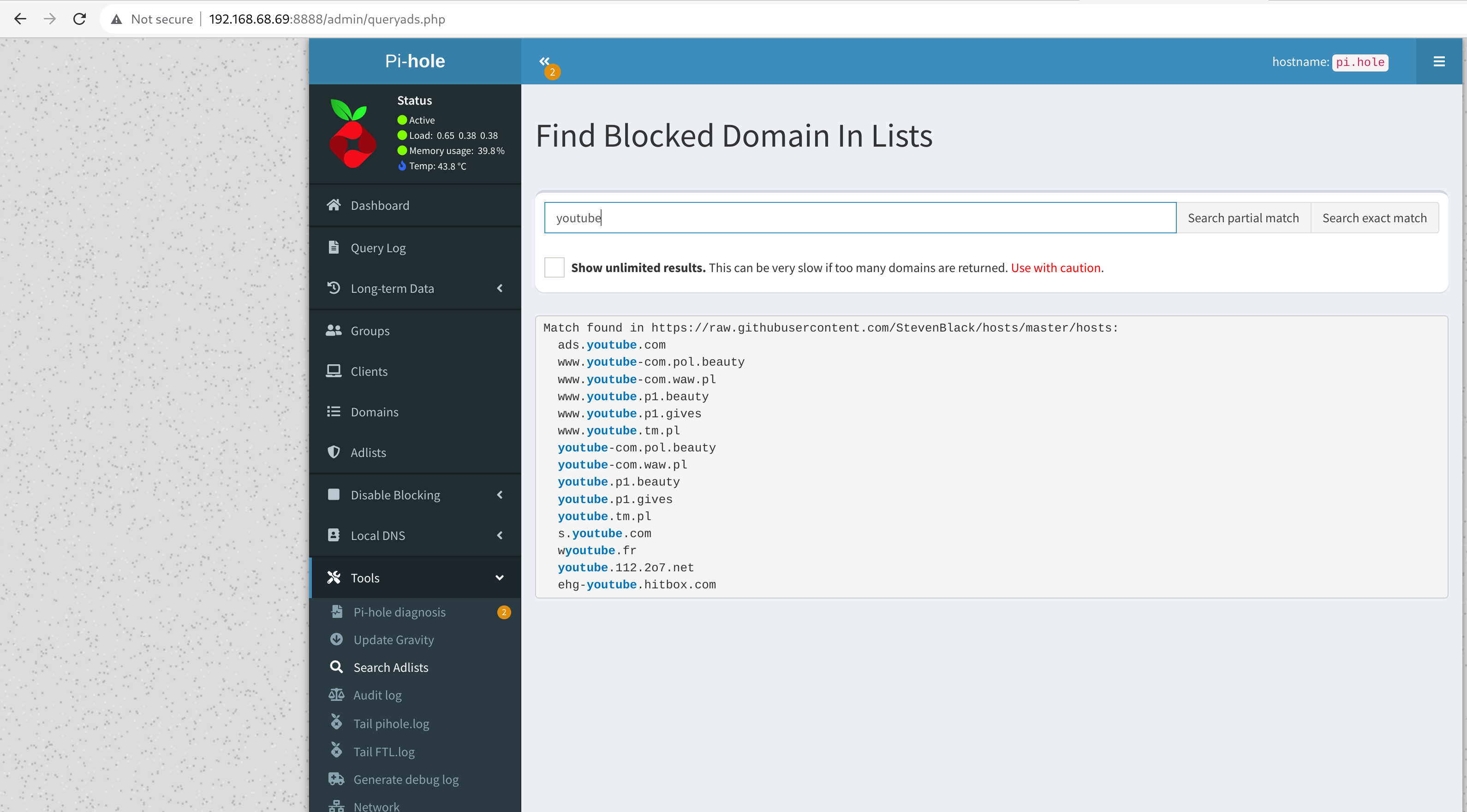
There is a default list; however, I did not find it sufficient for my ad-free youtube experience. You can use a builtin tool to look up further adlists.
Accessing services with external domain with a local IP
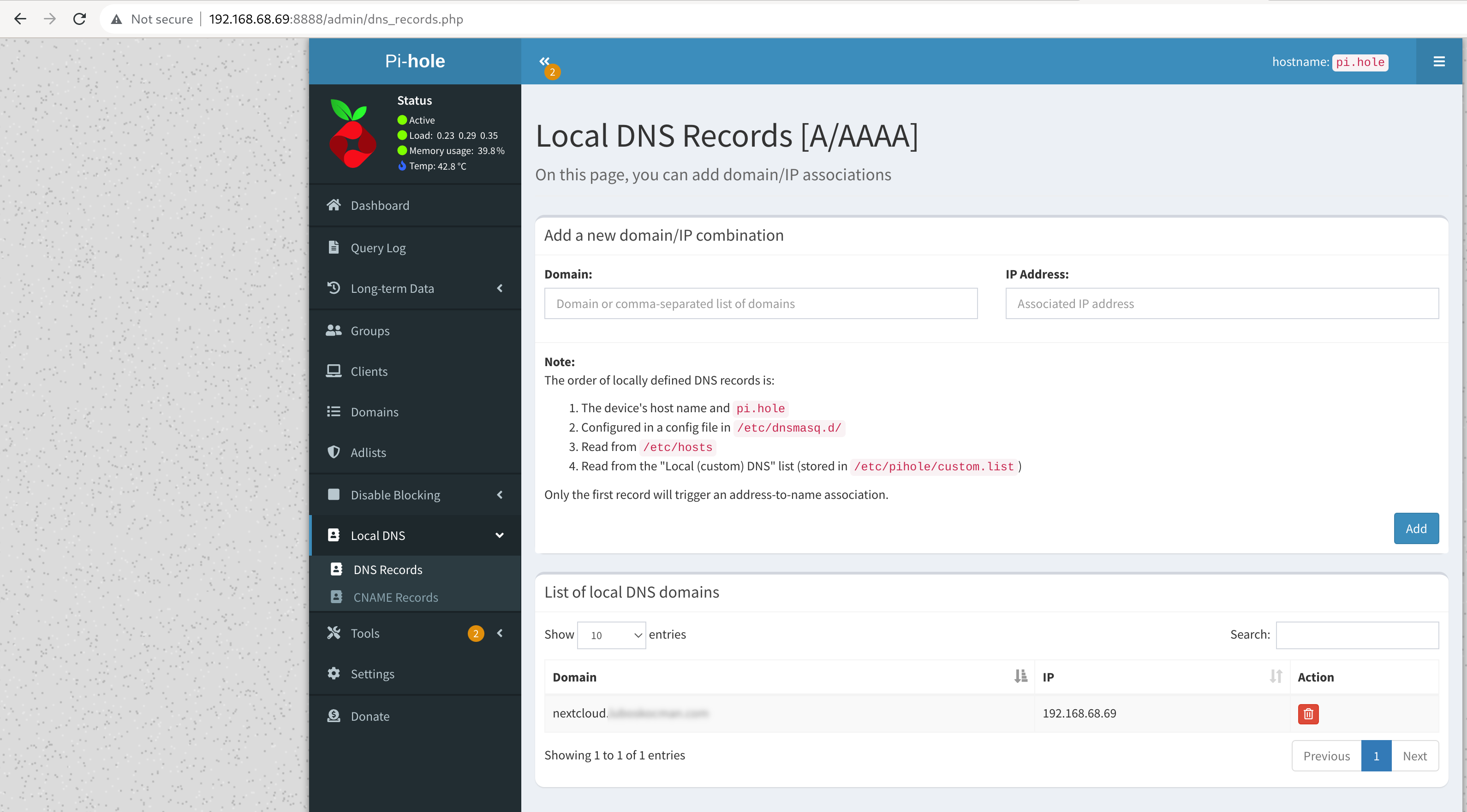
This is especially useful in our Nextcloud example later. Here I create local DNS records with local IP for my public domain, so I can access my NextCloud instance with an external domain name but interact with local IPs.
Using your new home DNS server with adlists
The last step is to configure your router’s DHCP server to use your new pi-hole instance as the DNS server. Please double-check that your end devices are using it as a DNS server. Otherwise, it will have no effect. In the example case, I did manually set the DNS entry in the DHCP settings of my TP-Link Deco to ip.address.of.this.server (in my case 192.168.68.69).
Tip: I find the function to temporarily disable blocking in case I am trying to debug issues with accessing certain sites.
And we’re done. Have a lot of fun!
Running Electrical Conduit Using FreeCAD and 3D Printing
openSUSE Tumbleweed – Review of the week 2023/12
Dear Tumbleweed users and hackers,
This week we released only 5 snapshots, but one was hefty in size and we needed the extra time for the mirrors to settle again and get the bandwidth back under control. The large snapshot was due to the change in the default compiler: Tumbleweed has been rebuilt entirely using GCC 13. The released snapshots were numbered 0316, 0317, 0318, 0319, and 0321.
The most relevant changes in these snapshots were:
- Linux kernel 6.2.6
- transmission 4.0.2
- KDE Plasma 5.27.3
- systemd 253.1
- GCC 13 is now used as the default compiler
As we needed to slow down check-ins, naturally the staging projects are well filled up now. You can expect these changes to reach you soon:
- GNOME 44
- Linux kernel 6.2.8
- cmake 3.26.0
- cURL 8.0.1
- LibreOffice 7.5.2
- Samba 4.18.0
- LLVM 16
- openSSL 3.1.0
One extra reminder for i586 users now: next week marks the end of i586 packages in the regular openSUSE Tumbleweed repositories. Should you still run Tumbleweed on such an old machine, you can keep on doing so using the separate port (repositories at http://download.opensuse.org/ports/i586/tumbleweed/repo/).
Teaching an odd dog new tricks
We – that is to say the storage team at SUSE – have a tool we’ve been using for the past few years to help with development and testing of Ceph on SUSE Linux. It’s called sesdev because it was created largely for SES (SUSE Enterprise Storage) development. It’s essentially a wrapper around vagrant and libvirt that will spin up clusters of VMs running openSUSE or SLES, then deploy Ceph on them. You would never use such clusters in production, but it’s really nice to be able to easily spin up a cluster for testing purposes that behaves something like a real cluster would, then throw it away when you’re done.
I’ve recently been trying to spend more time playing with Kubernetes, which means I wanted to be able to spin up clusters of VMs running openSUSE or SLES, then deploy Kubernetes on them, then throw the clusters away when I was done, or when I broke something horribly and wanted to start over. Yes, I know there’s a bunch of other tools for doing toy Kubernetes deployments (minikube comes to mind), but given I already had sesdev and was pretty familiar with it, I thought it’d be worthwhile seeing if I could teach it to deploy k3s, a particularly lightweight version of Kubernetes. Turns out that wasn’t too difficult, so now I can do this:
> sesdev create k3s
=== Creating deployment "k3s" with the following configuration ===
Deployment-wide parameters (applicable to all VMs in deployment):
deployment ID:    k3s
number of VMs:    5
version:          k3s
OS:               tumbleweed
public network:   10.20.190.0/24
Proceed with deployment (y=yes, n=no, d=show details) ? [y]: y
=== Running shell command ===
vagrant up --no-destroy-on-error --provision
Bringing machine 'master' up with 'libvirt' provider...
Bringing machine 'node1' up with 'libvirt' provider...
Bringing machine 'node2' up with 'libvirt' provider...
Bringing machine 'node3' up with 'libvirt' provider...
Bringing machine 'node4' up with 'libvirt' provider...

[...
  wait a few minutes
  (there's lots more log information output here in real life)
...]

=== Deployment Finished ===
 You can login into the cluster with:
 $ sesdev ssh k3s
…and then I can do this:
> sesdev ssh k3s
Last login: Fri Mar 24 11:50:15 CET 2023 from 10.20.190.204 on ssh
Have a lot of fun…

master:~ # kubectl get nodes
NAME     STATUS   ROLES                  AGE     VERSION
master   Ready    control-plane,master   5m16s   v1.25.7+k3s1
node2    Ready                     2m17s   v1.25.7+k3s1
node1    Ready                     2m15s   v1.25.7+k3s1
node3    Ready                     2m16s   v1.25.7+k3s1
node4    Ready                     2m16s   v1.25.7+k3s1

master:~ # kubectl get pods -A
NAMESPACE     NAME                                      READY   STATUS      RESTARTS   AGE
kube-system   local-path-provisioner-79f67d76f8-rpj4d   1/1     Running     0          5m9s
kube-system   metrics-server-5f9f776df5-rsqhb           1/1     Running     0          5m9s
kube-system   coredns-597584b69b-xh4p7                  1/1     Running     0          5m9s
kube-system   helm-install-traefik-crd-zz2ld            0/1     Completed   0          5m10s
kube-system   helm-install-traefik-ckdsr                0/1     Completed   1          5m10s
kube-system   svclb-traefik-952808e4-5txd7              2/2     Running     0          3m55s
kube-system   traefik-66c46d954f-pgnv8                  1/1     Running     0          3m55s
kube-system   svclb-traefik-952808e4-dkkp6              2/2     Running     0          2m25s
kube-system   svclb-traefik-952808e4-7wk6l              2/2     Running     0          2m13s
kube-system   svclb-traefik-952808e4-chmbx              2/2     Running     0          2m14s
kube-system   svclb-traefik-952808e4-k7hrw              2/2     Running     0          2m14s
…and then I can make a mess with kubectl apply, helm, etc.
One thing that sesdev knows how to do is deploy VMs with extra virtual disks. This functionality is there for Ceph deployments, but there’s no reason we can’t turn it on when deploying k3s:
> sesdev create k3s --num-disks=2
> sesdev ssh k3s
master:~ # for node in \
    $(kubectl get nodes -o 'jsonpath={.items[*].metadata.name}') ;
    do echo $node ; ssh $node cat /proc/partitions ; done
master
major minor  #blocks  name
 253        0   44040192 vda
 253        1       2048 vda1
 253        2      20480 vda2
 253        3   44016623 vda3
node3
major minor  #blocks  name
 253        0   44040192 vda
 253        1       2048 vda1
 253        2      20480 vda2
 253        3   44016623 vda3
 253       16    8388608 vdb
 253       32    8388608 vdc
node2
 major minor  #blocks  name
 253        0   44040192 vda
 253        1       2048 vda1
 253        2      20480 vda2
 253        3   44016623 vda3
 253       16    8388608 vdb
 253       32    8388608 vdc
node4
 major minor  #blocks  name
 253        0   44040192 vda
 253        1       2048 vda1
 253        2      20480 vda2
 253        3   44016623 vda3
 253       16    8388608 vdb
 253       32    8388608 vdc
node1
 major minor  #blocks  name
 253        0   44040192 vda
 253        1       2048 vda1
 253        2      20480 vda2
 253        3   44016623 vda3
 253       16    8388608 vdb
 253       32    8388608 vdc
As you can see this gives all the worker nodes an extra two 8GB virtual disks. I suspect this may make sesdev an interesting tool for testing other Kubernetes based storage systems such as Longhorn, but I haven’t tried that yet.