
malcontent: Disk Space Exhaustion via Globally Accessible D-Bus API (CVE-2026-44931)
Table of Contents
- Introduction
- Review Summary
- Disk Space Exhaustion Issue
- Upstream Report
- CVE Assignment
- Timeline
- References
Introduction
malcontent is a parental control system for the GNOME desktop environment which allows to restrict access to adult Internet content and to keep track of and restrict the amount of screen time for children. As part of the GNOME 50 version update malcontent 0.14.0 was packaged for openSUSE, triggering a review of changes in the package’s D-Bus methods and Polkit actions.
During this review we identified a local disk space exhaustion attack vector via one of the newly added D-Bus methods. There is currently no upstream bugfix available for the issue. The full details about the issue and communication with upstream will be provided in the following sections.
Review Summary
The complexity of malcontent increased a lot compared to the last time we looked into it. There now exist three different malcontent D-Bus daemons utilizing three different service user accounts and some additional daemons not providing D-Bus interfaces on top of that.
Some parts of the user tracking in malcontent suffer from race conditions. We believe this is acceptable, given that parental controls don’t need to be strong security boundaries; it is sufficient if the target audience (children) is not able to bypass the parental controls.
Disk Space Exhaustion Issue
The newly introduced RecordUsage D-Bus method in
malcontent-timerd is problematic beyond the possibility to bypass parental
controls. It allows arbitrary users in the system to slowly fill up disk space
in /var/lib/malcontent-timerd. The following shell construct is a simple
reproducer of the issue:
for I in `seq 100000`; do
    gdbus call -y -d org.freedesktop.MalcontentTimer1 \
        -o /org/freedesktop/MalcontentTimer1 \
        -m org.freedesktop.MalcontentTimer1.Child.RecordUsage \
        "[(0, 1000, \"app\", \"org.gnome.MyApp$I\")]"
done
The daemon will create an entry for every supposed GNOME app identifier passed
to it in /var/lib/malcontent-timerd/store/<caller-username>.gvdb. This will
slowly use up the disk space in /var and therefore is a local
Denial-of-Service attack vector.
To fix the problem, the method call could be restricted to callers in local active sessions. Furthermore an upper limit of usage entries could be placed on every user account to prevent excess disk usage.
Upstream Report
We reported this issue privately via the upstream’s GitLab bug tracker on 2026-02-18 offering coordinated disclosure. We only received an initial reply a couple of weeks later in which upstream confirmed the issue but also mentioned that there is a lack of developer resources for malcontent. At this time we expressed our opinion that a non-disclosure period would not be strictly necessary since the impact of the issue is not high. We never received further replies from upstream, so we decided to go public with this report to avoid wasting more time without a bugfix being developed.
CVE Assignment
Due to the lack of replies we could not discuss with upstream whether a CVE assignment is appropriate for this issue. Given that upstream at least basically confirmed the issue and there is no bugfix available we assigned CVE-2026-44931 to track the defect and to make others aware.
Timeline
| 2026-02-18 | We created a private issue in the upstream GitLab, offering coordinated disclosure. |
| 2026-03-11 | Lacking a reaction we pinged the issue asking if anybody were reading it. |
| 2026-03-11 | An upstream developer responded confirming the issue and pointing out that little developer time is available for malcontent. |
| 2026-03-23 | We asked how upstream wants to continue regarding coordinated disclosure. We explained that in our view a non-disclosure period is not strictly necessary for the issue and pointed out that the maximum non-disclosure period we can offer is 90 days until 2026-05-19. |
| 2026-04-09 | Still without an answer we urged upstream once more to come to a decision and a path forward regarding the publication of the issue. |
| 2026-04-21 | We informed upstream that we would publish the report on our end if no reaction is received by 2026-04-30. |
| 2026-05-05 | We published our Bugzilla bug describing the issue. |
| 2026-05-08 | We assigned CVE-2026-44931 for the issue and communicated this in the upstream issue. |
| 2026-05-11 | Publication of this report. |
References

 Member
 Futureboy
Linux Saloon 200 | Open Mic Night
USS/FMS Carrier
I'm a sucker for pixel art and very constrained music grooveboxes. While I'm not into chiptunes, they sure are a cultural phenomenon.
You heard me boast about the Dirtywave M8 numerous times, even in person, because it's my tool of choice for producing and performing music. Its genius lies in high sound quality and a workflow that grew out of the tiny screen and button constraints on the Nintendo Gameboy, the platform of choice for an app called LSDJ, which the M8 is modelled after. That, and the sheer amount of sound engines living in your pocket. Building on the shoulders of giants and all.
The small M8 community has a few 'celebrities', such as Ess Mattisson. I first heard of Ess when I ran into an amazing single channel track called Wertstoffe. Ess has a great pedigree as the creator of the original Digitone FM synthesizer while working at Elektron. FM remains his forte, and after creating numerous plugins through Fors, he has now released a little 2-operator FM synth and sequencer for the platform of the future, Nintendo Gameboy Advance.

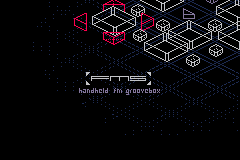
What makes FMS a bit crazy is what it's doing under the hood. The Gameboy Advance has no FM synthesis hardware at all. Its audio gives you two Direct Sound DMA channels of 8-bit signed PCM — that's 256 amplitude levels, roughly 48 dB of dynamic range. For comparison, a CD has 96 dB, in much finer fidelity. The CPU is an ARM7TDMI running at 16.78 MHz with 256 KB of RAM, and that's where all the FM math happens. Sine waves, modulation, mixing four channels, all in real time, in software, on a chip from 2001 that was designed to shuffle sprites around. The hiss you hear is just part of the deal: quantization noise from that 8-bit DAC. So few amplitude steps means everything that comes out has this fuzzy, slightly crushed quality. You can't get rid of it. It is the sound. And somehow there are four channels of 2-operator FM synthesis in there, each with envelopes and ratio control. On a Gameboy Advance.
Picking GBA as a platform of choice in 2026 may be strange. Surprisingly, it can be used on a very large array of hardware. Not only can you plug a memory card into the original hardware or new fancy clones like the Analogue Pocket, you have an exponentially larger choice of dozens if not hundreds of Chinese emulator handhelds from Anbernic, Powkiddy, Miyoo or Retroid. You can also use the Steam Deck or any PC running one of the many emulators, RetroArch being the most popular one.
FMS really touched me. Partly because I have a soft spot for the Nordic demo scene, but mainly for its novel approach to composition. Just like with the M8, creating basic building blocks and then applying transposition to break the looping monotony is my favorite workflow. This little thing has that in the form of pattern and trig transposition but also a novel take on "effects". Yes, you heard me right. There's a sorta-kinda-delay. Even does stereo field ping-pong.
I will keep on trying to create something that … sounds good. The process has been amazing. I truly love some of the sequencing tricks and workflows. The sequencer is, however, so good it would be worth seeing it run on top of a higher quality sound engine too.
Tumbleweed – Review of the weeks 2026/18 & 19
Dear Tumbleweed users and hackers,
Long weekends are a nice thing, holidays on Fridays (like Labor Day), or also the upcoming Ascension Day next week, on Thursday) make for a great time to relax. But they pull me away from my desk and make me slack off on writing the weekly review. I know deep inside that you’re eagerly awaiting to hear what has changed and, for many, even more important, what changes might hit you soon, so you can prepare for them.
During the last fortnight, Tumbleweed has seen 9 snapshots being published (0423, 0425, 0426, 0428, 0429, 0430, 0504, 0505, and 0506) with these changes included:
- Pipewire 1.6.4
- libgcrypt 1.12.2
- time 1.10
- coreutils 9.11
- git 2.54.0
- sed 4.10
- Mozilla Firefox 150.0 & 150.0.1
- cups 2.4.18 & 2.4.19
- GNOME 50.1
- openSSH 10.3p1
- systemd 260.1
- Linux kernel 7.0.1, 7.0.2 & 7.0.3
- LLVM 22.1.4
- Samba 4.23.7
- sssd 2.13.0
- glibc 2.43
- Mesa 26.0.6
- SDL 3.4.6
- Boost 1.91.0
- cURL 8.20.0
- perl 5.42.1
- SELinux-policies: Change store root-path for selinux modules from /var/lib/selinux to /etc; this is to stabilize usage on transactional systems further
Currently, these updates and changes are being prepared and tested:
- Rust 1.95
- Linux kernel 7.0.5
- KDE Gear 26.04.1
- Mesa 26.1.0
- util-linux 2.42
- python3 packaging change: split the /usr/bin/python3 symlink and rpm symbol out into its own, specific package
- GCC 16 as the system compiler

Planet News Roundup
This is a roundup of articles from the openSUSE community listed on planet.opensuse.org.
The community blog feed aggregator lists the featured highlights below from May 1 to 7.
Blogs this week cover a Tumbleweed review, syslog-ng with Fedora 44, the openSUSE Summit in the Americas, SUSE response to the Copy Fail kernel vulnerability, KDE’s participation in Google Summer of Code 2026 and and much more.
Here is a summary and links for each post:
Playing .wma Files with Amarok in openSUSE
Victorhck shares a practical tip for openSUSE Tumbleweed users who find that the Amarok music player won’t play .wma audio files. The root cause is that Amarok relies on GStreamer and lacks certain codec packages by default, unlike VLC which bundles its own. The fix is straightforward: add the Packman repository and install gstreamer-plugins-bad, gstreamer-plugins-ugly, and gstreamer-plugins-libav via zypper.
Mix of KDE Gear 26.04 Highlights – “KDE at 30” Edition
The KDE Blog wraps up its series on KDE Gear 26.04 with a roundup of smaller improvements across many applications in what is dubbed the “KDE at 30” edition, which celebrates three decades of KDE. Highlights include bug fixes for Akregator and Alligator, Angelfish defaulting to the AI-free version of DuckDuckGo, RAR extraction support in Ark’s Flatpak version, and NeoChat gaining a rich text editor with thread support.
Fedora 44, CentOS 7 and Amazon Linux syslog-ng Questions
Peter Czanik’s blog reports that Fedora 44 has shipped with syslog-ng 4.11 and that a quick test confirms everything works as expected. The post raises two open questions for the community: whether anyone is still using syslog-ng packages on the end-of-life RHEL 7 / CentOS 7, and whether the Amazon Linux 2023 Copr package should be updated to a newer release.
Free Software Foundation Newsletter Roundup – May 2026
Victorhck presents a Spanish-language summary and translation of the May 2026 Free Software Foundation newsletter. Among the stories covered are Amazon’s upcoming May 20 Kindle shutdown affecting older devices and the FSF’s critique of DRM restrictions, as well as France’s announced plan to migrate some government computers from Windows to Linux.
What’s New in Kdenlive in KDE Gear 26.04 – “KDE at 30” Edition
The KDE Blog covers improvements coming to the Kdenlive video editor as part of the KDE Gear 26.04 release. The post highlights new features and refinements aimed at both new and experienced video editors on Linux.
Summit Draws Landmark Regional Gathering
openSUSE News reports that 321 developers, students, and technology professionals gathered at Universidad Libre in Barranquilla, Colombia, for the first-ever openSUSE Summit in the Americas. The event marked a landmark moment for the community’s reach in the region and brought together contributors from across many nations.
Tumbleweed Monthly Update – April 2026
openSUSE News recaps a busy April for Tumbleweed, which highlighted the arrival of GNOME 50 and KDE Gear 26.04, and critical fixes for “Copy Fail”, which has now been patched for both Tumbleweed and Slowroll users who ran zypper dup. The Linux kernel advanced to 7.0.2 and Mesa to 26.0.5 with raytracing fixes. Security received heavy attention with WebKitGTK, CUPS, Python, Flatpak, sudo, and OpenEXR all receiving multiple CVE fixes.
Accessing openSUSE Cockpit from a Remote Machine
Victorhck continues his series on the Cockpit tool being developed as a replacement for YaST in openSUSE. The tutorial walks through enabling port 9090 in the firewall to make remote access possible. This follows his earlier posts on installing Cockpit and managing software and repositories through its interface.
Neon Multicolor Icons for Your PC: BeatyBeam
The KDE Blog presents BeatyBeam, a neon multicolor icon pack for KDE Plasma that is well-suited for dark themes. The pack brings vibrant, colorful icons to the desktop for users looking to personalize their visual environment.
Managing Software and Repositories in openSUSE via Cockpit
Victorhck explains how to use Cockpit that is being developed to succeed YaST in openSUSE to manage software repositories and install or remove packages directly from the browser. The post covers the relevant Cockpit modules needed for these tasks and how they compare to equivalent YaST functionality.
Tux Manager – The Linux Clone of Windows Task Manager
CubicleNate’s Blog takes a look at Tux Manager, a task manager application for Linux that closely mirrors the look and feel of the Windows Task Manager. The app is aimed at users coming from Windows who want a familiar interface for monitoring processes and system resources on KDE Plasma.
AutoRound: State of the Art in Quantization for CPU/XPU/NVIDIA GPU
Alessandro introduces AutoRound, an Intel-developed quantization toolkit for LLMs and VLMs that reduces model weights to 2, 3, 4, or 8 bits while maintaining high accuracy using signed gradient descent. Unlike naive rounding, AutoRound learns the optimal way to round weights and adjust clipping limits to minimize output error.
Invest in Your Identity
Cornelius Schumacher’s Blog offers a thoughtful reflection on the importance of building a genuine personal digital identity in the age of AI agents. The author argues that decades of authentic writing, publishing, and presentations create a personal corpus that can anchor AI tools to who you actually are.
exeLearning 4.0 Released
The KDE Blog announces the release of eXeLearning 4.0, which is an open-source tool for creating interactive educational content. The new major version demonstrates that the project remains active and evolving with new features for educators building digital learning materials.
Linux Saloon 199 | Ubuntu 26.04
CubicleNate’s Blog recaps episode 199 of the Linux Saloon podcast, which focused on Ubuntu 26.04 LTS and its various flavors, including user experiences and installation challenges. Participants shared their impressions of the new LTS release and discussed differences across the Ubuntu ecosystem.
Background Apps and Zoom Scaling – This Week in Plasma
The KDE Blog translates and summarizes the latest “This Week in Plasma” development report and covers work on background application handling. The post highlights ongoing refinements across several Plasma components aimed at improving usability and visual consistency.
Free Software from North to South, East to West: 6 LibreLocal Meetups
Victorhck highlights May 2026 as “LibreLocal month,” promoted by the Free Software Foundation as an occasion for free software supporters to organize local meetups to share ideas, learn from each other, and celebrate free software. The post spotlights six upcoming LibreLocal meetups taking place across Spain.
KDE Participates in Google Summer of Code 2026
The KDE Blog announces that KDE is once again participating in Google Summer of Code (GSoC) 2026, welcoming student developers to contribute to KDE projects over the summer. The post outlines how the program works and encourages interested learners to apply and get involved with the KDE community.
SUSE Responds to the copy.fail Vulnerability
SUSE Communities details the company’s response to Copy Fail, a critical Linux kernel vulnerability in the algif_aead module that allows a local non-root user to gain full root access. The post, written by Marcus Meissner, outlines which SUSE and openSUSE products are affected and confirms that patches have been issued. Users are strongly advised to apply the available updates immediately.
View more blogs or learn to publish your own on planet.opensuse.org.
Fedora 44, CentOS 7 and Amazon Linux syslog-ng questions
Fedora 44 was announced last week: syslog-ng 4.11 is part of it. While checking the Fedora Copr build service for Fedora 44, I realized that CentOS 7 and Amazon Linux 2023 packages are also there. I have a few questions about those for you!

syslog-ng logo
Fedora 44
The availability of the Fedora 44 release was announced last week. Vesion 4.11 of syslog-ng, the current latest release, is part of it. As usual, I did a quick test: everything works as expected.
RHEL 6
The removal of RHEL 6 packages from Copr was announced many years ago. Then, the countdown was silently canceled. I have just checked: RHEL 6 packages are no longer available, so I deleted all my related repositories. Also, I deleted a couple of temporary test repos along the way.
CentOS 7
When talking to product manager friends around the world, I realized that syslog-ng is not an “enterprise” application. “Enterprise” developers are still actively maintaining packages for RHEL 6, when even RHEL 7 has reached end of life a long time ago. Of course, this is just a satirical definition of “enterprise”, at least in my view…
Support for RHEL 7 / CentOS 7 was dropped in syslog-ng a month before the distro became end-of-life. Copr announced the deletion of CentOS 7 packages, but after a while, the countdown suddenly disappeared. Packages built 10+ years ago are still here, and CentOS 7 is still a valid build target.
Question: is there anyone still using my syslog-ng packages on RHEL 7 / CentOS 7? Otherwise, I would be happy to delete anything related from my Copr repositories. I could delete many repositories, save storage, and I would not have to deselect them as a build target during package builds.
Amazon Linux 2023
Another question mark in my mind is Amazon Linux 2023 support. If we can believe the download statistics provided by Copr, then this is one of the most popular syslog-ng repos on Copr. However, over the years, I only received a single feedback about it, which was on Twitter years ago: “Thanks, I use it.” That is all. While there were regular requests to create these packages, nobody asked for features, updates, whatever. The repo is still stuck at syslog-ng version 4.8.
Question: should I update syslog-ng to a more recent version, as time permits?
What is next?
Share your thoughts with us in this syslog-ng GitHub discussion: https://github.com/syslog-ng/syslog-ng/discussions/5691 or reach out to me on Twitter / Mastodon / LinkedIn.
Originally published at https://www.syslog-ng.com/community/b/blog/posts/fedora-44-centos-7-and-amazon-linux-syslog-ng-questions
Tumbleweed Monthly Update - April 2026
Three hundred twenty-one developers, students and technology professionals converged on Universidad Libre in Barranquilla, Colombia, for the first-ever openSUSE America Summit.
It was a two-day event held at Universidad Libre’s campuses that wrapped up on May 1 with calls to expand open-source culture and contribution across the region.
A capture the flag competition added a hands-on cybersecurity dimension to the summit, challenging participants to test their offensive and defensive skills in a live environment. The exercise drew significant interest from students and IT professionals alike.
The conference drew presenters from across the globe, which reflects the international reach of the open-source community. Speakers representing Colombia, Argentina, Brazil, Mexico, the Dominican Republic, India, the United Kingdom, Germany and the United States addressed topics ranging from cybersecurity and cloud infrastructure to machine learning and community development.
Luis Delascar of Colombia opened Day 2 with a presentation on Kuná Red, an offline-first, open-source mesh networking solution designed to enable communication in rural and underserved regions lacking reliable internet or cellular infrastructure. Diego Córdoba of Argentina delivered a deep dive into Netfilter and firewall architecture in openSUSE using nftables, while compatriot Andrea Navarro, also from Argentina, addressed the use of Jupyter notebooks in educational settings as an alternative to commercial cloud platforms.
Patrick Fitzgerald made the case for Linux migration in an update talk titled about migrating from Windows to Linux citing growing concerns around data sovereignty, tariffs, and unreliable international partnerships as compelling reasons for individuals and organizations to move to Linux.
Ram Mohan Rao Chukka and Shibi Ramachandran, both from India, presented two sessions; one on improving end-to-end testing using Kuttl to reduce broken builds, and another on intelligent drift detection and auto-remediation in ArgoCD for enterprise Kubernetes environments.
Walddys Dorrejo of the Dominican Republic, an openSUSE moderator, presented on unified observability and security using Wazuh. Gabriel Bazzotti of Brazil introduced Git-based packaging for openSUSE and Anuar Harb of Mexico spoke about open-source infrastructure as the foundation for connected digital ecosystems in emerging regions.
Colombian speakers were featured prominently throughout the program. Jorge Lambrano presented a full machine learning workflow. Jorge Aguilar addressed building modern, robust open-source data platforms for demanding analytics workloads. Jesuse Bossa explored the historical and philosophical purpose of engineering and Deiner Bello showcased VisitChocó, an interactive tourism platform built with React, TypeScript and geospatial data promoting the Colombian department of Chocó. Integration of Weblate to enable community-driven translations and expand the platform’s reach to broader audiences across Latin America and beyond is being considered.
Johannes Segitz delivered two sessions. His talk about the current AI landscape and how LLMs are reshaping how people code, patch and package software was a crowd pleaser.
Organized by sponsorship lead Astian Inc., which the company behind the Midori light-weight Web Browser along with a network of local support from LinuxBQ and Red Team Barranquilla, Barranquilla’s community of free and open-source software enthusiasts organized and ran the summt April 29 through May 1.
Having the event at two campuses, Universidad Libre’s Central Campus on April 29 and North Campus on April 30, was a natural fit for the open-source event. Attendees included speakers, IT professionals and students from university had hours of discussions about openSUSE and the broader open-source ecosystem.
The event was made possible with support from SUSE and the Geeko Foundation, both of which help to champion growth of the openSUSE Project and the global open-source community.
The choice of Barranquilla as host city may prove to be more than symbolic. Organizers and attendees have begun discussing the possibility of transforming the openSUSE America Summit into a recurring, traveling event modeled after the openSUSE.Asia Summit, which rotates among countries throughout Asia. Each host nation contributes its own cultural identity and local community to the gathering.
Colombia, with its growing technology sector, strong university ecosystem and passionate open-source community, make a compelling case as a starting point and center of gravity for future events. The LinuxBQ community’s enthusiasm and the active participation of Universidad Libre students signal that the conditions for a sustainable, grassroots open-source movement in the region are already in place. If the model takes hold, future editions of the summit could travel to other nations across the Americas and the Caribbean, amplifying the voices of tech leaders throughout the region and building a collective, traveling community of experts much as the Asia Summit has done across that continent.
A community barbecue on May 1 brought speakers and volunteers together to close out the event. Sessions were livestreamed and are available for viewing on the LinuxBQ YouTube channel.


Summit Draws Landmark Regional Gathering
Three hundred twenty-one developers, students and technology professionals converged on Universidad Libre in Barranquilla, Colombia, for the first-ever openSUSE America Summit.
It was a two-day event held at Universidad Libre’s campuses that wrapped up on May 1 with calls to expand open-source culture and contribution across the region.
A capture the flag competition added a hands-on cybersecurity dimension to the summit, challenging participants to test their offensive and defensive skills in a live environment. The exercise drew significant interest from students and IT professionals alike.
The conference drew presenters from across the globe, which reflects the international reach of the open-source community. Speakers representing Colombia, Argentina, Brazil, Mexico, the Dominican Republic, India, the United Kingdom, Germany and the United States addressed topics ranging from cybersecurity and cloud infrastructure to machine learning and community development.
Luis Delascar of Colombia opened Day 2 with a presentation on Kuná Red, an offline-first, open-source mesh networking solution designed to enable communication in rural and underserved regions lacking reliable internet or cellular infrastructure. Diego Córdoba of Argentina delivered a deep dive into Netfilter and firewall architecture in openSUSE using nftables, while compatriot Andrea Navarro, also from Argentina, addressed the use of Jupyter notebooks in educational settings as an alternative to commercial cloud platforms.
Patrick Fitzgerald made the case for Linux migration in an update talk titled about migrating from Windows to Linux citing growing concerns around data sovereignty, tariffs, and unreliable international partnerships as compelling reasons for individuals and organizations to move to Linux.
Ram Mohan Rao Chukka and Shibi Ramachandran, both from India, presented two sessions; one on improving end-to-end testing using Kuttl to reduce broken builds, and another on intelligent drift detection and auto-remediation in ArgoCD for enterprise Kubernetes environments.
Walddys Dorrejo of the Dominican Republic, an openSUSE moderator, presented on unified observability and security using Wazuh. Gabriel Bazzotti of Brazil introduced Git-based packaging for openSUSE and Anuar Harb of Mexico spoke about open-source infrastructure as the foundation for connected digital ecosystems in emerging regions.
Colombian speakers were featured prominently throughout the program. Jorge Lambrano presented a full machine learning workflow. Jorge Aguilar addressed building modern, robust open-source data platforms for demanding analytics workloads. Jesuse Bossa explored the historical and philosophical purpose of engineering and Deiner Bello showcased VisitChocó, an interactive tourism platform built with React, TypeScript and geospatial data promoting the Colombian department of Chocó. Integration of Weblate to enable community-driven translations and expand the platform’s reach to broader audiences across Latin America and beyond is being considered.
Johannes Segitz delivered two sessions. His talk about the current AI landscape and how LLMs are reshaping how people code, patch and package software was a crowd pleaser.
Organized by sponsorship lead Astian Inc., which the company behind the Midori light-weight Web Browser along with a network of local support from LinuxBQ and Red Team Barranquilla, Barranquilla’s community of free and open-source software enthusiasts organized and ran the summit April 29 through May 1.
Having the event at two campuses, Universidad Libre’s Central Campus on April 29 and North Campus on April 30, was a natural fit for the open-source event. Attendees included speakers, IT professionals and students from university had hours of discussions about openSUSE and the broader open-source ecosystem.
The event was made possible with support from SUSE and the Geeko Foundation, both of which help to champion growth of the openSUSE Project and the global open-source community.
The choice of Barranquilla as host city may prove to be more than symbolic. Organizers and attendees have begun discussing the possibility of transforming the openSUSE America Summit into a recurring, traveling event modeled after the openSUSE.Asia Summit, which rotates among countries throughout Asia. Each host nation contributes its own cultural identity and local community to the gathering.
Colombia, with its growing technology sector, strong university ecosystem and passionate open-source community, makes a compelling case as a starting point and center of gravity for future events. The LinuxBQ community’s enthusiasm and the active participation of Universidad Libre students signal that the conditions for a sustainable, grassroots open-source movement in the region are already in place. If the model takes hold, future editions of the summit could travel to other nations across the Americas and the Caribbean, amplifying the voices of tech leaders throughout the region and building a collective, traveling community of experts much as the Asia Summit has done across that continent.
A community barbecue on May 1 brought speakers and volunteers together to close out the event. Sessions were livestreamed and are available for viewing on the LinuxBQ YouTube channel.
Tumbleweed Monthly Update - April 2026
There were several software package updates for openSUSE Tumbleweed during April and the later half of the month brought some urgency with Copy Fail, which is now safe for users of the rolling release and Slowroll for those who have done a zypper dup at the end of the month.
The information about affected flavors of openSUSE was covered in a blog by the security team.
April brought a major desktop release of GNOME 50 and there was a fourth Plasma 6.6 point release. PHP, GTK4 with the new native GtkSvg renderer, SQLite, iproute2, and nano were among some of the develop packages updated this month. The Linux kernel advances to 7.0.2, and Mesa progressed through 26.0.4 and 26.0.5 with raytracing fixes ahead of upcoming game releases. Security received heavy attention with WebKitGTK, Python, CUPS, Flatpak, sudo, and OpenEXR all receiving multiple Common Vulnerabilities and Exposures fixes.
As always, be sure to roll back using snapper if any issues arise.
For more details on the change logs for the month, visit the openSUSE Factory mailing list.
New Features and Enhancements
KDE Gear 26.04.0: This major release updates 129 packages from the 25.12.3 series across the core PIM suite (Akonadi, KMail, Kontact, KOrganizer), graphics tools (Gwenview, Okular), development tools (Kate, Kompare, Umbrello), and system utilities (Dolphin, Konsole, Kleopatra). Dolphin prevents re-entrant signal activation across multiple view states, and Ark prevents silent replacement of existing files by directory entries during extraction. Okular avoids processing HTML with QDomDocument and improves certificate selection, and kdegraphics-thumbnailers addresses multiple crashes for malformed files. Infrastructure-wide changes include CMake modernization, a port to QDoc documentation, and migration toward modern C++ patterns such as std::shared_ptr over QSharedPointer. The companion ktextaddons library jumps from 1.8.0 to 2.0.1.
KDE Frameworks 6.25.0: This release emphasizes code quality, memory safety, and developer experience. KIO reverts a problematic permissions-based readability check, restores proper FTP UTF-8 negotiation, fixes WebDAV copy/move headers, and resolves multiple memory leaks across file operations and preview jobs. KCodecs streamlines encoding detection with safer initialization, improved codec lookup performance, and removes obsolete code since Qt 6.8+ is required.Kirigami enhances component reliability by preventing dialog layer leaks and adds a configurable textFormat property to TitleSubtitle, while Breeze Icons expands the icon set with new status icons. KTextEditor improves document handling by using the first line as a fallback title and adding relevant MIME types to save dialogs.
GNOME 50 for developers: This release brings significant improvements to the development stack. Builder gains a new save delegate system for better draft handling, refined dark theme colors matching the Adwaita palette, and more integrated help documentation. Flatpak support now moves deleted files to the trash, the LSP client better handles delete notifications, and the build pipeline supports more flexible post-install commands. Mutter Devkit receives a major feature expansion including HiDPI and fractional scaling simulation, multi-monitor support within a single session, clipboard integration between host and Devkit, and resizable virtual displays with emulated monitor modes — reducing the need for physical multi-monitor test setups. GTK 4.22 introduces GtkSvg, a new native in-process SVG renderer integrated with the GTK Scene Graph that supports SVG animations, passes over 1,250 tests in the resvg test suite, and maintains 60fps+ performance for trusted system icons and application resources (untrusted SVGs should still use the sandboxed Glycin library). Libadwaita 1.9 introduces new sidebar widgets including AdwSidebar and AdwViewSwitcherSidebar (replacing GtkStackSidebar), automatic support for the system-wide reduced motion preference across most widgets, context menus on AdwAboutDialog link rows, and GTK_DEBUG=builder diagnostics for all standard widgets. Autoloaded style resources are deprecated in favor of standard CSS media queries.
GDM 50.0: The most significant change for this in the GNOME 50 release is the complete removal of X11 support for GDM’s own sessions, which now always run on Wayland. Features like XDMCP and the system-wide Xserver are gone, though launching other desktops’ X11 sessions via per-user X servers is still possible. Compiling GDM without Wayland support is no longer possible. With systemd v260+, remote desktop sessions and local background sessions are now granted GPU access, enabling accelerated graphics for remote sessions on distributions that restrict GPU device node permissions. service simplifies starting headless graphical sessions for RDP purposes. The gdm/gdm3` user is no longer needed since GDM now fully relies on dynamically allocated users. Wtmp/utmp/btmp records now contain more useful values, especially for Wayland and headless RDP sessions.
Plasma 6.6.4: KWin fixes blur flickering after wobbly windows, improves startup feedback icon clarity, resolves crashes with accessibility keyboards, and enhances pointer scaling and key repeat handling on Wayland. The Oxygen theme addresses pixelated buttons under fractional scaling, restores missing menu shadows, and adds a missing switch SVG. Usability improvements include better RTL support in Kicker, proper drag initiation only after pointer movement, and refined shortcut conflict prevention in keyboard settings. Plasma Keyboard hardens virtual input handling with UTF-8 length fixes and disables predictive text during capture. Other fixes improve Discover by correcting how it tracks the number of active transactions, Dr Konqi with more reliable crash debugging, and Spectacle with a workaround for an overlay issue introduced in Qt 6.11. Several system tray and menu rendering glitches across multiple applets are also resolved, resulting in a smoother and more resilient desktop experience.
w3m 0.5.6: This is a major update for the terminal web browser. New features include commands to scroll the current line to top/bottom, a change directory (CD) command, a vim-like smartcase search option, recognition of aria-label for buttons, gopher protocol support, and experimental session store and restore. The image display in the kitty terminal is fixed, and slow backward search in long lines is improved.
LibreOffice 26.2.2.2: This is a major version upgrade with completely new features, improvements, and bug fixes across Writer, Calc, Impress, Draw, Math, and Base. Detailed release notes are available at The Document Foundation wiki. Bundled components are refreshed including PDFium updated from 7012 to 7471 and 2D Graphics Library Skia updated from milestone 136 to 142.
SDL3 3.4.2: This update adds SDL_HINT_OPENGL_FORCE_SRGB_FRAMEBUFFER to control sRGB behavior for OpenGL and OpenGL ES contexts. A long startup time on Windows caused by non-compliant input devices was fixed, along with a divide-by-zero when using Nintendo Switch 2 controllers and improved GameCube adapter handling in PC mode. Support for the Razer Raiju V5 Pro is added.
cryptsetup 2.8.6: This update has several disk encryption fixes. The resumed device UUID is now verified against the UUID stored in metadata, and the LUKS2 reencryption lock name was corrected. FileVault (fvault2) metadata parsing is fixed, including reading from the correct image offset. The OpenSSL crypto backend works again when built with LibreSSL and allows up to 64 concurrent threads.
Mozilla Firefox 149.0.2: This update addresses multiple security vulnerabilities, including integer overflow and memory safety bugs in Graphics: Text and Graphics: WebGPU components. The update also includes enterprise-related features such as AI-feature management, prevention of built-in VPN and IP protection, and correct application of browser homepage and start page policies. Other fixes include resolution of layout issues with graphics (SVG), crash prevention for security keys and WebAuthn features, and improved handling of web page printing and website error pages. Additionally, the build process is updated to be compatible with clang-based building on Leap, with the necessary libraries specified. [Linux]
PHP 8.5.5: This minor version bump from the 8.4 series brings numerous bug fixes across the core, DOM, Opcache, and OpenSSL modules. Notable fixes address JIT compiler arithmetic errors, memory leaks, and use-after-free vulnerabilities. The package now requires libcapstone as a dependency.
nano 9.0: This is a major version bump for the popular terminal text editor. The release improves horizontal scrolling, changes how macro recording is handled, and brings other usability refinements that build on the 8.x series.
iproute2 7.0: A major version bump for the Linux network configuration toolkit. New features include CAN XL support and DPLL mode setting, both of which extend networking and timing capabilities for newer hardware platforms.
iw 6.17: This wireless configuration tool sees a significant jump from 6.9. It adds support for WPA3 SAE association, EHT rate and bitrate handling for Wi-Fi 7, multi-radio RTS configuration, and endianness fixes across the wireless stack.
GIMP 3.2.4: This minor update to the GNU Image Manipulation Program continues the 3.2 series with bug fixes and incremental improvements following the 3.2.2 release.
xterm 407: New private modes for UTF-8 and character width reporting are introduced, and Unicode handling and window resizing functionality are improved.
gnome-remote-desktop 50.1: This minor update to the GNOME 50 release fixes a black-screen issue when using NVIDIA GPUs.
Key Package Updates
Linux kernel 6.19.11 - 7.0.2: The 7.0.2 update fixes an SMB client out-of-bounds read in smb2_ioctl_query_info, DACL validation in cifsacl, and directory separator handling in SMB1 UNIX mounts. F2FS receives multiple fixes including a use-after-free in f2fs_compress_write_end_io() and f2fs_write_end_io(), a memory leak in f2fs_rename(), and improved sanity checks. FUSE fixes several issues including rejection of oversized dirents in page cache, aborting on fatal signals during sync init, and ensuring device file initialization before cloning. A TOCTOU race in net/packet on mmap’d vnet_hdr in tpacket_snd() is corrected, and crypto fixes address async decrypt skipping hash verification in krb5enc and failed PSP command handling in the CCP driver. The 7.0.1 version sees KVM SEV receive several hardening fixes including locking all vCPUs when synchronizing VMSAs for SNP launch finish, disallowing LAUNCH_FINISH if vCPUs are actively being created, and protecting sev_mem_enc_register_region() with proper locking. Multiple use-after-free bugs are resolved across subsystems including bcache (crash in cached_dev.sb_bio), ocfs2 (fault handling with VM_FAULT_RETRY), the em28xx media driver, blk-cgroup writeback, and ALSA 6fire on USB disconnect. The 6.19.11 update brings several BPF fixes including reset of register ID for BPF_END value tracking, constant blinding for PROBE_MEM32 stores, undefined behavior in interpreter sdiv/smod for INT_MIN, and unsound scalar forking in maybe_fork_scalars(). CXL receives multiple corrections including a use-after-free of parent_port in cxl_detach_ep() and a leak in region construction. NVMe-PCI now caps queue creation to used queues, and platform support is expanded with several HP Omen and Victus laptops, OneXPlayer handheld variants, and Dell 14 Plus 2-in-1 keyboard support.
Mesa 26.0.4 & 26.0.5: The 26.0.4 out-of-schedule release combines bugfix updates and important raytracing fixes for an upcoming game. RADV corrects an invalid hitAttributeEXT value when using function-call RT pipelines, fixes a memory leak in radv_rt_nir_to_asm, and emits BOP events after every draw to work around a VRS bug on GFX12. RadeonSI fixes a missing ground texture and ANV (Intel) addresses flashing effects in Horizon Forbidden West. Nouveau fixes a segmentation fault in gm200_validate_sample_locations triggered by Firefox on GTX 1070 Ti, and NVK corrects barrier cache invalidation and viewport handling on Turing with FSR. The 26.0.5 follow-up is another bugfix release that refreshes the GL headers from libglvnd and disables Vulkan and Panfrost on armv6. Full release notes are available at the Mesa documentation site.
SQLite 3.53.0: A new Query Result Formatter library is introduced in this release for the popular embedded database, and ALTER TABLE is enhanced with additional capabilities. The jump from 3.51.3 also brings query planner refinements and incremental improvements that benefit any application linking against the system SQLite.
libxml2 2.15.3: A point release follow-up to the major 2.15 update. Multiple security fixes are included for type confusion, double-free, and use-after-free issues in the XML parser.
libpng16 1.6.57: A small but security-relevant point release that fixes a use-after-free in chunk setters tracked as CVE-2026-34757.
libjpeg-turbo 3.1.4.1: This update to the widely used JPEG codec includes multiple API hardening fixes and improved buffer handling, providing a more robust foundation for image-processing software across the system.
libarchive 3.8.7: A heap buffer overflow in CAB archive handling is fixed, along with a buffer overflow in the ISO9660 reader. As libarchive is used by package managers and archive tools across the distribution, this update is broadly relevant.
mozilla-nss 3.122.1: This release of the Network Security Services library brings 30+ bug fixes, including patches for multiple heap use-after-free, integer overflow, and ASN.1 parsing vulnerabilities that affect TLS handling in Firefox, Thunderbird, and other consumers.
pipewire 1.6.4: This audio and video pipeline server resolves segmentation faults, improves JACK compatibility, and corrects regressions in the RAOP (AirPlay) module.
SSSD 2.13.0: The pam_sss_gss module can now read SIDs from the Kerberos ticket PAC and apply authentication indicators via the new pam_gssapi_indicators_apply option, supporting Active Directory’s Authentication Mechanism Assurance (AMA). Active Directory Foreign Security Principals (FSP) are now properly detected and ignored when reading nested group members. Support for the KDE Plasma Login Manager is added. New options include avoid_by_id_lookups for preferring name-based lookups, and interactive/interactive_prompt for customizing OAuth2 prompting behavior. Cache performance is optimized for large deployments.
mpc 1.4.1: This complex-number arithmetic library steps from 1.3.1 to 1.4.1 and adds new functions including mpc_exp10, mpc_exp2, and mpc_log2. Sign handling for imaginary parts is improved and pkg-config generation is included.
leancrypto 1.7.2: This cryptographic library jumps from 1.6.0 and adds post-quantum primitives ML-DSA, SLH-DSA, and ML-KEM along with an X.509 fix tracked as CVE-2026-34610.
SELinux Policy 20260410: This update contains a wide range of policy refinements. Missing Nextcloud file contexts are added, the openSUSE /var/lib/php8 path and /srv/www/htdocs Apache DocumentRoot are properly labeled. Cloud-init is now allowed to domtrans into ssh-keygen, and accountsd gains proper D-Bus communication with systemd-homed along with corrected file context labeling for /usr/share/accountsservice. OpenSSH receives a policy adjustment allowing sshd-session to send a generic signal to sshd-auth. Polkit support is updated for its agent helper. Additional permissions are granted for staff and sysadm users, including reading PID1 process state, connecting to systemd-logind and lvm over Unix stream sockets, mounting /proc, and gaining sandboxing features. Virtualization policies gain several adjustments for virtqemud and virtnetworkd, and a new local_login_allow_accountutils_fallback_mode boolean is introduced. The snapper sdbootutil plugin is allowed to read kernel modules. The embedded container-selinux is updated to v2.247.0.
texinfo 7.3: The documentation format package adds new title-page commands, flexible node headings, and cross-reference features. texi2any gains major HTML speedups, optional C implementation, improved diagnostics, and defaults updates. HTML, Info, LaTeX, XML, and info tool receive enhancements and cleanups. The updated deprecated @clickstyle and removed old patches.
XZ Utils 5.8.3: This update fixes a buffer overflow in lzma_index_append() and an invalid memory access in xz when using --files and --files0 options. Arabic man page translations are added.
GTK4 4.22.2: The headline change is native SVG rendering via the new GtkSvg renderer, which drops the librsvg dependency entirely for icon and image rendering. The new renderer supports animations, state names, and SVG filters, with filters now operating in linear RGB by default. The GStreamer media backend now supports gapless looping with GStreamer 1.28, and gtk4-rendernode-tool gains a new filter command for node manipulation. Several drag-and-drop fixes are included, notably restoring the DropTarget::leave signal emission when a drop finishes. Vulkan handling is improved with fixes for SWAPCHAIN_MAINTENANCE checks, pending offset resets on Wayland, and invalid reads. Symbolic icon fallback rendering is corrected, dmabuf support now handles fewer fds than planes, and drop shadow rendering no longer darkens transparent textures. For Tumbleweed users, this brings major rendering architecture improvements and broad stability fixes to GTK4 applications.
webkitgtk3 and webkitgtk4 2.52.1: Numerous security vulnerabilities are patched across both releases. Touch scrolling for small movements is smoother, and scrollend events are now correctly emitted after scroll animations. Async scrolling is improved when the main thread is busy by rendering scrollbars from the scrolling thread. The GPU process is disabled by default in this cycle. A build option to disable USE_GSTREAMER is added for configurations without multimedia support.
Security Updates
-
CVE-2026-25645: Addresses an issue in Python allowing a local attacker to pre-create malicious files that could be reused and loaded without validation.
-
CVE-2026-4519: Fixes a command-line option injection in Python’s
webbrowser.open()where leading dashes in URLs could be interpreted as browser command-line arguments. -
CVE-2025-13462: Addresses an issue where Python’s tarfile module can cause crafted archives to be misinterpreted.
-
CVE-2026-4224: Resolves a stack overflow that could lead to a crash.
python-cryptography 46.0.7:
- CVE-2026-39892: Fixes a buffer overflow that can occurr when a non-contiguous buffer was passed to APIs accepting Python buffers.
w3m 0.5.6:
-
CVE-2023-38252: Fixes an out-of-bounds read that could allow a crafted HTML file to cause a denial of service.
-
CVE-2023-38253: Fixes an out-of-bounds read that could allow a crafted HTML file to cause a denial of service.
webkitgtk3 and webkitgtk4 2.52.1:
-
CVE-2025-43213: Fixes an issue where processing maliciously crafted web content could lead to an unexpected crash.
-
CVE-2025-43214: Addresses a flaw where processing maliciously crafted web content could cause an unexpected crash.
-
CVE-2025-43457: Resolves a vulnerability where processing maliciously crafted web content could lead to an unexpected crash.
-
CVE-2025-43511: Fixes an issue where processing maliciously crafted web content could lead to memory corruption.
-
CVE-2025-46299: Addresses a flaw in WebKit where processing maliciously crafted web content could lead to unexpected behavior.
-
CVE-2026-20608: Resolves a vulnerability where processing maliciously crafted web content could lead to memory corruption.
-
CVE-2026-20635: Fixes a WebKit flaw where processing maliciously crafted web content could cause an unexpected crash.
-
CVE-2026-20636: Addresses an issue where processing maliciously crafted web content could lead to memory corruption.
-
CVE-2026-20644: Resolves a WebKit vulnerability where processing maliciously crafted web content could lead to an unexpected crash.
-
CVE-2026-20652: Fixes an issue where processing maliciously crafted web content could cause memory corruption.
-
CVE-2026-20676: Addresses a WebKit flaw where processing maliciously crafted web content could lead to unexpected behavior or a crash.
-
CVE-2026-20643: Resolves a cross-origin issue in the Navigation API where processing maliciously crafted web content could bypass the Same Origin Policy.
-
CVE-2026-20664: Fixes a WebKit memory handling flaw where processing maliciously crafted web content could cause an unexpected process crash.
-
CVE-2026-20665: Addresses an issue where processing maliciously crafted web content could prevent Content Security Policy from being enforced.
-
CVE-2026-20691: Resolves an authorization flaw where a maliciously crafted webpage could be used to fingerprint the user.
-
CVE-2026-28857: Fixes a WebKit memory handling issue where processing maliciously crafted web content could cause an unexpected process crash.
-
CVE-2026-28859: Addresses a flaw where a malicious website could process restricted web content outside the sandbox.
-
CVE-2026-28861: Resolves a logic issue where a malicious website could access script message handlers intended for other origins.
-
CVE-2026-28871: Fixes a logic flaw where visiting a maliciously crafted website could lead to a cross-site scripting attack.
libcap 2.78:
- CVE-2026-4878: Addresses a race condition that could lead to local privilege escalation.
OpenJDK 25 25.0.3:
-
CVE-2026-22007: Fixes an information disclosure vulnerability in the Security component of Java SE that could allow a local attacker to read a subset of accessible data.
-
CVE-2026-22008: Addresses a flaw in the Libraries component of Java SE that could allow an unauthenticated network attacker to modify some accessible data.
-
CVE-2026-22013: Resolves an information disclosure vulnerability in the JGSS component of Java SE that could expose critical data to an unauthenticated network attacker.
-
CVE-2026-22016: Fixes an information disclosure flaw in the JAXP component of Java SE that could allow an unauthenticated attacker to access critical data via network protocols.
-
CVE-2026-22018: Addresses a denial-of-service vulnerability in the Libraries component of Java SE that could be triggered by an unauthenticated network attacker.
-
CVE-2026-22021: Resolves a denial-of-service flaw in the JSSE component of Java SE exploitable via HTTPS by an unauthenticated attacker.
-
CVE-2026-23865: Fixes a vulnerability in the bundled FreeType library that could allow memory corruption when processing crafted font data.
-
CVE-2026-34268: A patch was added for an information disclosure issue in the Security component of Java SE that could allow a local attacker to read a subset of accessible data.
-
CVE-2026-34282: Addresses a denial-of-service vulnerability in the Networking component of Java SE that could allow an unauthenticated attacker to cause a complete crash or hang.
Flatpak 1.16.6:
-
CVE-2026-34078: Fixes a sandbox escape where the portal accepted app-controlled symlinks in sandbox-expose paths, allowing arbitrary host file access and code execution in the host context.
-
CVE-2026-34079: Addresses a path traversal flaw that could allow an app to delete arbitrary files on the host.
libinput 1.31.1:
-
CVE-2026-35093: Fixes a code injection flaw where a local attacker could place a crafted Lua bytecode file in system or user configuration directories to bypass security restrictions and execute code with the privileges of the affected program.
-
CVE-2026-35094: Addresses a dangling pointer that could leak memory contents to system logs.
opensc 0.27.1:
-
CVE-2025-49010: Fixes a stack buffer overflow that could cause memory corruption.
-
CVE-2025-66215: Fixes a stack buffer overflow that could cause memory corruption. .
-
CVE-2025-66038: Addresses an out-of-bounds read that could lead to memory corruption during smart card processing.
-
CVE-2025-66037: Addresses an out-of-bounds heap read that could lead to denial of service.
-
CVE-2025-13763: Fixes several uses of potentially uninitialized memory in OpenSC detected by fuzzers.
XZ Utils 5.8.3:
- CVE-2026-34743: Fixes a heap buffer overflow in XZ Utils where decoding an empty Index left lzma_index in a state that caused undersized allocation in a subsequent lzma_index_append() call.
389ds 3.1.4+e2562f589:
- CVE-2025-14905: Fixes a heap buffer overflow caused by incorrect buffer size calculation that could potentially lead to denial of service or remote code execution.
openexr 3.4.9:
-
CVE-2026-34589: Fixes a heap out-of-bounds write that could lead to memory corruption.
-
CVE-2026-34588: Addresses a signed 32-bit overflow leading to out-of-bounds read/write.
-
CVE-2026-34380: Resolves a signed integer overflow that could allow bounds-check bypass during PXR24 decompression.
-
CVE-2026-34379: Fixes a misaligned write leading to undefined behavior.
-
CVE-2026-34378: Addresses a signed integer overflow in generic_unpack() when parsing EXR files with crafted negative dataWindow.min.x values.
-
CVE-2026-34543: Resolves a heap information disclosure that could cause uninitialized heap memory to leak into output pixel data.
-
CVE-2026-34544: Fixes a signed integer overflow that could lead to an out-of-bounds write and memory corruption.
evolution-data-server 3.60.0:
CVE-2026-2604: The advisory for this vulnerability indicates it involves an insecure local cache file removal.
SSSD 2.13.0:
- CVE-2026-6245: Fixes an out-of-bounds read in the PAM passkey responder.
glib2 2.88.0:
-
CVE-2026-23868: Fixes a vulnerability caused by a shallow copy that may lead to memory corruption.
-
CVE-2026-32776: Fixes a NULL pointer dereference when processing empty external parameter entity content.
-
CVE-2026-32777: Addresses an issue that could result in an infinite loop while parsing DTD content, potentially leading to a denial of service.
-
CVE-2026-32778: Resolves a NULL pointer dereference following an earlier out-of-memory condition.
sudo:
- CVE-2026-35535: Fixes a privilege escalation in sudo where a failed setuid, setgid, or setgroups call during the privilege drop was not treated as a fatal error.
CUPS 2.4.17:
-
CVE-2026-27447: Fixes a case-sensitivity vulnerability in user/group handling that could allow access bypass.
-
CVE-2026-34978: Addresses a directory traversal flaw in the RSS notifier.
-
CVE-2026-34979: Resolves insufficient memory allocation for job options that could lead to buffer issues.
-
CVE-2026-34980: Fixes incomplete control character filtering in option values.
-
CVE-2026-34990: Addresses missing certificate validation over loopback connections.
-
CVE-2026-39314: Resolves a job password range check flaw.
-
CVE-2026-39316: Fixes a scheduler subscription bug that could be abused to disrupt printing.
mozilla-nss 3.122.1:
- This release rolls up more than 30 fixes across the Network Security Services library, including patches for multiple heap use-after-free, integer overflow, and ASN.1 parsing vulnerabilities affecting TLS handling.
ruby4.0 4.0.3:
-
CVE-2026-41316: Fixes a vulnerability in the ERB component affecting
Marshal.loadoperations with untrusted data.
python-lxml 6.1.0:
-
CVE-2026-41066: Fixes an external entity injection (XXE) vulnerability in
iterparse()that could allow disclosure of local files or server-side request forgery.
- CVE-2026-4367: Addresses an out-of-bounds read when parsing crafted XPM image files that could lead to information disclosure or a crash.
- CVE-2026-6507: Fixes an out-of-bounds write in DHCP BOOTREPLY processing that could be triggered by a malicious DHCP server response.
libpng16 1.6.57:
- CVE-2026-34757: Fixes a use-after-free in chunk setters that could lead to memory corruption.
libarchive 3.8.7:
- Fixes a heap buffer overflow in CAB archive handling and a buffer overflow in the ISO9660 reader. Both flaws could be triggered by crafted archive files and are relevant given libarchive’s broad use across packaging and extraction tools.
libxml2 2.15.3:
- This release rolls up multiple security fixes including a type confusion issue, a double-free, and a use-after-free in the XML parser.
ImageMagick 7.1.2.19:
- CVE-2026-33905: Fixes a flaw that could be triggered by crafted images and lead to a crash or memory corruption.
-
CVE-2026-33535: Addresses an out-of-bounds write in X11 display interaction that could lead to a crash or potential code execution.
-
CVE-2026-26284: Fixes a heap overflow that could be triggered while processing crafted images.
leancrypto 1.7.2:
- CVE-2026-34610: Fixes an X.509 parsing flaw that could lead to certificate validation bypass.
openldap2 2.6.13:
- Addresses a heap buffer overflow in
parse_whspand a potential NULL pointer dereference, both of which could be triggered by malformed input to the LDAP server.
Users are advised to update to the latest versions to mitigate these vulnerabilities.
Conclusion
April 2026 was a busy month for openSUSE Tumbleweed with two of the largest desktop releases of the year landing back to back: GNOME 50 and KDE Gear 26.04.0. GTK4 4.22 introduced the new native GtkSvg renderer and dropped the librsvg dependency for icon rendering, while LibreOffice 26.2 brought a fresh major office suite. Developers received major version bumps across PHP 8.5, SQLite 3.53, iproute2 7.0, nano 9.0, and the iw wireless tool. Security continued to be a heavy theme with WebKitGTK, CUPS, Python, Flatpak, sudo, and OpenEXR all receiving multiple CVE fixes alongside a steady cadence of cryptographic library hardening from mozilla-nss, libgcrypt, and leancrypto.
Slowroll Arrivals
Please note that these updates also apply to Slowroll and arrive between an average of 5 to 10 days after being released in Tumbleweed snapshot. This monthly approach has been consistent for many months, ensuring stability and timely enhancements for users. Updated packages for Slowroll are regularly published in emails on openSUSE Factory mailing list.
Contributing to openSUSE Tumbleweed
Stay updated with the latest snapshots by subscribing to the openSUSE Factory mailing list. For those Tumbleweed users who want to contribute or want to engage with detailed technological discussions, subscribe to the openSUSE Factory mailing list . The openSUSE team encourages users to continue participating through bug reports, feature suggestions and discussions.
Your contributions and feedback make openSUSE Tumbleweed better with every update. Whether reporting bugs, suggesting features, or participating in community discussions, your involvement is highly valued.