
Introducing Shared Canned Responses

 Member
 CzP
CzPNightly syslog-ng containers based on Alma Linux
For many years, the syslog-ng project provided container images based on Debian. Most of our users run syslog-ng on RHEL & compatibles, and have asked for an RPM-based container. So, nightly containers based on Alma Linux are now also available.
A while ago, I prepared a small test project to run syslog-ng in an Alma Linux container: https://www.syslog-ng.com/community/b/blog/posts/experimental-syslog-ng-container-image-based-on-alma-linux However, that was only an experiment which I never updated. Fast forward to today: nightly syslog-ng containers based on the latest syslog-ng git snapshot package builds are now available on the Docker Hub!
Read more at https://www.syslog-ng.com/community/b/blog/posts/nightly-syslog-ng-containers-based-on-alma-linux

syslog-ng logo
Accepted into Google Summer of Code 2026 with openSUSE!
I am extremely excited to announce that I have been selected to participate in Google Summer of Code (GSoC) 2026! I will be contributing to the openSUSE Project.
The Project: Enhancing openSUSE Git Workflow
During the next 12 weeks, I will be working on improving the obs-status-service. Under the mentorship of Daniel García Moreno (dgarcia) and Doug, my main objectives include:
- Improving Visualizations: Extending the Go tool to generate better SVG images with new CSS styles and making them interactive with JavaScript.
- Gitea Bot Integration: Implementing a new bot for Gitea that provides useful build information directly inside Pull Requests.
- AI Integration (Stretch Goal): Exploring the use of AI through Log Detective to analyze and assist with PRs that fail to build.
Moving Forward
Given the dynamic nature of the GSoC program and software development itself, it’s very likely that these initial goals will adapt and change slightly as the weeks go by.
I’m ready to learn, face new challenges, and contribute to the open-source community. Stay tuned, as I will be posting my weekly progress right here!
qSnapper: Various Security Issues in Privileged D-Bus Service (CVE-2026-41045 through CVE-2026-41048)
Table of Contents
- 1) Introduction
- 2) Overview of the qSnapper D-Bus Service
-
3) Security Issues
- 3.1) Weak Polkit Authentication Check is Subject to Race Condition (CVE-2026-41045)
- 3.2) Path Traversal via
configNameParameter (CVE-2026-41046) - 3.3) Information Leak via “diff” Methods (CVE-2026-41047)
- 3.4) Caching of Authentication allows Authentication Bypass (CVE-2026-41048, CVE-2026-41049)
- 3.5) Defense-in-Depth Issues when Restoring Arbitrary Files
- 3.6) Other Issues
- 4) Upstream Bugfixes
- 5) Disclosure Process
- 6) Timeline
- 7) References
- Change History
1) Introduction
qSnapper is a GUI frontend for the snapper utility for managing Btrfs filesystem snapshots. In April we received a review request for qSnapper, because it contains a privileged D-Bus service and Polkit policies.
Normally, Btrfs snapshots can only be managed with root privileges. qSnapper aims to provide more user-friendly and fine-grained access to snapshot management features, based on a privileged daemon which utilizes D-Bus and Polkit. Our review of the service uncovered various security issues, which led to a longer coordinated disclosure to allow upstream to develop bugfixes, which are part of upstream release 1.3.3.
The full details of the security issues will be covered in the sections below. The original review was performed on qSnapper release 1.1.3. Since bigger upstream changes appeared in the meantime this report is based on qSnapper release 1.3.2, however.
2) Overview of the qSnapper D-Bus Service
The qSnapper project contains a daemon named qsnapper-dbus-service, which
runs with full root privileges. The daemon provides the D-Bus interface
“com.presire.qsnapper.Operations” on the system bus; some of its methods
are provided to arbitrary users in the system without authentication, while the
majority of them is protected by Polkit authentication checks. The
implementation of the various D-Bus methods offered by the service is found in
snapshotoperations.cpp. All of the security issues
outlined below are located in this compilation unit.
3) Security Issues
3.1) Weak Polkit Authentication Check is Subject to Race Condition (CVE-2026-41045)
The SnapshotOperations::checkAuthorization()
function uses Polkit’s UnixProcess subject in an unsafe way to authenticate
clients. The code obtains the client’s PID from the active D-Bus connection,
which leads to a race condition. At the time the Polkit daemon (polkitd)
checks the provided PID, the process in question can already have been
replaced by another, privileged process. This is a well-known class of Polkit
authentication bypasses which was assigned CVE-2013-4288.
In effect this means that clients may be able to bypass all Polkit
authentication checks performed by qSnapper, although the attack is somewhat
complex and might need multiple attempts to succeed. There is nothing stopping
a local attacker from doing that, however. In combination with the configuration
path traversal in D-Bus methods like
WriteSnapperConfig() described below, this can be used to achieve a full
local root exploit.
To fix this, we suggested to use Polkit’s SystemBusName subject instead. With
this subject, the D-Bus daemon obtains the client’s UID in a race-free fashion
from the UNIX domain socket the client used to connect, and polkitd cannot be
fooled by recycled PIDs.
3.2) Path Traversal via configName Parameter (CVE-2026-41046)
All the D-Bus methods accepting a configName parameter
(that is nearly all of them) suffer from a path traversal vulnerability. This
string parameter is directly passed to snapper::Snapper(), which is part of
the libsnapper API, without checking its safety. libsnapper expects a basename
here to look up a configuration file in /etc/snapper/configs. In the context
of qSnapper this string can contain additional path components like
../../path/to/crafted.cfg. This allows clients to use arbitrary
configuration files as input to libsnapper.
When looking at the writeSnapperConfig() D-Bus method, which requires admin authentication, this path traversal allows to write largely attacker-controlled data to arbitrary locations. Combined with the Polkit authentication bypass described earlier in section 3.1, this would allow for a full local root exploit.
In case of other D-Bus methods which use the “list-snapshots” Polkit action, the path traversal is also accessible to locally logged-in users without any authentication. Luckily the libsnapper configuration file format offers no features that lead to a trivial local root exploit in this context. The impact of the vulnerability can be any of the following, however:
- local Denial-of-Service (DoS): by pointing libsnapper to a special file like
/dev/zero, the daemon will consume the maximum amount of memory and be killed by the kernel. By pointing libsnapper to a named FIFO special file, the daemon will block indefinitely. - information leak from parsing of private files: by pointing libsnapper to a
private file like
/etc/shadow, libsnapper will parse the sensitive data from the file as configuration data. If any logging features are active and the logs can be accessed by unprivileged users, then private data from such a file might leak into the unprivileged context. We are not aware of such an information leak in default installations, however. - by providing crafted configuration data further attacks can be carried out:
-
SUBVOLUMEcan be pointed to arbitrary mounts in the system. Luckily libsnapper is conservative in its file operations here, and quite strictly verifies the validity of this path; it verifies if it is really a mount point and is backed by the expected block device and file system etc. -
ALLOW_USERSandALLOW_GROUPScan be set to arbitrary users and groups, allowing them officially to control the Snapper configuration. - The
SYNC_ACLsetting causes libsnapper to apply ACL entries to the.snapshotsdirectory of the volume path, granting the users and groups fromALLOW_USERSandALLOW_GROUPSto access the snapshot data. Thus this is a major local information leak.
-
libsnapper is using different backends depending on the file system type. Different code is used for each backend, which means that the exploitability of some aspects of the vulnerability depends on which backend is used. On openSUSE only the Btrfs and LVM thin volume backends are compiled-in by default, which only offer little additional attack surface.
To fix the issue, we suggested to upstream to verify the configName
parameter in all cases and reject it if any / or .. components are
found in it.
3.3) Information Leak via “diff” Methods (CVE-2026-41047)
The Polkit action “list-snapshots” is allowed for locally logged-in users without authentication, and is used by multiple qSnapper D-Bus methods which are likely considered “read-only” operations not harmful to the system. In version 1.1.3 of qSnapper the following methods are relying on this Polkit action:
ListSnapshots()GetFileChanges()GetFileDiffAndDetails()
In version 1.3.2 of qSnapper these additional methods are using the action:
GetFileChangesBetween()GetFileDiffBetween()
These methods allow to obtain information about metadata changes of arbitrary
files between snapshots or between snapshots and the live filesystem. The
newer GetFileDiffBetween() method even offers full file content diff output.
These are major local information leaks, since unprivileged users can get a
diff e.g. of the /etc/shadow file between different system states, or
changes from root’s home directory which could leak sensitive data like
passwords or private keys.
To fix this, we suggested to upstream that all methods providing non-public
information get restricted by auth_admin Polkit checks. Alternatively, a check
could be implemented whether the files to be diffed are normally accessible to
the caller by using checks similar to the access() system call; such an
approach would likely be rather complex and error-prone, however.
3.4) Caching of Authentication allows Authentication Bypass (CVE-2026-41048, CVE-2026-41049)
In version 1.2.1 of qSnapper an m_authenticated flag was introduced to the
daemon’s code, which caches authentication once a client has passed certain Polkit
action authentication checks. This cached authentication is shared between the
methods DeleteSnapshot(),
RestoreFiles() and
RestoreFilesDirect(). There are two issues
with this approach:
-
DeleteSnapshot()uses the “delete-snapshot” action, while the other methods use the “rollback-snapshot” action. If a caller can authenticate for “delete-snapshot” then it is also implicitly authenticated for “rollback-snapshot” and vice versa. This is not how Polkit is intended to be used. If a system administrator decides to relax the authentication requirement for “delete-snapshot”, then this automatically implies the “rollback-snapshot” action now, which are two very different impacts to the system. We assigned CVE-2026-41048 for this aspect of the issue. - The implementation of the caching logic assumes that a single interactive
client is talking to the daemon. In fact, arbitrary users can invoke
these methods. If a legitimate client is authenticated for one of the affected
actions once, then arbitrary other users like
nobodyare now also considered authenticated and Polkit will not be invoked anymore. This authentication bypass allows for a full local root exploit in the context of theRestoreFiles()methods, as outlined below in section 3.6. We assigned CVE-2026-41049 for this aspect of the issue.
We suggested to upstream to drop this form of authentication caching, or alternatively implement an authentication cache tied to each user and each Polkit action in question to avoid the issues.
3.5) Defense-in-Depth Issues when Restoring Arbitrary Files
This section discusses Defense-in-Depth issues which remain once all the
more tangible issues discussed above are fixed. The
restoreFiles() D-Bus method accepts arbitrary
filePaths as parameter to be restored from a version found in a snapshot.
Clients need to authenticate as an administrator to do this, so there is no
direct attack surface. Let’s consider the path /var/lib/colord/mapping.db to
be restored, however:
# On openSUSE Tumbleweed this directory is owned and writable by `colord`
$ ls -lh /var/lib/colord
drwxr-xr-x 3 colord colord 4.0K Mar 6 2024 .
At the time the qSnapper service performs the
chown() system call, the colord service user can
stage a symlink attack in the colord directory and cause arbitrary files in
the system to receive colord ownership, allowing a colord to root
exploit. A similar issue affects the copyRegularFile()
function, where a file on the live file system is
newly created.
This issue is hard to fix, given the many different file system situations
that the restore operation can end up in. The basic algorithm to address the
problem would need to use low-level system calls like openat(), fchown()
and fstatat() to safely traverse file system paths and inspect any symbolic
links on the way. Given the complexity of the bugfix and limited impact, we
agreed with the upstream author that this fix does not need to be prepared
during the coordinated disclosure period but can be developed in the open
afterwards.
Given the amount of front-line security issues already found in qSnapper in the course of this review, we refrained from assigning a dedicated CVE for these Defense-in-Depth issues in this case.
3.6) Other Issues
This section covers a number of other issues that are not fully-fledged security issues, but still represent weaknesses or possible hardenings for the qSnapper implementation.
- the D-Bus method
RestoreFiles()implements complex file operations to rollback changes of a file path to the state found in a snapshot. These file operations allow authenticated clients to achieve nearly arbitrary file operations:- recursive deletion of arbitrary paths
- copy of arbitrary files to arbitrary locations
- change of ownership of files to arbitrary users
- change of the file mode to arbitrary values
This is because the method is not verifying whether the claimed file exists in the snapshot in the first place and whether the
filePathscontain any../directory components to escape the snapshot directory. While this method is protected by Polkit’sauth_adminsetting, any D-Bus method should be written conservatively and in such a way that the intended purpose of the method cannot be bypassed. The very similar methodRestoreFilesDirect()has the same issues and also contains a lot of duplicate code which should be merged with the other method’s code. - the Quit() method can be called by anyone in the system without authentication. This is kind of a local DoS against an active qSnapper daemon in use by other users in the system.
- the logfile created in
/var/log/qSnapperwill be world-readable, which could leak sensitive information. For hardening purposes it could be made private toroot.
4) Upstream Bugfixes
The upstream author closely followed our suggestions to fix the security issues described in this report. Version 1.3.3 of qSnapper contains the following bugfixes:
-
commit a6caf538 addresses the following
issues:
- the Polkit
UnixProcesssubject is replaced by theSystemBusNamesubject to avoid the race condition during authentication (issue 3.1). - the
configNameparameter in all D-Bus methods is now carefully verified and rejected if it allows path traversal (issue 3.2). - the authentication caching is removed (issue 3.4).
- the
RestoreFilesmethods reject path traversal attempts (see section 3.6).
- the Polkit
-
commit f375b74c addresses the
following issues:
- a new
view-diffPolkit action is introduced to generate file diffs which requiresauth_adminauthentication to prevent information leaks (issue 3.3). - the unauthenticated
QuitD-Bus method was dropped (see section 3.6). - log files are now created without world-readable bit (see section 3.6).
- a new
The more complex defense-in-depth issues outlined in section 3.5 have been addressed in the open later on and are contained in release v1.3.4.
5) Disclosure Process
Once we established contact with the upstream author, we had a very constructive discussion of the coordinated disclosure process. Upstream quickly acknowledged the issues, opted for coordinated disclosure and communicated a time schedule when bugfixes were expected to be available for review and when a bugfix release of qSnapper would be published. When we agreed on the final bugfixes in the middle of May, we agreed on choosing an earlier publication date than originally intended.
We want to thank the upstream author for handling this report in a very professional fashion and for greatly improving the security and robustness of qSnapper.
6) Timeline
| 2026-04-09 | Lacking any other point of contact, we created a public GitHub issue asking for a security contact. |
| 2026-04-13 | The upstream developer responded in the issue providing an email address for us to reach out to. |
| 2026-04-13 | We reached out to the developer privately by email providing a detailed report and offering coordinated disclosure. |
| 2026-04-14 | Due to issues with mail servers our email did not reach the upstream developer. Upstream offered us another email address to try. |
| 2026-04-15 | We received a reply from the upstream developer confirming the issues and requesting coordinated disclosure. Upstream accepted our offer to assign CVEs for the issues. A preliminary disclosure date of 2026-07-07 was established. |
| 2026-04-17 | We assigned CVEs and shared them with upstream. |
| 2026-05-08 | We received a tarball containing the current release candidate code of qSnapper. |
| 2026-05-11 | We asked the upstream author if individual bugfixes could be supplied instead. |
| 2026-05-12 | We received the individual patches we asked for. |
| 2026-05-12 | We provided feedback on the current state of the patches. Apart from minor details and hardening suggestions the patches were already in good shape. |
| 2026-05-14 | We received updated patches for review and found no further issues. Given the good progress on the bugfixes, an earlier coordinated release date of 2026-05-26 was agreed upon. |
| 2026-05-26 | As planned, upstream released qSnapper 1.3.3 containing the bugfixes. |
| 2026-05-26 | Publication of this report. |
7) References
Change History
| 2026-06-26 | Updated section 4 with information about release v1.3.4 containing hardening bugfixes. |

MobileLinux Hackday #1 in České Budějovice Outperforms Prague!
Breaking New Ground: Mobile Linux Hackday #1 in České Budějovice Outperforms Prague! If you’ve been following the Mobile Linux journey in Czechia, you know we’ve built a fantastic routine in Prague. We have a really successful series behind us consisting of 7 monthly hackdays, always hosted at the Prague SUSE office. But when the stars […]
The post MobileLinux Hackday #1 in České Budějovice Outperforms Prague! appeared first on SUSE Communities.

A Day With openSUSE at Polytechnics Mauritius
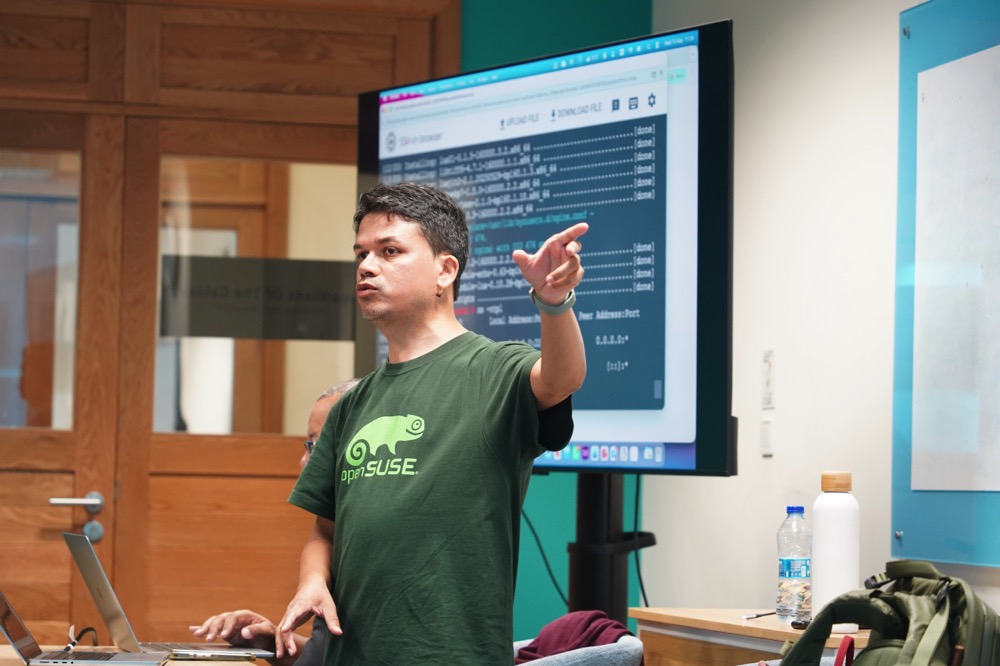
On Wednesday 13 May 2026, I spent the full day at the Polytechnics Mauritius campus in Ébène, running a workshop on open source software with openSUSE as the running thread. Morning and afternoon sessions, two distinct flavours, one community story. The day was organised and facilitated by Nishtee Gopee, Programme Leader of IT & Emerging Technologies at Polytechnics Mauritius, together with lecturers Arun Goorsaha and Salim Soobadar — who kept the energy in the room high and gently nudged every student to participate fully, ask questions, and stay for the demos. I was joined as co-presenter by two openSUSE friends from the local scene: Eddy Lareine and Neil Baichoo.
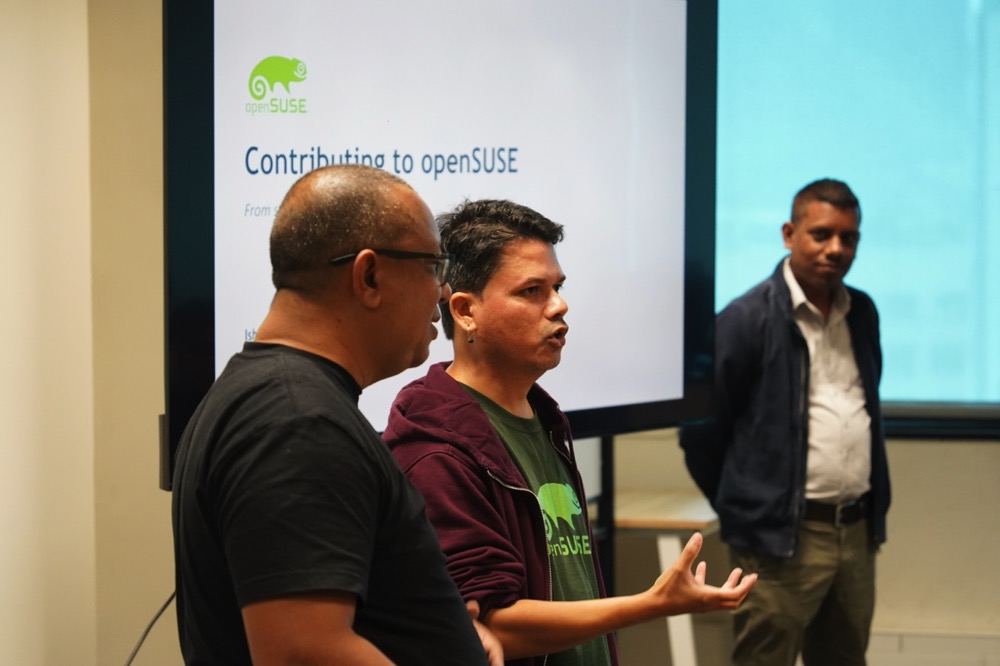
The Morning: How We Got Here
I opened with history, not commands. You cannot really appreciate why openSUSE looks and behaves the way it does without first understanding the soil it grew from.
So we went back to Richard M. Stallman, the GNU Project, and the four freedoms. Then to the BSD lawsuit that bogged the alternative UNIX world down for years, and to a Finnish student named Linus Torvalds who, while studying operating systems under Professor Andrew Tanenbaum and his teaching OS Minix, decided in 1991 to write his own kernel — "just a hobby, won't be big and professional like GNU."
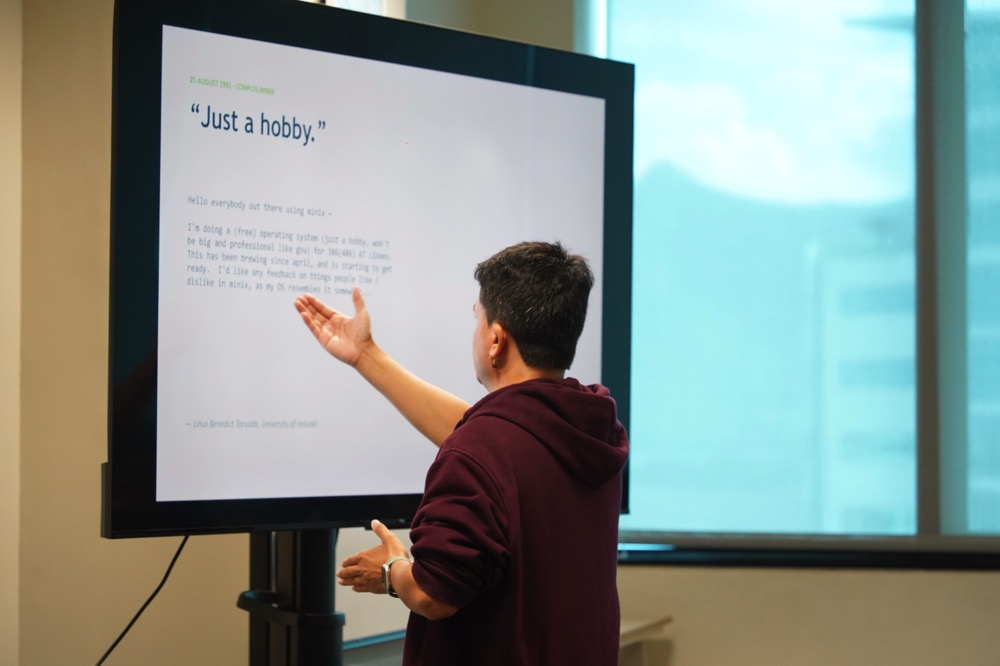
"Just a hobby." — The most consequential understatement in computing history.
From there it was a natural step into software licences — copyleft (GPL family), permissive (MIT, BSD, Apache), and the practical difference for someone who wants to use, modify, or ship code. We covered why the licence on a piece of code is not a detail you skim past, especially if you intend to build a product on top of it.
Then I shifted to openSUSE itself — thirty-four years on the same continent of Linux. Four German students starting S.u.S.E. in Nuremberg in 1992. YaST being born in 1994. Novell acquiring SUSE in 2003 for USD 210 million. The openSUSE.org project launching in 2005. EQT buying SUSE in 2018 for USD 2.5 billion. SUSE going public on the Frankfurt stock exchange in 2021. Going private again in 2023. And through all of that corporate motion, the openSUSE Project remaining independent, Board-elected, community-led.
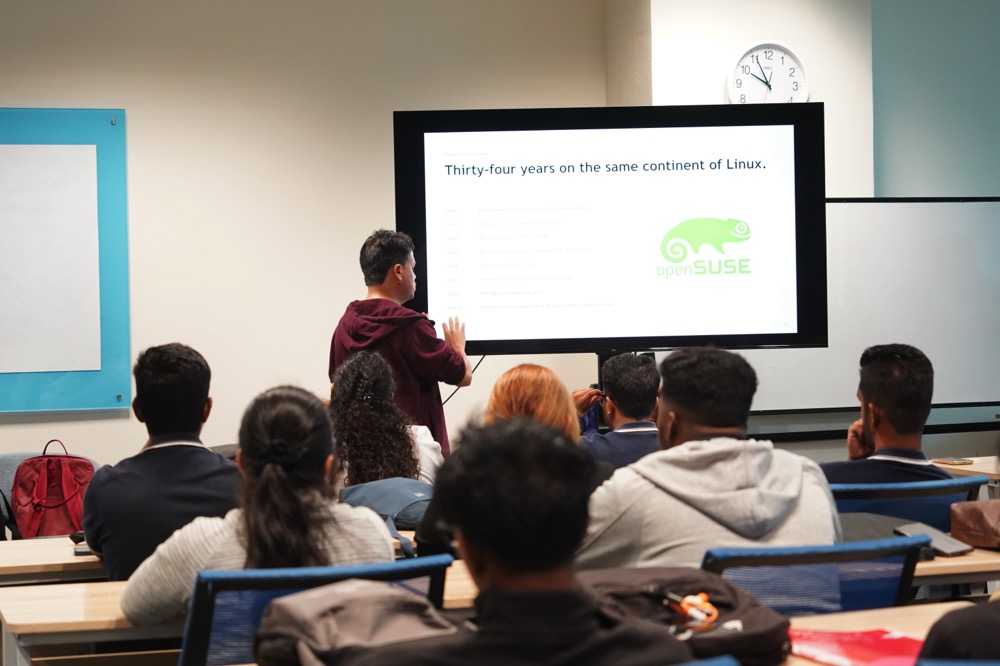
You Are Already Using Open Source
One slide I always enjoy showing is the "you are already using it" slide — the one that ends the imaginary debate about whether open source is mainstream. Android is Linux. Your iPhone has open source at its core. Netflix and Spotify run on it. TLS, OpenSSL and SSH guard every padlock icon you see. The Top500 supercomputers list is now 100 % Linux. Every meaningful AI model and framework — PyTorch, TensorFlow, JAX, vLLM — is open source. Firefox, GCC, LibreOffice, Inkscape, Blender. The audience went quiet for a moment. Good.
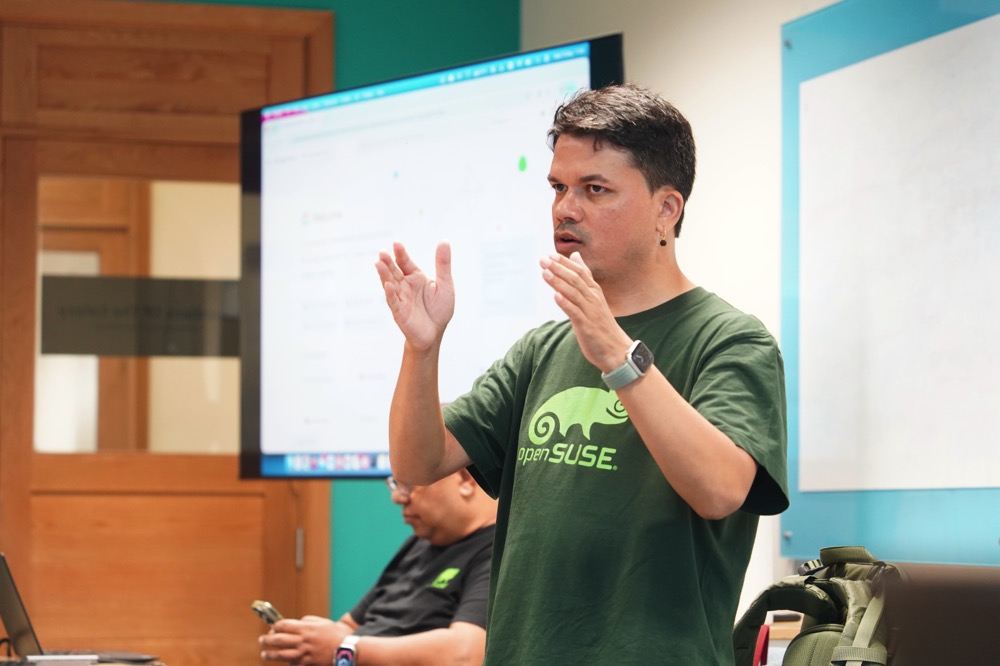
Contributing Without Writing Code
The biggest myth I wanted to dismantle that morning is the one that says you must be a kernel guru to contribute to open source. You don't. I walked the students through the non-coding tracks:
- Wiki and documentation — fixing typos, improving install guides, translating pages.
- Artwork and marketing — designing posters, social cards, release wallpapers.
- Advocacy — speaking at universities (like the one we were standing in), running booths at conferences, evangelising at meetups.
- Helping new users — answering questions on forums, on Matrix, on Discord, on the mailing lists. Mentoring someone through their first install is a contribution.
- Bug triage and testing — running pre-release images, filing reproducible bugs.
Most people who eventually become code contributors started on one of these tracks. That is worth saying out loud in a room of nineteen-year-olds who think the door is closed because they don't yet feel "technical enough".
Eddy on the openSUSE Board and Elections
Eddy Lareine then took the floor to talk about governance — the openSUSE Board, why the project has one, how elections are run, and why the rules around them matter. He explained the staggered mandate model: five board members, three-year terms, with a portion of the seats up for election each year. Continuity on one side, fresh ideas on the other. It's a design pattern I would actually borrow for any community of decent size.
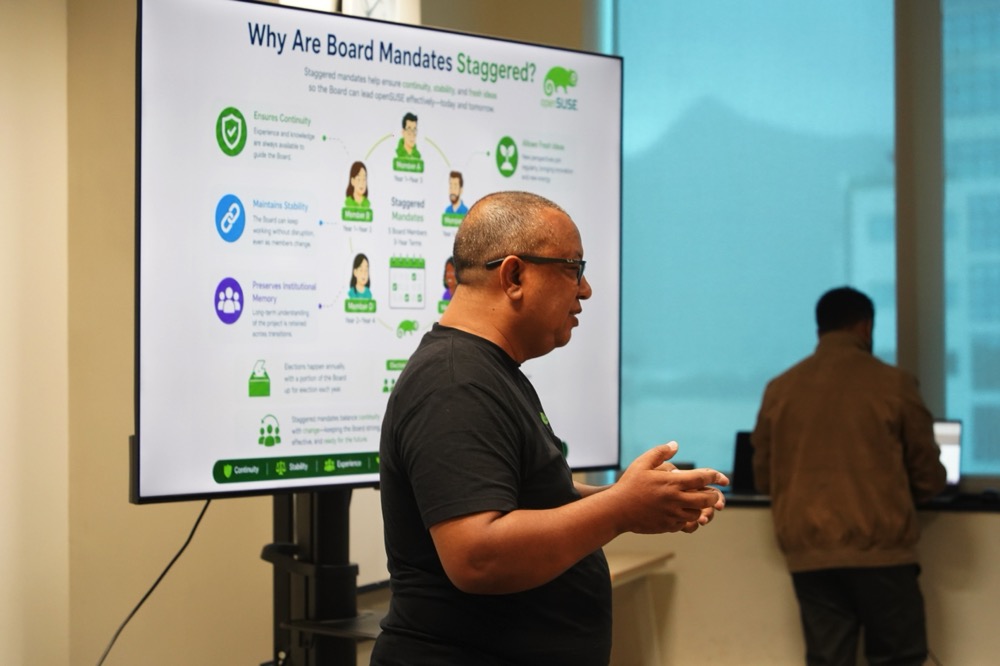
Eddy walking the students through how the openSUSE Board is structured.
For a room full of students who associate "open source" only with code on GitHub, seeing governance — election rules, voter eligibility, candidate manifestos — was a small revelation. Communities are not just code. They are agreements.
The Afternoon: Neil, KDE, and a Gecko on a Wallpaper
After lunch, Neil Baichoo presented. Neil is a software engineer who programmed in Rust for a specialised database company, and he is a long-time contributor to the KDE project. He opened with a broad look at open source as a whole — hitting a few well-known examples and pulling up their repositories on GitHub so the students could see code from the real world. Then he told his own contribution story in the openSUSE project.
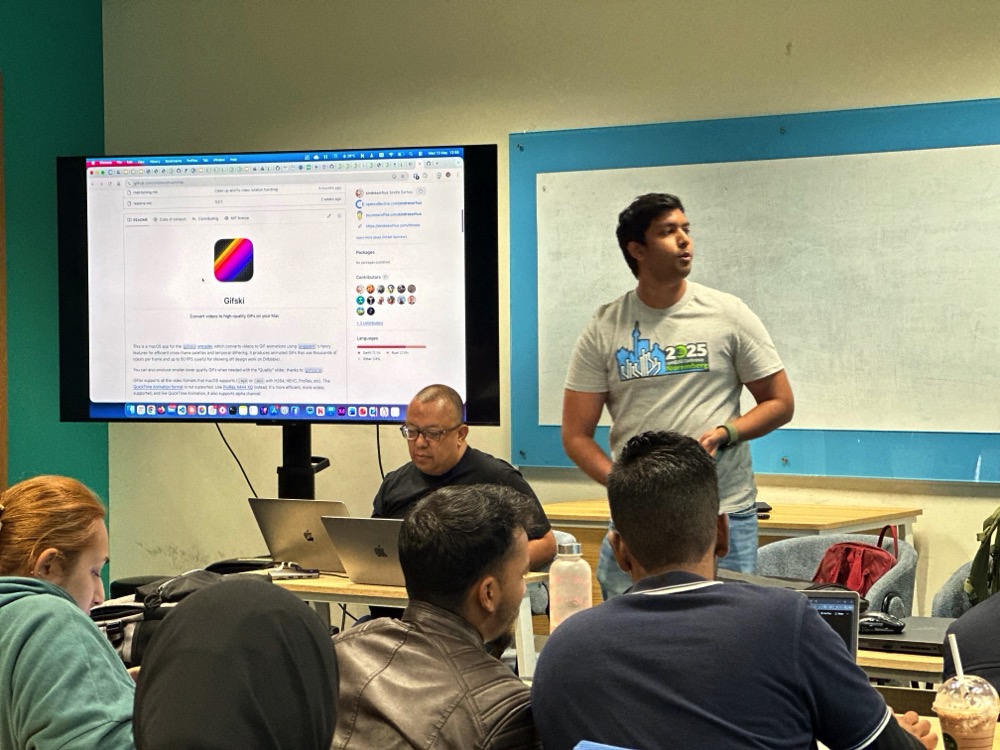
Some time ago, Neil submitted a photograph he had taken of a Mauritius day ornate gecko — the bright green endemic species you see on coconut palms across the island. That photograph was selected and shipped as part of the default wallpaper set in openSUSE Leap 16.0 while the photo credit was attributed to Neil Baichoo.
The room lit up. The idea that a picture taken as a hobby could end up on Linux desktops worldwide was the most concrete demonstration of "your contribution matters" that any slide of mine could ever produce.
Neil also fielded the inevitable career question: "Should I learn Go or Rust to get a head start?" His honest answer — and I agree — was no. The global market for entry-level Go and Rust developers is small. In Mauritius, it is essentially zero. Learn the fundamentals well. Pick languages based on the problems you want to solve, not on hype cycles. Rust is wonderful when you have a reason to need it. PHP, Python, TypeScript, and Java will pay your bills.
The Open Build Service Demo
I then ran a live demo on how to package software for openSUSE using the Open Build Service (OBS). OBS is itself an open source project, maintained by the openSUSE community, used to build packages for openSUSE, SUSE Linux Enterprise, Debian, Ubuntu, Fedora, RHEL, Arch and others from a single spec.
The walkthrough covered:
- The OBS web UI at
build.opensuse.org— projects, packages, build results. - The
osccommand-line client — how to authenticate against your openSUSE account, check out a project, edit a.specfile, build locally withosc build, and submit withosc commit. - The anatomy of a
.specfile —Name,Version,Source0,BuildRequires,%prep,%build,%install,%files.
For the demo package, I picked FrankenPHP — partly because it isn't currently in the openSUSE repositories, and partly because it deserves to be. FrankenPHP is a modern, high-performance PHP application server built on top of the Caddy web server, officially supported by the PHP Foundation, and capable of dramatically speeding up Laravel and Symfony applications via its worker mode. Packaging it as a proper RPM means a one-line zypper install frankenphp for every openSUSE user.
I showed the build locally first, then a osc commit against my home project on OBS. Watching the dependency graph resolve and the package compile across multiple distributions and architectures, from a single spec file, is one of those "this is why I love openSUSE" moments.
openSUSE on Google Cloud, in Two Minutes
Several students wanted to know how to get started with openSUSE without re-partitioning their laptops. I switched tabs to the Google Cloud Console and walked them through spinning up a free-tier e2-micro Compute Engine VM with openSUSE Leap 16.0.
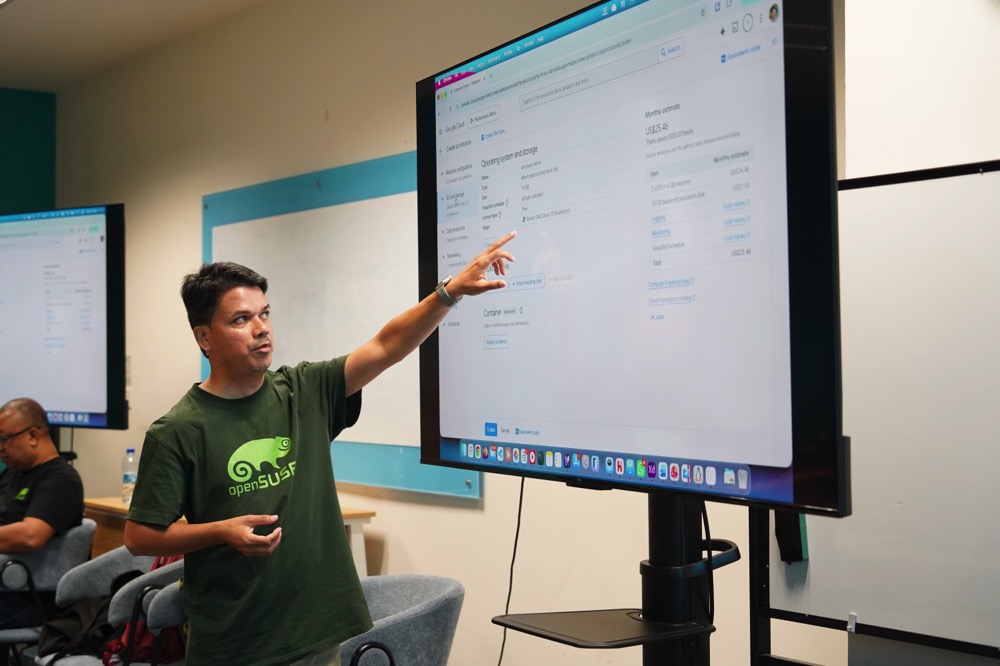
While at it, I clarified a question that comes up surprisingly often: the difference between SUSE Linux Enterprise Server (SLES) and openSUSE Leap on GCP.
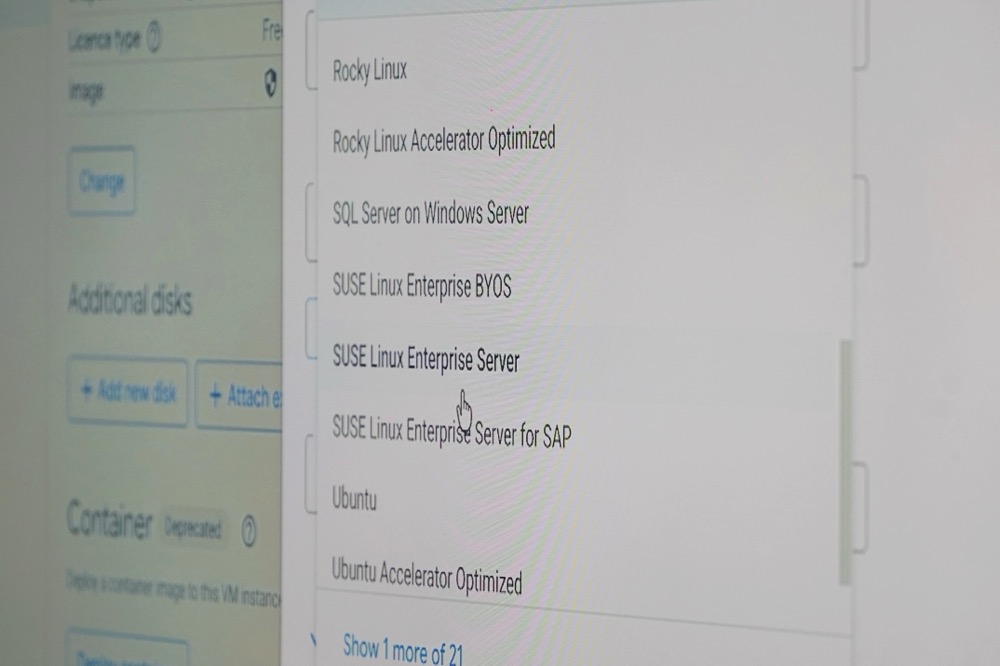
- SLES is the commercial product. The image carries a per-hour licence fee on top of the compute cost, and it ships with SUSA support entitlements. It is what you choose when you are running SAP HANA in production and you want a phone number to call at 3 a.m.
- openSUSE Leap is the community distribution, built from the same SLE codebase. The image is free of licence cost — you pay only for the compute and storage. It is what you choose to learn, to develop, to host your blog, or to build RPMs.
For a student on a free trial, openSUSE Leap on e2-micro in us-central1 (one of the free-tier regions) is the right starting point.
What Didn't Quite Go to Plan
Several students were keen to install openSUSE Leap 16.0 locally in VirtualBox. In theory: download the ISO, boot the VM, install. In practice, on a Wednesday at Polytechnics, three things went wrong:
- The campus Internet connection wasn't generous. Half the ISO downloads finished with corrupt images that failed checksum verification (or worse, booted into installer errors).
- Several laptops simply did not have enough free RAM or disk to give a VM a comfortable 4 GB / 20 GB allocation.
- The few that did succeed spent fifteen minutes in installer screens instead of actually using openSUSE.
This is the part of the day I will fix for next time.
Lessons Learned — A Browser-Based openSUSE Playground
The takeaway from the afternoon is clear: for a workshop setting, full local installation is the wrong shape of the problem.
What I want to build before the next session is a small web tool that drops a student straight into a fresh openSUSE Leap container running in their browser — a terminal in a <div>, a real shell on the other end, zypper working, osc pre-installed, no download, no ISO, no checksum failures, no VirtualBox.
Fast, fun, and productive. That's the shape of the next openSUSE workshop in Mauritius.
Closing Thoughts
A whole day workshop is a long time on your feet, but the energy in the room kept me going. Students who came in thinking "Linux is what servers run" left understanding that Linux is what everything runs — and that they have a seat at the table from day one, whether they write code, write documentation, take photographs of geckos, or simply show up to help someone else install their first distro.
A big thanks to Polytechnics Mauritius for hosting us at the Ébène campus, to Nishtee Gopee, Arun Goorsaha and Salim Soobadar for organising the day and bringing such an engaged cohort into the room, to Eddy and Neil for joining as co-presenters, and to every student who stayed past 4 p.m. to ask "one more question" at the front of the room.

Linux Saloon 203 | News Flight Night
Linux Saloon 202 | Early Edition
Tumbleweed – Review of the week 2026/21
Dear Tumbleweed users and hackers,
This week is quite difficult for me to estimate how busy it was in Tumbleweed, as I was spending the whole week at a conference and, right now, I am on the train on my way back home. Nevertheless, I want to try to summarize for you what has happened during the last week, and what snapshots you have received.
Last week I had already mentioned the upcoming integration of AppArmore 5.0 and the fact that we have observed a new curl profile causing some hiccups. Sadly, beyond that, more profiles were added/improved, which hit quite a few wifi users (wpa_supplicant profile), and we did not catch that in openQA. The main tests on openQA are geared towards the default installation, which is based on SELinux by now. There are a few additional tests intentionally added for AppArmor (which is how we found out about the cURL profile). Secondly, it only appears in combination with WiFi/wpa_supplicant, which we do test in openQA (there mainly for wpa2-enterprise integration) – but as you can imagine, the combination AppArmor/WiFi is missing. Thanks to all the users who reported the issue, and special thanks to Christian for fixing the issue as fast as he did!
Besides that, of course, more has happened. A total of 6 snapshots (0514, 0515, 0516, 0518, 0519, and 0520) were built, tested, and published, shipping these changes:
- AppArmor 5.0.0
- KDE Plasma 6.6.5
- fwupd 2.1.3
- GStreamer 1.28.3
- Linux kernel 7.0.6, 7.0.7 & 7.0.9
- Ruby 4.0.4
- Apache 2.4.67
- gpg 2.5.20
- pipewire 1.6.5
- librsvg 2.62.2
- PostgreSQL 18.4
The pipeline currently contains these changes/updates:
- Poppler 26.05.0
- Agama 21 (see blog post by the Agama developers)
- Rework of python3 packaging (as a meta package instead of a provides of the default compiler)
- gcc 16 as the system default compiler

Managing System Extensions with sysextmgrcli
Managing System Extensions on openSUSE MicroOS with sysextmgrcli
If you are running openSUSE MicroOS, you already know the drill: the root filesystem is read-only, and transactional updates are the law of the land.
But what happens when you need to add software or system extensions without rebooting or messing with your base OS layers?
E.g. You need strace or gdb to debug a running application, but a reboot to install this tools would change the situation.
Enter System Extensions (sysext images) and the utility designed to make them manageable: sysextmgrcli.
What is sysextmgrcli?
At its core, sysextmgrcli is a command-line client for managing systemd-sysext images and has been written
by Thorsten Kukuk. It is designed specifically to play nice with the atomic nature of MicroOS.
Instead of forcing you to use sudo for every query, it talks to a background daemon (sysextmgrd) via
Varlink. This architecture allows unprivileged users to list existing system extension images without
needing root permissions, while the daemon handles the heavy lifting of downloads and verification via systemd-pull.
For security reasons, root provileges are still required for installing or updating sysext images.
The Architecture: Smart Snapshots
One of the cleverest things about sysextmgrcli is how it handles storage to be efficient and “rollback-safe”:
-
/var/lib/sysext-store: This is where the actual image files live. Since
/varis a separate subvolume shared across all Btrfs snapshots, you only store the image once, saving disk space. If you have no network available, that’s the location for storing offline or even own build sysext images via e.g. an USB device. -
/etc/extensions: This directory contains symlinks to the images in the store. Because
/etcis part of your root snapshot, the extensions are tied to your current system state.
Why does this matter? If you perform a system rollback, your symlinks roll back too. This ensures the active sysext images always match the OS version you are currently booted into.
Essential Commands
Getting started is straightforward. Here are the primary commands you’ll use to manage your extensions:
1. Listing and Checking Images
Want to see what’s available or if your images are compatible with your current OS version?
# List all images and report compatibility
sysextmgrcli list

# Check for updates and verify compatibility
sysextmgrcli check
2. Installing New Extensions
You can install by providing a name and a source URL. The tool automatically handles SHA256 verification and checks if it fits your OS.
# --url is optional (default: https://download.opensuse.org/tumbleweed/appliances/ )
sysextmgrcli install [NAME] --url [https://your-image-repo.com](https://your-image-repo.com)
3. Maintenance and Updates
Updates are handled by comparing local files against remote manifests. If a newer version matches your current snapshot, it gets pulled down and symlinked.
# Update existing images to the latest compatible versions
sysextmgrcli update

# Clean up: Remove images in the store that are no longer referenced by any snapshot
sysextmgrcli cleanup
The “Activation” Catch
It is important to note that sysextmgrcli is a manager, not an activator. It handles the logistics: downloading, version checking, and symlinking. To actually “plug in” the extensions to your running system, you still use standard systemd-sysext commands:
-
Manual activation:
systemd-sysext merge -
Manual deactivation:
systemd-sysext unmerge -
Enable at boot:
systemctl enable systemd-sysext.service
Available default system extention (sysext) images:
- debug (babeltrace, gdb, ltrace, strace, traceroute)
- gcc (cpp, gcc, make, patch)
- git (git, git-core)
Summary
You need git on your openSUSE MicroOS ?
Just call sysextmgrcli install git ; systemd-sysext merge and use it…
You do not need ‘git’ anymore on your system ?
Just call systemd-sysext unmerge and it is not available anymore…
sysextmgrcli bridges the gap between static immutable infrastructure and the need for flexible system additions. By leveraging the Btrfs directory structure of MicroOS, it ensures your system remains clean, version-synced, and easy to manage.