the avatar of YaST Team

Digest of YaST Development Sprint 108

In our previous post we reported we were working in some mid-term goals in the areas of AutoYaST and storage management. This time we have more news to share about both, together with some other small YaST improvements.

  • Several enhancements in the new MenuBar widget, including better handling and rendering of the hotkey shortcuts and improved keyboard navigation in text mode.
  • More steps to add a menu bar to the Partitioner. Check this mail thread to know more about the status and the whole decision making process.
  • New helpers to improve the experience of using Embedded Ruby in an AutoYaST profile (introduced in the previous post). Check the documentation of the new helpers for details.
  • Huge speed up of the AutoYaST step for “Configuring Software Selections” by moving some filtering operations from Ruby to libzypp. Now the process is almost instant even when using the OSS repository that contains more than 60.000 packages!
  • A new log of the packages upgraded via the self-update feature of the installer.

The next SLE and Leap releases are starting to shape and we are already working in new features for them (that you could of course preview in Tumbleweed, as usual). So stay tuned for more news in two weeks!

the avatar of openSUSE News

Tumbleweed Snapshots bring updated Inkscape, Node.js, KDE Applications

Four openSUSE Tumbleweed snapshots were released since the last article.

KDE’s Applications 20.08.1, Node.js, iproute2 and inkscape were updated in the snapshots throughout the week.

The 20200915 snapshot is trending stable at a rating of 97, according to the Tumbleweed snapshot reviewer. Many YaST packages were updated in this snapshot. The 4.3.19 yast2-network package forces a read of the current virtualization network configuration in case it’s not present. The Chinese pinyin character input package libpinyin updated to 2.4.91, which improved auto correction.

Inkscape 1.0.1 made its update in snapshot 20200914; the open source vector graphics editor added an experimental Scribus PDF export extension. The Scribus export is available as one of the many export formats in the ‘Save as’ and ‘Save a Copy’ dialogs. Selectors and the CSS dialogue are also available in the package under the object menu. Support was added for MultiPath TCP netlink interface in the 5.8.0 update of iproute2. Several libqt5 packages were updated to 5.15.1. Important behavior changes were pointed out in the libqt5-qtbase changelog where QSharedPointer objects call custom deleters even when the pointer being tracked is null. The 14.9.0 nodejs14 package upgraded dependencies and fixed compilation on AArch64 with GNU Compiler Collection 10. A major utilities update for random number generation in the kernel was made with ng-tools from version 5 to version 6.10; one of the changes was the conversion of all entropy sources to use OpenSSL instead of gcrypt, which eliminates the need for the gcrypt library. Object-oriented programming language vala updated to version 0.48.10 made improvements and added a TraverseVisitor for traversing the tree with a callback. Other updated packages in the snapshot were rredis 6.0.8, rubygem-rails-6.0 6.0.3.3, xlockmore 5.65, which removed some buffer GCC warnings, and virtualbox 6.1.14, which fixed regression in HDA emulation introduced in 6.1.0. The snapshot is trending at a stable rating of 93.

Applications 20.08.1 arrived in both snapshot 20200910 and snapshot 20200909. Among the changes to the Applications packages were a change to the image viewer Gwenview to sort properly. Video application Kdenlive fixed some broken configurations and fixed the shift click for multiple selections broken in Bin. Document viewer Okular improved the code against corrupted configurations and stored builtin annotations in a new config key.

Snapshot 20200910 brought an update for secure communications; GnuTLS 3.6.15 enabled TLS 1.3 and explicitly disabled TLS 1.2 with “-VERS-TLS1.2”. Utility rsyslog updated from version 8.39.0 to 8.2008.0. The changes were too many to list. One listed in the project’s changelog of the current version states “systemd service file removed from project. This was done as distros nowadays have very different service files and it no longer is useful to provide a “generic” (sic) example.” Dependency management package yarn 1.22.5 made a change so that headers won’t be printed when calling yarn init with the -2 flag. XFS debugger tool xfsprogs 5.8.0 improved reporting and messages and fixed the -D vs -R handling. The snapshot recorded a 99 rating.

Also recording a stable 99 rating was snapshot 20200909. The snapshot brought Common Vulnerabilities and Exposures fixes with the Mozilla Thunderbird 68.12.0 update. Crashes to gnome-music will be avoided when an online account is unavailable in the 3.36.5 version. Another fix in the music player is the selection of an album no longer randomly deselects other albums. The Linux Kernel was also updated to version 5.8.7 in the snapshot.

the avatar of Flavio Castelli

Build multi-architecture container images using Kubernetes

Recently I’ve added some Raspberry Pi 4 nodes to the Kubernetes cluster I’m running at home.

The overall support of ARM inside of the container ecosystem improved a lot over the last years with more container images made available for the armv7 and the arm64 architectures.

But what about my own container images? I’m running some homemade containerized applications on top of this cluster and I would like to have them scheduled both on the x64_64 nodes and on the ARM ones.

There are many ways to build ARM container images. You can go from something as simple, and tedious, as performing manual builds on a real/emulated ARM machines or you can do something more structured like using this GitHub Action, relying on something like the Open Build Service,…

My personal desire was to leverage my mixed Kubernetes cluster and perform the image building right on top of it.

Implementing this design has been a great learning experience, something IMHO worth to be shared with others. The journey has been too long to fit into a single blog post; I’ll split my story into multiple posts.

Our journey begins with the challenge of building a container image from within a container.

Image building

The most known way to build a container image is by using docker build. I didn’t want to use docker to build my images because the build process will take place right on top of Kubernetes, meaning the build will happen in a containerized way.

Some people are using docker as the container runtime of their Kubernetes clusters and are leveraging that to mount the docker socket inside of some of their containers. Once the docker socket is mounted, the containerized application has full access to the docker daemon that is running on the host. From there it’s game over the container can perform actions such as building new images.

I’m a strong opponent of this approach because it’s highly insecure. Moreover I’m not using docker as container runtime and I guess many people will stop doing that in the near future once dockershim gets deprecated. Translated: the majority of the future Kubernetes cluster will either have containerd, CRI-O or something similar instead of docker - hence bye bye to the docker socket hack.

There are however many other ways to build containers that are not based on docker build.

If you do a quick internet search about containerized image building you will definitely find kaniko. kaniko does exactly what I want: it performs containerized builds without using the docker daemon. There are also many examples covering image building on top of Kubernetes with kaniko. Unfortunately, at the time of writing, kaniko supports only the x86_64 architecture.

Our chances are not over yet because there’s another container building tool that can help us: buildah.

Buildah is part of the “libpod ecosystem”, which includes projects such as podman, skopeo and CRI-O. All these tools are available for multiple architectures: x86_64, aarch64 (aka ARM64), s390x and ppc64le.

Running buildah containerized

Buildah can build container images starting from a Dockerfile or in a more interactive way. All of that without requiring any privileged daemon running on your system.

During the last years the buildah developers spent quite some efforts to support the use case of “containerized buildah”. This is just the most recent blog post that discusses this scenario in depth.

Upstream has even a Dockerfile that can be used to create a buildah container image. This can be found here.

I took this Dockerfile, made some minor adjustments and uploaded it to this project on the Open Build Service. As a result I got a multi architecture container image that can be pulled from registry.opensuse.org/home/flavio_castelli/containers/containers/buildahimage:latest.

The storage driver

As some container veterans probably know, there are several types of storage drivers that can be used by container engines.

In case you’re not familiar with this topic you can read these great documentation pages from Docker:

Note well: despite being written for the docker container engine, this applies also to podman, buildah, CRI-O and containerd.

The most portable and performant storage driver is the overlay one. This is the one we want to use when running buildah containerized.

The overlay driver can be used in safe way even inside of a container by leveraging fuse-overlay; this is described by the buildah blog post I linked above.

However, using the overlay storage driver inside of a container requires Fuse to be enabled on the host and, most important of all, it requires the /dev/fuse device to be accessible by the container.

The share operation cannot be done by simply mounting /dev/fuse as a volume because there are some extra “low level” steps that must be done (like properly instructing the cgroup device hierarchy).

These extra steps are automatically handled by docker and podman via the --device flag of the run command:

$ podman run --rm -ti --device /dev/fuse buildahimage bash

This problem will need to be solved in a different way when buildah is run on top of Kubernetes.

Kubernetes device plugin

Special host devices can be shared with containers running inside of a Kubernetes POD by using a recent feature called Kubernetes device plugins.

Quoting the upstream documentation:

Kubernetes provides a device plugin framework that you can use to advertise system hardware resources to the Kubelet .

Instead of customizing the code for Kubernetes itself, vendors can implement a device plugin that you deploy either manually or as a DaemonSet . The targeted devices include GPUs, high-performance NICs, FPGAs, InfiniBand adapters, and other similar computing resources that may require vendor specific initialization and setup.

This Kubernetes feature is commonly used to allow containerized machine learning workloads to access the GPU cards available on the host.

Luckily someone wrote a Kubernetes device plugin that exposes /dev/fuse to Kubernetes-managed containers: fuse-device-plugin.

I’ve forked the project, made some minor fixes to its Dockerfile and created a GitHub action to build the container image for amd64, armv7 and amd64 (a PR is coming soon). The images are available on the Docker Hub as: flavio/fuse-device-plugin.

The fuse-device-plugin has to be deployed as a Kubernetes DaemonSet via this yaml file:

apiVersion: apps/v1
kind: DaemonSet
metadata:
  name: fuse-device-plugin-daemonset
  namespace: kube-system
spec:
  selector:
    matchLabels:
      name: fuse-device-plugin-ds
  template:
    metadata:
      labels:
        name: fuse-device-plugin-ds
    spec:
      hostNetwork: true
      containers:
      - image: flavio/fuse-device-plugin:latest
        name: fuse-device-plugin-ctr
        securityContext:
          allowPrivilegeEscalation: false
          capabilities:
            drop: ["ALL"]
        volumeMounts:
          - name: device-plugin
            mountPath: /var/lib/kubelet/device-plugins
      volumes:
        - name: device-plugin
          hostPath:
            path: /var/lib/kubelet/device-plugins

This is basically this file, with the flavio/fuse-device-plugin image being used instead of the original one (which is built only for x86_64).

Once the DaemonSet PODs are running on all the nodes of the cluster, we can see the Fuse device being exposed as an allocatable resource identified by the github.com/fuse key:

$ kubectl get nodes -o=jsonpath=$'{range .items[*]}{.metadata.name}: {.status.allocatable}\n{end}'
jam-2: map[cpu:4 ephemeral-storage:224277137028 github.com/fuse:5k memory:3883332Ki pods:110]
jam-1: map[cpu:4 ephemeral-storage:111984762997 github.com/fuse:5k memory:3883332Ki pods:110]
jolly: map[cpu:4 ephemeral-storage:170873316014 github.com/fuse:5k gpu.intel.com/i915:1 hugepages-1Gi:0 hugepages-2Mi:0 memory:16208280Ki pods:110]

The Fuse device can then be made available to a container by specifying a resource limit:

apiVersion: v1
kind: Pod
metadata:
  name: fuse-example
spec:
  containers:
  - name: main
    image: alpine
    command: ["ls", "-l", "/dev"]
    resources:
      limits:
        github.com/fuse: 1

If you look at the logs of this POD you will see something like that:

$ kubectl logs fuse-example
total 0
lrwxrwxrwx    1 root     root            11 Sep 15 08:31 core -> /proc/kcore
lrwxrwxrwx    1 root     root            13 Sep 15 08:31 fd -> /proc/self/fd
crw-rw-rw-    1 root     root        1,   7 Sep 15 08:31 full
crw-rw-rw-    1 root     root       10, 229 Sep 15 08:31 fuse
drwxrwxrwt    2 root     root            40 Sep 15 08:31 mqueue
crw-rw-rw-    1 root     root        1,   3 Sep 15 08:31 null
lrwxrwxrwx    1 root     root             8 Sep 15 08:31 ptmx -> pts/ptmx
drwxr-xr-x    2 root     root             0 Sep 15 08:31 pts
crw-rw-rw-    1 root     root        1,   8 Sep 15 08:31 random
drwxrwxrwt    2 root     root            40 Sep 15 08:31 shm
lrwxrwxrwx    1 root     root            15 Sep 15 08:31 stderr -> /proc/self/fd/2
lrwxrwxrwx    1 root     root            15 Sep 15 08:31 stdin -> /proc/self/fd/0
lrwxrwxrwx    1 root     root            15 Sep 15 08:31 stdout -> /proc/self/fd/1
-rw-rw-rw-    1 root     root             0 Sep 15 08:31 termination-log
crw-rw-rw-    1 root     root        5,   0 Sep 15 08:31 tty
crw-rw-rw-    1 root     root        1,   9 Sep 15 08:31 urandom
crw-rw-rw-    1 root     root        1,   5 Sep 15 08:31 zero

Now that this problem is solved we can move to the next one. 😉

Obtaining the source code of our image

The source code of the “container image to be built” must be made available to the containerized buildah.

As many people do, I keep all my container definitions versioned inside of Git repositories. I had to find a way to clone the Git repository holding the definition of the “container image to be built” inside of the container running buildah.

I decided to settle for this POD layout:

  • The main container of the POD is going to be the one running buildah.
  • The POD will have a Kubernetes init container that will git clone the source code of the “container image to be built” before the main container is started.

The contents produced by the git clone must be placed into a directory that can be accessed later on by the main container. I decided to use a Kubernetes volume of type emptyDir to create a shared storage between the init and the main containers. The emptyDir volume is just perfect: it doesn’t need any fancy Kubernetes Storage Class and it will automatically vanish once the build is done.

To checkout the Git repository I decided to settle on the official Kubernetes git-sync container.

Quoting its documentation:

git-sync is a simple command that pulls a git repository into a local directory. It is a perfect “sidecar” container in Kubernetes - it can periodically pull files down from a repository so that an application can consume them.

git-sync can pull one time, or on a regular interval. It can pull from the HEAD of a branch, from a git tag, or from a specific git hash. It will only re-pull if the target of the run has changed in the upstream repository. When it re-pulls, it updates the destination directory atomically. In order to do this, it uses a git worktree in a subdirectory of the –root and flips a symlink.

git-sync can pull over HTTP(S) (with authentication or not) or SSH.

This is just what I was looking for.

I will start git-sync with the following parameters:

  • --one-time: this is needed to make git-sync exit once the checkout is done; otherwise it will keep running forever and it will periodically look for new commits inside of the repository. I don’t need that, plus this would cause the main container to wait indefinitely for the init container to exit.
  • --depth 1: this is done to limit the checkout to the latest commit. I’m not interested in the history of the repository. This will make the checkout faster and use less bandwidth and disk space.
  • --repo <my-repo: the repo I want to checkout.
  • --branch <my-branch>: the branch to checkout.

The git-sync container image was already built for multiple architectures, but unfortunately it turned out the non x86_64 images were broken. The issue has been recently solved with the v3.1.7.

While waiting for the issue to be fixed I just rebuilt the container image on the Open Build Service. This is no longer needed, everybody can just use the official image.

Trying the first build

It’s now time to perform a simple test run. We will define a simple Kubernetes POD that will:

  1. Checkout the source code of a simple container image
  2. Build the container iamge using buildah

This is the POD definition:

apiVersion: v1
kind: Pod
metadata:
  name: builder-amd64
spec:
  nodeSelector:
    kubernetes.io/arch: "amd64"
  initContainers:
  - name: git-sync
    image: k8s.gcr.io/git-sync/git-sync:v3.1.7
    args: [
      "--one-time",
      "--depth", "1",
      "--dest", "checkout",
      "--repo", "https://github.com/flavio/guestbook-go.git",
      "--branch", "master"]
    volumeMounts:
      - name: code
        mountPath: /tmp/git
  volumes:
  - name: code
    emptyDir:
      medium: Memory
  containers:
  - name: main
    image: registry.opensuse.org/home/flavio_castelli/containers/containers/buildahimage:latest
    command: ["/bin/sh"]
    args: ["-c", "cd code; cd $(readlink checkout); buildah bud -t guestbook ."]
    volumeMounts:
      - name: code
        mountPath: /code
    resources:
      limits:
        github.com/fuse: 1

Let’s break it down into pieces.

Determine image architecture

The POD uses a Kubernetes node selector to ensure the build happens on a node with the x86_64 architecture. By doing that we will know the architecture of the final image.

Checkout the source code

As said earlier, the Git repository is checked out using an init container:

  initContainers:
  - name: git-sync
    image: k8s.gcr.io/git-sync/git-sync:v3.1.7
    args: [
      "--one-time",
      "--depth", "1",
      "--dest", "checkout",
      "--repo", "https://github.com/flavio/guestbook-go.git",
      "--branch", "master"]
    volumeMounts:
      - name: code
        mountPath: /tmp/git

The Git repository and the branch are currently hard-coded into the POD definition, this is going to be fixed later on. Right now that’s good enough to see if things are working (spoiler alert: they won’t 😅).

The git-sync container will run before the main container and it will write the source code of the “container image to be built” inside of a Kubernetes volume named code.

This is how the volume will look like after git-sync has ran:

$ ls -lh <root of the volume>
drwxr-xr-x 9 65533 65533 300 Sep 15 09:41 .git
lrwxrwxrwx 1 65533 65533  44 Sep 15 09:41 checkout -> rev-155a69b7f81d5b010c5468a2edfbe9228b758d64
drwxr-xr-x 6 65533 65533 280 Sep 15 09:41 rev-155a69b7f81d5b010c5468a2edfbe9228b758d64

The source code is stored under the rev-<git commit ID> directory. There’s a symlink named checkout that points to it. As you will see later, this will lead to a small twist.

Shared volume

The source code of our application is stored inside of a Kubernetes volume of type emptyDir:

  volumes:
  - name: code
    emptyDir:
      medium: Memory

I’ve also instructed Kubernetes to store the volume in memory. Behind the scene Kubelet will use tmpfs to do that.

The buildah container

The POD will have just one container running inside of it. This is called main and its only purpose is to run buildah.

This is the definition of the container:

  containers:
  - name: main
    image: registry.opensuse.org/home/flavio_castelli/containers/containers/buildahimage:latest
    command: ["/bin/sh"]
    args: ["-c", "cd /code; cd $(readlink checkout); buildah bud -t guestbook ."]
    volumeMounts:
      - name: code
        mountPath: /code
    resources:
      limits:
        github.com/fuse: 1

As expected the container is mounting the code Kubenetes volume too. Moreover, the container is requesting one resource of type github.com/fuse; as explained above this is needed to make /dev/fuse available inside of the container.

The container executes a simple bash script. The oneliner can be expanded to that:

cd /code
cd $(readlink checkout)
buildah bud -t guestbook .

There’s one interesting detail in there. As you can see I’m not “cd-ing” straight into /code/checkout, instead I’m moving into /code and then resolving the actual target of the checkout symlink.

We can’t move straight into /code/checkout because that would give us an error:

builder:/ # cd /code/checkout
bash: cd: /code/checkout: Permission denied

This happens because /proc/sys/fs/protected_symlinks is turned on by default. As you can read here, this is a way to protect from specific type of exploits. Not even root inside of the container can jump straight into /code/checkout, this is why I’m doing this workaround.

One last note, as you have probably noticed, buildah is just building the container image, it’s not pushing it to any registry. We don’t care about that right now.

An unexpected problem

Our journey is not over yet, there’s one last challenge ahead of us.

Before digging into the issue, let me provide some background. My local cluster was initially made by one x86_64 node running openSUSE Leap 15.2 and by two ARM64 nodes running the beta ARM64 build of Rasperry Pi OS (formerly known as raspbian).

I used the POD definition shown above to define two PODs:

  • builder-amd64: the nodeSelector constraint targets the amd64 architecture
  • builder-arm64: the nodeSelector constraint targets the arm64 architecture

That lead to an interesting finding: the builds on ARM64 nodes worked fine, while all the builds on the x86_64 node failed.

The failure was always the same and happened straight at the beginning of the process:

$ kubectl logs -f builder-amd64
mount /var/lib/containers/storage/overlay:/var/lib/containers/storage/overlay, flags: 0x1000: permission denied
level=error msg="exit status 125"

To me, that immediately smelled like a security feature blocking buildah.

Finding the offending security check

I needed something faster then kubectl to iterate over this problem. Luckily I was able to reproduce the same error while running buildah locally using podman:

$ sudo podman run \
    --rm \
    --device /dev/fuse \
    -v <path-to-container-image-sources>:/code \
    registry.opensuse.org/home/flavio_castelli/containers/containers/buildahimage:latest \
    /bin/sh -c "cd /code; buildah bud -t foo ."

I was pretty sure the failure happened due to some tight security check. To prove my theory I ran the same container in privileged mode:

$ sudo podman run \
    --rm \
    --device /dev/fuse \
    --privileged \
    -v <path-to-container-image-sources>:/code \
    registry.opensuse.org/home/flavio_castelli/containers/containers/buildahimage:latest \
    /bin/sh -c "cd /code; buildah bud -t foo ."

The build completed successfully. Running a container in privileged mode is bad and makes me hurt, it’s not a long term solution but at least that proved the build failure was definitely caused by some security constraint.

The next step was to identify the security measure at the origin of the failure. That could be either something related with seccomp or AppArmor. I immediately ruled out SELinux as the root cause because it’s not used on openSUSE by default.

I then ran the container again, but this time I instructed podman to not apply any kind of seccomp profile; I basically disabled seccomp for my containerized workload.

This can be done by using the unconfined mode for seccomp:

$ sudo podman run \
    --rm \
    --device /dev/fuse \
    -v <path-to-container-image-sources>:/code \
    --security-opt=seccomp=unconfined \
    registry.opensuse.org/home/flavio_castelli/containers/containers/buildahimage:latest \
    /bin/sh -c "cd /code; buildah bud -t foo ."

The build failed again with the same error. That meant seccomp was not causing the failure. AppArmor was left as the main suspect.

Next, I just run the container but I instructed podman to not apply any kind of AppArmor profile; again, I basically disabled AppArmor for my containerized workload.

This can be done by using the unconfined mode for AppArmor:

$ sudo podman run \
    --rm \
    --device /dev/fuse \
    -v <path-to-container-image-sources>:/code \
    --security-opt=apparmor=unconfined \
    registry.opensuse.org/home/flavio_castelli/containers/containers/buildahimage:latest \
    /bin/sh -c "cd /code; buildah bud -t foo ."

This time the build completed successfully. Hence the issue was caused by the default AppArmor profile.

Create an AppArmor profile for buildah

All the container engines (docker, podman, CRI-O, containerd) have an AppArmor profile that is applied to all the containerized workloads by default.

The containerized Buildah is probably doing something that is not allowed by this generic profile. I just had to identify the offending operation and create a new tailor-made AppArmor profile for buildah.

As a first step I had to obtain the default AppArmor profile. This is not as easy as it might seem. The profile is generated at runtime by all the container engines and is loaded into the kernel. Unfortunately there’s no way to dump the information stored into the kernel and have a human-readable AppArmor profile.

After some digging into the source code of podman and some reading on docker’s GitHub issues, I produced a quick PR that allowed me to print the default AppArmor profile on to the stdout.

This is the default AppArmor profile used by podman:

#include <tunables/global>


profile default flags=(attach_disconnected,mediate_deleted) {

  #include <abstractions/base>


  network,
  capability,
  file,
  umount,


  # Allow signals from privileged profiles and from within the same profile
  signal (receive) peer=unconfined,
  signal (send,receive) peer=default,


  deny @{PROC}/* w,   # deny write for all files directly in /proc (not in a subdir)
  # deny write to files not in /proc/<number>/** or /proc/sys/**
  deny @{PROC}/{[^1-9],[^1-9][^0-9],[^1-9s][^0-9y][^0-9s],[^1-9][^0-9][^0-9][^0-9]*}/** w,
  deny @{PROC}/sys/[^k]** w,  # deny /proc/sys except /proc/sys/k* (effectively /proc/sys/kernel)
  deny @{PROC}/sys/kernel/{?,??,[^s][^h][^m]**} w,  # deny everything except shm* in /proc/sys/kernel/
  deny @{PROC}/sysrq-trigger rwklx,
  deny @{PROC}/kcore rwklx,

  deny mount,

  deny /sys/[^f]*/** wklx,
  deny /sys/f[^s]*/** wklx,
  deny /sys/fs/[^c]*/** wklx,
  deny /sys/fs/c[^g]*/** wklx,
  deny /sys/fs/cg[^r]*/** wklx,
  deny /sys/firmware/** rwklx,
  deny /sys/kernel/security/** rwklx,


  # suppress ptrace denials when using using 'ps' inside a container
  ptrace (trace,read) peer=default,

}

A small parenthesis, this AppArmor profile is the same generated by all the other container engines. Some poor folks keep this file in sync manually, but there’s a discussion upstream to better organize things.

Back to the build failure caused by AppArmor… I saved the default profile into a text file named containerized_buildah and I changed this line

profile default flags=(attach_disconnected,mediate_deleted) {

to look like that:

profile containerized_buildah flags=(attach_disconnected,mediate_deleted,complain) {

This changes the name of the profile and, most important of all, changes the policy mode to be of type complain instead of enforcement.

Quoting the AppArmor man page:

  • enforcement - Profiles loaded in enforcement mode will result in enforcement of the policy defined in the profile as well as reporting policy violation attempts to syslogd.
  • complain - Profiles loaded in “complain” mode will not enforce policy. Instead, it will report policy violation attempts. This mode is convenient for developing profiles.

I then loaded the policy by doing:

$ sudo apparmor_parser -r containerized_buildah

Invoking the aa-status command reports a list of all the modules loaded, their policy mode and all the processes confined by AppArmor.

$ sudo aa-status
...
2 profiles are in complain mode.
   containerized_buildah
...

One last operation had to done before I could start to debug the containerized buildah: turn off “audit quieting”. Again, straight from AppArmor’s man page:

Turn off deny audit quieting

By default, operations that trigger “deny” rules are not logged. This is called deny audit quieting.

To turn off deny audit quieting, run:

echo -n noquiet >/sys/module/apparmor/parameters/audit

Before starting the container, I opened a new terminal to execute this process:

# tail -f /var/log/audit/audit.log | tee apparmor-build.log

On systems where auditd is running (like mine), all the AppArmor logs are sent to /var/log/audit/audit.log. This command allowed me to keep an eye open on the live stream of audit logs and save them into a smaller file named apparmor-build.log.

Finally, I started the container using the custom AppArmor profile shown above:

$ sudo podman run \
    --rm \
    --device /dev/fuse \
    -v <path-to-container-image-sources>:/code \
    --security-opt=apparmor=containerized_buildah \
    registry.opensuse.org/home/flavio_castelli/containers/containers/buildahimage:latest \
    /bin/sh -c "cd /code; buildah bud -t foo ."

The build completed successfully. Grepping for ALLOWED inside of the audit file returned a stream of entries like the following ones:

type=AVC msg=audit(1600172410.567:622): apparmor="ALLOWED" operation="mount" info="failed mntpnt match" error=-13 profile="containerized_buildah" name="/tmp/containers.o5iLtx" pid=25607 comm="exe" srcname="/usr/bin/buildah" flags="rw, bind"
type=AVC msg=audit(1600172410.567:623): apparmor="ALLOWED" operation="mount" info="failed mntpnt match" error=-13 profile="containerized_buildah" name="/tmp/containers.o5iLtx" pid=25607 comm="exe" flags="ro, remount, bind"
type=AVC msg=audit(1600172423.511:624): apparmor="ALLOWED" operation="mount" info="failed mntpnt match" error=-13 profile="containerized_buildah" name="/" pid=25629 comm="exe" flags="rw, rprivate"
...

As you can see all these entries are about mount operations, with mount being invoked with quite an assortment of flags.

The default AppArmor profile explicitly denies mount operations:

...
  deny mount,
...

All I had to do was to change the containerized_buildah AppArmor profile to that:

#include <tunables/global>


profile containerized_buildah flags=(attach_disconnected,mediate_deleted) {

  #include <abstractions/base>


  network,
  capability,
  file,
  umount,
  mount,

  # Allow signals from privileged profiles and from within the same profile
  signal (receive) peer=unconfined,
  signal (send,receive) peer=default,


  deny @{PROC}/* w,   # deny write for all files directly in /proc (not in a subdir)
  # deny write to files not in /proc/<number>/** or /proc/sys/**
  deny @{PROC}/{[^1-9],[^1-9][^0-9],[^1-9s][^0-9y][^0-9s],[^1-9][^0-9][^0-9][^0-9]*}/** w,
  deny @{PROC}/sys/[^k]** w,  # deny /proc/sys except /proc/sys/k* (effectively /proc/sys/kernel)
  deny @{PROC}/sys/kernel/{?,??,[^s][^h][^m]**} w,  # deny everything except shm* in /proc/sys/kernel/
  deny @{PROC}/sysrq-trigger rwklx,
  deny @{PROC}/kcore rwklx,

  deny /sys/[^f]*/** wklx,
  deny /sys/f[^s]*/** wklx,
  deny /sys/fs/[^c]*/** wklx,
  deny /sys/fs/c[^g]*/** wklx,
  deny /sys/fs/cg[^r]*/** wklx,
  deny /sys/firmware/** rwklx,
  deny /sys/kernel/security/** rwklx,


  # suppress ptrace denials when using using 'ps' inside a container
  ptrace (trace,read) peer=default,

}

The profile is now back to enforcement mode and, most important of all, it allows any kind of mount invocation.

I tried to be more granular and allow only the mount flags actually used by buildah, but the list was too long, there were too many combinations and that seemed pretty fragile. The last thing I want to happen is to have AppArmor break buildah in the future if a slightly different mount operation is done.

Reloading the AppArmor profile via sudo apparmor_parser -r containerized_buildah and restarting the build proved that the profile was doing its job also in enforcement mode: the build successfully completed. 🎉🎉🎉

But the journey over yet, not quite…

Why AppArmor is blocking only x86_64 builds?

Once I figured out the root cause of x86_64 builds there was one last mystery to be solved: why the ARM64 builds worked just fine? Why didn’t AppArmor cause any issue over there?

The answer was quite simple (and a bit shocking to me): it turned out the Raspberry Pi OS (formerly known as raspbian) ships a kernel that doesn’t have AppArmor enabled. I never realized that!

I didn’t find the idea of running containers without any form of Mandatory Access Control particularly thrilling. Hence I decided to change the operating system run on my Raspberry Pi nodes.

I initially picked Raspberry Pi OS because I wanted to have my Raspberry Pi 4 boot straight from an external USB disk instead of the internal memory card. At the time of writing, this feature requires a bleeding edge firmware and all the documentation points at Raspberry Pi OS. I just wanted to stick with what the community was using to reduce my chances of failure…

However, if you need AppArmor support, you’re left with two options: openSUSE and Ubuntu.

I installed openSUSE Leap 15.2 for aarch64 (aka ARM64) on one of my Raspberry Pi 4. The process of getting it to boot from USB was pretty straightforward. I added the node back into the Kubernetes cluster, forced some workloads to move on top of it and monitored its behaviour. Everything was great, I was ready to put openSUSE on my 2nd Raspberry Pi 4 when I noticed something strange: my room was quieter than the usual…

My Raspberry Pis are powered using the official PoE HAT. I love this hat, but I hate its built-in fan because it’s notoriously loud (yes, you can tune its thresholds, but it’s still damn noisy when it kicks in).

Well, my room was suddenly quieter because the fan of the PoE HAT was not spinning at all. That lead the CPU temperature to reach more than 85 °C 😱

It turns out the PoE HAT needs a driver which is not part of the mainstream kernel and unfortunately nobody added it to the openSUSE kernel yet. That means openSUSE doesn’t see and doesn’t even turn on the PoE HAT fan (not even at full speed).

I filed a enhancement bug report against openSUSE Tumbleweed to get the PoE HAT driver added to our kernel and moved over to Ubuntu. Unfortunately that was a blocking issue for me. What a pity 😢

On the other hand, the kernel of Ubuntu Server supports both the PoE HAT fan and AppArmor. After some testing I switched all my Raspberry Pi nodes to run Ubuntu 20.04 Server.

To prove my mental sanity, I ran the builder-arm64 POD against the Ubuntu nodes using the default AppArmor profile. The build failed on ARM64 in the same way as it did on x86_64. What a relief 😅.

Kubernetes and AppArmor profiles

At this point I’ve a tailor-made AppArmor profile for buildah, plus all the nodes of my cluster have AppArmor support. It’s time to put all the pieces together!

The previous POD definition has to be extended to ensure the main container running buildah is using the tailor-made AppArmor profile instead of the default one.

Kubernetes’ AppArmor support is a bit primitive, but effective. The only requirement, when using custom profiles, is to ensure the profile is already known by the AppArmor system on each node of the cluster.

This can be done in an easy way: just copy the profile under /etc/apparmor.d and perform a systemct reload apparmor. This has to be done once, at the next boot the AppArmor service will automatically load all the profiles found inside of /etc/apparmor.d.

This is how the final POD definition looks like:

apiVersion: v1
kind: Pod
metadata:
  name: builder-amd64
  annotations:
    container.apparmor.security.beta.kubernetes.io/main: localhost/containerized_buildah
spec:
  nodeSelector:
    kubernetes.io/arch: "amd64"
  containers:
  - name: main
    image: registry.opensuse.org/home/flavio_castelli/containers/containers/buildahimage:latest
    command: ["/bin/sh"]
    args: ["-c", "cd code; cd $(readlink checkout); buildah bud -t guestbook ."]
    volumeMounts:
      - name: code
        mountPath: /code
    resources:
      limits:
        github.com/fuse: 1
  initContainers:
  - name: git-sync
    image: k8s.gcr.io/git-sync/git-sync:v3.1.7
    args: [
      "--one-time",
      "--depth", "1",
      "--dest", "checkout",
      "--repo", "https://github.com/flavio/guestbook-go.git",
      "--branch", "master"]
    volumeMounts:
      - name: code
        mountPath: /tmp/git
  volumes:
  - name: code
    emptyDir:
      medium: Memory

This time the build will work fine also inside of Kubernetes, regardless of the node architecture! 🥳

What’s next?

First of all, congratulations for having made up to this point. It has been quite a long journey, I hope you enjoyed it.

The next step consists of taking this foundation (a Kubernetes POD that can run buildah to build new container images) and find a way to orchestrate that.

What I’ll show you in the next blog post is how to create a workflow that, given a GitHub repository with a Dockerfile, builds two container images (amd64 and arm64), pushes both of them to a container registry and then creates a multi-architecture manifest referencing them.

As always feedback is welcome, see you soon!

the avatar of openSUSE News

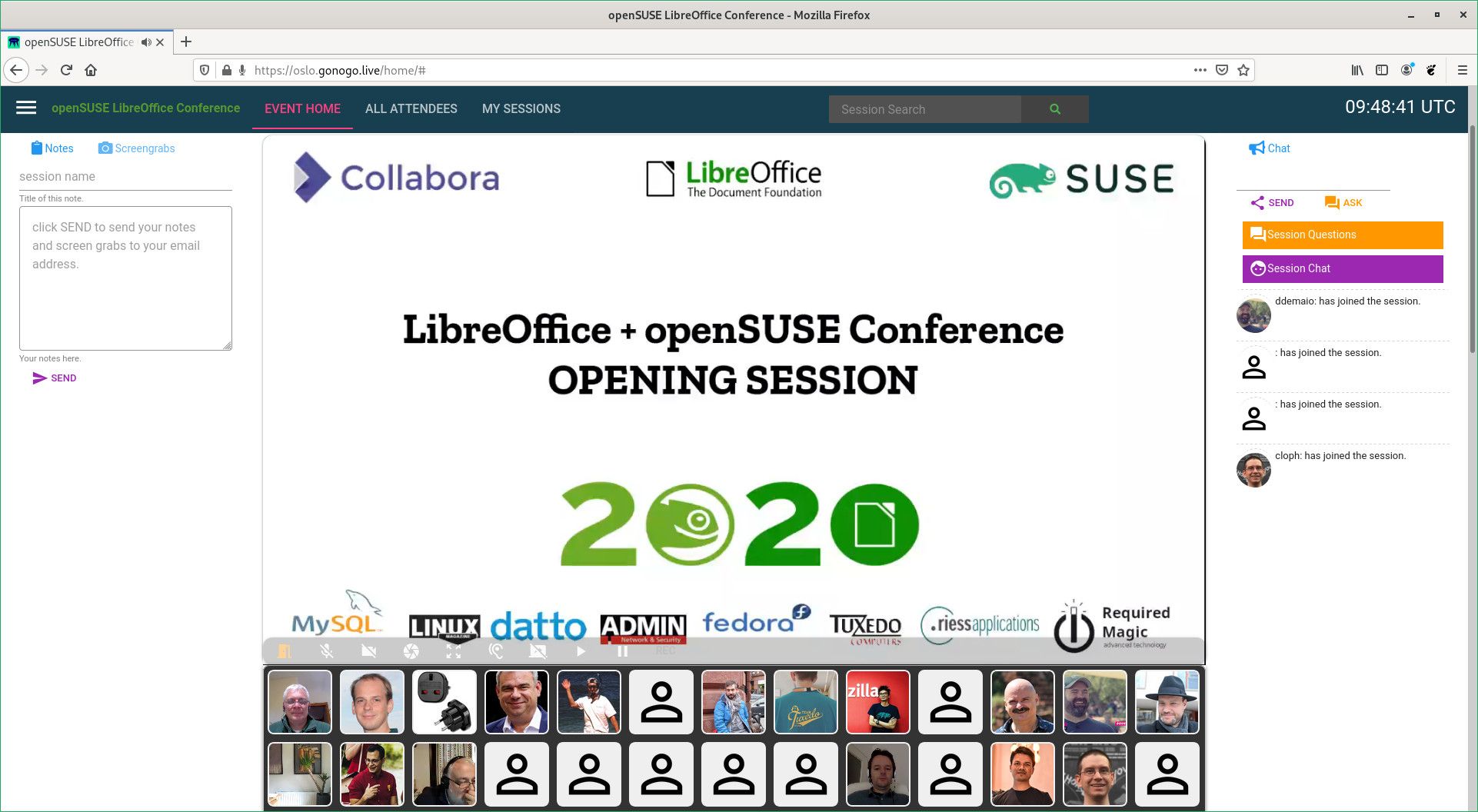
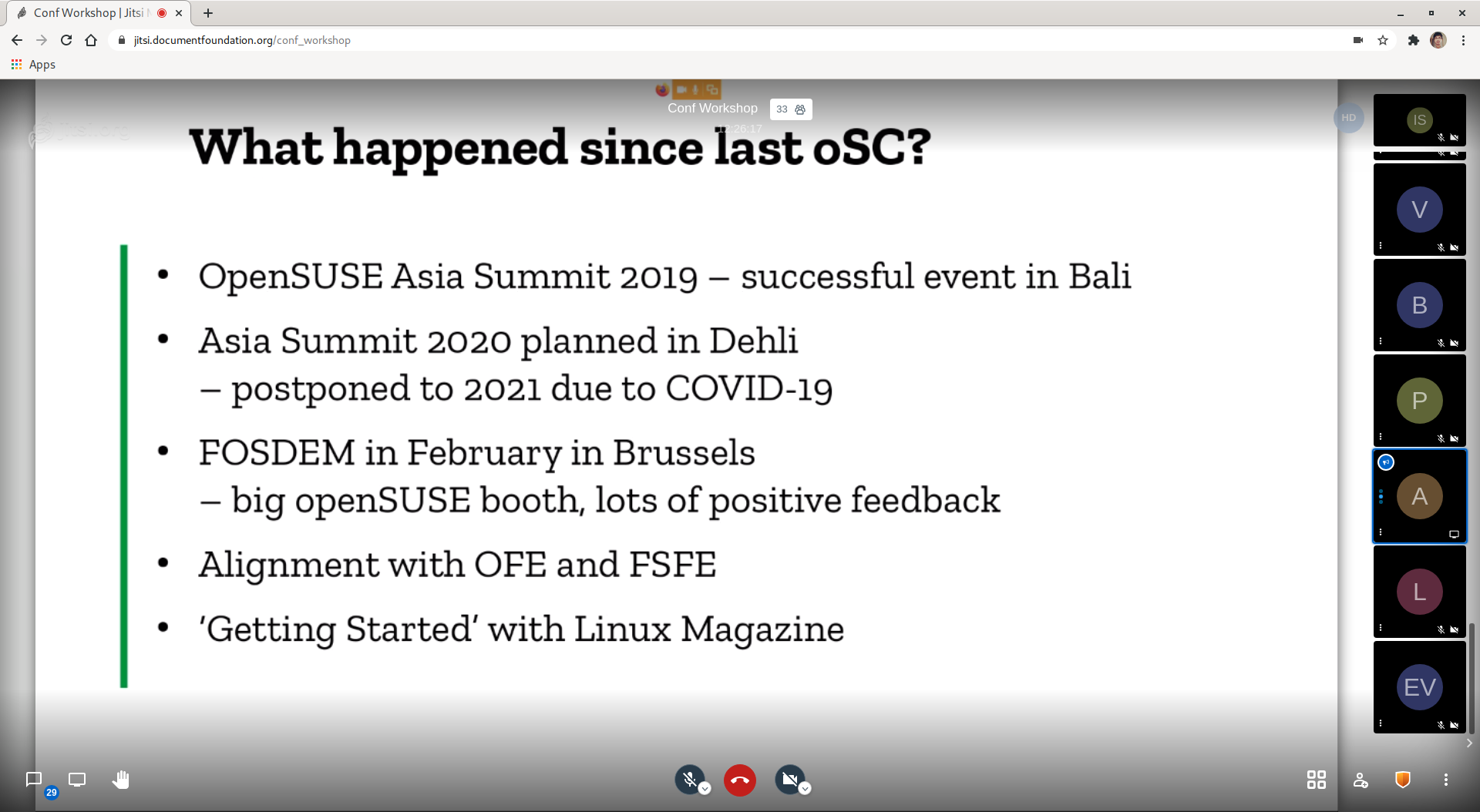
Conference Organizers Announce Schedule, Platform Registration

Organizers of the openSUSE + LibreOffice Conference are pleased to announce the schedule for the conference is published.  

All times on the schedule are published in Coordinated Universal Time. The conference will take place live Oct. 15 through Oct. 17 using the https://oslo.gonogo.live/ platform.

There are more than 100 talks scheduled that range from talks about the openSUSE and LibreOffice projects to talks about documentation. There are talks about open-source projects, cloud and container technologies, embedded devices, community development, translations, marketing, future technologies, quality assurance and more. 

There will be multiple sessions happening at the same time, so some talks might overlap. Attendees have an option to personalize a schedule so that they are reminded when the live talk they would like to see begins. 

Live talks scheduled for the event will be either a 15 minute short talks, a 30 minute normal talks or a 60-minute work group/panel session. 

Attendees will be able to register on https://oslo.gonogo.live/ before the event on Oct. 14. The https://oslo.gonogo.live/ platform is designed as a social conferencing tool. Users can put in profile information, share their location and interact with other members of the audience. 

All attendees are encouraged to click on the upper left menu and click the Info/Tour button to get familiar with the platform. The presenter will have the possibility to control the video as well as pause, rewind, fast-forward, etc., which is built into the system; the format of the video would need to be an mp4 and shared from a URL that everyone can access; this could be shared from Google drive, NextCloud, ownCloud or another video shareable platform.

Conference t-shirts can be purchased in the platform under the shop button starting from October 13.

the avatar of Santiago Zarate

Ext4 filesystem has no space left on device? You liar!

Disk usage

So, you wake up one day, and find that one of your programs, starts to complainig about “No space left on device”:

Next thing (Obviously, duh?) is to see what happened, so you fire up du -h /tmp right?:

$ du -h /tmp
Filesystem              Size  Used Avail Use% Mounted on
/dev/mapper/zkvm1-root  6.2G  4.6G  1.3G  79% /

Well, yes, but no, ok? ok, ok!

Wait, what? there’s space there! How can it be? In all my years of experience (+15!), I’ve never seen such thing!

Gods must be crazy!? or is it a 2020 thing?

I disagree with you

$ touch /tmp
touch: cannot touch ‘/tmp/test’: No space left on device

Wait, what? not even a small empty file? Ok...

After shamelessly googling/duckducking/searching, I ended up at https://blog.merovius.de/2013/10/20/ext4-mysterious-no-space-left-on.html but alas, that was not my problem, although… perhaps too many files?, let’s check with du -i this time:

$ du -i /tmp
`Filesystem             Inodes  IUsed IFree IUse% Mounted on
/dev/mapper/zkvm1-root 417792 417792     0  100% /

Of course!

Because I’m super smart I’m not, I now know where my problem is, too many files!, time to start fixing this…

After few minutes of deleting files, moving things around, bind mounting things, I landed with the actual root cause:

Tons of messages waiting in /var/spool/clientmqueue to be processed, I decided to delete some, after all, I don’t care about this system’s mails… so find /var/spool/clientmqueue -type f -delete does the job, and allows me to have tab completion again! YAY!.

However, because deleting files blindly is never a good solution, I ended up in the link from above, the solution was quite simple:

$ systemctl enable --now sendmail

Smart idea!

After a while, root user started to receive system mail, and I could delete them afterwards :)

In the end, very simple solution (In my case!) rather than formatting or transfering all the data to a second drive, formatting & playing with inode size and stuff…

Filesystem             Inodes IUsed  IFree IUse% Mounted on
/dev/mapper/zkvm1-root 417792 92955 324837   23% /

Et voilà, ma chérie! It's alive!

This is a very long post, just to say:

ext4 no space left on device can mean: You have no space left, or you don’t have more room to store your files.

the avatar of openSUSE News

openSUSE Projects Support Hacktoberfest Efforts

The openSUSE community is ready for Hacktoberfest, which is run by Digital Ocean and DEV that encourages people to make their first contributions to open source projects. The openSUSE + LibreOffice Virtual Conference will take place during Hacktoberfest and is listed as an event on the website. The conference will have more than 100 talks about open source projects ranging from documentation to the technologies within each project.

Some resources available to those who are interested in getting started with openSUSE Projects during Hacktoberfest are:

Open Build Service

The Open Build Service is a generic system to build and distribute binary packages from sources in an automatic, consistent and reproducible way. Contributors can release packages as well as updates, add-ons, appliances and entire distributions for a wide range of operating systems and hardware architectures.

Known by many open source developers simply as OBS, the Open Build Service is a great way to build packages for your home repository to see if what is built or changes works. People can always download the latest version of your software as binary packages for their operating system. The packages can be build for different operating system. Once they are connected to your repository, you can serve them with maintenance or security updates and even add-ons for your software.

Some specific items to look at for OBS are the open-build-service-api and the open-build-service-connector.

The OBS community can be found in IRC on the channel #opensuse-buildservice. Or you can join the mailing list opensuse-buildservice@opensuse.org.

Repository Mirroring Tool

This tool allows you to mirror RPM repositories in your own private network. Organization (mirroring) credentials are required to mirror SUSE repositories. There is end-user documentation for RMT. The man pages for rmt-cli is located in the file MANUAL.md. Anyone who would like to contribute to RMT can view how to do so in the contribution guide.

openQA

openQA is an automated test tool for operating systems. It is used by multiple projects to test for quality assurance of software changes and updates. There are multiple resources to get started with to learn how the software works.

Documentation can be found https://open.qa/docs/ and https://open.qa/api/testapi/. There are tutorial videos on Youtube that go in depth on how to use the software. Quickstarts to setup your local instance are available at https://open.qa/docs/#bootstrapping and https://youtu.be/lo929gSEtms (livestream recording)

Repositories can be found at:

To Reach the community, go to the #opensuse-factory channel on freenode.net IRC

Uyuni Project

Named after the largest salt flat in the world, Uyuni is a configuration and infrastructure management tool that saves people time and headaches when managing updates of tens, hundreds or even thousands of machines.

There have been many talks about Uyuni and many can be found on the project’s Youtube Page. Presentation slides a can be found on slideshare. There is also information about getting started for developers and translators at https://github.com/uyuni-project/uyuni/wiki and https://github.com/uyuni-project/uyuni/wiki/Translating-Uyuni-to-your-language.

A quick setup guide is available at https://github.com/uyuni-project/sumaform and people can start Hacktoberfest issues.

Hacktoberfest participants can communication with members of the Uyuni Project through Gitter chat or the mailing lists.

the avatar of Duncan Mac-Vicar

Prose linting with Vale and Emacs

I have set myself the goal to improve my writing. I read some books and articles on the topic, but I am also looking for real-time feedback. I am not a native english speaker.

I found about Grammarly on twitter, but there is no way I will send my emails and documents to their server as I type. That is how I started to look for an offline solution.

I found proselint but it seems inactive since 2018. As I tried to integrate it with Emacs, I learned about write-good mode. This Emacs mode has two flaws:

  • The implementation is too “simple” (regexps)
  • The integration works like a full Emacs mode. Mixing the linting with presentation.

Through those projects, I learned about the original article 3 shell scripts to improve your writing, or “My Ph.D. advisor rewrote himself in bash.”.

I found a more sophisticated and extensible tool called write-good, implemented in Javascript/node, which means I will not be able to package it.

I decided to try to write one. I found the Go library prose. It allows to iterate over tokens, entities and sentences. Iterating over the tokens gives access to tags:

for _, tok := range doc.Tokens() {
	fmt.Println(tok.Text, tok.Tag, tok.Label)
	// Go NNP B-GPE
	// is VBZ O
	// an DT O
	// ...
}

For example, the text “At dinner, six shrimp were eaten by Harry” produces the following tags:

Harry PERSON
At IN
dinner NN
, ,
six CD
shrimp NN
were VBD
eaten VBN
by IN
Harry NNP

The combination VBD (verb, past tense )and VBN (verb, past participle) can be used to detect passive voice, one of the guidelines of “good-write”.

Soon I figured out that the tokens do not give access to the locations. I started to see who is using the code, looking for examples.

I realized the author of the library uses the library to power vale, a prose linter implemented in go. What I was trying to write.

The vale documentation revealed the tool is more than I was looking for. It includes write-good definitions as part of its example styles. There are examples for Documentation CI which include how Gitlab, Linode and Homebrew use it to lint their documentation. It even has a Github action.

Nothing left other than to integrate with Emacs. There is no need to write a full mode for that. A simple Flycheck checker should do. Turns out, it already exists, but I could not make it work.

The existing Emacs checker uses vale JSON output (--output JSON), which gives access to all details of the result. We can write the simplest checker from scratch, by recognizing patterns with --output line:

(flycheck-define-checker vale
  "A checker for prose"
  :command ("vale" "--output" "line"
            source)
  :standard-input nil
  :error-patterns
  ((error line-start (file-name) ":" line ":" column ":" (id (one-or-more (not (any ":")))) ":" (message) line-end))
  :modes (markdown-mode org-mode text-mode)
  )
(add-to-list 'flycheck-checkers 'vale 'append)

Note that for this to work, you need vale in your PATH. I packaged it in the Open Build Service. You need also a $HOME/.vale.ini or in the root of your project:

StylesPath = /usr/share/vale/styles
Vocab = Blog
[*.txt]
BasedOnStyles = Vale, write-good
[*.md]
BasedOnStyles = Vale, write-good
[*.org]
BasedOnStyles = Vale, write-good

And with this Emacs works:

emacs.png

Due to --output line not providing severity, every message shows as error.

I am looking forward to integrate vale in some documentation, develop custom styles and why not, investigate and fix the original flycheck-vale project.

Also pending is to expand the configuration to work with my Emacs based mail client, which should be a matter of hooking into mu4e compose mode.

While writing this post, I had to fix the unintended use of passive voice tens of times. Valuable feedback.

a silhouette of a person's head and shoulders, used as a default avatar

The benefits of making code worse

A recent twitter discussion reminded me of an interesting XTC discussion last year. The discussion topic was refactoring code to make it worse. We discussed why this happens, and what we can do about it.

I found the most interesting discussion arose from the question “when might this be a good thing?”—when is it beneficial to make code worse?

Refactorings are small, safe, behaviour-preserving transformations to code. Refactoring is a technique to improve the design of existing code without changing the behaviour. The refactoring transformations are merely a tool. The result may be either better or worse. 

Make it worse for you; make it better for someone else

Refactoring ruthlessly can keep code habitable, inline with our best understanding of the domain, even aesthetically pleasing. 

They can also make the code worse. Whether the result is better or worse is in the eye of the beholder. What’s better to one person may be worse to another. What’s better for one team may be worse for another team. 

For example, some teams may be more comfortable with abstraction than others. Some teams prefer code that more explicitly states how it is working at a glance. Some people may be comfortable with OO design patterns and find functional programming idioms unfamiliar, and vice versa.

You may refactor the code to a state you’re less happy with but the team as a whole prefers. 

Refactoring the code through different forms also allows for conversations to align on a preferred style in a team. After a while you can often start to predict what others on the team are going to think of a given refactoring even without asking them. 

Making refactoring a habit, e.g. as part of the TDD cycle accelerates this, as do mechanisms for fast feedback between each person in the team—such as pairing with rotation or collective group code review.

Learning through Exploration

Changing the structure of code without changing its behaviour can help to understand what the code’s doing, why it’s written in that way, how it fits into the rest of the system. 

In his book “Working effectively with legacy code” Michael feathers calls this “Scratch Refactoring”. Refactor the code without worrying about whether your changes are safe, or even better.

Then throw those refactorings away. 

Exploratory refactoring can be done even when there’s no tests, even when you don’t have enough understanding of the system to know if your change is better or worse, even when you don’t know the acceptance criteria for the system.

Moulding the code into different forms that have the same behaviour can increase your understanding of what that core behaviour is.

A sign it’s safe to take risks

If every refactoring you perform makes the code better, it seems likely that we could be more courageous in our refactoring attempts. 

If we only tackle the changes where we know what better looks like and leave scary code alone the system won’t stay simple.

If we’re attempting to improve code we don’t fully understand and don’t intuitively know the right design for we’ll get it wrong some of the time. 

It’s easy to try so hard to avoid the risk of bad things happening that we also get in the way of good things happening.

Many teams use gating code review before code may make its way to production. Establishing a gate to stop bad code making it into production, that also slows down good code getting to production.

Refactorings are often small steps towards a deeper insight into the domain of the code we’re working on. Sometimes those steps will be in a useful direction, sometimes wrong. All of them will build up understanding in the team. Not all of them will be unquestionably better at each integration point, and could easily be filtered out by a risk-averse code review gate. Avoiding the risk that a refactoring might be taking us in the wrong path may rob us of the chance of a breakthrough in the next refactoring, or the one after. 

A team that’s not afraid to make improvements to the system will also get it wrong some of the time. That has to be ok. We learn as much or more from the failures.

Making it safe to make code worse

Extreme programming practices really help create an environment where it’s safe experiment with code in this manner.

Pair programming means you’ve got a second person to catch some of the riskiest things that could happen and give immediate feedback in the moment. It gives two perspectives on the shape the code should be in. Tom Johnson calls this optician-style “Do you prefer this… or this”. Refactorings are small changes so it’s feasible to switch back and forth between each structure to compare and consider together.

Group code review. (Reviewing code together as a team, after it’s already in production) can build a shared understanding of what the team considers good code. Help you foresee the preferences of the rest of your team. Between you build a better understanding of the code than you could even in a pair. Spot the refactoring paths we’ve embarked on that have made code worse rather than better. Highlight changes to make the next time we’re in the area.

Continuous integration means we’re only making small steps before getting feedback from integrating the code. The size of our mistakes is limited.

Test Driven Development gives us a safety net that tells us when our refactoring may have not just changed the structure of the code but also inadvertently the behaviour. i.e. it wasn’t a refactoring. Test suites going red during a refactoring is a “surprise” we can learn from. We predict the suite will stay green. If it goes red then there’s something we didn’t fully understand about the code. Surprises are where learning happens.

Test Driven Development also makes refactoring habitual. Every micro-iteration of behaviour we perform to the system includes refactoring. Tidying the implementation, trying out another approach, simplifying the test, improving its diagnostic power (maybe not strictly a refactoring). If you never move onto writing the next test without doing at least some refactoring you’ll build up the habit and skill at refactoring fast. If you do lots of refactorings some of them will make things worse, and that’s ok. 

The post The benefits of making code worse appeared first on Benji's Blog.

a silhouette of a person's head and shoulders, used as a default avatar

openSUSE Tumbleweed – Review of the week 2020/37

Dear Tumbleweed users and hackers,

Based on my gut feeling, I’d claim week 37 was a bit quieter than other weeks. But that might be due to the fact that I had some day off in the middle of the week, where I only did a check-in round, but not actually pushing on the Stagings. Some of you might have seen that Richard Brown has been helping out on this front, which can just be another reason for things to look more relaxed for me. But let’s look at the 6 snapshots (0904, 0905, 0906, 0907, 0908, and 0909) we released during this week.

The changes included were:

  • KDE Plasma 5.19.5
  • KDE Applications 20.08.1
  • LibreOffice 7.0.1.2 (aka 7.0.1rc2)
  • Mesa 20.1.7
  • Libvirt 6.7.0

That leaves the list of things being worked out in stagings almost the same:

  • systemd 246
  • glibc 2.32
  • binutils 2.35
  • gettext 0.21
  • bison 3.7.1
  • SELinux 3.1

the avatar of openSUSE News

Firefox, Ceph Major Versions Arrive in Tumbleweed

Six openSUSE Tumbleweed snapshots have arrived in the rolling release since the last Tumblweed update.

KDE’s Plasma 5.19.5, php and Ceph were among more of the known updates.

The display-oriented email client Alpine updated to version 2.23 in the 20200908 snapshot and provided support for the Simple Authentication and Security Layer-IR IMAP extension. The open-source disk encryption package cryptsetup 2.3.4 added support options for the 5.9 kernel and fixed a Common Vulnerabilities and Exposure affecting the memory write. A couple of RubyGem packages were updated in the snapshot and the 2.43 libcap package added some more release time checks for non-git tracked files. The snapshot is trending stable at a rating of 99, according to the Tumbleweed snapshot reviewer.

Also trending at a 99 rating, snapshot 20200907 brought two package updates with fetchmail 6.4.12 and perl-Cpanel-JSON-XS 4.23. Fetchmail provided some regression fixes that were introduced in the versions between the 6.4.12 update and the previous 6.4.8 version in Tumbleweed.

Just four packages were updated in the 20200906 snapshot. The Heaptrack fast heap memory profiler updated to version 1.2.0; the package that allows you to track all heap memory allocations at run-time removed a fix-compile patch for 32bit. New features were added in the libvirt 6.7.0 version; added support for device model command-line passthrough for xen was one of the changes and there was also a change to the spec file that enables the same hypervisor drivers for openSUSE and SUSE Linux Enterprise. The update of php 7.4.10 fixed a memory leak and python-libvirt-python 6.7.0 add all new APIs and constants in libvirt 6.7.0.

Mesa 20.1.7 was updated in snapshot 20200905. GNU Privacy Guard 2.2.23 added regular expression support for Trust Signatures on all platforms and fixed a PIN verify failure on certain OpenPGP card implementations. The screen reader package orca 3.36.6 added some checks to prevent crashing due to a GStreamer failure. There was an improvement to the pulse layer and to GStreamer elements in the pipewire 0.3.10 update.

Plasma 5.19.5 arrived in snapshot 20200904. The desktop fixes several bugs and the Powerdevil package has restored the keyboard brightness. The Discover package of the K Desktop Environment project properly wraps text on the popup header. The Kwin window manager had a fix to properly clip a sliding popup window. LibreOffice received a small update to match up a configuration and the mail server postfix 3.5.7 fixed some random certificate verification failures. There were a handful of Python packages updated in the snapshot including python-Sphinx and python-Sphinx-test 3.2.1, python-dulwich 0.20.5, python-numpy 1.19.1 and python-sphinxcontrib-websupport 1.2.4.

The new major version of Mozilla Firefox 80.0 arrived just more than a week ago in snapshot 20200902. The major version update of Ceph 16 was also in the snapshot, which has shown the lowest score of the week thus far at a 97 rating.