
 Member
 DimStar
Tumbleweed – Review of the week 2026/16
Dear Tumbleweed users and hackers,
The time of long weekends off seems over, and Tumbleweed has been rolling full steam ahead for the last week. We have released 7 snapshots in 7 days. Unless we change the numbering scheme of our snapshots, that’s the maximum we can give you. But in any case, it’s realistically also about the maximum we can reliably punch through the build and QA queues.
Snapshots 0410 – 0416 delivered these changes:
- GNOME 50
- KDE Plasma 6.6.4
- KDE Frameworks 6.25.0
- Samba 4.23.6
- PHP 8.4.20
- libcap 2.78
- GStreamer 1.28.2
- Linux kernel 6.19.12
- lcms 2.18
- Python 3.13.13
- transactional-update: soft-reboot could finally be enabled
The outlook for the future promises these changes that are currently being worked on:
- Systemd 260.1
- KDE Gear 26.04
- Linux kernel 7.0
- LLVM 22
- SELinux-policies: Change store root-path for selinux modules from /var/lib/selinux to /etc; this is to stabilize usage on transactional systems further
- glibc 2.43, metabug: https://bugzilla.opensuse.org/show_bug.cgi?id=1257250
- GCC 16 as system compiler

Planet News Roundup
This is a roundup of articles from the openSUSE community listed on planet.opensuse.org.
The community blog feed aggregator lists the featured highlights below from April 10 to 16.
Blogs this week cover a combined two-week Tumbleweed review delivering 10 snapshots with notable updates including the Linux kernel, Qt 6.11.0, and GIMP 3.2.2. A follow-up on the growing ARMv9 build infrastructure, an updated version of OpenVINO, KDE Akademy 2026 in Graz, and more.
Here is a summary and links for each post:
OpenVINO 2026.1: More Models, Performance and a Real Jump in Multimodal AI
Alessandro’s Blog covers the release of OpenVINO 2026.1. The post highlights expanded support for large and multimodal models like GPT-OSS 120B running on CPU and Qwen3-VL across CPU and GPU while pointing out improvements to the OpenVINO Model Server. Alessandro emphasizes the practical value of dynamic LoRA for vision-language models, which lets teams swap adapters at runtime without reloading the base model, which helps cut memory overhead and latency in production.
Discussing RTO in My Genesi T-Shirt
Peter Czánik’s Blog reflects on a conversation with friends about return-to-office policies, prompted by wearing a t-shirt from Genesi, the US company where he first experienced fully remote work in the early days of his career. The post contrasts that flexible, asynchronous work culture with the rigid schedules of other professions like teachers.
New Configurator for Plasma 6.6
The KDE Blog highlights the new Plasma Setup wizard introduced in Plasma 6.6, which is a first-run tool that creates and configures user accounts independently of the operating system installation process. The separation of technical installation steps from user setup steps makes it easier to hand off a device. It is part of Plasma 6.6’s broader focus on improving usability and accessibility for new and reconditioned hardware.
Streaming syslog-ng Data to Your Lakehouse Using OpenTelemetry
Peter Czánik’s Blog explains how Databricks contributed OAuth2 authentication improvements to syslog-ng 4.11.0, which enables customers to stream logs to data lakehouses via the OpenTelemetry protocol. The contributions extended OAuth2 support to gRPC-based destinations including OpenTelemetry, Loki, BigQuery, and ClickHouse.
LibreCan 2026: The meeting of free software in the Canary Islands grows
Victorhck in the Free World promotes the second edition of LibreCan, a free software and hacker culture meetup taking place in the Canary Islands in May 2026. The event has grown since its first edition in 2025 and brings together free software enthusiasts from across the islands.
La Palma Tech Tagoror regresa este 2026
The KDE Blog discusses a series of meetups of the group “San Miguel de la Palma Tech”. The event is planned for April 23, 2026, from 18:00 to 20:00 (Canary time) and is being nicknamed “La Palma Tech Spring 2026”.
eQuest Icon Theme – Elegant Grey and Orange (or Blue or Green) Icons for Your PC
The KDE Blog presents the eQuest icon theme by Thalic with a set of elegant desktop icons combining grey with a vivid accent color such as orange, blue, or green. The pack is designed to complement desktops with matching wallpaper tones and is available through the KDE Store.
120+ Icons and Counting
Jakub Steiner’s Blog celebrates the milestone of over 120 completed app icon requests through the GNOME app-icon-requests project on GitLab. Each icon represents a collaborative design process between a contributor and an app developer following the modern GNOME icon style introduced in 2019.
Magic Folder – Automatically Sort Files with This Plasmoid for Plasma 6 (28)
The KDE Blog presents Magic Folder, the 28th entry in their Plasma 6 plasmoid series, which automatically moves files dropped onto its panel icon into predefined folders. The widget is aimed at users who want to bring order to a cluttered desktop without manual file management. It is a practical addition to the growing library of Plasma 6-native widgets available in the KDE Store.
Following Up on ARMv9 Build Infrastructure
openSUSE News provides an update on the native ARMv9 build capacity added to the Open Build Service following the arrival of NVIDIA Grace Hopper hardware last June. OBS worker dashboards now show active ARMv9 builds across a wide range of packages including the Linux kernel, LLVM, GCC, Python, and Qt. The post also invites hardware vendors to donate or lend equipment to expand multi-architecture coverage further.
release.gnome.org Refactor
Jakub Steiner’s Blog describes porting the GNOME Release Notes website from Jekyll to Zola after his successful migration of his personal blog. The move unlocks two long-missing features: a native RSS feed for GNOME releases and a fully navigable archive of release notes going all the way back to GNOME 2.x. The site now runs as a single binary with zero dependency management, making it far easier for contributors who just want to write markdown.
Submit Your Talk for Akademy 2026 in Graz, Austria
The KDE Blog encourages readers to submit talk proposals for KDE community conference Akademy 2026, which will be held in Graz, Austria from September 19 to 24 as a special edition marking KDE’s 30th anniversary. The event follows a hybrid format, with in-person and online participation. The talks will take place on the first two days with the remainder reserved for working sessions and BoFs. .
Linux Saloon 195 | Open Mic Night
CubicleNate’s Blog recaps episode 195 of the Linux Saloon podcast, which covered a range of tech topics. The episode also touched on critical security flaws in Telegram, and discusses Android malware. The open mic format allowed contributors to share their own perspectives on the week’s developments.
25th Update of KDE Frameworks 6 and the BluezQt Library
The KDE Blog announces the release of KDE Frameworks 6.25. As part of an ongoing series, the post also profiles the BluezQt library, which provides Bluetooth management for KDE Plasma and enables everyday tasks like connecting wireless headphones and monitoring peripheral battery levels.
openSUSE Tumbleweed Weekly Review – Week 14 & 15
Victorhck and dimstar publish a combined two-week Tumbleweed review covering weeks 14 and 15. Ten snapshots were released during the fortnight, delivering updates including the Linux kernel 6.19.10 and 6.19.11, Mozilla Firefox 149.0, Qt 6.11.0, Mesa 26.0.4, GIMP 3.2.2, and LibreOffice 26.2.2.2. Looking ahead, the post previews upcoming changes such as GNOME 50, KDE Plasma 6.6.4, GCC 16 as the default compiler, and LLVM 22.
Moving to Zola
Jakub Steiner’s Blog details the migration of his personal blog from Jekyll to the Rust-based static site generator Zola, driven by frustration with Ruby dependency management. Key benefits highlighted include near-instant build times, a single binary with no external dependencies, and native support for asset colocation keeping images alongside their posts. The post also notes CSS-only dark mode theming and improved font legibility as welcome side effects of the overhaul.
View more blogs or learn to publish your own on planet.opensuse.org.
Discussing RTO in my Genesi t-shirt...
This Monday I talked to a couple of friends about work while wearing my Genesi t-shirt. A teacher going back to school after Spring break and an IT guy explaining the nightmare of RTO threat. I love coincidences :-) Why do I say that?

Genesi t-shirt
As I wrote a few years ago about working from home: “After graduating from university, I worked from home for a small US-based company. I never met my boss while working there and met only one of my colleagues at a conference in Brussels. I eventually met my boss some seven years later, when I gave a talk at a conference in Washington, D.C.” The company was Genesi, and that was the work culture which defines me. I received the t-shirt on the photo during my visit to Washington, D.C.. Luckily, I’m still living mostly this way, visiting the office 1-2 times a week: working hybrid.
Imagine the contrast I felt, when I realized that I’m talking to someone who works on a very strict fixed schedule. For a teacher vacation is only possible when there is no school, like Spring break in Hungary last week. There is a fixed schedule all year around. Compare that to my Genesi years: no regular meetings, communicating by e-mail & chat, and working when it was the right time for me: sometimes in the morning, other days during the night. It was fantastic, especially with small kids. I have been working on flexible hours ever since, limited only by meetings.
COVID made remote work less of a niche. Sometimes even mandatory. Many people in IT started to work remotely. Most of our work does not require a fixed place or time. On-line meetings became the norm, teams are often not location based anymore but scattered around the globe. As long as you have an Internet connection and a noise canceling microphone you can join a meeting from anywhere, even from the top of a mountain. It is easy to get used to this flexibility and very difficult to give it up.
RTO became a periodical threat. It’s a lot cheaper to announce RTO and let people leave voluntarily than sending them away. Quite a few friends write me every once in a while that they have to return to the office starting in a few weeks time. Then, a few weeks later they happily share: they gave me an exemption, so they do not want me to leave…
Wearing my Genesi t-shirt all these problems feel so distant. I hope that it stays this way!
cosmic-greeter: Unsafe File System Operations in User Home Directories (CVE-2026-25704)
Table of Contents
- Introduction
- Overview
- Security Issues
- Suggested Fixes
- Upstream Bugfix
- CVE Assignment
- Timeline
- References
Introduction
Cosmic is a Linux desktop environment written in the Rust programming language. There is an ongoing effort to package it for openSUSE Tumbleweed; in this context we reviewed a number of Cosmic components, among them a D-Bus service found in cosmic-greeter. We found issues when the service accesses home directories of unprivileged users, which will be described further below. This report is based on cosmic-greeter version 1.0.8.
Overview
cosmic-greeter-daemon is implemented in
daemon/src/main.rs, runs with full root privileges
and offers a D-Bus interface “com.system76.CosmicGreeter” on the D-Bus system
bus. The interface only provides a single D-Bus method
“com.system76.CosmicGreeter.GetUserData”.
This D-Bus method is only allowed to be called by members of the
cosmic-greeter group, not by arbitrary other unprivileged users. What the
method does is basically looking up all
non-system user accounts in /etc/passwd and gathering Cosmic configuration
data from every user’s home directory.
Security Issues
The code contains a comment, outlining that it is important to drop privileges to the owner of the home directory being processed, to prevent security issues. While this is a good starting point, the actual implementation of this logic is still lacking in a number of spots.
Following is an excerpt of an strace of the cosmic-greeter-daemon process
during invocation of the D-Bus method. The output will help illustrate some of
the issues in question:
setresuid(-1, 1000, -1) = 0
<...>
statx(AT_FDCWD, "/var/lib/AccountsService/icons/<user>", AT_STATX_SYNC_AS_STAT, STATX_ALL, 0x7feb5d5f8a50) = -1 ENOENT (No such file or directory)
statx(AT_FDCWD, "/home/<user>/.local/share/cosmic/com.system76.CosmicTheme.Mode/v1", AT_STATX_SYNC_AS_STAT, STATX_ALL, 0x7feb5d5f8800) = -1 ENOENT (No such file or directory)
mkdir("/home/<user>/.config/cosmic/com.system76.CosmicTheme.Mode/v1", 0777) = -1 EEXIST (File exists)
statx(AT_FDCWD, "/home/<user>/.config/cosmic/com.system76.CosmicTheme.Mode/v1", AT_STATX_SYNC_AS_STAT, STATX_ALL, {stx_mask=STATX_ALL|STATX_MNT_ID, stx_attributes=0, stx_mode=S_IFDIR|0755, stx_size=4096, ...}) = 0
statx(AT_FDCWD, "/home/<user>/.config/cosmic/com.system76.CosmicTheme.Mode/v1/is_dark", AT_STATX_SYNC_AS_STAT, STATX_ALL, {stx_mask=STATX_ALL|STATX_MNT_ID, stx_attributes=0, stx_mode=S_IFCHR|0666, stx_size=0, ...}) = 0
mkdir("/home/<user>/.config/cosmic/com.system76.CosmicTheme.Dark/v1", 0777) = -1 EEXIST (File exists)
openat(AT_FDCWD, "/home/<user>/.config/cosmic/com.system76.CosmicTheme.Dark/v1/palette", O_RDONLY|O_CLOEXEC) = 11
<...>
setresuid(-1, 0, -1 <unfinished ...>
What we are seeing here is that the privilege drop only concerns the effective
user ID of the cosmic-greeter-daemon process. The root group credentials are
retained. This means any potential attacks by the owner of a home directory
can still try to leverage root group credentials to their advantage.
Given this, the file operations performed in the user’s home directory are subject to a range of security issues:
-
directory components within the path can be replaced by symbolic links. E.g. if a user places a symlink like this:
$HOME/.config/cosmic → /root/.config/cosmicthen the daemon would actually process root’s Cosmic configuration files, provided that root’s home directory is accessible for members of the root group.
- since the daemon also attempts to create directories under some conditions, these directories could be created in arbitrary locations where the root group has write permission.
- the daemon checks the type of files via
stat()before trying to open configuration files, for example. This is a typical Time-of-Check/Time-of-Use (TOCTOU) race condition, however, because the owner of the home directory can attempt to replace a regular file by a symbolic link or special file by the time the actualopen()call is performed by the daemon. This can lead to the following potential issues:- parsing of private files accessible to the root group. Whether the data parsed from such files could ever leak into the context of a local attacker is a matter that we did not investigate more closely for the purpose of this report.
- by placing a symbolic link to e.g.
/dev/zero, an out-of-memory situation can be triggered in the daemon, causing it to be killed by the kernel, leading to a local Denial-of-Service (DoS). - by placing a FIFO named pipe in the location the daemon would block on it forever, also leading to a local DoS.
- the daemon considers accounts with user IDs ≥ 1000 as regular user
accounts. On many Linux distributions
this means that also the
nobodyuser account is included (UID 65534). As a result, the daemon also attempts to process Cosmic configuration in/var/lib/nobodyon openSUSE. This grants processes operating withnobodyprivileges the opportunity to attempt to exploit the daemon’s logic.
The severity of these issues is reduced by the fact that only members of the
cosmic-greeter group are allowed to invoke the GetUserData D-Bus method,
thus potential attackers have to wait for an authorized process to call the
function to attempt to exploit it. We don’t have enough insight into the
bigger picture of the Cosmic desktop environment, but it could be possible
that local users are able to indirectly trigger the execution of this D-Bus
method by using other APIs made available by Cosmic.
Suggested Fixes
We suggested the following improvements to upstream to deal with the issues:
- the privileges should be fully dropped to the target user account, including group ID and the supplementary group IDs.
- to prevent potential DoS attack surface, the daemon should carefully
open target paths element by element, passing
O_NOFOLLOW|O_NONBLOCKto prevent symlink attacks, then perform anfstat()on the open file to determine its type in a race-free fashion. - the
nobodyuser account should be explicitly excluded based on its name for distributions that set a valid shell for this account. - as additional hardening, the systemd unit
cosmic-greeter-daemon.servicecan be extended with directives likeProtectSystem=full. This needs some tuning, though, since the daemon still needs to be able to read files in home directories of other users.
Upstream Bugfix
Upstream implemented commit 63cd93bddd0 containing the following changes:
- the daemon properly drops its group and supplementary group IDs to the target user’s.
- only user IDs in the range defined by
UID_MINandUID_MAXas configured in/etc/login.defswill be considered. - icon files in
/var/lib/accountservicewill be opened withO_NOFOLLOW(actually an unrelated change / security hardening).
This bugfix is part of upstream release 1.0.9 and newer.
What is still missing from our point of view is the prevention of local DoS attack surface when accessing files in the user’s home directory. We informed upstream about this but have not heard back about this topic for a while.
CVE Assignment
Upstream has not expressed any wishes regarding CVE assignment, or whether one should be assigned at all. We decided to assign a single CVE-2026-25704 from our pool to track the main aspect of this report, the incomplete privilege drop in the daemon.
Timeline
| 2026-03-11 | We forwarded this report to security@system76.com and the main developer of cosmic-greeter, offering coordinated disclosure. |
| 2026-03-11 | Upstream confirmed the issue and opted out of coordinated disclosure. |
| 2026-03-11 | We got a follow-up response asking us to keep the information private for while longer after all. |
| 2026-03-11 | We received a patch from upstream corresponding to commit 63cd93bddd0 and have been asked to review it. |
| 2026-03-12 | Upstream meanwhile created a public pull request based on this bugfix and informed us that the report no longer needed to be private. |
| 2026-03-13 | We assigned CVE-2026-25704 to track the main aspect of the vulnerability, an incomplete privilege drop. |
| 2026-03-13 | We shared the CVE with upstream and provided feedback on the bugfix, mainly pointing out that local Denial-of-Service (DoS) attack service still remains. |
| 2026-03-13 | Upstream informed us that they are going to address these remaining issues as well. |
| 2026-03-24 | We asked upstream about the status of the additional fixes, but received no response so far. |
| 2026-04-16 | Publication of this report. |
References
Streaming syslog-ng data to your lakehouse using OpenTelemetry
Version 4.11.0 of syslog-ng contains contributions from Databricks related to OAuth2 authentication. Recently, they published a blog about how this enables their customers to send logs to their data lake using syslog-ng and the OpenTelemetry protocol.
The syslog-ng project received two contributions from Databricks in the last weeks of 2025. The first one turned the already existing OAuth2 support generic and extensible, so it can be used anywhere, not just with Microsoft Azure (but of course, Azure compatibility was preserved). The next pull request was built on the first one and enabled OAuth2 support for gRPC-based destinations, like OpenTelemetry, Loki, BigQuery, PubSub, ClickHouse, etc. These changes were released as part of the syslog-ng 4.11.0 release. You can read more about these in the release notes at https://github.com/syslog-ng/syslog-ng/releases/tag/syslog-ng-4.11.0
Besides an excellent overview about syslog-ng, the related Databricks blog also provides step-by-step instructions on how to use syslog-ng with their product. You can read it at: https://community.databricks.com/t5/technical-blog/streaming-syslog-ng-data-to-your-lakehouse-powered-by-zerobus/ba-p/153979

syslog-ng logo
Originally published at https://www.syslog-ng.com/community/b/blog/posts/streaming-syslog-ng-data-to-your-lakehouse-using-opentelemetry
120+ Icons and Counting
Back in 2019, we undertook a radical overhaul of how GNOME app icons work. The old Tango-era style required drawing up to seven separate sizes per icon and a truckload of detail. A task so demanding that only a handful of people could do it. The "new" style is geometric, colorful, but mainly achievable. Redesigning the system was just the first step. We needed to actually get better icons into the hands of app developers, as those should be in control of their brand identity. That's where app-icon-requests came in.
As of today, the project has received over a hundred icon requests. Each one represents a collaboration between a designer and a developer, and a small but visible improvement to the Linux desktop.
How It Works
Ideally if a project needs a quick turnaround and direct control over the result, the best approach remains doing it in-house or commission a designer.
But if you're not in a rush, and aim to be a well designed GNOME app in particular, you can make use of the idle time of various GNOME designers. The process is simple. If you're building an app that follows the GNOME Human Interface Guidelines, you can open an icon request. A designer from the community picks up the issue, starts sketching ideas, and works with you until the icon is ready to ship. If your app is part of GNOME Circle or is aiming to join, you're far more likely to get a designer's attention quickly.
The sketching phase is where the real creative work happens. Finding the right metaphor for what an app does, expressed in a simple geometric shape. It's the part I enjoy most, and why I've been sharing my Sketch Friday process on Mastodon for over two years now (part 2). But the project isn't about one person's sketches. It's a team effort, and the more designers join, the faster the backlog shrinks.
Highlights
Here are a few of the icons that came through the pipeline. Each started as a GitLab issue and ended up as pixels on someone's desktop.




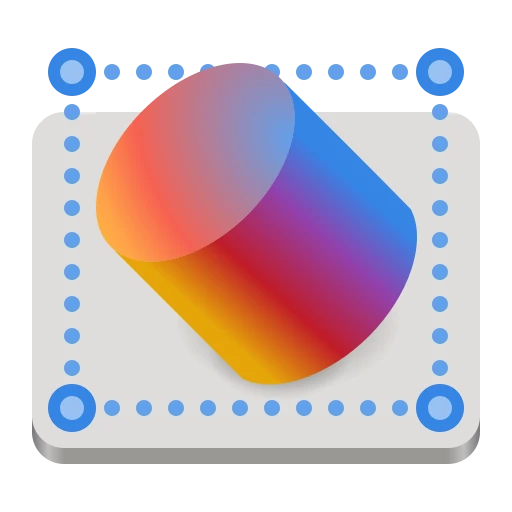






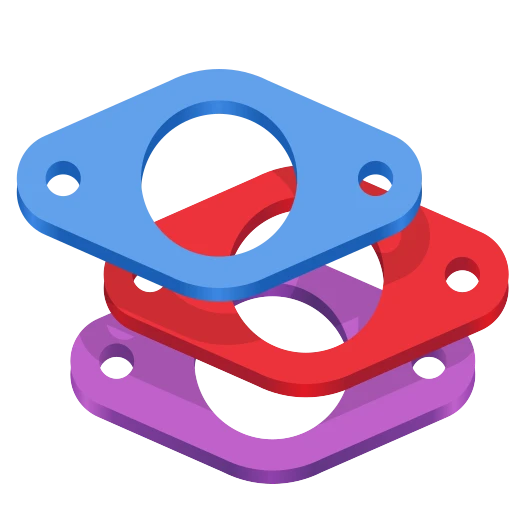
Alpaca, an AI chat client, went through several rounds of sketching to find just the right llama. Bazaar, an alternative to GNOME Software, took eight months and 16 comments to go from a shopping basket concept through a price tag to the final market stall. Millisecond, a system tuning tool for low-latency audio, needed several rounds to land on the right combination of stopwatch and waveform. Field Monitor shows how multiple iterations narrow down the concept. And Exhibit, the 3D model viewer, is one of my personal favorites.
You can browse all 127 completed icons to see the full range — from core GNOME apps to niche tools on Flathub.
Papers: From Sketch to Ship
To give a sense of what the process looks like up close, here's Papers — the GNOME document viewer. The challenge was finding an icon that says "documents" without being yet another generic file icon.

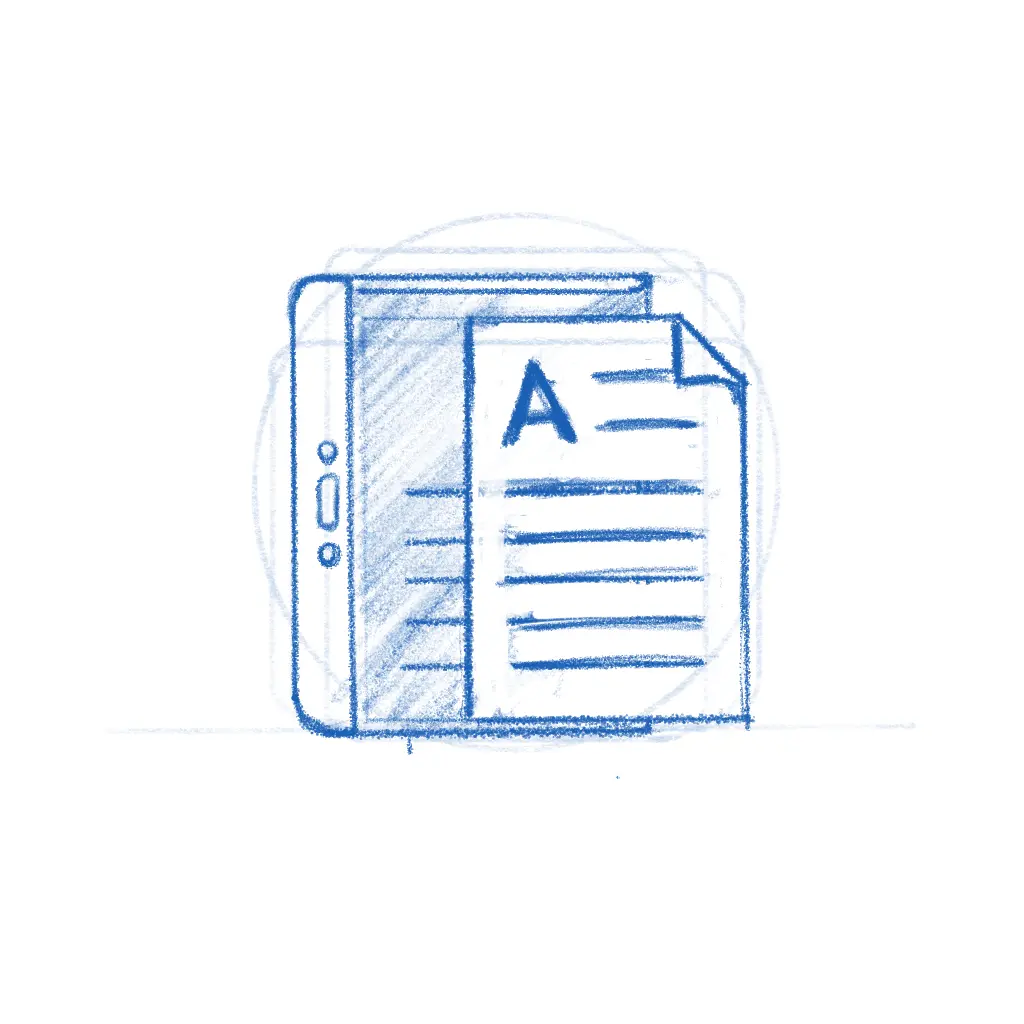


The early sketches explored different angles — a magnifying glass over stacked pages, reading glasses resting on a document. The final icon kept the reading glasses and the stack of colorful papers, giving it personality while staying true to what the app does. The whole thing played out in the GitLab issue, with the developer and designer going back and forth until both were happy.
While the new icon style is far easier to execute than the old high-detail GNOME icons, that doesn't mean every icon is quick. The hard part was never pushing pixels — it's nailing the metaphor. The icon needs to make sense to a new user at a glance, sit well next to dozens of other icons, and still feel like this app to the person who built it. Getting that right is a conversation between the designer's aesthetic judgment and the maintainer's sense of identity and purpose, and sometimes that conversation takes a while.
Bazaar is a good example.

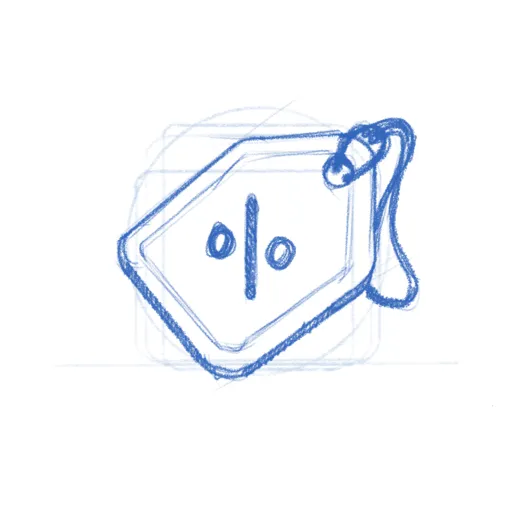
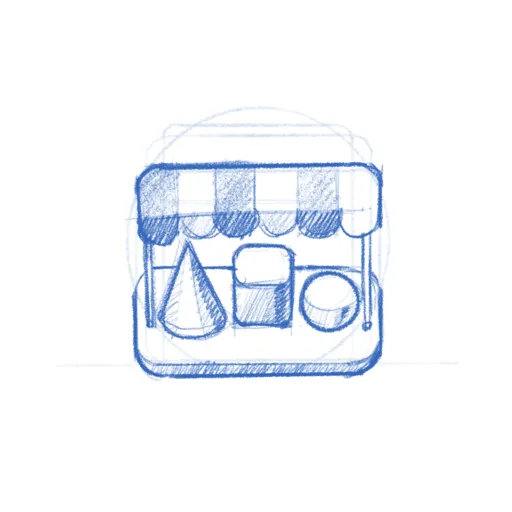
The app was already shipping with the price tag icon when Tobias Bernard — who reviews apps for GNOME Circle — identified its shortcomings and restarted the process. That kind of quality gate is easy to understate, but it's a big part of why GNOME apps look as consistent as they do. Tobias is also a prolific icon designer himself, frequently contributing icons to key projects across the ecosystem. In this case, the sketches went from a shopping basket through the price tag to a market stall with an awning — a proper bazaar. Sixteen comments and eight months later, the icon shipped.
Get Involved
There are currently 20 open icon requests waiting for a designer. Recent ones like Kotoba (a Japanese dictionary), Simba (a Samba manager), and Slop Finder haven't had much activity yet and could use a designer's attention.
If you're a designer, or want to become one, this is a great place to start contributing to Free software. The GNOME icon style was specifically designed to be approachable: bold shapes, a defined color palette, clear guidelines. Tools like Icon Preview and Icon Library make the workflow smooth. Pick a request, start with a pencil sketch on paper, and iterate from there. There's also a dedicated Matrix room #appicondesign:gnome.org where icon work is discussed — it's invite-only due to spam, but feel free to poke me in #gnome-design or #gnome for an invitation. If you're new to Matrix, the GNOME Handbook explains how to get set up.
If you're an app developer, don't despair shipping with a placeholder icon. Follow the HIG, open a request, and a designer will help you out. If you're targeting GNOME Circle, a proper icon is part of the deal anyway.
A good icon is one of those small things that makes an app feel real — finished, polished, worth installing. Now that we actually have a place to browse apps, an app icon is either the fastest way to grab attention or make people skip. If you've got some design chops and a few hours to spare, pick an issue and start sketching.
Need a Fast Track?
If you need a faster turnaround or just want to work with someone who's been helping out with GNOME's visual identity for as long as I can remember — Hylke Bons offers app icon design for open source projects through his studio, Planet Peanut. Hylke has been a core contributor to GNOME's icon work for well over a decade. You'll be in great hands.
His service has a great freebie for FOSS projects — funded by community sponsors. You get three sketches to choose from, a final SVG, and a symbolic variant, all following the GNOME icon guidelines. If your project uses an OSI-approved license and is intended to be distributed through Flathub, you're eligible. Consider sponsoring his work if you can — even a small amount helps keep the pipeline going.
Following Up on ARMv9 Build Infrastructure
The arrival of NVIDIA Grace Hopper in the Open Build Service (OBS) infrastructure last June signaled more than new hardware; it launched a new era of native ARMv9 build capacity for the openSUSE Project.
The results are becoming visible and more meaningful months later.
The OBS worker monitoring dashboards shows a picture that tells the story better than any changelog. Across dozens of build workers spanning architectures from x86_64 and aarch64 to ppc64le, s390x, and the newer armv9-class machine is humming with activity.
Projects have been underway rebuilding a subset of Tumbleweed packages for ARMv9, and the worker dashboard reflects these efforts.
The dashboard reveals not only the heavy load on aarch64 and armv9 workers but also the remarkable diversity of packages building for the target. From the Linux kernel and compiler toolchains like LLVM and GNU Compiler Collection (GCC), Python packages, Qt frameworks, and more, the workers are compiling these complex workloads with good success rates.
This activity is instrumental to ARMv9, demonstrating that it is evolving beyond its proof-of-concept into an active development distribution path alongside the main Tumbleweed tree.
NVIDIA Grace uses high-performance arm-based CPU cores with the Hopper GPU architecture, linked by NVIDIA’s NVLink™-C2C (Chip-to-Chip) interface. The architecture allows both processors to access data in place, which results in significantly faster compilation and reduced latency for complex workloads. It provides better efficiency across OBS pipelines.
The architectural difference is not an abstract specification point. It translates directly into shorter queue times for contributors, faster feedback loops for package maintainers, and the ability to handle the kinds of large, parallel builds that a rolling-release distribution like Tumbleweed demands.
Integrating native ARMv9 hardware within OBS was essential to unlock maximum performance gains and successfully validate builds optimized for the architecture.
Native builds eliminate the risks of emulated cross-compilation, which often masks critical Application Binary Interface mismatches, instruction scheduling errors, and performance regressions. Deploying the Grace Hopper in production ensures ARMv9 targets are validated on actual silicon, guaranteeing real-world reliability and peak performance.
Collaboration that made this possible is a model worth repeating in its structure, a template. The efforts reflect a shared commitment to open-source and the need for cutting-edge build capabilities. This isn’t just a philosophical framing but a practical argument other hardware companies across the industry can consider.
The openSUSE Project actively welcomes hardware vendors who may want to lend or donate hardware to enable openSUSE on their systems, test openSUSE on their systems, or add more build power to the build system.
Consider what lent or donated hardware to OBS actually achieves for a company. When a vendor’s silicon appears in OBS as a native build target, thousands of open-source packages begin being compiled, tested, and validated continuously and automatically against that architecture. It’s a hardware vendors QA dream!
Every successful build validates software readiness on contributed hardware, while every failure proactively resolves compatibility issues before impacting end users. Continuous integration coverage delivers critical risk mitigation for new processor launches at a negligible infrastructure cost.
The OBS worker pool has comprehensive multi-architecture coverage as seen with Intel/AMD handling the bulk load alongside dedicated ARM, POWER, and Z Systems nodes. The diverse infrastructure, secured through partnerships and community contributions, ensures validation across a large hardware spectrum.
A machine lent, donated or co-located with the project becomes a continuous, automated test bed for software compatibility, running 24 hours a day, maintained by the community, and producing results visible to every Linux developer who watches the Tumbleweed package feed.
The NVIDIA collaboration demonstrates this in practice. OBS’ thriving build farm benefits every distribution user, every application developer, and every hardware vendor whose products run Linux.
If your company makes chips, accelerators, or servers and you want your products to run on Linux, get your hardware into the hands of the people who build the software. The openSUSE Project is ready to put it to work.
For more information, email ddemaio@opensuse.org
release.gnome.org refactor
After successfully moving this blog to Zola, doubts got suppressed and I couldn't resist porting the GNOME Release Notes too.
The Proof
The blog port worked better than expected. Fighting CI github action was where most enthusiasm was lost. The real test though was whether Zola could handle a site way more important than my little blog — one hosting release notes for GNOME.
What Changed
The main work was porting the templates from Liquid to Tera, the same exercise as the blog. That included structural change to shift releases from Jekyll pages to proper Zola posts. This enabled two things that weren't possible before:
- RSS feed — With releases as posts, generating a feed is native. Something I was planning to do in the Jekyll world … but there were roadblocks.
- The archive — Old release notes going back to GNOME 2.x have been properly ported over. They're now part of the navigable archive instead of lost to the ages. I'm afraid it's quite a cringe town if you hold nostalgic ideas how amazing things were back in the day.
The Payoff
The site now has a working RSS feed — years of broken promises finally fulfilled. The full archive from GNOME 2.x through 50 is available. And perhaps best of all: zero dependency management and supporting people who "just want to write a bit of markdown". Just a single binary.
I'd say it's another success story and if I were a Jekyll project in the websites team space, I'd start to worry.

Linux Saloon 195 | Open Mic Night
Tumbleweed – Review of the weeks 2026/14 & 15
Dear Tumbleweed users and hackers,
Last week’s review was skipped due to the long Easter weekend here. While I did my best to keep the Tumbleweed rolling, I couldn’t quite set aside enough time for the write-up. To make up for it, this review covers the last two weeks—a small “punishment” I’m sure you’ll overlook in favor of the steady stream of snapshots.
Over the past fortnight, we successfully released 10 snapshots (0327, 0329, 0330, 0331, 0402, 0404, 0405, 0407, 0408, and 0409). Most changes were incremental and served as preparation for larger updates on the horizon.
The most relevant changes delivered are:
- Autoconf 2.73
- gtk 3.24.52 (gtk3 slows down the release cadance even more; all dev power to gtk4)
- Mozilla Firefox 149.0 & 149.0.2
- bluez 5.82
- Linux kernel 6.19.10 & 6.19.11
- Qt 6.11.0
- expat 2.7.5
- SDL 3.4.2 & 3.4.4
- file 5.47
- Gimp 3.2.2
- LibreOffice 26.2.2.2
- libvirt 12.2.0
- XZ 5.8.3
- Mesa 26.0.4
- cryptsetup 2.8.6
- protobuf 34.1
For the upcoming days/weeks, we foresee these changes to become ready for distribution:
- GNOME 50, followed shortly by 50.1
- KDE Plasma 6.6.4
- Samba 4.23.6
- SELinux-policies: Change store root-path for selinux modules from /var/lib/selinux to /etc; this is to stabilize usage on transactional systems further
- Systemd 260.1
- cmake 4.3.1
- transactiona;-update: next attempt to enable soft-reboot
- LLVM 22
- GCC 16 as the default distro compiler
- glibc 2.43: metabug: https://bugzilla.opensuse.org/show_bug.cgi?id=1257250