
 Member
 Futureboy
Rickroll in the Terminal

openSUSE + LibreOffice Conference 2020

oSLO 2020 kicked-off on Thursday 15 October at 10h00 UTC with an opening address by The Document Foundation's Chairman, Lothar Becker.
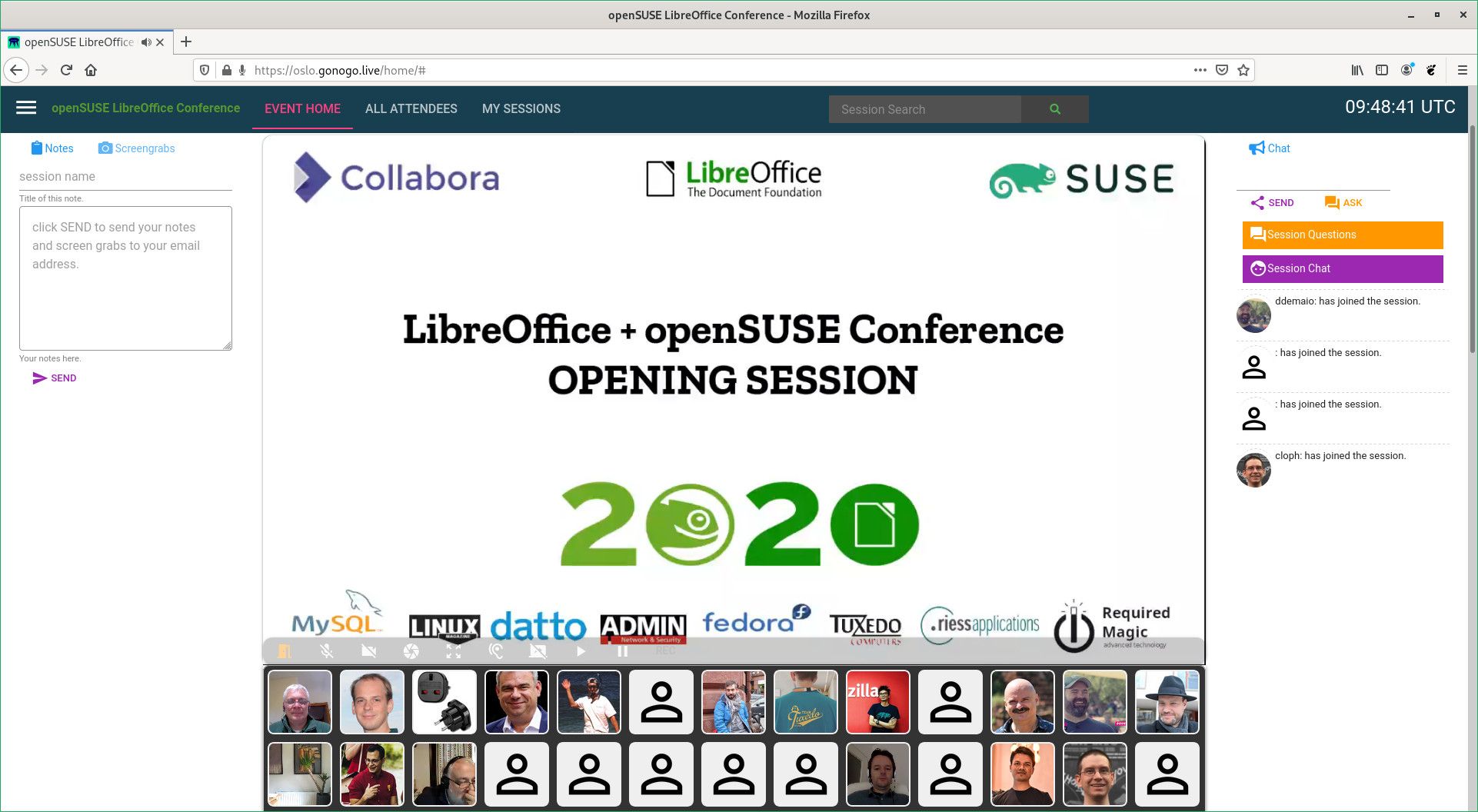
The conference was due to happen in Nuremberg, Germany, but because of the pandemic the plan was changed and the event went fully online. Three sessions ran simultaneously in virtual rooms. Two rooms hosted the short & long talks while the third room hosted the workshops.
During the opening session, as more people kept joining, the platform started to show signs of high load. People reported issues with the audio quality and some said that the page was not loading at all. Thanks to the Telegram group dedicated to the oSLO Conference communications, issues were being promptly reported and handled. Within a matter of minutes the organizers arranged to move the all sessions to The Document Foundation's Jitsi instance. The latter worked like a charm. The organizers and volunteers who helped in the swift transition did a great job.
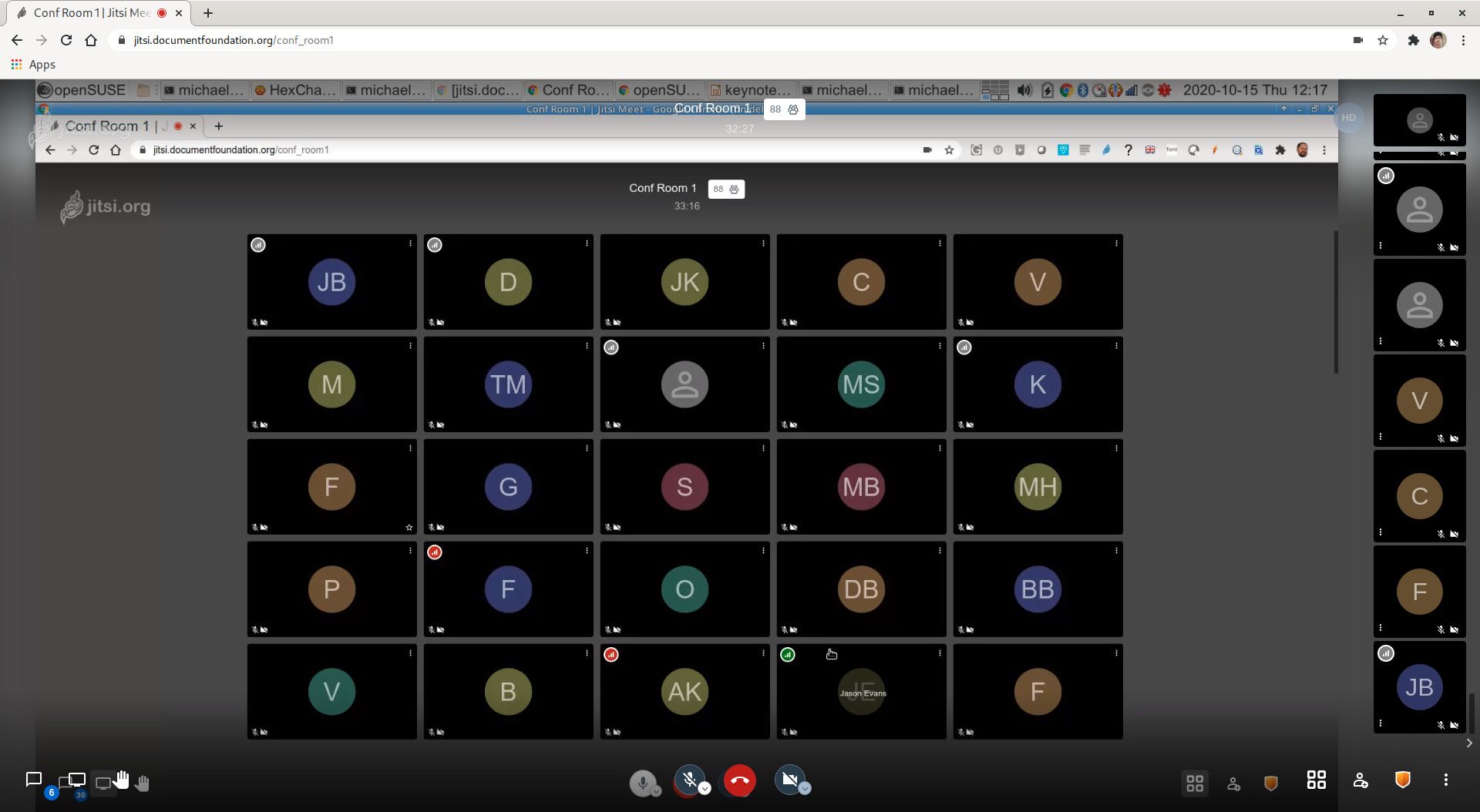
The conference room 1 easily held more than 80 participants at one time and there was no degradation in the quality of audio/video.
Getting started with Podman
I had my talk on Podman scheduled at 13h30 UTC on the first day of the conference. It went fine, except my poor timing of not being able to wrap it up as a short talk of 15 mins. I'll improve next time. 😉
Listening to @IshSookun talking at the @openSUSE conference about:
— Peter Czanik (@PCzanik) October 15, 2020
Getting started with #Podman
Learn about #containers & what they are made of...https://t.co/c5hQgeGdO7
I shared my slides on speakerdeck.com right after the talk.
Beer hour 🍺
The second day was even more fun. I hopped into the conference chat room from time to time to have a chit-chat with friends. It was not the same as having a geek talk over a beer during the conference after parties, but I was glad to see friends from the other side of the planet. I was happy to see that they are doing well.
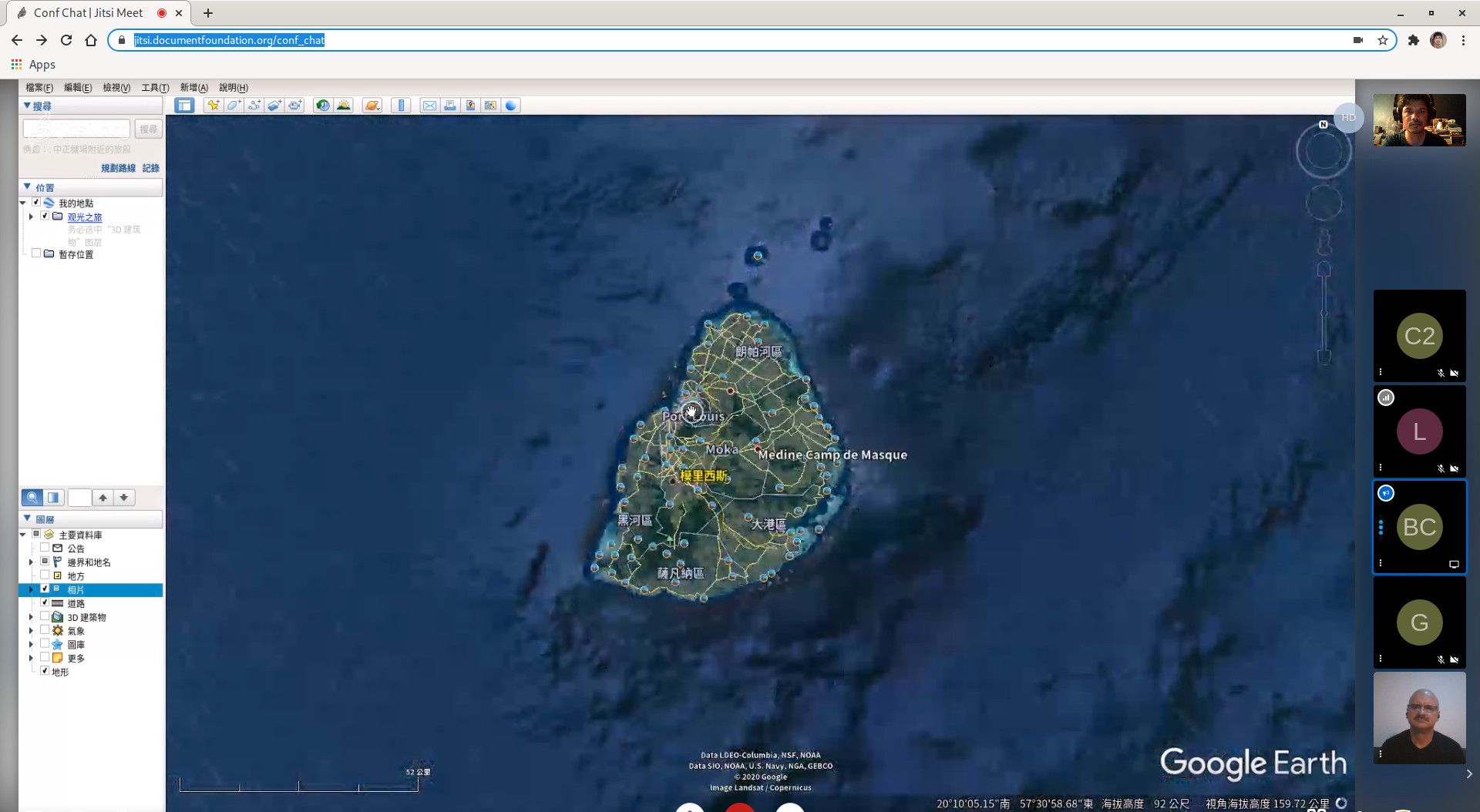
At one time during the beer chat, I was talking to two conference participants, one was from Taiwan and the other from Bulgaria. It is always funny to see people's reaction on how small Mauritius is compared to the other countries. Well, I am proud of the tiny dot in the middle of the ocean. 🇲🇺
Meet the openSUSE Board
The last session in the room 1 of the conference, on the second day, was held by the openSUSE Board members.
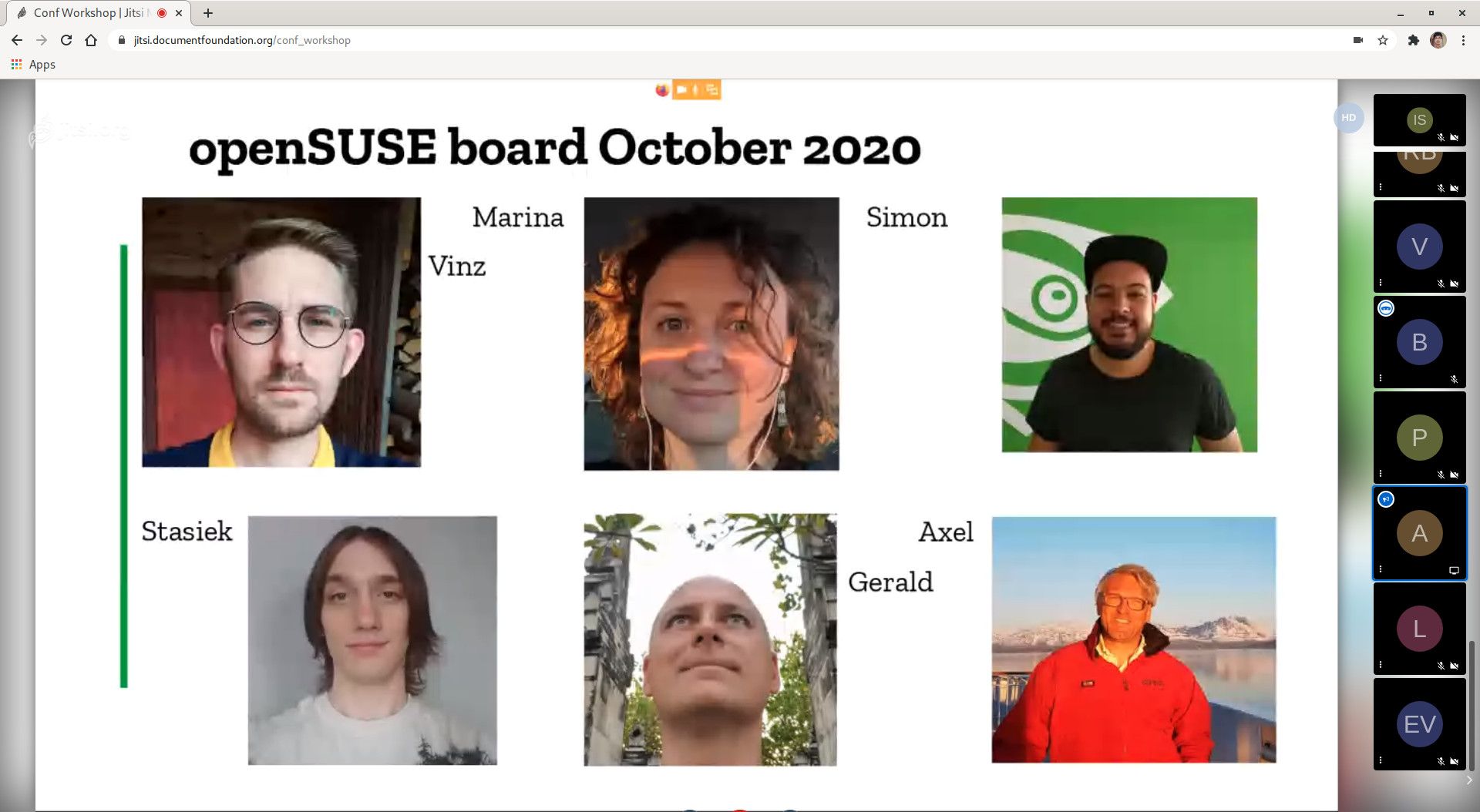
They provide updates and statistics about the project over the past year and tell us a bit about what the Board is planning for the future.
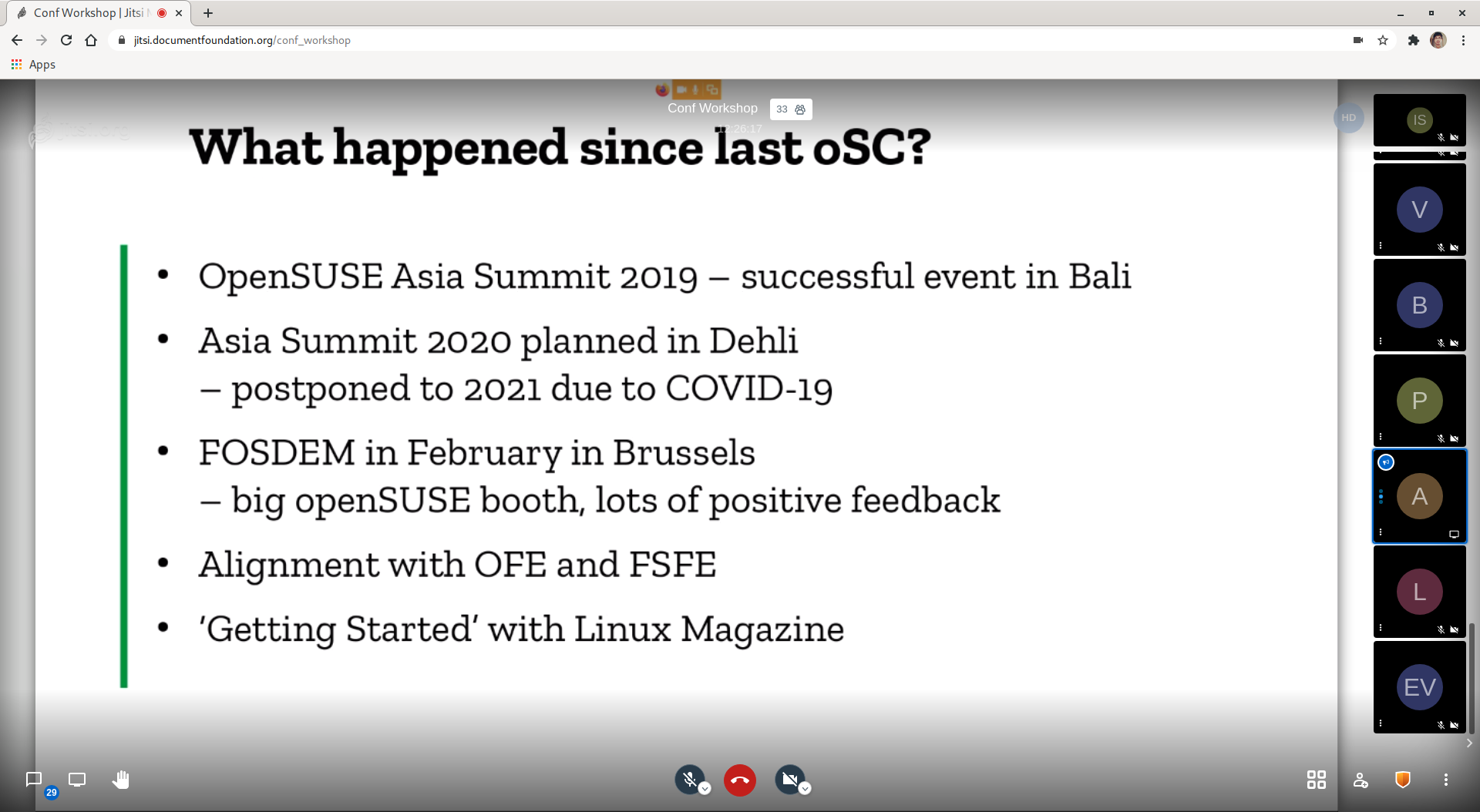
It is also the time when openSUSE members can ask questions.
The session was scheduled at 21h00 UTC which was 01h00 in the morning (the next day) for me. I was tired but I enjoyed the session. I jumped into the conversation when there was a comment about having a diverse representation on the Board with people from different parts of the world. I commented as an official of the Election Committee, encouraging members from all parts of the world to step up & run as candidate or nominate someone for the next Board election.
See you next year!
Italo Vignoli, founding member of The Document Foundation, during the closing keynote of the openSUSE + LibreOffice Conference (oSLO 2020), asked participants to share comments on how to improve the conference experience. He pointed out that this might not be the last virtual conference, considering the pandemic, although we all would love to have a physical conference soon.
Kudos to the organizers and volunteers for a successful conference. 👏
WTTR.in | Weather Forecast in the Terminal
Noodlings 20 | No Linux for 10 Days

openSUSE Tumbleweed – Review of the week 2020/42
Dear Tumbleweed users and hackers,
This week, the openSUSE/LibreOffice conference has started, but Tumbleweed did not let itself be stopped by that. During this week, we have seen 5 snapshots being published (1008, 1009, 1011, 1012, and 1014).
The most relevant changes included:
- Mozilla Firefox 81.0.1
- Linux kernel 5.8.14
- LibreOffice 7.0.2rc2
- GNOME 3.36.7
- KDE Applications 20.08.2
- KDE Frameworks 5.75.0
- KDE Plasma 5.20.0
This is mostly as announced last week about the upcoming things. This leaves us currently with these major changes left in planning/staging:
- GNOME 3.38.1 (mozjs78 has since been improved, but is not yet available in Tumbleweed)
- Mesa 20.2 (The transparency issues seem to be fixed in combination with Plasma 5.20.0, so it’s shaping up well)
- openssl 1.1.1h (neon (gh#notroj/neon#38 issue still valid, but the maintainer debugged and accepted the test failures)
- openssl 3.0 (long-term; no progress in the last few weeks)
- RPM 4.16: steady progress made with package fixes.
- nasm 2.15.4: breaks dav1d, firefox, and thunderbird (which both ship embedded dav1d)
- libmicrohttpd 0.9.71: breaks pcp and libyui
- jsoncpp 1.9.4: breaks libyui

Digest of YaST Development Sprint 110
In this sprint, the YaST Team has been working on a wide range of topics. You can find more details in this list that we have prepared for you:
- Support for nested items in LibYUI tables. If you are
interested in the gory details of the
ncursesbased implementation, you might find the libyui-ncurses: The Scary Widgets rather interesting and informative. -
Document and improve the detection of unsupported
scenarios in
yast2-sudo. We have also been discussing the future of the module: some of its features could be integrated into other modules (likeyast2-users), instead of keeping a dedicated one. - Allow vendor change when migrating from openSUSE Leap to SUSE Linux Enterprise (and vice versa) or from Leap to Jump. This feature required the team to adapt several packages: yast2-update, yast2-pkg-bindings, yast2-installation-control and skelcd-control-openSUSE.
- Preliminary work on supporting subvolumes quotas, including the design of the API.
- Prevent the user to accidentally disable the SSH access when SSH key-based authentication is configured.
- Better handling of the hostname when it is set via DHCP.
-
Do not try to install the
xorg-x11package anymore, as it is an empty package. It fixes a problem when trying to install the system using VNC.

As usual, we are already working on the following sprint. We will publish another report, including some interesting details in roughly two weeks. Until now, stay tuned and have a lot of fun!
Modern Computer in a Commodore 64 Shell

Find out more about the openSUSE + LibreOffice Conference
The openSUSE + LibreOffice Conference organizers are thrilled to begin the conference and hope everyone has a great time.
To get attendees more accustomed to the event, we are publishing some resources and info that will help people joining this year’s conference.
Registration for the conference began yesterday on oslo.gonogo.live.
The Schedule for the event can be viewed on events.opensuse.org. The opening session begins at 10:00 UTC. All talks are scheduled in UTC time. The rooms of all the talks will open five minutes before the talk begins. Collabora’s Michael Meeks will deliver a keynote at 10:30 UTC. Another keynote from SUSE’s Markus Noga about the Powering of Jump will be at 14:30 UTC.
Registration
After registering, it is IMPORTANT to check your email (check spam) for a link to activate your account. Then login to the system using your full email address and password. If you get a 500 error, it’s likely your password will need to be a strong password.
Most users will default to an all sessions area after logging in where they will be able to “add” the sessions they would like to view. The sessions are listed in Alphabetical order. You will only be able to view sessions that you joined.
The events.opensuse.org site and oslo.gonogo.live site are not connected, which could be confusing. The good new is we have people at on a telegram channel and #LiboCon channel on IRC that can help people who are having an difficulties with signing up and logging in to the platform. There is also a tour option located in the upper left menu. Please take the time to go through the tour.
Join Session
After selecting the session, navigate to EVENT HOME and scroll over the presentation area. There you will see a “little green door” in the bottom left of the presentation area that will have a join session appear. This can be seen in this screenshot Join Session.

All users enter in mute. Please keep muted unless you are one of the speakers. A RED microphone means you have a hot/open mic. You can share your camera if you would like.
Leave Session
To join another session, users must leave session the session you’re in. Click on the same “little green door”, which should be yellow when you are in a session.

##Fedora and openSUSE Users Make sure you have the media codecs needed on your system. Chrome is a good browser for this for those who are using non-Linux systems. If you’re using Fedora and the conference doesn’t show video for you, set things up as described at https://fedoraproject.org/wiki/OpenH264. For openSUSE systems, check https://en.opensuse.org/SDB:Install_Packman_codecs.
LibreOffice has made a simple list of resources for the conference. Enjoy the conference and we look forward to seeing you wherever you are throughout the world and please don’t forget to use hashtag oSLO2020!
News in openSUSE Packaging
If you are interested in openSUSE, sooner or later you will probably learn how packages and specfiles work. But packaging is not static knowledge that you learn once and are good to go. The rules change over time, new macros are created and old ones are erased from history, new file paths are used and the old ones are forgotten. So how can one keep up with these changes?
In this article, we will serve you with all recent news and important changes in openSUSE packaging on a silver platter. Whether you are a pro package maintainer or just a casual packager who wants to catch up, you will definitely find something you didn’t know here. We promise.
Table of contents
openSUSE macros

%_libexecdir
TL;DR
-
%_libexecdirmacro expands to/usr/libexecnow (not/usr/lib)
We will start with the most recent change, which is the %_libexecdir macro. In the past, it was a standard practice to store binaries that are not intended to be executed directly by users or shell scripts in the /usr/lib directory. This has been changed with a release of FHS 3.0 that now defines that applications should store these internal binaries in the /usr/libexec directory.
In openSUSE, the first discussions about changing the %_libexecdir macro from /usr/lib to /usr/libexec appeared in fall 2019 but it took several months for all affected packages to be fixed and the change to be adopted. It was fully merged in TW 0825 in August 2020.
Please note, openSUSE Leap distributions, including upcoming Leap 15.3, still expand %_libexecdir to the old /usr/lib.
systemd macros
TL;DR
- Use
%{?systemd_ordering}instead of%{?systemd_requires} - Use
pkgconfig(libsystemd)instead ofpkgconfig(systemd-devel) -
BuildRequires: systemd-rpm-macrosis not needed
In the past, you’ve been told that if your package uses systemd, you should just add the following lines to your spec file and you are good to go:
BuildRequires: systemd-rpm-macros
%{?systemd_requires}
Times are changing, though, and modern times require a bit of a different approach, especially if you want your package to be ready for inclusion inside a container. To explain it, we need to know what the %{?systemd_requires} macro looks like:
$ rpm --eval %{?systemd_requires}

Requires(pre): systemd
Requires(post): systemd
Requires(preun): systemd
Requires(postun): systemd
This creates a hard dependency on systemd. In the case of containers, this can be counterproductive as we don’t want to force systemd to be included when it’s not needed. That’s why the %{?systemd_ordering} macro started being used instead:
$ rpm --eval %{?systemd_ordering}

OrderWithRequires(post): systemd
OrderWithRequires(preun): systemd
OrderWithRequires(postun): systemd
OrderWithRequires is similar to the Requires tag but it doesn’t generate actual dependencies. It just supplies ordering hints for calculating the transaction order, but only if the package is present in the same transaction. In the case of systemd it means that if you need systemd to be installed early in the transaction (e.g. creating an installation), this will ensure that it’s ordered early.
Unless you need to explicitly call the systemctl command from the specfile (which you probably don’t because of the %service_* macros that can deal with it), you shouldn’t use %{?systemd_requires} anymore.
Also note, that systemd-rpm-macros has been required by the rpm package for some time, so it’s not necessary to explicitly require it. You can safely omit it unless you are afraid that rpm will drop it in the future, which is highly unlikely.
The last is the BuildRequires, this is needed in cases where your package needs to link against systemd libraries. In this case, you should use:
BuildRequires: pkgconfig(libsystemd)
instead of the older
BuildRequires: pkgconfig(systemd-devel)
as the new variant can help to shorten the build chain in OBS.
Cross-distribution macros
TL;DR
-
%leap_versionmacro is deprecated - See this table for all distribution macros and their values for specific distros
Commonly, you want to build your package for multiple target distributions. But if you want to support both bleeding-edge Tumbleweed and Leap or SLE, you need to adjust your specfile accordingly. That is why you need to know the distribution version macros.
The best source of information is the table on the openSUSE wiki that will show you the values of these distribution macros for every SLE/openSUSE version. If you want examples on how to identify a specific distro, see this table.
The biggest change between Leap 42 (SLE-12) and Leap 15 (SLE-15) is that %leap_version macro is deprecated. If you want to address e.g. openSUSE Leap 15.2, you should use:
%if 0%{?sle_version} == 150200 && 0%{?is_opensuse}
As you can see, to distinguish specific Leap minor versions, the %sle_version macro is used. The value of %sle_version is %nil in Tumbleweed as it’s not based on SLE.
If you want to identify SLE-15-SP2, you just negate the %is_opensuse macro:
%if 0%{?sle_version} == 150200 && !0%{?is_opensuse}
The current Tumbleweed release (which is changing, obviously) can be identified via:
%if 0%{?suse_version} > 1500
In general, if you want to show the value of these macros on your system, you can do it via rpm --eval macro:
$ rpm --eval %suse_version
1550
Deprecated macros
TL;DR
These macros are deprecated
-
%install_info/%install_info_delete -
%desktop_database_post/%desktop_database_postun -
%icon_theme_cache_post/%icon_theme_cache_postun %glib2_gsettings_schema-
%make_jobs(is now known as%cmake_buildor%make_build)
If you have been interested in packaging for some time, you probably learned a lot of macros. The bad thing is that some of them shouldn’t be used anymore. In this section, we will cover the most common of them.
Database/cache updating macros
The biggest group of deprecated macros is probably those that called commands for updating databases and caches when new files appeared in specific directory:
-
%install_info/%install_info_delete- update info/dir entries
-
%desktop_database_post/%desktop_database_postun- update desktop database cache when
.desktopfiles is added/removed to/from/usr/share/applications
- update desktop database cache when
-
%icon_theme_cache_post/%icon_theme_cache_postun- update the icon cache when icon is added to
/usr/share/icons
- update the icon cache when icon is added to
-
%glib2_gsettings_schema- compile schemas installed to
/usr/share/glib-2.0/schemas
- compile schemas installed to
For example, in the past whenever you installed a new .desktop file in your package, you should have called:
%post
%desktop_database_post

%postun
%desktop_database_postun
Since 2017, these macros have started being replaced with file triggers, which is a new feature of RPM 4.13. See File triggers section for more info.
%make_jobs
The %make_jobs macro was initially used in cmake packaging, but was later adopted in a number of other packages, confusingly sometimes with a slightly different definition. To make matters more confusing it also ended up being more complex than the expected /usr/bin/make -jX. Because of this and to bring the macro more inline with other macros such as meson’s, %make_jobs has been replaced with %cmake_build when using cmake and %make_build for all other usages.
In the past, you called: %cmake, %make_jobs, and %cmake_install.
Now it’s more coherent and you call: %cmake, %cmake_build, and %cmake_install when using cmake and just replace %make_jobs with %make_build in other cases.
For completeness, we will add that the naming is also nicely aligned with the meson and automake macros, that are:
%meson, %meson_build, and %meson_install
or
%configure, %make_build, and %make_install.
The %make_jobs macro is still provided by KDE Framework kf5-filesystem package and is used by about 250 Factory packages, but its use is being phased out.
Paths and Tags
Configuration files in /etc and /usr/etc
TL;DR
-
/usr/etcwill be the new directory for the distribution provided configuration files -
/etcdirectory will contain configuration files changed by an administrator
Historically, configuration files were always installed in the /etc directory. Then if you edited this configuration file and updated the package, you often ended up with .rpmsave or .rpmnew extra files that you had to solve manually.
Due to this suboptimal situation and mainly because of the need to fulfill new requirements of transactional updates (atomic updates), the handling of configuration files had to be changed.
The new solution is to separate distribution provided configuration (/usr/etc) that is not modifiable and host-specific configuration changed by admins (/etc).
This change of course requires a lot of work. First, the applications per se need to be adjusted to read the configuration from multiple locations rather than just good old /etc and there are of course a lot of packaging changes needed as well. There are 3 variants of how to implement the change within packaging and you as a packager should choose one that fits the best for your package.
Also, there is a new RPM macro that refers to the /usr/etc location:
%_distconfdir /usr/etc
Group: tag
TL;DR
-
Group:tag is optional now
Maybe you noticed a wild discussion about removing Group: tag that hit the opensuse-factory mailing list in Fall 2019. It aroused emotions to such an extent that the openSUSE Board had to step in and helped to resolve this conflict.
They decided that including groups in spec files should be optional with the final decision resting with the maintainer.
News in RPM

RPM minor version updates are released approximately once every two years and they always bring lots of interesting news that will make packaging even easier. Sometimes it’s a little harder to put some of these changes into practice as it can mean a lot of work or hundreds of packages or dealing with backward compatibility issues. This is why you should find more information about their current adoption status in openSUSE before you use new features in your packages.
Current SUSE and openSUSE status of rpm package is as follows:
| Distribution | RPM version |
| openSUSE:Factory | 4.15.1 |
| SLE-15 / openSUSE:Leap:15.* | 4.14.1 |
| SLE-12 | 4.11.2 |
The following paragraphs present a couple of the most interesting features introduced in recent RPM versions.
File Triggers
TL;DR
- File trigger is a scriptlet that gets executed whenever a package installs/removes a file in a specific location
- Used e.g. in Factory for
texinfo,glib schemas,mime,icons, anddesktopfiles, so your package doesn’t have to call database/cache updating macros anymore - Currently (Nov, 2020), zypper doesn’t handle
transfiletriggerproperly.
RPM 4.13 introduced file triggers, rpm scriptlets that get executed whenever a package installs or removes a file in a specific location (and also if a package with the trigger gets installed/removed).
The main advantage of this concept is that a single package introduces a file trigger and it is then automatically applied to all newly installed/reinstalled packages. So, instead of each package carrying a macro for certain post-processing, the code resides in the package implementing the file trigger and is transparently run everywhere.
The trigger types are:
filetrigger{in, un, postun}transfiletrigger{in, un, postun}
The *in/*un/*postun scriptlets are executed similarly to regular rpm scriptlets, before package installation/uninstallation/after uninstallation, depending on the variant.
The trans* variants get executed once per transaction, after all the packages with files matching the trigger get processed.
Example (Factory shared-mime-info):
%filetriggerin -- %{_datadir}/mime
export PKGSYSTEM_ENABLE_FSYNC=0
%{_bindir}/update-mime-database "%{_datadir}/mime"
This file trigger will update the mime database right after the installation of a package that contains a file under /usr/share/mime. The file trigger will be executed once for each package (no matter how many files in the package match).
File triggers can easily replace database/cache updating macros (like e.g. %icon_theme_cache_post). This approach has been used in Factory since 2017. File triggers are used for processing icons, mime and desktop files, glib schemas, and others.
You probably haven’t noticed this change at all, as in general having these database/cache updating macros in your specfile doesn’t harm anything now. The change has been made in corresponding packages (texinfo, shared-mime-info, desktop-file-utils, glib2) by adding a file trigger while all these old macros are now expanded to command without action. So you can safely remove them from your specfiles.
! IMPORTANT !
Currently (Nov, 2020), zypper doesn’t handle transfiletrigger properly. If there is a %transfiletrigger and a %post scriptlet in the transaction, then zypper will only call the scriptlet and not your %transfiletrigger. See more information in Bug#1041742.
%autopatch and %autosetup
TL;DR
- Use
%autopatchto automatically apply all patches in the spec file - Use
%autosetupto automatically run%setupand%autopatch
The old and classic way to apply patches was:
Patch1:     	openssl-1.1.0-no-html.patch
Patch2:     	openssl-truststore.patch
Patch3:     	openssl-pkgconfig.patch

%prep
%setup -q
%patch1 -p1
%patch2 -p1
%patch3 -p1
With the recent RPM, you can use %autosetup and %autopatch macros to automate source unpacking and patch application. There is no need to specify each patch by name.
%autopatch applies all patches from the spec. The disadvantage is that it’s not natively usable with conditional patches or patches with differing fuzz levels.
Example (Factory openssl-1_1.spec):
Patch1:     	openssl-1.1.0-no-html.patch
Patch2:     	openssl-truststore.patch
Patch3:     	openssl-pkgconfig.patch

%prep
%setup -q
%autopatch -p1
The -p option controls the patch level passed to the patch program.
The most powerful is the %autosetup macro that combines %setup and %autopatch so that it can unpack the tarball and apply the patchset in one command.
%autosetup accepts virtually the same arguments as %setup except for:
-
-vfor verbose source unpacking, the quiet mode is the default, so-qis not applicable -
-Ndisables automatic patch application. The patches can be later applied manually using%patchor with%autopatch. It comes in handy in cases where some kind of preprocessing is needed on the upstream sources before applying the patches. -
-Sspecifies a VCS to use in the build directory. Supported are for examplegit,hg, orquilt. The default ispatch, where the patches are simply applied in the directory using patch. Settinggitwill create a git repository within the build directory with each patch represented as a git commit, which can be useful e.g. for bisecting the patches
So the simplest patch application using %autosetup will look like this.
Example (Factory openssl-1_1):
Patch1:     	openssl-1.1.0-no-html.patch
Patch2:     	openssl-truststore.patch
Patch3:     	openssl-pkgconfig.patch

%prep
%autosetup -p1
%patchlist and %sourcelist
TL;DR
- Use
%patchlistsection directive for marking a plain list of patches - Use
%sourcelistsection directive for marking a plain list of sources - Then use
%autosetupinstead of %setup and%patch<number>
These are new spec file sections for declaring patches and sources with minimal boilerplate. They’re intended to be used in conjunction with %autopatch or %autosetup.
Example - normal way (Factory openssl-1_1):
Source:     	https://www.%{_rname}.org/source/%{_rname}-%{version}.tar.gz
Source2:    	baselibs.conf
Source3:    	https://www.%{_rname}.org/source/%{_rname}-%{version}.tar.gz.asc
Source4:    	%{_rname}.keyring
Source5:    	showciphers.c

Patch1:     	openssl-1.1.0-no-html.patch
Patch2:     	openssl-truststore.patch
Patch3:     	openssl-pkgconfig.patch

%prep
%autosetup -p1
The files need to be tagged with numbers, so adding a patch in the middle of a series requires renumbering all the consecutive tags.
Example - with %sourcelist/%patchlist:
%sourcelist
https://www.%{_rname}.org/source/%{_rname}-%{version}.tar.gz
baselibs.conf
https://www.%{_rname}.org/source/%{_rname}-%{version}.tar.gz.asc
%{_rname}.keyring
showciphers.c

%patchlist
openssl-1.1.0-no-html.patch
openssl-truststore.patch
openssl-pkgconfig.patch

%prep
%autosetup -p1
Here the source files don’t need any tagging. The patches are then applied by %autopatch in the same order as listed in the section. The disadvantage is that it’s not possible to refer to the sources by %{SOURCE} macros or to apply the patches conditionally.
%elif
TL;DR
- RPM now supports
%elif,%elifosand%elifarch
After 22 years of development, RPM 4.15 finally implemented %elif. It’s now possible to simplify conditions which were only possible with another %if and %else pair.
Example Using %if and %else only (Java:packages/ant):
%if %{with junit}
%description
This package contains optional JUnit tasks for Apache Ant.

%else
  %if %{with junit5}

%description
This package contains optional JUnit5 tasks for Apache Ant.

  %else

%description
Apache Ant is a Java-based build tool.

  %endif
%endif
Example Using %elif:
%if %{with junit}
%description
This package contains optional JUnit tasks for Apache Ant.

%elif %{with junit5}

%description
This package contains optional JUnit5 tasks for Apache Ant.

%else

%description
Apache Ant is a Java-based build tool.

%endif
The else if versions were implemented also for %ifos (%elifos) and %ifarch (%elifarch).
Boolean dependencies
TL;DR
- Factory now supports boolean dependency operators that allow rich dependencies
- Example:
Requires: (sles-release or openSUSE-release)
RPM 4.13 introduced support for boolean dependencies (also called “rich dependencies”). These expressions are usable in all dependency tags except Provides. This includes Requires, Recommends, Suggests, Supplements, Enhances, and Conflicts. Boolean expressions are always enclosed with parentheses. The dependency string can contain package names, comparison, and version description.
How does it help? It greatly simplifies conditional dependencies.
Practical example:
Your package needs either of two packages pack1 or pack2 to work. Until recently, there wasn’t an elegant way to express this kind of dependency in RPM.
The idiomatic way was to introduce a new capability, which both pack1 and pack2 would provide, and which can then be required from your package.
Both pack1 and pack2 packages would need adding:
Provides: pack-capability
And your package would require this capability:
Requires: pack-capability
So in order to require one of a set of packages, you had to modify each of them to introduce the new capability. That was a lot of extra effort and might not have always been possible.
Nowadays, using boolean dependencies, you can just simply add
Requires: (pack1 or pack2)
to your package and everything will work as expected, no need to touch any other package.
The following boolean operators were introduced in RPM 4.13. Any set of available packages can match the requirements.
-
and- all operands must be met
Conflicts: (pack1 >= 1.1 and pack2)
-
or- one of the operands must be met
Requires: (sles-release or openSUSE-release)- The package requires (at least one of)
sles-release,openSUSE-release
-
if- the first operand must be met if the second is fulfilled
Requires: (grub2-snapper-plugin if snapper)
-
if-else- same as
ifabove, plus requires the third operand to be met if the second one isn’t fulfilled Requires: (subpack1 if pack1 else pack2)
- same as
RPM 4.14 added operators that work on single packages. Unlike the operators above, there must be a single package that fulfills all the operands
-
with- similar to
and, both conditions need to be met BuildRequires: (python3-prometheus_client >= 0.4.0 with python3-prometheus_client < 0.9.0)- The
python3-prometheus_clientmust be in the range <0.4.0, 0.9.0)
- similar to
-
without- the first operand needs to be met, the second must not
Conflicts: (python2 without python2_split_startup)
-
unless- the first operand must be met if the second is not
Conflicts: (pack1 unless pack2)
-
unless-else- same as
unlessabove, plus requires the third operand to be met if the second isn’t fulfilled Conflicts: (pack1 unless pack2 else pack3)
- same as
The operands can be nested. They need to be surrounded by parentheses, except for chains of and or or operators.
Examples:
Recommends: (gdm or lightdm or sddm)
Requires: ((pack1) or (pack2 without func2))
Until recently, Factory only allowed boolean dependencies in Recommends/Suggests (aka soft dependencies), as it would have otherwise caused issues when doing zypper dup from older distros. Now all operators above are supported.
%license
TL;DR
- Pack license files via
%licensedirective, not%doc
A %license directive was added to RPM in 4.11.0 (2013) but openSUSE and other distributions adopted it later, in 2016. The main reason for it is to allow easy separation of licenses from normal documentation. Before this directive, license texts used to be marked with the %doc directive, that managed copying of the license to the %_defaultdocdir (/usr/share/doc/packages). With %license, it’s nicely separated as is copied to %_defaultlicensedir (/usr/share/licenses).
That’s also useful for limited systems (e.g. containers), which are built without doc files, but still need to ship package licenses for legal reasons.
Example:
%files
%license LICENSE COPYING
%doc NEWS README.SUSE
The license files are annotated in the rpm, which allows a search for the license files of a specific package:
$ rpm -qL sudo
/usr/share/licenses/sudo/LICENSE
OBS

New osc options
The osc command-line tool received several new features as well. Let’s have a quick look at the most interesting changes.
osc maintained –version
New --version option prints versions of the maintained package in each codestream, which is very useful e.g. when you want to find out which codestreams are affected by a specific issue. The only problem is that it’s not very reliable yet - sometimes it prints just “unknown”.
$ osc maintained --version sudo
openSUSE:Leap:15.1:Update/sudo (version: unknown)
openSUSE:Leap:15.2:Update/sudo (version: 1.8.22)
osc request –incoming
New --incoming option for request command shows only requests/reviews where the project is the target.
Example List all incoming request in the new or review state for Base:System project:
$ osc request list Base:System --incoming -s new,review
osc browse
Sometimes it’s just easier to watch the build status or build log in OBS GUI than via osc. With this new option, you can easily open specific packages in your browser. Just run:
$ osc browse [PROJECT [PACKAGE]
If you run it without any parameters, it will open the package in your current working directory.
Delete requests for entire projects
This is not something you want to call every day. But if you need to delete the entire project with all packages inside, you can just call:
$ osc deletereq PROJECT --all
Real names in changelogs
This is a change you probably noticed. If you create a changelog entry via osc vc, it adds not just your email to the changelog entry header but also your full name.
rdiff and diff enhancements
Also, the rdiff subcommand comes with new options. Probably the most useful is rdiff --issues-only that instead of printing the whole diff, shows just a list of fixed (mentioned really) issues (bugs, CVEs, Jiras):
Example osc rdiff --issues-only:
# osc rdiff -c 124 --issues-only openSUSE:Factory/gnutls
CVE-2020-13777
boo#1171565
boo#1172461
boo#1172506
boo#1172663
More new options were added for the osc diff command. The first is --unexpand that performs a local diff, ignoring linked package sources. The second is diff --meta that performs a diff only on meta files.
osc blame
osc finally comes with a blame command that you probably know from git. It shows who last modified each line of a tracked file.
It uses the same invocation as osc cat:
$ osc blame <file>
$ osc blame <project> <package> <file>
The drawback is that it shows the user who checked in the revision, such as the person who accepted the submission, not its actual author. But it also shows the revision number in the first column, so you can easily show the specific revision with the original author.
Example:
# osc blame openssl-fips-DH_selftest_shared_secret_KAT.patch
[...]
   2 (jsikes       2020-09-17 10:51:27    62) +
   5 (jsikes       2020-09-22 19:07:01    63) +    if ((len = DH_compute_key(shared_secret, dh->pub_key, dh)) == -1)
   2 (jsikes       2020-09-17 10:51:27    64) +        goto err;
   2 (jsikes       2020-09-17 10:51:27    65) +
[...]
Let’s say we’re interested in line 63, where DH_compute_key() is called. It was last changed in revision 5, so we’ll examine that revision:
> osc log -r 5
----------------------------------------------------------------------------
r5 | jsikes | 2020-09-22 17:07:01 | 16a582f1397aa14674261a54c74056ce | unknown | rq227064

Fix a porting bug in openssl-fips-DH_selftest_shared_secret_KAT.patch
----------------------------------------------------------------------------
The change was created by request 227064, so we can finally find the author of the actual code:
$ osc rq show -b 227064
227064  State:accepted   By:jsikes       When:2020-09-22T17:07:07
        submit:
        From: Request created: vitezslav_cizek -> Request got accepted: jsikes
        Descr: Fix a porting bug in openssl-fips-
               DH_selftest_shared_secret_KAT.patch
You can also blame the meta files and show the author of each line of the meta file, where it shows the author, as the metadata is edited directly.
$ osc meta pkg <project> <package> --blame
Please note that it works on project and package metadata but it doesn’t work on attributes.
osc comment
osc allows you to work with comments on projects, packages, and requests from the command line. That’s particularly useful for writing bots and other automatic handling.
-
osc comment list- Prints comments for a project, package, or a request.
-
osc comment create- Adds a new top-level comment, or using the
-poption, a reply to an existing one.
- Adds a new top-level comment, or using the
-
osc comment delete- Removes a comment with the given ID.
Examining workers and constraints
osc checkconstraints
When you have a package that has special build constraints, you might be curious about how many OBS workers are able to build it. osc checkconstraints does exactly that.
It can either print the list of matching workers
$ osc checkconstraints LibreOffice:Factory libreoffice openSUSE_Tumbleweed x86_64
Worker
------
x86_64:cloud137:1
x86_64:cloud138:1
x86_64:goat01:1
x86_64:goat01:2
[...]
or even a per-repo summary (when called from a package checkout):
$ osc checkconstraints
Repository            	Arch                  	Worker
----------            	----                  	------
openSUSE_Tumbleweed   	x86_64                	94
openSUSE_Factory_zSystems  s390x                   	18
[...]
osc workerinfo
This command prints out detailed information about the worker’s hardware, which can be useful when searching for proper build constraints.
Example:
$ osc workerinfo x86_64:goat01:1
It will print lamb51's kernel version, CPU flags, amount of CPUs, and available memory and disk space.
Multibuild
TL;DR
- Multibuild is an OBS feature that allows you to build the same spec file with different flavors (e.g. once with GUI and then without GUI)
multibuild is an OBS feature introduced in OBS 2.8 (2017) that offers the ability to build the same source in the same repo with different flavors. Such a spec file is easier to maintain than separate spec files for each flavor.
The flavors are defined in a _multibuild xml file in the package source directory. In addition to the normal package, each of the specified flavors will be built for each repository and architecture.
Example of a _multibuild file (from Factory python-pbr):
<multibuild>
  <package>test</package>
</multibuild>
Here OBS will build the regular python-pbr package and additionally the test flavored RPM. Users can then distinguish the different flavors in spec using and perform corresponding actions (adjusting BuildRequires, package names/descriptions, turning on additional build switches, etc.).
Here we can see, that an additional flavor is getting built:
$ osc r -r standard -a x86_64
standard         	x86_64 	python-pbr                 	succeeded
standard         	x86_64 	python-pbr:test            	succeeded
Example of spec file usage (python-pbr again):
%global flavor @BUILD_FLAVOR@%{nil}
%if "%{flavor}" == "test"
%define psuffix -test
%bcond_without test
%else
%define psuffix %{nil}
%bcond_with test
%endif
Name:       	python-pbr%{psuffix}
First, the spec defines a flavor macro as the value it got from OBS. Then it branches the spec depending on the flavor value. It sets a name suffix for the test flavor and defines a build conditional for easier further handling in the build and install sections.
If you need inspiration for your package, you can have a look at the following packages:
python39, libssh, python-pbr, or glibc.
Oldies
TL;DR
-
PreReqis nowRequires(pre) - Use
/run, not/var/run -
/bin,/sbin,/liband/lib64were merged into their counterpart directories under/usr -
SysVis dead, usesystemd
We realize that the changes described below are very, very, VERY old. But we put this section here anyway as we are still seeing it in some spec files from time to time. So let’s take it quickly.
PreReq → Requires(pre)
PreReq is not used anymore, it was deprecated and remapped to Requires(pre) in RPM 4.8.0 (2010).
/var/run → /run
Since openSUSE 12.2 (2012), /run directory was top-leveled as it was agreed across the distributions, that it doesn’t belong under /var. It’s still symlinked for backward compatibility but you should definitely use /run (%_rundir macro).
/usr Merge
/usr Merge was a big step in the history of all Linux distributions that helped to improve compatibility with other Unixes/Linuxes, GNU build systems or general upstream development.
In short, it aimed to merge and move content from /bin, /sbin, /lib and /lib64 into their counterpart directories under /usr (and creating backward compatibility symbolic links of course). In openSUSE it happened around 2012.
SysV is dead
The only excuse for missing the fact that SysV is dead is just that you’ve been in cryogenic hibernation for the last 10 years. If yes, then it’s the year 2020 and since openSUSE 12.3 (2013) we use systemd.
Automatic tools for cleaning
TL;DR
- Call
spec-cleaner -i mypackage.specto clean your specfile according to the openSUSE style guide. - Call
rpmlint mypackage.rpmor inspect the rpmlint report generated after the OBS build for common packaging errors/warnings.
If you read as far as here, you are probably a bit overwhelmed with all these new things in packaging. Maybe you ask yourself how you should remember all of it or more importantly, how you should keep all your maintained packages consistent with all these changes. We have good news for you. There are automated tools for it.
spec-cleaner
spec-cleaner is a tool that cleans the RPM spec file according to the style guide. It can put the lines in the right order, transform hardcoded paths with the correct macros, and mainly replace all old macros with new ones. And it can do much more.
It’s also very easy to use it, just call
$ spec-cleaner -i mypackage.spec
for applying all changes inline directly to your spec file.
If you just want to watch the diff of the changes that spec-cleaner would make, call:
$ spec-cleaner -d mypackage.spec
rpmlint
Another tool that will help you keep your package in a good shape is rpmlint. It checks common errors in RPM packages and specfiles. It can find file duplicates, check that binaries are in the proper location, keep an eye on correct libraries, systemd, tmpfiles packaging and much more. Inspecting your package from top to bottom, it reports any error or warning.
rpmlint runs automatically during the OBS build so it can fail the whole build if there are serious problems. It works as a tool for enforcing specific standards in packages built within OBS. If you want to run it on your own, call:
$ rpmlint mypackage.rpm
Both spec-cleaner and rpmlint implement the new packaging changes and new rules as soon as possible. But it’s possible that maintainers may miss something. In that case, feel free to report it as an issue on their github.
Acknowledgment
Thanks, Simon Lees, Tomáš Chvátal, and Dominique Leuenberger for suggestions, corrections, and proofreading.
Join our team and help us improve the openSUSE learning experience!
For years openSUSE has meant more than one distribution. With the recent addition of Kubic and MicroOS to the Leap & Tumbleweed family, different package sets, release models and workflows can be difficult to keep tabs on. openSUSE’s ecosystem is in full blossom, but even jungles sometimes need a clearing.
This is why a group of volunteers has taken up the task of improving the learning experience for all users – regardless of their experience and expertise. For new users, we want to make sure they can identify what best fits their needs, get the right tools and seamlessly take over from the post-installation screen. For experienced users, we want to provide them with detailed documentation that is easy to update, so that their experience and expertise can benefit others.
We believe that from engineers to end-users, everyone deserves to have confidence not only in their OS, but in the way they’re using it. A chain of trust like this is made of a user-friendly documentation where technical details are balanced with evidence-based good practices.
It is with this goal in sight that we are calling the community for more volunteers. We are already set on course but the journey will be quicker – and funnier – with you. Any help is welcome, especially for:
-
writing, editing and peer-reviewing: We would be delighted to benefit from more knowledgeable people to help us refresh, deepen and harmonize openSUSE’s wikis and other documentation platforms
-
video editing: Our video staff is looking for people interested in producing video contents and / or willing to script and record video tutorials in English
-
testing: We need more people to help us test out already known work-flows and settings on new hardware, see if what used to be recommended still should be.
So now you can’t say you didn’t know. Do reach out and come with us shape the future of the openSUSE learning experience! You can find us on the following platforms:
-
Telegram group: https://t.me/opensuse_docs
-
IRC bridge: https://matrix.to/#/#docs:opensuse.org
-
Discord bridge: https://disboard.org/fr/server/366985425371398146 then Contributing > docs
-
mailing list: https://lists.opensuse.org/opensuse-doc/
Last but not least: this is part of a collective effort so we are happy to relay to you that get.opensuse.org – the future entry-point to the openSUSE web platforms – is also looking for volunteers. Their goal is to deploy by November and they are still looking for committers to the repo at GitHub as well as translators. Translation tasks can be picked up at http://l10n.opensuse.org. Everyone interested is welcome to get in touch with Stasiek Michalski for details.
Looking forward to meeting you!