
Digest of YaST Development Sprint 109
For third sprint in a row, the YaST Team has been focusing on enhancing both AutoYaST and the management of storage devices, together with some improvements in our development infrastructure. Let’s take a quick glance at some of the results.
- New YaST test client to check AutoYaST dynamic profiles, including support for pre-scripts that modify the profile, ERB, rules and classes.
- Improved detection of which YaST package is needed to process each section of the profile, relying on RPM’s supplement information instead of the old method based on desktop files.
- First steps to annotate the documentation of AutoYaST with information about when each profile element was introduced or deprecated.
- Final design of the new Partitioner user interface. The adopted solution is described in the corresponding section of our design document and already implemented to a large extent, so we are confident to release a revamped Partitioner during next sprint.
- Improved automatic submission of translations to openSUSE Leap and SUSE Linux Enterprise, since only the Tumbleweed process was fully automated so far.

As we usually remind our readers, these blog posts only show a very small part of all the work, improvements and bug fixes we put into YaST on every sprint. So don’t forget to keep your systems updated and to stay tuned to this blog and all other openSUSE channels for more information!

Collabora is Diamond Sponsor for openSUSE + LibreOffice Conference 2020
The joint openSUSE + LibreOffice Conference 2020 will run from October 15 – 17, and Collabora has joined as a Diamond Sponsor.
Collabora is a major contributor to the LibreOffice project: 37% of commits to the LibreOffice source code in the last two years were made by the company.
In addition, Collabora has worked on LibreOffice Online and mobile applications, and offers various products and services around LibreOffice such as Collabora Online, Collabora Office and CODE.
We’re grateful for the support, and look forward to the conference. Register now at https://events.opensuse.org/conferences/oSLO/register/new and take part!

 Member
 tgeek
tgeekDAPS in a Container
DAPS is OpenSUSE’s “DocBook Authoring and Publishing Suite” that is used to build documentation for SUSE and OpenSUSE. It actually requires A LOT of dependencies when being installed and for that reason alone, it’s actually better to run it in a container. This is my image and how I use it.
docker run -v ~/myproject/:/home/user jsevans/daps:latest daps -d DC-project epub
Command Breakdown:
docker run – Run the command in the container:
-v ~/myproject/:/home/user – Maps a local directory called ~/myproject to a directory in the container called /home/user. /home/user is the default directory that is used by the daps command, so it is best to map this directory rather than needing any extra command line components.
jsevans/daps:latest – This is the image that I’ve created. It is based on OpenSUSE Tumbleweed but it is stable enough for this use. However, it is a large image ~1.2GB due to the number of dependencies.
daps -d DC-project epub – This is the actual command line argument for creating an EPUB ebook using DAPS. I use Asciidoc as my markup language since I don’t really want to learn docbook.
My Dockerfile:
FROM opensuse/tumbleweed
MAINTAINER Jason Evans <jsevans@opensuse.com>

RUN zypper refresh
RUN zypper --non-interactive in daps git

ENV HOME /home/user
RUN useradd --create-home --home-dir $HOME user \
&& chown -R user $HOME

WORKDIR $HOME
USER user

CMD [ "/usr/bin/daps" ]


SLES 11 - upgrade Suse Linux Enterprise Server 11 SP1 to SP4
As I mentioned previously SLES11 is absolute / not supported anymore. Even most official tutorial are wipe out form suse website.
I will write how I updating my SLES11 to SP4. I don’t have SP1 but it should be work the same as SP2 upgrade to SP3 and SP3 to SP4.
So this is my machine
VM-b0x:convey69:/convey69> uname -a
Linux VM-b0x 3.0.42-0.7-default #1 SMP Tue Oct 9 11:58:45 UTC 2012 (a8dc443) x86_64 x86_64 x86_64 GNU/Linux

VM-b0x:convey69:/convey69> cat /etc/SuSE-release
SUSE Linux Enterprise Server 11 (x86_64)
VERSION = 11
PATCHLEVEL = 2
why update? Because it better to get recent patch, fix OS vulnerabilities and update kernel (anything as latest we could get! So please do not ask me why need update)
On first run, you will got problem like this
VM-b0x:convey69:/convey69> sudo zypper ref -s
root's password:
Refreshing service 'nu_novell_com'.
Adding repository 'SLE11-SP4-Debuginfo-Updates' [done]
Adding repository 'SLE11-Public-Cloud-Module' [done]
Adding repository 'SLES11-SP4-Pool' [done]
Adding repository 'SLES11-SP4-Updates' [done]
Adding repository 'SLE11-SP4-Debuginfo-Pool' [done]
Refreshing service 'novell'.
Unexpected exception.
Parse error: repoindex.xml[1] Extra content at the end of the document
Please file a bug report about this.
See http://en.opensuse.org/Zypper/Troubleshooting for instructions.
To fix this shit, go and edit /etc/zypp/services.d/service.service by change enable=1 to enable=0
VM-b0x:convey69:/convey69> cat /etc/zypp/services.d/service.service
[service]
name=novell
enabled=0
autorefresh=1
url = http://nu.novell.com/
type = ris
After done fix previous problem, you can refresh repository without mess with run zypper (as root) command
VM-b0x:convey69:/convey69> sudo zypper ref -s
Refreshing service 'nu_novell_com'.
All services have been refreshed.
Retrieving repository 'SLES11-Extras' metadata [done]
Building repository 'SLES11-Extras' cache [done]
Repository 'SLES11-Pool' is up to date.
Retrieving repository 'SLES11-SP1-Pool' metadata [done]
Building repository 'SLES11-SP1-Pool' cache [done]
Retrieving repository 'SLES11-SP1-Updates' metadata [done]
Building repository 'SLES11-SP1-Updates' cache [done]
Repository 'SLES11-SP2-Core' is up to date.
Repository 'SLES11-SP2-Extension-Store' is up to date.
Retrieving repository 'SLES11-SP2-Updates' metadata [done]
Building repository 'SLES11-SP2-Updates' cache [done]
Retrieving repository 'SLES11-Updates' metadata [done]
Building repository 'SLES11-Updates' cache [done]
All repositories have been refreshed.
Patching SLES 11 SP-2 to SP-3
I previously refer to here (link is dead now, even on backway machine!) for information and guideline, but it not available anymore. No biggie.. just follow my steps below.
Run an Online Update
Make sure the currently installed version has the latest patches installed. Run an Online Update prior to the Online Migration. When using a graphical interface, start the YaST Online Update or the updater applet. On the command line, run the following commands (the last command needs to be run twice):
# zypper ref -s
# zypper update -t patch
# zypper update -t patch
Reboot the system if needed.
Get a list of these products by running the following command:
VM-b0x:convey69:/convey69> sudo zypper se -t product | grep -h -- "-migration" | cut -d'|' -f2
root's password:
 SUSE_SLES-SP1-migration
 SUSE_SLES-SP2-migration
 SUSE_SLES-SP3-migration
Install the migration products retrieved in the previous step with the command zypper in -t product <LIST_OF_PRODUCTS>
VM-b0x:convey69:/convey69> sudo zypper in -t product SUSE_SLES-SP3-migration
Refreshing service 'nu_novell_com'.
Loading repository data...
Reading installed packages...
Resolving package dependencies...

The following NEW package is going to be installed:
  SUSE_SLES-SP3-migration

The following NEW product is going to be installed:
  SUSE_SLES Service Pack 3 Migration Product

1 new package to install.
Overall download size: 4.0 KiB. After the operation, additional 3.0 KiB will be used.
Continue? [y/n/?] (y):
Register the products installed in the previous step in order to get the respective update channels:
VM-b0x:convey69:/convey69> sudo suse_register -d 2 -L /root/.suse_register.log
Execute command: /usr/bin/zypper --non-interactive ref --service
Execute command exit(0):
GUID:xxxyyyzzz
Execute command: /usr/bin/zypper --no-refresh --quiet --xmlout --non-interactive products --installed-only
Execute command exit(0):
installed products:           $VAR1 = [
          [
            'SUSE_SLES-SP3-migration',
            '11.2',
            '',
            'x86_64'
          ],
          [
            'SUSE_SLES',
            '11.2',
            'DVD',
            'x86_64'
          ]
        ];

Execute command: /usr/bin/lscpu
Execute command exit(0):
Execute command: /usr/bin/zypper --non-interactive targetos
Execute command exit(0):
list-parameters:   0
xml-output:        0
no-optional:       0
batch:             0
forcereg:          0
no-hw-data:        0
log:               /root/.suse_register.log
locale:            undef
no-proxy:          0
yastcall:          0
arg: $VAR1 = {
          'timezone' => {
                          'kind' => 'mandatory',
                          'value' => 'Europe/Vienna',
                          'flag' => 'i',
                          'description' => 'Timezone'
                        },
          'ostarget' => {
                          'kind' => 'mandatory',
                          'value' => 'sle-11-x86_64',
                          'flag' => 'i',
                          'description' => 'Target operating system identifier'
                        },
          'processor' => {
                           'kind' => 'mandatory',
                           'value' => 'x86_64',
                           'flag' => 'i',
                           'description' => 'Processor type'
                         },
          'platform' => {
                          'kind' => 'mandatory',
                          'value' => 'x86_64',
                          'flag' => 'i',
                          'description' => 'Hardware platform type'
                        }
        };

extra-curl-option:$VAR1 = [];

URL:               https://secure-www.novell.com/center/regsvc
listParams:        command=listparams
register:          command=register
lang:              english
initialDomain:     .novell.com
SEND DATA to URI: https://secure-www.novell.com/center/regsvc?command=listproducts&lang=en-US&version=1.0:


About to connect() to secure-www.novell.com port 443 (#0)
  Trying 130.57.66.5...
connected
Connected to secure-www.novell.com (130.57.66.5) port 443 (#0)
successfully set certificate verify locations:
  CAfile: none
  CApath: /etc/ssl/certs/
SSLv3, TLS handshake, Client hello (1):
SSLv3, TLS handshake, Server hello (2):
SSLv3, TLS handshake, CERT (11):
SSLv3, TLS handshake, Server finished (14):
SSLv3, TLS handshake, Client key exchange (16):
SSLv3, TLS change cipher, Client hello (1):
SSLv3, TLS handshake, Finished (20):
SSLv3, TLS change cipher, Client hello (1):
SSLv3, TLS handshake, Finished (20):
SSL connection using AES256-SHA
Server certificate:
         subject: C=US; L=Provo; ST=Utah; O=Novell, Inc.; CN=*.novell.com
         start date: 2015-02-23 00:00:00 GMT
         expire date: 2018-05-31 12:00:00 GMT
         subjectAltName: secure-www.novell.com matched
         issuer: C=US; O=DigiCert Inc; OU=www.digicert.com; CN=DigiCert SHA2 High Assurance Server CA
         SSL certificate verify ok.
Connection #0 to host secure-www.novell.com left intact
CODE: 302 MESSAGE: Moved Temporarily
RECEIVED DATA:
HTTP/1.1 302 Moved Temporarily
Date: Wed, 25 Apr 2018 02:51:49 GMT
Server: Apache/2.2.34 (Linux/SUSE)
Strict-Transport-Security: max-age=31536000;includeSubDomains
Location: http://secure-www.novell.com/center/regsvc/?command=listproducts&lang=en-US&version=1.0
Fill: wwwfill3
Content-Length: 0
Content-Type: text/plain
X-Mag: xxxxxx;yyyyyyy;zzzzzz;usrLkup->0;usrBase->0;getPRBefFind->0;getPRBefFind->0;PRAfterFind->0;swww_root;publicURL->0;swww;RwDis;FF1End->0;FP2->0;WS=zzzzzz;FP4->4;
Set-Cookie: xxxxxxx-yyyyyyy=zzzzzz; Path=/; Domain=.novell.com
Via: 1.1 secure-www.novell.com (Access Gateway-ag-xxxxxxxx-yyyyyyyyy)
Set-Cookie: lb_novell=xxxxxxx; Domain=.novell.com; Path=/
). https is required.://secure-www.novell.com/center/regsvc/?command=listproducts&lang=en-US&version=1.0
(15)
). https is required.://secure-www.novell.com/center/regsvc/?command=listproducts&lang=en-US&version=1.0
(15)
Closing connection #0
SSLv3, TLS alert, Client hello (1):
Refresh the repositories and services:
VM-b0x:convey69:/convey69> sudo zypper ref -s
Refreshing service 'nu_novell_com'.
All services have been refreshed.
Repository 'SLES11-Extras' is up to date.
Repository 'SLES11-Pool' is up to date.
Repository 'SLES11-SP1-Pool' is up to date.
Repository 'SLES11-SP1-Updates' is up to date.
Repository 'SLES11-SP2-Core' is up to date.
Repository 'SLES11-SP2-Extension-Store' is up to date.
Repository 'SLES11-SP2-Updates' is up to date.
Repository 'SLES11-Updates' is up to date.
All repositories have been refreshed.
Check the list of repositories you can retrieve with zypper lr.
If any of these repositories is not enabled (the SP3 ones are not enabled by default when following this workflow), enable them with zypper modifyrepo --enable REPOSITORY ALIAS, for example:
VM-b0x:convey69:/convey69> sudo zypper modifyrepo --enable SLES11-SP3-Pool SLES11-SP3-Updates
Repository 'nu_novell_com:SLES11-SP3-Pool' has been successfully enabled.
Repository 'nu_novell_com:SLES11-SP3-Updates' has been successfully enabled.
If your setup contains third-party repositories that may not be compatible with SP3, disable them with zypper modifyrepo --disable REPOSITORY ALIAS.
Now everything is in place to perform the distribution upgrade with zypper dup --from REPO 1 --from REPO 2 .. Make sure to list all needed repositories with --from, for example:
sudo zypper dup --from SLES11-SP3-Pool --from SLES11-SP3-Updates
Confirm with y to start the upgrade.
upon completion of the distribution upgrade from the previous step, run the following command:
sudo zypper update -t patch
Now that the upgrade to SP3 has been completed, you need to re-register your product:
sudo suse_register -d 2 -L /root/.suse_register.log
Lastly, reboot your system with sudo /sbin/shutdown -r now
Your system has been successfully updated to Service Pack 3.
VM-b0x:convey69:/convey69> uname -a
Linux VM-b0x 3.0.101-0.47.71-default #1 SMP Thu Nov 12 12:22:22 UTC 2015 (b5b212e) x86_64 x86_64 x86_64 GNU/Linux

VM-b0x:convey69:/convey69> cat /etc/SuSE-release
SUSE Linux Enterprise Server 11 (x86_64)
VERSION = 11
PATCHLEVEL = 3
for patching SLES 11 SP3 to SP4, the setup are using same step but do it properly from SP1 to SP2, SP2 to SP3 and lastly SP3 to SP4.
Maybe you will face problem like this
$ zypper dup --from SLES11-SP4-Pool --from SLES11-SP4-Updates
$ sudo zypper update -t patch
Refreshing service 'nu_novell_com'.
Loading repository data...
Reading installed packages...
Resolving package dependencies...

Problem: openssh-askpass-6.2p2-0.24.1.x86_64 requires openssh = 6.2p2, but this requirement cannot be provided
  uninstallable providers: openssh-6.2p2-0.9.1.x86_64[nu_novell_com:SLES11-SP3-Pool]
                   openssh-6.2p2-0.13.1.x86_64[nu_novell_com:SLES11-SP3-Updates]
                   openssh-6.2p2-0.21.1.x86_64[nu_novell_com:SLES11-SP3-Updates]
                   openssh-6.2p2-0.24.1.x86_64[nu_novell_com:SLES11-SP3-Updates]
 Solution 1: Following actions will be done:
  do not install patch:slessp3-openssh-2016011301-12325-1.noarch
  do not install patch:slessp3-openssh-9357.noarch
 Solution 2: Following actions will be done:
  downgrade of openssh-6.6p1-36.15.1.x86_64 to openssh-6.2p2-0.24.1.x86_64
  deinstallation of openssh-helpers-6.6p1-36.15.1.x86_64
 Solution 3: deinstallation of openssh-askpass-1.2.4.1-1.46.x86_64
 Solution 4: break openssh-askpass-6.2p2-0.24.1.x86_64 by ignoring some of its dependencies

Choose from above solutions by number or cancel [1/2/3/4/c] (c): 1
Well, plase do choose what ever you preferred. Because the latest openssl,openssh, curl is too old. We will take care manually (fetch source code, config, compile and install). I will wrote the tutorial later. Adios!
openSUSE Tumbleweed – Review of the week 2020/39
Dear Tumbleweed users and hackers,
During this week we have released ‘only’ three Snapshot (0919, 0922 and 0923). But some of you might have noticed that we are finally sending the ‘build fail notification mails’ again, helping you be more laid back, not having to look at your packages all the time, as the bot does that for you. Unfortunately, due to some OBS issue, this feature was broken for a little while.
The 3 snapshots we published contained these updates for you:
- KDE Frameworks 5.74.0
- Mesa 20.1.8
- firewalld 0.9.0
- Linux kernel 5.8.10
- Perl 5.30.3
Not as much change as in previous weeks and the list of staged changes is thus largely unchanged. Currently there are:
- GNOME 3.36.6
- openssl 1.1.1h
- openssh packaging layout change: ‘openssh’ will be a meta package, pulling in openssh-server and openssh-clients. This will allow for fainer grained installation/removal of the server part where needed
- KDE Plasma 5.20 (currently beta being tested)
- glibc 2.32
- binutils 2.35
- gettext 0.21
- bison 3.7.1
- SELinux 3.1
- openssl 3.0
SLES 11 - set DNS manually
Hell yeah, I know SLES11 is absolute / not supported anymore. The latest version are SLES11 SP4, but I still using it on my test server. Hmm.. sometimes I forgot how to configure DNS on Suse Linux Enteprise Server (SLES) 11 then I believe puts public notes on my weblog will be great for everyone reference!
back to the topic, setup dns is easier to just overwrite generated file /etc/resolv.conf directly
example:
$ vim  /etc/resolv.conf
# Generated by dhcpcd for interface eth1
search localdomain
nameserver 192.168.100.2
nameserver 1.1.1.1
nameserver 8.8.8.8
After that execute /etc/init.d/network restart
Tumbleweed Gets New KDE Frameworks, systemd
KDE Frameworks 5.74.0 and systemd 246.4 became available in openSUSE Tumbleweed after two respective snapshots were released this week.
Hypervisor Xen, libstorage-ng, which is a C++ library used by YaST, and text editor vim were also some of the packages update this week in Tumbleweed.
The most recent snapshot released is 20200919. KDE Frameworks 5.74.0 was released earlier this month and its packages made it into this snapshot. KConfig introduced a method to query the KConfigSkeletonItem default value. KContacts now checks the length of the full name of an email address before trimming it with an address parser. KDE’s lightweight UI framework for mobile and convergent applications, Kirigami, made OverlaySheet of headers and footers use appropriate background colors, updated the app template and introduced a ToolBarLayout native object. Several other 5.74.0 Framework packages were update like Plasma Framework, KTestEditor and KIO. Bluetooth protocol bluez 5.55 fixed several handling issues related to the Audio/Video Remote Control Profile and the Generic Attribute Profile. A reverted Common Vulnerabilities and Exposures patch that was recommended by upstream in cpio 2.13 was once again added. GObject wrapper libgusb 0.3.5 fixed version scripts to be more portable. Documentation was fixed and translations were made for Finnish, Hindi and Russian in the 4.3.42 libstorage-ng update. YaST2 4.3.27 made a change to hide the heading of the dialog when no title is defined or the title is set to an empty string. Xen’s minor updated reverted a previous libexec change for a qemu compatibility wrapper; the path used exists in domU.xml files in the emulator field. The snapshot is trending stable at a 99 rating, according to the Tumbleweed snapshot reviewer.
Snapshot 20200917 just recorded a stable rating of 99 while introducing one of the more difficult packages to do that with the update of systemd 246.4; the suite of basic building blocks for a Linux system reworked how to prevent journald from both enabling auditd and recording audit messages. The new version is easier to maintain after patches reached an all time low for the package in the distro. Text editor vim 8.2.1551 fixed a lengthy list of problems including a memory access error and debugger code that was insufficiently tested. Disk archiver package dar 2.6.12 fixed a bug related to the merging of an archive when re-compressing the data with another algorithm. The only major version to update this week in Tumbleweed was virt-manager from 2.2.1 to 3.0.0; the new release came out on Sept. 15 and provides a new UI that has a ‘Manual Install’ option, which creates a VM without any required install media.
Release manager Dominique Leuenberger highlighted in his Tumbleweed review of week 2020/38 some packages in the staging projects that should make it into a snapshot soon. Those packages include openssl 3.0, glibc 2.32, SELinux 3.1, GNOME 3.36.6 and binutils 2.35.

Triggered
Somebody pointed me to a research article about how many app developers fail to comply with the GDPR and data requests in general.
The sender suggested that I could use it in marketing for Nextcloud.
I appreciate such help, obviously, and often such articles are interesting. This one - I read it for a while but honestly, while I think it is good this is researched and attention is paid for it, I neither find the results very surprising NOR that horrible.
What, a privacy advocate NOT deeply upset at bad privacy practices?
Sir, yes, sir. You see, while the letter of the law is important, I think that intentions also are extremely important. Let me explain.
Not all GDPR violations are made equal
If you or your small business develops an app or runs a website to sell a product and you simply and honestly try to do a decent job while being a decent person, the GDPR is a big burden. Yes, the GDPR is good, giving people important rights. But if you run a mailing list on your local pottery sales website, with no intention other than to inform your prospective customers and followers of what you're up to, it can be a burden to have people send you GDPR takedown and 'delete me' requests instead of just having them, you know - unsubscribe via the link under your newsletter!
The goal of the GDPR, and of my personal privacy concerns, isn't at all related to such a business. If anything, their additional hardship (and we at Nextcloud have this issue too) is at best a by product of the goal. That byproduct isn't all bad - we all make mistakes, and being more aware of privacy is good, even for small businesses. The GDPR has forced many small businesses to re-think how they deal with private data, and that isn't a bad thing at all. But it isn't the main benefit or goal of the GDPR in my eyes. There are big businesses who totally COULD do better but never bothered, and now the GDPR forces them to get their act together. While that's a real good thing, even THAT is not, in my opinion, what the GDPR is about.
Privacy violation as a business
You see, there are businesses who don't violate privacy of people by accident. Or even because it is convenient. There are businesses who do it as their core business model. You know who I'm talking about - Facebook, Google. To a lesser but still serious degree - Microsoft and yes, even Apple, though you can argue they are perhaps in the "side hustle" rather than "it's their primary revenue stream" category.
For these organizations, gathering your private data is their life blood. They exploit it in many ways - some sell it, which is in my opinion definitely among the most egregious 'options'. Others, like Google and Facebook, hoard but also aggressively protect your data - they don't want to leak it too much, they want to monetize it themselves! Of course, in the process of that, they often leak it anyway - think Cambridge Analytica - that was in no way an incident, hundreds of apps get your private data via Google, Facebook, Microsoft and others. But by and large, they want to keep that data to themselves so they can use it to offer services - targeted ads. Which in turn, of course, get abused sometimes too.
My issue with this business model, even without the outright sale of data, is two-fold.
Ads work better than you think
First, in principle - while people might feel ads don't effect them, there is a reason companies pay for them. They DO effect your behavior. Maybe not as much or in the way marketing departments think or hope, but the effect exists.
How bad is that? Depends, I guess. To some degree, it is of course entirely legitimate that companies have a way to present their product to people. But modern targeting does more, including allowing companies to charge specific people different prices, and of course a wide arrange of sometimes nasty psychological tricks is used. The example Facebook once gave to potential advertisers, of targeting an insecure youth "at their most vulnerable" with an ad is... rather disgusting.
This gets worse when we're not just talking about product ads but political ads, either from political countries or, of course, from foreign non-democratic adversaries trying to influence our freedoms in a rather direct and dangerous way. And again - this is more effective than most people realize or are willing to admit and has swayed elections already, making is all less free.
Centralization is bad
Second, there is simply a HUGE issue with all-our-eggs in one basket. Especial when that basket is in a foreign country and not protected by privacy and security laws compatible with those in your own country. Having a single point of failure, how well protected - is just not smart. Things WILL fail, always. Better have slightly more breaches that each are just a single provider, than one breach of all private data of everyone in a country...
And that's not even talking about the fact that this data helps these companies get incredibly huge and then allows them to suppress or kill competition (or just buy it) - think Amazon, Microsoft. These tech molochs are just plain bad because of many reasons. They are anti-competitive, which raises prices, decreases choice, and the much lower innovation-per-dollar they produce is of course a worse deal for society too. They are too easy to control by law enforcement and censorship, impacting our freedoms - even when they're not 'foreign' to you. Yes, it is harder to censor 50000 private servers than one Google server farm!
Triggered
So, as you notice, this question triggered me. Not all privacy violations are equal. Intentions matter. As does market power. And the GDPR is not a golden bullet. It has downsides - compliance is often easier for big companies than small ones, a serious issue.
Luckily, our judicial system tends to look at the intentions behind law, and I would expect a judge to fine an organization heavier for truly bad business models than for honest mistakes. I hope I'm not too optimistic here.
From my side, I don't want to bang on people's head for mistakes. I want to attack and challenge bad business models and bad intentions. A local, small app maker who fails to respond quickly enough to GDPR requests - not my target. Facebook - yes.
And by the way. Maybe it doesn't need to be said to most of you, dear readers, but of course - our open source world is, I still believe, a huge part of solving this problem. KDE, openSUSE and other Linuxes and desktops - and of course Nextcloud, Mastodon, Matrix and other decentralized and distributed and self-hosted platforms. We have ways to go, but we're making progress!
As I concluded to the person who triggered me - I know, this is far too long a reply to what they said
But it triggered me ;-)
Best reply over twitter, (twitter.com/jospoortvliet) or so, this awful Google platform makes commenting nearly impossible. And I know, the irony, replying on twitter, and I still have not moved away from blogger.com... Some day, some day. When I find time.
Feature Requests, Submit Requests for openSUSE Jump Take Shape
The openSUSE Project is progressing with the state of openSUSE Jump, which is the interim name given to the experimental distribution in the Open Build Service.
openSUSE Leap Release Manager Lubos Kocman sent an email to the project titled “Update on Jump and Leap 15.3 and proposed roadmap for the next steps” that explains the progress that has been made with Jump 15.2.1.
“We have some exciting news to share about the openSUSE Jump effort!” Kocman wrote. “We will have a Jira partner setup (coming) for openSUSE this week!”
Access to Jira will allow openSUSE Leap contributors to see updates on community feature requests and be able to comment on requested information or allow them to request information. The process will be tested initially by one of the community members to see if it works properly.
Kocman also informed the project of a new OBS feature that will allow openSUSE Leap contributors to submit code changes “directly” against SUSE Linux Enterprise without having Submit Requests rejected unless they failed review.
“All openSUSE Leap contributors should have a look at Jump submit requests documentation,” Kocman wrote
The OBS team is still working on the sync of comment updates for Submit Requests from SUSE’s Internal Build Service back to OBS. More info about this IBS and OBS topic can be found on https://en.opensuse.org/Portal:Jump:OBS:SRMirroring.
Jump is a prototype rebuild of openSUSE Leap 15.2 that is synchronizing SUSE Linux Enterprise source code and binaries.
Bringing the source code and binaries of both Leap and SLE together is a challenge that has been successfully progressing since the late Spring. Process adjustments, new tools and changes in workflows have been made to help with the efforts for developers, contributors and stakeholders.
Kocman also provided a link to the roadmap listing GO/NOGO decisions for Jump and Leap toward the end of October and beginning of November.
A little rant about talent
It’s become less common to hear people referred to as “resources” in recent times. There’s more trendy “official vocab guidelines”, but what’s really changed? There’s still phrases in common use that sound good but betray the same mindset.
I often hear people striving to “hire and retain the best talent“ as if that is a strategy for success, or as if talent is a limited resource we must fight over.
Another common one is to describe employees as your “greatest asset”.
I’d like to believe both phrases come from the good intentions of valuing people. Valuing individuals as per the agile manifesto. I think these phrases betray a lack of consideration of the “…and interactions”.
The implication is organisations are in a battle to win and then protect as big a chunk as they can of a finite resource called “talent”. It’s positioned as a zero-sum game. There’s an implication that the impact of an organisation is a pure function of the “talent” it has accumulated.
People are not Talent. An organisation can amplify or stifle the brilliance of people. It can grow skills or curtail talent.
Talent is not skill. Talent gets you so far but skills can be grown. Does the team take the output that the people in it have the skill to produce? Or does the team provide an environment in which everyone can increase their skills and get more done than they could alone?
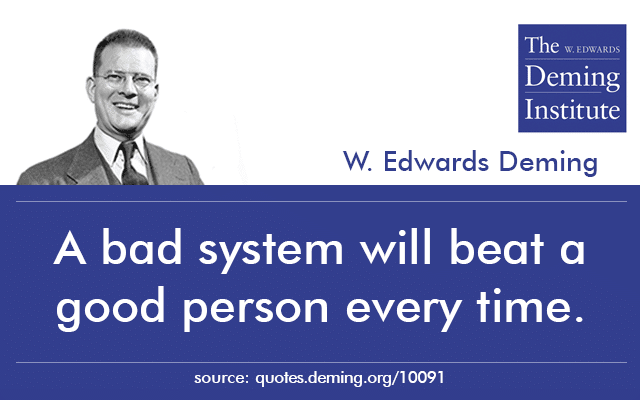
We might hire the people with the most pre-existing talent, and achieve nothing if we stifle them with a bureaucracy that prevents them from getting anything done. Organizational scar tissue that gets in the way; policies that demotivate.
Even without the weight of bureaucracy many teams are really just collections of individuals with a common manager. The outcomes of such groups are limited by the talent and preexisting skill of the people in them.
Contrast this with a team into which you can hire brilliant people who’ve yet to have the opportunity of being part of a team that grows them into highly skilled individuals. A team that gives everyone space to learn, provides challenges to stretch everyone, provides an environment where it’s safe to fail. Teams that have practices and habits that enable them to achieve great things despite the fallibility and limitations of the talent of each of the people in the team.
“when you are a Bear of Very Little Brain, and you Think of Things, you find sometimes that a Thing which seemed very Thingish inside you is quite different when it gets out into the open and has other people looking at it.”—AA Milne
While I’m a bear of very little brain, I’ve had the opportunity to be part of great teams that have taught me habits that help me achieve more than I can alone.
Habits like giving and receiving feedback. Like working together to balance each others weaknesses and learn from each other faster. Like making predictions and observing the results. Like investing in keeping things simple so they can fit into my brain. Like working in small steps. Like scheduled reflection points to consider how to improve how we’re working. Like occasionally throwing away the rules and seeing what happens.
Habits like thinking less and sensing more.
The post A little rant about talent appeared first on Benji's Blog.