
 Member
 CzP
CzPNew toy: Installing FreeBSD on the HP Z2 Mini
Finally, I also installed FreeBSD on my new AI focused mini workstation from HP. I even managed to install GNOME on the machine with minimal effort. However, I also ran into many problems.
So far it’s a mixed experience. Installation went smoothly, FreeBSD 15.0 was up and running in no time. However, FreeBSD is not found by any of the Linux boot managers I use (different flavors of GRUB), and it’s not in the EFI boot menu either. The only way I could boot FreeBSD was bringing up the EFI boot menu, choosing boot from file and loading EFI/freebsd/loader.efi
Once FreeBSD boots on the machine, it is lightning fast. One of the fastest machines I have ever used, in the size of a Lord of the rings book. Still it stays silent while compiling software from FreeBSD ports.
I do not plan to use this box as a FreeBSD desktop, but of course I was curious how much FreeBSD desktop support evolved since I last tried it. I found a nice article on the FreeBSD Foundation website, describing how to install a GUI on FreeBSD using the new desktop-installer tool. It asked tons of questions, did some magic, and after a while I had GNOME up and running.
The good:
- no manual package installation or configuration editing necessary
- the exact same GNOME look and feel as on all Linux distributions I tested (except for Ubuntu)
- sound works, using the built in speaker
The bad:
- no accelerated graphics at all
- 3D games start, play music, but no graphics
- playing YouTube in Firefox works, both graphics and sound, but low quality
- the screensaver starts automatigically, but cannot be unlocked (workaround: disable screensaver)
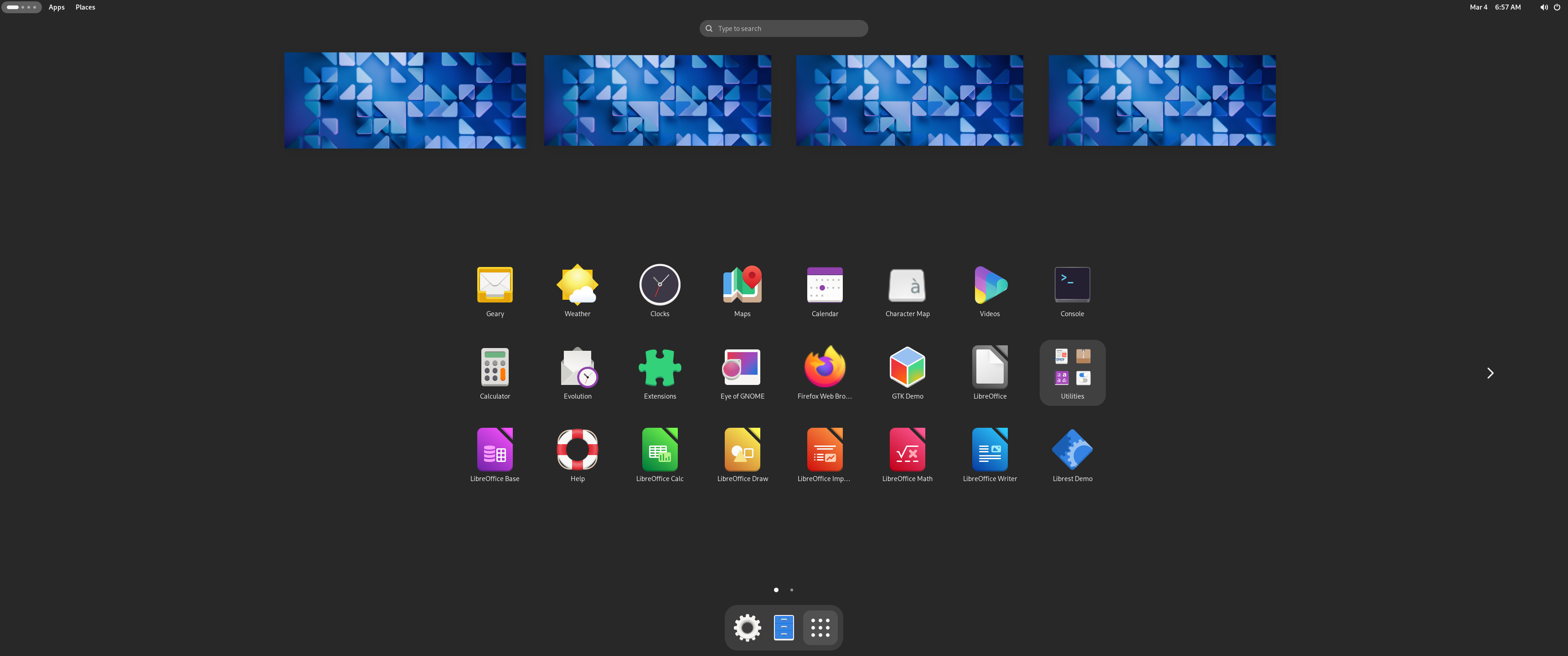
The same boring GNOME as everywhere else :-)
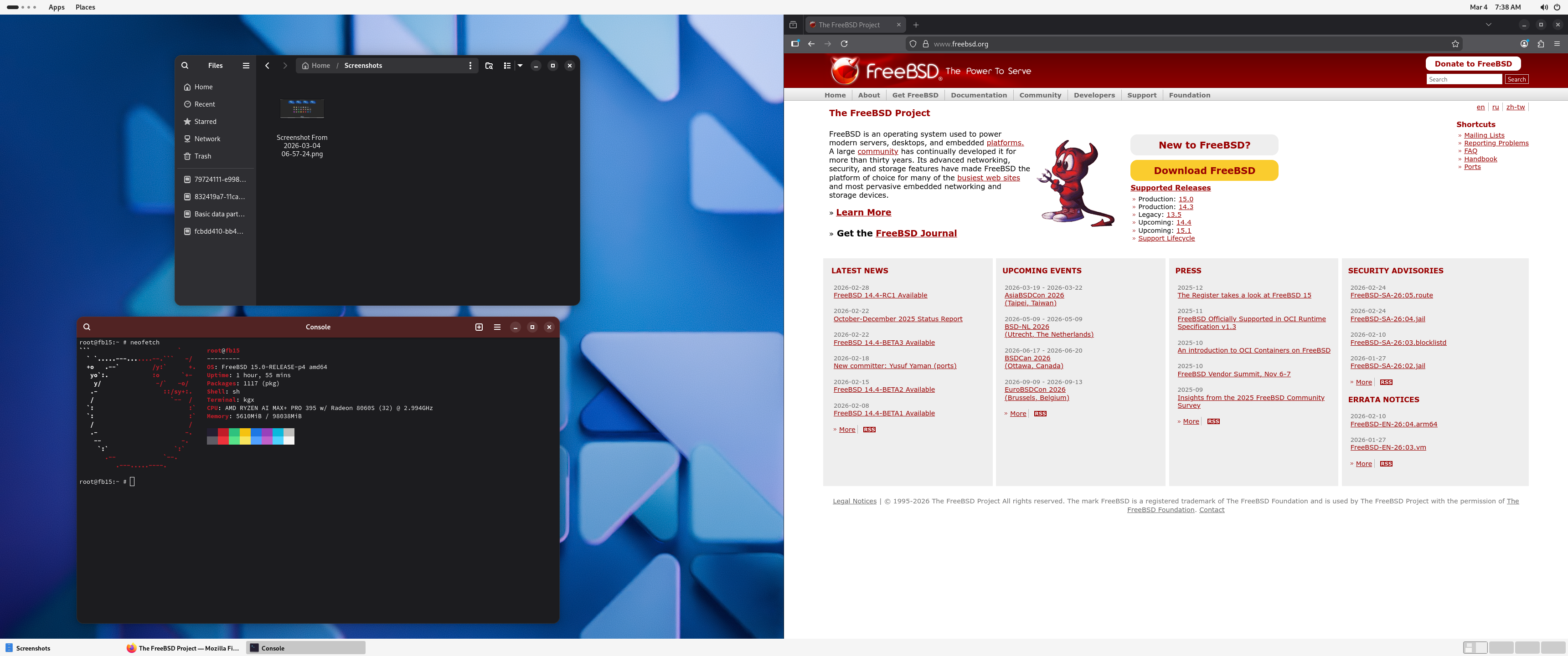
The same boring GNOME as everywhere else :-)
I might try to debug some of these issues, but most likely I’ll just reinstall FreeBSD, and keep using it in text-only mode. As far as I could see, there is no in hardware AI acceleration available on FreeBSD. However, with 32 CPU cores, a fast SSD and 128 GB of RAM, this is an ideal box for running complex test environments in FreeBSD jails. I love Bastille and plan to install it once I cleaned up the machine after the GNOME experiment.
This blog is part of a longer series about my adventures with my new machine and AI. You can reach me to discuss this blog on one of the contacts listed in the upper right corner. You can read the rest of the blogs under the toy tag.

Post-mortem: Stuck Critical Jobs Queue

Updating perltidy (and other dependencies) in os-autoinst
When updating the dependencies.yaml file in os-autoinst, e.g. when you’d like to fix the outdated perltidy version in the repo the recommended workflow is to:
- Update
dependencies.yaml - Run
make update-deps
This will update the cpanfile for you and you only need to make your changes in one single file (dependencies.yaml).

Linux Saloon 191 | Application Managers
Tumbleweed – Review of the week 2026/10
Dear Tumbleweed users and hackers,
Last weekend and the beginning of this week, Tumbleweed hit some small roadblocks. A minor change in the selinux-policy package—which looked (and was confirmed to be) obviously correct—resulted in various openQA failures where systems refused to boot due to SELinux enforcement rules.
Luckily, we had openQA to detect this early. After some head-scratching on Monday, we discovered that while the change itself was correct, other code was inadvertently “relying on the wrong behavior” of the previous policy. We always prefer identifying these issues in QA rather than locking users out of their systems. Once this was resolved, Tumbleweed resumed its natural glory and delivered three snapshots (0302, 0303, and 0304).
The main changes delivered in these snapshots were:
- Complete rebuild: all python312-* modules were removed, freeing build power to add python314-* modules. Such a change requires giving control to the OBS scheduler and relying on the internal logic, rather than using our own bots (that save some build time in regular days, but can’t cope with a full Python stack change without breakage)
- KDE Plasma 6.6.1 & 6.6.2
- Linux kernel 6.19.5
- postfix 3.10.8
- procps 4.0.6
- systemd 258.5
- PostgreSQL 18.3
Looking at the next snapshot in QA and the staging projects, we can predict these changes to reach you in due time:
- Shadow 4.19.4
- iptables 1.8.13
- gstreamer 1.28.1
- PackageKit 1.3.4
- kernel longterm 6.18.16
- KDE Gear 25.12.3
- Linux kernel 6.19.6
- systemd 259.3
- Switch default bootloader on uefi systems to systemd-boot (aligning tumbleweed to microos)
- GCC 16: our typical 2-phase introduction: first, we change libgcc to come from this compiler, later then use the compiler to build the distro)
- GNOME 50: RC is staged for QA; release planned for March 18
- glibc 2.43: metabug: https://bugzilla.opensuse.org/show_bug.cgi?id=1257250

Planet News Roundup
This is a roundup of articles from the openSUSE community listed on planet.opensuse.org.
The community blog feed aggregator lists the featured highlights below from Feb. 27 to March 5.
Blogs this week highlight the openSUSE Board Election 2025 and Tumbleweed’s February monthly review to sound-reactive LED projects and whether data has weight. Blogs also highlight installing Fedora on the HP Z2 Mini, syslog-ng 4.11.0 packaging status, Obsidian for note-taking, the second Plasma 6.6 bugfix update, KDE Express podcast episodes, Linux Saloon discussions, and open-source playable world generation.
Here is a summary and links for each post:
Episode 70 of KDE Express: Plasma 6.6.1 and the United Nations
The KDE Blog highlights episode 70 of KDE Express with coverage Plasma 6.6.1 updates including Spectacle’s OCR capabilities, accessibility enhancements like grayscale filters and pointer tracking, KDE Connect modernization proposals, and new options for saving global themes and configuring WiFi via QR codes.
New Version Tracking through API and Automatic Labeling
The OBS Blog announces enhancements for a Foster Collaboration beta program as well as new features for package version management along with new status labels. These enhancements add a notification filter for version alerts and display last-synced timestamps to help developers monitor packages at a glance.
KDE Express Episode 69: Trinity Reloaded with Full Plasma
The KDE Blog presents episode 69 of KDE Express, covering the SonicDE fork of KDE Plasma for legacy X11 support, CachyOS adopting Plasma Login Manager, KDE Connect fixes for Bluetooth logging and more.
Data Has Weight But Only on SSDs | Blathering
The CubicleNate Blog explores a lighthearted science exploration rather than practical finding as he dives into the curious concept that data has mass on solid-state drives. Since SSDs store data by trapping electrons in floating gates via quantum tunneling, writing data adds electrons with measurable (though femtogram-scale) mass; this is in contrast with HDDs which merely rearrange existing magnetic polarity without gaining weight. A lighthearted science exploration rather than a practical finding.
New toy: Installing Fedora Linux on the HP Z2 Mini
Peter Czánik’s Blog continues the HP Z2 Mini series with a smooth Fedora installation on the AMD Ryzen AI Max+ PRO 395-powered workstation. Despite Fedora not being listed on the HP data sheet, the graphical installer worked without issue and GNOME’s consistent cross-distro interface made the system immediately familiar. Steam and Need for Speed ran flawlessly, and initial AI acceleration configuration via Copr packages successfully detected the RyzenAI NPU5.
Sound-reactive Sideboard
Sebas’ Blog documents a living room IKEA sideboard turned into a sound-reactive LED centerpiece using an ESP32-based controller running the open-source WLED firmware. The setup uses WS2812B LED strips behind frosted plexi glass doors, processes audio via FFT on one core while rendering up to 200 FPS of LED effects on the other, all under 10W. The project also solved amplifier overheating with HomeAssistant-automated fan control and features a walnut wood finish.
Syslog-ng 4.11.0 Packaging Status
Peter Czánik’s Blog provides an overview of the packaging status for syslog-ng 4.11.0 across various operating systems and tracks which distributions have already made the release available as easy-to-install packages for users who prefer not to compile from source.
Second Plasma 6.6 update
The KDE Blog reports the second bugfix update for Plasma 6.6, delivered two weeks after the initial release. The post recaps Plasma 6.6’s flagship features including the new Plasma Keyboard for touch devices, OCR text extraction in Spectacle, the Plasma Setup wizard, per-application volume control via hover, emoji skin tone selection, QR code Wi-Fi scanning and more.
Compilation from the Free Software Foundation newsletter - March 2026
Victorhck compiles and translates the March 2026 FSF newsletter into Spanish as it highlights the FSF’s 40th anniversary. Highlights include the FSF’s opposition to Google’s mandatory developer verification proposal that threatens F-Droid, coverage of Americans destroying Flock surveillance cameras, and a report on Microsoft confirming it will provide BitLocker recovery keys to authorities under valid legal orders.
Episode 68 of KDE Express: esLibre2026 dixit editor. Editorial design with free software
The KDE Blog presents episode 68 of the KDE Express podcast, covering editorial design with free software and previewing the esLibre2026 event.
Tumbleweed Monthly Update - February 2026
The openSUSE News site publishes the February monthly review covering 17 snapshots. Major highlights include the arrival of Plasma 6.6 with its new on-screen keyboard and Spectacle OCR, KDE Frameworks 6.23.0 with LeakSanitizer memory safety fixes, Linux kernel 6.19.3 with a new listns() system call, GRUB2 2.14 strengthening boot workflows for immutable systems like MicroOS, Mesa 26.0.1 fixing gaming regressions and more.
Obsidian | The Quest for the Perfect Note-Taking Application
The CubicleNate Blog reviews Obsidian as a replacement for TiddlyWiki, praising its markdown-based local-first approach, extensive plugin ecosystem, cross-platform availability via Flatpak and AppImage, and seamless synchronization through Syncthing. While not an open source project, Obsidian is free to use and offers the combination of OneNote’s ease, TiddlyWiki’s power, and standard markdown formatting that the author had been seeking.
Voting Is Now Open for the openSUSE Board Election 2025
The openSUSE News site announces voting has opened for two Board seats for the openSUSE Board Election. Four candidates are on the ballot. Voting runs until March 8 with results announced March 9. All openSUSE Members received ballot links by email.
KDE Express Episode 67: Plasma in Virtual Reality Mode
The KDE Blog presents episode 67 of the KDE Express podcast and covers what’s new with KDE Plasma 6.6 (beta at the time) and highlights a winner of the “car of the year” uses KWin under the engine.
LingBot-World: Open-source “playable” world generation.
Alessandro’s Blog covers LingBot-World, the first high-capacity fully open-source interactive world model. Unlike passive video generation tools, LingBot-World lets users control a camera through AI-generated scenes in real time using W, A, S, and D keys. It achieves 16 FPS with emergent spatial memory that maintains object consistency even after 60 seconds off-screen. The project releases both source code and full model weights.
Linux Saloon 190 | News Flight Night

The CubicleNate Blog highlights episode 190 of Linux Saloon. The news flight night covered Bazzite tripling its user base in 8 months as gamers seek Windows alternatives, F-Droid’s open letter opposing Google’s mandatory developer verification, and broader discussions about changes to the Android ecosystem.
Linux Saloon 189 | Early Edition
The CubicleNate Blog highlights the return of Linux Saloon’s Early Edition monthly format. Discussion topics included the EU OS proposal for a standardized Linux desktop with Windows migration focus using KDE Plasma, Wayland and desktop environments for modern gaming featuring Bazzite and Nobara, and participants’ recent tech activities including seeking VMware alternatives.
The power of saying “No”
Victorhck reflects on the power of saying “No” in the context of free software and community participation. You may find wisdom in No.
Vietnamese lunar calendar and more rounded highlights – This week in Plasma
The KDE Blog covers the weekly “This Week in Plasma” update, which highlights Vietnamese lunar calendar support and more rounded highlight styles. The blog also covers performance improvements.
openSUSE Tumbleweed Weekly Review – Week 9 of 2026
Victorhck and dimstar report on the snapshots delivered in week 9. The review highlights updates including Linux kernel 6.19.3, PipeWire 1.6.0, Mozilla Firefox 148.0, Mesa 26.0.1, Poppler 26.02.0, QEMU 10.2.1, and DNF 5.4.0. It also covers the progress on the switch to systemd-boot as the default bootloader on UEFI systems to align with Tumbleweed to MicroOS.
My desk Plasma February 2026
The KDE Blog shares thoughts on the Plasma desktop setup, running on a Slimbook Kymera with KDE Neon.. The setup includes functional elements like a moon phase widget, system tray, virtual desktop selector, and a Valencian-language clock, all designed to create a dark yet highly organized workspace.
View more blogs or learn to publish your own on planet.opensuse.org.
New Version Tracking through API and Automatic Labeling
Data Has Weight But Only on SSDs | Blathering
New toy: Installing Fedora Linux on the HP Z2 Mini
The data sheet of my new AI-focused mini workstation from HP does not mention Fedora, but I could install it just fine. I expected this though, because when I asked around about Linux support and hardware AI acceleration for AMD Ryzen 39X chips, all responses came from Fedora users… :-)
Installing Fedora on the HP Z2 Mini was a smooth experience, even though I hadn’t used the graphical installer for ages. I installed the Fedora server variant during Covid, and I’m upgrading it ever since. Still, using the graphical installer was easy, so Fedora was up and running in no time.
Rebooting Fedora is not always fun, though. This box has two SSDs in it. In most cases, booting is OK, but sometimes the numbering of SSDs seems to be reversed. When this happens, booting gets stuck in an infinite loop, but a simple reboot solves the problem.
I guess I’m getting older, but I appreciate that GNOME looks exactly the same as on any other Linux distro, except Ubuntu. Everything in GNOME works from muscle memory, just as in most applications. Of course, under the hood, Linux distros are different: they have different package managers, repositories, backgrounds and application defaults. However, for a simple user, there is no need to learn the desktop from scratch, just because their friend installed another Linux distro for them…
Also, while I’m not a gamer, when I saw during installation that Steam was available, I gave it a try as well. It worked flawlessly. I do not follow the current Windows situation, but when I installed Need for Speed a few years ago, I had to go through many steps and install the game twice due to a failed attempt to make it work. Today, installing and starting NFS was a simple next-next-finish experience, so I could start the latest reincarnation of my favorite childhood game without any problems.
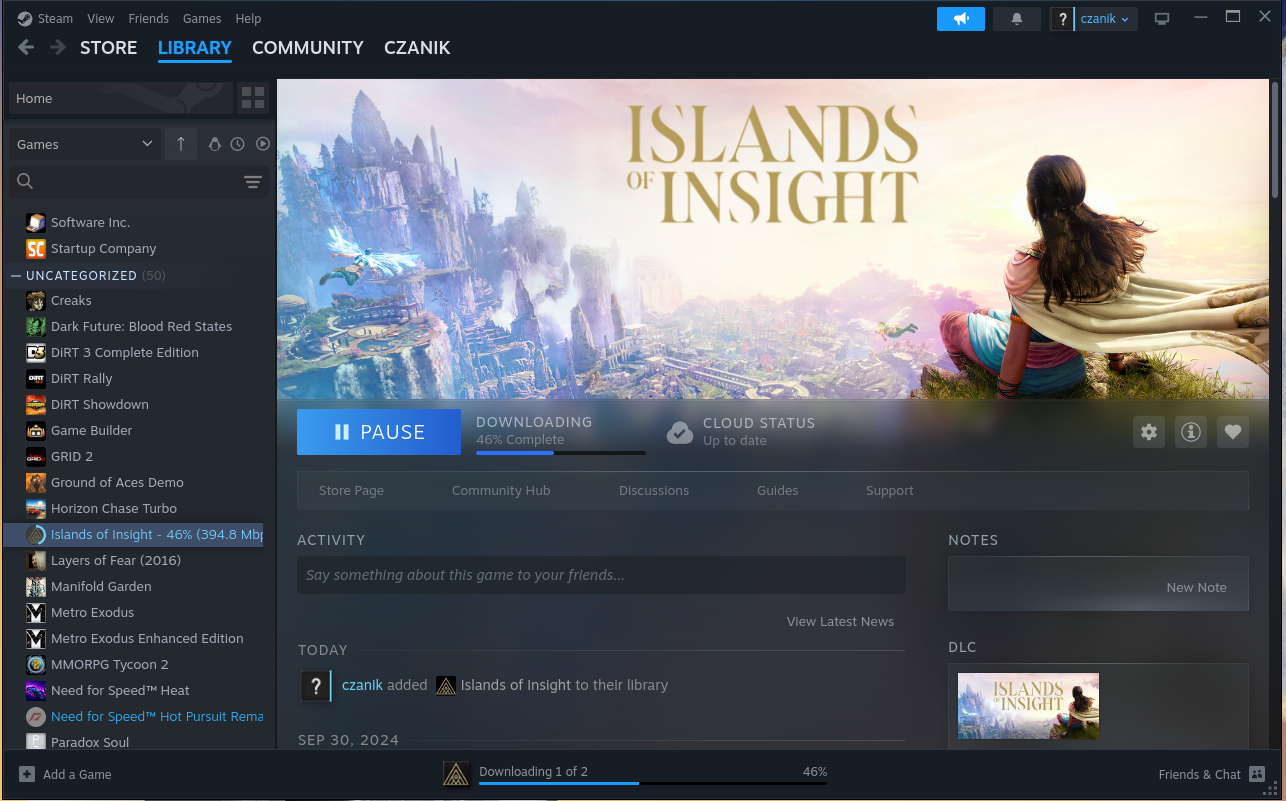
Steam on Fedora :-)

Need for Speed
I did a few steps to configure accelerated AI on the machine. I installed a few extra packages from Copr and they found something, after I worked around a couple minor problems:
root@fedora:~# /usr/xrt/bin/xrt-smi examine
System Configuration
  OS Name              : Linux
  Release              : 6.18.13-200.fc43.x86_64
  Machine              : x86_64
  CPU Cores            : 32
  Memory               : 96311 MB
  Distribution         : Fedora Linux 43 (Workstation Edition)
  GLIBC                : 2.42
  Model                : HP Z2 Mini G1a Workstation Desktop PC
  BIOS Vendor          : HP
  BIOS Version         : X53 Ver. 01.05.02

XRT
  Version              : 2.19.0
  Branch               :
  Hash                 :
  Hash Date            : 2025-04-25 00:00:00
  virtio-pci           : unknown, unknown
  amdxdna              : unknown, unknown
  NPU Firmware Version : 1.0.0.166

Device(s) Present
|BDF             |Name          |
|----------------|--------------|
|[0000:c6:00.1]  |RyzenAI-npu5  |
More in-depth AI testing will follow later, once I also installed FreeBSD on the box.
This blog is part of a longer series about my adventures with my new HP Z2 Mini and AI. You can reach me to discuss this blog on one of the contacts listed in the upper right corner. You can read the rest of the blogs under the toy tag.

Sound-reactive Sideboard

A project that I had planned for quite some time came to fruition last year, now I finally found time to document the result. My livingroom sideboard looked messy and kind of boring while not blending in anymore with the updated style of my living room. I wanted to turn it into a striking centerpiece of the room.
The plan was to install a sound-reactive lighting system. I wanted the light effects to be detailed and not disturbed by ambient sound in the living room, i.e. it sound not react to people’s voices, just the music playing.
My living room sideboard is an off-the-shelf product from IKEA that I bought many years ago. It didn’t have doors installed, but I was delighted that I could still buy matching doors with windows in them.
To realize the light effects, I’ve installed frosted plexi glass inside the windows.
Getting technical…
To control the LEDs, I’m using an ESP32-based LED controller with a line-in module and an ADC (analog-digital converter). After some experimenting, I’ve found this board to work well. I’ve connected 6 WS2812B LED strips to 3 pins and installed them with an aluminium profile into the doors. The frosted windows and profiles diffuse the light nicely so you can’t make out individual LEDs really.
On the software side, I’m using a sound-reactive port of the WLED project. WLED is Free and Open Source software, of course. Though its user interface can be a little unwieldy, it’s also very powerful and integrates nicely with homeassistant, so it can be controlled automatically.

The ESP32, being a rather powerful dual-core microcontroller, can process the incoming audio signal on one core (using fast-fourier transformation) and compute complex LED effects on the other core. Rendering up to 200 frames per second to 2 times 210 LEDs is no problem while power consumption of just the controller stays well under 1W. Pretty impressive! Depending on the LED effects (number of LEDs lit up at a given time and their colors), the whole thing hardly ever reaches 10W of power consumption.

Another functional goal of this project was to solve cooling issues of my amplifier once and for all. The amp would run really hot and shut off after playing at higher volume for some time. I installed a bunch of 12cm fans which suck air through the amplifier and blow it out on the backside. Both amp and and fans are connected to smartplugs. I turned to my homeassistant and set up an automation which turns the fans on whenever the amp’s power consumption reaches a certain level. This works really nicely, since the fans never spin at lower volumes (when you could hear them through the music) and keep everything cool and running stable at higher volume when it’s necessary — without human interaction.

Walnut finish
The outer shell of the sideboard is made of walnut wooden panels with an oil and varnish finish, thanks to my friend Joris. The oil gives it a darker look and accentuates the grain, matching the speaker system. The matte varnish finish (Skylt, highly recommended for its durability and natural look) allows me to sleep well even if people put their drinks on it.

I love it when a plan comes together!
I’m really happy with the result. While I had thought it out for a long time already, it’s always a lot more impressive when you see the final result in action.
The WLED firmware allows me to create interesting light effects. I can run the 3 doors as one, but also easily split them up into segments so each door panel renders its own effect. WLED has ca. 200 different LED effects, many of them react to sound. Each effect can be combined with one of 50 color palettes, some of the palettes are sound-reactive in their own right leading to a very dynamic display.
One cool feature is that the processed sound data can be broadcast across the network (over UDP) and received by other WLED controllers, so I can have multiple LED displays in the house, each rendering their own effect to the music, creating a more immersive experience.