
 Member
 seife
seifeHome server updated to 13.2
- dnsmasq does not log to syslog anymore -- this is bug 904537 now
- wwoffle did not want to start because the service file is broken, this can be fixed by adding "-d" to ExecStart and correcting the path of ExecReload to /usr/bin instead of /usr/sbin (no bugreport for that, the ExecStart is already fixed in the devel project and I submitrequested the ExecReload fix. Obviously nobody besides me is running wwwoffle, so I did not bother to bugreport)
- The apache config needed a change from "Order allow,deny", "Allow from all" to "Require all granted", which I could find looking for changes in the default config files. Without that, I got lots of 403 "Permission denied" which are now fixed.
- mysql (actually mariadb) needed a "touch /var/lib/mysql/.force_upgrade" before it wanted to start, but that's probably no news for people actually knowing anything about mysql (I don't, as you might have guessed already)
- My old friend bug 899653 made it into 13.2 which means that logging from journal to syslog-ng is broken ("systemd-journal[23526]: Forwarding to syslog missed 2 messages."). Maybe it is finally time to start looking into rsyslog or plain old syslogd...
- owncloud
- gallery2
- vdr
- NFS server
- openvpn

ownCloud Client 1.7.0 Released
Yesterday we released ownCloud Client 1.7.0. It is available via ownCloud’s website. This client release marks the next big step in open source file synchronization technology and I am very happy that it is out now.
The new release brings two lighthouse features which I’ll briefly describe here.
Overlay icons
For the first time, this release has a feature that lives kind of outside the ownCloud desktop client program. That nicely shows that syncing is not only a functionality living in one single app, but a deeply integrated system add-on that affects various levels of desktop computing.
 Here we’re talking about overlay icons which are displayed in the popular file managers on the supported desktop platforms. The overlay icons are little additional icons that stick on top of the normal file icons in the file manager, like the little green circles with the checkmark on the screenshot.
The overlays visualize the sync state of each file or directory: The most usual case that a file is in sync between server and client is shown as a green checkmark, all good, that is what you expect. Files in the process of syncing are marked with a blue spinning icon. Files which are excluded from syncing show a yellow exclamation mark icon. And errors are marked by a red sign.
What comes along simple and informative for the user requires quite some magic behind the curtain. I promise to write more about that in another blog post soon.
Selective Sync
Another new thing in 1.7.0 is the selective sync.
In ownCloud client it was always possible to have more than one sync connection. Using that, users do not have to sync their entire server data to one local directory as with many other sync solutions. A more fine granular approach is possible here with ownCloud.
 For example, mp3’s from the Music dir on the ownCloud go to the media directory locally. Digital images which are downloaded from the camera to the “photos” dir on the laptop are synced through a second sync connection to the server photo directory. All the other stuff that appears to be on the server is not automatically synced to the laptop which keeps it organized and the laptop harddisk relaxed.
While this is of course still possible we added another level of organization to the syncing. Within existing sync connections now certain directories can be excluded and their data is not synced to the client device. This way big amounts of data can be easier organized depending on the demands of the target device.
To set this up, check out for the button Choose what to Sync on the Account page. It opens the little dialog to deselect directories from the server tree. Note that if you deselect a directory, it is removed locally, but not on the server.
What else?
There is way more we put into this release: A huge amount of bug fixes and detail improvements went in. Fixes for all parts of the application: Performance (such as database access improvements), GUI (such as detail improvements for the progress display), around the overall processing (like how network timeouts are handled) and the distribution of the applications (MacOSX installer and icons), just to name a few examples. Also a lot of effort went into the sync core where many nifty edge cases were analyzed and better handled.
Between version 1.6.2 and the 1.7.0 release more than 850 commits from 15 different authors were pushed into the git repository (1.6.3 and 1.6.4 were continued in the 1.6 branch which commits are also in the 1.7 branch). A big part of these are bug fixes.
Who is it?
Who does all this? Well, there are a couple of brave coders funded by the ownCloud company working on the client. And we do our share, but not everything. Also coding is only one thing. If you for example take some time and read around in the client github repo it becomes clear that there are so many people around who contribute: Reporting bugs, testing again and again, answering silly looking questions, proposing and discussing improvements and all that (yes, and finally coding too). That is really a huge block, honestly.
Even if it sometimes becomes a bit heated, because we can not do everything fast enough, that still is motivating. Because what does that mean? People care! For the idea, for the project, for the stuff we do. How cool is that? Thank you!
Have fun with 1.7.0!
Ruby packaging next
Taking ruby packaging to the next level
Table of Content
- TL;DR
- Where we started
- The basics
- One step at a time
- Rocks on the road
- “Job done right?” “Well almost.”
- Whats left?
TL;DR
- we are going back to versioned ruby packages with a new naming scheme.
- one spec file to rule them all. (one spec file to build a rubygem for all interpreters)
- macro based buildrequires. %{rubygem rails:4.1 >= 4.1.4}
- gem2rpm.yml as configuration file for gem2rpm. no more manual editing of spec files.
- with the config spec files can always be regenerated without losing things.
Where we started
A long time ago we started with the support for building for multiple ruby versions, actually MRI versions, at the same time. The ruby base package was in good shape in that regard. But we had one open issue - building rubygems for multiple ruby versions. This issue was hanging for awhile so we went and reverted to a single ruby version packaged for openSUSE again.
Service Design Patterns in Rails: Client-Service Interaction styles
Anyway, I started reading it some days ago and while reading it, I've been trying to match the patterns described in it with what I know from having worked on Rails for the last few years. The examples in the book are Java and C#. It was a nice surprise to see that a typical Rails application already implements most of them, thus if you use Rails, you are already using them, the same way you use the MVC pattern.
Thus, today I'll write a post on how Rails implements the Client-Service Interaction Styles patterns described in this book. Hopefully, I won't put the book back to the shelf for more dust and this post will be followed by other posts on the other patterns.
Client-Service Interaction Styles patterns are:
- Request/Response
- Request/Acknowledge
- Media Type Negotiation
- Linked Service
Request/Response
This is the simplest pattern and the default one. The Request/Response is nothing more than sending a Response to a Request. For example, if we take the typical Rails example application for maintaining a Product, the product controller would contain:
class ProductsController < ApplicationController
def index
@products = Product.all
end

Decade of Experience and some [un]wise words
Here are some things that I have learned in the last 10 years. Some of them may apply to you. Some of them may not. Choose at your own will. If you are interested in becoming a [product|project] manager, the following may not be helpful, but if you intend to stay a developer, it may be useful.
- In big companies, It is easier to do things and ask for excuse than to wait for permission, for trying radical changes or new things. There will always be people in the hierarchy to stop you from trying anything drastic, due to risk avoidance. Think how much performance benefits read-ahead gives; professional life is not much different. Do things without bothering about if your work will be released/approved.
- Prototype a lot. What you cannot play around with in production/selling codebases, you can, in your own prototypes. Only when you play around enough, you will understand the nuances of the design.
- Modern technologies get obsolete faster. People who knew just C program can still survive. But people who knew Angular 1.0 may not survive even Angular 2.0 Keep updating yourself if you want to be in the technology line for long
- Do not become a blind fan of any technology / programming language / framework. There is no Panacea in software.
- When one of my colleagues once asked a senior person for an advice, he suggested: "God gave you two ears and one mouth, use them proportionately". I second it, with an addendum, "Use your two eyes to read" also.
- Grow the ability to zoom in and out to high/low levels as the situation demands. For example, you should know to choose between columnar or row based storage AND know about CPU branch prediction AND have the ability to switch to both of these depths at will, as the situation demands. Having a non-theoretical, working knowledge of all layers will make you a better programmer. There is even a fancy title for this quality, full-stack programmer.
- Best way to know if you have learnt something well, is to teach it. Work with a *small* group of people with whom you can give techtalks and discuss your research interests. Remember the african proverb, If you want to go fast, go alone. If you want to go far, go together. Having a study groups helps a lot. But remember, talk is cheap and don't get sucked into becoming a theoretician. If you are interested in becoming one, get a job as a lecturer and work on hard problems. Look to Andy Tanenbaum or Eric Brewer for inspiration.
- Keep a diary or blog of what you have learned. You can assess yourself on an yearly basis and improve yourself. Create and use your github account heavily.
- Try different things and fail often. Failure is better than not-trying and being idle. When Rob Pike says, "I am not used to success", he is not merely being humble. It takes years of dedication, work, luck and a lot of failures to become successful and have a large / industry level impact.
- Do not be driven too much by money or promotion or job titles. The world does not remember Alan Turing or Edsger Dijkstra or Dennis Ritchie by their bank balance or positions. There are probably a thousand software architects in your locality if you dig linkedin. Try to do good work. Also learn to think like an author.
- Good work invariably will get appreciated, even if the appreciation may be delayed in many cases. Sloppy work will be noticed in the long term, even if it is missed in short term. The higher you grow, sloppy work may get more visibility.
- There will be people smarter and more talented than you, always. Try to learn from them. Sometimes they may be younger than you. Don't let age stop you.
- Work in an open source project with a very active community. Communication skills are very important even for an engineer. The best way to improve it for an engineer is to work on an open source project. Ideally, see through the full release of a linux distro. It will take you through all activities like packaging, programming, release management, marketing etc. the tasks which you may not be able to participate in your day job. I recommend openSUSE if you are looking for a suggestion ;)
- Except for Mathematics and Music, there is no other field with prodigies. Understand the myth of genius programmer.
- There are a lot of bad managers (at least in India). Most of these managers are bad at management, because they were lousy engineers in the first place and so decided to do an MBA and become a people manager, after which they don't have to code (at least in India). If you get one of them, do not try to fight them. Work with them on a monthly basis with a record of objectives and progresses. The sooner you get a bad manager, the better and faster you will appreciate good managers.
- Last but not least, identify a very large, audacious problem and throw yourself at it fully. All the knowledge that you have accumulated over the years with constant prototyping and reading will come in handy while solving it. In addition, you will learn a thousand other things, which you could not have learned by lazily building knowledge by reading alone. But the goal that you need to work on has to be audacious (like the goals that gave us Google filesystem or AWS etc.) and solve a very big problem. However, you should start this only after a few years of building a lot of small things and have a full quiver. To become a good system-side programmer, you should have been a good userspace programmer. To become a good distributed systems developer, you should have used a distributed system, etc.
Upgrading from openSUSE 13.1 to openSUSE 13.2
openSUSE 13.2 is out and gets a host of new stuff. Right from new desktop environments (KDE, GNOME, MATE…its got it all), there is plenty of stuff to write about. For those running on openSUSE 13.1, upgrading is pretty simple and takes only about 20 minutes.
1.) Open Software Repositories from YaST
2.) Disable all the unnecessary repositories (keep only OSS, debug, update repositories)
3.) Change the 13.1 in the Repository URL to 13.2
4.) Open Terminal. As root, run ‘zypper refresh’
5.) Once the repositories are refreshed, run ‘zypper dup’
6.) Go through accepting some licenses. Let the magic run
This should upgrade the system from 13.1 to 13.2. Have fun 

openSUSE 13.2 release and other goodness
Today happens to be my birthday, I’ve taken some days off work and there’s a lot of good stuff going on.
Tumbleweed is dead, long live Tumbleweed
Earlier today Richard Brown informed that the planned merge of Tumbleweed into Factory has been completed. So starting from today the “old” Tumbleweed is dead, and Factory will continue as a rolling release distro under the name openSUSE Tumbleweed.
Black Other Half
As a birthday present I got the Keira Black Other Half from the Jolla Store for my Jolla. Which of course isn’t just a cover, it’s a smart cover which also adds a cool ambience including ringtones etc.

Kickstarter for TOHKBD
The Kickstarter crowd funding campaign for TOHKBD (The Other Half Keyboard, scroll down on the link for videos and more). A physical QWERTY keyboard for the Jolla smartphone, has kicked off today, and so far gotten off to a flying start.

openSUSE 13.2
Of course most importantly openSUSE 13.2 was released minutes ago.
This is the first release based on the stabilized rolling release distro Factory (well, Tumbleweed, starting today). It features a greatly improved installer, Plasma 5 as a tech preview, QML based NetworkManager plasmoid, Btrfs+XFS as default filesystem. See here for a detailed list of new features.

Also the nice and stable, feature frozen KDE 4 workspace should be mentioned. A lot people who used KDE 3.5.x back in the day, will remember the joys of a stable and feature frozen desktop environment only getting bugfix and polish. Also 13.2 comes with a new, light coloured desktop theme.
Of course openSUSE-Guide.Org has been updated for the 13.2 release.
And, as always, remember to join our community and help make 13.3 even better than 13.2!

Orchestrating Docker containers on openSUSE
A couple of weeks ago the 11th edition of SUSE’s hackweek took place. This year I decided to spend this time to look into the different orchestration and service discovery tools build around Docker.
In the beginning I looked into the kubernetes project. I found it really promising but AFAIK not yet ready to be used. It’s still in its early days and it’s in constant evolution. I will surely keep looking into it.
I also looked into other projects like consul and geard but then I focused on using etcd and fleet, two of the tools part of CoreOS.
I ended up creating a small testing environment that is capable of running a simple guestbook web application talking with a MongoDB database. Both the web application and the database are shipped as Docker images running on a small cluster.
The whole environment is created by Vagrant. That project proved to be also a nice excuse to play with this tool. I found Vagrant to be really useful.
You can find all the files and instructions required to reproduce my experiments inside of this repository on GitHub.
Happy hacking!

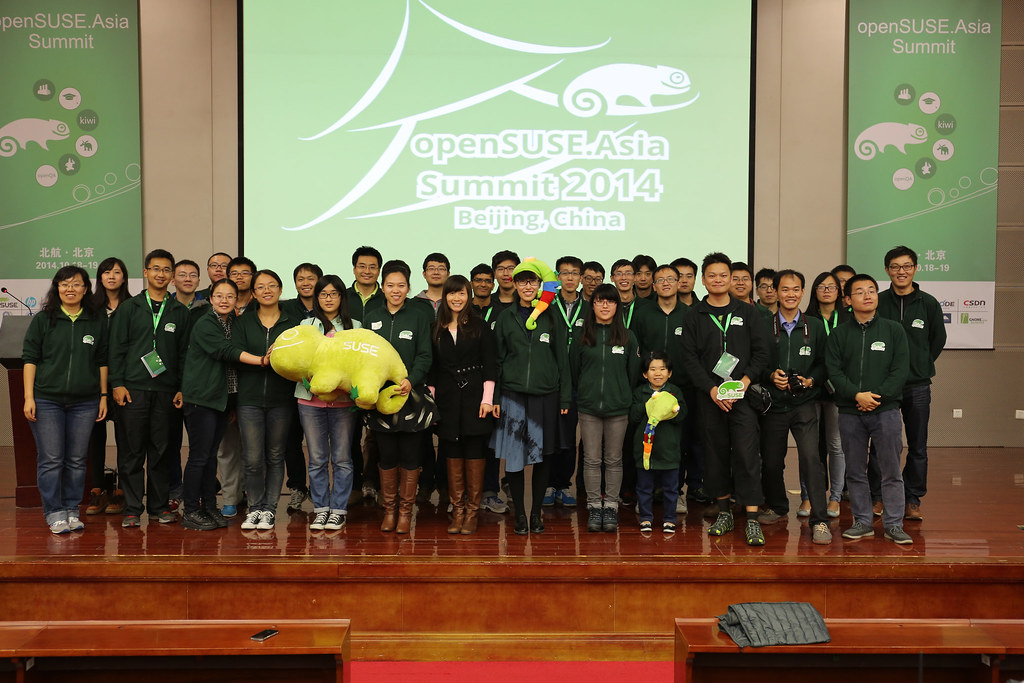
openSUSE.Asia Summit 2014

openSUSE.Asia Summit 2014 is the first openSUSE Summit in Asia, which aims to promote openSUSE and other free and open source software in the region (especially in colleges).
I am very pleasure to be one of the organize team members.
I want to mention Sunny's mail and thanks her and all staff again
---------From Sunny----------------------------------------
I would take this opportunity to thank the openSUSE.Asia Summit
organization team. Today, now the openSUSE.Asia summit has started,
I'm reminded of the journey we took to get here.
I can not forget our weekly meetings, which often lasted to midnight.
I can't forget 137 cards in trello for the preparation tracking.
And I can't forget hundredss of emails about the Summit in our mail
boxes.
When we were on the way to reach this summit, we encouraged and
supported each other. Even though we were tired, we never gave up,
because we did believe we would finally be here. It is my honor being
a member of such a great team!
There are 17 people in the organization team, I won't list everyone's
name because we are a team, and we couldn't have make any success
without each of us.
------------------------------------------------------------

Come from India / Beijing / Japan / Taiwan to welcome everyone come to openSUSE.Asia Summit.
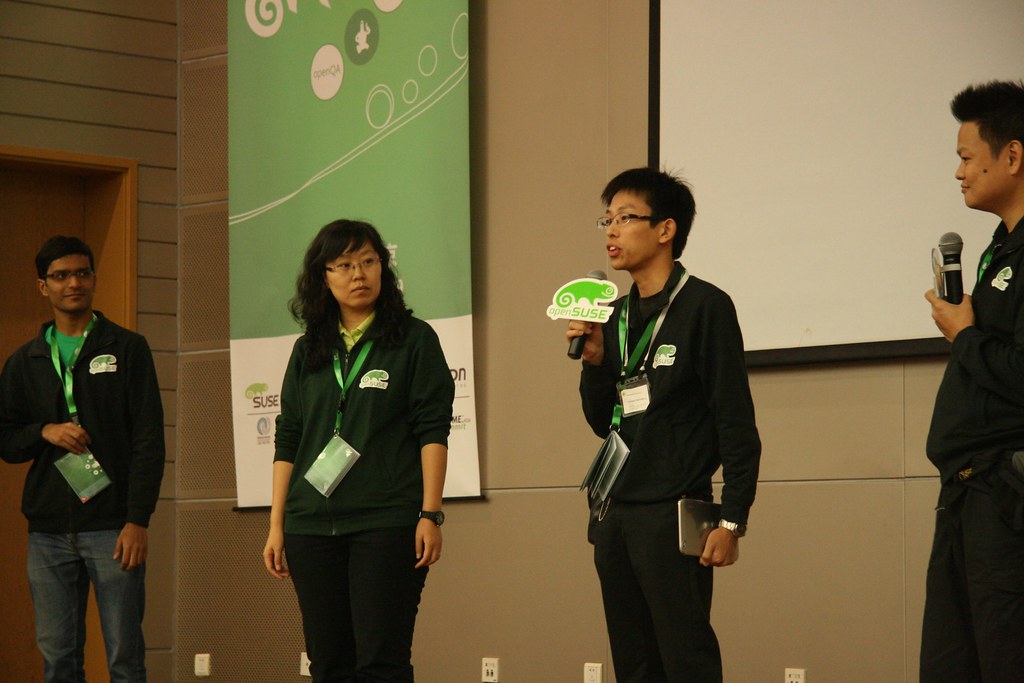
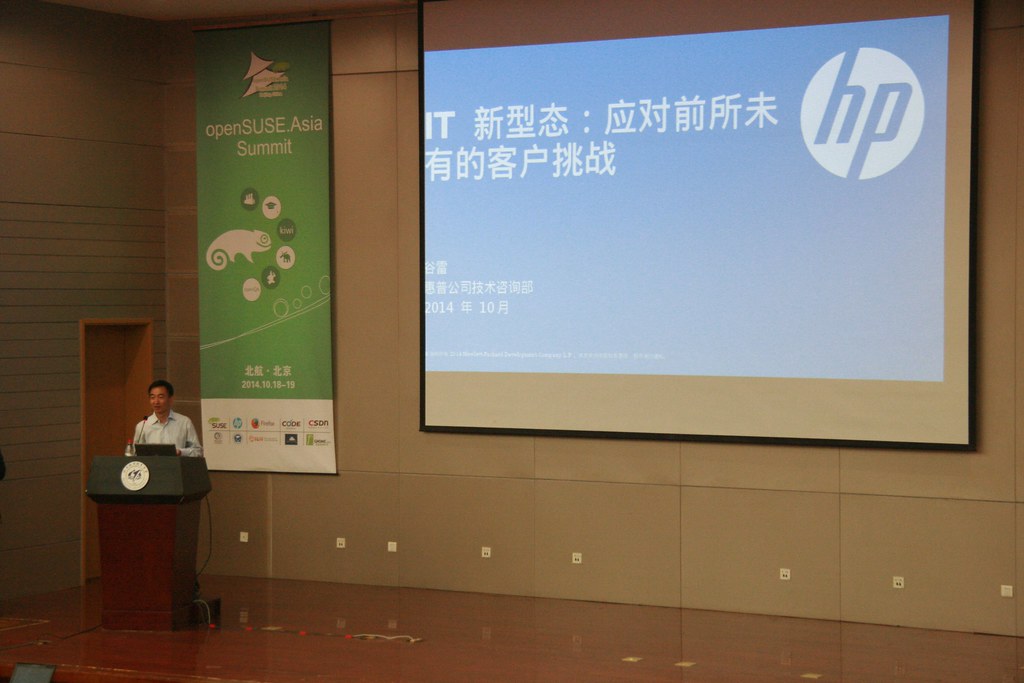
Thanks our keynote speakers
* Richard Brown
* Ralf Flaxa
* 谷雷
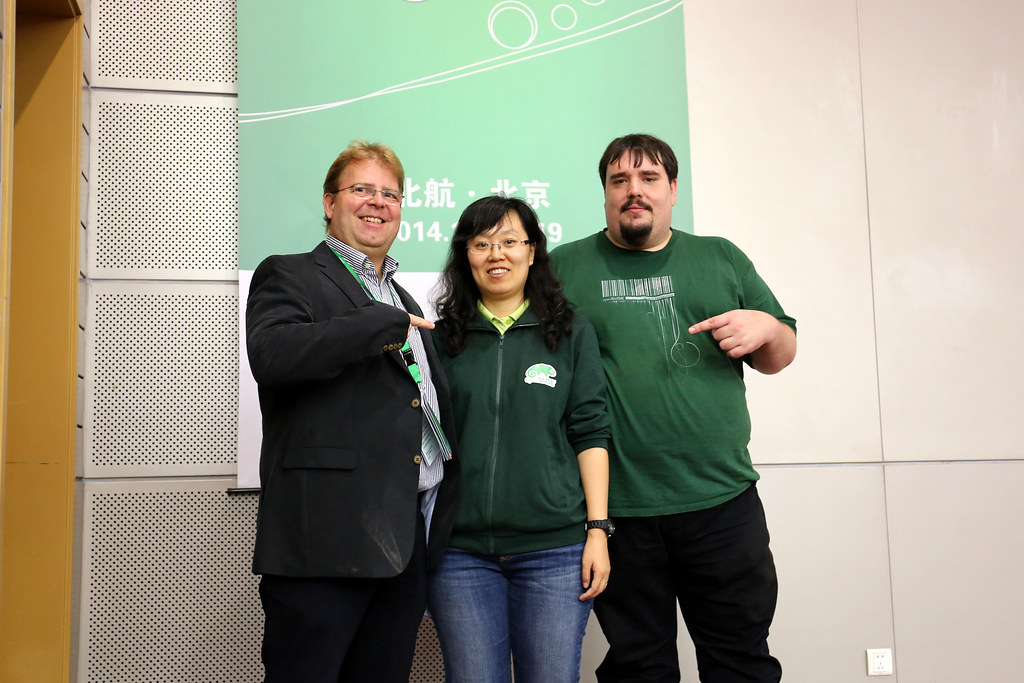
Thanks all our speakers

We have lots of fun with session and workshop in these 2 days.
I have some sessions this year.
Long talk: FOSS & Education in Taiwan with Ezilla project
Short talk: Easy Install Nagios Server with openSUSE 13.1
And in All stars: Introduce openSUSE community in Taiwan
We have strong design team this year.
It still in my office right now :-)
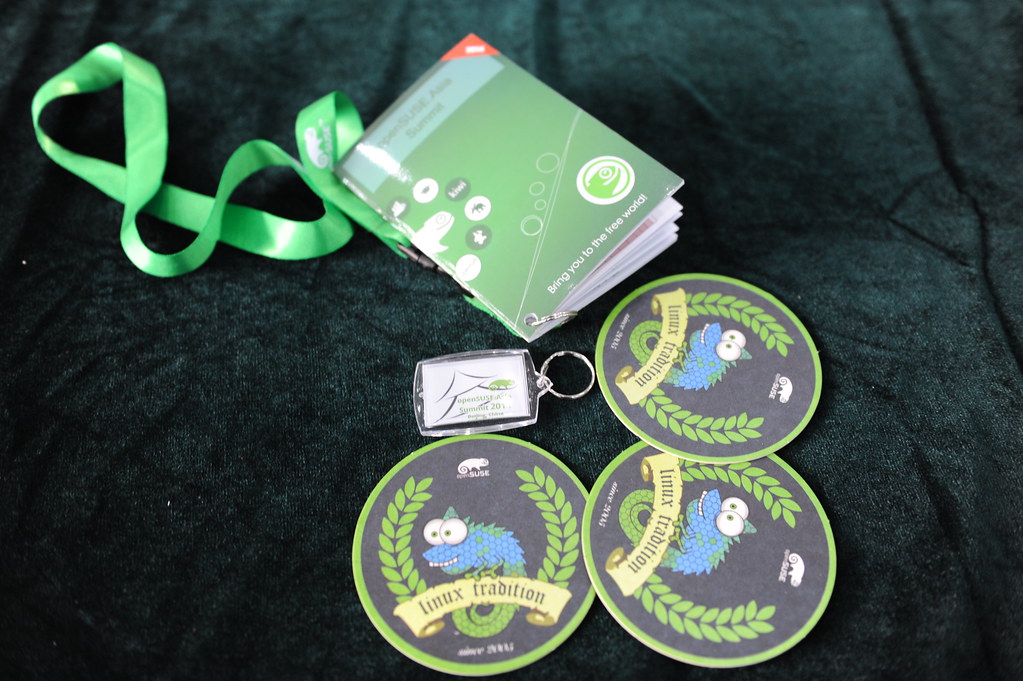
I want to thank our sponsors
SUSE / HP / Firefox / CSDN / BLUG / owncloud / GNOME.Asia
Without our sponsors, we can't have such lovely summit.
The most important for me is
"We got lots of SMILE"

Thanks our great volunteers
Thanks all your contributions.

code churning and golang
The whole activity spanned for about 12 weeks roughly and we were able to build a very good evolutionary prototype. I was looking at the gitlab stats at the end of 12 weeks and found my personal log to be:
9752 lines added
7119 lines deleted
Even if we assume a 6 day workweek, it translates to about 135 lines of new go code added per day by a developer on an average. There have been very productive days, where I was able to add more than 400 lines of non-copy-paste code in a single day, that I ended up having to take rest the next day, to recover.
In the past, I have written a lot of C code. I have never felt this productive in C, largely due to the manual memory management (and the ensuing problems like double free, leaks, valgrinding etc.) and difficult concurrency (pthreads, locks, etc.)
It is kind of obvious that Go will naturally feel more productive, due to automatic memory management and concurrency friendly features (goroutines, channels, etc.), resulting in very less non-business-code.
However, I observed that there are two other non-intuitive reasons why Go lang was very productive (for me). These reasons do not appear big on their own. But in the overall development time, they were a big influence on my productivity. They are:
1) Static Binary Creation without complex, external build tools
Thanks to my openSUSE packaging experience, I have always taken up the responsibility to keep the sources of the project where I work as an engineer, in a properly and a packager-friendly build system. I like build friendly sources to an extent that, about an year ago, One of the first tasks that I did, when I moved to a team, was to port an old packaging system of hand-written makefiles and obsolete build systems with sources across tens of thousands of files and managed for about two decades, to CMake. IOW, I know about Linux packaging and its pains.With go, I was able to easily build the sources and get all the dependencies via a single `go get` command. Installing the binary on a test cluster, or in the AWS was merely a single command away. There was no need to wait for any complicated build setup, setting up dependencies or even waiting hours for a build to finish. There is no need to write complicated Makefiles, CMakeFiles, Configure files, build scripts etc.
Usage of the `go get` tool mandates developers to follow a certain discipline regarding installation/inclusion of libraries, binaries. Static binary generation helps avoid a tonne of deployment hassles. All these minor things, when we do a dozen or more builds in a day, add up to a very big productivity boost. It is not even that uncommon to do a dozen builds in a day, to aid testers, in the prototyping stage. Because of the elegance and simplicity of `go get`, the testers did not even have to wait on dedicated packagers or on developers to get the testbuilds. Even if you don't have dedicated testers, static binary generation, simplifies your test setup time.
2) Composition instead of Inheritance
This point is very difficult to explain, as it is more abstract, but is more influential than the previous. In the beginning, I was struggling to get Composition right. I ended up trying to organize my files based on an inheritance model (much like the [fs/< files>.c , fs/< ext>/I had to pause, unlearn a few things and think in a fresh perspective again to understand it. Composition is like Cycling. Once you get the hang of it, there is no falling down. I felt that the Composition based model has helped a lot more than any other feature of golang to improve my productivity.
With composition, the amount of code changes needed when you refactor code (which is very common in most freshly written code) is very very less than in a code, designed for inheritance. It is very hard to explain how this helps in simple English words. But I recommend you write code for yourself and appreciate this. In addition to easy refactoring, Composition tends to reduce boilerplate code substantially and makes diamond problem obsolete.
The Embedding of the Transport object in go lang's http Client object helped me understand Composition a lot clearer than any tutorial or book.
Conclusion
Because, I was able to write a lot of code fast, I was not too scared to shed code and start from scratch when needed. This explains the about 7k deletions of code.goimports and vim-go also helped a lot to get some IDE like features, all of which should thank gofmt in return.
Have you felt any other reason that made you feel a high-level of code churning can be achieved in Go ?