
 Member
 seife
seifeRestoring stock recovery on Moto G
Unfortunately, it did not work: After downloading the update, the phone went into a boot loop, because CWM 6.0.4.6 (which I had installed in order to root the device) cannot flash the update. The phone then boots up, just to shut reboot almost immediately into recovery to try again.
To get out of this boot loop, I manually entered recovery and wiped the "cache" partition.
I retried with the latest CWM 6.0.4.7, this also did not work.
So I had to get the original stock recovery image for the Moto G and flash that. I did not easily find it with a web search, so in the end I downloaded the matching stock SBF image for my installed firmware (in my case "Blur_Version.176.44.1.falcon_umts.Retail.en.DE") from the Moto G firmware page on droid-developers.org, looked into the zip file and found that there is a "recovery.img" in the archive.
Now everything was easy: boot the phone into fastboot mode (power on + volume down), then
fastboot erase recovery
fastboot flash recovery recovery.imgreboot, once the phone is booted select "install system update" from the notification, stock recovery boots and installs the update, done.
I did not even lose root access, so I kept the stock recovery for now.
Later on I checked the md5sum of the recovery.img I flashed and of the recovery partition on the phone and they are identical, so the 4.4.4 update did not flash a new recovery for me. I'll keep the old one around in case I need it again.

Stepping down as openSUSE Board Chairman
Two years ago, I got appointed as chairman of the openSUSE Board. I was very excited about this opportunity, especially as it allowed me to keep contributing to openSUSE, after having moved to work on the cloud a few months before. I remember how I wanted to find new ways to participate in the project, and this was just a fantastic match for this. I had been on the GNOME Foundation board for a long time, so I knew it would not be easy and always fun, but I also knew I would pretty much enjoy it. And I did.
Fast-forward to today: I'm still deeply caring about the project and I'm still excited about what we do in the openSUSE board. However, some happy event to come in a couple of months means that I'll have much less time to dedicate to openSUSE (and other projects). Therefore I decided a couple of months ago that I would step down before the end of the summer, after we'd have prepared the plan for the transition. Not an easy decision, but the right one, I feel.
And here we are now, with the official news out: I'm no longer the chairman :-) (See also this thread) Of course I'll still stay around and contribute to openSUSE, no worry about that! But as mentioned above, I'll have less time for that as offline life will be more "busy".
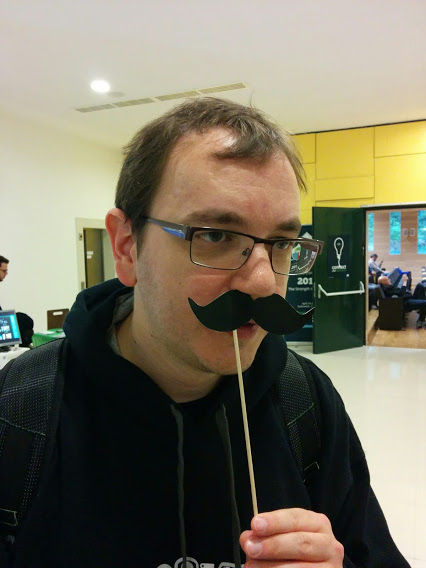
openSUSE Board Chairman at oSC14
Since I mentioned that we were working on a transition... First, knowing the current board, I have no doubt everything will be kept pushed in the right direction. But on top of that, my good friend Richard Brown has been appointed as the new chairman. Richard knows the project pretty well and he has been on the board for some time now, so is aware of everything that's going on. I've been able to watch his passion for the project, and that's why I'm 100% confident that he will rock!
Changing of the Guard
I recently received some bittersweet news, my good friend Vincent Untz is stepping down as Chairman of the openSUSE Board as a result of a happy personal event that I'm sure is going to keep him busy in the months and years ahead.
In addition the formal thanks as part of the official announcements, I'd like to add my own personal thanks to Vincent. I owe much to Vincent's help and support throughout the years, both technically as a maintainer of GNOME in openSUSE, and as an Board Member to the Project. I know this isn't goodbye, and look forward to still seeing Vincent around the Geeko world in the future.
As a result of Vincent's decision, the openSUSE Board requires a new Chairman. I'm excited and humbled to be able to announce that I have been appointed by SUSE to serve as the new Chairman of the openSUSE Board, effective from today.
When I started contributing to openSUSE in 2005, I never thought I could find myself in a position like this. I'm looking forward to doing the best I can to help keep openSUSE moving forward and become more recognised as the exceptional, wonderful, and successful open source project that it already is.
For anyone who doesn't know the governance structure of openSUSE, the Board is a group of six members, five who are elected by the community and a Chairperson who is appointed by SUSE. It's the Board's job to 'lead' the openSUSE Project, by providing guidance, governance and support to the rest of the project. As I was one of those elected Board members, the Board are currently discussing our options regarding my now vacant Board member seat, and we hope to be able to announce something soon.
I'm also very pleased to be able to be able to share that this October 18th-19th openSUSE will be having an openSUSE Summit Asia in Bejing!
Sunny and her team have put together a great website with all the information, please Check It Out!
There's also lots of very interesting developments happening around openSUSE Factory, which is progressing towards becoming a fully rolling release. You can download the latest snapshots HERE. And to provide feedback or learn more, you can join the conversation in our openSUSE Factory mailing list or in IRC at #opensuse-factory in irc.freenode.org
Have a lot of fun!
ARM Mali Midgard, as featured on Anandtech.
This set of articles does not seem like the sort of thing that ARM MPD would have initiated itself. Since both Imagination Technologies and NVidia did something similar months earlier, my feeling is that this was either initiated by Anand Lal Shimpi himself, or that this was requested by ARM marketing in response to the other articles.
Several interesting observations can be made from this though, especially from the answers (or sometimes, lack thereof) to the Q&A and google hangout sessions.
Hiding behind Linaro.
First off, Mr Davies still does not see an open source driver as a worthwhile endeavour for ARM MPD, and this is a position that hasn't changed since i started the lima driver, when my former employer went and talked to ARM management. Rumour has it that most of ARMs engineers both in MPD and other departments would like this to be different, and that Mr Davies is mostly alone with his views, but that's currently just hearsay. He himself states that there are only business reasons against an open source driver for the mali.To give some weight to this, Mr Davies stated that he contributed to the linux kernel, and i called him out on that one, as i couldn't find any mention of him in a kernel git tree. It seems however that his contributions are from during the Bitkeeper days, and that the author trail on those changes probably got lost. But, having contributed to a project at one point or another is, to me, not proof that one actively supports the idea of open source software, at best it proves that adding support to the kernel for a given ARM device or subsystem was simply necessary at one point.
Mr Davies also talked about how ARM is investing a lot in linaro, as a proof of ARMs support of open source software. Linaro is a consortium to further linux on ARM, so per definition ARM plays a very big role in it. But it is not ARM MPD that drives linaro, it is ARM itself. So this is not proof of ARM MPD actively supporting open source software. Mr Davies did not claim differently, but this distinction should be made very clear in this context.
Then, linaro can be described as an industry consortium. For non-founding members of a consortium, such a construction is often used to park some less useful people while gaining the priviledge to claim involvement as and when desired. The difference to other consortiums is that most of the members come from a deeply embedded background, where the word "open" never was spoken before, and, magically, simply by having joined linaro, those deeply embedded companies now feel like they succesfully ticked the "open source" box on their marketing checklist. Several of linaros members are still having severe difficulty conforming to the GPL, but they still proudly wear the linaro badge as proof of their open source...ness?
As a prominent member of the sunxi community, I am most familiar with Allwinner, a small chinese cheap SoC designer. At the start of the year, we were seeing some solid signs of Allwinner opening up to our community directly. In March however, Allwinner joined linaro and people were hopeful that this meant that a new era of openness had started for Allwinner. As usual, I was the only cynical voice and i warned that this could mean that Allwinner now wouldn't see the need to further engage with us. Ever since, we haven't been able to reach our contacts inside Allwinner anymore, and even our requests for compliance with the GPL get ignored.
Linaro membership does not absolve from limited open source involvement or downright license violation, but for many members, this is exactly how it is used. Linaro seems to be a get-out-of-jail-free card for several of its members. Linaro membership does not need to prove anything, linaro membership even seems to have the opposite effect in several cases.
ARM driving linaro is simply no proof that ARM MPD supports open source software.
The patent excuse.
I am amazed that people still attempt to use this as an argument against open source graphics drivers.Usually this is combined with the claim that open source drivers are exposing too much of the inner workings of the hardware. But this logic in itself states that the hardware is the problem, not the software. The hardware itself might or might not have patent issues, and it is just a matter of time before the owner of said breached patents will come a-knocking. At best, an open source driver might speed up the discovery of said issues, but the driver itself never is the cause, as the problems will have been there all along.
One would actually think that the Anandtech article about the midgard architecture would reveal more about the hardware, and trigger more litigation, than the lima driver could ever do, especially given how neatly packaged an in depth anandtech article is. Yet ARM MPD seemed to have had no issue with exposing this much information in their marketing blitz.
I also do not believe that patents are such a big issue. If graphics hardware patents were such big business, you would expect that an industry expert in graphics, especially one who is a dab hand at reverse engineering, would be contacted all the time to help expose potential patent issues. Yet i never have been contacted, and i know of no-one who ever has been.
Similarly. the first bits of lima code were made available 2.5 years ago, with bits trickling out slowly (much to my regret), and there are still several unknowns today. If lima played any role in patent disputes, you would again expect that i would be asked to support those looking to assert their patents. Again, nothing.
GPU Patents are just an excuse, nothing more.
When I was at SuSE, we freed ATI for AMD, and we never did hear that excuse. AMD wanted a solid open source strategy for ATI as ATI was not playing ball after the merger, and the bad publicity was hurting server (CPU) sales. Once the decision was made to go the open source route, patents suddenly were not an issue anymore. We did however have to deal with IP issues (or actually, AMD did - we made very sure we didn't get anything that wasn't supposed to be free), such as HDCP and media decoding, which ATI was not at liberty to make public. Given the very heated war that ATI and Nvidia fought at the time, and the huge amount of revenue in this market, you would think that ATI would be a very likely candidate for patent litigation, yet this never stood in the way of an open source driver.
There is another reason as to why patents are that popular an excuse. The words "troll" and "legal wrangling" are often sprinkled around as well so that images of shady deals being made by lawyers in smokey backrooms usually come to mind. Yet we never get to hear the details of patent cases, as even Mr Davies himself states that ARM is not making details available of ongoing cases. I also do not know of any public details on cases that have been closed already (not that i have actively looked - feel free to enlighten me). Patents are a perfect blanket excuse where proof apparently does not seem to be required.
We open source developers are very much aware of the damage that software patents do, and this makes the patent weapon perfect for deployment against those who support open source software. But there is a difference between software patents and the patent cases that ARM potentially has to deal with on the Mali. Yet we seem to have made patents our own kryptonite, and are way too easily lulled into backing off at the first mention of the word patent.
Patents are a poor excuse, as there is no direct relationship between an open source driver and the patent litigation around the hardware.
The Resources discussion.
As a hardware vendor (or IP provider) doing a free software driver never is for free. A lot of developer time does need to be invested, and this is an ongoing commitment. So yes, a viable open source driver for the Mali will consume some amount of resources.Mr Davies states that MPD would have to incur this cost on its own, as MPD seems to be a completely separate unit and that further investment can only come from profit made within this group. In light of that information, I must apologize for ever having treated ARM and ARM MPD as one and the same with respect to this topic. I will from now on make it very clear that it is ARM MPD, and ARM MPD alone, that doesn't want an open source mali driver.
I do believe that Mr Davies his cost versus gain calculations are too direct and do not allow for secondary effects.
I also believe that an ongoing refusal to support an open source strategy for Mali will reflect badly on the sale of ARM processors and other IP, especially with ARM now pushing into the server market and getting into intel territory. The actions of ARM MPD do affect ARM itself, and vice versa. Admittedly, not as much as some with those that more closely tie the in-house GPU with the rest of the system, but that's far from an absolute lack of shared dependency and responsibility.
The Mali binary problem.
One person in the Q&A section asked why ARM isn't doing redistributable drivers like Nvidia does for the Tegra. Mr Davies answered that this was a good idea, and that linaro was doing something along those lines.Today, ironically, I am the canonical source for mali-400 binaries. At the sunxi project, we got some binaries from the Cubietech people, built from code they received from allwinner, and the legal terms they were under did not prevent them from releasing the built binaries to the public. Around them (or at least, using the binaries as a separate git module) I built a small make based installation system which integrates with ARMs open source memory manager (UMP) and even included a quick GLES test from the lima tests. I stopped just short of debian packaging. The sunxi-mali repository, and the wiki tutorial that goes with it, now is used by many other projects (like for instance linux-rockchip) as their canonical source for (halfway usable) GPU support.
There are several severe problems with these binaries, which we have either fixed directly, have been working around or just have to live with. Direct fixes include adding missing library dependencies, and hollowing out a destructor function which made X complain. These are binary hacks. The xf86-video-fbturbo driver from Siarhei Siamashka works around the broken DRI2 buffer management, but it has to try to autodetect how to work around the issues, as it is differently broken on the different versions of the X11 binaries we have. Then there is the flaky coverage, as we only have binaries for a handful of kernel APIs, making it impossible to match them against all vendor provided SoC/device kernels. We also only have binaries for fbdev or X11, and sometimes for android, mostly for armhf, but not always... It's just one big mess, only slightly better than having nothing at all.
Much to our surprise, in oktober of last year, ARM MPD published a howto entry about setting up a working driver for mali midgard on the chromebook. It was a step in the right direction, but involved quite a bit off faff, and Connor Abbott (the brilliant teenager REing the mali shaders) had to go and pour things into a proper git repository so that it would be more immediately useful. Another bout of insane irony, as this laudable step in the right direction by ARM MPD ultimately left something to be desired.
ARM MPD is not like ATI, Nvidia, or even intel, qualcomm or broadcom. The Mali is built into many very different SoC families, and needs to be integrated with different display engines, 2D engines, media engines and memory/cache subsystems.
Even the distribution of drivers is different. From what i understand, mali drivers are handled as follows. The Mali licensees get the relevant and/or latest mali driver source code and access to some support from ARM MPD. The device makers, however, only rarely get their hands on source code themselves and usually have to make do with the binaries provided by the SoC vendor. Similarly, the device maker only rarely gets to deal with ARM MPD directly, and usually needs to deal with some proxy at the SoC vendor. This setup puts the responsibility of SoC integration squarely at the SoC vendor, and is well suited for the current mobile market: one image per device at release, and then almost no updates. But that market is changing with the likes of Cyanogenmod, and other markets are opening or are actively being opened by ARM, and those require a completely different mode of operation.
There is gap in Mali driver support that ARM MPDs model of driver delivery does not cater for today, and ARM MPD knows about this. But MPD is going to be fighting an upbill battle to try to correct this properly.
Binary solutions?
So how can ARM MPD try to tackle this problem?Would ARM MPD keep the burden of making suitable binaries available solely with SoC vendors or device makers? Not likely as that is a pretty shakey affair that's actively hurting the mali ecosystem. SoCs for the mobile market have incredibly short lives, and SoC and device software support is so fragmented that these vendors would be responsible for backporting bugfixes to a very wide array of kernels and SoC versions. On top of that, those vendors would only support a limited subset of windowing systems, possibly even only android as this is their primary market. Then, they would have to set up the support infrastructure to appropriately deal with user queries and bug reports. Only very few vendors will end up even attempting to do this, and none are doing so today. In the end, any improvement at this end will bring no advantages to the mali brand or ARM MPD. If this path is kept, we will not move on from the abysmal situation we are in today, and the Mali will remain to be seen as a very fragmented product.
ARM MPD has little other option but to try to tackle this itself, directly, and it should do so more proactively than by hiding behind linaro. Unfortunately, to make any real headway here, this means providing binaries for every kernel driver interface, and the SoC vendor changes to those interfaces, on top of other bits of SoC specific integration. But this also means dealing with user support directly, and these users will of course spend half their time asking questions which should be aimed at the SoC vendor. How is ARM MPD going to convince SoC vendors to participate here? Or is ARM MPD going to maintain most of the SoC integration work themselves? Surely it will not keep the burden only at linaro, wasting the resources of the rest of ARM and of linaro partners?
ARM MPD just is in a totally different position than the ATIs and Nvidias of this world. Providing binaries that will satisfy a sufficient part of the need is going to be a huge drain on resources. Sure, MPD is not spending the same amount of resources on optimizing for specific setups and specific games like ATI or Nvidia are doing, but they will instead have to spend it on the different SoCs and devices out there. And that's before we start talking about different windowing infrastructure, beyond surfaceflinger, fbdev or X11. Think wayland, mir, even directFB, or any other special requirements that people tend to have for their embedded hardware.
At best, ARM MPD itself will manage to support surfaceflinger, fbdev and X11 on just a handful of popular devices. But how will ARM MPD know beforehand which devices are going to be popular? How will ARM MPD keep on making sure that the binaries match the available vendor or device kernel trees? Would MPD take the insane route of maintaining their own kernel repositories with a suitable mali kernel driver for those few chosen devices, and backporting changes from the real vendor trees instead? No way.
Attempting to solve this very MPD specific problem with only binaries, to any degree of success, is going to be a huge drain on MPD resources, and in the end, people will still not be satisfied. The problem will remain.
The only fitting solution is an open source driver. Of course, the Samsungs of this world will not ship their flagship phones with just an open source GPU driver in the next few years. But an open source driver will fundamentally solve the issues people currently have with Mali, the issues which fuel both the demand for fitting distributable binaries and for an open source driver. Only an open source driver can be flexible and cost-effective enough to fill that gap. Only an open source driver can get silicon vendors, device makers, solution creators and users chipping in, satisfying their own, very varied, needs.
Change is coming.
The ARM world is rapidly changing. Hardware review sites, which used to only review PC hardware, are more and more taking notice of what is happening in the mobile space. Companies that are still mostly stuck in embedded thinking are having to more and more act like PC hardware makers. The lack of sufficiently broad driver support is becoming a real issue, and one that cannot be solved easily or cheaply with a quick binary fix, especially for those who sell no silicon of their own.The Mali marketing show on Anandtech tells us that things are looking up. The market is forcing ARM MPD to be more open, and MPD has to either sink or swim. The next step was demonstrated by yours truly and some other very enterprising individuals, and now both Nvidia and Broadcom are going all the way. It is just a matter of time before ARM MPD has to follow, as they need this more than their more progressive competitors.
To finish off, at the end of the Q&A session, someone asked: "Would free drivers gives greater value to the shareholders of ARM?". After a quick braindump, i concluded "Does ARMs lack of free drivers hurt shareholder value?" But we really should be stating "To what extent does ARMs lack of free drivers hurt shareholder value?".
Latest 4.13, newest 4.14 beta and Plasma 5 in openSUSE
Congratulations to KDE (of which I’m proud of being a part of) for the newest release of the Plasma workspace! At the same time, the 4.x series has seen a new beta release, and the stable branch got updated, too.
I’m betting a few people will ask “Are these available for openSUSE?” and of course the answer is yes, thanks to the efforts of the openSUSE community KDE team and the Open Build Service.
Plasma 5
Plasma 5 can be installed from two different repositories:
-
KDE:Frameworks5, which has the latest (and only one, for now ;) official stable release (you will also need KDE:Qt5 if you use openSUSE 13.1; see instructions at the link);
-
KDE:Unstable:Frameworks, which hosts git snapshots.
As the latter is under heavy development, it is not recommended unless you truly know what you are doing.
Also, packages are mutually exclusive with the 4.x workspace. Installing Plasma 5 will uninstall the 4.x workspace. To revert, simply reinstall the 4.x workspace packages (kdebase4-session should suffice).
Don’t forget, if you use Plasma 5 packages, to report bugs in the software to KDE directly (or you can use the official discussion forum) and packaging ones to Novell’s Bugzilla.
4.14 betas
You will find the newest beta from the 4.x series in the KDE:Distro:Factory repository. Building for openSUSE 13.1 (along with Factory) has been enabled in order to get widespread testing.
As this is a beta, although very stable, do not use it on production systems unless you know what you are doing. The same recommendations as Plasma 5 apply for reporting bugs.
You can also join the discussion on the KDE Community Forum’s beta releases area.
Latest 4.13 release
KDE:Current hosts the latest release (4.13.3) from the stable 4.13 branch. If you have the repository enabled you will automatically get it once you update packages.
Go ahead and enjoy the latest and greatest from KDE!
The one donation you will want to make today
I had the opportunity to be at Randa in 2011. I have been at lots of KDE sprints over the years. Randa is one of the very special ones. There is an amazing level of energy, the buzzing atmosphere of getting things done, a deep sense of purpose. Randa is a good place to create free software.
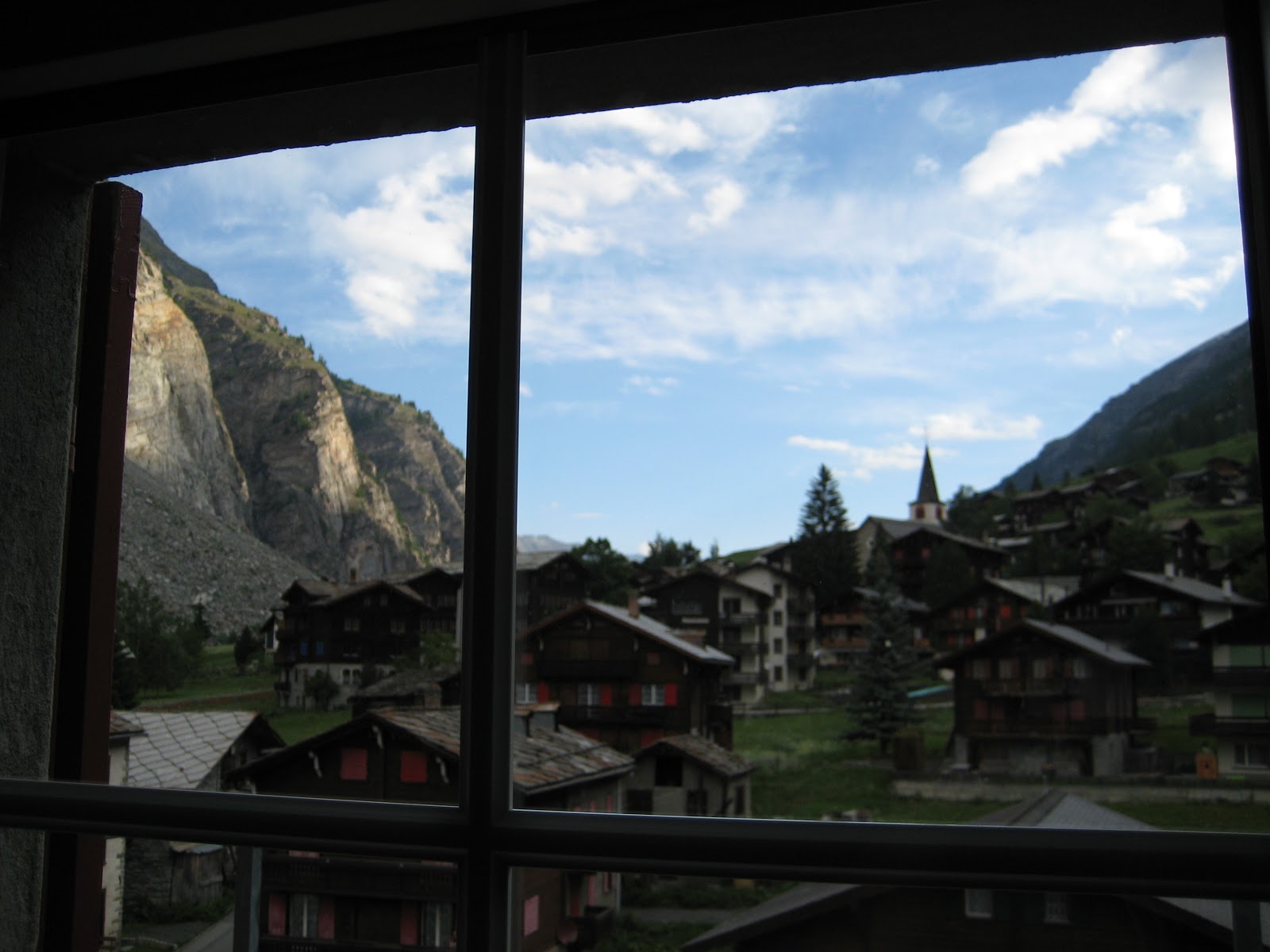
Part of that is the environment. In the middle of the mountains with not much around than the impressive nature of the Swiss Alps, you feel physically focused on what's important. Everybody is living in the same house for a week, eating, sleeping, and hacking. There are no distractions, there is a quietness which is inspiring.
Another part is the deep commitment of Mario, the organizer of the meeting. He puts in a lot of personal energy. He even dragged in his family and friends. He equipped the house with WLAN. During the meeting he tries hard to create the best possible environment for all the volunteers who come to Randa, so they can focus on creating free software and all what is around that.
With this in place, magic happens. KDE Frameworks 5 was started at Randa. The famous tier diagram was created there. One of the projects I have been working on, Inqlude, originated there. Sebas came up with the name, the idea was discussed and prototyped, and on the train home I wrote the first version of the web site, inspired and motivated by the energy from the meeting. Lots of other good stuff originated from Randa.

All this is only possible with the help of all of you. Many people put in their passion, energy, vacation, free time. But it also needs money to bring people together who otherwise couldn't afford it. You can help with a donation.
Are you a KDE user? Do you use KDE software for work or leisure? You can help the community to sustain the development of the software you use. You can give something back with a donation.
Are you a KDE contributor or have been one in the past? You have experienced what a difference meetings such as the one at Randa can make. Maybe you have met your employer or your employees at a KDE sprint. Maybe you started as a student in the KDE community and now have found your dream job as a software developer. You know what it means to learn and grow in the KDE community. You can help, you can give back, you can contribute with a donation.
Do you care about freedom? You want to be in control of your software and your privacy. You want to be able to study your software to see what it does, be able to change it and help others by giving them the changes as well. KDE is committed to this for more than 17 years now, to protect the freedom of users and contributors, and give access to great technology to everybody. Eva Galperin said in her Akademy keynote last year: "You are the developers. You are our last and only hope. Save us". That's what meetings such as Randa help to do. You can support it with a donation.
Please donate now.
GSoC Mid terms over, openSUSE Asia Summit to come soon..
Google Summer of Code 2014 reached its mid term last week and I am proud to announce that all of the students from openSUSE have successfully passed their mid term evaluations 
In other news, the openSUSE Project will be holding its first openSUSE Summit in mid-october. It is an exciting news, and anyone who is willing to contribute can do so.
On a personal front, the last 2 weeks have been very laid back and I need to improve on my management skills, lets see.
PS : Writing regular blog posts, is leading me to a place where I dont know what else can I share, maybe a few ideas can help.

BitTorrent Sync on openSUSE
Recently, I discovered BitTorrent Sync, which seems to satisfy most of my file syncing demands. It's encrypted client-side, cross-platform and works behind NATs and firewalls. While it is currently still proprietary (who cares, really), it is available for many devices. Besides the usual Windows / Mac binaries, you can find it on Android's Play Store. … Continue reading BitTorrent Sync on openSUSE

ownCloud Client 1.6.1
End of last week, we have released version 1.6.1 of the ownCloud Client, the desktop tool that does file syncing with your ownCloud. Read on the Desktop Client page how to get and install it.
The recommendation is to update your installation to this version. The previous version 1.6.0 had great new features, first and foremost the parallel up- and download of files and a way more performant handling of the local sync journal. That required a lot of code changes. Unfortunately that also brought in some bugs which are now fixed with the 1.6.1 release.
On the windows platforms, we experienced a memory leak that over time let the memory consumption of the client grow. Also, a problem in the Qt5 library that we ship for windows caused the problem that under some circumstances the wrong encryption lib was loaded, so that some people saw SSL problems on Windows.
And there were crashes. Users kept on reporting that the client was crashing after some time on windows, without a special reason. None of the developers was able to reproduce that or ever saw that. We asked for backtraces, which also can be produced on windows. Even though the backtraces looked similar, we did not find an obvious reason for the crashes. Finally, by reading through all involved code levels again and again, Olivier was able to spot some code in libneon that, again under special circumstances, could cause crashes on win.
It was a one line fix, we quickly built test packages, people tested, and finally the crashes were gone (the patch to libneon is on its way to upstream of course).
All that is now fixed in 1.6.1.
What does that show? There not very much little “easy” bug findings any more. That is similar to the soccer world championship, where the coaches keep telling that there are no “easy opponents” any more nowadays, which is also true. These tricky problems we face in the client are hard to find, require time, often special setups if they are reproduceable at all, and advanced debugging skills. Very challenging, very much fun. But that also requires very much patience from the people who suffer from that bugs. We keep on asking questions, ask to test new daily builds and need time to investigate stuff, and more time to release once we have the fix.
Thank you all for helping in this situation, not giving up, for again testing another daily build, reporting back, trying again. That is really big.

Post-Mortem Memory Analysis of Cold-Booted Android Devices
Although the IMF 2014 already took place over a month ago, it is still time to mention the publication which has been presented there:
Post-Mortem Memory Analysis of Cold-Booted Android Devices
Both the paper and the corresponding presentation slides are online (click links or see publications).
The paper was created in cooperation with the Department of Computer Science at the Friedrich-Alexander-University of Erlangen-Nuremberg. I herewith thank the other authors Christian Hilgers, Tilo Müller and Michael Spreitzenbarth. Especially for presenting the paper at the conference during my absence.