
 Member
 WolfiR
community powered long term support for openSUSE?
Just recently I found again that openSUSE is not really positioned for some usecases. In my personal case that is especially the usage as a web/mail/dns/etc server on hosted environments. IMHO it just doesn’t make sense to roll out a distribution which is supported for only 18 months to a hosted system with limited access to it. I still have been doing that with previous openSUSE releases but it’s so annoying that I really regret it. Also the possibility to zypper dup doesn’t really fix that issue for different reasons. Anyway this post is not about whining about that fact or to explain why I don’t like to update these type of systems remotely every <= 18 months.
A possible solution?
Sometime last year there was a discussion about options for something like an “openSLE” or “openSUSE LTS” distribution. There is an external page where some outcome was documented here. The dicussions stopped mainly because of health issues of the main initiator. There was done some planning and voting on the different options but no real results ever happened (as far as I know). So I’m trying to resurrect that topic a bit once again:
The amount of work related to such a project is the critical part and therefore my proposal is to try to start off with a “lightweight” approach.
This would be something like an openSUSE LTS version. That means that the community would take over (security) maintenance after Novell as main contributor drops it out of official maintenance after around 18 months. This will likely only work for a subset of packages which were delivered with the original distribution but the focus might be on server services anyway. Using the openSUSE release which also is the base for SLE could help us a bit as the work is done anyway (some of the Novell employees who are also openSUSE community members would hopefully help us here?). There are quite some details to work out still but it could be doable.
While I think we wouldn’t need a lot of people we at least need some and the more the better. We will bring that topic up again on opensuse-project@o.o as well. The main intention of this post is to get feedback if there is enough interest and contributors to do further planning. I’m very interested in hearing from you via comments, mailing lists or personal mail.
Bug days in openSUSE
The goal was to clear old bugs that refused to die for quite some time.
You can see what is done in the wiki article.
November 28th, evening by US Central Time:
- openSUSE 10.2: Start 40 bugs now we have 14 bugs left.
- openSUSE 10.3: Start 162 bugs now is 87 bugs left.
- openSUSE 11.0: Start 526 bugs now is 346 bugs left.
We started with 728 bugs and now we have 447, which is 281 bug lesser.
I hope that A. Naumov will repeat call for the next Bug Day right next weekend.

LinuxDay in Dornbirn, AT ... or an extraordinary day of success stories
We were demonstrating our software to potentially new users talked about upcoming awesome
features with more experienced users; we were selling some KDE merchandise articles and were giving a way a lot of openSUSE 11.3 CDs. Furthermore it was an excellent possibility to intensify the cooperation with other projects.

KDE EDU Applications
We showed and explanied KDE software to many visitors. The best feedback we got after presenting KDE EDU applications to a student was: "Hey, this way education really makes fun!"
We did at least one thing right. YES!!!

Linux4education
I meet Helmut and Matthias (from Austrian desktop4education and server4education project) at openSUSE conference in Nuremberg before. We got in contact there and discussed the brilliant stuff they are doing. Install a school server (based on openSUSE) with just two clicks (enter the IP address and the root password). The school server provides a LAMP server including authentication for all teachers and students (openLDAP), Fileserver (Samba), Webserver (incl. Joomla), Teaching tools (Moodle), etc. For the desktop I think you need about 4 questions to answer. The server could be accessed by Windows clients, too. The project is supported for (at least) the next 3 years by the department for education of Austria to distribute and teach their software at schools in Austria. This is really rocking cool!
At openSUSE conference we talked with Nuno about the KDE-Edu project in Portugal (special widgets and such stuff) and other possibilities the KDE Plasma Desktop provides. At the moment I saw them in Dornbirn today, they greeted my with the words "You don't have to convince us anymore. Our next release (coming out in December) will ship KDE."

LibreOffice and X2Go
It was also a great pleasure to talk to the LibreOffice crew to exchange some news and think about an intensified collaboration. X2Go is a open-source project providing remote access to other PCs and terminal services. Next to web-access a qt client provides access from the desktop. They are very interested in a cooperation, esp. together with OwnClowed to provided remote access to applications and data. X2Go is used by d4e mentioned above. This seems a great chance for the KDE and X2Go project to join forces and provide much better services than every project alone. Collaboration across borders rocks!

Work, live and learn with KDE software
At high noon I had the pleasure to giva a presentation about KDE software, esp. for in educational environment. Audience level: Beginners (so I was told at least). So my talk was aiming for beginners. To make sure I asked at the beginning. About 95% were using Linux and knew KDE software. I decided to change my talk. I only showed a view slides and did a mixture of live demo of cool features and questions & answers. I think it went quit well.
The day ended with the traditional "Kässpätzle" in a beautiful restaurant in the town. The event was professionally organized and I will be going next year, too.

Thanks to the organizers, the other projects, and especially Myriam, Mark and Christoph for the fun we had. I hope to see you soon again.
updated permissions handling in 11.4
In addition to supporting file system capabilities (fate#307254) I’ve also updated the permissions handling in 11.4 slightly.
There have been complaints that every SuSEconfig run also calls SuSEconfig.permissions which leads to changed file permissions at unexpected times. Therefore I’ve modified SuSEconfig.permissions to only actually set permissions when called explicitly (ie SuSEconfig –module permissions). When called by a generic SuSEconfig run SuSEconfig.permissions now only shows files with wrong permissions but doesn’t actually fix them anymore.
Since packages that have files with special permission handling do call SuSEconfig.permissions explicitly via %run_permissions in %post the change above alone isn’t sufficient to avoid surprises. Therefore I’ve introduced the new macro %set_permissions. This macro expects file names as arguments. Only permissions of those files are adjusted then. To notify packagers of that new method an rpmlint check now issues an informal message if %run_permissions is used.

Please note…
I’m going on parental leave from December 14th to February 13th, 2011. My son was born in January and now it’s my time to help a bit more out at home. My wife has many plans for me and I have some myself as well including changing diapers, some work at the house, celebrating christmas, showing off our kids to their grandparents, aunts and uncles, getting my son settled in the daycare, building a snow man…
I hope some days of vacation will be in there as well so that I can be refreshed again when I return back to the Novell office to continue working for openSUSE.
Right now, I try to find some people that take over some of my responsibilities.
I will take care that everything I do which is important will be handled during the time, e.g. even better reaction to PromoDVD shipping – and silently hope that after the parental everything works far better without me than right now 
So, you all have a short break from me. I don’t know how much time I’ll spend online but I know I will not be in the office and don’t want to be fully engaged during my leave. I’m looking forward to both
the parental leave and also to return – and will read regularly the openSUSE planet to see what’s happening!
During my absence, Jacqueline Junghanns will take over and handle most of my responsibilities. Some of you might know Jacqueline from the openSUSE conferences which she helped to organize. I hand over the virtual mikrophone to Jacqueline to introduce herself:
Jacqueline
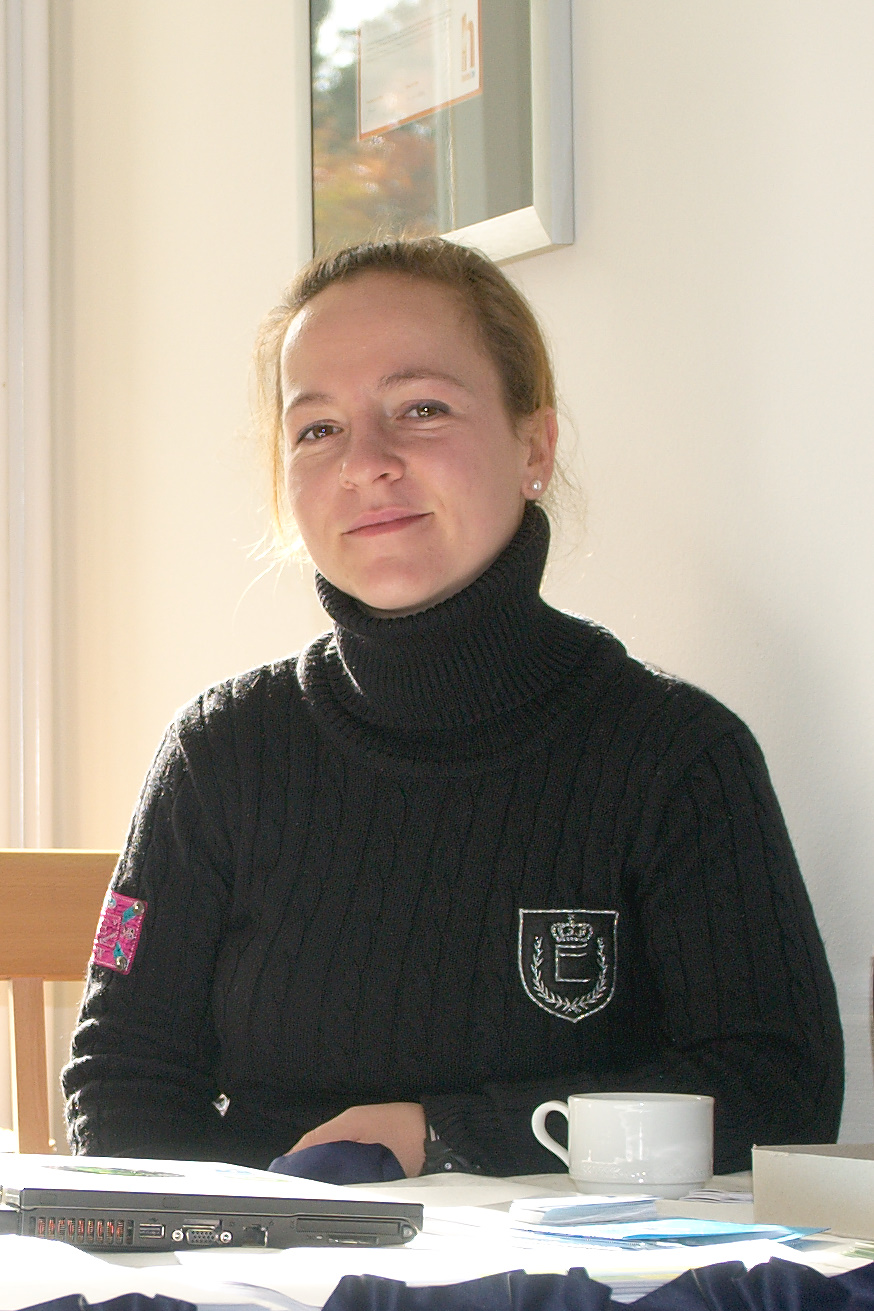
Jacqueline
“Hi, my name is Jacqueline Junghanns and I can say that I am a SUSE dinosaur as I had my ten year anniversary just a couple of weeks ago and I do not plan to extinct any time soon ;). I am very much looking forward to dive into the openSUSE project because I already got the chance to help out “backstage” and I am glad about this new opportunity. During my ten years I gathered experience in various areas such as hardware certification and right now as a team assistant for OPS.”
Sending of PromoDVDs
One thing I have handled in the past, is sending out of PromoDVDs and other promotional material for events. We do have a good stock of openSUSE 11.3 DVDs available and happily send them out for events. Please start using the address promodvds@opensuse.org to request them – and right now Jacqueline and myself will answer, later only Jacqueline.
LibreOffice 3.3 beta3 available for openSUSE
I’m happy to announce LibreOffice 3.3 beta3 packages for openSUSE. They are available in the Build Service LibreOffice:Unstable project. They are based on the libreoffice-3.2.99.3 release. Please, look for more details about the openSUSE LibreOffice build on the wiki page.
The packages are beta versions and might include even serious bugs. Therefore they are not intended for data-critical usage. A good practice is to archive any important data before an use, …
As usual, we kindly ask any interested beta testers to try the package and report bugs. The product LibreOffice should appear in the Novell bugzilla soon. In the meantime, please, use the OpenOffice.org product.
Known bugs
- shell wrappers are still ooffice, oowriter, …; we need to discuss the new wrapper names with other distros first
- extensions are not registered after the update from OpenOffice_org-* packages; a workaround is to reinstall the packages once again; We plan to remove the registration during installation; it will allow users to disable the extensions by themselves
- some packages were not renamed, .e.g. OpenOffice_org-thesaurus, …; they are not built from the main LO sources; we will do it later
- user configuration is stored into ~/.libreoffice/3-suse; we might try to share the directory ~/.libreoffice/3 after we fix the incompatible BerkleyDB; Well, we are not sure if it is enough and it is a good idea, so it will need some more testing
- GNOME quickstarter is started by default; you might disable it in Tools/Options/OpenOffice.org/Memory/Enable systray Quickstarter
- SLED10 build is not available; need more love
More known bugs
Other information and plans:
I am sorry if you had troubles with the LibreOffice:Unstable repository last week. It was sometimes inconsistent because I forgot to disable publishing before I fixed build of all packages. Everything should be fine now.
I have done another rebuild over the weekend that finally enabled non-English localizations.
The next build should be available within two weeks. It is still a bit unclear whether it would be another beta or the first release candidate.
BugDay
At the last openSUSE project meeting and after the discussion about “zombie” bugs on the opensuse-project mailing list, a small team of volunteers agreed to organize a Bug Day on Saturday, November 27th. What is a Bug Day? This is a day when many people from the community help to triage bugs in Bugzilla. It is a good and easy way to get involved in the openSUSE project!
Here is what you need to participate:
– a recent version of openSUSE (11.3 or a milestone of 11.4). It’s okay to run openSUSE in a virtual machine.
– an IRC client to interact with the other participants
– good mood 
A small team will organize the event by providing lists of bugs, and will be available to guide new contributors if needed. So it will be easy to help!
For this specific Bug Day, we will focus on the “zombie” bug reports: those are reports against old versions of openSUSE (openSUSE 10.x and 11.0). As some reports might still be valid, we don’t want to close all of them automatically. We will therefore check all those reports to see if they are still valid in the latest version of openSUSE (11.3 or a milestone of 11.4). The goal is to close those bug reports if possible, or, if they are still valid, to move them to a current version of openSUSE so that they’re not lost in limbo. So during a full day, people come on irc and help each other triage bugs.
Please note that this is only for openSUSE bugs (living in bugzilla.novell.com), but a solution for some bugs might be to forward them upstream.
Come on #opensuse-bug (freenode) on a Saturday 27.11.2010, we’ll be glad to have you join the fun!

Just a small story about my ambassador life
Well, i know that i haven’t be so active in the last months here in lizards or the OWN but that doesn’t mean that i stop my ambassador work, and here is a small story about what i do to integrate the spread of the openSUSE word in my work.
After a really bad month for the economic point of view, i had to refocus all the goals of my company to jump out the hole where i fall thanks to the changes in the economy of my country (Venezuela), so i came out with the idea of give on-line courses about system security, hacking, pen-testing and that kind of stuff, including the usual Web Dev, Sys Admin courses.
I give a lot of conferences of Hacking and System Security around this year in various events, and taking advantage of that give some publicity to the courses, but of course including something: Our Beloved Geeko. 
In the courses I teach using openSUSE, and have turned a lot of people that doesn’t even had a clue of what its linux, to be a totally Geeko Lovers, to the point that they speak about “The green side of the force”.
In all my conferences always appear the words: “openSUSE its the best option for newbies and advanced users”, “You wanna try Linux, well the best option i can give its openSUSE”, I am a proudly member/ambassador of the openSUSE Community”.
Subliminal, directly, any way i just point people to use and love the Geeko!
I hope to be more active around here in the next weeks when all the events and congress are done.
Cheers people! There are always some ways to Spread the word of the Geeko!
Status Hungarian openSUSE Documentation
As I wrote last time, I’ve migrated our documentation to a public SVN server on BerliOS. There you can get the English sources of the official openSUSE documentation and some business products too.
Apart from Russian, I’m very happy that the Hungarian translation of the openSUSE documentation is underway! Thanks to Kálmán Kéménczy, he will publish the Hungarian documentation soon. Currently, some translatation, proofreading, and polishing have to be done, so stay tuned (see https://svn.berlios.de/svnroot/repos/opensuse-doc/trunk/documents/distribution/hu.)
By the way, the Hungarian books from the 11.1 and 11.2 release can be downloaded in the Hungarian portal.
If someone from the Hungarian community wants to help, please support Kálmán and contact him for futher details.
Thanks Kálmán, for your ongoing work! I’m sure, everybody appreciates your work, be it in the past, present, or future.
