
 Member
 AJaeger
Please note…
I’m going on parental leave from December 14th to February 13th, 2011. My son was born in January and now it’s my time to help a bit more out at home. My wife has many plans for me and I have some myself as well including changing diapers, some work at the house, celebrating christmas, showing off our kids to their grandparents, aunts and uncles, getting my son settled in the daycare, building a snow man…
I hope some days of vacation will be in there as well so that I can be refreshed again when I return back to the Novell office to continue working for openSUSE.
Right now, I try to find some people that take over some of my responsibilities.
I will take care that everything I do which is important will be handled during the time, e.g. even better reaction to PromoDVD shipping – and silently hope that after the parental everything works far better without me than right now 
So, you all have a short break from me. I don’t know how much time I’ll spend online but I know I will not be in the office and don’t want to be fully engaged during my leave. I’m looking forward to both
the parental leave and also to return – and will read regularly the openSUSE planet to see what’s happening!
During my absence, Jacqueline Junghanns will take over and handle most of my responsibilities. Some of you might know Jacqueline from the openSUSE conferences which she helped to organize. I hand over the virtual mikrophone to Jacqueline to introduce herself:
Jacqueline
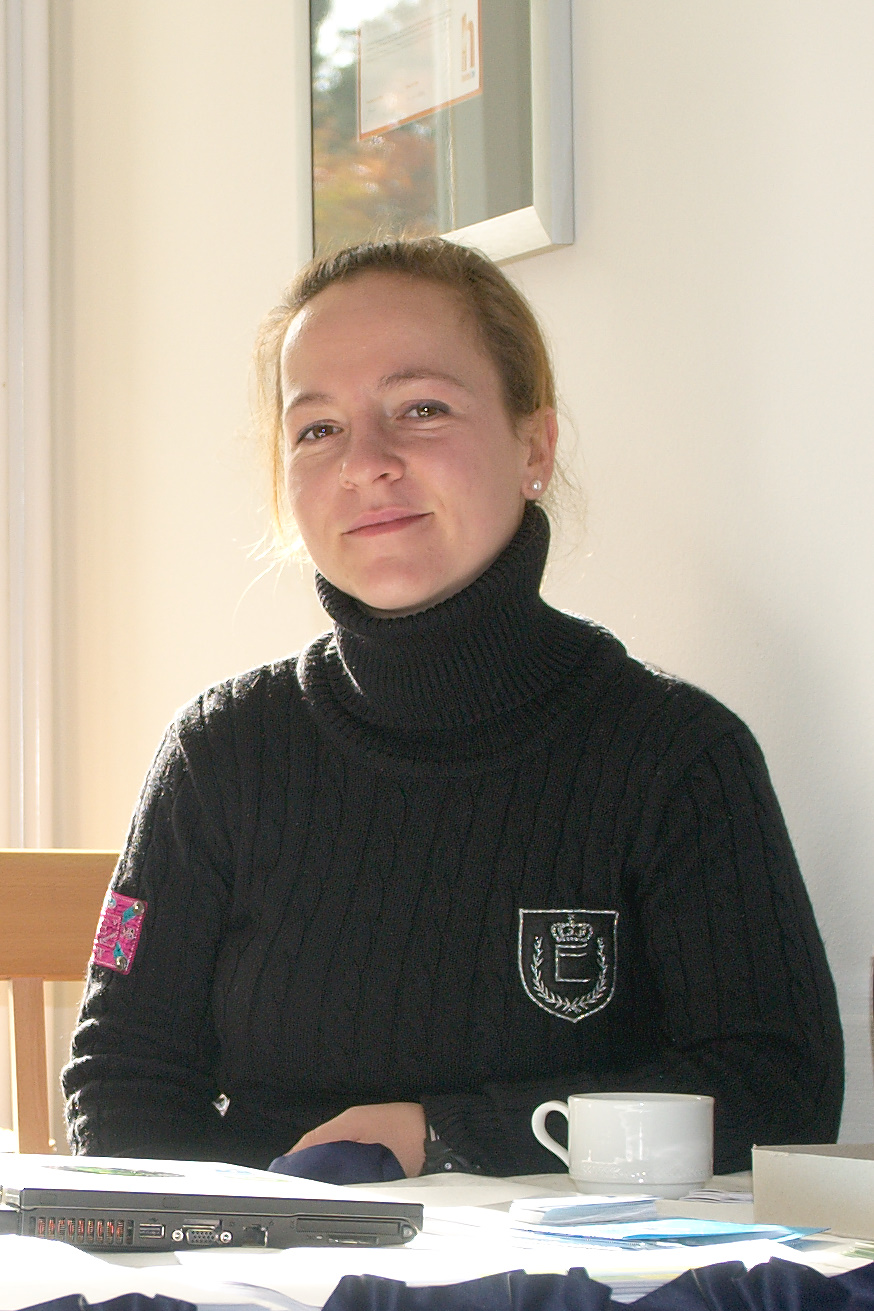
Jacqueline
“Hi, my name is Jacqueline Junghanns and I can say that I am a SUSE dinosaur as I had my ten year anniversary just a couple of weeks ago and I do not plan to extinct any time soon ;). I am very much looking forward to dive into the openSUSE project because I already got the chance to help out “backstage” and I am glad about this new opportunity. During my ten years I gathered experience in various areas such as hardware certification and right now as a team assistant for OPS.”
Sending of PromoDVDs
One thing I have handled in the past, is sending out of PromoDVDs and other promotional material for events. We do have a good stock of openSUSE 11.3 DVDs available and happily send them out for events. Please start using the address promodvds@opensuse.org to request them – and right now Jacqueline and myself will answer, later only Jacqueline.

LibreOffice 3.3 beta3 available for openSUSE
I’m happy to announce LibreOffice 3.3 beta3 packages for openSUSE. They are available in the Build Service LibreOffice:Unstable project. They are based on the libreoffice-3.2.99.3 release. Please, look for more details about the openSUSE LibreOffice build on the wiki page.
The packages are beta versions and might include even serious bugs. Therefore they are not intended for data-critical usage. A good practice is to archive any important data before an use, …
As usual, we kindly ask any interested beta testers to try the package and report bugs. The product LibreOffice should appear in the Novell bugzilla soon. In the meantime, please, use the OpenOffice.org product.
Known bugs
- shell wrappers are still ooffice, oowriter, …; we need to discuss the new wrapper names with other distros first
- extensions are not registered after the update from OpenOffice_org-* packages; a workaround is to reinstall the packages once again; We plan to remove the registration during installation; it will allow users to disable the extensions by themselves
- some packages were not renamed, .e.g. OpenOffice_org-thesaurus, …; they are not built from the main LO sources; we will do it later
- user configuration is stored into ~/.libreoffice/3-suse; we might try to share the directory ~/.libreoffice/3 after we fix the incompatible BerkleyDB; Well, we are not sure if it is enough and it is a good idea, so it will need some more testing
- GNOME quickstarter is started by default; you might disable it in Tools/Options/OpenOffice.org/Memory/Enable systray Quickstarter
- SLED10 build is not available; need more love
More known bugs
Other information and plans:
I am sorry if you had troubles with the LibreOffice:Unstable repository last week. It was sometimes inconsistent because I forgot to disable publishing before I fixed build of all packages. Everything should be fine now.
I have done another rebuild over the weekend that finally enabled non-English localizations.
The next build should be available within two weeks. It is still a bit unclear whether it would be another beta or the first release candidate.
BugDay
At the last openSUSE project meeting and after the discussion about “zombie” bugs on the opensuse-project mailing list, a small team of volunteers agreed to organize a Bug Day on Saturday, November 27th. What is a Bug Day? This is a day when many people from the community help to triage bugs in Bugzilla. It is a good and easy way to get involved in the openSUSE project!
Here is what you need to participate:
– a recent version of openSUSE (11.3 or a milestone of 11.4). It’s okay to run openSUSE in a virtual machine.
– an IRC client to interact with the other participants
– good mood 
A small team will organize the event by providing lists of bugs, and will be available to guide new contributors if needed. So it will be easy to help!
For this specific Bug Day, we will focus on the “zombie” bug reports: those are reports against old versions of openSUSE (openSUSE 10.x and 11.0). As some reports might still be valid, we don’t want to close all of them automatically. We will therefore check all those reports to see if they are still valid in the latest version of openSUSE (11.3 or a milestone of 11.4). The goal is to close those bug reports if possible, or, if they are still valid, to move them to a current version of openSUSE so that they’re not lost in limbo. So during a full day, people come on irc and help each other triage bugs.
Please note that this is only for openSUSE bugs (living in bugzilla.novell.com), but a solution for some bugs might be to forward them upstream.
Come on #opensuse-bug (freenode) on a Saturday 27.11.2010, we’ll be glad to have you join the fun!

Just a small story about my ambassador life
Well, i know that i haven’t be so active in the last months here in lizards or the OWN but that doesn’t mean that i stop my ambassador work, and here is a small story about what i do to integrate the spread of the openSUSE word in my work.
After a really bad month for the economic point of view, i had to refocus all the goals of my company to jump out the hole where i fall thanks to the changes in the economy of my country (Venezuela), so i came out with the idea of give on-line courses about system security, hacking, pen-testing and that kind of stuff, including the usual Web Dev, Sys Admin courses.
I give a lot of conferences of Hacking and System Security around this year in various events, and taking advantage of that give some publicity to the courses, but of course including something: Our Beloved Geeko. 
In the courses I teach using openSUSE, and have turned a lot of people that doesn’t even had a clue of what its linux, to be a totally Geeko Lovers, to the point that they speak about “The green side of the force”.
In all my conferences always appear the words: “openSUSE its the best option for newbies and advanced users”, “You wanna try Linux, well the best option i can give its openSUSE”, I am a proudly member/ambassador of the openSUSE Community”.
Subliminal, directly, any way i just point people to use and love the Geeko!
I hope to be more active around here in the next weeks when all the events and congress are done.
Cheers people! There are always some ways to Spread the word of the Geeko!
Status Hungarian openSUSE Documentation
As I wrote last time, I’ve migrated our documentation to a public SVN server on BerliOS. There you can get the English sources of the official openSUSE documentation and some business products too.
Apart from Russian, I’m very happy that the Hungarian translation of the openSUSE documentation is underway! Thanks to Kálmán Kéménczy, he will publish the Hungarian documentation soon. Currently, some translatation, proofreading, and polishing have to be done, so stay tuned (see https://svn.berlios.de/svnroot/repos/opensuse-doc/trunk/documents/distribution/hu.)
By the way, the Hungarian books from the 11.1 and 11.2 release can be downloaded in the Hungarian portal.
If someone from the Hungarian community wants to help, please support Kálmán and contact him for futher details.
Thanks Kálmán, for your ongoing work! I’m sure, everybody appreciates your work, be it in the past, present, or future.

A Galaxy In My Pocket

dbus-dump
dbus-dump is a tool to capture D-Bus messages in a libpcap capture file.
It takes an idea from dbus-scrape, which processes a strace output of dbus-monitor, and takes it further by stracing dbus-daemon, thus not relying on any eavesdropping (mis)configuration.
The intended purpose is to establish the libpcap capture format as a base for debugging tools like
- dbus-monitor
- DBusMessageBox
- Bustle
- dbus-spy
Thanks to Will Thompson for mentioning the pcap idea.
Usage
$ sudo strace -p `pgrep -f 'dbus-daemon --system'` \
    -s 3000 -ttt -xx -o foo.strace
$ ./dbus-dump foo.strace foo.pcap
$ ./dbus-pcap-parse foo.pcap
Tue Nov 16 12:56:47 +0100 2010 #<DBus::Message:0xb741f340
 @body_length=0,
 @destination="fi.epitest.hostap.WPASupplicant",
 @error_name=nil,
 @flags=0,
 @interface="fi.epitest.hostap.WPASupplicant.Interface",
 @member="scan",
 @message_type=1,
 @params=[],
 @path="/fi/epitest/hostap/WPASupplicant/Interfaces/180",
 @protocol=1,
 @reply_serial=nil,
 @sender=":1.7132",
 @serial=88639,
 @signature="">
Tue Nov 16 12:56:47 +0100 2010 #<DBus::Message:0xb741b060
 @body_length=4,
 @destination=":1.7132",
[...]>
Dependencies
It is written in Ruby. The pcap format is handled by a small bundled module. dbus-dump has no other dependencies. dbus-pcap-parse uses ruby-dbus.
Bugs
This is an early proof-of-concept release, serving to introduce the libpcap format.
The main problem of dbus-dump is duplicating the messages, seeing them both when the daemon receives them and when it sends them (multiple times, for the signals).
The other tools haven't caught up yet:
$ /usr/sbin/tcpdump -r foo.pcap
reading from file foo.pcap, link-type 231
tcpdump: unknown data link type 231

/me is leaving
Moin,
after 7 years with SUSE and Novell I’ve chosen to change something in my life – and decided to accept a new job and will lay down my duties in the openSUSE project. I’ve been with the openSUSE project already prior to its launch in August 2005 and experienced a number of highs and lows. Overall the project has been shaping up nicely, we reached a lot of our goals and the just passed openSUSE conference reflects this pretty well in my opinion.
Just to stop any rumours – I leave Novell because I found a new job in the trade show management area close to Nuremberg. Trade show management is where my expertise is and where I worked prior to coming to openSUSE. While I enjoyed the work at openSUSE, organizing the openSUSE conference meant doing what I really love and my new job will give me many more conferences and trade shows to plan and organise. As I will leave Novell before the end of December the project needs a new openSUSE chairman who should serve until the openSUSE foundation is created.
Best wishes to the openSUSE project and the people behind it. I had a lot of fun over the past 7 years, met numerous outstanding people and learned a lot which will help me in my future life.
Best
Michael
ruby-dbus 0.5.0 is a Gem with Errors
The main feature is a better binding of Ruby Exceptions to D-Bus Errors. See below for an excerpt of the documentation.
Perhaps more importantly, the library is now primarily packaged as a RubyGem (Issue#6). Also I converted the tutorial from Webgen to Markdown.
Bug fixes:
- Don't pass file descriptors to subprocesses, they would not let go of the service name.
- Fixed InterfaceElement::validate_name (Ticket#38, by Herwin Weststrate).
- Fixed a typo in InvalidDestinationName description (Ticket#40).
Errors
D-Bus calls can reply with an error instead of a return value. An error is translated to a Ruby exception.begin
network_manager.sleep
rescue DBus::Error => e
puts e unless e.name == "org.freedesktop.NetworkManager.AlreadyAsleepOrAwake"
end
Replying with an error
To reply to a dbus_method with a D-Bus error, raise aDBus::Error,
as constructed by the error convenience function:raise DBus.error("org.example.Error.SeatOccupied"), "Seat #{seat} is occupied"
org.freedesktop.DBus.Error.Failed is used.raise DBus.error, "Seat #{seat} is occupied"
raise DBus.error
GNOME handling of GIMP funds: FAIL
Occasionally a consensus of GIMP developers then decides to spend some of these funds on various purposes that benefit the project. Like reimbursing travel expenses to GIMP meetings, which in recent years have been held in conjunction with the Libre Graphics Meeting.
But... it has been very slow getting the reimbursements paid this year. The necessary details (account numbers and amounts) was collected and provided to relevant people in the GNOME Foundation quite quickly after LGM, already during Summer. The information was sent, as requested, in a spreadsheet, with all invoices. But nothing happens. One can't help but wonder, what is going on?
The flight and accommodation expenses represent a significant amount of money to many of us who travelled to Brussels this year. How can we in the future convince people to come to the meeting if we have no idea if getting the travel expenses reimbursed will take months or years? Next year's LGM will be in Montréal, much further away for us Europeans, and thus with more expensive flights.