
 metalgod
Everything has an end
This is a special birthday for me because i feel my life changing constantly (which is awesome). I finished my degree in Physics Engineering last month and in 3 weeks i will deliver my masters thesis in Physics Engineering too, before the end of the year i will do the final presentation and get the masters degree. This is taking me lot's of time, so no time for contributing for GNOME and other projects (sorry last year will be better i hope).
So for now, you can see some news from me on twitter or facebook (yes i ended up being a facebook addict mostly to get some fun around with my friends)
PS: Gwibber developers, please fix 100% CPU bug that is preventing me from running gwibber all the time
kthxbye :)

 Member
openSUSE Conference 2009 Impressions
I gave "Libyui - three interfaces for the price of one code" talk and received some valuable feedback (on the conference and later too, as I reiterated the talk for SUSE Prague employees) on making the library even better - how to improve packaging (from Pavol and Martin) and how to modify event handling (from Reinhard). As evaluating myself and the things I do objectively has never been my strength (which means, in other words, that I really suck at it), I'll deliberately not say anything more on topic :) ;) Enjoy libyui slides
Software portal in new costume
I was really looking forward to Benji and Pascal's talk on Software portal as I'm YaST webpin frontend maintainer (which is, contrary to some beliefs, not a beta version anymore - it has its own package and also a brand new chapter in openSUSE 11.2 docu :) ) They introduced concept and architecture of new improved software portal and also described some issues they face. Too many package repositories, lot of package duplication and lack of concise rating system were among the most prominent ones. I was also happy to learn that susetags repo parsing and indexing is on the way, so soon also Factory will be webpin-searchable.
Cute (Qt) community
I couldn't have missed Alexandra Leisse's presentation on Qt community and contributions as it's always delighting to find some of one's own species among tech conference speakers and not to be the only one standing out in the crowd.Alexandra is web community manager and we learned that even though uploading videos to youtube, tweeting and feeding news to Facebook looks like funny job, it can be hell of a hard work :) She explained how they manage public relations with wannabe developers (in a sense of well accessible developer documentation, contribution how-to, tutorial and feature videos etc.), which ways they took in opening up the code to public (their cooperation with gitorious.org was especially interesting bit) and how they handle community contributions and code reviews. She also described some of the problems they had to tackle.
opensuse.org in the eyes of eye-tracking device
With software usability being my area of interest, I decided to pick one of unconference tracks led by SUSE's usability expert Sigi Olschner. I've never seen usage of eye-tracking device in practice, so I was really curious what feedback it can provide to user interface designer (oddly enough, I couldn't be the guinea pig myself, as I wear contact lenses and the device just failed to calibrate my pupils with lenses on :) ). As sophisticated as eye-tracker is, it can record eye movement, mouse pointer movement and keyboard focus movement and later present data in various forms - such as heat maps, or "movies" (where one can replay the sequence of how user moved the mouse and where s/he looked during the test). Test tasks this time were really simple. "Go to openSUSE forums and try to find some information on driver for Radeon gfx card" and "Go to openSUSE wiki and find out the date of 11.2 GoldMaster release".
Weeeell ... one does not need an expensive device to find out how much opensuse.org (in a sense - "anything on opensuse.org beyond the title page") sucks^W improvement would be needed and how cumbersome it is to find what you're looking for in there (you're far better off googling for "$searchphrase site:opensuse.org"). But seeing the final video of an attempt to find openSUSE 11.2 GM release date, with user's eye focus running chaotically up and down on the page in combination with mouse pointer zig-zag track revealed opensuse.org's bad usability in its essence (at the end, he was unable to find the date at all - from the title page he correctly navigated to the page announcing milestone7, but couldn't spot the link to full release schedule at its very bottom).
Suggestion: could Pascal's next release countdown applet be moved to some more prominent place e.g. to the opensuse.org title page?
Moreover, in the light of previous talk on Qt community I surfed on Qt community pages later at home and their proffesional appearance, easily accesible information and intuitive navigation were really in sharp contrast with our pages. I wonder how many more users would improved navigation and look&feel of opensuse.org (wiki and forums) win us ...
A movie with package dependencies as main stars
Everyone knows package dependency browser in YaST Qt package manager. So I was rather curious what more on visualizing package dependencies Klaus Kaempf has to show. And that was really something. More sophisticated 2D graph, 3D graph and even a movie, visualizing how GNOME basesystem is being installed and how packages are gradually pulled in (as it really looked like a star galaxy, we can say that GNOME packages were the main stars of the talk :)). Klaus however left ideas where to use package dependencies visualizations up to the audience and at the end of the brainstorming, there were quite some useful proposals. I really liked one of the build service integration ideas, where I could view which packages block the build of my package when I see its status as "blocked".
.... and that's all, folks. I had to leave early on Saturday. But not early enough to miss out lunch, which was really excellent. Praise goes to conference catering.

Banshee 1.5.1
 As ever, you can manually add, remove, and reorder songs in the Play Queue — even while in Auto DJ mode.
Alexander, the mastermind behind this new feature, wrote more about the Auto DJ on his blog.
More Info
Other notable new features include keeping the playing song visible, showing tooltips for ellipsized text in the main grid view, and support for WebOS and Samsung Galaxy devices.
There were over 130 bugs fixed and 20 other enhancements added since 1.5.0. Read about them on the release notes. Visit our download page to try it out!
As ever, you can manually add, remove, and reorder songs in the Play Queue — even while in Auto DJ mode.
Alexander, the mastermind behind this new feature, wrote more about the Auto DJ on his blog.
More Info
Other notable new features include keeping the playing song visible, showing tooltips for ellipsized text in the main grid view, and support for WebOS and Samsung Galaxy devices.
There were over 130 bugs fixed and 20 other enhancements added since 1.5.0. Read about them on the release notes. Visit our download page to try it out!
The Easiest Way How to Modify Installation System
 Sometimes, there is a need to check some patch in the installation system. Of course, we have an article that describe how to Create a Modified Installation System but this one takes a lot of time to prepare, you need a remote server and several things can break.
You can also use Driver Update, but that expects you are able to build RPM with the changes you want to test.
Here you can see the simplest way...
Starting-Up
Start installation from media by adding startshell=1 to the Linuxrc commandline. This will make installation open a shell window before starting YaST/Installer.
You can also boot directly to the installation without adding startshell=1 to the command line but it that case you can't change files that are loaded when the installer starts. Your choice :)
Preparing Installation System
By default, the installation system is read-only but we can cheat it ;)! Let's assume we want to change some YaST script in /usr/share/YaST/clients/ directory in this example.
# The only writable directory is /tmp (and /var...)
cd /tmp
# Copy all clients to /tmp
mkdir clients
cp -ar /usr/share/YaST/clients/* /tmp/clients/
# Bind the writable directory to the original location
mount --bind /tmp/clients /usr/share/YaST/clients
Now you can edit, extend, remove, compile ... etc. the writable clients directory. Hint: If you want to start network (and your network supports DHCP) to copy the patched sources using network, just simply enter dhcpcd eth0 (or similarly according to your current setup).
And ... that's all folks!
Continuing with the Installation
If you have used startshell=1, just simply enter exit command or press Ctrl+d.
Climate change endangers quality of beer
It will mean either there will be pubs without beer, or the cost of beer will go up.
If that sentence doesn't sharpen the focus on the climate change debate, frankly, I don't know what will."
http://www.guardian.co.uk/environment/blog/2009/sep/16/climate-change-beer-quality
(Yes, dear planet reader, this is opensuse-related ;-) )
The Secret About Amazon's API it Doesn't Want Distributed
a private key...is for your personal use only and you must maintain its secrecy and security.Others have written about how the PAA license agreement bars its usage on mobile devices. But in fact, it bars it from any client-side software on any device. Or at least from software you want to distribute. You can work around this by hosting a server to sign requests for your users, keeping your Private Key private. But anybody could use your service, pretending to be your client software if necessary. And you could wind up signing requests for half the Internet. The signing requirement benefits nobody. It impedes developers, turning them off from creating applications to serve users and send customers Amazon's way. Amazon should acknowledge its mistake with this policy and reverse it. Thanks to James Vasile for reading drafts of this.

radeonhd 1.3.0 released
You may think that a release "cycle" of 6 months is... not that much. However, as most open source projects radeonhd is pretty much understaffed. Together with lots of additional work on Novell's side (which of course reduces the amount of time Egbert and I can spend on radeonhd) it took us a while to finally find some time for polishing. Because 2D acceleration is active by default now on (almost) all chipsets, we were seeing more regressions than usual.
Never mind, you're probably more interested about the new release. These are the main changes:
- Added support for RV740, M92, M93, M97.
- Added more support for HDMI audio, XVideo color spaces, backlight control.
- Added support for power management.
- 2D acceleration (EXA) is enabled by default now, except on RV740.
- Tons of bug fixes (AtomBIOS, Cursor, DDC, EXA, LUT, MC, Quirks, RandR).

Qt 4.6 preview packages available for openSUSE
Since today is the big day when KDE trunk starts to depend on Qt 4.6, Raymond Wooninck (tittiatcoke), community packaging hero, has worked to provide packages of the unreleased Qt 4.6 in the openSUSE Build Service.
If you want to develop KDE trunk without the hassle of compiling Qt, you can use these packages (openSUSE 11.1). We'll be updating them every week to stay current as Qt 4.6 nears release. Please keep in mind that we're not responsible if you install them and your system KDE packages and anything else that depends on Qt stops working (although we will help you put things right, and the trolls will probably want to know about binary-incompatibility problmems) and when 4.6 is released, it will move into the KDE:Qt repo.
Making technology Previews succeed – OSC 09 Unconference session notes
I did an Unconference at openSUSE Conference 2009 titled: Roads Less Travelled – Making Technology Previews succeed“. More number of people than I had expected participated in the unconference session. I wanted to make the discussion notes (rough) available to a wider audience so that we could act on some of those:
Often Technology Previews are not solving their purpose. The objective of this session was to discuss, find out how we could get better feedback on Technology Previews and make them better.
The discussion is focused primarily on these areas:
- Advertise the feature through proper channels, places
- Make it easy enough for users to try out and provide feedback
- Make it less risk-prone
- What stops users from trying out?
- Provide better documentation?
Key discussion points, suggestions:
- Announcement in opensuse.org main page/wiki could grab the attention of community members who could help test Technology Previews.
- Reduce hassles in providing feedback. For e.g Perhaps facility without authentication/Single-signon?
- Easy ways/methods to provide feedback/input
- Bug/Issue reporting made easy, command line tools?
- Text area to provide feedback (as opposed a authentication based system).
- Create a dedicated page for preview for e.g. previews.opensuse.org
- irc channel for previews? (Discussion on all TPs, User testing one TP might get interested in another)
- Announcement in openSUSE Weekly news could help
- More Blogs, Articles, Whitepapers etc.. (blog entries should have provision for giving comments)
- Perhaps, try to get some help from documentation team?
- Provide instructions, mechanisms to safely try out without breaking things.
- Additional information about new technology while the community tries to use the old technology For e.g. while a user tries to do nfsv3 mount providing an informational message that NFSv4 is available and can be used
- Suggest using a VM
- Caution about what might break and what might not (Make community feel less riskier to try out).
Please feel free to comment on what might work and if you have any more suggestion.
The short presentation I used to introduce the topic can be found here: http://files.opensuse.org/opensuse/en/d/de/Roads_Less_Travelled.pdf

Tomboy 1.2 Planning Meeting Today
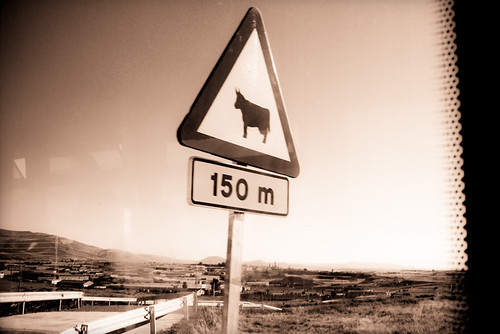 "Cows are plentiful in Segovia?", Copyright Ellery Armstrong, Milk Teeth Photography, Used With Permission
In one hour (12:30 US Pacific time, 19:30 UTC), we'll be holding our cycle-ly planning meeting to make some plans for the next Tomboy release.
If you want to comment, listen, volunteer, or heckle, please join us in #tomboy on GIMPNet.
Oh, by the way, if you've been wanting to follow Tomboy updates on Twitter but you find me way to garrulous, you can now follow @tomboy for some peace of mind. We have @tomboy on identi.ca, too.