

Installation of NVIDIA drivers on openSUSE and SLE (G07)
Important
This blogpost explains how to install new G07 NVIDIA drivers. It is temporarily available as long as the content of the current blogpost for installation of G06 NVIDIA drivers is still needed.
We’re currently in the release process of G07 NVIDIA driver packages.
At that moment this blogpost can be used for the following openSUSE and SLE products:
-
Leap 15.6/SLE 15 SP6 -
Leap 16.0/SLE 16 openSUSE Tumbleweed
For the following openSUSE and SLE products you still need to use the current blogpost for installation of G06 NVIDIA drivers:
SLE 15 SP7
Both lists above are updated when G07 NVIDIA driver packages are becoming available for the appropriate products.
Let’s begin
This blogpost covers only installation of G07 drivers, i.e. drivers for GPUs >= Turing, i.e.
-
Turing and higher (
OpenKernel driver)
Check with inxi -aG on openSUSE Leap/Tumbleweed if you have such a GPU. Use hwinfo --gfxcard on SLE. Use G04/G05/G06 legacy drivers (Proprietary drivers) for older NVIDIA GPUs.
There are two different ways to install NVIDIA drivers. Either use GFX Repository or use CUDA Repository.
GFX Repository
First add the repository if it has not been added yet. On openSUSE Leap/Tumbleweed and SLE 15 Desktop and SLE 15 Workstation Extension it is being added by default. So check first, if it has already been added.
# openSUSE Leap/Tumbleweed
zypper repos -u | grep https://download.nvidia.com/opensuse/
# SLE
zypper repos -u | grep https://download.nvidia.com/suse
Verify that the repository is enabled. If the output was empty add the repository now:
# Leap 15.6
zypper addrepo https://download.nvidia.com/opensuse/leap/15.6/  nvidia
# Leap 16.0
zypper addrepo https://download.nvidia.com/opensuse/leap/16.0/  nvidia
# Leap 16.1 (Beta)
zypper addrepo https://download.nvidia.com/opensuse/leap/16.1/  nvidia
# Tumbleweed
zypper addrepo https://download.nvidia.com/opensuse/tumbleweed/  nvidia
# SLE15-SP6
zypper addrepo https://download.nvidia.com/suse/sle15sp6/  nvidia
# SLE15-SP7
zypper addrepo https://download.nvidia.com/suse/sle15sp7/  nvidia
# SLE16
zypper addrepo https://download.nvidia.com/suse/sle16/  nvidia
# SLE16.1 (Beta)
zypper addrepo https://download.nvidia.com/suse/sle16.1/  nvidia
With the following command the Open Kernel driver will be installed. In addition the CUDA and Desktop drivers are installed according to the software packages which are currently installed (Desktop driver trigger: libglvnd package).
zypper in nvidia-open-driver-G07-signed-kmp-metaUnderstanding package dependancies
The following graphics explains the installation and package dependancies. Zoom in for better reading.

Once in-sync becomes latest driver version, i.e the nvidia-open-driver-G07-kmp-<flavor> of latest driver has been released for your product and nvidia-open-driver-G07-kmp-meta has been updated accordingly all remaining userspace driver packages (nvidia-video-G07, nvidia-compute-utils-G07 and dependancies) get updated to latest driver version.
CUDA Repository
Add the repository if it hasn’t been added yet. On SLE15/SLE16 it might have already been added as aModule. So check first:
# openSUSE Leap 15.6
zypper repos -u | grep https://developer.download.nvidia.com/compute/cuda/repos/opensuse15
# SLE15
zypper repos -u | grep https://developer.download.nvidia.com/compute/cuda/repos/sles15
# SLE16/Leap 16.x/Tumbleweed
zypper repos -u | grep https://developer.download.nvidia.com/compute/cuda/repos/suse16
Verify that the repository is enabled. If the output is empty add the repository now:
# Leap 15.6
zypper addrepo https://developer.download.nvidia.com/compute/cuda/repos/opensuse15/x86_64/  cuda
# SLE15-SPx (x86_64)
zypper addrepo https://developer.download.nvidia.com/compute/cuda/repos/sles15/x86_64/  cuda
# SLE15-SPx (aarch64)
zypper addrepo https://developer.download.nvidia.com/compute/cuda/repos/sles15/sbsa/  cuda
# SLE16/SLE16.1(Beta)/Leap 16.0/16.1(Beta)/Tumbleweed (x86_64)
zypper addrepo https://developer.download.nvidia.com/compute/cuda/repos/suse16/x86_64/  cuda
# SLE16/SLE16.1(Beta)/Leap 16.0/16.1(Beta)/Tumbleweed (aarch64)
zypper addrepo https://developer.download.nvidia.com/compute/cuda/repos/suse16/sbsa/  cuda
Use Open prebuilt/secureboot-signed Kernel driver
It is strongly recommended to use our prebuilt and secureboot-signed Kernel driver. Unfortunately this is often not the latest driver, which is availabe, since this driver needs to go through our official QA and Maintenance process before it can be released through our product update channels, but things are much easier to handle for the user.
# Install open prebuilt/secureboot-signed Kernel driver
zypper in nvidia-open-driver-G07-signed-cuda-kmp-default

# Make sure userspace CUDA/Desktop drivers will be in sync with just installed open prebuilt/secureboot-signed Kernel driver
version=$(rpm -qa --queryformat '%{VERSION}\n' nvidia-open-driver-G07-signed-cuda-kmp-default | cut -d "_" -f1 | sort -u | tail -n 1)

# Install CUDA drivers
zypper in nvidia-compute-utils-G07 == ${version} nvidia-persistenced == ${version}
# Install Desktop drivers
zypper in nvidia-video-G07 == ${version}
Use Open DKMS Kernel driver (latest driver available)
If you really need the latest Open driver, use NVIDIA’s Open DKMS Kernel driver. This will build this driver on demand for the appropriate Kernel during the boot process.
# Install latest Open DKMS Kernel driver
zypper in nvidia-open-driver-G07

# Install CUDA drivers
zypper in nvidia-compute-utils-G07

# Install Desktop drivers
zypper in nvidia-video-G07
On Secure Boot systems you still need to import the certificate, so you can later enroll it right after reboot in the MOK-Manager by using your root password.
mokutil --import /var/lib/dkms/mok.pub --root-pwOtherwise your freshly built kernel modules can’t be loaded by your kernel later.
Installation of CUDA
In case you used GFX Repository for installing NVIDIA drivers before, first add the CUDA Repository as outlined above in CUDA Repository chapter.
The following commands will install CUDA packages themselves. It describes a regular and minimal installation. In addition it makes it easy to do first tests with CUDA. Depending on which Kernel driver is being used it may be needed to install different CUDA versions.
# Kernel driver being installed via GFX Repo
cuda_version=13-2
# Kernel driver being installed via CUDA Repo
cuda_version=13-2

# Regular installation
zypper in cuda-toolkit-${cuda_version}
# Minimal installation
zypper in cuda-libraries-${cuda_version}

# Unfortunately the following package is not available for aarch64,
# but there are CUDA samples available on GitHub, which can be
# compiled from source: https://github.com/nvidia/cuda-samples
zypper in cuda-demo-suite-12-9
Let’s have a first test for using libcuda (only available on x86_64).
/usr/local/cuda-12/extras/demo_suite/deviceQueryWhich one to choose for NVIDIA driver installation: GFX or CUDA Repository?
Good question! Not so easy to answer. If you rely on support from NVIDIA (especially when using SLE), for Compute usage we strongly recommend to use the CUDA Repository for NVIDIA driver installation. Even if you use NVIDIA Desktop drivers as well.
For others - usually running openSUSE Leap/Tumbleweed - it’s fine to use GFX Repository for NVIDIA driver installation and adding CUDA Repository for installing CUDA packages.
Migration from G06 to G07 Open drivers
Migration from G06 Open drivers to G07 is a manual step. Uninstall all NVIDIA driver packages first:
rpm -e $(rpm -qa | grep -e ^nvidia -e ^libnvidia | grep -v container)Then install G07 Open drivers as described in the sections above.
Known issues
Mistakenly selected/installed packages
It may happen that some old or not recommended driver packages get mistakenly auto-selected for installation or even have already been mistakenly installed. These are:
On Leap 15.6/SLE15-SP6, SLE16 and Tumbleweed
- nvidia-open-driver-G06-signed-kmp-meta 580.xxx.yy (GFX repo)
On Leap 15.6/SLE15-SP6 and Tumbleweed
- nvidia-driver-G06-kmp-default 550.xxx.yy/570.xxx.yy (GFX repo)
- nvidia-open-driver-G07 595.xx.yy (CUDA repo)
On Leap 15.6/SLE15-SP6
- nvidia-open-driver-G06 580.xxx.yy (CUDA repo)
- nvidia-open-driver-G06-kmp-default 570.xxx.yy (CUDA repo)
- nvidia-open-driver-G06-signed-kmp-default 570.xxx.yy (SLE15-SP6)
On Tumbleweed
- nvidia-gfxG05-kmp-default 470.xxx.yy (GFX repo)
In order to avoid mistakenly installing them add package locks for them with zypper.
# Leap 15.6/SLE15-SP6
zypper addlock \
  nvidia-open-driver-G06-signed-kmp-meta \
  nvidia-driver-G06-kmp-default \
  nvidia-open-driver-G07 \
  nvidia-open-driver-G06 \
  nvidia-open-driver-G06-kmp-default \
  nvidia-open-driver-G06-signed-kmp-default
# SLE16
zypper addlock nvidia-open-driver-G06-signed-kmp-meta
# Tumbleweed
zypper addlock \
  nvidia-open-driver-G06-signed-kmp-meta \
  nvidia-driver-G06-kmp-default \
  nvidia-open-driver-G07 \
  nvidia-gfxG05-kmp-default
In case you see any of these packages already installed on your system, better read the Troubleshooting section below how to get rid of these and all other nvidia driver packages related to them. Afterwards add locks to them as described right above.
Leap 15.6
On Leap 15.6 when doing a zypper dup this may result in a proposal to dowgrade the driver packages to some older 570 version and switching to -azure kernel flavor at the same time. The culprit for this issue is currently unknown, but you can prevent it from happening by adding a package lock with zypper.
zypper addlock nvidia-open-driver-G06-signed-kmp-azureTroubleshooting
In case you got lost in a mess of nvidia driver packages for different driver versions the best way to figure out what the current state the system is in is to run:
rpm -qa | grep -e ^nvidia -e ^libnvidia | grep -v container | sortOften then the best approach is to begin from scratch, i.e remove all the nvidia driver packages by running:
rpm -e $(rpm -qa | grep -e ^nvidia -e ^libnvidia | grep -v container)Then follow (again) the instructions above for installing the driver using the GFX or CUDA Repository.

 Member
 federico1
Librsvg got its first AI slop pull request
You all know that librsvg is developed in gitlab.gnome.org, not in GitHub. The README prominently says, "PLEASE DO NOT SEND PULL REQUESTS TO GITHUB".
So, of course, today librsvg got its first AI slop pull request and later a second one, both in GitHub. Fortunately (?) they were closed by the same account that opened them, four minutes and one minute after opening them, respectively.
I looked.
There is compiled Python code (nope, that's how you get another xz attack).
There are uncomfortably large Python scripts with jewels like
subprocess.run("a single formatted string") (nope, learn to call
commands correctly).
There are two vast JSON files with "suggestions" for branches to make changes to the code, with jewels like:
-
Suggestions to call standard library functions that do not even exist. The proposed code does not even use the nonexistent standard library function.
-
Adding enum variants to SVG-specific constructs for things that are not in the SVG spec.
-
Adding incorrect "safety checks".
assert!(!c_string.is_null())to be replaced byif c_string.is_null() { return ""; }. -
Fix a "floating-point overflow"... which is already handled correctly, and with a suggestion to use a function that does not exist.
-
Adding a cache for something that does not need caching (without an eviction policy (so it is a memory leak)).
-
Parallelizing the entire rendering process through a 4-line function. Of course this does not work.
-
Adding two "missing" filters from the SVG spec (they are already implemented), and the implementation is
todo!().
It's all like that. I stopped looking, and reported both PRs for spam.

Tumbleweed – Review of the week 2026/8
Dear Tumbleweed users and hackers,
Week 2026/08 delivered six snapshots to Tumbleweed (0213, 0214, 0216, 0217, 0218, and 0219). The pipeline remained clear of systemic blockers and integration hurdles, allowing the rebuild cycles to move directly into the repositories. While the usual noise persists in the bug tracker, core gating results remained green throughout the week, making for a steady and productive roll.
The most relevant changes this week were:
- Mesa 26.0.0
- AppArmor 4.1.6
- Postgresql 18.2
- libzypp 17.38.2: UAPI configuration file specification. Stop modifying /etc/zypp/zypp.conf, but add configuration extensions in your own /etc/zypp/zypp.conf.d/*.conf files.
- PHP 8.4.18
- Systemd 258.4
- KDE Plasma 6.6.0
- KDE Frameworks 6.23.0
- Linux kernel 6.19.2 (plus matching headers, strace)
- Python 3.13.12
- Mozilla Firefox 147.0.4
- Poppler 26.01.0
With those snapshots out, focus returns to the staging projects. Several stacks are already moving through validation in the Open Build Service. Below is the breakdown of what changed this week, followed by a look at what is currently in staging:
- DNF 5.4.0.0
- Linux kernel 6.19.3
- firewalld 2.3.2
- glibc 2.43: still quite some work to do

Planet News Roundup
This is a roundup of articles from the openSUSE community listed on planet.opensuse.org.
The community blog feed aggregator lists the featured highlights below from Feb. 13 to 19.
Blogs this week highlight several blog posts ranging from Linux Kernel CVEs to a collaborative Markdown editor. Blogs also highlights openSUSE elections and Leap 16.0 cloud images. Other blogs focus on building a self-hosted fintech solution and video AI going viral.
Here is a summary and links for each post:
Community Refines Git Packaging Workflow – openSUSE News
The openSUSE News site reports that contributors and developers gathered to refine the Git-based packaging workflow for Leap 16 and how updating package changes are proposed and managed across the project. The discussion emphasized adopting Git as the exclusive version control system, using pull requests for changes, and standardizing workflows to improve transparency and collaboration. Tumbleweed’s migration to a git workflow still requires additional work.
Reverting a Software Package to a Previous Version in openSUSE Tumbleweed
Victorhck explains how without the use of the Brtfs file system, he found a solution to safely roll back individual packages. The post describes finding an older RPM from the Tumbleweed snapshot history, installing it with zypper --oldpackage, and locking it to prevent immediate re-updates until a fix arrives. Practical tips include handling dependency conflicts and later removing the lock once an updated package fixes the issue.
Community Advances Governance Proposal After Virtual Meeting
The openSUSE News site reports that community members convened to refine a draft governance structure featuring four key bodies. The proposal—hosted as a living document on GitLab helps to formalize the draft proposal into a formal governance framework that can be voted on by those with openSUSE membership.
New Toy in the House for AI, Gaming, Linux, Windows and FreeBSD
Peter Czánik’s blog introduces a compact HP Z2 Mini workstation powered by AMD’s Ryzen AI Max+ PRO 395 chip and 128 GB RAM, acquired for local AI experimentation, Kubernetes cluster testing, home server duties, photo editing with Capture One Pro, and occasional gaming, which is all done within a footprint barely larger than a book. The plan is to install multiple operating systems including his primary desktop choice openSUSE, Fedora (to leverage AMD-specific AI acceleration features), and FreeBSD 15 for both server and desktop evaluation.
UDP Reliability Improved in syslog-ng Debian Packaging – Peter Czanik
Peter Czánik blogs about the improvements to UDP log collection reliability in the syslog-ng Debian packaging ahead of the upcoming 4.11.0 release. The enhancement leverages Linux’s eBPF capabilities to reduce packet loss during high-volume UDP traffic, which can be a common pain point for syslog-ng deployments relying on the widely used transport protocol.
Post-mortem: Service Degradation in OBS
The Open Build Service blog post reports on service degradations that affected the build infrastructure between Feb. 15 and 18. The post-mortem outlines the technical factors behind the instability, the remediation steps taken to restore full service reliability, and the preventive measures implemented to avoid a recurrence.
Introducing pass-exporter – Export your passwords from pass to Bitwarden CSV format
foursixnine introduces pass-exporter, which is a simple tool for extracting passwords stored with the pass password manager into a CSV format compatible with Bitwarden. The post explains how to export your GPG-encrypted keys and then run the tool to generate a pass_exported_passwords.csv that Bitwarden can import.
Protect Your Framework Laptop 13 — Why Bumpers Matter
CubicleNate explains why adding bumpers to a Framework Laptop 13 can help protect it from drops and daily wear. The post discusses how lightweight protective bumpers absorb shock without adding bulk and help to preserve the laptop’s modular design and repair-friendly design philosophy.
Building Self-Hosted Trading Infrastructure on openSUSE
The openSUSE News team explores how modern Linux systems like openSUSE are well-suited for running autonomous, self-hosting fintech trading infrastructure without depending on proprietary services. The article highlights using openSUSE to run reliable policy-driven trading agents with transparent, manageable configurations and logging through familiar tools like systemd. The setup leverages Node.js services controlled entirely through environment variables for indicators like RSI thresholds, trade fractions and more.
LliureJam 2026 Comes to Valencia Hosted by GNU/Linux Valencia and Hackerspace VLC
The KDE Blog announces the upcoming hackathon and community gathering in Valencia, Spain. The event will bring together developers, enthusiasts, and KDE contributors for hands-on coding sessions, workshops, and discussions focused on libre software development and community building in the Valencian region.
openSUSE Leap 16.0 Now Available on Google Cloud Platform
Ish reports that openSUSE Leap 16.0 is now offered as a public image on Google Cloud Platform with both x86_64 and Arm64 architectures available for Compute Engine instances launched directly from the GCP Console. However, the Google Cloud Ops Agent for monitoring and logging remains unsupported due to a repository mismatch—the installation script incorrectly identifies Leap 16.0 as SLES 16 and attempts to access a non-existent sles16 package repository, leaving users unable to leverage automated observability tooling.
Seedance 2.0: ByteDance’s Video AI Goes Viral and Triggers Hollywood Concerns
Assunto Nerd reports on ByteDance’s Seedance 2.0, a multimodal AI video generator that creates hyper-realistic 15-second cinematic clips from simple text prompts and has gone viral in China with millions of views for AI-generated scenes featuring celebrities and fictional characters. It also highlights how Hollywood studios and unions are sounding alarms over potential copyright violations and unauthorized use of actors’ likenesses.
Plasma 6.6 Released: KDE’s Latest Desktop Environment Update
The KDE Blog announces release of Plasma 6.6 and features major usability enhancements including OCR text extraction in Spectacle screenshots, a redesigned on-screen Plasma Keyboard for touch devices, and a new Plasma Setup assistant for streamlined user account and network configuration outside the installer. The update introduces practical workflow improvements like per-application volume control via task manager hover, emoji skin tone selection, QR code Wi-Fi scanning and more.
KDE Frameworks 6.23: Stability Updates and Dialog Improvements
The KDE Blog reports on the release of KDE Frameworks 6.23.0. The update continues KDE’s monthly release cadence for its foundational libraries, providing developers with refined APIs and end users with smoother file operations and more reliable core functionality. As part of the Frameworks 6 series built on Qt 6, this release paves the way for upcoming Plasma 6.6 features while maintaining backward compatibility for the entire KDE software ecosystem.
Call for Board Moves Forward: openSUSE Election Process Resumes
The openSUSE news site and Ish update followers about the nominations and candidacy for the regular openSUSE Board Elections. Voting is scheduled to begin March 1 to fill two open seats. Eligible openSUSE members can self-nominate through February 28 by emailing project@lists.opensuse.org and election-officials@lists.opensuse.org.
Linux CVE assignment process
Greg Kroah-Hartman’s Kernel Log explains how the Linux kernel CVE team automatically reviews and handles assigning CVE identifiers as its own CVE Numbering Authority. The blog emphasizes that most CVEs aren’t applicable to any single system and strongly recommends simply updating to the latest stable kernel rather than cherry-picking individual CVE fixes.
Free Study Cards with WordQuiz
KDE Blog introduces WordQuiz (KWordQuiz), a libre flashcard application from the KDE Education suite that helps users master vocabulary and terminology through an intuitive two-column editor and five distinct practice modes including flashcards, multiple choice, and fill-in-the-blank quizzes. The tool supports multiple vocabulary file formats. As part of KDE’s education-focused software collection, WordQuiz offers a privacy-respecting, offline-capable alternative to proprietary spaced-repetition tools for students and lifelong learners on Linux desktops.
Linux Saloon 187 | Open Mic Night
CubicleNate recaps the Linux Saloon 187, a two-hour open mic session. The post highlights lively conversations on topics such as home servers, using AI tools, rolling vs static distro relevance, and more. It also lists interesting project links and Strawpoll questions that encourage debate.
Final Preparations for Plasma 6.6 – This Week in Plasma
KDE Blog reports on the final polishing work for the upcoming KDE Plasma 6.6, with release expected within days of publication and packed with significant new features, UI refinements, and stability improvements. Highlights include unified HDR window appearance, a 50x performance boost when moving files to trash, seamless Samba sharing that auto-starts the required service, and numerous bug fixes for tiling behavior, monitor handling, and Wayland protocol workarounds.
Deskflow – Seamless Multi-Computer Control
CubicleNate introduces Deskflow, a tool for controlling multiple computers with a single keyboard and mouse. The post highlights Deskflow’s evolution and its improved support for modern Linux display servers, including seamless operation under Wayland. Nate highlights use cases like multi-device productivity and streamlining workflows for users working on several machines at once.
openSUSE Tumbleweed Weekly Review – Week 7 of 2026
Victorhck and dimstar report on the steady stream of updates for openSUSE Tumbleweed during the seventh week of 2026. The review covers five snapshots with notable package updates like systemd 258.3, Mesa 26.0.0 RC3, KDE Gear 25.12.2, and Firefox 147.0.3. It also previews upcoming improvements with future versions of libzypp, KDE Plasma 6.6, glibc 2.43, and the Linux kernel 6.19.0.
Mist: A Collaborative Real-Time Markdown Editor
Victorhck introduces Mist as a Markdown editor enabling real-time collaborative editing with multiple users simultaneously working on the same document. The tool includes useful collaboration features like inline comments, suggestion modes for proposed changes, and live Markdown rendering to preview formatting as you write.
The syslog-ng Insider 2026-02: stats-exporter; blank filter; Kafka source
Peter Czanik summarizes the February 2026 issue of the syslog-ng Insider newsletter. The post explains how the stats-exporter() now covers all functionality of syslog-ng-ctl, making Prometheus metrics collection more complete. It also introduces the new blank() filter for simpler configurations and provides a hands-on tutorial for testing the Kafka source by building the package from source.
What’s New in LibreOffice 26.2
The KDE Blog highlights the new LibreOffice 26.2 release, which brings improved Markdown import/export support and overall performance enhancements. The update also improves compatibility with Microsoft Office formats and adds refinements to usability across Writer, Calc, and other components.
View more blogs or learn to publish your own on planet.opensuse.org.

Package Version Tracking Gains New Capabilities
Community Refines Git Packaging Workflow
Contributors and developers within openSUSE Project recently met to coordinate the Git-based packaging workflow for Leap 16 and discussed how the process applies to the Leap distribution going forward, but not to the rolling-release Tumbleweed, which still needs some work to transition.
The workflow, built on Gitea as the UI platform, represents a shift toward a more transparent, package-centric development. Architectural decisions documented by the project include adopting Git as the sole version control system, using pull requests for change management and standardizing workflows across repositories.
Package sources for all official distributions are hosted at src.opensuse.org/pool. Community packages use branches named leap-x.y, such as leap-16.0. Packages originating from SUSE Linux Enterprise, also known as SUSE Linux Framework One (SLFO), use slfo-main or versioned slfo-x.y branches. When both branch types exist for a package, contributors should work from the leap-x.y branch.
The project relies on several automations to manage the workflow. The workflow-pr bot handles pull request lifecycles, including reviews and merging. The workflow-direct bot synchronizes submodules when changes are pushed to trusted development projects. The obs-staging-bot creates isolated testing environments in the Open Build Service for end-to-end validation. Sources for the automations are available in AutoGits repository. They do not require special permissions to operate and generally operate as regular users in Gitea.
Contributors are encouraged to use standard tooling; the osc client for OBS interactions, git-lfs for handling large files, and obs-git-init for initializing new package repositories are useful. Metadata such as maintainer lists, workflow configurations and project settings are stored directly in Git project repositories, with the obs-scm-bridge service generating Open Build Service metadata on demand. The git-obs tool exists (part of osc package) as an interface to Gitea, including the ability to use any of Gitea’s APIs directly from the terminal.
For community-owned packages, the workflow involves forking the repository, making changes in the appropriate leap-x.y branch and submitting a pull request. Pull requests automatically link to build results for verification. Contributors testing changes before submission can use the osc fork command, which creates a personal branch while preserving OBS project structure.
Packages maintained by SUSE follow separate procedures due to certification requirements. However, public requests for changes to these packages should be submitted through the Leap feature tracker at code.opensuse.org. Submissions are reviewed weekly during Leap features meetings.
During the meeting, participants discussed challenges with the transition. One of the attendees noted the workflow may feel unfamiliar to long-time openSUSE contributors and raised a point about repository initialization and the complexity of replicating OBS frontend functionality through bots. Another attendeee requested clearer mapping between the legacy processes and the new Git-based approach.
A key contributor to the OBS infrastructure emphasized that the goal is to make workflows transparent and reproducible. He invited contributors to report issues directly, and noted that binary-identical builds should be achievable when source transformations are not involved.
Attendees at the meeting acknowledged the need for improved tooling to support coordinated updates across multiple packages.
The project is seeking community support to complete the migration of development projects to the Git-based workflow. Documentation for the git workflow is available at src.opensuse.org and feedback can be submitted via GitHub issues at github.com/openSUSE/openSUSE-git.
Known issues include limitations on pull requests between branches in the package pool for non-collaborators. Work is ongoing to improve staging workflows for Factory to eventually transition to a git workflow.
Find more information, visit the recently update Git Packaging Workflow wiki page.
Community Advances Governance Proposal After Virtual Meeting
The openSUSE Project moved forward with a proposed governance structure following a virtual meeting yesterday that drew community members together for a discussion on advancing a leadership framework.
The session was productive with participants reviewing a draft proposal for governing bodies for the project; a Technical Steering Committee, a Community and Marketing Committee, representation of an Infrastructure Team and a Board.
The proposal is hosted on GitLab. It is designed as a living document that welcomes revision through community input.
The discussions during the meeting proposed that the Technical Steering Committee should begin with five members with a chair elected by the committee. The group would establish clear processes for reviewing and approving technical changes, drawing inspiration from Fedora’s FESCo model. Decisions for the TSC would use a voting system of +1 to approve, 0 for neutral, or -1 to block. A proposal passes without objection. A -1 vote would require a dedicated meeting, where a majority of attendees would decide the outcome. Objections must include a clear, documented rationale.
Discussions related to the Community and Marketing Committee would focus on outreach, advocacy, and community growth. It could also serve as an initial escalation point for disputes. If consensus cannot be reached at that level, matters would advance to the Board.
The Board’s role would center on representation, including coordination with SUSE, governance oversight, conflict mediation, and strategic guidance. Over time, its operational duties may narrow to function like a supervisory body, handling trademarks, budget approval, and final appeals when necessary.
Participants emphasized that cultivating a strong culture of maintainer responsibility remains essential and could be one of the more challenging aspects of bootstrapping a new structure.
Community members are encouraged to submit pull requests to refine the governance draft.
The document is available here. Organizers note that discussions should occur through proposed changes to the text.
No timeline for final adoption was announced. Project contributors will continue discussions through the GitLab repository and future community meetings.
New toy in the house for AI, gaming, Linux, Windows and FreeBSD
There is a new toy in the house. It is a miniature workstation from HP, built around AMD’s Ryzen AI Max+ PRO 395 chip. If you are interested in the specifications and other details, check the HP product page at https://www.hp.com/us-en/workstations/z2-mini-a.html. In the long run, this box will serve many purposes:
- learning AI, but running as much as possible locally instead of utilizing cloud services
- learning Kubernetes by building everything from scratch on multiple virtual machines
- home server: running complex test environments on a single box (128 GB of RAM should be enough in most cases :-) )
- photo editing using Capture One Pro
- occasional gaming :-)
For now, I have finished unboxing and taken the first steps with Windows. It worked, though I made a mistake during setup and had to reinstall. I do not mind, since I do not like using pre-installed operating systems anyway. At least I know the machine works.
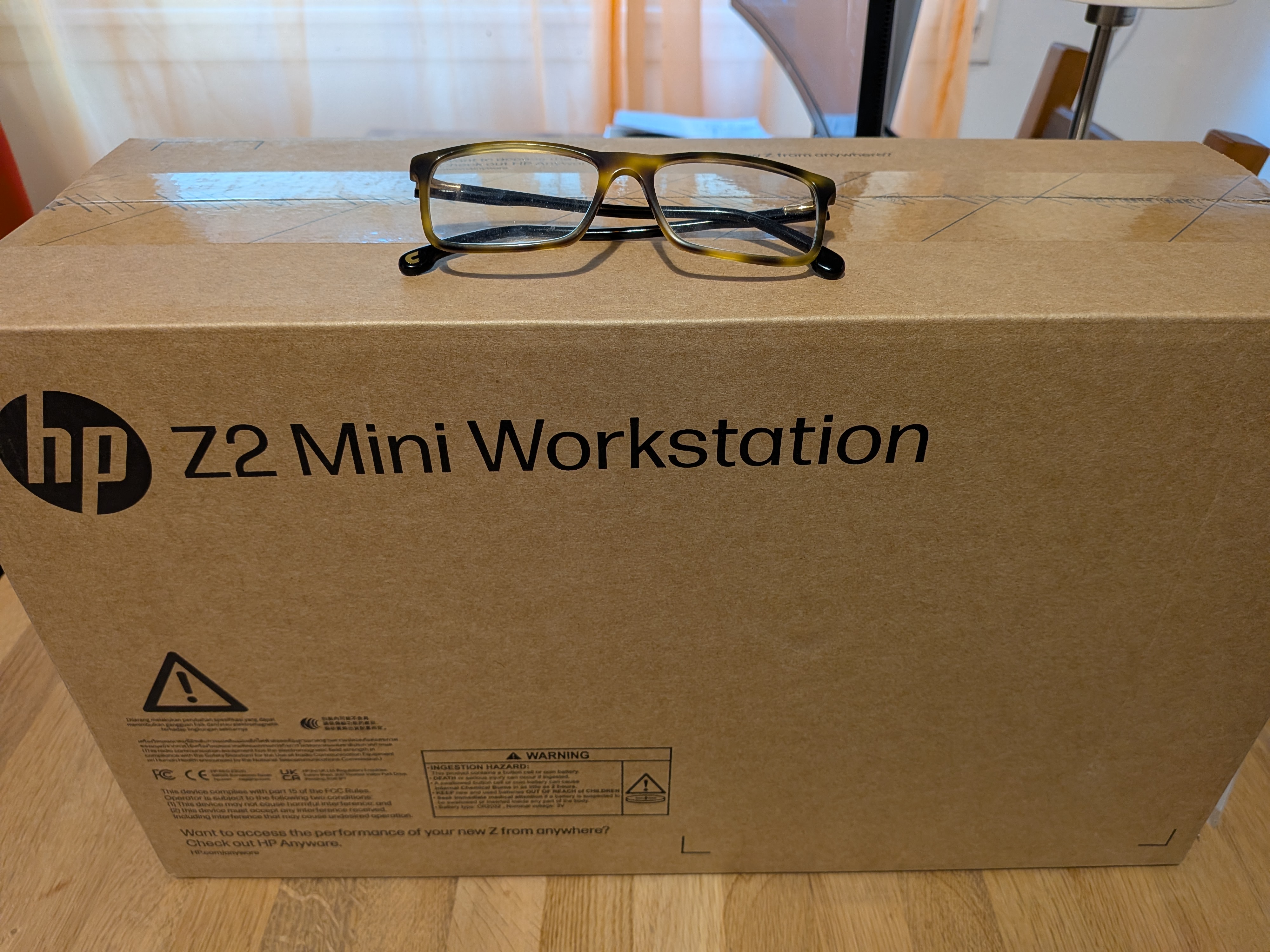
The whole packaging is smaller than my previous desktop computer
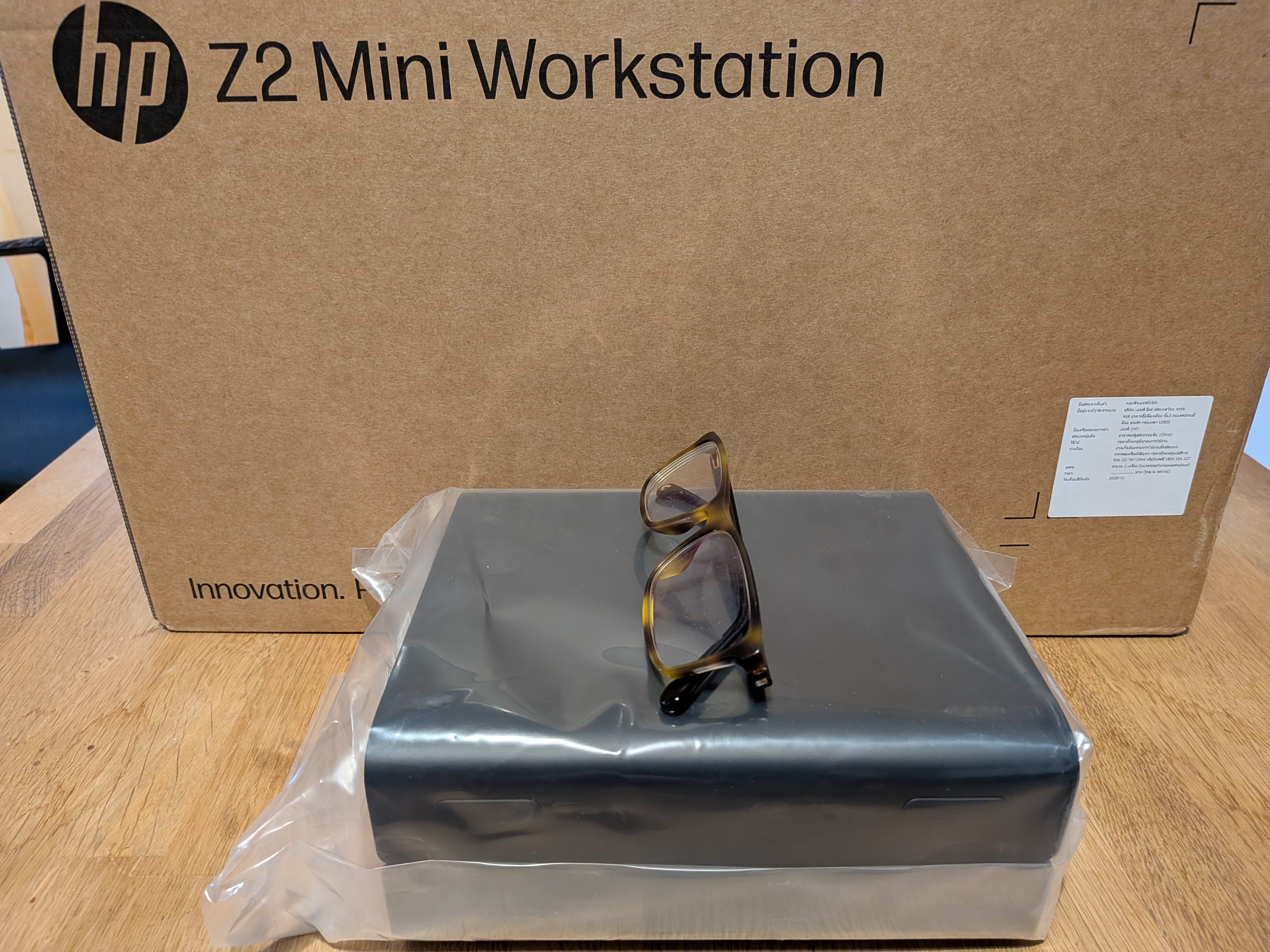
The computer itself is barely larger than a book
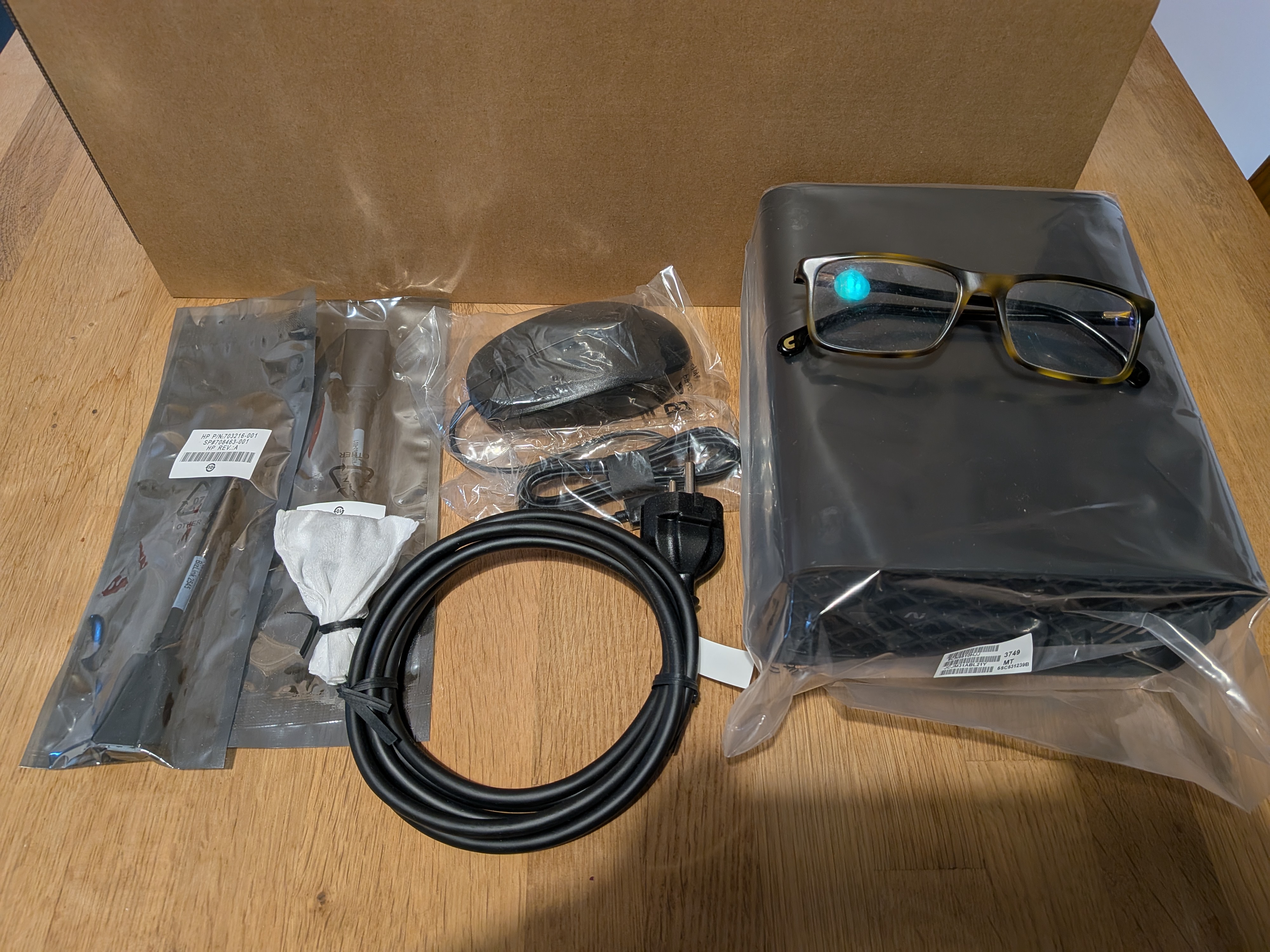
Keyboard, mouse, display port converter all in the box
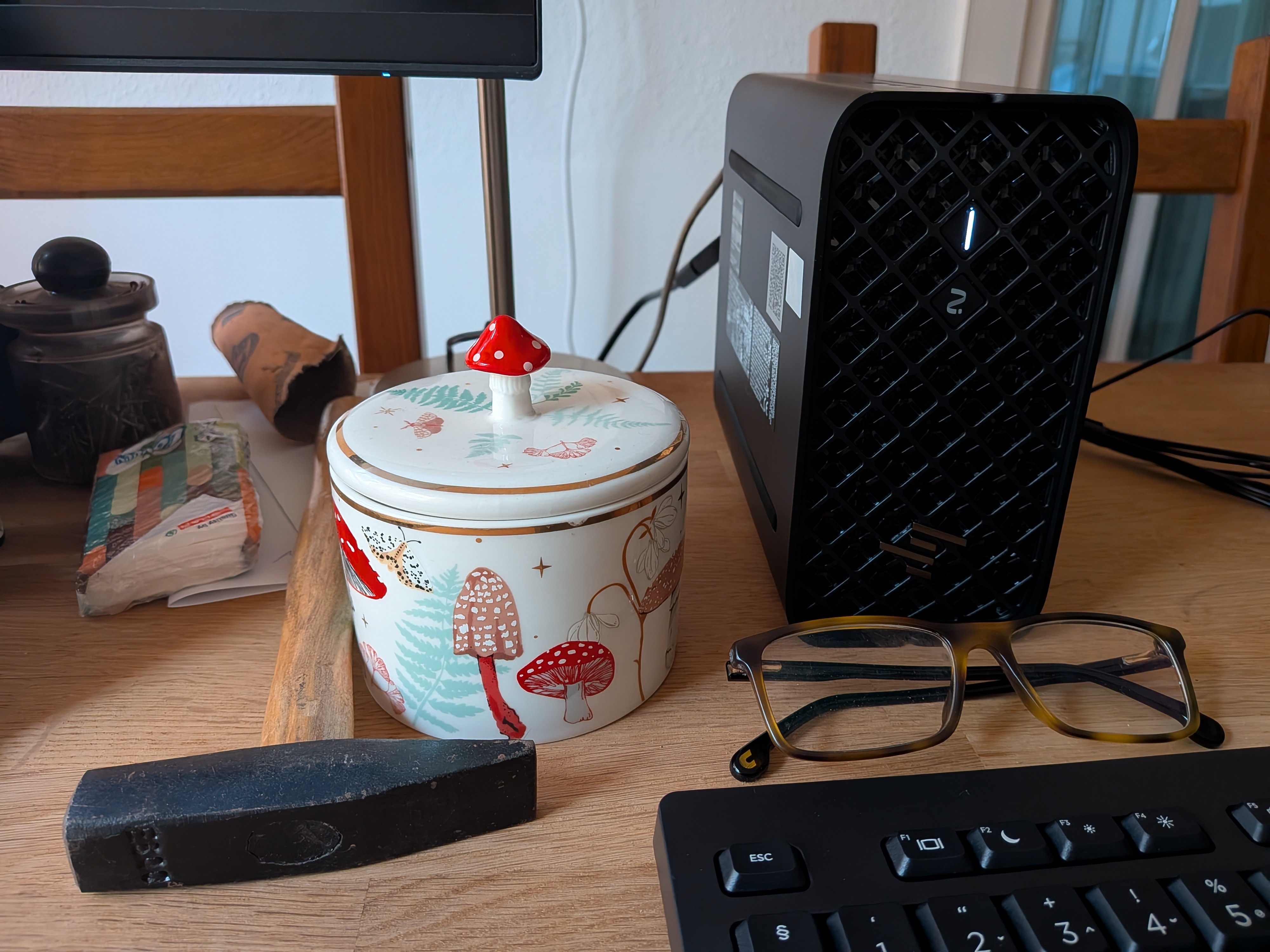
On the chaos of my desk :-)
Right now I am hesitant to migrate any production applications or data to the new box. I have already clicked “use the whole disk” instead of creating a partition a few times, so I want to finalize the partitioning before using the box for anything beyond hardware testing. Better safe than sorry :-)
I plan to install a couple of Linux distributions. I mainly use openSUSE on the desktop, but I found instructions for Fedora to accelerate AI on this AMD chip. So, I’ll most likely install both. And, of course, I also plan to install FreeBSD 15 on the machine and see how it works both as a server and as a desktop.
I plan to post updates about my experiences in the coming weeks.
UDP reliability improved in syslog-ng Debian packaging
UDP log collection is a legacy feature that does not provide any security or reliability, but is still in wide use. You can improve its reliability using eBPF on Linux in recent syslog-ng versions. Support for eBPF was added to Debian packages while preparing for the 4.11.0 syslog-ng release.
You can learn more about eBPF support in syslog-ng from the documentation or reading my blog at https://www.syslog-ng.com/community/b/blog/posts/syslog-ng-4-2-extra-udp-performance
Right now, packaging changes only affect the syslog-ng nightly Debian / Ubuntu packages and the syslog-ng nightly container image. You can learn more about how to use them in the syslog-ng README on GitHub at https://github.com/syslog-ng/syslog-ng/ Once the syslog-ng 4.11.0 release is available, using the stable syslog-ng packages will include improved UDP support as well.
Are you interested in improving TCP performance for a single or few high traffic connections? You are looking for the parallelize() option: https://www.syslog-ng.com/community/b/blog/posts/accelerating-single-tcp-connections-in-syslog-ng-parallelize The good news is that the required changes are now available in ivykis upstream, so this feature is not limited to our builds anymore.

syslog-ng logo
Originally published at https://www.syslog-ng.com/community/b/blog/posts/udp-reliability-improved-in-syslog-ng-debian-packaging