
 Member
 baltolkien
Episodio 14 de KDE Express: Resumen final 2022
Tras unos meses de silencio me congratula presentaros que tenemos a nuestra disposición el episodio 14 de KDE Express, titulado Resumen final 2022 donde onde se repasan algunas de las cosas que del año pasado y se anunció Akademy-es 2023 que se celebrará en Málaga del 9 al 10 de junio con el Opensouthcode.
Episodio 14 de KDE Express: Resumen final 2022
Comenté ya casi hace un año que había nacido KDE Express, un audio con noticias y la actualidad de la Comunidad KDE y del Software Libre con un formato breve (menos de 30 minutos) que complementa los que ya genera la Comunidad de KDE España de forma casi mensual con sus ya veteranos Vídeo-Podcast que podéis encontrar en Archive.org, Youtube, Ivoox, Spotify y Apple Podcast.

De esta forma se llega al número 14, el segundo de su segunda temporada y que cuenta con el incombustible e hiperactivo David Marzal, Brais Arias y un servidor, Baltasar Ortega, con la producción de Jorge Lama.
En sus palabras:
Antes de contaros todas las novedades recientes, queremos hacer un repaso a algunas de las más destacables (en nuestro día a día) de lo que ha pasado o actualizado en la Comunidad KDE desde el último episodio en grupo. Y traemos notición sobre la AkademyES.Artículo completo en https://kdeexpress.gitlab.io/14/
- Nuevos goals, de Wayland, Apps y Continuidad a -> Automatizar, Accesibilidad, Medioambiente.
- Plasma 5.26
- Plasma ahora tiene más opciones de personalización con la selección automática de color de acento en función del fondo de pantalla.
- Nuevos y mejores touch screen gestures.
- Overview con opciones de búsquedas.
- Panel flotante.
- Cambiar el tamaño de los plasmoides como el calendario del reloj.
- Apps
- AkademyES 2023 se celebrará en Málaga el 9 y 10 de junio dentro de Open South Code!!!
- Música usada:
- Erotic by Frank Schroeter
- Free download: https://filmmusic.io/song/10348-erotic
- License (CC BY 4.0): https://filmmusic.io/standard-license
Y, como siempre, os dejo aquí el listado de los episodios. ¡Disfrutad!
A mi me sigue gustando mucho, es rápido, directo al grano y muy dinámico, con lo cual es ideal para aquellos que les guste tener su pincelada de Kdeera en su podcaster. Evidentemente, no se profundiza en temas aunque si se da una visión muy personal de los mismos.
Por cierto, también podéis encontrarlos en Telegram: https://t.me/KDEexpress
La entrada Episodio 14 de KDE Express: Resumen final 2022 se publicó primero en KDE Blog.
Preferencias de Sistema de Plasma 5.27 edición ‘KDE 💖 Free Software’ – Copy
Una vez actualizado en todos los equipos y llegada su primera revisión de errores es hora de iniciar la revisión de sus novedades. La inicié con la presentación con el nuevo asistente de bienvenida y continué con el nuevo mosaico, ahora le toca el turno a las novedades de las Preferencias de Sistema de Plasma 5.27, otra vuelta de tuerca para afinar un elemento fundamental para ajustar al máximo el aspecto y funcionamiento de nuestro entorno de trabajo.
Preferencias de Sistema de Plasma 5.27 edición ‘KDE  Free Software’
 Free Software’
La Comunidad KDE anunció y publicó el 14 de febrero la última versión la rama 5.x de su escritorio. Se trata de de Plasma 5.27, una versión que nos ofrecen un gran conjunto de novedades y propuestas que nos acercan a lo que vendrá cuando se realice la transición a Plasma 6.
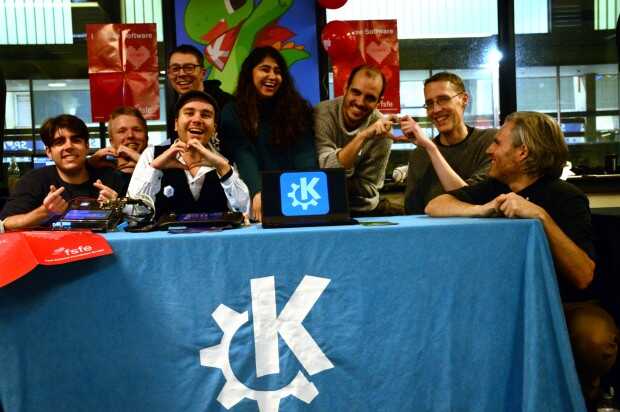
Muchas son las nuevas funcionalidades que voy desgranando poco a poco . En palabras de desarrolladores:
Los diseñadores de KDE han trabajado duramente para reducir el número de páginas de la utilidad Preferencias del sistema de Plasma y han movido opciones más pequeñas a otros ajustes. Este es el caso de la configuración de la animación que se muestra al lanzar una aplicación, que ahora está en la página de Cursores. Además, el botón Resaltar las preferencias modificadas se ha movido al menú de hamburguesa para simplificar el aspecto de la interfaz.
De manera similar, todas las preferencias del volumen global se han movido a la página Volumen del sonido de las Preferencias del sistema, y el widget de Volumen del sonido ya no tiene una página propia de configuración separada. Al pulsar el botón Configurar se muestra ahora la página correspondiente de las Preferencias del sistema.
Las preferencias para los dispositivos táctiles, como pantallas táctiles y tabletas de dibujo, también se han mejorado y ampliado.
Más información: KDE
Las novedades de Plasma 5.27
No quiero dejar de hablar de las novedades en general que nos han facilitaron inicialmente los desarrolladores para que tengamos una visión general.
- Nuevas pantallas de bienvenida.
- Mejoras en las preferencias de permisos para Flatpak.
- Mejoras en la refactorización multimonitor.
- Sistema de mosaicos de KWin.
- Añadido el Calendario Hebreo en el calendario emergente del reloj digital.
- Mejoras en Discover.
- Más funcionalidades para Krunner.
- Mejoras en los plasmoides.
En los próximas entradas más detalles.
La entrada Preferencias de Sistema de Plasma 5.27 edición ‘KDE 💖 Free Software’ – Copy se publicó primero en KDE Blog.

Request Page Redesign - Diff Comments, Request Actions for Role Additions, and More

Linux Saloon | 04 Mar 2023 | News Flight 11
youtube-dl no me funciona. Esta es la alternativa
youtube-dl es una utilidad para la línea de comandos escrita en Python que sirve para descargar vídeos, extraer audios, de plataformas de vídeo como Youtube y otras

Desde hace tiempo solía utilizar youtube-dl para descargar el audio de vídeos que me interesaran desde YouTube. De una manera sencilla podía escuchar el audio en mi equipo sin necesidad de conectarme a dicha plataforma para volver a escuchar lo que quería.
La utilidad era sencilla de utilizar para lo más básico como esto, pero lleno de opciones para poder cubrir otros modos de empleo más sofisticados o en los que se necesitan más configuraciones.
Pero recientemente que volví a necesitarlo, ejecuté como siempre el comando y me devolvía un error que no he sido capaz de resolver.
Ejecutaba el comando para extraer el audio de un vídeo determinado y me devolvía lo siguiente:
$ youtube-dl -x --audio-format mp3 https://www.youtube.com/watch?v=urldelvideo --verbose

[debug] System config: []
[debug] User config: []
[debug] Custom config: []
[debug] Command-line args: ['-x', '--audio-format', 'mp3', 'https://www.youtube.com/watch?v=urldelvideo', '--verbose']
[debug] Encodings: locale UTF-8, fs utf-8, out utf-8, pref UTF-8
[debug] youtube-dl version 2021.12.17
[debug] Python version 3.10.9 (CPython) - Linux-6.2.1-1-default-x86_64-with-glibc2.37
[debug] exe versions: ffmpeg 4.4.3, ffprobe 4.4.3
[debug] Proxy map: {}
[youtube] urldelvideo: Downloading webpage
ERROR: Unable to extract uploader id; please report this issue on https://yt-dl.org/bug . Make sure you are using the latest version; type  youtube-dl -U  to update. Be sure to call youtube-dl with the --verbose flag and include its complete output.
Traceback (most recent call last):
  File "/usr/bin/youtube-dl/youtube_dl/YoutubeDL.py", line 815, in wrapper
    return func(self, *args, **kwargs)
  File "/usr/bin/youtube-dl/youtube_dl/YoutubeDL.py", line 836, in __extract_info
    ie_result = ie.extract(url)
  File "/usr/bin/youtube-dl/youtube_dl/extractor/common.py", line 534, in extract
    ie_result = self._real_extract(url)
  File "/usr/bin/youtube-dl/youtube_dl/extractor/youtube.py", line 1794, in _real_extract
    'uploader_id': self._search_regex(r'/(?:channel|user)/([^/?]+)', owner_profile_url, 'uploader id') if owner_profile_url else None,
  File "/usr/bin/youtube-dl/youtube_dl/extractor/common.py", line 1012, in _search_regex
    raise RegexNotFoundError('Unable to extract %s' % _name)
youtube_dl.utils.RegexNotFoundError: Unable to extract uploader id; please report this issue on https://yt-dl.org/bug . Make sure you are using the latest version; type  youtube-dl -U  to update. Be sure to call youtube-dl with the --verbose flag and include its complete output.
Viendo la versión de mi equipo del paquete de software me indicaba que estaba usando la versión: 2021.12.17
¡Vaya! Parece que desde 2021 no han actualizado sus paquetes de software, aunque en su repositorio en Github sí que parece que hay commits más recientes.
Como no conseguí poner solución al problema que me presentaba ahora youtube-dl, estuve buscado otras opciones y así es como conocí a yt-dlp.
yt-dlp es un proyecto derivado de youtube-dl en el que se han incorporado parches y mejoras al código original. Viendo la versión en su repositorio de GitHub, a fecha de escribir esto, veo que es 2023.03.04, es decir, de hace un par de días.
Instalé la aplicación desde los repositorios de openSUSE Tumbleweed, pero hay otras formas alternativas de instalar la utilidad. Y ahora es el momento de probar si funciona…
Los comandos y opciones son similares a las de youtube-dl, por lo que cambiando el nombre de la utilidad ejecuté el comando anterior y esta vez sí que se ejecutó sin ningún problema y descargué el audio en mi equipo.
No quiere ser este artículo una guía extensiva de cómo usar la utilidad y sus diferentes y extensísimas opciones, si no una información de que si a tí, como a mí, también te falla youtube-dl, pruebes yt-dlp y veas si así se solucionan tus errores.

La novedades de Discover en Plasma 5.27 edición ‘KDE 💖 Free Software’
Una vez actualizado en todos los equipos y llegada su primera revisión de errores es hora de iniciar la revisión de sus novedades. La inicié con la presentación con el nuevo asistente de bienvenida , continué con el nuevo mosaico, siguiendo con las Preferencias de Sistema y así seguir hoy con las novedades de Discover en Plasma 5.27, una aplicación muy importante en la evolución de este entorno de trabajo.
La novedades de Discover en Plasma 5.27 edición ‘KDE Free Software’
La Comunidad KDE anunció y publicó el 14 de febrero la última versión la rama 5.x de su escritorio. Se trata de de Plasma 5.27, una versión que nos ofrecen un gran conjunto de novedades y propuestas que nos acercan a lo que vendrá cuando se realice la transición a Plasma 6.
Muchas son las nuevas funcionalidades que voy desgranando poco a poco. Hoy le toca el turno a Discover, la ambiciosa e irregular tienda de aplicaciones de Plasma, básica su queremos llegar a todos los perfiles de usuario y que, lentamente, va mejorando y afinando su usabilidad. En palabras de desarrolladores:
Discover es la tienda de aplicaciones y el gestor de software de Plasma. En Plasma 5.27, Discover tiene ahora una página de inicio nueva con categorías que se actualizan de forma dinámica para mostrar las aplicaciones populares, además de un nuevo conjunto de aplicaciones destacadas que muestran lo mejor de KDE.
Discover también hace que sea más fácil encontrar cosas: si no puede encontrar lo que está buscando en la categoría actual, ofrecerá la posibilidad de buscar en todas las categorías, por si acaso.
Y para todos los afortunados poseedores de una consola de juegos Steam Deck de Valve, Discover puede realizar las actualizaciones del sistema desde el escritorio.
Más información: KDE
Las novedades de Plasma 5.27
No quiero dejar de hablar de las novedades en general que nos han facilitaron inicialmente los desarrolladores para que tengamos una visión general.
- Nuevas pantallas de bienvenida.
- Mejoras en las preferencias de permisos para Flatpak.
- Mejoras en la refactorización multimonitor.
- Sistema de mosaicos de KWin.
- Añadido el Calendario Hebreo en el calendario emergente del reloj digital.
- Mejoras en Discover.
- Más funcionalidades para Krunner.
- Mejoras en los plasmoides.
En los próximas entradas más detalles.
La entrada La novedades de Discover en Plasma 5.27 edición ‘KDE 💖 Free Software’ se publicó primero en KDE Blog.
Episodios de febrero de 2023 los podcast de GNU/Linux València
Cada vez estoy más contento de haber hecho una recopilación mensual de los podcast de GNU/Linux València ya que, al ritmo que llevan, publicitarlos todos monopolizaría el blog. De esta forma me complace compartir con vosotros los episodios de febrero de 2023 de GNU/Linux València que este mes, el más corto del año, han llegado a 5. Lo vuelvo a decir: están realizando un gran trabajo de difusión y merecen toda la repercusión posible.
Episodios de febrero de 2023 los podcast de GNU/Linux València
Tras bastante tiempo en silencio, básicamente porque no tenían forma de cuadrar agendas, han vuelto con mucha fuerza los podcast de GNU/Linux València. Unos podcast que suelen ser de tipo tertulia muy amena y destinada a todo el mundo.
Este es el podcast de la Asociación GNU/Linux Valencia. Un punto de encuentro en torno al que nos reunimos para hablar sosegadamente sobre el software libre y acontecimientos relacionados. ¿Y por qué? Pues porque sin software libre no hay democracia.
Aquest és el podcast de l’Associació GNU/Linux València. Un punt de trobada entorn del qual ens reunim per a parlar assossegadament sobre el programari lliure i esdeveniments relacionats. I per què? Doncs perquè sense programari lliure no hi ha democràcia.
De esta forma en estos podcast que habitualmente cuenta con con Voro, Alejandro Forner, Alejandro, Alex y Taraak se habla de todo tipo de cosas, desde distribuciones, juegos, privacidad, etc., y que en febrero se han marcado 4 episodios.
Podcast del 22 de febrero
El primer podcast del mes fue grabado en febrero pero creo que tuvieron problemas en la edición y salió casi un mes más tarde. En él se trataron temas temas como el aniversario del fallecimiento de Aarón Swartz, la vuelta a la carga de la a pizarra de Yuri, R. facial, MS, Chat GPT, FPGA, PCB, «fe re datas», burlar la IA, desmadre videojuegos y Altera

Más información: Podcast 22 de febrero de GNU/Linux València
Pódcast del 22 de febrero especial ¡Almuerzo libre!
El segundo del mes que fue grabado el 15 de febrero y que solo dura 30 minutos. Se hizo explícitamente para promocionar el almuerzo libre del 25 de febrero, y que ya fue anunciado en el blog, y el lanzamiento del sistema operativo libre alternativo HaikuOS.
Más información: Pódcast del 22 de febrero especial ¡Almuerzo libre!
Pódcast 23 de febrero
El tercer podcast fue publicado el día que titula el podcast pero fue grabado en enero. Se trataron temas como cómo Apple husmea, el lanzamiiento de FreeCol 1.0, el clon libre del clásico Colonization, iceWM, la posibilidad de montarte un Comodore VIC-20, el Avances en el desarrollo de las batería de Litio-Sulfuro, cambios en la FSF y más.
Más información: Podcast 23 de febrero de GNU/Linux València
Pódcast 24 de febrero
El cuarto podcast fue publicado el día que titula el podcast pero fue grabado el 4 de febrero. Se trataron temas como el rastreo de nuestros movimientos mediante WiFi, webs donde consultar la compatibilidad de nuestro hardware con GNU/Linux, un papá que le regala a su hijo un tanque. cómo la industria se da cuenta de que los electrodomésticos inteligentes son una gilipollez o que VictorHCK nos trae una interesante propuesta para aprender y averiguar cuanto sabemos de GNU/Linux, entre otras.
Más información: Podcast 24 de febrero de GNU/Linux València
Pódcast 25 de febrero
El último podcast del mes fue publicado el día que titula el podcast pero fue grabado el 11 de febrero. La principal novedad es que al elenco de tertulianos se sumó Aikon, un joven que trajo temas como SimpleX, la primera plataforma de mensajería sin identificadores de usuario, ¡ni siquiera números aleatorios!.. Otros temas que se trataron temas como una escuela que no puede apagar las luces y la UE regulando para las grandes corporaciones, el portatil OpenPower ya tiene su primera placa prototipo funcional
Más información: Podcast 25 de febrero de GNU/Linux València
Muchas gracias por tu atenta escucha. Si quieres participar en la tertulia o hacernos llegar algún aporte puedes ponerte en contacto con la asociación. En gnulinuxvalencia.org/contactar tienes todas las formas de hacerlo Te esperamos en el próximo episodio. ¡Hasta entonces!
Moltes gràcies per la teva atenta escolta. Si vols participar en la tertúlia o fer-nos arribar alguna aportació pots posar-te en contacte amb l’associació. En gnulinuxvalencia.org/contactar tens totes les maneres de fer-ho T’esperem en el pròxim episodi. Fins llavors!
¡Únete a GNU/Linux València!
Aprovecho para recordar que desde hace unos meses, los chicos de GNU/Linux Valencia ya tienen su menú propio en el blog, con lo que seguir sus eventos en esta humilde bitácora será más fácil que nunca, y así podréis comprobar su alto nivel de actividades que realizan que destacan por su variedad.
Y que además, GNU/Linux València creció y se ha convertió en asociación. Así que si buscas una forma de colaborar con el Software Libre, esta asociación puede ser tu sitio. ¡Te esperamos!
La entrada Episodios de febrero de 2023 los podcast de GNU/Linux València se publicó primero en KDE Blog.
Episodios de enero de 2023 los podcast de GNU/Linux València
Hoy me complace compartir de nuevo con todos vosotros los episodios de enero de 2023 de los podcast de GNU/Linux València, así prácticamente estaré al día en su promoción. Xs nuevos capítulos que, igual que hace unos días, he decidido reunir porque se me están acumulando y creo que están realizando un gran trabajo de difusión y merecen toda la repercusión posible.
Episodios de enero de 2023 los podcast de GNU/Linux València
Tras bastante tiempo en silencio, básicamente porque no tenían forma de cuadrar agendas, han vuelto con mucha fuerza los podcast de GNU/Linux València. Unos podcast que suelen ser de tipo tertulia muy amena y destinada a todo el mundo.
Este es el podcast de la Asociación GNU/Linux Valencia. Un punto de encuentro en torno al que nos reunimos para hablar sosegadamente sobre el software libre y acontecimientos relacionados. ¿Y por qué? Pues porque sin software libre no hay democracia.
Aquest és el podcast de l’Associació GNU/Linux València. Un punt de trobada entorn del qual ens reunim per a parlar assossegadament sobre el programari lliure i esdeveniments relacionats. I per què? Doncs perquè sense programari lliure no hi ha democràcia.
De esta forma en estos podcast que habitualmente cuenta con con Voro, Alejandro Forner, Alejandro, Alex y Taraak se habla de todo tipo de cosas, desde distribuciones, juegos, privacidad, etc., y que en enero se volvieron a marcar 3 episodios:
Podcast del 3 de enero
El primer podcast del mes, y del año, que sin embargo fue grabado en diciembre. En él se trataron temas temas como Tails 5.8, un sistema operativo portátil que te protege de la vigilancia y la censura.; juego en LAN con Qwantify y primitivismo
Más información: Podcast 3 de enero de GNU/Linux València
Pódcast de 4 enero
El segundo del mes. Realmente fue publicado el 11 de enero y trató temas diversos que en esta ocasión Taraak agrupó en sus secciones: Otra Mierda Pal Cajón, La Fin Del Mundo, Maleus Maleficorum Y No Clasificables.. Y de la mano de Alejandro B tuvimos: Vuelve Yuri!, Instalar y configurar i3, Feliz cumpleaños: 75 años de la invención del transistor, Aprendiendo de Jesús, Remmina una aplicación para el acceso remoto y Fe de erratas: Ted Kaczynski NO ha muerto..
Más información: Podcast 4 de enero de GNU/Linux València
Pódcast 12 de enero
El tercer podcast fue publicado el día que titula el podcast y trató temas como La súperCookie, inflación en lo retro y malware en Docker y VS Code.
Más información: Podcast 12 de enero de GNU/Linux València
Muchas gracias por tu atenta escucha. Si quieres participar en la tertulia o hacernos llegar algún aporte puedes ponerte en contacto con la asociación. En gnulinuxvalencia.org/contactar tienes todas las formas de hacerlo Te esperamos en el próximo episodio. ¡Hasta entonces!
Moltes gràcies per la teva atenta escolta. Si vols participar en la tertúlia o fer-nos arribar alguna aportació pots posar-te en contacte amb l’associació. En gnulinuxvalencia.org/contactar tens totes les maneres de fer-ho T’esperem en el pròxim episodi. Fins llavors!
¡Únete a GNU/Linux València!
Aprovecho para recordar que desde hace unos meses, los chicos de GNU/Linux Valencia ya tienen su menú propio en el blog, con lo que seguir sus eventos en esta humilde bitácora será más fácil que nunca, y así podréis comprobar su alto nivel de actividades que realizan que destacan por su variedad.
Y que además, GNU/Linux València creció y se ha convertió en asociación. Así que si buscas una forma de colaborar con el Software Libre, esta asociación puede ser tu sitio. ¡Te esperamos!
La entrada Episodios de enero de 2023 los podcast de GNU/Linux València se publicó primero en KDE Blog.

Cross build and packaging
Introduction
Let’s start by clarifying what we mean by cross-building and cross-packaging. Cross-compilation is the process of compiling source code on one platform, called the host, in order to generate an executable binary for a different target platform. The emphasis here is on the word “different”. The target platform may have a different CPU architecture, such as when we work on an x86 computer and want to build software for a Raspberry Pi board with an ARM CPU. But even if the target platform has the same CPU architecture as the host, there may be several other possible differences. For example, the host may be running Debian Sid, while the target may be running openSUSE Leap. Different Linux distributions may have different compilers, linkers, and run-time libraries. Even when using the same distribution as the host for the target, they may be different releases, such as openSUSE Tumbleweed and Leap. In short, nothing guarantees that the target system will have the same shared libraries as the host system.
#openSUSE Tumbleweed revisión de la semana 9 de 2023
Tumbleweed es una distribución de GNU/Linux «Rolling Release» o de actualización contínua. Aquí puedes estar al tanto de las últimas novedades.

openSUSE Tumbleweed es la versión «rolling release» o de actualización continua de la distribución de GNU/Linux openSUSE.
Hagamos un repaso a las novedades que han llegado hasta los repositorios esta semana.
El anuncio original lo puedes leer en el blog de Dominique Leuenberger, publicado bajo licencia CC-by-sa, en este este enlace:
La constante se repite y de nuevo esta semana se han vuelto a publicar 7 nuevas snapshots en openSUSE Tumbleweed (0223…0301).
Entre muchas, se pueden destacar las siguientes actualizaciones que han llegado a los repositorios:
- gimp 2.10.34
- Node.JS 19.7.0
- SQLite 3.41.0
- KDE Plasma 5.27.1
- NetworkManager 1.42.2
- MariaDB 10.10.3
- Linux kernel 6.2.0 & linux-glibc-devel 6.2
- cURL 7.88.1
- make 4.4.1
- Mesa 23.0.0
- AppArmor 3.1.3
- zstd 1.5.4
Para los próximos días/semanas/meses podremos esperar estas actualizaciones que ya se están preparando:
- Linux kernel 6.2.1
- libqt5
- Podman 4.4.2
- KDE Gear 22.12.3
- KDE Plasma 5.27.2
- SELinux 3.5
Si quieres estar a la última con software actualizado y probado utiliza openSUSE Tumbleweed la opción rolling release de la distribución de GNU/Linux openSUSE.
Mantente actualizado y ya sabes: Have a lot of fun!!
Enlaces de interés
- ¿Por qué deberías utilizar openSUSE Tumbleweed?
- zypper dup en Tumbleweed hace todo el trabajo al actualizar
- ¿Cual es el mejor comando para actualizar Tumbleweed?
- ¿Qué es el test openQA?
- http://download.opensuse.org/tumbleweed/iso/
- https://es.opensuse.org/Portal:Tumbleweed

——————————–