
YaST Development Report - Chapter 5 of 2022
We have been a bit silent lately in this blog, but there are good reasons for it. As you know, the YaST Team is currently involved in many projects and that implies we had to constantly adapt the way we work. That left us little time for blogging. But now we have reached enough stability and we hope to recover a more predictable and regular cadence of publications.
So let’s start with this post including:
- Some notes about the new scope of the blog
- The announcement of D-Installer 0.4
- A brief introduction to Iguana, a container-capable boot image
- Progress on containerized YaST
- Some Cockpit news
Adjusting the Scope
As you know, SUSE is developing the next generation of the SUSE Linux family under the code-name ALP (Adaptable Linux Platform). If you are following the activity in that front, you also know several so-called work groups has been constituted to work on different areas.
The YaST Team is deeply involved on two of those work groups, the ones named “1:1 System Management” and “Installation / Deployment”. You can read more details about the mission of each group and the technologies we are developing in the wiki page linked at the previous paragraph.
Since this blog is a well-established communication channel with the (open)SUSE users, we decided we will use it to report the progress on all the projects related to those work groups. That goes beyond the scope of YaST itself and even beyond the scope of the YaST Team, since the mentioned work groups also include other SUSE and openSUSE colleages. But we are sure our readers will equally enjoy the content.
D-Installer Reaches Version 0.4
Let’s start with an old acquaintance of this blog. In several previous posts we have already described D-Installer, our effort to expose the power of YaST through a more reusable and modern set of interfaces. We recently reached an important milestone in its development with the first version including a multi-process architecture. In previous versions, the user interface could not respond to user interaction if any of the D-Installer components was busy (reading the repositories metadata, installing packages, etc.). The new D-Installer v0.4 includes the first steps to definitely solve that problem and also other interesting features you can check at this release announcement. There are even a couple of videos to see it in action without risking your systems!
As you can see in the first of those videos, we improved the product selection screen and now D-Installer can download and install Tumbleweed, Leap 15.4 or Leap Micro 5.2.
But a new YaST-related piece of software cannot be really considered as fully released until it is submitted to openSUSE Tumbleweed. We plan to do that in the upcoming days, to ensure future development of D-Installer remains fully integrated with our beloved rolling distribution.
A New Reptile in the Family
Of course, D-Installer needs to run on top of a working Linux system. That could be the openSUSE
LiveCD (as we do to test the prototypes) or some kind of minimal installation media. What if that
minimal system is just a container completely tailored to execute D-Installer? It could work as
long as you have a certain initrd (ie. boot image) with the capability of grabbing and executing
containers. Say hello to
Iguana.
Iguana is at an early stage of development and we cannot guarantee it will keep its current form or name, but it’s already able to boot on a virtual machine (and likely on real hardware) and execute a predefined container. We tried to run a containerized version of D-Installer and it certanly works! We plan to evolve the concept and make Iguana able to orchestrate several containers, which will give us a very flexible tool for installing or fixing a system in all kind of situations.
Progress on Containerized YaST
Just as we are looking into D-Installer as a way to reuse the YaST capabilities for system installation, you know we are also looking into containerization as a way to expand the YaST scope regarding system configuration. And we also have some news in that front.
First of all, we adapted more YaST modules to make them work from a container. As a result, you can now access all this functionality:
- Configuration of timezone, keyboard layout and language
- Management of software and repositories
- Firewall setup
- Configuration of iSCSI devices (iSCSI LIO target)
- Management of system services
- Inspection of the systemd journal
- Management of users and groups
- Printers configuration
- Administration of DNS server
We are working on adapting more YaST modules as we write this. We hope to soon add boot loader or Kdump configuration to the portfolio. Maybe even the YaST Partitioner if everything goes fine.
On the other hand, we restructured the container images to rely on SLE BCI, which results on smaller and better supported images. But that was just a first step, we are now actively working on reducing the size of the current images even further. Stay tuned for more news and some numbers.
Cockpit with a Green Touch
Although using a containerized version of YaST will always be an option. Is expected that the main tool for performing interactive administration of an individual ALP host will be Cockpit. So we are also investing on improving the Cockpit experience on (open)SUSE systems. And nothing gives a better experience that a properly green user interface!
We improved the theming support for Cockpit (in an unofficial way, not adopted by upstream) and used
that new support to make it look better thanks to the new
cockpit-suse-theme package.

We took the opportunity to update the version of all Cockpit packages available at openSUSE Tumbleweed. So if you are a Tumbleweed user, it’s maybe a good time to give a first try to Cockpit!
I’ll Be Back!
As mentioned at the beginning of this post, we want to get back to the good habit of posting regular status updates, although they will not longer be so focused around (Auto)YaST. In exchange you will get news about Cockpit, D-Installer, Iguana and containers. So stay tuned for more fun!

MicroOS Desktop Use to Help with ALP Feedback
Participants from the openSUSE community working on the upcoming release of the Adaptable Linux Platform (ALP) encourage people to try openSUSE MicroOS Desktop to gain user perspectives on its applicability.
Users are encouraged to try out MicroOS Desktop by installing it and using it on a laptop or workstation for a week or so. By doing this, users develop a frame of reference for how ALP can progress; the community wants to gain feedback about what users think about ALP’s usability, how it fits user workflows and more. The community would like to see critiques and evaluations that work for users. People are encouraged to send feedback to the ALP-community-wg mailing list.
The temporary use of the MicroOS Desktop will help developers assess how to move forward with ALP’s Proof of Concept (PoC).
Currently MicroOS Desktop has both GNOME and KDE’s Plasma as an option.
ALP’s PoC does not currently have a Desktop requirement, but one is expected to land in a snapshot shortly after the PoC.
Several workgroups (WG) are involved and engineers are aiming for an initial PoC release of ALP in the fall. There are also plans to to do an ALP Workshop and Install Fest (as a hybrid in-person/virtual event) during the openSUSE.Asia Summit 2022 if the ALP PoC release becomes available before the summit, which is on Sept. 30 and Oct. 1.
Discussions related to flatpaks and how they will fit into the wider ALP ecosystem alongside RPMs and other packages continue to be discussed among community members and stakeholders.

 Member
 baltolkien
Charlas Clementina: Compartir archivos entre dispositivos android y tu PC
Siempre lo digo… cuando crees que conoces todo lo que se hace en el mundo del Software Libre aparece una pequeña ventana que te muestra otra inmensa sala llena de decenas de proyectos. Esto me ha pasado con las Charlas Clementina, un grupo creado para difundir la cultura libre en educación en Argentina. Y se bautiza en el blog promocionando un charla: Compartir archivos entre dispositivos android y tu PC, una ponencia que tendrá lugar el próximo 19 de julio a las 20:00 UTC -3, o lo que es lo mismo, las 02:00 del miércoles 20 en la península ibérica.
¿Qué es Clementina?
Descubro un nuevo grupo personas que se dedica a la divulgación de la cultura libre en educación en Argentina. Su nombre es Clementina y es una lástima que no los haya conocido antes pues parece que son muy activos.
Evidentemente, como ellos mismos dicen en su página web, la divulgación de la cultura libre incluye Software libre, Hardware Libre y licencias, y su publico objetivo son aquellas personas que «recién empiezan».
Para participar nos invitan a navegar por su web o crearse una cuenta de clementina y abrir algún tema en los foros del Foro de debate general. También los podéis encontrar en Twitter y tienen grupo de Telegram.
Charlas Clementina: Compartir archivos entre dispositivos android y tu PC
Una de las actividades más prolíficaas que ofrecen son sus charlas, las cuales tienen su propia sección en la web pero que parece ser que no están puestas todas, ya que, por ejemplo, la que os comento hoy no está anunciada.
Se trata de una charla de José González titulada «Compartir archivos entre dispositivos android y tu PC, notificaciones vía KDE Connect» en la que nos contará las maravillas de una aplicación de sobras conocida por los lectores del blog y que ocupa un rinconcito en mi corazón.
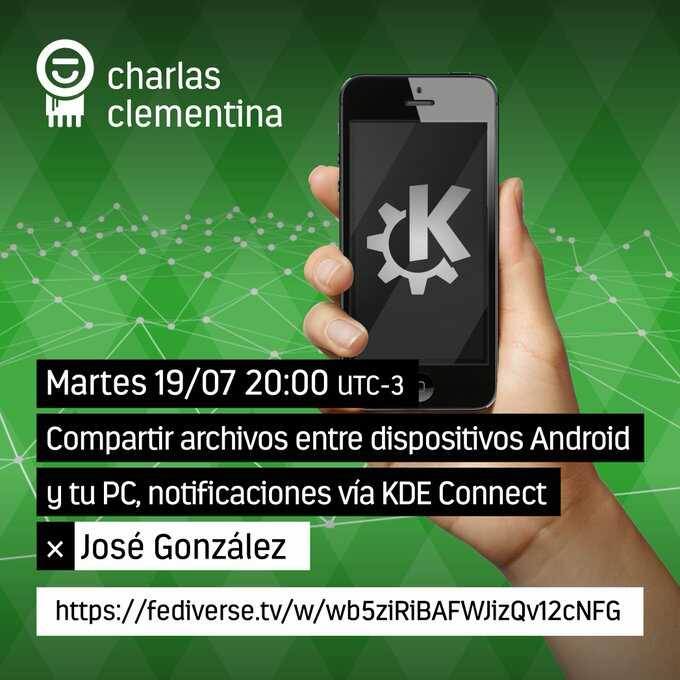
Como se puede ver en el cartel del anuncio se podrá seguir en directo, y seguramente se quedará grabada, en los servicios de fediverse.tv, concretamente en el enlace: https://fediverse.tv/w/wb5ziRiBAFWJizQv12cNFG
La entrada Charlas Clementina: Compartir archivos entre dispositivos android y tu PC se publicó primero en KDE Blog.

SCM Bridge support for the SCM/CI integration
Linux Connexion con Jorge Lama de Podcast Linux #160
Bienvenidos a un nuevo episodio de los audios de Juan Febles, y este en concreto es episodio 160 de Podcast Linux titulado «Linux Connexion con Jorge Lama», uno de los miembros más destacados de la podcastfera linuxera por su labor de productor tanto en Mancomun Podcast como una temporada en los Podcast de KDE España.
Linux Connexion con Jorge Lama en Podcast Linux #160
De un tiempo a esta parte estaba publicando casi todas las entregas que realiza Juan de su Podcast Linux, y la razón radicaba es que estaba al día de todos sus audios. Durante una temporada bajé el ritmo y ahora, afortunadamente, vuelvo a ponerme al día.
Así qye hace poco ya promocionés su especial 6º aniversario, y ahora me complace presentar su audio con Jorge Lama donde se habla de sus inicios, su pertenencia a la Asociación Melissa, su compromiso con el reciclaje por su labor en el banco de reciclaje, etc.
En palabras de Juan:
¡¡¡Muy buenas amante del Software Libre!!!
Bienvenido a otra entrega de Podcast Linux, la número 160. Un saludo muy fuerte de quien te habla, Juan Febles. Hoy estamos con Jorge Lama, creador de contenidos en iCarto. Diseñador sonoro y productor independiente de podcasting. Un enamorado de la Cultura Libre, la tecnología, el Software Libre, las ONG’s, la música y cacharros musicales, el reciclaje electrónico y el Patrimonio Cultural.
Enlaces:
- Twitter Jorge Lama: https://twitter.com/raivenra
- La imagen utilizada en la portada, la caricatura de Jorge Lama, es una obra realizada por Luis Davila.
- Toda la música utilizada en este episodio se distribuye bajo la licencia Creative Commons:
- Podcast Linux – Wake Up: https://archive.org/details/PodcastLinux-wakeup
- Scandinavianz – Tomorrow: https://www.free-stock-music.com/scandinavianz-tomorrow.html
Así que os invito a escuchar este diálogo de Juan Febles con Jorge Lama, una más que interesante charla que seguro que no os defraudará como no lo ha hecho conmigo. ¡Dentro audio!
Más información: Podcast Linux
Sigue a Podcast Linux
Aprovecho para animaros a seguir Podcast Linux en algunos de los canales de comunicación que tiene:
- Twitter: https://twitter.com/podcastlinux
- Mastodon: https://mastodon.social/@podcastlinux/
- Correo: podcastlinux@disroot.org
- Web: https://podcastlinux.com/
- Telegram: https://t.me/podcastlinux
- Telegram Juan Febles: https://t.me/juanfebles
- Youtube: https://www.youtube.com/PodcastLinux
- Feed Podcast Linux: https://podcastlinux.com/feed
- Feed Linux Express (Audios Telegram): https://podcastlinux.com/Linux-Express/feed
La entrada Linux Connexion con Jorge Lama de Podcast Linux #160 se publicó primero en KDE Blog.
Librerías gráficas en Linux con Samuel Iglesias en Mancomun Podcast
Me complace promocionar un nuevo audio de Mancomún Podcast en que Jorge Lama hablará de librerías gráficas en Linux con Samuel Iglesias. Además se tocarán temas como la evolución de los juegos en Linux, la empresa Igalia y se comentará el estado de la consola de Valve, la Steam Deck.
Librerías gráficas en Linux con Samuel Iglesias en Mancomun Podcast
Uno de los podcast que más me gustan y que suelen durar poco tiempo en mi lista de reproducción es Mancomún Podcast. Sus audios presentados habitualmente por Jorge Lama y Brais Arias (miembro de KDE España) suelen ir directos y al grano, con lo que casi nunca superan la hora de duración: ideal para conocer nuevos proyectos, iniciativa y personas.
Y el episodio que os presento hoy me ha resultado sumamente interesante ya que de nuevo toca uno de los palos que creo que son cruciales en el desarrollo del Software Libre por su relación con los más jóvenes: los videojuegos. Y es que en todas mis charlas con adolescentes siempre aparece la pregunta de ¿Y puedo jugar al «juego de moda» en Linux?
De esta forma hoy se hablará largo y tendido con Samuel Iglesias sobre las librerías gráficas GNU/Linux con especial interés en aquellas que sirven a los desarrolladores para crear las herramientas básicas sobre los que se ejecutan los videjuegos, llegando a la conclusión de que jugar en Lnux nunca ha sido tan fácil y que tiene un futuro muy prometedor por delante.

En palabras de su presentador:
Hoy nos adentraremos en el mundo de los píxeles y las librerías que los controlan, de la mano de Samuel Iglesias Gonsálvez, ingeniero de software gráfico en Igalia y miembro de la junta directiva de la Fundación X.Org.
Algunos enlaces de interés son los siguientes:
Para contactar con Samuel Iglesias
https://www.linkedin.com/in/samueliglesias/
https://twitter.com/samuelig
https://mastodon.social/@samuelig
Para contactar con Igalia
https://www.igalia.com/
Las contribuciones de Igalia en la tecnología de Steam Deck las podéis encontrar en:
https://www.igalia.com/2022/03/07/Igalia-contributes-to-tech-powering-Steam-Deck.html
X.Org Developers Conference 2022, 4-6 Octubre. Minneapolis, Minnesota, USA
http://xdc2022.x.org/
Más información: Mancomún Podcast
La entrada Librerías gráficas en Linux con Samuel Iglesias en Mancomun Podcast se publicó primero en KDE Blog.
#openSUSE Tumbleweed revisión de la semana 28 de 2022
Tumbleweed es una distribución «Rolling Release» de actualización contínua. Aquí puedes estar al tanto de las últimas novedades.

openSUSE Tumbleweed es la versión «rolling release» o de actualización continua de la distribución de GNU/Linux openSUSE.
Hagamos un repaso a las novedades que han llegado hasta los repositorios esta semana.
El anuncio original lo puedes leer en el blog de Dominique Leuenberger, publicado bajo licencia CC-by-sa, en este este enlace:
Durante esta semana Tumbleweed no ha dejado de rodar y rodar como decía la ranchera y se ha publicado casi una snapshot diaria. Algunas han sido actualizaciones de pocos paquetes y otras de paquetes muy importantes en las 7 snapshots publicadas (0708…0714).
Los cambios más significativos que han traído son:
- Mozilla Firefox 102.0.1
- KDE Frameworks 5.96.0
- KDE Gear 22.04.3
- KDE Plasma 5.25.3
- Salt
- GNOME 42.3
- systemd 251.2
- GCC 12.1.1
- libvirt 8.5.0
- openSSL 1.1.1q
- Linux kernel: simpledrm ha vuelto a ser habilitado
- Perl 5.36.0
Y entre los cambios que traerán próximas actualizaciones, se pueden destacar los siguientes:
- Linux kernel 5.18.11
- MicroOS Desktop “GNOME”
- Pipewire 0.3.55 + patch: soluciona un problema al cambiar a una terminal TTY, al regresar al entorno gráfico a veces no hay dispositivos de audio activos
Si quieres estar a la última con software actualizado y probado utiliza openSUSE Tumbleweed la opción rolling release de la distribución de GNU/Linux openSUSE.
Mantente actualizado y ya sabes: Have a lot of fun!!
Enlaces de interés
- ¿Por qué deberías utilizar openSUSE Tumbleweed?
- zypper dup en Tumbleweed hace todo el trabajo al actualizar
- ¿Cual es el mejor comando para actualizar Tumbleweed?
- ¿Qué es el test openQA?
- http://download.opensuse.org/tumbleweed/iso/
- https://es.opensuse.org/Portal:Tumbleweed

——————————–
Mi escritorio Plasma de julio 2022 #viernesdeescritorio
Sigo la serie de la iniciativa #viernesdeescritorio con una nueva captura. Con este ya llevo más de un año compartiendo «Mi escritorio», una mirada a la intimidad de mi entorno de trabajo. De esta forma, bienvenidos a mi escritorio Plasma de julio 2022 que vuelve al tema oscuro con un fondo de pantalla con uno de mis personajes favoritos: el trepamuros.
Mi escritorio Plasma de julio 2022 #viernesdeescritorio
Esta va a ser la vigesimoquinta vez que muestro mi escritorio Plasma 5 en público, lo cual es número nada desdeñable de entradas que sigue creciendo de forma constante.
Y en esta ocasión, no he hecho algo de trampa y he publicado esta entrada del viernes de escritorio, como toca, ya que estoy de semivacaciones.
Como es evidente, he vuelto a los temas oscuros ya que le viene al pelo tanto al fantástico reloj Aesthetic clock v2, como a ese fondo de pantalla del Spiderman de Miles Morales.
Por cierto, si probáis el reloj y no os funcionan las estadísticas del sistema simplemente debéis instalar el paquete ksysguard abriendo una consola y escribir:
$ sudo apt install ksysguard
Y reiniciar el sistema.
Para mostrar la información sigo utilizando neofetch, y he eliminado la barra Latte Dock, ya que no quiero volver un poco a los orígenes con la barra clásica, que solo he modificado haciéndola un poco más ancha. De esta forma sigo con todo el arte por defecto de la Comunidad KDE: Brisa.
Y sigo, tras unos meses enseñando mi Slimbook Kymera AMD de sobremesa, sigo realizando a captura está realizada sobre mi portátil Slimbook Pro de 13 pulgadas, el cual tiene instalado un KDE Neon con Plasma 5.25.2, siendo mi sistema gráfico Wayland.
El resultado de mi escritorio de julio de 2022 es un entorno de trabajo oscuro y, como siempre, funcional que podéis ver en la imagen inferior (pinchad sobre ella para verlo un poco más grande).

La entrada Mi escritorio Plasma de julio 2022 #viernesdeescritorio se publicó primero en KDE Blog.
openSUSE Tumbleweed – Review of the week 2022/28
Dear Tumbleweed users and hackers,
During this week we managed to release a snapshot every day. Granted, some were relatively small, but overall, there were some nice updates in the 7 snapshots published (0708…0714).
The most relevant changes were:
- Mozilla Firefox 102.0.1
- KDE Frameworks 5.96.0
- KDE Gear 22.04.3
- KDE Plasma 5.25.3
- Salt: fixed runtime with python-pyzmq update
- GNOME 42.3
- systemd 251.2
- GCC 12.1.1
- libvirt 8.5.0
- openSSL 1.1.1q (CVE-2022-2097, boo#1201099)
- Linux kernel: simpledrm has been re-enabled
- Perl 5.36.0
The queue is not very long, but that can change overnight. Currently, the things staged include:
- Linux kernel 5.18.11
- MicroOS Desktop “GNOME” reaches RC quality
- Pipewire 0.3.55 + patch: fixes an issue seen when switching TTY, when coming back sometimes has no active audio devices (boo#1201349)
Making unsorted lookups in Calc fast
The VLOOKUP spreadsheet function by default requires the searched data to be sorted, and in that case it performs a fast binary search. If the data is not sorted (for example if it would be impractical to have the data that way), it is possible to explicitly tell VLOOKUP that the data is not sorted, in which case Calc did a linear one-by-one lookup. And there are other functions such as COUNTIF or SUMIF that essentially do a lookup too, and those cannot even be told that the data is sorted and so they processed the data linearly. With large spreadsheets this can actually take a noticeably long time. Bugreports such as tdf#139444, tdf#144777 or tdf#146546 say operations in such spreadsheets take minutes to complete, or even "freeze".
I wanted to do something about those for quite a while, as with the right idea making those much faster should be actually fairly simple. And the simple idea I had was to let Calc to sort the data first and then use fast binary search. These documents usually do lookups in the same fixed range of cells, so the linear search in the same unsorted data was rather a waste when done repeatedly. Surely Calc should be able to sort the data just once, cache it and then use that cached sort order repeatedly. In fact VLOOKUP already had a cache for results of lookup in the same area, used when doing lookup in the same row but different columns.
I finally found the time to do something about this when SUSE filled a bug to Collabora about their internal documents freezing on load and then crashing after 10 minutes. The LO thread pool class has a 10 minutes timeout as a safety measure after which it aborts, and the large number of lookups in the documents actually managed to exceed that timeout. So I can't actually say how slow it was before :), but I can quote Gerald Pfeifer from SUSE reporting the final numbers:
| Before | After |
|---|---|
| 76m:56s CPU time (crash) | 9s CPU time (6s clock time) |
| 126m:23s CPU time (crash) | 25s CPU time (15s clock time) |
| 160m+ CPU time (crash) | 38s CPU time (23s clock time) |
| 8m:56s CPU time (8m:56s clock time) | 14s CPU time (5s clock time) |
This work is available in LibreOffice 7.4, and the TDF bugreports show similar improvements. In fact tdf#144777, titled "countifs() in Calc is slower than Excel's countifs()", now has a final comment saying that MS Office 2021 can do a specific document in 26s and LO 7.4 can do it in 2s. Good enough, I guess :).