
 Member
 DimStar
openSUSE Tumbleweed – Review of the weeks 2022/15 & 16
Dear Tumbleweed users and hackers,
As I skipped the review last week due to the prolonged Easter weekend, this week I will span over two weeks. In this period we have released 11 snapshots (0407…0415, 0419, and 0420). The Easter weekend was a bit slower, as a lot of people were absent. This showed even in the number of submit-requests incoming.
The main changes that happened in those two weeks included:
- Mozilla Firerfox 99.0 & 99.0.1
- Samba 4.16.0
- Freetype 2.12.0
- KDE Frameworks 5.93.0
- Postfix 3.6.5
- Linux kernel 5.17.2 & 5.17.3
- Cups 2.4.1
- LLVM 14:
- openldap 2.6.1
- Podman 4.0.3
This week, the number of submissions is higher already again and the staging projects are currently filled with:
- KDE Gear 22.04.0
- Rust 1.60
- Pytest 7
- Linux kernel 5.17.4
- Poppler 22.04.0
- GCC12 as default compiler
Lanzado KDE Gear 22.04 cargado de novedades
En esta ocasión me he retrasado un día, espero que podáis perdonarme. De esta forma os comunico que en esta extraña primavera que nos ha tocado vivir, la Comunidad KDE ha anunciado que ha lanzado KDE Gear 22.04, la gran actualización de sus aplicaciones que tiene una periodicidad cuatrimestral.
Lanzado KDE Gear 22.04 cargado de novedades
Una vez más esta entrada es muy sencilla de realizar gracias al gran trabajo del Equipo de Promo, con la colaboración del resto de desarrolladores, de la Comunidad KDE ya que cada vez realizan mejores anuncios.

De esta forma me congratula anunciar que ya ha sido lanzado KDE Gear 22.04, con un buen número de novedades y sus desarrolladores no solo nos animan a disfrutarlo nosotros sino que también hagamos partícipes a nuestros seres queridos de sus bondades.
KDE Gear
22.04 te trae todas las actualizaciones añadidas a una larga lista de aplicaciones KDE en los últimos cuatro meses. Los programas de KDE le permiten trabajar, crear y jugar sin tener que someterse a licencias exorbitantes y publicidad intrusiva, o entregar su privacidad a corporaciones sin escrúpulos.
A continuación descubrirás una selección de los cambios añadidos en los últimos cuatro meses al software diseñado para hacer tu vida mejor. Pero recuerda que hay mucho, mucho más: juegos, aplicaciones de redes sociales, utilidades para comunicarse, desarrollar y crear cosas… En todo ello se ha trabajado para darte más estabilidad y potenciar tu productividad.
Si quieres ver una lista completa de todo lo que hemos hecho, consulta el registro de cambios completo.
 22.04 te trae todas las actualizaciones añadidas a una larga lista de aplicaciones KDE en los últimos cuatro meses. Los programas de KDE le permiten trabajar, crear y jugar sin tener que someterse a licencias exorbitantes y publicidad intrusiva, o entregar su privacidad a corporaciones sin escrúpulos.
Y esto es todo hoy, mañana empiezo la serie para ir repasando las novedades de KDE Gear 22.04 en el que veremos las mejoras de Dolphin, Kdenlive, Konsole, Kate u Okular y un gran número de otras aplicaciones que hará mejor la experiencia de utilizar las aplicaciones KDE.
La entrada Lanzado KDE Gear 22.04 cargado de novedades se publicó primero en KDE Blog.
Las sedes del FLISOL 2022 en España
Ciudades como Oviedo, Valencia y Tenerife se unen este 23 de abril de 2022 en la celebración del Festival Iberoamericano de Instalación de Software libre

Este año 2022, recuperando cierta normalidad en un panorama cada vez más raro, se celebrará el 18º Festival Iberoamericano de Instalación de Software libre conocido por Flisol.
El evento se celebra en numerosas ciudades por toda América Latina gracias a las personas que lo organizan y quienes dan las charlas y ayudan a difundir lo que es el software libre.
Pero desde hace unos años, el evento dió el salto a España, y así Oviedo fue la primera ciudad en Europa en celebrar un Flisol. Este año una vez más se unen Valencia y Tenerife en esta jornada festiva, de hacktivismo y de difusión.
Vamos a ver lo que tienen preparado estas sedes para dar a conocer el software libre a propios y extraños. Jornadas abiertas, y accesibles a todos los niveles. ¡No dudes en asistir si tienes oportunidad!
Flisol en Ovideo
Un año más el colectivo Pica Pica Hacklab vuelve a organizar el Flisol en la capital Asturiana. Este año como tema principal tratarán de herramientas libres contra la censura informativa.
Unas charlas didácticas para todos los niveles, para informar de cómo sólo las herramientas de software libre son las únicas en las que podemos confiar porque podemos auditarlas y ver cómo funcionan.
El programa de charlas para el día 23 de abril de 2022 será el siguiente:
10:00-10:30 h : Presentación de la jornada
10:30-11:30 h : Censura y medios de comunicación
12:00-13:00 h : Conceptos de criptografía
16:00-17:00 h : Teoría y uso de VPN
17:30-18:30 h : Teoría, uso y riesgos de Tor
19:00-20:00 h : Sistema de Nombres de Dominio (DNS)
Las charlas se emitirán en directo vía streaming utilizando software libre para que cualquiera que lo desee pueda asistir de manera remota y participe también en este Flisol.
Flisol en Valencia
En este caso se celebrará no el 23 de abril, si no el 30 de abril de 2022. Y de nuevo será la asociación GNU Linux Valencia quien se encargue de la organización del evento.
Entre los ponentes estará el incansable activista David Marzal, miembro de KDE España y que no para de ayudar en los proyectos que puede relacionados con el software libre o la ecología.
El programa que han preparado es el siguiente:
| Horario | Título | Ponente | Descripción |
| 09:00 – 09:45 | Apertura del evento | Voluntarios | Puesta en marcha |
| 10:00 – 10:45 | Legalmente software | Marelisa Blanco | Abogada y dibujante especializada en propiedad intelectual, convierte en sencillo lo complicado |
| 11:00 – 11:45 | Sistemas de pago electrónico y CRIPTOMONEDAS | Javier Sepúlveda | Introducción a todos los sistemas de pago actuales y comentaremos sobre como funcionará la futura banca. |
| 12:00 – 12:45 | Blockchain | Juan Sepúlveda | Funcionamiento de las transacciones en una cadena de bloques |
| 13:00 – 13:45 | Software Libre y Creación Digital | David Marzal | Historia, teoría, ejemplos… #ALSA #Jack #Pipewire #MKV #ogg #XviD #MP4 #OBS #Blender #Krita #Streaming |
| 14:00 – 16:00 | Nos vamos a comer | El que quiera | ¡Venirse! |
| 16:15 – 19:50 | Instalación FLOSS | Asistentes y socios | Y charla distendida |
| 20:00 | Cierre del evento | Los que queden | Esperamos que lo disfrutéis |
Flisol en Tenerife
Otro año más esta isla del archipiélago canario se une a la festividad y difusión del software libre el 23 de abril de 2022.
Además del apoyo en la organización del sector universitario, también está por ahí Juan Febles el editor de Podcast Linux. Un divulgador con estilo propio en estos temas de software libre.
El plan que han elaborada para esta jornada es:
| Horario | Título | Ponente | Descripción |
| 09:00 – 09:15 | Apertura del evento | Por determinar | Bienvenida de participantes y presentación |
| 09:15 – 09:45 | Instalación de OpenSUSE en VirtualBox | Desiré Sánchez | |
| 09:45 – 10:00 | Libera tu móvil. F-Droid, como alternativa a Google Play | Luis Fajardo | |
| 10:00 – 10:15 | Innovación Digital con Software Libre: caso de éxito | Jésica Carballo | |
| 10:15 – 10:45 | Software Libre en Star Wars | David Vargas | |
| 10:45 – 11:00 | Turno de Preguntas | – | Preguntas para las primeras charlas |
| 11:00 – 11:30 | Descanso (Barraquito Time) | ||
| 11:30 – 11:45 | Inkscape, un parchís para crear gráficos vectoriales | Fernando Rosa | |
| 11:45 – 12:15 | Introducción a la Impresión 3D con herramientas Libres | Alberto Hamilton | |
| 12:15 – 12:45 | Kdenlive: Edición de vídeo libre | Juan Febles | |
| 12:45 – 13:00 | Turno de Preguntas | – | Preguntas para las segundas charlas |
| 13:00 – 14:00 | Mesa Redonda | – | Situación actual del Software Libre |
| 14:00 | Cierre del evento | – | Cierre oficial del evento |
Conclusión
Un año más de manera altruista y desinteresada, multitud de personas en toda América Latina y España aunan esfuerzos y conocimientos para difundir sobre diferentes proyectos relacionados todos con el software libre.
Con eventos así queda claro que el software libre es más que bits, es una forma de entender la vida tecnológica que incluso creo que se extiende más allá.
En cómo nos enfrentamos a diferentes retos y con qué actitud preferimos aliarnos a la hora de escoger opciones en la vida… bueno, igual estoy divagando más de la cuenta.
Si puedes asistir a alguno de estos eventos, disfrútalo. Y después comparte tu experiencia en los comentarios del blog 
Más información
- https://flisol.info/FLISOL2022/Espana/Oviedo
- https://flisol.info/FLISOL2022/Espana/Valencia
- https://flisol.info/FLISOL2022/Espana/Tenerife

Especial FLISol Tenerife 2022 de Podcast Linux #154
Esta semana previa al Festival Iberoamericano de Instalación de Software Libre le estoy dedicando muchas entradas al mismo. Y es que se lo merece por la importante labor de difución de este tipo de Software que realiza. Y no soy el único ya que hoy presento el Especial FLISol Tenerife 2022 de Podcast Linux, el episodio 154 de este veterano programa.
Especial FLISol Tenerife 2022 de Podcast Linux #154
Últimamente me ha dado por publicar casi todos los programas de mi amigo Juan Febles. Y es que sus Podcast Linux me encantan porque siempre me abren una nueva puerta (por no decir ventana) de este inmenso mundo del Software Libre.
En esta ocasión Podcast Linux se va de promoción ya que el próximo 23 de abril se celebrará un nuevo evento FLISOL en Tenerife, del cual ya he hablado en el blog hace poco presentando su programa. No obstante, y con ánimo de seguir promocionando el evento que me pilla un poco lejos, he decidido compartir este audio que, en palabras de Juan:
En palabras de Juan:
¡¡¡Muy buenas amante del Software Libre!!!
Bienvenido a otra entrega de Podcast Linux, la número 154. Un saludo muy fuerte de quien te habla, Juan Febles. Hoy estamos con el equipo organizador de FLISOL Tenerife 2022: Patricio García, David Vargas, Fernando Rosa, Luis Fajardo y yo mismo, Juan Febles.
Recordar a los oyentes que estamos en una sala Jitsi para esta charla, un servicio libre para videoconferencias, y que este podcast aloja su web en Gitlab, un servicio libre de repositorios git y su contenido en Archive.org, la biblioteca digital libre con licencias Creative Commons.
Enlaces:
- Web: https://flisol.info/FLISOL2022/Espana/Tenerife
- BigBlueButton: https://bbb.educar.encanarias.info
- Correo: flisoltenerife@disroot.org
- Mastodon: https://txs.es/@flisoltenerife
- Peertube: https://tuvideo.encanarias.info/accounts/flisoltenerife
- Archive.org: https://archive.org/details/@flisoltenerife
- Twitter: https://twitter.com/flisoltenerife
- Grupo Telegram: https://t.me/flisoltenerife19/

Por cierto, la imagen del cartel de FLISoL Tenerife 2022 es obra de Aarón y David Vargas.
Así que os invito a escuchar esta charla distendida con de Patricio, David y Fernando con Juan Febles de más de una hora que seguro que no os defraudará como no lo ha hecho conmigo. ¡Dentro audio!
Más información: Podcast Linux
Sigue a Podcast Linux
Aprovecho para animaros a seguir Podcast Linux en algunos de los canales de comunicación que tiene:
- Twitter: https://twitter.com/podcastlinux
- Mastodon: https://mastodon.social/@podcastlinux/
- Correo: podcastlinux@disroot.org
- Web: https://podcastlinux.com/
- Telegram: https://t.me/podcastlinux
- Telegram Juan Febles: https://t.me/juanfebles
- Youtube: https://www.youtube.com/PodcastLinux
- Feed Podcast Linux: https://podcastlinux.com/feed
- Feed Linux Express (Audios Telegram): https://podcastlinux.com/Linux-Express/feed
La entrada Especial FLISol Tenerife 2022 de Podcast Linux #154 se publicó primero en KDE Blog.

lama: Rápida Convolução de Fourier.

Um modelo neural chamado LaMa (grande mascara em Pintura) que remove parte da imagem selecionada por máscaras irregulares. Usando Robusta e rápidas convolução de Fourier, um princípio computacional que obtêm a percepção do campo para ser preenchido com uma consistência visual incrível.
O resultado é surpreendente, pois o modelo interpreta e cria um novo campo preenchido pro predição visual. Este modelo pula as previsões intermediarias para obter os resultados em apenas uma única etapa. A técnica adquire todo o contexto da imagem utilizando Rápida Convolução de Fourier, assim utilizando informações de todas as partes da imagem para preencher a mascara sob a imagem.
Sistemas modernos similares sofrem com grandes áreas ausentes, estruturas complexas e alta resolução. Esta técnica propões um novo método, baseado em uma nova arquitetura de rede de pintura com Rápida Convolução de Fourier. Esta rede se encontra no estado da arte e alcança um desempenho formidável mesmo em cenários desafiadores.
Paper: https://arxiv.org/abs/2109.07161
Fontes: https://github.com/cabelo/lama


LLVM, PipeWire, git update in Tumbleweed
There have been three openSUSE Tumbleweed snapshots released since last Thursday.
If the 20220420 snapshot passes openQA, it might be released before this article publishes and push the number of snapshots released to four.
A little less than 10 packages were updated in the 20220419 snapshot. The most updates in the snapshot came in the 5.17.3 Linux Kernel update. A few KVM fixes were made for x86; there was also one for arm64 that makes sure an event filter isn’t changed. There were also about 30 Direct Rendering Manager changes in the kernel update. Wine applications using the JACK backend should no longer crash with the pipewire 0.3.50 update. The audio and video package update also had a change that ensures Advanced Linux Sound Architecture will now only allocate a buffer size big enough to hold four times the quantum limit instead of as large as possible. The update of the libnl3 3.6.0 package added Generic Routing Encapsulation and Virtual Tunnel Interface support for IPv6 and both yast2-trans and libstorage-ng 4.5.4 updated slavic translations.
Snapshot 20220415 updated ImageMagick to version 7.1.0.29. A few reversions were made in the update, according to the changelog, and a fix was made to account for gray images imported as RGBA. The first minor release for Mozilla Firefox 99 was made with the 99.0.1 update. The browser update fixed a selection issue in the Download panel with the drag and drop. There was also a fix for an issue preventing the Zoom gallery mode to work. An update of git 2.35.3 fixed a Common Vulnerabilities and Exposures; CVE-2022-24765 could have allowed git to execute commands defined by other users from unexpected worktrees, according to the changelog. Other packages to update in the snapshot were vim 8.2.4745, Ruby 3.1.2, Xen 4.16.1, whois 5.5.13 and more.
With the 20220414 snapshot from last Thursday, the procps package was reverted from version 4.0.0 to 3.3.17. This major version reversion picked up several patches and took care of some CVEs. A major version update of LLVM 14.0.0 arrived in the snapshot. This version brought in a bunch of new tools, dropped some patches and opted to split up Clang libraries, which was inspired by GNU Compiler Collection packaging. A major update of libunistring 1.0 was made in the snapshot, which provided Unicode 14.0.0 support and a license change. There was a git version update of kdump 1.0.2, which gave a filesystem remount for fadump regarding read and write. Also updated in the snapshot was a newer version of ncurses and dracut. There were several other packages updated in the snapshot.
Windows made easy: Windows Subystem for Linux
How can you make Windows easy? Install the Windows Subsystem for Linux, or WSL in short. Well, probably this is not true for everyone. However, as a Linux user, I definitely love WSL. When not using a browser or text editor, I spend my time on the command line. With WSL, you can have the familiar Linux command line environment from openSUSE also under Windows.
Why Windows?
Die hard Linux users might ask: why do I use Windows? There is an Open Source alternative for almost all Windows software. Well, it’s mostly true. However there are multiple problems. I love state-of-the-art hardware. Nothing could open the RAW files from my brand new camera for years under Linux, so I had to use Windows to process those files. My other hobby is playing on the synthesizer. Not that I ever learned music, but I still enjoy most of the noise I make (strictly only using headphones…). Linux Audio was problematic even before PulseAudio was introduced, but now it’s even more difficult and its sound quality is even worse. And while there are some software synthesizers available under Linux, there are a lot more available under Windows. Without spending days and weeks to get them to work.
As a bonus, using Windows also helps to separate my work and private life. Linux is my work OS, Windows is my play OS for photography and music. And I do not have access to anything work-related from my Windows box.
Why WSL?
I recall that one of my managers told me when he saw how I work: you do not need a GUI, you do everything in a terminal window. Well, it’s not completely true, but I even start LibreOffice from a terminal and not from the menu. On Windows, it’s slightly different: I start all applications from the search window. For working with files, I use the terminal. PowerShell is powerful, just as its name implies. However, I already have shell scripts to manage photo archives and got used to BASH anyway. Using WSL, I do not have to learn PowerShell, but I can keep using my familiar tools. Use joe for text editing, Midnight Commander for file management, including sftp access to remote Linux hosts. There might be native alternatives available on Windows. But that would require research, testing software, integrating a new environment.
When installing openSUSE Leap in WSL I can keep the exact same scripts and workflows on my Windows box as I already have on Linux. I can spend my time on photos and music instead of building up and maintaining a new environment on Windows.
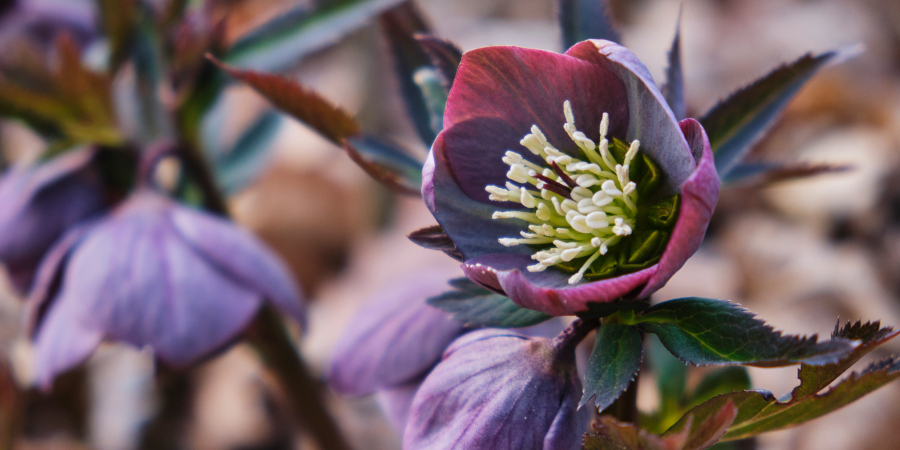
flower
You can find some of my photos on-line at GuruShots: https://gurushots.com/pczanik/photos
There are no recordings of my music, not even in private :-)
Mastodon ya tiene APP oficial para Android
El equipo que desarrolla el software de la red social Mastodon ha publicado la aplicación oficial para sistemas Android

Mastodon es la red social descentralizada más grande de Internet. En lugar de un solo sitio web, es una red de millones de usuarios en comunidades independientes que pueden interactuar entre sí, sin problemas.
No importa lo que te guste, ¡puedes conocer a personas apasionadas que publican sobre ello en Mastodon! Y en uno de esos nodos de Mastodon me puedes encontrar.
Y se acaba de publicar la aplicación oficial de Mastodon para sistemas Android.
Todavía se encuentra en periodo muy temprano de desarrollo, por lo que faltarán algunas funcionalidades, pero es un comienzo.
Ya había una aplicación disponible para sistemas iOS, pero ahora ya llega también la app oficial para sistemas Android.
De momento está disponible desde al Store de Google, pero también estará disponible desde f-droid cuando pase todos los requisitos necesarios.
Debido a que Mastodon ofrece API’s públicas y abiertas, ya había aplicaciónes disponibles para Android, yo personalmente utilizo Tusky, también disponible desde Google Store y f-droid.
De momento no tengo intención de cambiarla, pero quizás más adelante pruebe y compare si me quedo con una o con otra. Me daría pena tener que decirle adiós a Tusky…
Pero esta nueva aplicación, digamos que es la «oficial» ya que está desarrollada por el mismo equipo que desarrolla el propio software de Mastodon.
Las opiniones de quienes la han probado son bastante buenas. Echan en falta alguna opción, pero en general he leído buenos comentarios sobre la aplicación.
Así que felicidades a todas las personas que la han hecho posible, para que todas las personas que lo deseen la puedan utilizar.
¿Tú la has probado o vas a hacerlo? Comparte en los comentarios del blog cual es tu opinión.

Segunda actualización de Krita 5, puliendo la versión
Hoy me complace compartir que tenemos entre nosotros la segunda actualización de Krita 5, la aplicación para dibujantes y artistas gráficos de KDE, y la verdad, de cualquier otro sistema. Y sí, siendo la segunda lleva por numeración Krita 5.0.5 porque parece que son excelentes programando y con los lápices, pero lo que se dice contar versiones no es lo suyo.
Segunda actualización de Krita 5, puliendo la versión
Desde que se lanzó en enero Krita 5 los desarrolladores no han estado de brazos cruzados y llevan un tiempo puliendo la versión para reducir los errores que cualquier creación de software tiene, y más con el ingente número de funcionalidades que tiene esta.
De esta forma, hace unos días que fue lanzada la segunda actualización, que en palabras de sus desarrolladores:
«[…] lanzamos Krita 5.0.5, probablemente la última versión antes de que salga Krita 5.1.0, con suerte en junio. Nota sobre la numeración: no se han perdido las versiones 5.0.3 y 5.0.4. Algunas tiendas, si creen que un determinado paquete no es lo suficientemente bueno, insisten en que subas un paquete con un número de versión mayor, y eso ocurrió dos veces con la 5.0.2…pero antes de entrar en detalles…«
En la página web del anuncio encontramos el ingente número de correcciones que han realizado, pero como decíamos al principio, los desarrolladores de Krita no son buenos contando así que no las han numerado. Yo sí lo he hecho y son exactamente 83, para que no se diga que se diga que no trabajan.
Las novedades de Krita 5.0
Es el momento de dar un repaso rápido por las novedades de Krita 5.0, que no son todas las que son pero sí todas las que están.
- Renovada el sistema con el que Krita maneja herramientas como los pinceles, los degradados y las paletas, así como el etiquetado. Ahoras es mucho más rápido, utiliza mucha menos memoria y es mucho más fiable.
- Se han mejorado los degradados: más suaves y pueden manejar gamas más amplias.
- El motor de los pinceles para difuminar ha sido completamente reescrito, y tenemos un nuevo motor de pinceles, basado en MyPaint
- Se ha revisado el sistema de animación, con mejoras en la interfaz de usuario y nuevas funciones, como los marcos de clonación y las máscaras de transformación animadas.
- Añadido un editor de guiones gráficos integrado.
- Nueva herramienta: grabadora para crear un vídeo de tus sesiones de pintura
Y muchos más pequeñas mejoras. Una gran noticia para un Software que no para de mejorar y que demuestra el gran potencial que tiene el Software Libre cuando se unen esfuerzos.
Más información: Anuncio de lanzamiento | Notas de lanzamiento
¿Qué es Krita?
Para los que no lo sepan, Krita es el software de pintura digital e ilustración basado en las librerías de la plataforma KDE que antes estaba incluido en Calligra Suite.
A diferencia de otras aplicaciones gráficas, se diseño hace énfasis en la creación de imágenes desde cero, es decir, está especialmente orientado para los artistas gráficos como ilustradores, dibujantes de cómics, etc.
Krita es software libre distribuido bajo la licencia GNU GPL y fue lanzado por primera vez como parte de la versión 1.4.0 de KOffice, el 21 de junio de 2005. (Vía: Wikipedia)
Para ver el funcionamiento de esta aplicación nada mejor que ver un vídeo de Odysseas Stamoglou en la que nos muestra como dibujar una chica dedel futuro con Krita.
La entrada Segunda actualización de Krita 5, puliendo la versión se publicó primero en KDE Blog.
