
 Member
 baltolkien
Korla, otro tema de iconos simples y claros para Plasma
Entre tantos temas importantes de estos días hoy me apetece hablar de nada profundo. Hoy tengo el gusto de presentaros un tema de iconos con los que personalizar nuestro entorno de trabajo llamado Korla, que destaca por su simpleza, claridad y elegancia.
Korla, otro tema de iconos simples y claros para Plasma
Como suelo decir, cambiar el tema de iconos de un escritorio es una de las formas de adaptación más completa que puedes realizar sobre tu PC, ya que modifica totalmente el aspecto del mismo a la hora de interaccionar con tus aplicaciones, documentos y servicios.
Para el escritorio Plasma de la Comunidad KDE hay cientos de temas disponibles, y en el blog le hemos dedicado muchos artículos a ir presentando algunos de ellos, pero siempre aparece alguno nuevo o remozado que hace que siempre le volvamos a dedicar una nueva entrada
Os presento Korla, un bonito tema de iconos que nos viene de la mano de Tarma que nos ofrece un conjunto iconos carpetas, aplicaciones y otros símbolos del sistema simples, claros y elegange, y que combinan perfectamente tanto en temas claros u oscuros.

De esta forma, Korla ofrece 4 estilos diferentes:
- Korla – para temas y paneles oscuros.
- Korla-light – para temas claros y paneles oscuros.
- Korla-light-panel – para temas y paneles claros.
- Korla-pgrey – para temas con aspecto grisáceo.


Y como siempre digo, si os gusta el pack de iconos podéis “pagarlo” de muchas formas en la nueva página de KDE Store, que estoy seguro que el desarrollador lo agradecerá: puntúale positivamente, hazle un comentario en la página o realiza una donación. Ayudar al desarrollo del Software Libre también se hace simplemente dando las gracias, ayuda mucho más de lo que os podéis imaginar, recordad la campaña I love Free Software Day 2017 de la Free Software Foundation donde se nos recordaba esta forma tan sencilla de colaborar con el gran proyecto del Software Libre y que en el blog dedicamos un artículo.
Más información: KDE Store
Cifra con ROT13 directamente en el editor #Vim
Puedes cifrar o descifrar un texto con el método de cifrado ROT13 directamente en el edito Vim

La serendipia lleva a cosas interesantes. Así ha pasado a raíz de un toot en Mastodon de TerceraNexus6, en el que explicaba como uno de sus pequeños alumnos le había mandado un mensaje con cifrado César.
Así que me puse a leer qué era eso del cifrado César, y de una variante de ese cifrado es el ROT13. Un tipo de cifrado muy débil que consiste en rotar 13 posiciones las letras del abecedario, para a partir de una frase, ofuscar su significado y que no sea legible a primera vista.

Imagen Wikipedia
En este blog ya he escrito sobre cómo Vim puede cifrar un archivo mediante blowfish2, en este caso veremos cómo “cifrar” una línea, líneas o archivo entero con ROT13.
Este artículo viene a formar parte de la serie de tutoriales sobre el editor Vim que desde hace meses estoy publicando en mi blog y que puedes encontrar reunidos en este enlace:
Como ya he dicho, ROT13 es un tipo de cifrado bastante débil, por lo que no debe ser considerado un método fiable de cifrado, pero sí puede ser interesante para hacerlo ininteligible y hacer desistir de su lectura a alguien con “ojos curiosos”.
Así que veamos cómo Vim nos puede cifrar y descifrar texto utilizando este método ROT13:
- Deberemos seleccionar una palabra, una línea o conjunto de líneas en el modo visual
- Seleccionado el texto que queremos cifrar, en modo normal pulsaremos la combinación de teclas g?
- La selección se cifrará o descifrará en el método ROT13.
Por supuesto tiene algunas lagunas como las letras con acentos, la ñ, etc. Pero en general funciona sin problemas y volverá nuestro texto a un “idioma extraño”.
Si queremos cifrar o descifrar el texto completo podemos utilizar cualquiera de las siguientes combinaciones de teclas en el modo normal:
- ggVGg?
- ggg?G
Os dejo una demostración práctica del proceso en este asciinema:

#git cumple 15 años
Git el sistema de control de versiones más utilizado cumple 15 años desde que salió a la luz esta gran herramienta

Era el mes de abril del año 2005. Linus Torvalds, el creador del kernel Linux necesitaba una herramienta que pudiera gestionar mejor el flujo de trabajo de la enorme comunidad creciente que contribuía al código de Linux.
Así que se retiró durante una semana, estuvo trabajando y creó el código desde cero de una nueva herramienta. Un 7 de abril de 2005 se publicó el auncio del código de git y se dió a conocer esta gran herramienta que todo desarrollador debe conocer y manejar.
Linus Torvalds creó esta herramienta como medio de gestionar parches y colaboraciones en el código del kernel Linux. Liberó el código que había creado como software libre y una vez que la herramienta estaba en marcha, cedió el control del código de la propia herramienta a Junio Hamano y siguió centrándose en Linux su proyecto principal.
Existían opciones de control de versiones antes de git, de hecho en el desarrollo de Linux utilizaban BitKeeper. Pero después de algún problema con el desarrollador de esta herramienta, Linus decidió tomarse un tiempo de “vacaciones” y salió con git debajo del brazo.
15 años después, la herramienta se ha convertido en algo indispensable, para muchas empresas que confían en git el control de su código y la gestión de parches de diferentes colaboradores.
15 años después git ha crecido y la herramienta se ha convertido en una de las necesarias a la hora de querer colaborar en cientos de proyectos de software libre y también software privativo.
Empresas como Google, Facebook, Microsoft o múltiples proyectos como KDE, GNOME, openSUSE, y muchos otros confían en git como herramienta a la hora de controlar el software que desarrollan.
Git es la herramienta en la que cada desarrollador tiene una copia del software, trabaja en ella y se guarda en un servidor central. Cualquier desarrollador puede descargarse ese software y ver quien y cuando se hicieron modificaciones en el código.
Puede de una manera más o menos sencilla, revertir cambios y tener un seguimiento del proyecto desde el “commit” inicial.
Cada contribución está “firmada” con un “hash” o número identificativo generado de manera única para esa contribución específica.
Esto también facilitó la tarea de integrar varias ramas de desarrollo de un software específico en la rama principal del proyecto.
Después ya surgieron las archi conocidas plataformas como GitHub o Gitlab, en el que hospedar el código y hacer sencillo la contribución de código.
Pero cabe diferenciar que git es independiente de esas plataformas. Puedes usar git sin necesidad de un repositorio central. Puedes tu mismo hacer un control de versiones de una tésis, un libro u otro proyecto en el que estés trabajando.
Porque desde luego git es para código, pero con el paso de los años, hemos descubierto que git sirve para llevar el control de versiones de muchas otras cosas, no sólo código. Al final todo lo que guardamos en nuestros equipos son ceros y unos, da igual que sea código, que sea una imagen o un texto.
Git es la herramienta que muchos sin ser desarrolladores (como yo mismo) nos hemos visto “obligados” a manejar por lo menos en lo más básico si queríamos participar y colaborar en proyectos de software libre.
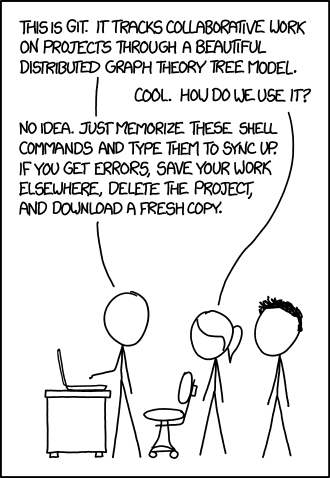
Git es una gran herramienta que tiene una curva de aprendizaje pronunciada, y que debes conocer muy bien las bases de cómo funciona. Después de eso, la práctica hace al maestro. Meterás (meteré) la pata más de una vez, pero oye, de esos errores también se aprende (de donde más se aprende, me atrevería a decir).
En mi blog he escrito algunos tutoriales y artículos sobre git. Los tienes aquí reunidos, por si quieres consultarlos, espero que alguno te resulte interesante y aprendas algo nuevo.
Disponible canal de Spotify de los podcast de KDE España
Nos ha costado un poco por el tema de automatizar tareas, pero nos congratula anunciar que ya está disponible canal de Spotify de los podcast de KDE España, una nueva vía de emisión de los audio que periódicamente hacemos sobre el Software Libre en general.
Disponible canal de Spotify de los podcast de KDE España
 Creo que es buena idea recordar cada cierto tiempo que el Grupo de Comunicación de KDE España creó una serie de podcast para hacer más visible el inmenso trabajo que hacen las diversas comunidades de Software Libre, con una especial atención a la de KDE.
Al principio solo lo teníamos disponible en Youtube, que por decirlo de alguna forma, es nuestra plataforma principal, pero en un afán de llegar a más gente decidimos crear canal de Ivoox de KDE España donde también podéis encontrar los podcast.
Una vez dominado este canal, se decidió dar otro paso y adentrarnos en el mundo de Spotify, y para ello decidimos automatizar este proceso y realizarlo aprovechando el enlace rss que genera Ivoox y enlazarlo con este servicio.
Así que desde hace un tiempo, tenemos el canal de Spotify, que se actualiza poco después del de Ivoox, a vuestra disposición. Podéis buscarlo como «Podcast KDE España» que os aparecerá.
Y aprovecho esta entrada para poneros el último episodio que realizamos de Ivoox y donde hablamos de las cosas que hacer con KDE estando encerrado en casa.
- En primer lugar preguntaros si sabéis de otras plataformas donde creéis que deberíamos estar presentes y que nos ayudarais a estarlo.
- En segundo lugar pediros vuestra opinión sobre la duración de los podcast (¿son largos?¿son cortos?).
Además, nos encantaría saber sobre qué os gustaría que habláramos en los mismos y os pido ayuda para la mejora de nuestro canal, toda ayuda es poca en cuanto a generación de una portada genérica para los podcast, mejoras tecnológicas, participación en los mismos o difusión en otras redes sociales.
Puedes participar en el Google Summer of Code colaborando con #openSUSE
openSUSE ha sido seleccionada un año más como organización para participar en el Google Summer of Code (GSoC) 2020 junto con otras muchos proyectos y organizaciones de software libre

Google Summer of Code (GSoC) es una propuesta de Google, en la que se seleccionan unos proyectos de software libre y unos estudiantes, para que estos estudiantes participen en esos proyectos y pagarles dinero mientras colaboran con proyectos y comunidades reales desarrollando código.
Para el GSoC se seleccionan primero varios proyectos o comunidades de software libre, en este año son más de 180 organizaciones las seleccionadas.
Entre ellas podemos encontrar algunos proyecto más importantes como: Arduino, Blender, CERN, Coreboot, Creative Commons, Debian, Drupal, Fedora, FreeBSD, Gentoo, GNOME, GCC, Inkscape, KDE, LibreOffice, Mozilla, Python, Ryby, Apache, GNU Project, Linux Foundation, VLC, XMPP
Por nombrar solo algunos de esos más de 180 proyectos. Y entre ellos, también está openSUSE como proyecto aceptado.
Ahora los estudiantes que quieran participar deberán escoger qué proyectos escoger y en qué quieren trabajar. Los proyectos se comprometen a tener unos mentores para esos estudiantes que les guíen a la hora de desarrollar su proyecto participando en una comunidad de software real, en un desarrollo de software real.
Para muchos estudiantes, este puede ser el primer acercamiento que tienen con el software libre, y para muchos y muchas, será un mundo del que después ya no querrán salir.
El GSoC les da la oportunidad a esos estudiantes a trabajar con un montón de herramientas nuevas, les propondrá nuevos retos que deben ser capaces de abordar, siempre con el apoyo de los mentores de cada proyecto.
Aquellos estudiantes que escojan openSUSE como proyecto en el que participar, tendrán unas cuantas tareas en las que podréis participar, y echar un vistazo a aquellas tareas que se han realizado en años anteriores:
Estos estudiantes tiene la oportunidad de mejorar herramientas de las que después se beneficiarán toda la comunidad, o de trabajar en tareas concretas que requieren un tiempo que nadie dedica, por haber otras cosas más urgentes.
Sea como sea, es una oportunidad genial para atraer a nuevos desarrolladores y desarrolladoras al software libre, gente nueva, con nuevas ideas y nuevos enfoques y participar en el software libre.
openSUSE es una vez más un gran proyecto en el que participar. Porque openSUSE es una gran distribución de GNU/Linux, pero es además mucho más que eso.
La comunidad de openSUSE, no solo desarrolla la distribución, además desarrolla todo un gran conjunto de otros proyectos, todos publicados como software libre, que sirven y ayudan a toda la comunidad.
Por eso te animo a que escojas openSUSE como proyecto a participar, echa un vistazo a su web oficial para el GSoC y verás que hay mucho en donde puedes aportar.
Bienvenido, bienvenida a los estudiantes que se decidan por openSUSE y gracias por los aportes que realizan, ya que de alguna manera me beneficiaré yo por ser parte de esa comunidad.
Ah! un último motivo para escoger openSUSE como proyecto. Es la única distribución de GNU/Linux que desarrolla además su propia cerveza, Old Toad (que he tenido la suerte de degustar!!)
Have a lot of fun!! 

#SUSE renueva su imagen corporativa, manteniendo su espíritu abierto
La empresa SUSE que desarrolla soluciones basadas en Linux con código abierto y software libre y que patrocina la distribución comunitaria openSUSE ha renovado su imagen corporativa

Nuevo logo de SUSE
SUSE una empresa que lleva en el mundo de Linux desde 1992, y una de las distribuciones de GNU/Linux más longeva del mercado, ha renovado su imagen corporativa y que se hará oficial el próximo 30 de abril de 2020, pero sigue manteniendo su espíritu.
El cambio más significativo en su imagen corporativa es el de la fuente que utiliza como tipografía para su nombre, y cómo no, una nueva imagen para el camaleón, la mascota de SUSE.
El color verde corporativo de SUSE se ha hecho más intenso, pero agradable y ha añadido otros colores a una paleta de colores propia. Una paleta inspirada en colores de elementos naturales, vívida e impactante.
La tipografía utilizada es Work Sans, una fuente libre de código abierto que puedes descargar para utilizarla en tus presentaciones y que une a SUSE con el espíritu de compartir libremente que quiere difundir.
Junto con estas novedades visuales, también han incorporado en su web unas nuevas animaciones basas en puntos y unas nuevas ilustraciones más sencilla y esquemáticas que quieren explicar limpiamente lo que SUSE ofrece.
Además de dar la sensación de movimiento de avance de solución a problemas, de optimismo y de confianza.
Y como no, también el camaleón Geeko, mascota de SUSE, ha sufrido un pequeño cambio de imagen, como podéis ver en la imagen que abre el artículo.
Este cambio de imagen, quiere hacer que en ilustraciones más pequeñas sea distinguible la imagen del camaleón, además sigue siendo optimista y amigable sin perder la identidad visual tan reconocible después de tantos años.
SUSE quiere así renovar su imagen, pero sigue siendo la empresa que apuesta por Linux, por soluciones basadas en código abierto y software libre y por la comunidad de openSUSE.
Todos estos cambios de la empresa SUSE, no tienen porque verse reflejados en openSUSE, en la que la propia comunidad es quien dirige el “artwork” de la distribución.
Tienes más información sobre este cambio de imagen corporativa en su web oficial:
Secretos del escritorio Plasma de KDE en Hacklab Almería
Al final me han convencido y esta noche estaré emitiendo en directo hablando de los «Secretos del escritorio Plasma de KDE» en la serie de actividades que está programando Hacklab Almería para hacer más soportable el confinamiento.
Secretos del escritorio Plasma de KDE en Hacklab Almería
 Después de unas semanas de sano acoso y derribo, al final Rubén me ha convencido en participar en la serie de actividaesd que está programando Hacklab de Almería. Ya que me ha pillado un poco desprevenido, lo anuncio con poco tiempo y me aprovecho del trabajo realizado por la asociación
DESCRIPCIÓN
Baltasar Ortega, fundador y editor de KDE Blog, secretario de KDE España nos hablará sobre el escritorio KDE Plasma, en sus propias palabras:
«Como se estará descubriendo en estos días de teletrabajo, tener un ordenador de escritorio lo más funcional posible hace que seamos muy eficaces a la hora pasar las menos horas posible delante de una pantalla.
» El escritorio de la Comunidad KDE, el cada día más famoso Plasma, y las aplicaciones KDE son un gran ejemplo de optimización, eficacia y belleza. Su funcionamiento es simple por defecto pero potente cuando se requiere.
» En esta breve demostración en vivo intentaré dar una pequeña pincelada de algunos de los Secretos de Plasma mostrando cómo trabajo en este entorno para tener el mayor rendimiento posible.»
DONDE Y CUANDO
El lunes 6 de Abril a las 21:00, a través de uno de los mejores servicios de videollamada OpenSource que existe, Jitsi.
No es necesaria instalación ninguna ni inscripción previa; solo abre el navegador que más te guste y abre el siguiente enlace:
https://meet.jit.si/hacklabalm_secretos_Plasma
NOTA: Para evitar problemas con la charla, se habilitará la retransmisión en directo a través de youtube.
QUIEN HABLA
El orador será Baltasar Ortega; y nos desvelará secretos sobre KDE Plasma y la comunidad KDE.
LOCALIZACIÓN
Lugar: Jitsi, Online, Almería.
Fecha: 06 de abril del 2020
Hora: de 21:00 a 22:00
Más información: Actividades del Hacklab de Almería
DingTalk Destop di Tumbleweed
DingTalk adalah aplikasi pusat tempat bekerja bergerak (An All-in-one Mobile Workplace). Mulai dari Ngobrel, berkirim surel, meeting hinggal presentasi live.
Tool ini merupakan buatan Alibaba. Dan sejak saya ikut menjadi MVP Alibaba Cloud, komunikasi intensif berpindah menggunakan tools ini.
DingTalk memiliki versi untuk mobile Android maupun iOS. Sedangkan untuk versi destop hanya tersedia untuk OSX dan Windows. Untuk GNU/Linux tidak disediakan.

Namun ternyata ada DingTalk Destop versi tidak resmi di lumbung GitHub. Tautan ini saya dapatkan ketika bertanya di channel Alibaba Cloud MVP.
Lumbung tersedia di tautan https://github.com/nashaofu/dingtalk. Lumbung ini ditulis dengan Electron. Mari kita bangun paket untuk Tumbleweed.
- Install NodeJS
- Clone repo
- Ubah suai berkas package.json
- Build electron
- Build paket RPM
- Install paket RPM.
Berkas package.json saya ubah suai sedikit untuk mengganti nama paket dan mempercepat proses membangun paket RPM. Berikut hasil diff package.json dan perintah bashnya.
build.patch
--- package.json.orig 2020-04-04 10:23:45.888371916 +0700
+++ package.json  2020-04-04 10:55:44.369370401 +0700
@@ -81,7 +81,7 @@
   },
   "build": {
     "appId": "com.electron.dingtalk",
-    "productName": "钉钉",
+    "productName": "DingTalk",
     "artifactName": "dingtalk-${version}-${channel}-${arch}.${ext}",
     "copyright": "Copyright © year nashaofu",
     "asar": true,
@@ -119,30 +119,9 @@
     "linux": {
       "target": [
         {
-          "target": "AppImage",
-          "arch": [
-            "x64",
-            "ia32",
-            "arm64",
-            "armv7l"
-          ]
-        },
-        {
-          "target": "deb",
-          "arch": [
-            "x64",
-            "ia32",
-            "arm64",
-            "armv7l"
-          ]
-        },
-        {
           "target": "rpm",
           "arch": [
-            "x64",
-            "ia32",
-            "arm64",
-            "armv7l"
+            "x64"
           ]
         }
       ],
Perintah eksekusi
patch -p0 < build.patch
npm install
npm run build
npm run pack
sudo zypper in release/dingtalk-2.1.3-latest-x86_64.rpm
Ada beberapa galat yang muncul ketika selesai memasang, namun bisa diabaikan. Setelah dipasang, silakan mencari nama aplikasi dengan kata kunci DingTalk. Kemudian login dengan menggunakan bantuan scan QR Code.
Demikian, semoga bermanfaat. 
Estu~
Art vs Design
Over the weekend I was forced to unload all my photos from my phone due to limited storage space. As I went through a nice capture of Builder nighly caught my attention and I couldn't help but post it on twitter.

Obviously posting on twitter meant it was misunderstood immediately and quipped with entitled adjectives. And rather than responding on the wrong platform, I finally have an excuse to post on my blog again. So let's take a look at the horrible situation we ended up with.
Thanks to Flatpak you now have a way to install a stable and development versions of an app, concurrenly. You can easily tell them apart without resorting to Name suffices in the shell, where the actual name gets horribly truncated due to ellipsization, while still clearly being the same app on a first glimpse.

There's plenty of apps already making use of this. So how does an app developer get one? We actually have the tooling for that. If you have an app icon, you can easily generate a nightly variant with zero effort in most cases.
So what was the situation twitter was praising? Let's count on how many GNOME applications shipped a custom nighly icon. Umm, how about zero?
A pretty picture an artist spends hours on, modelling, texturing, lighting, adjusting for low resolution screens is not a visual framework nor a reasonable thing to ask app developers to do.
Pon la potencia de tu #Linux a luchar contra el COVID-19
El coronavirus o COVID-19 nos ha modificado nuestro día a día. Personas que sufren, personas que luchan y personas que nos toca resignarnos, pero ¿podemos hacer algo para luchar contra este virus?

Imagen: Ondiz Zárraga
La respuesta es sí. Podemos aportar nuestro granito de arena a intentar ayudar a frenar esta pandemia y este virus. Podemos ayudar a los científicos a encontrar soluciones para este virus (y otros campos de la ciencia)
Podemos “donar” capacidad de cálculo de nuestros equipos informáticos (PC’s, portátiles, etc) ayudando a la ciencia a realizar los cálculos complicados y costosos (en lo que se refiere a tiempo y proceso) que necesita para luchar contra el COVID-19.
La idea es que en los ratos en los que nuestros equipos (o si tenemos varios, dedicar uno a esta tarea) no estén haciendo nada o no les estemos utilizando, hacer que realicen complicados cálculos que los científicos necesitan para sus experimentos y sus descubrimientos.
En resumen, instalamos en nuestro equipo un software, este se conecta a un servidor central, descarga un paquete de operaciones que necesitan hacerse, el software utiliza nuestro equipo para realizarlas y devuelve los resultados al servidor central.
Y así volveríamos a descargar más paquetes si hubiera pendientes, repitiéndose la tarea. Normalmente los científicos utilizan supercomputadoras con capacidad de sobra para esos cálculos, pero el alquiler de esos equipos supongo que sea caro, y siempre está bien distribuir la carga del trabajo a realizar.
Folding@home
En este caso el proyecto Folding@home se dedica a distribuir esa carga de trabajo entre los voluntarios, para realizar los cálculos y simulaciones que necesitan los científicos para su lucha contra el COVID-19.
En la página de Red Hat nos explican cómo contribuir con nuestro equipo al proyecto Folding@home en nuestro sistema GNU/Linux. Hay paquetes .deb y .rpm que podremos instalar en nuestro sistema (dependiendo del sistema de paquetería que utilice)
Existen 3 paquetes a instalar:
- Un cliente que es el que ejecuta las simulaciones y se comunica con el servidor central de Folding@home
- Un control del cliente, que es utilizado para gestionar el procesado del cliente y configurar diversos aspectos de configuración del cliente
- Un visor que sirve para poder visualizar ciertos aspectos del proyecto
En la página de Red Hat están los enlaces a los paquetes a descargar y las instrucciones (en inglés) de cómo participar en el proyecto y aportar con nuestros equipos a la lucha contra el COVID-19 y la investigación científica.
Rosetta@home
Al igual que el anterior proyecto, Rosetta@home, funciona de una forma similar y debido a la crisis de la pandemia del coronavirus, pues también se han puesto “manos a la obra” a realizar simulaciones y realizar cálculos para ayudar a la ciencia sobre cómo parar el COVID-19.
En mi openSUSE, el folding@home no funcionaba, había dependencias que requerían unos paquetes que no están disponibles en openSUSE. Pero sí funciona Rosetta@home
Para ayudar en el proyecto Rosetta@home debes instalarte el software Boinc, algo sobre lo que ya escribió el amigo David aka ochobits en su blog:
En este caso, en vez de escoger la opción del SETI, sería escoger el proyecto Rosetta y crearnos una cuenta y esperar a que el programa reciba datos con los que contribuir.
Yo lo instalé ayer por la noche y dejé el portátil funcionando toda la noche. El equipo sigue funcionando y puedes configurar la cantidad de CPU y de memoria que utilice o decirle cuando puede entrar en funcionamiento.
En mi openSUSE, no terminaba de funcionar, porque no se conectaba con el servidor central, así que explico qué tuve que hacer, suponiendo que ya todo el software está instalado.
- Comprobar el estado de la tarea con: systemctl status boinc-client
- Si está parada, arrancarla con: systemctl start boinc-client
- Ir a la ruta /var/lib/boinc
- Ver el contenido del archivo: sudo cat gui_rpc_auth.cfg
- Copiar esa clave
- Abrir el cliente Boinc desde nuestro lanzador de aplicaciones
- Seleccionar ordenador y en la ventana poner: localhost y en la clave el contenido del archivo gui_rpc_auth.cfg que hemos copiado antes
- Ya nos dejará abrir un proyecto. Seleccionar Rosetta. Y crear una cuenta con usuario y contraseña.
- Esperar a que se descargue datos
- Nuestro equipo realizará los cálculos subiéndolos cuando acabe.
- Podemos participar en otros proyectos si queremos
Así de simple. Podemos arrancar esta tarea por la noche y dejar nuestro equipo funcionando, o podemos invertir capacidad de proceso de otros equipos que tengamos en casa.
Podemos aportar con nuestro sistema GNU/Linux a la lucha contra este virus.
Y ya sabes, podemos aportar frenando la curva de contagio e impidiendo colapsar la sanidad quedándote en casa, tomando precauciones al salir de casa si no queda más remedio, lavándonos las manos y no apoyando a partidos políticos que quieren desmantelar la sanidad pública y universal, o la educación… como ya hicieron con otros sectores en el pasado.
Abrazos a quienes lo están pasando mal, no por estar en casa, si no por que esta circunstancia les ha tocado más de cerca a seres queridos, o porque ha agravado más su ya difícil situación.
Y por favor, respeta a tus vecinos. No pongas la música a todo volúmen para todo el vecindario, entiende que puede haber personas enfermas, mascotas, u otras circunstancias en las que tu música a todo volúmen sea una gran molestia.

Pincha sobre la imagen para ampliar