
 Member
Cybersécurité, Juice Hacking et Data Blocker, si, si ce n’est pas du délire !
Parfois on crie au loup, des fois on gagne une bataille mais jamais la guerre… Aujourd’hui, nous avons une vidéo qui démontre le ‘Juice Jacking’ qui est assez répandu : https://www.youtube.com/watch?v=l5Jyb1a-JZk Ce n’est pas une bonne idée de recharger son smartphone, ou tablette dans les gares, les aéroports, les trains etc. sans un ‘Data Blocker’ […]
The post Cybersécurité, Juice Hacking et Data Blocker, si, si ce n’est pas du délire ! appeared first on Network Users Institute - Cybersécurité, Intégration de Linux & Logiciels Libres à Rouen, Normandie..

 baltolkien
Calendario de lanzamientos de las aplicaciones 20.04 de la Comunidad KDE
De nuevo lo anuncio con un poco de retraso . Fieles a los periodos cuatrimestrales que los propios desarrolladores se han marcado, acaba de ser anunciado el calendario de lanzamientos de las aplicaciones 20.04 de la Comunidad KDE, el síntoma inequívoco de la continua evolución de la Comunidad KDE y su compromiso por la constancia y mejora continua.
Tener un plan de trabajo pre-establecido es algo fundamental para que los equipos funcionen. Este calendario de trabajo debe contener la respuesta a dos preguntas muy explícitas: qué hay que hacer y cuándo debe estar hecho. Además, en sus aplicaciones internas se responde a otra pregunta que también es sumamente importante: quien lo va a hacer.
Esta metodología de trabajo la tienen perfectamente clara y establecida los desarrolladores de KDE que, como viene siendo habitual, no solo se lo marcan en sus agendas sino que lo hacen público. De hecho, esta entrada es un calco de la que hice hace unos meses con KDE Aplicaciones 19.04.
Calendario de lanzamientos de las aplicaciones 20.04 de la Comunidad KDE
 Si tenéis un calendario a mano y tenéis interés en los lanzamientos de KDE Aplicaciones os aconsejo que anotéis en él las fechas principales de lanzamientos de KDE Aplicaciones 20.04. Hay que destacar que en esta ocasión se ha querido simplificar mucho el proceso en aras de ser más claros y efectivos. En anteriores lanzamientos ha resultado bastante acertado.
De este modo tenemos:
- Jueves, 12 de Marzp de 2020: Congelamiento de KDE Aplicaciones 20.04, marcado y lanzamiento de la primera beta
- Jueves, 2 de Abril de 2020: Marcado y lanzamiento de KDE Aplicaciones 20.04 RC (Versión Candidata)
- Jueves, 16 de Abril de 2020: Marcado de KDE Aplicaciones 20.04
- Jueves, 23 de Abril de 2020: Lanzamiento de KDE Aplicaciones 20.04 definitivo
En fin, un equipo incansable que nos ofrece la colección de aplicaciones más útil, integradas y funcionales para el escritorio libre más bello, funcional y dinámico que puede habitar en tu PC o portátil… y esperemos que pronto en otros dispositivos.
Más información: KDE Techbase | TSDgeos’ blog

oSLO Conference 🐧
oSLO is short for openSUSE + LibreOffice.
The two projects are celebrating their 15ᵗʰ and 10ᵗʰ anniversary respectively in 2020. To mark the occasion, openSUSE and LibreOffice projects are organizing a joint conference from 13ᵗʰ to 16ᵗʰ October 2020 in Nuremberg, Germany. The conference will take place at Z-bau (Frankenstraße 200). It is the same location where last year's openSUSE Conference was held.
openSUSE and LibreOffice conferences are meant to bring like minded people together to discuss about topics relative to the projects. People can learn, teach and share their passion about the projects.
Last September, openSUSE announced a logo design competition for this co-conference with LibreOffice. Early this month the winner of the competition was announced. Kukuh Syafaat from Indonesia won the hearts of the co-conference organizing team.

The conference is free to attend. Mark you calendar & join the fun!
Call for Papers
The organizing team is currently accepting proposals for sessions. The deadline for submission is 21 July 2020.
#openSUSE Tumbleweed revisión de la semana 7 de 2020
Tumbleweed es una distribución “Rolling Release” de actualización contínua. Aquí puedes estar al tanto de las últimas novedades.

openSUSE Tumbleweed es la versión “rolling release” o de actualización continua de la distribución de GNU/Linux openSUSE.
Hagamos un repaso a las novedades que han llegado hasta los repositorios esta semana
El anuncio original lo puedes leer en el blog de Dominique Leuenberger, publicado bajo licencia CC-by-sa, en este enlace:
Esta semana se ha publicado 4 nuevos snapshots: 0207, 0209, 0211 and 0213, que parece ser la norma. EL último sanpshot se subirá el viernes por la tarde.
Quizás no puede parecer mucho, pero estas 4 snapshots han traido interesantes y esperadas actualizaciones a los repositorios de openSUSE Tumbleweed:
Por ejemplo:
- KDE Applications 19.12.2
- KDE Plasma 5.18
- Linux Kernel 5.5.1 ( que como en ocasiones pasadas, ha dado problemas a quienes utilizan controladores privativos de tarjetas NVIDIA ya que los controladores han llegado más tarde de lo que Tumbleweed actualiza el kernel)
Y muchas cosas están por venir en próximas actualizaciones:
- Python 3.8
- Eliminación def python 2
- glibc 2.31
- GNU make 4.3
- libcap 2.30
- RPM
- MicroOS Desktop
Si quieres estar a la última con software actualizado y probado utiliza openSUSE Tumbleweed la opción rolling release de la distribución de GNU/Linux openSUSE.
Mantente actualizado y ya sabes: Have a lot of fun!!
Enlaces de interés
-
-
- ¿Por qué deberías utilizar openSUSE Tumbleweed?
- zypper dup en Tumbleweed hace todo el trabajo al actualizar
- ¿Cual es el mejor comando para actualizar Tumbleweed?
- Comprueba la valoración de las “snapshots” de Tumbleweed
- ¿Qué es el test openQA?
- http://download.opensuse.org/tumbleweed/iso/
- https://es.opensuse.org/Portal:Tumbleweed
-

——————————–
Resumen 2019 y expectativas 2020 en GNU/Linux y FLOSS en Compilando Podcast #48
Afortunadamente me estoy poniendo al día con los podcast, y uno de los que más me gusta es el de Compilando Podcast. Así que, con conocimiento de causa hoy os quiero recomendar el episodio #48 Resumen 2019 y expectativas 2020 en GNU/Linux y FLOSS de Compilando Podcast, un audio que llega un poco tarde pero como todo lo bueno, llega cuando tiene que llegar.
Resumen 2019 y expectativas 2020 en GNU/Linux y FLOSS en Compilando Podcast #48
En palabras del gran Paco Estrada que sirven de introducción del episodio 48 de Compilando Podcast:
 «Primera entrega del 2020 de Compilando Podcast que , con algo de retraso, explora las novedades que nos traerá 2020 y hace balance de lo que ha sido el 2019 en GNU/Linux y el software libre y de código abierto; todo ello en las voces de :
Antonio Larrosa, Lorenzo Carbonell (Atareao), Philippe Lardy, Maribel García Arenas, Juan Febles, Eduardo Collado, Arantxa Serantes, Baltasar Ortega (un servidor), Samuel Iglesias y Jorge Lama.
Todas ellos y ellas, voces autorizadas en diferentes aspectos del FLOSS a los que agradecemos su visión para la audiencia de Compilando Podcast.
Este episodio está dedicado a la memoria de SERGI QUILES PÉREZ , gran linuxero, divulgador y mejor persona y compañero que nos dejó, muy temprano, el pasado mes de Enero. D.E.P.»
En resumen, un podcast interesante por que es una forma de ver un crisol de proyectos libres que vuelven a demostrar lo viva que está la Comunidad y que nadie puede conocer al 100% todo lo que se crea a su alrededor.
Como siempre os invito a escuchar el podcast completo y compartirlo con vuestro entorno cercano y en vuestras redes sociales.
¿Qué es Compilando Podcast?
Dentro del mundo de los audios de Software Libre, que los hay muchos y de calidad, destaca uno por la profesionalidad de la voz que lo lleva, el gran Paco Estrada, y por el mimo con el que está hecho. No es por nada que ganó el Open Awards’18 al mejor medio, un reconocimiento al trabajo realizado por la promoción .
A modo de resumen, Compilando Podcast es un proyecto personal de su locutor Paco Estrada que aúna sus pasiones y que además, nos ofrece una voz prodigiosa y una dicción perfecta.
Más información: Compilando Podcast
Novedades de las Preferencias del Sistema de Plasma 5.18 LTS #ilovefs
Con las novedades de las Preferencias del Sistema de Plasma 5.18 LTS doy finalizada la trilogía de estas en el blog. Eso no significa que vayan apareciendo noticias sobre esta buena versión que nos ha ofrecido el equipo de desarrollo de la Comunidad KDE y que pronto empezará sus versiones actualizadas.
Novedades de las Preferencias del Sistema de Plasma 5.18 LTS
Recodemos que Plasma 5.18 LTS fue lanzado el martes, y que tanto el miércoles como el jueves le he dedicado artículos a sus novedades.
Cierro hoy esta serie con las novedades de las Preferencias del Sistema, que nos llega con muchos cambios y con una nueva funcionalidad que merece la pena destacar, la telemetría.

No obstante, antes de empezar con los detalles os sigo recomendando el vídeo de presentación de Plasma 5.18 LTS y, ya que estamos a 14 de febrero, no olvides agradecer a las personas que hacen posible el Software Libre posible su trabajo.
Las Preferencias del Sistema
La novedad principal de estas Preferencias del Sistema de Plasma 5.18 radica en la introducción de la famosa y temida telemetría, de la que algún medio como Muy Linux nos hizo un adelanto y que tanta expectación levantó en el mundillo del Software Libre.
La Comunidad KDE ha decidido implementar la posibilidad de que el usuario envíe información sobre su sistema de forma automática y esta nueva funcionalidad ha recibido el nombre de «User Feedback» o «Comentarios de los usuarios».
En este punto haz que resaltar que aunque parezca una intromisión a nuestra intimidad es conveniente resaltar que no es ese el objetivo de los desarrolladores de KDE. Las intenciones de la Comunidad KDE es poder recopilar las características técnicas de los equipos en los que los usuarios ejecutan sus entornos de escritorio.
Tanto es así que:
- Son los usuarios los que deciden compartir su información sobre su instalación. Por defecto no está seleccionado.
- No se envía información personal ni de navegación. Se puede ver y auditar que ninguno de los parámetros de la telemetría lo solicita.
- Los usuarios tienen el control del deslizador de las Preferencias de los comentarios del usuario que les permite decidir cuánto le gustaría compartir con los desarrolladores de KDE.

Los desarrolladores insisten en que está información será utilizada para mejorar Plasma aún más y hacer que se adapte mejor a sus necesidades de la gran mayoría de usuarios.
Otros aspectos que han cambiado es la sección de las preferencias del Estilo de las aplicaciones y los Temas Globales (antiguo Look & Feel) con una vista en cuadrícula, con lo que ahora es más sencillo previsualizar cómo se mostrarán las aplicaciones o el escritorio Plasma tras escoger un nuevo estilo.

También se ha añadido una deslizador a la sección de Comportamiento General que controla la velocidad de aparición de las ventanas, desde desesperadamente lento a movimiento instantáneo.
Por último, se ha mejorado la función de búsqueda de las Preferencias del sistema , con lo que encontrar el ajuste del parámetro deseado es más fácil que nunca.
Y hasta aquí las novedades principales de este Plasma 5.18 LTS, una versión que nos ha ofrecido muchas novedades, que en breve (si todo va bien el martes) recibirá su primera actualización y que promete dar muchas alegrías a sus usuarios.
Más información: KDE
#ilovefs mi gratitud a estos proyectos de #softwarelibre
De nuevo un 14 de febrero. La fecha para demostrar tu amor… por el software libre
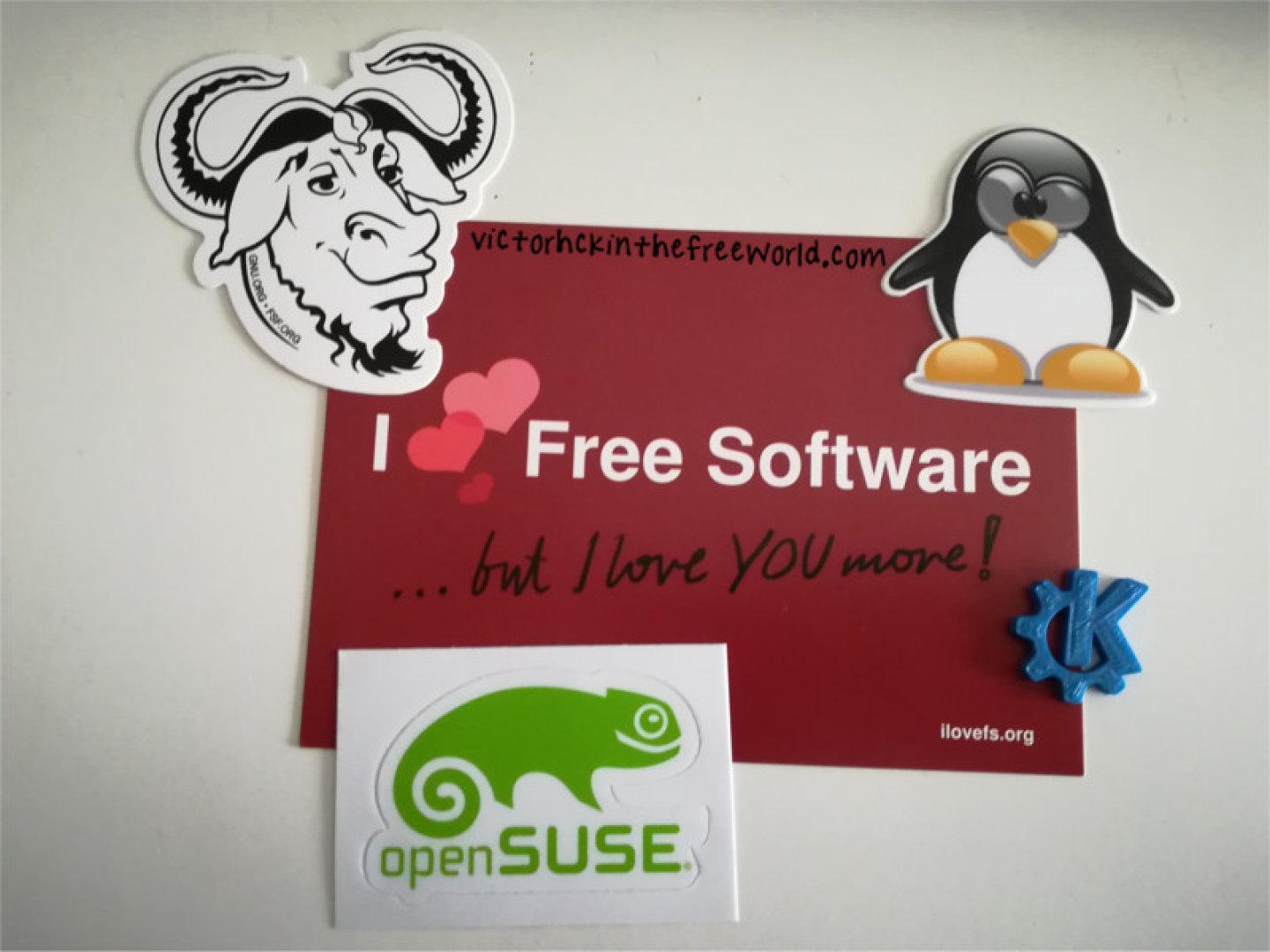
No quería dejar pasar la fecha de este 14 de febrero, y un año más unirme a la campaña #ilovefs creada por la Free Software Foundation Europe (fsfe)
En este día de los enamorados la fsfe propone demostrar públicamente nuestro afecto, simpatía, gratitud o amor por algún proyecto de software libre y sobre todo por las personas que están detrás.
Es un buen momento (como cualquier otro) para enviar un correo, o un mensaje a alguien implicado en un proyecto de software libre agradeciéndole el que dedique su tiempo y esfuerzo en crear algo así. También estaría bien apoyarlo con algo de dinero… 
Este año quiero mandar mi afecto a tooooooodas las personas (de la primera a la última) que de alguna forma colaboran en estos proyectos de software libre, que son los que más utilizo en mi día a día.
- Mi distribución de GNU/Linux: openSUSE
- Mi entorno de escritorio y mucho más: kde
- Mi navegador web: firefox
- Mi cliente de correo: thunderbird
- Mi gestor de ventanas alternativo a Plasma: i3wm
- Mi red social: Mastodon
- Mi reciente red social: Pixelfed
- Mi nube privada: NextCloudPi gracias a NextCloud
- La tienda de aplicaciones para móviles: f-droid
- La aplicación que uso para comunicarme en Mastodon: tusky
- La comunidad de software libre de la que soy socio: KDE España
- El reproductor de música que utilizo (principalmente: moc
Y muchos otros que me dejo en el tintero. Pero este año quería dedicarlo a las personas que desarrollan, testean, reportan, traducen, parchean, difunden, promocionan, hablan o escriben sobre estos proyectos que son los que más utilizo diariamente.
Si te encuentras dentro de este grupo, un abrazo es para ti, y muuuchas gracias.
Y no quería dejar pasar la ocasión sin dedicarle también un recuerdo y un abrazo al amigo Replicante, creador y editor durante muchos años de la grandérrima web: lamiradadelreplicante.com
El 22 de mayo hará 1 año que escribió su último artículo. Para mí era un sitio de consulta, y el Replicante un tipo con buenas dotes de escritura y comunicación. Me gustaba su web y los artículos y el toque personal que les daba.
Se le echa de menos… espero que si vuelve a tener ganas y tiempo retome su proyecto y nos siga deleitando con sus historias geeks. Compa, si te llega esto, un abrazo y se te echa de menos. Gracias por tanto!!
No dejes pasar la ocasión. Entre abrazo y abrazo a tu pareja si la tienes, manda un abrazo virtual a la persona relacionada con el software libre que prefieras!!

openSUSE Tumbleweed – Review of the week 2020/07
Dear Tumbleweed users and hackers,
At SUSE we had so-called hackweek. Meaning everybody could do something out of their regular tasks and work for a week on something else they wish to invest time on. I used the time to finally get the ‘osc collab’ server back in shape (Migrated from SLE11SP4 to Leap 15.1) – And in turn handed ‘The Tumbleweed Release Manager hat’ over to Oliver Kurz, who expressed an interest in learning about the release Process for Tumbleweed. I think it was an interesting experiment for both of us: for him, to get something different done and for me to get some interesting questions as to why things are the way they are. Obviously, a fresh look from the outside gives some interesting questions and a few things translated in code changes on the tools in use (nothing major, but I’m sure discussions will go on)
As I stepped mostly back this week and handed RM tasks over to Oliver, that also means he will be posting the ‘Review of the week’ to the opensusefactory mailing list. For my fellow blog users, I will include it here directly for your reference.
What was happening this week and included in the published snapshots:
* KDE Applications 19.12.2
* KDE Plasma 5.18
* Linux Kernel 5.5.1 (which as some times in before posed a problem for owners
of NVIDIA cards running proprietary drivers when Tumbleweed is too fast and
drivers are not yet provided by NVIDIA in time for the new kernel version)²
What is still ongoing or in the process in stagings:
* Python 3.8 (salt, still brewing but progressing)
* Removal of python 2 (in multiple packages)
* glibc 2.31 (good progress but not done)
* GNU make 4.3
* libcap 2.30: breaks fakeroot and drpm
* RPM: change of the database format to ndb
* MicroOS Desktop³
Have fun,
Oliver

Call for Papers, Registration Opens for openSUSE + LibreOffice Conference
Planning for the openSUSE + LibreOffice Conference has begun and members of the open-source communities can now register for the conference. The Call for Papers is open and people can submit their talks until July 21.
The following tracks can be selected when submitting talks related to openSUSE:
-
a) openSUSE
-
b) Open Source
-
c) Cloud and Containers
-
d) Embedded.
The following tracks can be selected when submitting talks related to LibreOffice:
-
a) Development, APIs, Extensions, Future Technology
-
b) Quality Assurance
-
c) Localization, Documentation and Native Language Projects
-
d) Appealing Libreoffice: Ease of Use, Design and Accessibility
-
e) Open Document Format, Document Liberation and Interoperability
-
f) Advocating, Promoting, Marketing LibreOffice
Talks can range from easy to difficult and there are 15 minute, 30 minute and 45 minute slots available. Workshops and workgroup sessions are also available and are planned to take place on the first day of the conference.
Both openSUSE and LibreOffice are combining their conferences (openSUSE Conference and LibOcon) in 2020 to celebrate LibreOffice’s 10-year anniversary and openSUSE’s 15-year anniversary. The conference will take place in Nuremberg, Germany, at the Z-Bau from Oct. 13 to 16.
How to submit a proposal
Please submit your proposal to the following website: https://events.opensuse.org/conferences/oSLO
-
Create an account if you don’t already have one.
-
Your proposal must be written in English and be no longer than 500 words.
-
Please run spell and grammar checkers for your proposal before submission.
-
Your biography on your profile page is also a reviewed document. Please do not forget to write your background.
-
You must obey openSUSE Conference code of conduct: https://en.opensuse.org/openSUSE:Conference_code_of_conduct
-
It is recommended that you use the slide deck of what ever organization you choose to represent. The openSUSE slide decks are located at https://github.com/openSUSE/artwork/tree/master/slides and the LibreOffice slide deck is located at https://extensions.libreoffice.org/templates/libreoffice-presentation-templates
Guide to write your proposal
Please write your proposal so that it is related to one or more topics. For example, if your talk is on security or desktop, it is better that it contains how to install that applications or demo on openSUSE. Please clarify what the participants will learn from your talk.
-
The introduction of main technology or software in your talk
-
The main topic of your talk
Only workshop: please write how to use your time and what you need.
-
We recommend writing a simple timetable on your proposal
-
Please write the necessary equipment (laptops, internet access) to the Requirement field
Travel Support
The speakers are eligible to receive sponsorship from either the openSUSE Travel Support Program (TSP) or the LibreOffice’s Travel Policy process. Those who wish to use travel support should request the support well in advance. The last possible date to submit a request from openSUSE’s TSP is Sept. 1.
- Please refer to the following URL for how to apply for travel support: https://en.opensuse.org/openSUSE:Travel_Support_Program
Visa
For citizens who are not a citizen of a Schengen country in Europe, you may need a formal invitation letter that fully explains the nature of your visit. An overview of visa requirements/exemptions for entry into the Federal Republic of Germany can be found at the Federal Foreign Office website. If you fall into one of the categories requiring an invitation letter, please email ddemaio (@) opensuse.org with the email subject “openSUSE + LibreOffice Conference Visa”.
Other requirements for a visa state you must:
-
Have a valid passport
-
Have enough money for each day of their stay)
-
Be able to demonstrate the purpose of your stay to border officials
-
Pose no threat to public order, national security or international relations
Más novedades de Plasma 5.18
El martes fue lanzado, ayer comente las su novedades generales y hoy toca hablar de más novedades de Plasma 5.18 LTS, otro repaso a todo lo que nos han preparado los desarrolladores de la Comunidad y que será afinado a lo largo de los 2 años de soporte para este nuevo entorno de trabajo.
Más novedades de Plasma 5.18
Como dije ayer, muchas son las novedades que nos ofrece el nuevo entorno de trabajo de la Comunidad KDE. Tantas que he realizado un conteo de todas las que aparecen en el changelog y me han aparecido 1276, lo cual es un número más que considerable.
Ayer hablé de las generales y este jueves quiero comentar las de las Notificaciones y Discover, pero antes os sigo recomendando el vídeo de presentación de Plasma 5.18 LTS.
Notificaciones
Este elemento cada vez más importante de los sistemas operativos ha recibido un ligero lavado de cara. Ahora están en consonancia con el estilo de Plasma (más redondeado y suave) y el indicador de cuenta atrás de las notificaciones, que también es circular y rodea al botón de cierre, proporcionando un aspecto más compacto y moderno.
Además, las notificaciones han recibido algunas nuevas funcionalidades como:
- Notificaciones cuando los dispositivos Bluetooth conectados se estén quedando sin batería.
- Más interacciones con las notificaciones ya que, por ejemplo, ahora podremos arrastrar desde la notificación el archivo descargado hasta donde queramos guardarlo.

Discover
Una aplicación básica para el ecosistema KDE es Discover. Es evidente que muchos usuarios no son muy amigos de un instalador gráfico, pero para los nuevos usuarios es algo básico disponer de un gestor de software visual que les ayude a instalar, eliminar y actualizar aplicaciones y bibliotecas con solo unos clics.
En esta nueva versión, al abrir Discover en Plasma 5.18, el cursor estará situado en el campo de búsqueda con lo que buscar los programas que quiera instalar se hace más sencillo.

Además, esta versión de Discover ha pulido más de 90 detalles bajo el capó como la limpieza de información superflua y se ha introducido la telemetría, la cual se debe activar ya que por defecto no lo está.
Más información: KDE