
 Member
 dragotin
ownCloud Chunking NG Part 3: Incremental Syncing
This is the third and final part of a little blog series about a new chunking algorithm that we discussed in ownCloud. You might be interested to read the first two parts ownCloud Chunking NG and Announcing an Upload as well.
This part makes a couple of ideas how the new chunking could be useful with a future feature of incremental sync (also called delta sync) in ownCloud.
In preparartion of delta sync the server could provide another new WebDAV route: remote.php/dav/blocks.
For each file, remote.php/dav/blocks/file-id exists as long as the server has valid checksums for blocks of the file which is identified by its unique file id.
A successful reply to remote.php/dav/blocks/file-id returns an JSON formatted data block with byte ranges and the respective checksums (and the checksum type) over the data blocks for the file. The client can use that information to calculate the blocks of data that has changed and thus needs to be uploaded.
If a file was changed on the server and as a result the checksums are not longer valid, access to remote.php/blocks/file-id is returning the 404 “not found” return code. The client needs to be able to handle missing checksum information at any time.
The server gets the checksums of file blocks along the upload of the chunks from the client. There is no obligation of the server to calculate the checksums of data blocks that came in other than through the clients, yet it can if there is capacity.
To implement incremental sync, the following high level processing could be implemented:
- The client downloads the blocklist of the file: GET remote.php/dav/blocks/file-id
- If GET succeeded: Client computes the local blocklist and computes changes
- If GET failed: All blocks of the file have to be uploaded.
- Client sends request MKCOL /uploads/transfer-id as described in an earlier part of the blog.
- For blocks that have changed: PUT data to /uploads/transfer-id/part-no
- For blocks that have NOT changed: COPY /blocks/file-id/block-no /uploads/transfer-id/part-no
- If all blocks are handled by either being uploaded or copied: Client sends MOVE /uploads/transfer-id /path/to/target-file to finalize the upload.
This would be an extension to the previously described upload of complete files. The PROPFIND semantic on /uploads/transfer-id remains valid.
Depending on the amount of not changed blocks, this could be a dramatic cut for the data that have to be uploaded. More information has to be collected to find out how much that is.
Note that this is still in the idea- and to-be-discussed state, and not yet an agreed specification for a new chunking algorithm.
Please, as usual, share your feedback with us!

openSUSE 42.1 Leap :: Release Party in Munich
 openSUSE 42.1 Leap was released about week ago and it is looking good. Now we have community enterprise system. I would like to thank everyone who contribute to openSUSE project and help to make it better.
Of course, we should have openSUSE release party! openSUSE community haven’t had release parties in Munich for a while (since I live in Munich I think we never had it here).
So, what is release party about? Well… like usual: Linux geeks meet together, speak about features in new openSUSE version, news in Free Software world, drink beer and… of course have a lot of fun 
A few days ago I started discussion about release party with Linux Presentation Day organizers and it seems that problem with location is solved now. We will get small meeting room with power sockets and beamer there. That is exactly what we need. I also asked Doug and Robert about some “promotional material”, openSUSE beer and TShirts. Tomorrow (Friday) I’m going to go to SUSE office in Nuremberg to take it (beer can not be trusted to anybody).
Do you want be a part of it?
* November 14, Saturday
* I start my presentation at 12:00 AM. I’m going to talk (presentation) about OBS, Leap and openSUSE project in general.
* vhs-Zentrum, Münchner Str. 72, Eingang rechts, 85774 Unterföhring
* Don’t forget to bring your good mood and friends
Everybody are very welcome! If you have any questions about openSUSE, GNU project or Free Software, feel free to come and ask.

Git: Single Line History
/usr/lib/foo/bar.rb:432:in `doit': undefined method `[]' for nil:NilClass (NoMethodError)but in bar.rb at the line 432 there are no square brackets. The user must be using an older version of the script. Can we find out which one without asking them?
Git can help. This code will go back in history and show the line how it appeared during the past. It's a history of a single line, kind of like "
git blame" but in a different dimension.FILE=lib/foo/bar.rb
LINE=432
git log --format=format:%H $FILE \
| while read COMMIT_ID; do
echo -n $COMMIT_ID:$FILE:$LINE:
git show $COMMIT_ID:$FILE | sed -n "$LINE{p;q}"
done \
| less Have I reinvented the wheel? What is its name?
Video of my German talk “Flexibles Storage Management unter Linux mit OpenATTIC” now on YouTube
Back in September, I attended the Kieler Linux Tage, to talk (in German) about how to manage storage on Linux using openATTIC.
The presentation was recorded and the final result (in 4K) can now be viewed on YouTube. I hope you enjoy it!
Arabic Text Bugfix
Before:


Thanks to Max Lin who pointed me to a problem between the Qt UI library and the HarfBuzz text shaping engine, the problem is now fixed.
openSUSE Leap 42.1 part 3
看到有人問,就找了一下,由系統設定-輸入裝置-滑鼠來設定

2. 多媒體播放
多媒體還是需要一些多媒體支援,請造訪
http://opensuse-community.org/ 使用 1-Click Install 安裝多媒體支援
KDE 預設的音樂播放器是 Amarok

影音播放器則是"神龍播放器"(好威的名字!)

3. Dophin 影音檔預覽
也是看到網路上有人問
請安裝 ffmpegthumbs (當然是用 YaST2 安裝啦)

裝好後開啟 Dolphin 檔案管理器
控制-設定 Dolphin

選取影像檔 (ffmpegthumbs)
回到 Dolphin 點選預覽


大家晚安
openSUSE Leap 42.1 part 2
export INPUT_METHOD=gcin
關於 openSUSE 輸入法的架構將要有全面的更新
M17N 的維護者之一 Fuminobu Takeyama 在本次12/4,12/5,12/6 的
openSUSE.Asia Summit 2015 對此發表議題


使用圖形化介面提供無襯線字型(Sans)、襯線字型(Serif)、等寬字型(Monospace)的
全域設定與預覽
但使用者還是要看各桌面環境提供的字型設定
在這版的 KDE 中預設使用 Oxygen 字型
所以使用者還是要自行在設定中修改


3. 在KDE 中,若 kmix 沒有啟動,會造成無法用筆記型電腦的 fn 鍵控制音量
4. 以下是隨便的抓圖

佈置過後的家目錄

一個很酷的全螢幕選單

KDE 系統資訊
openSUSE Leap 42.1
預設使用 Oxygen-Sans 和 Oxygen Mono
會使中文字被切掉一部份

建議改用 Sans 和 Source Code Pro 代替


我老花眼字體必須調大一點
2. gcin 圖示會少一個
簡單方法是將 gcin-tray.png 改成 gcin_tray.png
# su
# cd /usr/share/icons/gcin
# mv gcin-tray.png gcin_tray.png
懶惰的話,等更新
我做了一組新的圖示,適合搭配 KDE
需要的可以到
http://hyperrate.com/thread.php?tid=31920#31920
下載
解壓縮後將檔案複製到 /usr/share/icons/gcin/中
看起來像這樣


3. 下面是雜七雜八圖,我要去睡覺了


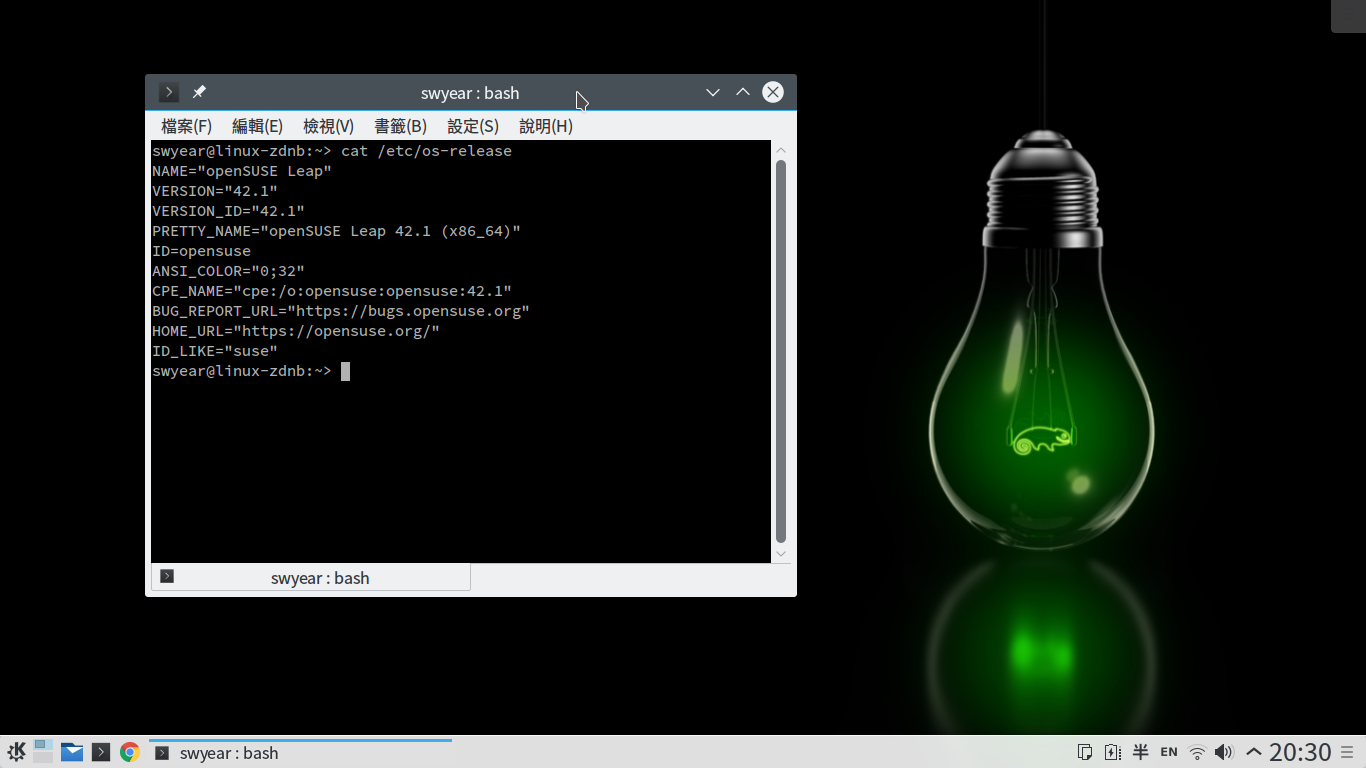


Sortie d’openSUSE Leap 42.1
Ça y est, après un an d’attente et de nombreux changements annoncés, la nouvelle openSUSE Leap 42.1 vient de sortir ce 4 novembre 2015 !
Le projet openSUSE est maintenant composé de deux modes de développement :
– Tumbleweed, la version en publication continue (rolling release) ;
– Leap, la version en publication régulière, plus stable, avec une sortie prévue par an, successeur de l’openSUSE que nous connaissions jusqu’ici.
Leap se distingue par un changement profond : elle est basée sur SUSE Linux Entreprise avec l’ajout de nombreux paquets éprouvés dans Tumbleweed.
Ce « saut » se marque également dans le numéro de version : 42.1 est la première version d’openSUSE Leap. Un numéro en référence à la fameuse question et un clin d’œil à S.u.S.E Linux 4.2, première distribution au caméléon.

Lors de la conférence openSUSE 2015, SUSE a annoncé la libération des sources de SUSE Linux Entreprise (SLE), incluant toutes les mises à jour de maintenance, sur les serveurs de l’openSUSE Build Service. Cela a ouvert la possibilité de rassembler le développement de SLE et d’openSUSE pour les versions stables, du moins pour le cœur des deux systèmes (noyau et système de base).
Le résultat est la création de deux distributions :
– Tumbleweed, en publication continue (rolling release), constamment mise à jour ;
– Leap, en publication régulière (regular release), la remplaçante basée sur SLE de la distribution openSUSE que nous connaissions jusqu’ici.
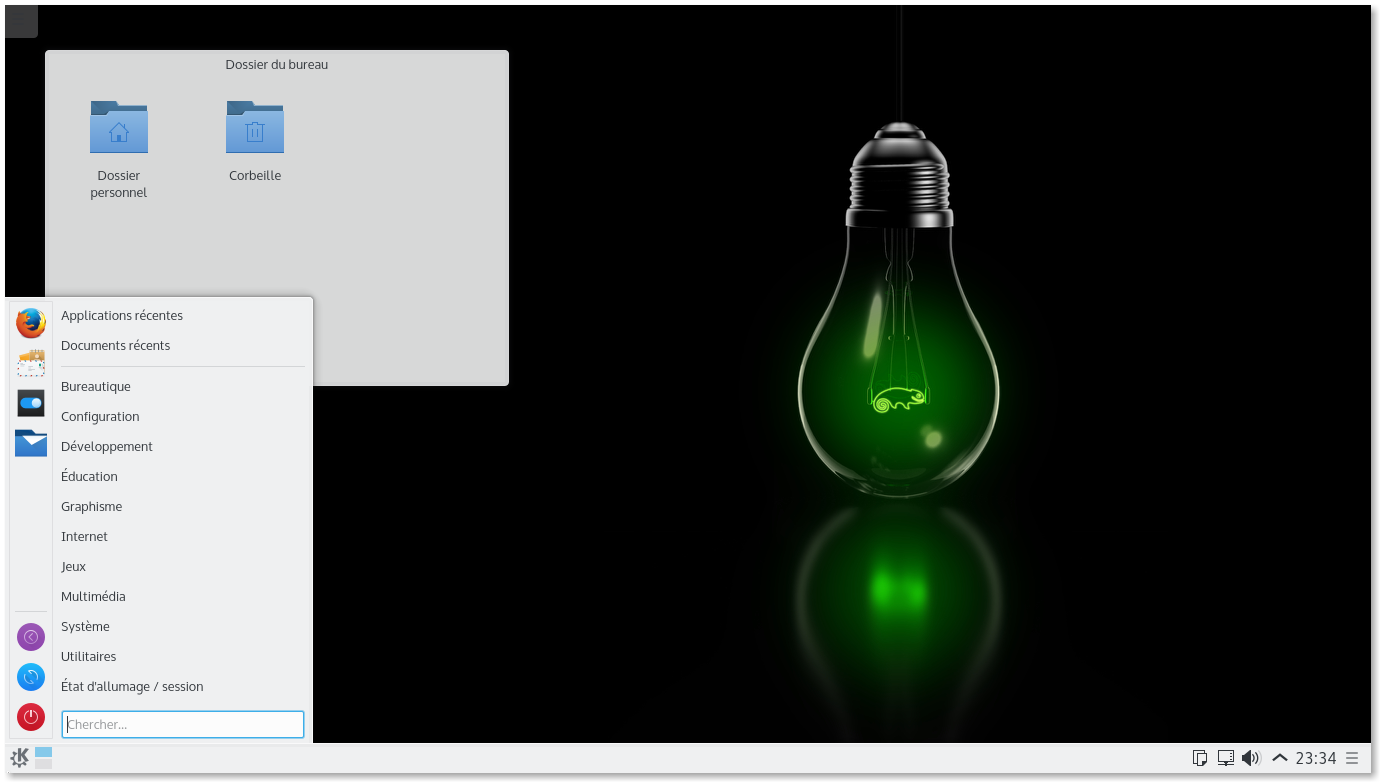 Le bureau Plasma d’openSUSE Leap 42.1
Cette version 42.1 est la première version d’openSUSE Leap, qui utilise les sources de SUSE Linux Entreprise (SLE) et vise un très haut niveau de stabilité. Le développement de la communauté passionnée et la stabilité de l’entreprise fournit plus de cohésion pour le projet et pour ses contributeurs. openSUSE Leap bénéficie d’un effort de maintenance de l’entreprise et a de nombreux paquets et mises à jour en commun avec SLE, ce qui est différent des versions précédentes d’openSUSE qui étaient créées dans un canal séparé.
Les développeurs de la communauté fournissent un niveau égal de contribution à Leap et aux projets upstream dont dépend cette version. Cela relie le fossé entre les paquets matures et les paquets plus récents trouvés dans l’autre distribution openSUSE : Tumbleweed.
Comme cette version est un véritable changement par rapport à la précédente, un nouveau numéro de version et une nouvelle stratégie de nom de version ont été adaptés pour refléter ce saut. Les sources de SLE viennent de SLE 12 Service Pack 1 bientôt publiées par SUSE. La stratégie de nommage est SLE 12 SP1 ou 12.1 + 30 = openSUSE Leap 42.1. Beaucoup ont demandé pourquoi 42, mais SUSE et openSUSE ont une tradition de commencer les grandes idées avec un quatre et un deux, une référence au Guide du voyageur galactique.
Chaque version mineure d’openSUSE Leap pourra fournir un nouveau KDE/Plasma ou GNOME, mais aujourd’hui tout est à propos d’openSUSE Leap 42.1, donc si vous êtes fatigués d’un bureau marron, essayez-en un vert !
Have a lot of fun!
openSUSE Leap 42.1 est…
Équilibrée
Leap fournit un équilibre entre nouveauté et maturité… Leap offre ce sentiment professionnel, supporte du matériel récent et a conservé en version antérieure plusieurs paquets pour renforcer la vision de support à long terme de Leap. Les nouveautés comme KDE Plasma 5 et LibreOffice 5 sont dans Leap tout comme d’autres logiciels plus matures tels que GNOME 3.16 et GCC 4.8.5, avec bien sûr la possibilité d’installer GCC 5.2.
Fiable
Comme la 13.2, Leap 42.1 propose Btrfs comme système de fichiers par défaut pour la partition racine et XFS pour les données (la partition /home).
Btrfs permet notamment de créer des instantanés ou snapshots de son système, des sortes de « points de restauration ». Avec le logiciel Snapper comme surcouche, il devient facile de gérer ses instantanés ou de retrouver l’état précédent du système en effectuant une restauration (rollback). Snapper va automatiquement créer un instantané du système toutes les heures ainsi qu’avant et après chaque modification par YaST ou zypper. C’est un outil puissant.
Cette nouvelle version ajoute la possibilité de démarrer le système depuis un instantané pour corriger un problème sur les fichiers importants du système (comme bash).
Les détails
Pour les développeurs
EDI et outils
Leap utilise la dernière version stable de Qt (5.5). Cette dernière apporte beaucoup de fonctionnalités et d’améliorations pour les développeurs mais aussi pour les utilisateurs, qui bénéficieront notamment de la gestion du multi-écran dans QML (qui est très utilisé par le bureau Plasma).
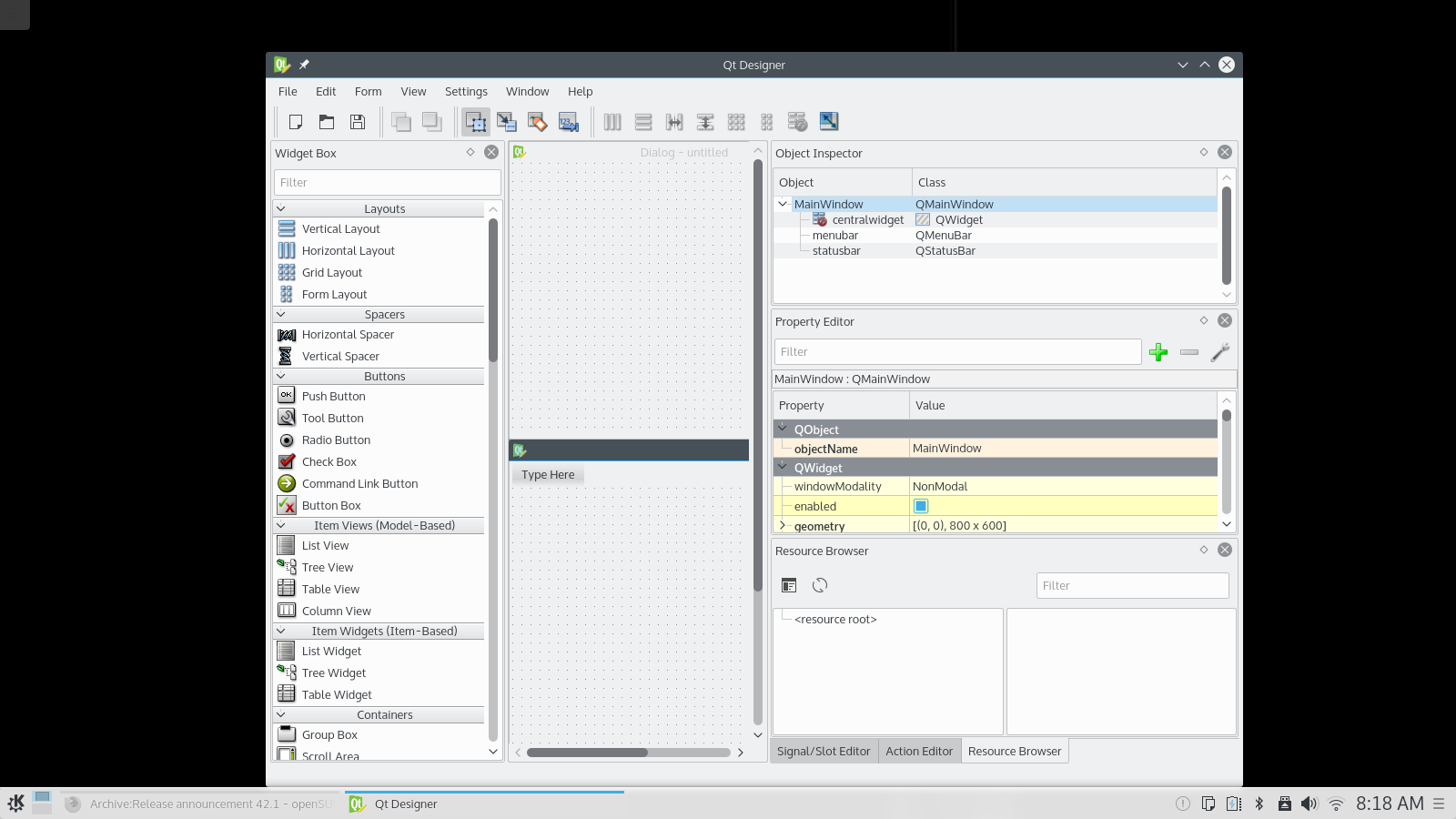 Qt5 designer
Builder est un jeune EDI, conçu pour rendre facile la création des applications GNOME. La publication de cette version 3.16 est plutôt un aperçu technologique, montrant les possibilités d’édition telles que la vue fractionnée, la gestion des snippets, l’indentation automatique du code et un mode VIM. Rappelons que Builder a été financé début 2015 par une campagne de crowdfunding et que le projet a des plans ambitieux : gestion de projet, gestion de version, débogage, intégration de Glade et bien plus encore.
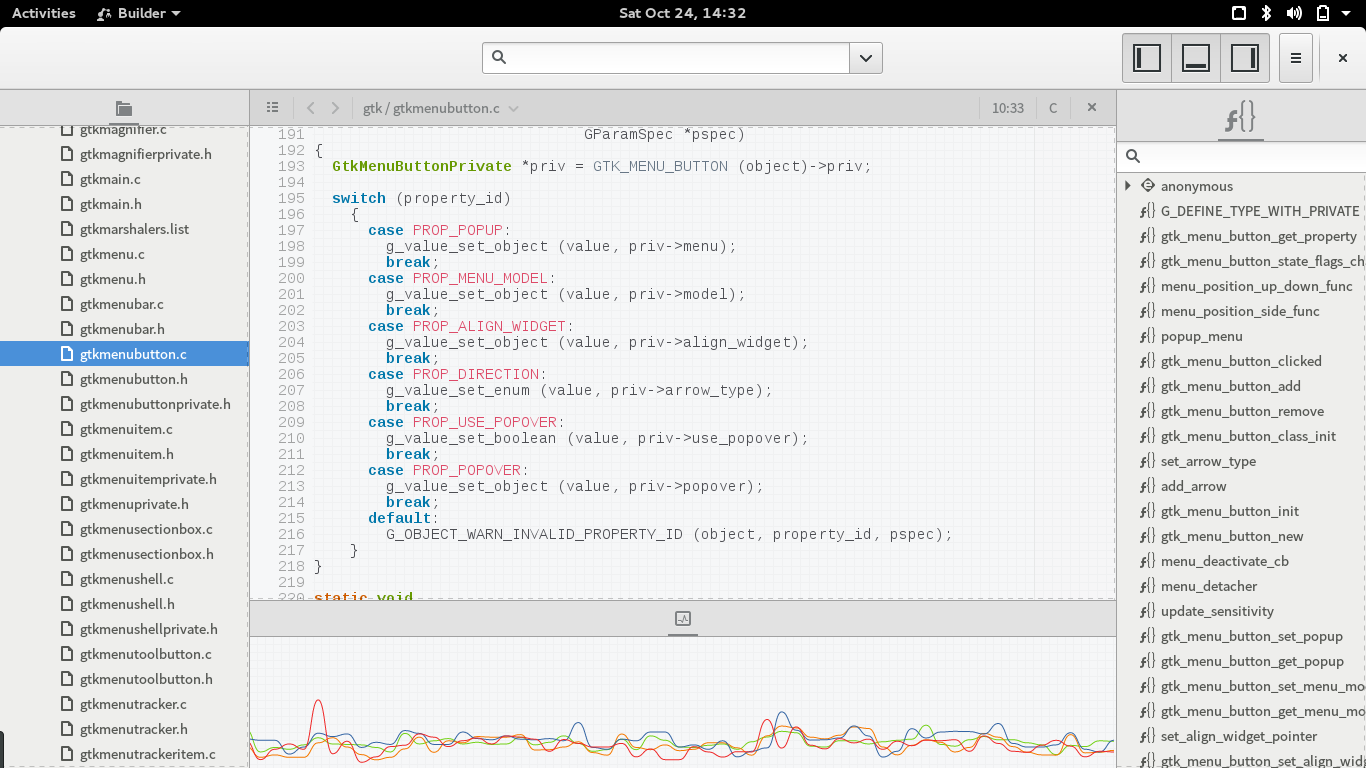 GNOME Builder
Langages et bibliothèques
La bibliothèque de développement KDE Frameworks 5 est livrée dans sa dernière version stable (5.15), amenant de nombreuses optimisations qui impactent une grande partie des applications KDE les utilisant. En particulier Baloo, la bibliothèque d’indexation des fichiers a reçu plusieurs changements, allant de la correction de bug à de l’amélioration de performances.
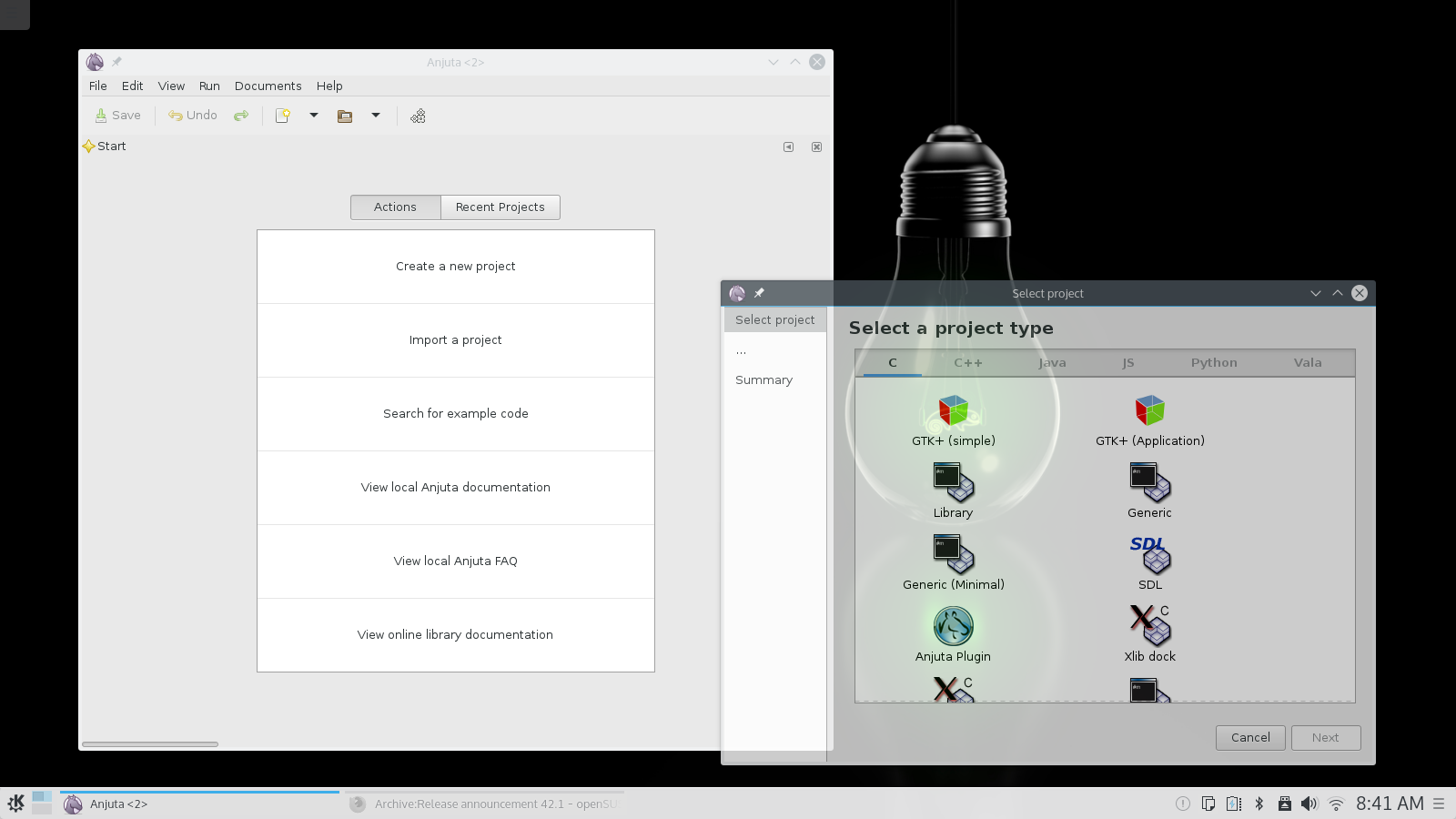 Anjuta
Pour les administrateurs système
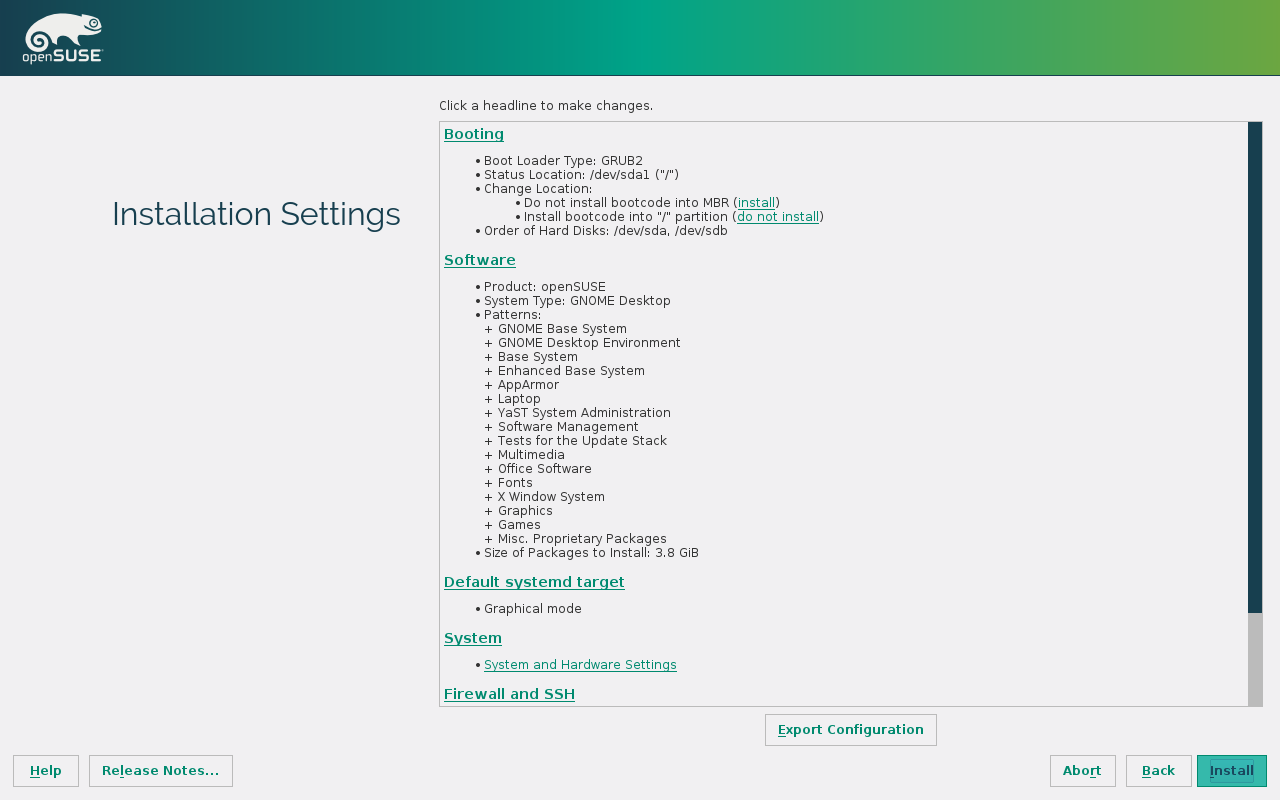 Aperçu de l’installation
Virtualisation
openSUSE Leap 42.1 propose plusieurs solutions de virtualisation, notamment QEMU 2.3.1, VirtualBox 5.0.6 et Docker 1.8.2. Cela fait de Leap 42.1 un système de base adapté pour distribuer des applications. De plus, la configuration est facile avec YaST, ce qui permet de déployer des solutions rapidement et facilement. GNOME Boxes, virt-manager et virsh sont également disponibles pour les administrateurs système et les utilisateurs d’openSUSE.
Un YaST amélioré
Le projet étant complètement open-source, les versions et les fonctionnalités de YaST ont toujours été synchronisées entre SLE et openSUSE. Avec Leap, la tendance est encore plus vérifiée : Leap 42.1 et SLE 12 SP1 incluront exactement la même version de YaST, AutoYaST et Linuxrc.
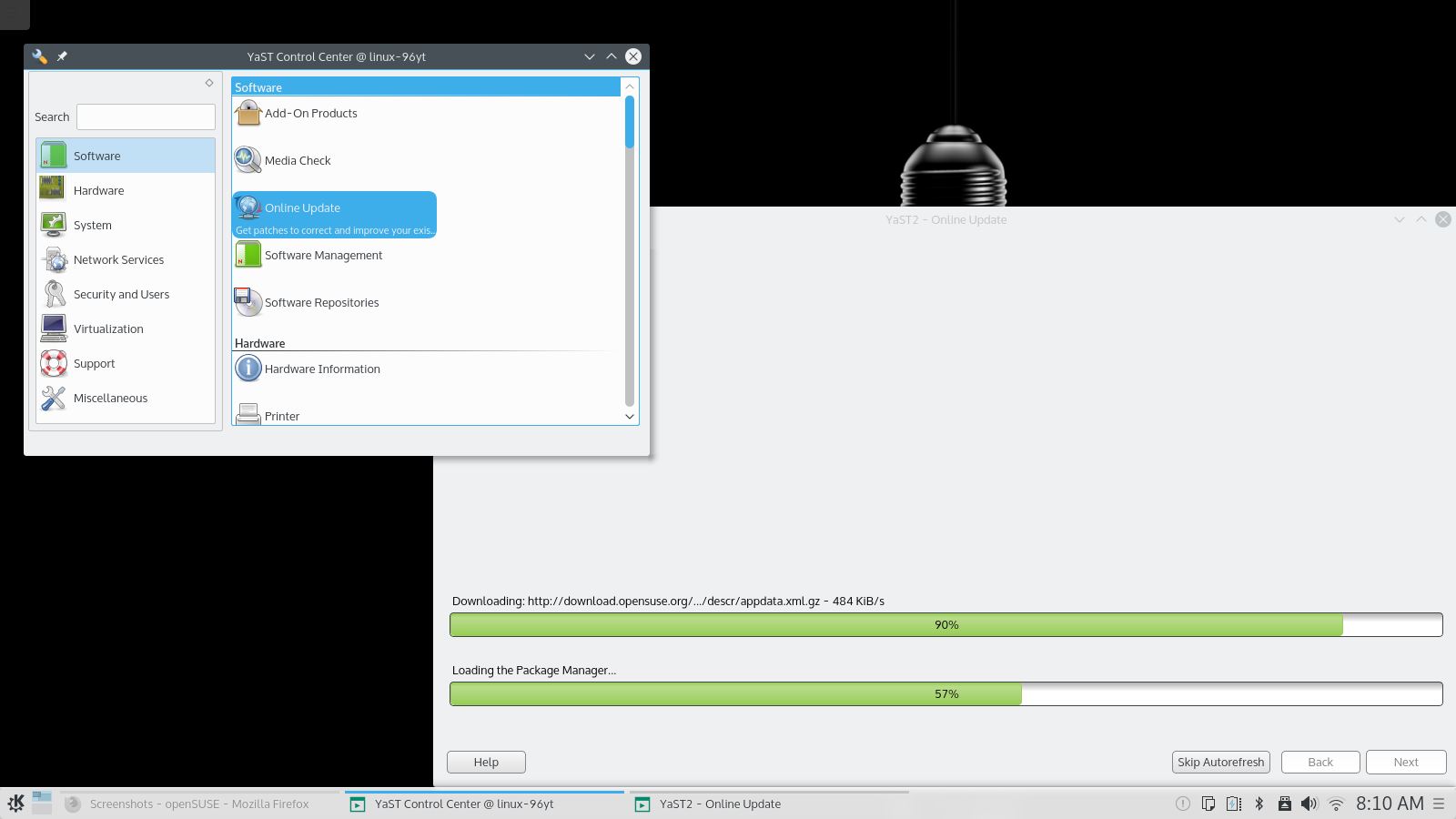 YaST sur KDE
Par rapport à la 13.2, cela représente un bond de plus de 600 changements incluant des corrections d’erreurs, de nouvelles fonctionnalités et des améliorations pour les fonctionnalités existantes. Les utilisateurs et les administrateurs systèmes profiteront donc d’un YaST largement amélioré. Les développeurs sont également choyés avec un code nettoyé (bien qu’il y a encore et toujours du code auto-converti depuis YCP), de meilleurs outils de développement, une meilleure documentation et une bien meilleure intégration à l’écosystème Ruby (RSpec helpers, tâches Rake, …). Bien que le module YaST2-lxc ait été abandonné, la famille YaST a grandi avec l’ajout de trois nouveaux modules : Polices de caractère, Docker et Journal (de systemd).
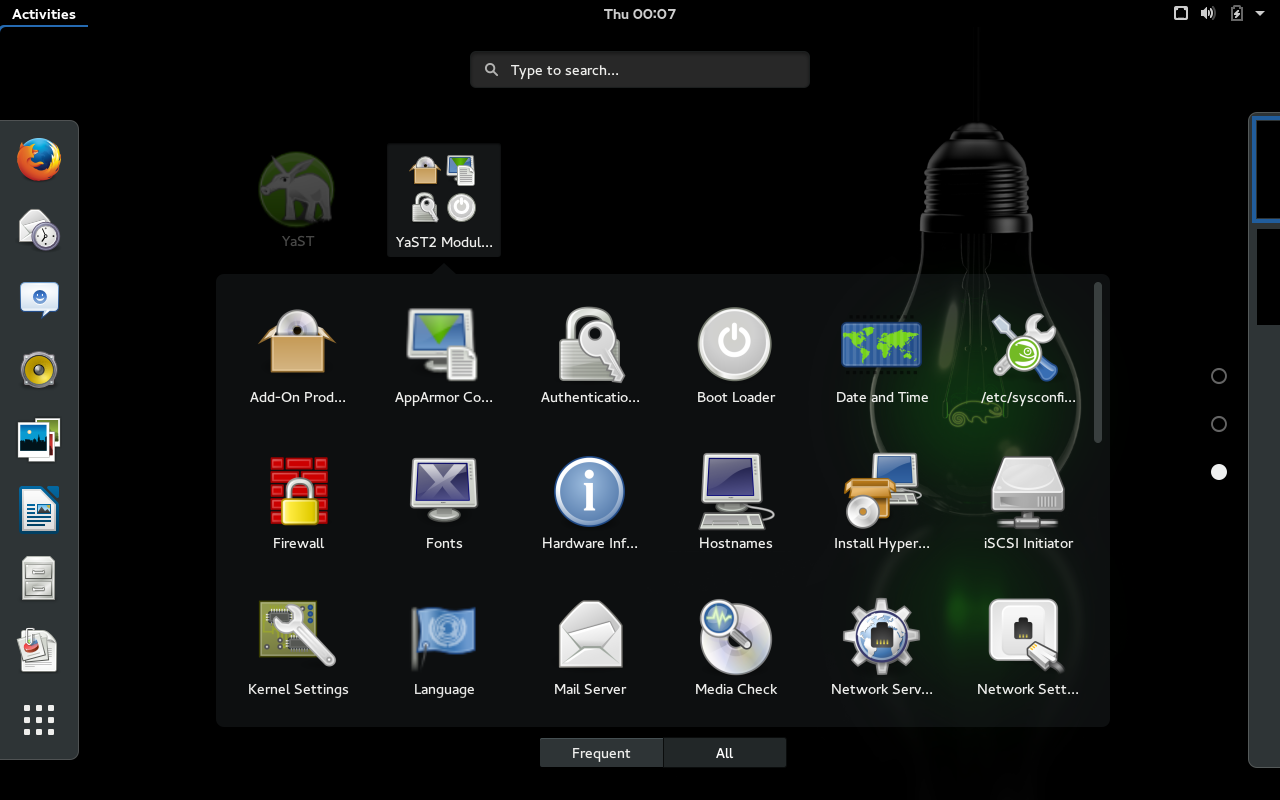 Les modules YaST sur GNOME
Machinery
Machinery est une application en ligne de commande destinée aux administrateurs système. Elle permet de créer des descriptions de systèmes Linux et de travailler avec. Vous pouvez l’utiliser pour inspecter des systèmes, sauvegarder et suivre leurs états ou créer de nouveaux systèmes à partir de ceux existants. Machinery permet également de facilement comparer différents systèmes. Il peut aussi exporter les descriptions pour d’autres outils pour l’installation, la migration, la construction d’image, la mise en conteneur ou le déploiement dans le cloud. Il fournit également des interfaces de programmation pour travailler avec des descriptions de système avec vos propres outils.
Ça vous semble un peu flou ? Regardez cette petite vidéo de démonstration !
Pour les utilisateurs
KDE
 Page d’accueil d’openSUSE sur KDE
openSUSE Leap 42.1 est la première version stable d’openSUSE à fournir KDE Plasma 5 (version 5.4.2) comme environnement de bureau par défaut. Plasma 5 est maintenant suffisamment mature pour un large public qui pourra apprécier son bureau magnifique, riche en fonctionnalités, innovant et performant. La version 5.4 de l’espace de travail introduit un nouveau Plasmoid de contrôle du volume, un menu de lancement en plein écran, de nombreuses nouvelles icônes (plus de 1600 ajoutées) et un support amélioré des écrans à haute densité de pixels (High DPI).
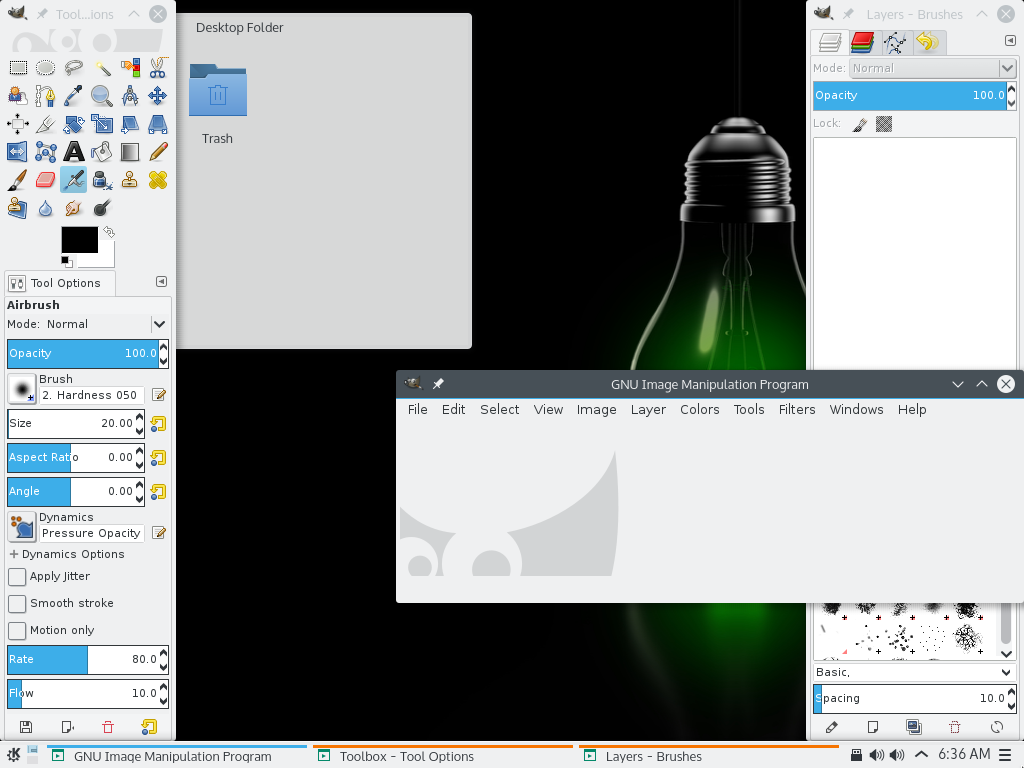 GIMP sur KDE
Des petits défauts de la version précédente ont également été corrigés, par exemple un nouveau format de date dans l’horloge ou une amélioration du comportement et du visuel du bureau en vue de dossier.
GNOME
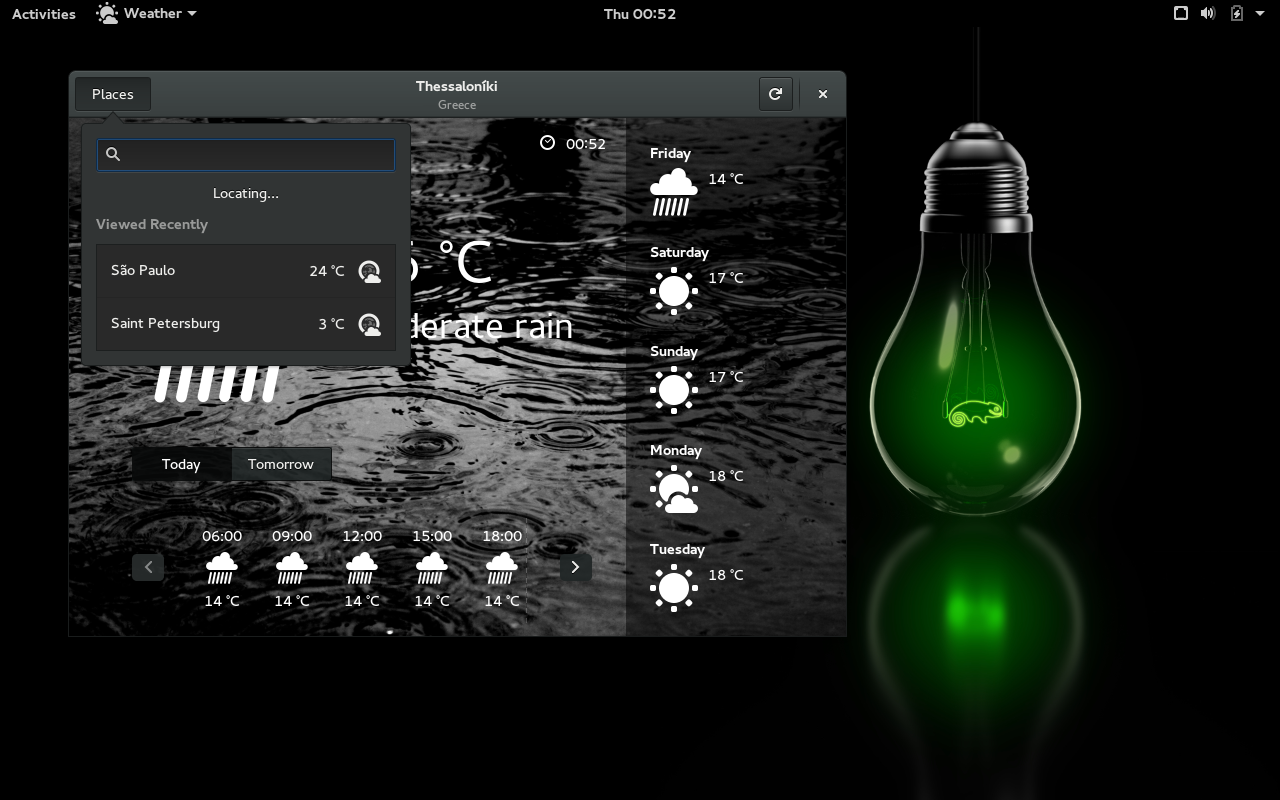 Application météo sur GNOME
openSUSE Leap 42.1 fournit GNOME 3.16.2. La branche 3.16 a été publiée en avril 2015 et a reçu depuis plusieurs corrections de bugs. GNOME 3.16 est ainsi bien testé et suffisamment stable pour être un environnement de bureau de choix pour Leap 42.1 et son cœur de SLE12.
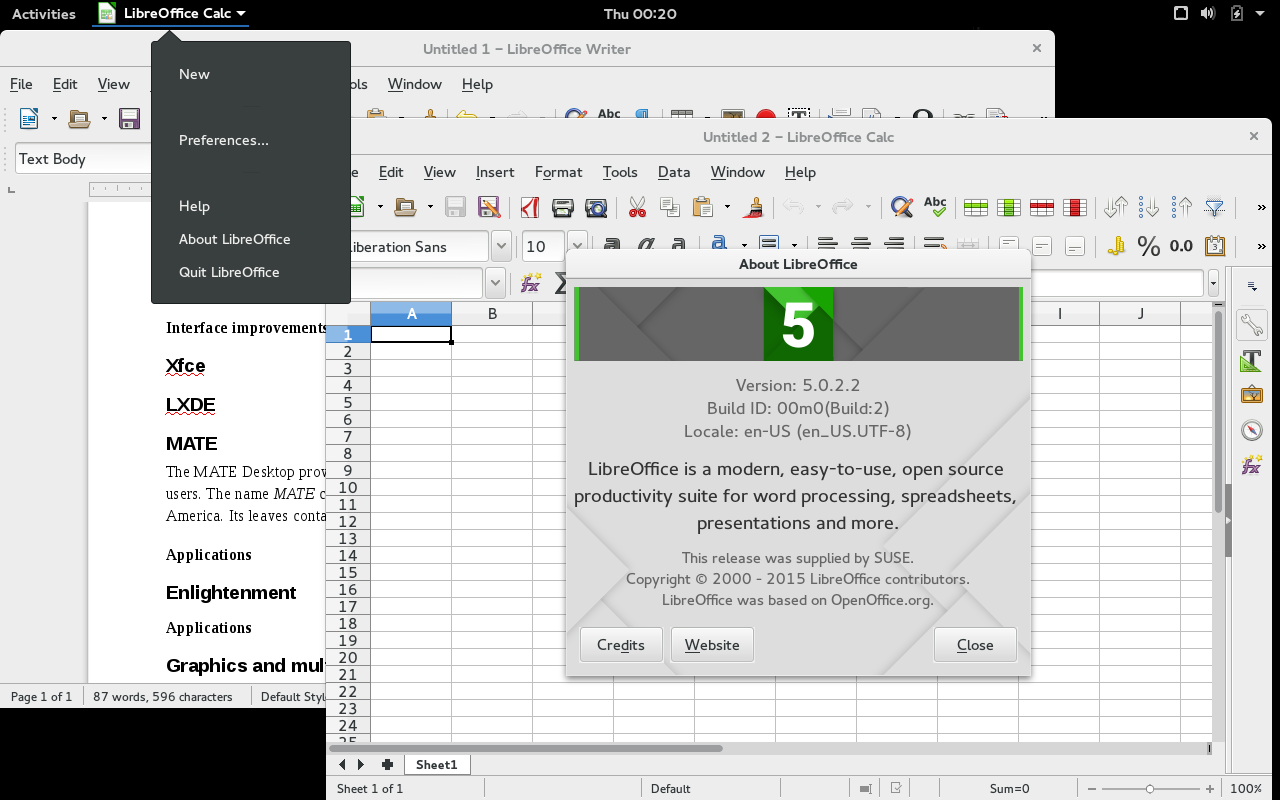 Libreoffice 5 sur GNOME
La vue des activités, l’écran de connexion, les menus système et d’autres composants du système ont une apparence plus moderne. Les nouveaux effets graphiques sont conçus pour s’intégrer avec le style visuel des applications GNOME, pour une expérience fluide. La version 3.16 a également un nouveau style de barre de défilement : au lieu d’être affichées en permanence, ces barres ne sont visibles que quand cela est nécessaire. Un petit indicateur apparaît en effet lors du déplacement de la souris et une barre plus épaisse apparaît quand le contrôle est demandé.
Autres environnements de bureau
openSUSE Leap 42.1 inclut Mate 1.10, qui prend en charge GTK2 et GTK3 et apporte des améliorations au niveau de la bibliothèque de mixage audio.
XFCE 4.12.1 est aussi présent. Le tableau de bord XFCE peut maintenant se cacher intelligemment, prend en charge les greffons GTK3 et a vu beaucoup de ses greffons tiers mis à jour pour exploiter les fonctionnalités ajoutées dans la 4.10.
Enlightenment 19 (0.19.10) apporte des améliorations pour, entre autres, son compositeur X11 et son assistant de configuration.
Récupérez Leap !
Pour télécharger openSUSE Leap 42.1, rendez-vous sur http://software.opensuse.org. Nous vous recommandons de lire les notes de version avant toute mise à jour ou installation.
Les utilisateurs actuellement sous openSUSE 13.2 peuvent mettre à jour vers openSUSE Leap 42.1 en suivant les instructions de mise à niveau.
Merci !
openSUSE Leap 42.1 représente l’effort combiné de milliers de développeurs qui participent à nos distributions et aux projets livrés avec elle. Les contributeurs, internes et externes au projet openSUSE, devraient être fiers de cette version, et méritent un grand « merci » pour tout le travail et les soins qui ont été consacrés à celle-ci. Nous croyons que Leap est une excellente distribution GNU/Linux pour les développeurs, les administrateurs et les utilisateurs. Nous espérons que vous aurez tous beaucoup de plaisir lors de son utilisation, et nous sommes impatients de travailler avec vous sur la prochaine version !
Cette traduction a été réalisée par AR7 (Antoine) et moi même.
—
Sources :
L’annonce officielle [en] : https://en.opensuse.org/Archive:Release_announcement_42.1
La page du portail sur le site openSUSE.org [fr] : https://fr.opensuse.org/Portal:Leap
La liste détaillée des mises à jour [en] : https://en.opensuse.org/Features
La page de téléchargement [fr] : https://software.opensuse.org
Cette annonce a été conjointement publiée sur Alionet.org : https://www.alionet.org/content.php?708-openSUSE-Leap-42-1-c-est-le-grand-saut-! et sur Linuxfr : https://linuxfr.org/news/nouvelle-opensuse-leap-42-1
—
Syvolc

Proprietary AMD/ATI Catalyst fglrx rpms released for LEAP 42.1
Since the last few months, we all know that the new openSUSE Leap 42.1 is on its road.
But fglrx drivers were missing. Even with the 15.9 release in September.
Warnings
There’s really no warranties the drivers will work, for you!
If you are satisfied with the open-source radeon drivers, don’t risk to break your computer
All the trouble present in 15.9 will be there, like the failing gnome3 gdm start, see previous article from Sebastian, his scripts also available on the raw-src directory on the mirror, allow you to apply a quirk patch.
I’m considering the release of thoses rpms as experimental, they work for some, and sometimes are convenient. But they can also create kernel segfault on some configurations.
If you are in trouble start your openSUSE in rescue mode with nomodeset on boot line, and then zypper rm fglrx related packages, reboot and you should safely return to free radeon.
Story
Today, while packing my stuff for the SUSECON15 in Amsterdam, I was pleased on irc to have feedback of users
who were able to run fglrx Tumbleweed packages on their Leap 42.1
I’ve then start a Leap vm and hack a bit Sebastian Siebert’s script for 15.9 to add support for Leap.
The drivers build, and install correctly. I’ve also updated the one-click installer for people using this
technology.
Leap being available only for x86_64 bit plateform, the driver follow the same available arch.
Links to the new repository openSUSE_Leap_42
Have fun!