Linux audio library smackdown part1: Portaudio
Common disinformation people tends to believe in is that Linux Audio is in bad shape. Actually it’s not. They are right ALSA is getting bit rusty and it’s not top of the notch but list of supported sound cards is long. There have been speak about next generation audio API for Linux but nothing is really happening (I’m happy if you prove me wrong!). Last year I had task to evaluate different Linux audio libraries for playing audio and recording. So these articles try to make some light to my journey and what did I found. inpatient can go to Github https://github.com/illuusio/linux-audio-example/tree/master/portaudio. There is other library examples also but only Portaudio is currently updated to my last version. I wrote same very simple application to test every audio library. I’ll upgrade rest of the examples and add also Xiph libao and GStreamer.
Application
Like I said example applications are very simple. With Every library I tried to write playback and record example. If you can use blocking API interface there is blocking example also. In these Examples I use sndfile because API is super easy to use and I could test with WAV. So no troubles big bobbles approach.
Code
I won’t be posting code here it can be found on Github repository. I tried to be super clear as they are examples and added comments as needed but if you don’t get glue fault is all mine.
Portaudio
Supported outputs: Alsa, Oss, Jack, Mac OS X CoreAudio and Many Windows Audio API’s
Why do want to use something else than ALSA? If you need to support other platforms than Linux you get idea of cross platform API for audio. Portaudio is hidden gem of Linux audio libraries. It’s stable as can get. Portaudio has blocking and callback support. It has Float 32-bit Int 32-, 16- and 8-bit input/output. I tries to be very high end in every corner. Also licensing is very liberal. For a while It’s has seen slowing development because main developers have something else to do in life.
For me biggest no-no for me was lack of Pulseaudio support (I go so upset that I wrote Pulseaudio hostApi for Portaudio but that is worth of another blog post). Portaudio supports Windows, Linux and Mac OS X so it’s good choice if you need same quality audio in every platform.
Biggest minus in Portaudio is there ain’t much applications using it. There is some highlights like Mixxx and Audacity. Rest of the list can be found here. Why it’s not more popular I can’t say because it’s easy to use.
Summary: Simple but powerful API for I/O which I can recommend. So go and see examples if it’s for you and documentation from official pages. Next time we get on Pulseaudio.

 Member
 psankar
Naming Policy - Deactivated Quora Account
Tamils do not have a last name due to various political reasons. Avoiding the lastname is considered to be good for ending caste discrimination as well. (Ironically a quora link)
Companies like Google had the sense to relax their real name policy after their initial debacle with G+
Sadly, Quora does not want to learn from their's or others' mistakes. I wonder if they will even ban names in non-English letters later. So if they cannot be inclusive, I feel that they deserve to lose business.
Running again for the openSUSE Board
This year I am running again for board and I would like your vote.
History
My vision
Instalar Citrix Receiver (ICA) en openSUSE 13.2
openSUSE – Upgrade der Distribution per Skript [Skript-Update]
An jedem Ende einer Produktlebensdauer einer Distribution steht unweigerlich ein Upgrade an. Für manche ist es eine Odyssee und für andere eher eine willkommene Abwechselung. Für manche Neulinge oder schlichte Anwender ist ein Distributionsupgrade ein Graus, da weiß man manchmal nicht, welche Anleitung im Netz am Sinnvollsten ist.
Aus diesem Grund habe ich das Skript upgrade-opensuse.sh entwickelt, dass alle notwendigen Schritte eines Distributionsupgrades automatisch durchführt. Die Vorgehensweise des Skript ist ganz grob an das Upgrade-Tool do-release-upgrade von Ubuntu angelehnt. Wenn alle Pakete von zypper korrekt aufgelöst werden kann, ist es sogar möglich, dass der Upgrade-Prozess in einem Rutsch durchläuft und man am Ende nur noch neustarten muss. Das Skript merkt sich auch die Stelle, an der der Upgrade-Prozess abgebrochen wurde und wird beim erneuten Ausführen an der letzten Stelle fortfahren. So kann man zwischendurch ein Problem beheben und anschließend mit dem Upgrade-Prozess fortfahren.
Folgende Schritte werden durchgeführt:
- Ermittelung der eingesetzten openSUSE-Version.
- Überprüfung der Internetverbindung.
- Ermittelung der neuesten openSUSE-Version oder Verwendung der openSUSE Version aus dem Parameter z.B. -ov 13.1.
- Backup vom /etc Verzeichnis.
- Umbenennung des Verzeichnis der eingebunden Repos /etc/zypp/repos.d nach /etc/zypp/repos.d.upgrade.
- Hinzufügen der Online-Repos (OSS, NON-OSS, OSS Update, NON-OSS Update) von der neuesten openSUSE-Version.
- Upgrade der Distribution via zypper dup (Ohne Community-Repos, um ungewollte VendorChanges zu vermeiden).
- Hinzufügen aller vormals aktivierten Community-Repos einschl. Anpassung an die openSUSE-Version.
- Temporäre Modifizierung der zypper Konfiguration, um VendorChanges zu erlauben.
- Überprüfung von alten openSUSE-Pakete im System. Es wird versucht, die alten Pakete durch neuere Pakete zu ersetzen.
- Die temporäre Modifizierung der zypper Konfiguration wieder durch die Standard-Option ersetzen.
- Alte openSUSE-Pakete, die nicht aktualisiert werden konnten, werden endgültig entfernt.
- Auflistung aller neuen bzw. modifizierten Konfigurationsdateien (*.rpmnew, *rpmsave).
Alle Vorgänge werden protokolliert, um später nachvollziehen zu können, was genau am System verändert wurde.
Folgende selbsterklärenden Logdateien werden erzeugt:
- upgrade-opensuse.zypper-dup-output
- upgrade-opensuse.old-packages-output
- upgrade-opensuse.zypper-reinstall-packages-output
- upgrade-opensuse.remove-old-packages-output
- upgrade-opensuse.zypper-rm-packages-output
- upgrade-opensuse.list-new-and-old-config-files
Wichtiger Hinweis: Vor einem Distributionsupgrade bitte unbedingt ein Backup machen, um im Bedarfsfall auf ein aktuelles Backup zurückgreifen zu können! Außerdem gibt es RPM Pakete von Drittanbietern wie z.B. AMD Catalyst, NVIDIA, VirtualBox, CrossOver, HumbleBundle-Games, usw., die während des Upgrade-Prozess nicht angerührt werden und von Hand aktualisiert werden müssen.
Downloads:
- Skript: upgrade-opensuse.sh
- SHA1: upgrade-opensuse.sh.sha1
Das Skript wird via root ausgeführt und fängt sofort mit der Arbeit an. Es gibt zu Beginn ein Zeitfenster von 5 Sekunden, in der noch ein unkritischer Abbruch mit STRG+C möglich ist.
sudo sh upgrade-opensuse.sh
| -h | Die Hilfe anzeigen lassen |
| -n/–non-interactive | Keine Fragen stellen, benutze automatisch Standard-Antworten. (zypper Option) |
| -ov/–opensuseversion VERSION | Upgrade auf eine gewünschte openSUSE Version (z.B. 13.1 statt 13.2) |
| -r/–reset | Beginne das Disributionsupgrade von vorne (Die Option bitte vorsichtig verwenden!) |
| -V | Version des Skript anzeigen |
Feedbacks sind wie immer willkommen. 
War dieser Artikel für dich hilfreich und/oder konnte dein Problem lösen? Wie wäre es mit einer kleinen Spende (Flattr, Paypal oder Überweisung) für den Erhalt des Blogs und zur Förderung weiterer interessanter Artikel und Skripte? Zudem ist mit jeder Spende gewährleistet, dass der Blog werbefrei ist und auch in Zukunft werbefrei bleiben wird. Ich sage schon mal an alle Spendern herzlichen Dank.
Testing Android in openQA
The other day Richard described in his blog how how he used openQA to test drive Fedora. Around the same time I read about Android x86 and saw that they offer iso images for download. So I wondered how hard it would be to get that one tested in openQA.
To find out I installed a current Tumbleweed snapshot in qemu. Installing openQA in the VM is straight forward with the provided packages, following the instrucutions at GitHub.
Keep in mind that nested virtualization needs to be turned on to be able to run the openQA worker inside qemu (pass nested=1 to kvm_intel resp kvm_amd). To conveniently access the web interface, vnc and ssh I added “-net” “user,hostfwd=tcp::8888-:80,hostfwd=tcp::5091-:5091,hostfwd=tcp::2222-:22” to the qemu command line.
As soon as openQA is up and running the remaining steps are easy:
- add the sample Android test cases I created:
# cd /var/lib/openqa/tests
# git clone -b android-4.4 git://github.com/lnussel/os-autoinst-distri-android.git android-4.4
# chown geekotest android-4.4/needles
- import the job templates so openQA learns what to do with Android iso images
# android-4.4/templates
- Download android-x86-4.4-r2.iso and store it in /var/lib/openQA/factory/iso
- register the iso image with openQA:
# /usr/share/openqa/script/client isos post \
    ISO=android-x86-4.4-r2.iso \
    DISTRI=android VERSION=4.4 ARCH=i586 \
    FLAVOR=live BUILD=0002
Voilà! If everything went right openQA should now have created a job and the worker should start processing it.
Here are some screenshots and a video of my test run:
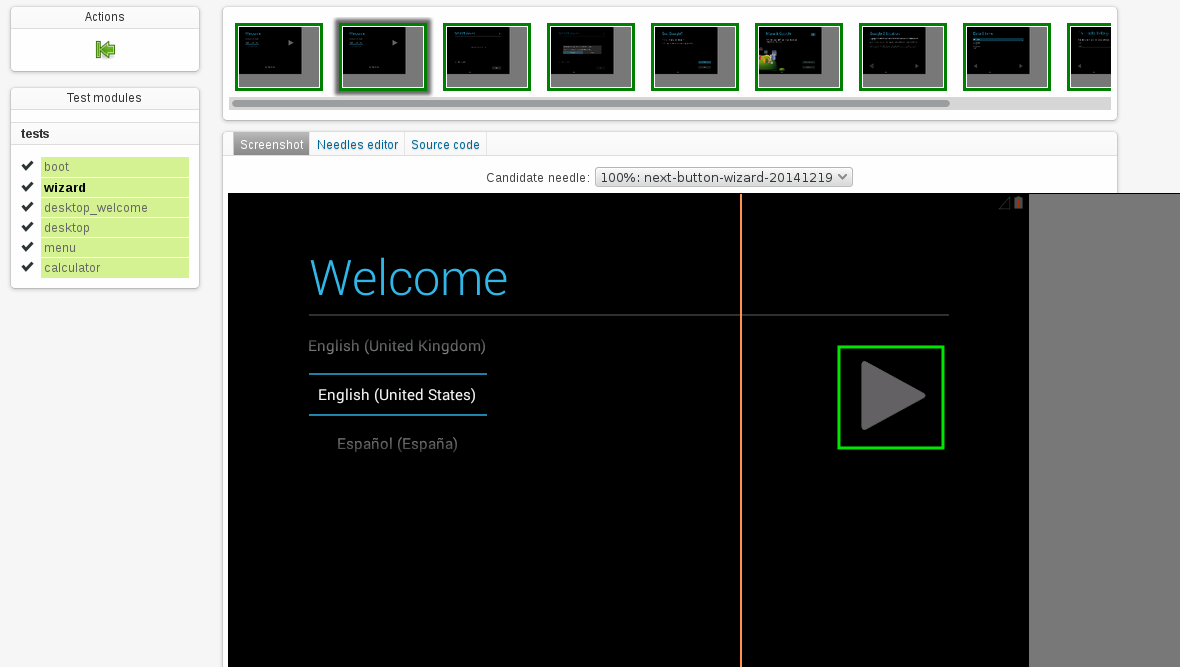
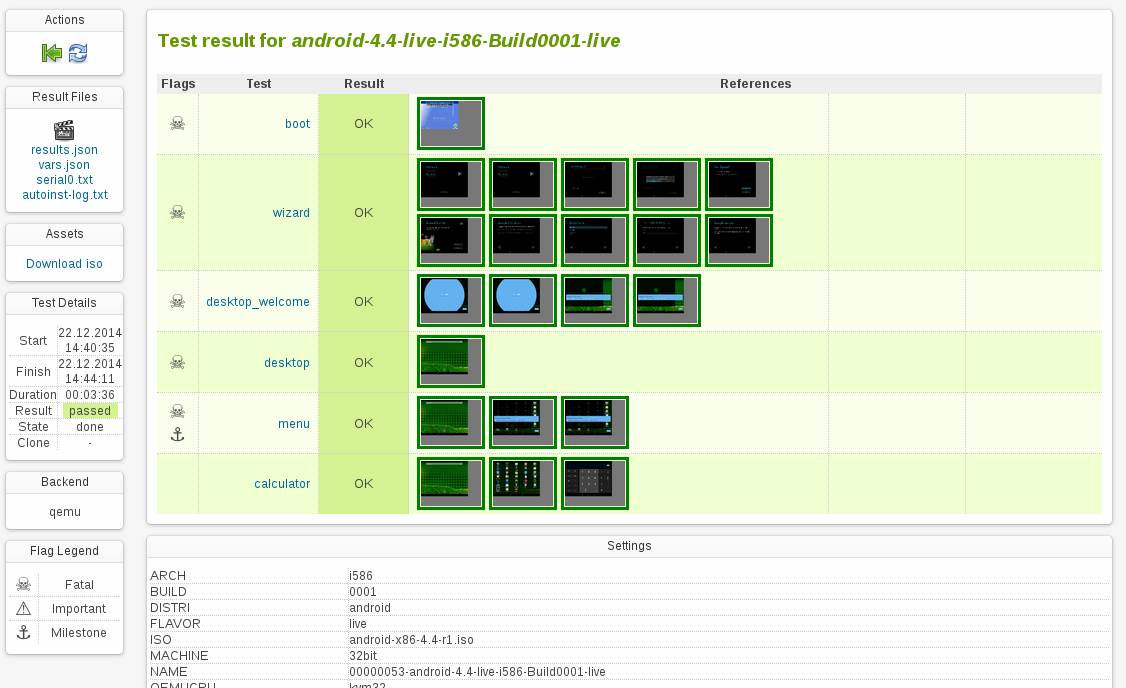
Looks like the emulator in the Android SDK is also qemu based. So theoretically it shouldn’t be hard to integrate that one into openQA in order to actually test on emulated phones as well.

Kraft Version 0.57 verfügbar
Im November 2014 wurde die Version 0.57 von Kraft veröffentlicht, ich möchte nachholen, sie hier zu erwähnen, da ein Update zu empfehlen ist. Es ist die letzte fehlerbereinigende Version der 0.5x Reihe. Eine ganze Menge von Fehlern wurde behoben, für Details siehe das englische Changelog.
Zum Beispiel wurde die Dokument-per-Email-versenden Funktion überarbeitet. Sie ermittelt jetzt die Emailadresse des Empfängers aus den Kontaktdaten des Kunden. Ausserdem funktioniert die Mailfunktion wieder mit dem Emailprogramm Thunderbird.
Spezialposten wie Bedarfs- und Alternativposten können wieder auf normale Posten zurückgesetzt werden. Auch wurde die Ok/Abbrechen-Behandlung des Dokumenteditors repariert. Sollte bei einem bestehenden Dokument der Dokumenttyp geändert werden, wird jetzt auch die Dokumentnummer aus dem entsprechenden Nummernkreis nachgezogen. Einige Fixes im Bereich der Speicherverwaltung des Programmes, die sogar Abstürze verhindern, runden das Release ab.
Installationen älterer Versionen sollten aktualisiert werden.
Wie geht es weiter? Als nächstes wird der Port auf KDE Frameworks 5 in Angriff genommen. Das passiert, um am Ball zu bleiben, aber auch damit Kraft eines Tages auch auf Mac und möglicherweise auch Windows erscheinen kann.
Ich freue mich wie immer über Kommentare zu Blog und Kraft ganz allgemein, entweder per Kommentar hier im Blog oder: Kontakt zu Kraft!
2014 Learning Retrospective
- Worked on Korkai - A corpus builder for Tamil. It extracts unique Tamil words from blogger, wordpress and wikipedia dumps. Learnt a lot about XML processing and golang
- Started working on Vaiyakani, an auto-completing, dictionary-based, self-learning, transliterating text-editor for Tamil, after getting unsatisfied with the lack of offline Tamil typing software in Linux. Learnt a great deal about Tries, Prefix Datastructures, Sqlite database engine performance, Datastructures used in the implementation of maps in various libraries and programming languages etc.
- The quest for implementing a perfect text editor led to a brief phase of disappointment where I complained on every layer wondering why the below layer is bad and briefly attempting to improve it. (The application is bad, The toolkit is bad, The compiler is bad, The operating system is bad, The hardware is the root of all evil etc.) Thankfully shepherded back into proper line of thinking by the helpful Evan Martin.
- Started writing a book on Operating Systems in Tamil. The project is kind of stalled for a while now due to some copyright related issues with the dayjob employer. Hopefully should resume working on it by this month end.
- Started tinkering around big data applications and large scale distributed systems. Started feeling the joy of building largescale systems using Golang. Did some prototypes for a new product idea in office and all these prior experiences helped to be very productive.
- Explored a lot of databases, especially Cassandra. Built it from source. Started using it in a system with millions of queries load. Explored the gocql (Golang's Cassandra driver) sources.
- Played around with a lot of key value datastores (like leveldb, bolt, lmdb etc.) Started with a lot of hope on these and slowly started feeling that k-v stores are probably over-rated (for large scale systems). As if to prove my point, came to know that Spanner the successor to Bigtable is multi-columnar.
- Learnt a bit about Docker, Containers, Kubernetes etc. Should explore them more deeply this year.
- All these work on database engines, distributed systems, distributed databases etc. lead me to read the underlying research papers of such systems. Realized that for understanding these systems, there needs to be a richer knowledge of some discrete math and richer literature.
- Learnt about Paxos, Raft and other distributed consensus ideas. Humbled to know of a few brilliant minds like Leslie Lamport, Jim Gray, etc. Got inspired to know of a few more interesting people and ideas as well.
- Thanks to a DE in Novell, got the opportunity to play with various Amazon cloud services free of cost (there is a free tier for the curios).
- Trying to understand how things work behind the screens in Amazon (the cloud company not just the online shop), Came across the interesting DynamoDB paper and came to know of a few interesting/inspiring people (they don't know me yet, though ;) ) like James Hamilton, Swaminathan Sivasubramanian , Werner Vogels etc.
- Got too tempted to leave the dayjob and do some real research / Ph.D but considering the financial constraints, will probably stick to the dayjob.
- Gave a couple of talks about Golang. One for a startup and another for a bunch of engineers. Attended a talk on Google cloud technologies and slashn.
- Came across Pig, Hive and Qubole but did not explore deeply
- Learnt a lot about markup languages, LaTeX etc.
- Started some work on a paper on distributed systems, only to get overwhelmed on how to proceed, considering the vastness of the topic that I have chosen for writing. Hopefully should get it into shape in the next few months or just throw it away and proceed with the daily grind.
- Wrote a blog post about technology catchup for the last decade and a bunch of other long posts, which got some unexpected accolades.
- Started daydreaming if I should choose a nascent area (such as Quantum Computing) to work in the freetime. It will throw up less instances of some paper published on 1960s / a patch in 1990s, for an idea, that I so enthusiastically assumed that I have invented (in current operating systems/storage etc.) until I search for it.
- Switched to openSUSE Factory and loving it.
Primeira frustração do ano - Scraping de dados de convênio