
 oy
oyReanimation of MacBook Air
For some months our MacBook Air was broken. Finally good time to replace, I thought. On the other side, the old notebook was quite useful even 6 years after purchasing. Coding on the road, web surfing, SVG/PDF presentations and so on worked fine on the Core2Duo device from 2008. The first breaking symptoms started with video errors on a DVI connected WUXGA/HDTV+ sized display. The error looked like non stable frequency handling, with the upper scan lines being visually ok and the lower end wobbling to the right. A black desktop background with a small sized window was sometimes a workaround. This notebook type uses a Nvidia 9400M on the logic board. Another non portable computer of mine which uses Nvidia 9300 Go on board graphics runs without such issues. So I expected no reason to worry about the type of graphics chip. Later on, the notebook stopped completely, even without attached external display. It showed a well known one beep every 5 seconds during startup. On MacBook Pro/Air’s this symptom means usually broken RAM.
The RAM is soldered directly on the logic board. Replacing @ Apple appeared prohibitive. Now that I began to look around to sell the broken hardware to hobbyists, I found an article talking about these early MacBook Air’s. This specific one is a 2.1 rev A 2.13 GHz. It was mentioned, that early devices suffered from lead-free soldering, which performs somewhat worse in regards to ductility than normal soldering. The result was that many of these devices suffered from electrical disconnections of its circuitry during the course of warming and cooling and the related thermal expansion and contraction. The device showed the one beep symptom on startup without booting. An engineer from Apple was unofficially cited to suggest, that putting the logic board in around 100° Celsius for a few minutes would eventually suffice to solve the issue. That sounded worth a try to me. As I love to open up many devices to look into and eventually repair them, taking my time for dismounting the logic board and not bringing it to a repair service was fine for me. But be warned, doing so can be difficult for beginners. I placed the board on some wool in the oven @120 ° and after 10 minutes and some more for montage, the laptop started again to work. I am not sure if soldering is really solved now or if the experienced symptoms will come back. I guess that some memory chips on the board were resetted and stopped telling that RAM is broken. So my device works again and will keep us happy for a while – I hope.

 Member
Lizards, time to pack your stuff for openSUSE miniSummit @Scale 13x
Again this year the thirteen annual Southern California Linux Expo is in the starting block.

During 3 days you will be able to visit us at our booth (38,39,40).
Yeah 3 booths cause we co-run the KDE and Gnome booth.
The exhibition hall open Friday afternoon at 2pm.
Drew and Peter are working as daemon to get everything ready to spread, Doug have brought also quite numerous goodies there. I will do my best to inform you here or follow my G+ channel

Whatever the way you come, bring your feet there and shake hands.
On Thursday, no one has to miss our full day of openSUSE mini-summit, room Century AB.
There will be interesting talks and also a full green hallway, We’re looking forward SUSE’s team, working together in this promising adventure.
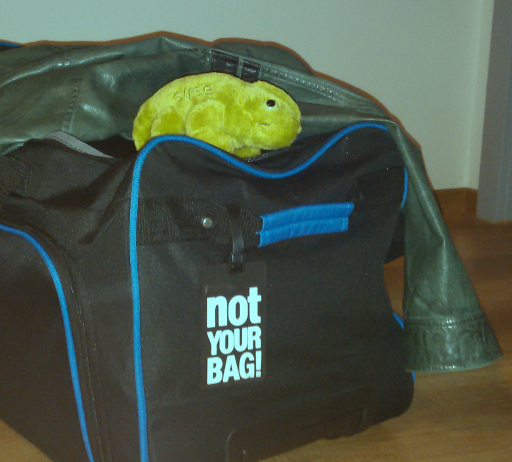
On our side Geeko is ready to cross 9.000 kilometers tomorrow.
Hey cool first time in the famous Airbus A380…
Demo laptop with Tumbleweed and KF5 is also secured.
See you all in Los Angeles

GNOME.Asia summit 2015 is call for paper

http://2015.gnome.asia/cfp
PRESENTING AT THE GNOME.ASIA SUMMIT
- GNOME Marketing
- Promotion of Free / Open Source Software
- How to run a Local GNOME Users Group
- Asia success stories / Local GNOME Projects
- GNOME and Educations
- GNOME Outreach Program for Women
- Google Summer of Code
- Latest developments in GNOME
- GNOME 3 & GNOME 3 Usability
- GNOME Human Interface Engineering (Icons and Graphic Design)
- QA and testing in GNOME
- GNOME Accessibility
- GNOME Coding How-to
- Writing applications for GNOME 3
- Integration of web life into the desktop
- Developing GNOME on mobile devices (smart phones, tablets)
- Developing GNOME on embedded systems or open source hardware
- On-going projects and success stories
- Finding Free and Open Source friendly hardware manufacturers
- Translations
- Input methods
- Fonts
- Small Board,
- Open Hardware,
- Open Data,
- Big Data,
- Cloud Computing,
- Mobile Technology
Tray support added to libgreattao(to console backend too)
-
I added tray support to all backends of libgreattao(mWidgets). It’s good information, because is was added to console backend too. In mWidgets look&behavior it works in this way.
- There’s special window class called system tray
- This window class uses slots. so you can attach windows to tray window
- This window is not visible by default, but tray icon are special window, that’s don’t looks of parent visibility
- By clicking on tray icon you change visibility of tray window
- true
- false
Below you have tray class code
<root>

<variable name="root-name" action="change" value="root-window" />

<variable name="true"  action="change" value="TRUE" />

<variable name="false" action="change" value="FALSE" />

<variable name="root-visibility" action="change" value="FALSE" />

<attr-connect name="widget-name" variable="root-name" />

<variable name="is_first_if_processed" action="change" value="FALSE" />

<hide name="root-name" />

<template path="/icon">

<tray-icon dir-for="icon,label">

<handler>

<if type="equal" variable1="root-visibility" variable2="true">

<hide name="root-name" />

<variable name="root-visibility" action="change" value="FALSE" />

<variable name="is_first_if_processed" action="change" value="TRUE" />

</if>

<if type="equal" variable1="is_first_if_processed" variable2="false">

<if type="equal" variable1="root-visibility" variable2="false">

<variable name="root-visibility" action="change" value="TRUE" />

<show name="root-name" />

</if>

</if>

<variable name="is_first_if_processed" action="change" value="FALSE" />

</handler>

</tray-icon>

</template>
<slot spath="/window" />
</root>
First of all we declare variables. We declare additional variables, because there’s no way to compare variable and value. These variables are:
We also remember state of visibility our window, because there’s not implemented toggling of visibility. It’s called root-visibility and default it’s false
We also set’s name of window to hide/display this window.
Also there’s additional is_first_if_processed with default value FALSE, because we don’t support else element type. If this variable is set – we don’t sets visibility to true. And, of course, we sets this variable to FALSE after checking it’s true, so there’s no way to hide/show icon permanently.
dir-for in tray-icon(template of path /icon) attach icon and label of /icon template to our tray icon.
Handler element is attached to default signal of icon and it depends on backend. In most cases it means click event.
Now, let’s look how good programmer you are? How do you like to optimize this file? It’s simple – by moving setting default value of is_first_if_processed before first if element(as first child of handler) and removing element after second if, but I’m not very good in programming, so I don’t seen it before writing this article.
And how writes application using tray icon in libgreatao? It’s simple. There you are code:
#include

#include
void *main_window;
void destroy_main_windopw(void *mesh1, void *mesh2)
{
tao_release_window(main_window);
tao_close();
}
void init_main_window(void)
{
struct tao_image *img;
struct tao_icon_set *iset;
main_window = tao_new_window("/system/tray");
tao_add_handler(main_window, "/:abort", destroy_main_windopw, 0);
  img = tao_load_image("internet-indicator.png");

  if (img) {
iset= tao_new_icon_set();
tao_add_image_to_icon_set(iset, img);
tao_add_handler(main_window, "/icon", NULL, 0);
tao_set_hint(main_window, "/icon", 3, iset);
tao_set_hint(main_window, "/icon", 0, "Network Management");
}
}
void add_to_main_window(void *window)
{
tao_attach_window(main_window, "/window", window);
}
int main(int argc, char **argv)
{
tao_initialize("tao-network-manager", "", &argc, argv);
init_main_window();
tao_handle_events();
}
Code inserted below load icon and on success add tray icon to our tray window:
img = tao_load_image("internet-indicator.png");
if (img) {
iset= tao_new_icon_set();
tao_add_image_to_icon_set(iset, img);
tao_add_handler(main_window, "/icon", NULL, 0);
tao_set_hint(main_window, "/icon", 3, iset);
tao_set_hint(main_window, "/icon", 0, "Network Management");
}
tao_load_image load image on path given as first argument. We can’t attach single icon to icon element – we must create icon set and attach icon to icon set. In next step we attach icon set tom tray icon. It’s because giving possibilities to provide icons with different size and libgreattao will select the best icon to view.
That’s all!
Stabilising LibreOffice Viewer for Android
New components
How does the Viewer look from the technical point of view? It is the complete LibreOffice that we use on the desktop, but cross-compiled to Android, stripped down to its bare bones, and accessed from the Java part via LibreOfficeKit to provide rendering of 'tiles' -- 256x256 bitmaps that together compose what the user views as a document.Spot the problem in the above description? "Stripped down to bare bones". When we initially released, some hard compromises were made, which led to many documents crashing. Did that document contain a drop down box? Ouch! How about a custom shape? Ouch! You get the idea.
To address that, I used the same approach that Markus Mohrard is using for import and export crash testing. I have collected over 55,000 documents - not so far from the 75,000 that we test with desktop LibreOffice. I discarded documents that were not applicable to the Android Viewer, stripped down the desktop application the same way we are stripping the LibreOffice core that is on Android, and let the tests run for several days.
Based on the output, I have added all the necessary services for text documents; so crashes due to missing components should now be rare.
Documents that remain difficult
Some documents internally provide bindings to features that are intentionally left out of the Android Viewer; namely functionality relating to databases. These documents are still missing the components described above, and thus unfortunately still crash.We could theoretically add those services too; the problem is that currently we are hitting the 50M .apk size limit that Google imposes on Play store apps.
But don't worry - we have several tricks still up our sleeves. We'll work on them in the following weeks, and eventually include more of the services that are still missing.
More stability improvements
Intents for documents opened from Gmail: opening documents directly from GMail now works nicely. This was an important use case that we missed in the initial release, and we caught it thanks to the feedback of the users using the Viewer.Several smaller things have also been fixed, like presentations used with Notes view now switch to the presenting view. We also added preset shape definitions, so .docx files with preset shapes now display nice images.
And finally, we improved recovery from failure -- previously, when the document failed to open, the subsequent open of a document lead to a crash; not any more.
Overall, while the latest LibreOffice Viewer for Android is still a Beta release (and the usual warnings apply), I'm confident it's a really good Beta. Many thanks to Miklos Vajna and Tomaž Vajngerl for their hard work!
Install LibreOffice Viewer Beta from Google Play and enjoy!
Graphical profiling under Linux
The Oyranos library became quite slower during the last development cycle for 0.9.6 . That is pretty normal, as new features were added and more ideas waited for implementation letting not much room for all details as wanted. The last two weeks, I took a break and mainly searched for bottlenecks inside the code base and wanted to bring performance back to satisfactory levels. One good starting point for optimisations in Oyranos are the speed tests inside the test suite. But that gives only help on starting a few points. What I wished to be easy, is seeing where code paths spend lots of time and perhaps, which line inside the source file takes much computation time.
I knew from old days the oprofile suite. So I installed it on my openSUSE machine, but had not much success to get callgraphs working. The web search for “Linux profiling” brought me to a article on pixel beat and to perf. I found the article very informative and do not want to duplicate it here. The perf tools are impressive. The sample recording needs to run as root. On the other hand the obtained sample information is quite useful. Most tools of perf are text based. So getting to the hot spots is not straight forward for my taste. However the pixel beat site names a few graphical data representations, and has a screenshot of kcachegrind. The last link under misc guides to flame graphs. The flame graphs are amazing representations of what happens inside Oyranos performance wise. They show in a very intuitive way, which code paths take most time. The graphs are zoom able SVG.
Here an example with expensive hash computation and without in oyranos-profiles:


Computation time has much reduced. An other bottleneck was expensive DB access. I talked with Markus about that already some time ago but forgot to implement. The according flame graph reminded me about that open issue. After some optimisation the DB bottleneck is much reduced.
The command to create the data is:
root$ perf record -g my-command
user& perf-flame-graph.sh my-command-graph-title
… with perf-flame-graph.sh somewhere in your path:
#!/bin/sh
path=/path/to/FlameGraph
output=”$1″
if [ "$output" = "" ]; then
output=”perf”
fi
perf script | $path/stackcollapse-perf.pl > $TMPDIR/$USER-out.perf-folded
$path/flamegraph.pl $TMPDIR/$USER-out.perf-folded > $TMPDIR/$USER-$output.svg
firefox $TMPDIR/$USER-$output.svg
One needs FlameGraph, a set of perl script, installed and perf. The above script is just a typing abbreviation.
Custorm feeder for NetworkManager
In this article I would like to explain elementary way to create custom SecretAgent for NetworkManager. Program will communicate via DBus with NetworkManager. It would give password prompted by user, when NetworkManager asks for it. Once NetworkManager asks for password, my program will show dialog with name of wireless network and question about password. After giving password, program will send it to NetworkManager, so connection could be established.
Program will be very simple and don’t support all features of NetworkManager. Firstly, it don’t remember passwords prompted by user. Secondly, it don’t return error, when error occurring. It only supports one method of SecretAgent interface – GetSecrets.
Let’s start at beginning
What DBus is?
Dbus is service of modern GNU/Linux distribution. It allows processes to communicate. It supports sending messages process in the same session and registered as system service(or kernel service). We would like to use system service called NetworkManager.
DBus is object-oriented. It supports methods, signals, properties. All these thinks are assembled to interface, interfaces are assembled into paths and paths are grouped to objects(ex. services).
What NetworkManager is?
NetworkManager is system service, which storing connections settings and supports connecting to networks.
For purpose of this article, we will use org.freedekstop.NetworkManager(at this name NetworkManager is spoken), /org/freedesktop/NetworkManager/AgentManager paths and org.freedesktop.NetworkManager.AgentManager. We will use these thinks only for Register method. We will also implements method GetSecrets of org.freedesktop.NetworkManager.SecretAgent interface.
Which will be connected with our project?
Our program will use libgreattao. We will write one single application to rule all desktop environment, virtual console and shell.
Let’s go!
Firstly, we need to initialize libgreattao. To do this, we will call tao_initialize, giving program name(mandatory) as first argument, help text as second, pointer to argument’s count(mandatory) as third, as fourth pointer to array of char’s array(mandatory).
Next step is connecting to system bus of DBus. We will achieve this by step displayed below:
bus_connection = dbus_bus_get(DBUS_BUS_SYSTEM, &error);
But firstly, we need to declare two variables. First is called bus_session and it should been declared in global scope. Second is called error and it should been declared in main function scope.
DBusConnection *bus_connection;
and
DBusError error;
We must, also, register to AgentManager. We can done this by invoking Register method of org.freedesktop.NetworkManager.AgentManager, which can be found at path /org/freedekstop/NetworkManager/AgentManager, which is handled by object org.freedekstop.NetworkManager
  DBusMessage *msg;
  DBusError bus_error;

  msg = dbus_message_new_method_call("org.freedesktop.NetworkManager",
      "/org/freedesktop/NetworkManager/AgentManager", "org.freedesktop.NetworkManager.AgentManager",
      "Register"
    );
After creating a message, we can attach an arguments to it. Register catching one argument – agent’s identificator. It has string type and containing from 3 to 255 characters, but without colons. In our application it will looks like below:
const char *service_name = "org.taolib.nmpassword";
Below is displayed, how attach arguments to message:
dbus_message_append_args(msg, DBUS_TYPE_STRING, &service_name, DBUS_TYPE_INVALID);
DBUS_TYPE_INVALID points, that there’s no more arguments. It’s obligatory!
At we face to face with most important part of DBus based programs – sending messages and waiting for replies:
dbus_connection_send_with_reply_and_block(bus_connection, msg, -1, &bus_error);

if (dbus_error_is_set(&bus_error)) {

  show_message_and_abort(bus_error.message);
}
I won’t introduce body of show_message_and_abort function. It doesn’t contain DBus related code. You can see, how it works, by looking at sources. Minus one meaning very long. I don’t know how order this function to wait infinity, so I give them maximum(for x86) value as unsigned int. Function dbus_connection_send_with_reply_and_block will waits for reply message omitting everything else(other messages will waits in poll).
Please, don’t forget about initializing error structure, called bus_error. At the end of our function, we will freeing error message:
dbus_error_free(&bus_error);
At now, we need add support for org.freedesktop.NetworkManager.SecretAgent interfacve. First step is give information, we were listening on this interface. Entire duty is closed in add_signal_support(I know name was misleading):
char *buffer;
int length;
DBusError error;

length = sizeof("interface=''")
            + strlen(interface);
buffer = (char *) malloc(length);

snprintf(buffer, length, "interface='%s'",
     interface);
dbus_error_init(&error);

dbus_bus_add_match(bus_connection, buffer, &error);

if (dbus_error_is_set(&error))
{
     show_message(error.message);
}

dbus_error_free(&error);

free(buffer);
In first step we counting amount of required space for allocating buffer for character array for dbus_bus_add_match function. Sizeof will return size of character array(including character of code 0, so we don’t plus one). In second step we fill array of characters, using snprintg. In next steps we initializing error, invoking dbus_bus_add_match, checking for error occurrence.
In this moment we do most important thing – create a timer. This timer will be calling messages handling function with 100 ms interval.
timer = tao_add_timer(100, (void (*)(void *))nm_dbus_loop, (void*)bus_connection);
Timer like libgreattao windows are pointers of void, because they aren’t suspected to being used by application. Our message handling function is calling nm_dbus_loop. It looks like below:
DBusMessage* msg;
struct password_prompt *prompt;
void *window;

  dbus_connection_read_write(bus_connection, 0);
  msg = dbus_connection_pop_message(bus_connection);


  if (msg) {
    window = NULL;

    if (dbus_message_is_method_call(msg, "org.freedesktop.NetworkManager.SecretAgent", "GetSecrets")) {

  prepare_return_secret(msg, &window);
    }

    if (!window) {

  dbus_message_unref(msg);
    }
  }
As second argument of dbus_connection_read_write we give 0. What that meaning? It means that this function won’t block. This function are only decorator – you can remove it and I forget about this. This function can be used to detect bus connection broken, because in this case returns FALSE.
We retrieve message(NULL means no message in poll) to check this is not invocation of our DBus method. In next step we check password prompt is created – if not, we remove message. In other case, message are necessary to get network ssid and to create response message.
At now most hard thing. We must read ssid of network and question flags. NetworkManager are sending question flags, which in example inform that keyring can be interactive(communicate with user).
First argument of our DBus method is network settings, second is configuration path(not as a file – it points to path in NetworkManager). Third and fourth arguments are not known to me – I don’t use it. The last argument is flags.
At the beginning of our function we declare some variables:
DBusMessageIter container, item, a, character, b;
int buffer_position;
char buffer[1024];
char ok;
char *key;
struct nm_settings *prompt;
unsigned int flags;
DBusMessageIter are iterators. It remembers on which argument we do last action.
First, what we doing is setting first iterator to first argument. It hast array type, so we will checks elements of this array. We called dbus_message_iter_recurse(&container, &a); In next step we checks elements of current element. It was caused that this table are dictionary and dictionary contains elements of type DBUS_DICT_ENTRY. This kind of elements assembles two elements – key and value. We are searching string 802-11-wireless for assign dict-value to iterator called item. In next step, we are searching for string ssid for setting iterator to value of dictionary. The case is very complicated – ssid aren’t stored as string, but as variant of array of bytes. We need to call recurse twice.
if (strcmp(key, "ssid") == 0) {
     dbus_message_iter_next(&a);
     dbus_message_iter_recurse(&a, &b);
     dbus_message_iter_recurse(&b, &character);

     buffer_position = 0;
     do {
   dbus_message_iter_get_basic(&character, &buffer[buffer_position]);
   ++buffer_position;
     } while (dbus_message_iter_next(&character));
   }
Each retreived byte we add to our buffer. In next step (ssid) we checks that ssid was retreived correctyly. If not, we exits from function.
To obtain flags(the fifth argument), we need to call recurse two times. If first org second flag are set, the NetworkManager allowed to communicate with user. In other case, we exits from function.
At the end of function, we create new window and sets window variable to newly created window.
Most interesting thing is, what cause, when user type password. In this case return_secret will be called.
Return_secret function acts as mirror of previous function, because it create message, so it calls dbus_message_iter_init_append instead of dbus_message_iter_init. Both function’s signature’s are identical. Only difference is in behavior – dbus_message_iter_init_append will write arguments instead of reading them. We will also use dbus_message_iter_append_basic – we will use this function to writes strings. We need also dbus_message_iter_open_container, which are mirror function of dbus_message_iter_recurse. Signature in DBus are character’s array. We create signature by calling dbus_message_iter_open_container.
dbus_message_iter_open_container(&container1, DBUS_TYPE_ARRAY,
                     DBUS_DICT_ENTRY_BEGIN_CHAR_AS_STRING
                     DBUS_TYPE_STRING_AS_STRING
                     DBUS_TYPE_ARRAY_AS_STRING
                     DBUS_DICT_ENTRY_BEGIN_CHAR_AS_STRING
                     DBUS_TYPE_STRING_AS_STRING
                     DBUS_TYPE_VARIANT_AS_STRING
                     DBUS_DICT_ENTRY_END_CHAR_AS_STRING
                     DBUS_DICT_ENTRY_END_CHAR_AS_STRING, &container2);
Third argument is part of signature. Our function will return array of dictionaries, which key as string and value as dictionary. Inner dictionary are assembled with string as key and variant as value. We will set content of variant by string. In this way settings in NetworkManager are stored and our application must follow that way.
After filled of container, we must close it. Strings are not assembled type. We will use dbus_message_iter_close_container, which waiting for pointer to initialized iterator and pointer to iterator. First argument are parent iterator and second are child iterator.
As a result of calling our function, we will retrieve:
[{"802-11-wireless" => [{"security" => variant("802-11-wireless-security")}], "802-11-wireless-security" => [{"key-mgmt" => variant("wpa-psk"), "psk" => variant(our_password)}]
I must mentoin, that variant are used to storing variables of different kind.
Please, remember about downloading latest version of libgreattao. Instructions about how do this, you can find on SourceForge.
Code of application you can download from:
My home site
In preparation are applet for connecting with networks. It also uses libgreattao. Currently libgreatao doesn’t support tray.

Incremental Sync in ownCloud
[caption id=“attachment_548” align=“alignright” width=“240”] Nautilus Shell, David Bygott[/caption] Incremental Sync is probably the feature that most people ask, or even sometimes cry for. Recently there was another wave of discussion about ownCloud is doing incremental sync or not. I will try again (as in this issue) to explain why we decided to slowing that feature. Slowing means that it will be done later, not never, as it was stated. It is just that we think that other things benefit the whole idea of ownCloud more. That has plain technical reasons. Let’s dive a bit into.
RSync is great
Nobody will object here. In a nutshell, this is how rsync works: There is a file on the client and on the server. The idea is to not transfer the entire file from one side to the other if either side changes, but only the parts that have changed.
The original rsync does that by chopping the file to blocks of a given size and calculating a checksum of each of the blocks. The list of checksums is sent to the server and - here’s the trick - the server looks at its version of the file and for each of the checksum in the list, it seeks if it finds the same block in the file. That will often not be at the same position in the file, but maybe somewhere else. That is done for each block, and finally the server will work out the information of which parts of the file are existing and which are not and have to be sent by the client.
By way of this clever algorithm, we will just have to transmit a very small fraction of the changed file, because most content did not change. And that is what we want! Yeah!
Mission accomplished? No, not really. While there is basically nothing wrong with the idea in general, there is a severe architectural downside. The rsync algorithm depends on a strong server component which, for each file, searches around and calculates checksums. In an environment where we potentially have a lot of clients connecting to one server that would create a huge load on it which we need to avoid. So what if instead of putting the burden on the server’s shoulder, we could make the clients take the responsibility?
And guess what, there has been somebody thinking about that before and he says:
Use ZSync for this!
ZSync basically turns the idea of rsync upside down and shifts the calculation of checksums away from the server and onto the clients. That means that with zsync, the server can keep a static list of checksums for every block specific to a version of a file. The list can for example be computed along the upload of the file to the server. From that point it does not change, as long as the file does not change. That means less computation work for the server, and maybe this job can also put into the client.
So far that sounds cool (even though some questions remain) and sounds like something that can help us.
Unfortunately, the approach does not work very well for compressed files. The reason is that if a file gets compressed, even if only a couple of bytes in the original file change, the compression algorithm usually changes a lot all over the entire file. As a result, the zsync algorithm can only compute a comparably large diff. Given the cost of computation that can turn inefficient quickly.
“But who uses compressed files?” you might argue. The problem is that almost each and every of the files in everyday life are stored compressed. This is for example true for Microsoft Office files and the Open Document files produced by LibreOffice and Apache OpenOffice. They are really renamed ZIP containers, that hold the documents with all its embedded files, etc.
Now of course you will reply that zsync has an improved algorithm for compressed files. Yes, true, that is a great thing. However, it involves that the compressed file gets uncompressed to be worked on by zsync. Afterwards it is compressed again. And that is the problem: As common compressors do not leave a hint behind _how_ the file was compressed, it is not possible to reliably recreate a file that is equivalent to the original one. How will apps react on a file that has changed its compression scheme?
Results
As said above, yes, we will at one point of time implement something along the zsync algorithm. The explanations above should show however, that at the current state of ownCloud, other features will improve ownClouds performance, stability and convenience more. And that is the important thing for us, more than pleasing the loudest barking dogs. Here is a rough outline of how I would move on on this, open for your suggestions and critique: The zsync algorithm is designed to improve downloads. We need it for both up- and downloads, and it needs to be thought through if that is also possible. For the server side functionality, there are a couple of open questions which carefully have to be investigated. Preferably an app can be written that provides the handling of the zsync checksum lists. That has to be clarified and discussed, and that will take a while. But as outlined above, this idea is only clever for a limited amount of file types. So what I would suggest first is that we get an idea of the file types users usually store in their ownCloud, so that we can do a validated estimate on how this feature helps. I will follow up on this first step.
Thanks for reading this long blog post. Thanks Danimo for lectorate.
Ya está disponible qRAE para Windows y Mac OS X

qRAE 0.4.2 es la primera versión que está disponible para los sistemas operativos Windows y Mac OS X. Está en fase experimental, sobre todo en Mac. La versión de Windows viene sin instalador; es un archivo comprimido en plan portable.
En relación a las anteriores versiones, viene con pequeñas mejoras y autocompletado de términos previamente consultados.
Os podéis bajar esta versión en la zona de descargas.
Nota: Si usas ONO, puede que no resuelva lema.rae.es. Como solución temporal, cambia tus DNS (ej: OpenDNS). Gracias a Eduardo Bohoyo por depurar el problema.