
 Member
 vuntz
vuntzGUADEC, here I come
I'm leaving for the airport in a few minutes: GUADEC is my next stop!
Like a few other people, I'll land just before midnight, and hopefully there'll still be people hanging around in the lobby with the pre-registration event. Will be good to see old friends and discuss crazy things :-)


Snapper and LVM thin-provisioned Snapshots
SUSEs Hackweek 8 allowed me to implement support for LVM thin-provisioned snapshots in snapper. Since thin-provisioned snapshots themself are new I will shortly show their usage.
Unfortunately openSUSE 12.2 RC1 does not include LVM tools with thin-provisioning so you have to compile them on your own. First install the thin-provisioning-tools. Then install LVM with thin-provisioning enabled (configure option –with-thin=internal).
To setup LVM we first have to create a volume group either using the LVM tools or YaST. I assume it’s named test. Then we create a storage pool with 3GB space.
  # modprobe dm-thin-pool
  # lvcreate --thin test/pool --size 3G
Now we can create a thin-provisioned logical volume named thin with a size of 5GB. The size can be larger than the pool since data is only allocated from the pool when needed.
  # lvcreate --thin test/pool --virtualsize 5G --name thin

  # mkfs.ext4 /dev/test/thin
  # mkdir /thin
  # mount /dev/test/thin /thin
Finally we can create a snapshot from the logical volume.
  # lvcreate --snapshot --name thin-snap1 /dev/test/thin

  # mkdir /thin-snapshot
  # mount /dev/test/thin-snap1 /thin-snapshot
Space for the snapshot is also allocated from the pool when needed. The command lvs gives an overview of the allocated space.
  # lvs
  LV         VG   Attr     LSize Pool Origin Data%  Move Log Copy%  Convert
  pool       test twi-a-tz 3.00g               4.24
  thin       test Vwi-aotz 5.00g pool          2.54
  thin-snap1 test Vwi-a-tz 5.00g pool thin     2.54
After installing snapper version 0.0.12 or later we can create a config for the logical volume thin.
# snapper -c thin create-config --fstype="lvm(ext4)" /thin
As a simple test we can create a new file and see that snapper detects its creation.
  # snapper -c thin create --command "touch /thin/lenny"

  # snapper -c thin list
  Type   | # | Pre # | Date                          | Cleanup | Description | Userdata
  -------+---+-------+-------------------------------+---------+-------------+---------
  single | 0 |       |                               |         | current     |
  pre    | 1 |       | Tue 24 Jul 2012 15:49:51 CEST |         |             |
  post   | 2 | 1     | Tue 24 Jul 2012 15:49:51 CEST |         |             |

  # snapper -c thin status 1..2
  +... /thin/lenny
So now you can use snapper even if you don’t trust btrfs. Feedback is welcomed.
[gsoc] osc2 client – summary of week 9
Hi,
here’s a small summary of the 9th (coding) week. Last week I worked
on the fetcher and cache manager code. In order to support all
features some of the existing classes had to be enhanced with some
more parameters.
Done:
- cache manager code
- BinaryList class supports view=cpio
- RORemoteFile class supports lazy_open
parameter (by default the file is opened lazily that is when a
read request is issued) (for the fetcher code we use
lazy_open=False) - minor changes in the httprequest module (AbstractHTTPRequest
supports the same query parameter more than once)
The fetcher code is more or less done (not yet committed) and will be
finished by friday evening (I’ve some exams this week…).
Marcus
Cómo configurar el Alcatel OT-X220D en Linux
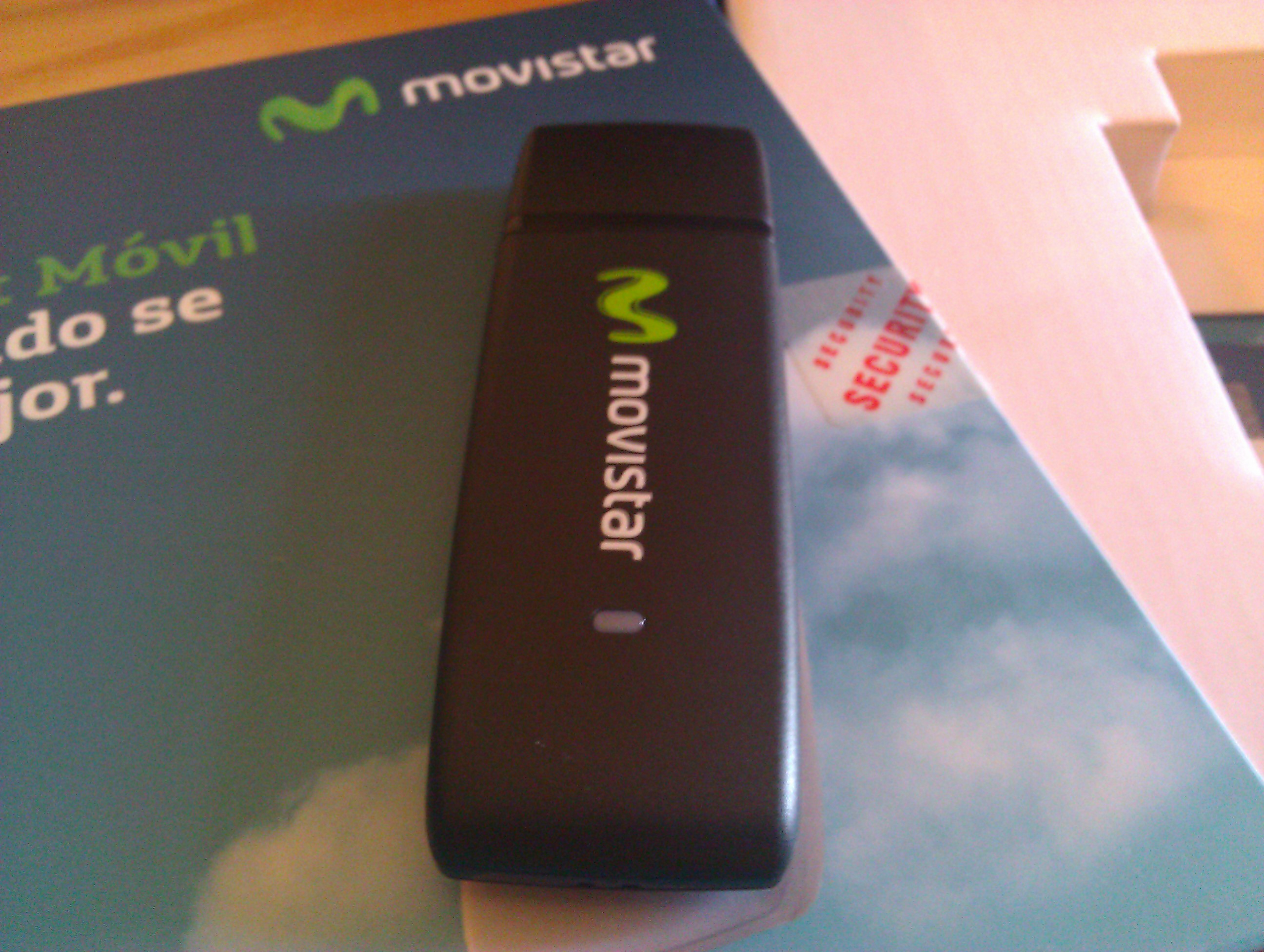 El Alcatel OT-X220D es un módem 3G que tiene dos modos de funcionamiento:
- Modo controlador: funciona como un pincho USB para instalar los controladores de Windows. Una vez instalados, funcionaría en el modo módem.
- Modo módem. Para que funcione en este modo en Linux, tenemos que instalar los paquetes usb_modeswitch y usb_modeswitch-data (puede que ya vengan instalados en tu distribución).
Desafortunadamente, la versión actual de usb_modeswitch-data (20120531) y el Escritorio Movistar no soportan el Alcatel OT-X220D. Para que funcione, tenemos que hacer lo siguiente:
- Si usas openSUSE, simplemente instala usb_modeswitch y usb_modeswitch-data del repositorio hardware. Éstas versiones están parcheadas – de hecho acaban de incluir mis parches

- Si usas otra distribución, comprueba que te detecta el módem como módem y no como pincho de almacenamiento. Ya sabes, echa un vistazo a
/var/log/messages Seguramente que no veas nada interesante (ej: gsmmodem). Entonces tocaría editar
 /lib/udev/rules.d/40-usb_modeswitch.rulesy añadir# Alcatel OT X220D
ATTRS{idVendor}=="1bbb", ATTRS{idProduct}=="f017", RUN+="usb_modeswitch '%b/%k'"
Después, crea /usr/share/usb_modeswitch/1bbb\:f017
con el siguiente contenido:
# Alcatel OT-X220D
TargetVendor= 0x1bbb

TargetProduct=0x0017

	MessageContent="55534243123456788000000080000606f50402527000000000000000000000"

Nota: Los archivos mencionados están en el OBS de openSUSE: hardware:/usb_modeswitch
 No hace falta que reinicies. Simplemente conecta el pincho ;-). usb_modeswitch te creará un enlace simbólico (
/dev/gsmmodem) al dispositivo del módem (ej: /dev/ttyUSB4).
El siguiente paso sería usar una aplicación para conectarse, como kppp o wvdial, una vez que la luz del módem esté parpadeando en verde.
Los datos más relevantes del archivo de configuración de kppp (~/.kde4/share/config/kppprc) son los siguientes:
[Account0]

DNS=80.58.61.250,80.58.61.254

Name=Movistar

Username=MOVISTAR

Password=MOVISTAR

Phonenumber=*99***1#
[Modem0]
Device=/dev/modem
InitString=ATZ
InitString1=AT+CGDCONT=1,"IP","movistar.es"
y el de wvdial (/etc/wvdial.conf)
[Dialer Defaults]

New PPPD = yes

Stupid Mode = 1

Modem Type = 3G Modem

Baud = 460800

Modem = /dev/ttyUSB4

ISDN = 0
[Dialer poweron]
Init1 = AT+CFUN=1
[Dialer poweroff]
Init1 = AT+CFUN=0
[Dialer movistar]
;Init1 = ATQ0 V1 E1 S0=0 &C1 &D2 +FCLASS=0
;Init2 = AT+CGDCONT=1,”IP”,”movistar.es”
;Init3 = AT+CPIN=”1234″
Init1 = ATX3
Init2 = AT&F Q0 V1 E0 S0=0 &C1 &D2 +FCLASS=0
Init3 = AT+CGDCONT=1,"IP","movistar.es"
Phone = *99***1#
Password = MOVISTAR
Username = MOVISTAR
Es realmente importante que en device/modem pongas el dispositivo adecuado (en mi caso es /dev/ttyUSB4 y /dev/modem es un enlace simbólico al primero) y por supuesto los datos de tu proveedor.
Para conectarte, ejecuta la aplicación correspondiente (ej: kdesu kppp o wvdial movistar como root).
Agradecimientos: a Josh – desarrollador principal de usb_modeswitch – por ayudarme con el bendito modelo 

Self-Made Router-Powered Repository Mirror
After migrating most desktop PCs at work, at home and of some friends to openSUSE with upstream KDE repo, it was always a time-consuming task to keep all these systems up-to-date. I was most bothered by downloading the same files over and over again, which happened sometimes to be quite slow, especially via WLAN.
Fortunatly I got a couple of month ago the Linux-based router AVM Fritz!Box 7270, which can be rooted with a modified firmware. The customizable firmware is provided by the Freetz project and allows you to combine different modular packages to add functionality.
After playing a little bit with Freetz, I even got a lighttpd webserver with ruby and caching capabilities running. Of course, the original firmware as well as Freetz allow the configuration of dynamic DNS services. :wink:
I ended up with a configuration including:
- dropbear ssh server (allows remote login via ssh – otherwise only telnet is supported)
- automount-scripts supporting ext3 and ext4 (latter is not supported by AVM firmware)
- nfs including a CGI configuration web page
- rsync
I formatted an external hard drive to use ext4 and attached it to the router.
The file mirror-rsync.sh needs to be copied to an arbitrary folder on the
external drive.
# file: "code-block.js"
#!/bin/sh
set -o errexit

cd /var/media/ftp/uStor02/opensuse

echo -e "\nII: Start time: $(date)\nII: directory: $(pwd)" 2>&1 | tee -a log.txt

trap - INT

# rsync -vaH --delete --delete-after --progress --partial --size-only --delay-updates --include-from=include.txt --exclude-from=exclude.txt --timeout=300 ftp-1.gwdg.de::pub/opensuse/update/12.1/ update/12.1 2>&1 | tee -a log.txt
rsync -vaH --delete --delete-after --progress --partial --size-only --delay-updates --include-from=include.txt --exclude-from=exclude.txt --timeout=300 ftp.halifax.rwth-aachen.de::opensuse/update/12.1/ update/12.1 2>&1 | tee -a log.txt

# rsync -vaH --delete --delete-after --progress --partial --size-only --delay-updates --include-from=include.txt --exclude-from=exclude.txt --timeout=300 ftp5.gwdg.de::pub/opensuse/repositories/KDE:/Release:/48/openSUSE_12.1/ repositories/KDE:/Release:/48/openSUSE_12.1 2>&1 | tee -a log.txt
rsync -vaH --delete --delete-after --progress --partial --size-only --delay-updates --include-from=include.txt --exclude-from=exclude.txt --timeout=300 ftp.halifax.rwth-aachen.de::opensuse/repositories/KDE:/Release:/48/openSUSE_12.1/ repositories/KDE:/Release:/48/openSUSE_12.1 2>&1 | tee -a log.txt

rsync -vaH --delete --delete-after --progress --partial --size-only --delay-updates --include-from=include.txt --exclude-from=exclude.txt --timeout=300 packman.inode.at::packman/suse/12.1/Essentials/ repositories/packman/12.1/Essentials 2>&1 | tee -a log.txt
To lower the data transfer, I tuned my rsync commands to download only x86_64 packages as well as only German language packages.
# file: 'include.txt'
*l10n-de*x86_64*
*l10n-de*noarch*
*wine*

*libqt4-debuginfo*x86_64*
*libkdepimlibs4-debuginfo*x86_64*
*libkdecore4-debuginfo*x86_64*
*libkde4-debuginfo*x86_64*
*kdepim4-debuginfo*x86_64*
*libqt4-x11-debuginfo*x86_64*
*amarok-debuginfo*x86_64*
*kmail-debuginfo*x86_64*
*libakonadi4-debuginfo*x86_64*
# file: 'exclude.txt'
src
*i686.rpm
*i686.drpm
*i586.rpm
*i586.drpm
*buildsymbols*
ia64
*debuginfo*
*debugsource*
*l10n*
To finish the router setup, the only thing left is to add a Cron job (supported by Freetz interface) which runs the script daily – preferably during the night.
The original firmware provides SMB access to files on the hard drive. This can be quite slow. So I configured NFS for access these repositories. There’s a German blog post with some benchmarks to compare SMB and NFS.
Finally, the new repositories have to be activated. The priority is set to 90 and this way overranks the original repos, which don’t have to be disabled.
# file: 'client.sh'
#!/bin/sh

zypper ar --check --no-keep-packages --no-gpgcheck --type rpm-md --name fritzbox-12.1-update nfs://fritz.box:/var/media/ftp/uStor02/opensuse/update/12.1?mountoptions=vers=3 fritzbox-12.1-update
zypper ar --check --no-keep-packages --no-gpgcheck --type rpm-md --name fritzbox-12.1-kde48 nfs://fritz.box:/var/media/ftp/uStor02/opensuse/repositories/KDE:/Release:/48/openSUSE_12.1?mountoptions=vers=3 fritzbox-12.1-kde48
zypper ar --check --no-keep-packages --no-gpgcheck --type rpm-md --name fritzbox-12.1-packman nfs://fritz.box:/var/media/ftp/uStor02/opensuse/repositories/packman/12.1/Essentials?mountoptions=vers=3 fritzbox-12.1-packman

zypper mr -p 90 fritzbox-12.1-update
zypper mr -p 90 fritzbox-12.1-kde48
zypper mr -p 90 fritzbox-12.1-packman
The most important thing is here to append ?mountoptions=vers=3 to all URLs.
The Freetz NFS build doesn’t support NFS version 4 and zypper fails to auto-detect
this.
So the next time I want to bring the latest KDE release to a friend, I just have
to unplug my hard-drive and have everything with me. At work, I don’t have to
bring my own hard drive with me – they have their own one :p with an equal script
which can be triggered from time to time.
We can do better
Maybe it is just me, but lately it appears that there is a lot brewing on our lists. Generally I try to stay out of the fray, but of course we, as members of our community, are all in the middle of it in one way or another. With a very recent endless thread on the opensuse list fresh in memory, not that I read all or even most of the messages it generated, and the follow on thread of the original poster bidding his farewell to the list, supposedly because the poster didn’t like the responses, I feel compelled to share some of my own thoughts on the topic.
My feeling is that a good number of people that complain about the noise on our lists are also those that contribute to that noise at a good rate. Thus, I can only say that sometimes it is nice to exercise some restraint and not hit that “Send” button; who hasn’t had the “I shouldn’t have sent this” thought? The bottom line is, that it is almost impossible to write anything that does not step on somebody’s toes somewhere along the way and if everyone that feels the least bit uneasy about some comment would respond all the time we would really be in an endless loop. I am certain, this post will make someone uneasy, upset, angry or worse. If that’s the way you feel right now, I am sorry, I am not trying to make you angry or upset on purpose. Please accept my apology.
That said, who hasn’t been frustrated out of their mind by some perceived dumb software problem or other issue? Even worse when it is our own hurdle we cannot cross. In the end we just wanted to yell and scream and the result is too often a message with: pick your “Emotional state appropriate inflamatory subject…” and rant your question to the list. Everyone gets emotional, and frustration happens to be a very strong reaction. However, the question that should come to mind before hitting that “Send” button to a list of volunteers is this, “Will an emotional reaction with moaning, groaning, whining, and complaining, that hides the real problem, give me the feedback needed to resolve my issue?” The answer is simple; No it will not. A post charged with negative energy will, and there is plenty of proof on our lists, solicit emotional, mostly negative, responses. These do not contribute to resolving the problem at hand. However, once this storm is set in motion there is, for better or worse no stopping it and it just has to run its course, i.e. eventually people will be tired of feeding the storm that should have never happened and things will go back to “normal”, whatever that may be.
I believe that the people, volunteers, on the opensuse mailing lists are generally willing to help solve problems others encounter. Yes, there will be the occasional cynical remark here and there, but I do not believe these remarks are ushered in a mean spirited way, and in the end we do not really have to nit-pick everything to death. It is one thing to yell at someone because the product or service you purchased from them does not meet your expectations, it is another thing to go bananas on a list where answers are provided by people with generally good intentions that volunteer their time. As posters of questions we all have a responsibility to keep this in mind before we go down the emotionally charged road to the abyss of not getting our questions answered.
However, putting the onus completely on the question poster is a bit too easy, isn’t it. While we as helpers would all love to get the “perfect” problem description, that is completely factual and contains no mistakes in description and actions to reproduce the problem, we have to realize that this is just not going to happen. By the time an issue hits the list the person posting probably is charged up in one way or another and ready to get rid of some of that stored energy, some more than others. Thus, as helpers we have to develop a bit more tolerance and let things roll off our backs a bit more. As potential helper we can just ignore the ranting posters. If you have it within you to provide the answer to the hidden problem and can rise above the fray, fantastic! help and do a good deed. However, if you know the answer to the hidden problem but feel the urge to feed the emotional storm it may be best to just ignore the message and not respond. In the end a raging answer hides the kind deed of help just as the raging question hides the problem.
No we do not have to have boring and no fun lists, but in the end flame wars or endless bickering threads are not fun and having people leave the lists or even not using openSUSE because of silly things is just not helpful to anyone. If we as posters, seekers of answers and providers thereof can just tone it down a bit things will probably work better for everyone.

Offended
---
Will I write such a code ?
Calling "[Microsoft] managed to make the kernel more offensive to half the population" is too much of an over-reaction, to, what is just a lame joke of a programmer trying to be funny. There is no need to drag Microsoft's name here, for the same reason, why we don't accuse The Linux Foundation of propagating male supremacy ideas, when Linus Torvalds says "Do you pine for the days when men were men and wrote their own device drivers?"
Disclaimer: All opinions expressed are purely personal and do not represent my employer.
Moving on to something completely different
Last month, I got a new job! After three years in the openSUSE Boosters team, I joined the SUSE Cloud team. I'm now working on OpenStack and on SUSE Cloud itself. Quite a big change!
I had planned a long time ago that the release of GNOME 3.0 would be a good time for me to look at what's next. When it went out, I actually took a few months to cool down a bit (it was pretty much needed), and also have some good fun with openSUSE. But after a while, this desire of trying something new came back: I had been working on the desktop for nearly ten years, and on a distribution for four years. Those were exciting years, but at the end, it started to feel like, you know, work
. I wanted to stay involved in GNOME, in the free desktop in general, in openSUSE, in cross-distro collaboration: this is not just work
and this should not be just work
. I didn't want to slowly move to doing stuff while not caring anymore. This is how I found out that I needed to go back to the early days and contribute in my free time again :-)
There was still the question of, well, work
. I started looking around, and I had some good discussions with several people about what to do next (thanks to everyone who took some time for this!). i must admit I changed my mind several times. I was not necessarily looking for a developer position (quite the contrary, actually), as I knew that for me to be motivated for a new project as a developer, the project had to be one that I could care about, one that has a free software community around it and one that would get me out of my comfort zone (so not on the desktop nor on a distro) — yeah, not easy :-) But at some point, SUSE had this cool developer position related to OpenStack. Good timing. (Btw, we're still hiring!)
It's been great so far; of course, you need to ignore the buzz words ;-) I wanted a new challenge and I wanted to get out of my comfort zone, I got served: new project, new community, new code, etc. It didn't help that the hard disk in my laptop decided it was the perfect moment to die, and that Lenovo took weeks to send me a replacement disk (finally got it yesterday). But now I'm all set, so let's have fun!

GNU screen window title and SSH
If you want to keep track of all your GNU screen sessions, it's helpful to set the window title to the current machine you ssh'd into. One way to achieve this is to put this into your .zshrc (.profile should work too): # Set/reset hostname in screen window title SSH'd machine: if [ $TERM = "screen" … Continue reading GNU screen window title and SSH
Ative e use o IPv6
Ativando o IPv6 em seu sistema operacional
O IPv6 já vem habilitado por padrão nos sistemas operacionais modernos. Se você têm uma versão atualizada de Windows, Linux, MacOS ou BSD, o IPv6 estará ativado.As páginas a seguir mostram como verificar se esse é seu caso, e ativar o IPv6, se for preciso:
Obtendo conectividade IPv6 e usando o novo protocolo
Uma vez que o IPv6 esteja ativo, caso seu provedor de acesso Internet já suporte IPv6, a configuração do seu computador provavelmente se dará de forma automática. Consulte seu provedor e pergunte se ele já tem IPv6. Se não tiver, pergunte quando terá!A maior parte dos provedores de acesso no Brasil (em 2012) ainda não ativam o IPv6 para usuários domésticos.
Se você quiser testar o novo protocolo, sua melhor alternativa é usar um serviço gratuito de túneis, chamado de Tunnel Broker, para obter conectividade. Há três opções que recomendamos, e as instruções estão nos links a seguir. Os melhores resultados à partir do Brasil são obtidos com a primeira opção, o SixXS:
Link de Referência: http://ipv6.br/entenda/ative/
Lembre-se, sempre:
De acompanhar o Cronograma de implantação do IPv6 no Brasil:
http://ipv6.br/cronograma/
E verifique se o seu sistema operacional ou equipamento de rede, suporta o IPv6:
IPv6 support Ready Logo Phase 2
http://www.ipv6ready.org/?
http://www.ipv6ready.org/?
E também, faça os:
Testes IPv6
Quer saber se seu computador já opera com IPv6? Utilize este teste: http://test-ipv6.com.br.
Quer saber se um site na internet já está usando o IPv6? Utilize este teste: http://validador.ipv6.br.
Avise se algum erro for encontrado nesse artigo.
O conteúdo desse artigo pode ser modificado ou atualizado, por isso, visite essa página constantemente e mantenha-se atualizado.