
Venda da Novell e o projeto OpenSuse
Maiores detalhes aqui.
E o que o OpenSuse tem a ver com isso?
OpenSuse é um projeto comunitário em que milhares de programadores, designers, tradutores e diversos outros contribuidores colaboram com seu tempo e esforço sem nenhum retorno financeiro. Porém a Novell colabora com o projeto porque obtém retorno desse trabalho. Base do Suse Enterprise é o OpenSuse. A relação é semelhante ao RedHat/Fedora. O dinheiro investido pela Novell serve para produção de camisas, DVDs, hospedagem dos serviços, realização de conferências etc.
O que pode acontecer?
A Attachmate já se pronunciou oficialmente afirmando que não há mundaça na relação Suse/OpenSuse, conforme esse link.
Caso essa promessa não se cumpra, a comunidade pode seguir com as próprias pernas, talvez sinta um pouco de dificuldades no início, mas continuará viva. Tenha em mente que o OpenSuse não vai morrer.
Saiba mais aqui.
IRC-meeting. Краткие итоги.
Для тех кто пропустил мероприятие выкладываю логи:
- Новая Вики
Новая Вики премодерируемая, поэтому ведется набор в команду "досматривающих", пока статья не досмотрена она не видна неавторизованным пользователям.
Сейчас в команду добавлены наиболее активные редакторы, также принимаются добровольцы.
Кроме того будет сформирована страница Команды Вики, на которую все желающие могут добавить себя в качестве ответственных за интересующий их раздел. - Новые проекты сообщества
Текущих проектов несколько:
BSR
Предпринята очередная попытка активизировать работу в русской багзилле.
Было предложено 2 варианта использования:
1. Как аггрегатор багов для английской багзиллы. Для этого требуется набрать команду "скаутов", которые будут не просто переводить баги, но и попытаются из воспроизвести, а также будут их в дальнейшем сопровождать в английской багзилле. Этот вариант сложно реализовать ввиду отсутствия людей. Если есть желающие - присоединяйтесь.
2. Поделить багзиллу на разделы и использовать для отслеживания ошибок в разных сферах проекта: Вики, форуме, зеркалах, чате и пр. В каждом разделе будет свой ответственный. Этот вариант уже реализуется, так как фактически уже есть люди, отвечающие за разные сферы. Созданием разделов и раздачей прав занимается Gankov.
Колонка в LinuxFormat
Существует предварительная договоренность с редакцией LinuxFormat, на создание колонки, в которой будут публиковаться мнения участников сообществ на определенные темы. Страница делится на 4 части, в каждой - мнение участника сообщества одного из дистрибутивов на интересующую его тему/новость. Темы друг с другом не пересекаются и могут быть разными. Сейчас проект на стадии согласования с другими сообществами. Кроме того lxf все еще готовы принять материалы про особенности openSUSE (yast, zypper, obs, другие проекты), со слов главреда, не просто готовы, а очень ждут, ибо очень много материалов ubuntu-based. Ответственный за этот проект t0xa.
ХВОСТ Magazine
Создается журнал сообщества, полностью открытый. Сейчас уже набран материал на первый номер. Если есть желающие написать статью - обращаться к didencool, сейчас он выполняет все функции в журнале. На странице в Вики скоро будет размещен список вакансий, необходимых для дальнейшего развития. - Цели, курс, организация и руководство
Эти вопросы я объединю. Цели сообщества неплохо описаны в Вики. Сейчас наиболее выжные - поддержка пользователей и продвижение дистрибутива. Также хотелось бы плотнее сотрудничать с глобальным сообществом и сильнее влиять на направление развития дистрибутива.
По поводу руководства.
Сейчас уже есть несколько активных членов сообщества, занимающихся каждый своей частью проекта. Из них было решено сделать что-то вроде совета, по образу глобального проекта. Для согласования работы команд и представления openSUSE вне сообщества было решено выбрать координатора (или, как прозвучало на встрече "прокси-сервера" или "кальмара"). Обязанности и полномочия сейчас определяются. После составления списка обязанностей будут проведены выборы. Должность будет выборной. - Меры предотвращения раскола сообщества.
Текущие конфликты между разными сообществами были улажены. Сейчас единственной проблемой осталась обособленность каждого из проектов друг от друга. Было решено создать общий канал связи, в роли которого была предложена рассылка. Кроме того сейчас существует возможность публикации новостей на всех ресурсах, где есть члены сообщества: foo, ufo, lfr, o-s.ru. Правда это требует больше времени. Возможно публикование новостей на разных площадках будет включено в обязанности координатора. Сейчас данную функцию пока выполняю я. - Конфликты между участниками сообщества.
Все конфликты должны разрешаться на ранней стадии. Если не удается решить проблему сразу самостоятельно - о ней сообщается администрации. Это должно предотвратить накопление негатива и громкие скандалы. - Амбасадоры
Продолжаются поиски людей, желающих заняться амбасадорством и продвигать openSUSE в своем регионе. Были найдены люди в Украине, я решил попробовать в СПб. Очень интересуют регионы, если найдутся желающие - за разъяснениями обращаться к k0da. - Книга
Переведены руководства по KDE и GNOME их уже можно собирать, но пока возникли технические проблемы. Также немного переведена часть про безопасность, а вообще требуются люди, заинтересованные в переводе документации.

 Member
 AJaeger
Please note…
I’m going on parental leave from December 14th to February 13th, 2011. My son was born in January and now it’s my time to help a bit more out at home. My wife has many plans for me and I have some myself as well including changing diapers, some work at the house, celebrating christmas, showing off our kids to their grandparents, aunts and uncles, getting my son settled in the daycare, building a snow man…
I hope some days of vacation will be in there as well so that I can be refreshed again when I return back to the Novell office to continue working for openSUSE.
Right now, I try to find some people that take over some of my responsibilities.
I will take care that everything I do which is important will be handled during the time, e.g. even better reaction to PromoDVD shipping – and silently hope that after the parental everything works far better without me than right now 
So, you all have a short break from me. I don’t know how much time I’ll spend online but I know I will not be in the office and don’t want to be fully engaged during my leave. I’m looking forward to both
the parental leave and also to return – and will read regularly the openSUSE planet to see what’s happening!
During my absence, Jacqueline Junghanns will take over and handle most of my responsibilities. Some of you might know Jacqueline from the openSUSE conferences which she helped to organize. I hand over the virtual mikrophone to Jacqueline to introduce herself:
Jacqueline
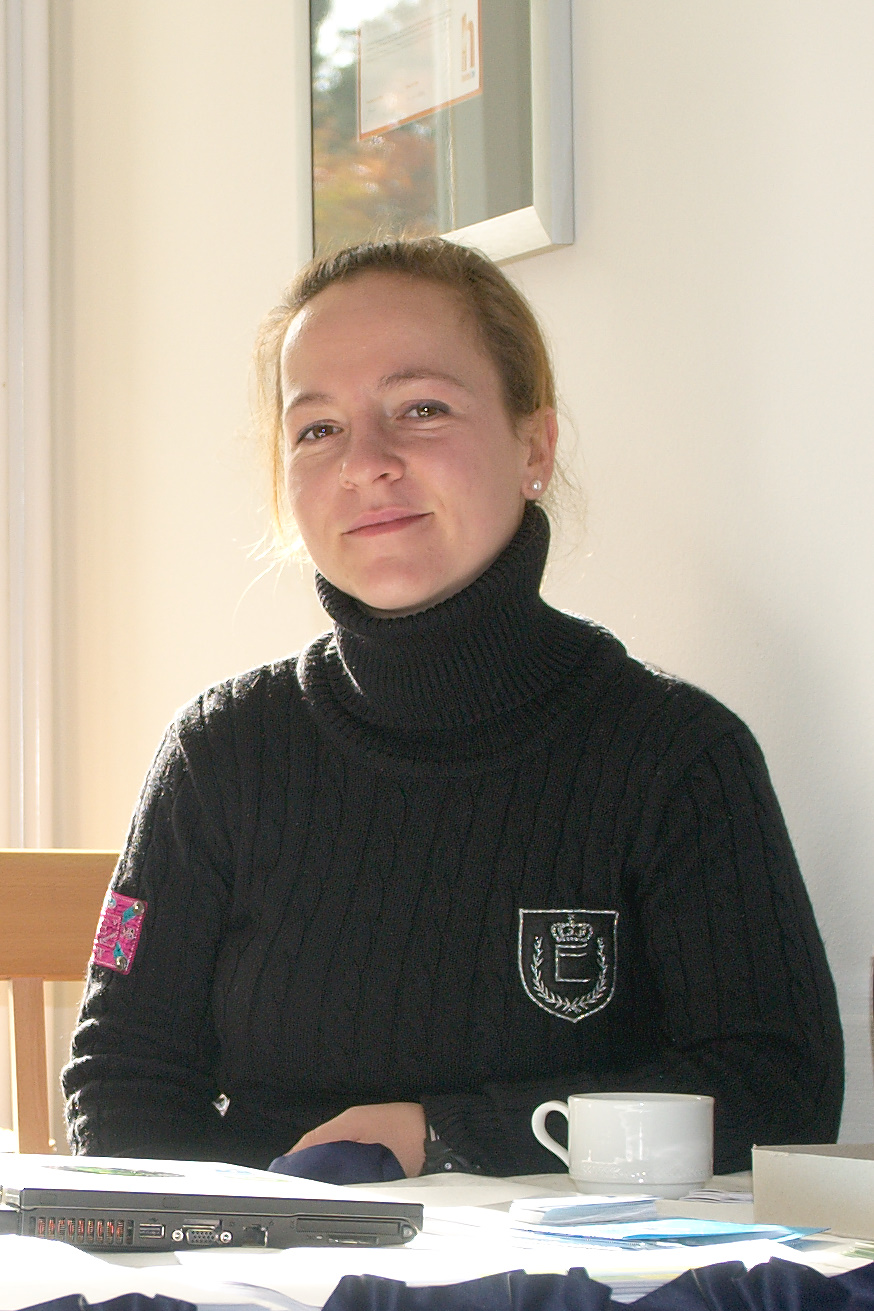
Jacqueline
“Hi, my name is Jacqueline Junghanns and I can say that I am a SUSE dinosaur as I had my ten year anniversary just a couple of weeks ago and I do not plan to extinct any time soon ;). I am very much looking forward to dive into the openSUSE project because I already got the chance to help out “backstage” and I am glad about this new opportunity. During my ten years I gathered experience in various areas such as hardware certification and right now as a team assistant for OPS.”
Sending of PromoDVDs
One thing I have handled in the past, is sending out of PromoDVDs and other promotional material for events. We do have a good stock of openSUSE 11.3 DVDs available and happily send them out for events. Please start using the address promodvds@opensuse.org to request them – and right now Jacqueline and myself will answer, later only Jacqueline.
LibreOffice 3.3 beta3 available for openSUSE
I’m happy to announce LibreOffice 3.3 beta3 packages for openSUSE. They are available in the Build Service LibreOffice:Unstable project. They are based on the libreoffice-3.2.99.3 release. Please, look for more details about the openSUSE LibreOffice build on the wiki page.
The packages are beta versions and might include even serious bugs. Therefore they are not intended for data-critical usage. A good practice is to archive any important data before an use, …
As usual, we kindly ask any interested beta testers to try the package and report bugs. The product LibreOffice should appear in the Novell bugzilla soon. In the meantime, please, use the OpenOffice.org product.
Known bugs
- shell wrappers are still ooffice, oowriter, …; we need to discuss the new wrapper names with other distros first
- extensions are not registered after the update from OpenOffice_org-* packages; a workaround is to reinstall the packages once again; We plan to remove the registration during installation; it will allow users to disable the extensions by themselves
- some packages were not renamed, .e.g. OpenOffice_org-thesaurus, …; they are not built from the main LO sources; we will do it later
- user configuration is stored into ~/.libreoffice/3-suse; we might try to share the directory ~/.libreoffice/3 after we fix the incompatible BerkleyDB; Well, we are not sure if it is enough and it is a good idea, so it will need some more testing
- GNOME quickstarter is started by default; you might disable it in Tools/Options/OpenOffice.org/Memory/Enable systray Quickstarter
- SLED10 build is not available; need more love
More known bugs
Other information and plans:
I am sorry if you had troubles with the LibreOffice:Unstable repository last week. It was sometimes inconsistent because I forgot to disable publishing before I fixed build of all packages. Everything should be fine now.
I have done another rebuild over the weekend that finally enabled non-English localizations.
The next build should be available within two weeks. It is still a bit unclear whether it would be another beta or the first release candidate.
BugDay
At the last openSUSE project meeting and after the discussion about “zombie” bugs on the opensuse-project mailing list, a small team of volunteers agreed to organize a Bug Day on Saturday, November 27th. What is a Bug Day? This is a day when many people from the community help to triage bugs in Bugzilla. It is a good and easy way to get involved in the openSUSE project!
Here is what you need to participate:
– a recent version of openSUSE (11.3 or a milestone of 11.4). It’s okay to run openSUSE in a virtual machine.
– an IRC client to interact with the other participants
– good mood 
A small team will organize the event by providing lists of bugs, and will be available to guide new contributors if needed. So it will be easy to help!
For this specific Bug Day, we will focus on the “zombie” bug reports: those are reports against old versions of openSUSE (openSUSE 10.x and 11.0). As some reports might still be valid, we don’t want to close all of them automatically. We will therefore check all those reports to see if they are still valid in the latest version of openSUSE (11.3 or a milestone of 11.4). The goal is to close those bug reports if possible, or, if they are still valid, to move them to a current version of openSUSE so that they’re not lost in limbo. So during a full day, people come on irc and help each other triage bugs.
Please note that this is only for openSUSE bugs (living in bugzilla.novell.com), but a solution for some bugs might be to forward them upstream.
Come on #opensuse-bug (freenode) on a Saturday 27.11.2010, we’ll be glad to have you join the fun!
DTVi: TV Digital (HDTV) interativa no Brasil
Para permitir a interatividade, televisores digitais (HDTV) e conversores digitais (Set-Top-Box) devem dispor de capacidade para receber as aplicações e executá-las. No sistema brasileiro de televisão digital aberta, o SBTVD, os recursos de interatividade são definidos pelo padrão Ginga (middleware).
No Brasil os televisores e conversores digitais preparados para a interatividade deverão receber o selo DTVi.
Mais informações:
Sobre a TV Digital (HDTV): http://dtv.org.br/index.php/sobre-a-tv-digital/vantagens-da-tv-digital/
Sobre o DTVi: http://www.dtv.org.br/index.php/informacoes-tecnicas/interatividade-dtvi/
TV interativa: http://pt.wikipedia.org/wiki/TV_Interativa
DTV: http://www.dtv.org.br/
Fórum SBTVD: http://forumsbtvd.org.br/
Diferenças básicas entre as siglas DTV (sem a letra “i” no final) e o DTVi (com a letra “i” no final):
A sigla DTV (sem a letra “i” no final):
Quer dizer que a TV é digital (HDTV), mais não possui a letra “i” no final, em vermelho, a letra “i” no final, em vermelho, que dizer que não possui interatividade.
Resumindo: Os televisores digitais e conversores digitais, que possuem o selo com a sigla: DTV, suportam a TV digital (HDTV), mais não possuem interatividade.
A sigla DTVi (com a letra “i” no final):
Quer dizer que a TV é digital (HDTV), mais possui a letra “i” no final, em vermelho, a letra “i” no final, em vermelho, que dizer que possui interatividade.
Resumindo: Os televisores digitais e conversores digitais, que possuem o selo com a sigla: DTVi, suportam a TV digital (HDTV), mais possuem interatividade.
O DTVi é como se fosse uma TV por assinatura (paga), como a SKY HDTV, ou a Century MidiaBox SHD7100, pois possui HDTV e também possui a interatividade, mais a diferença é que a SKY HDTV você paga uma mensalidade, a Century MidiaBox SHD7050 você paga uma vez só, já o DTVi é de graça.
Quando for compra um televisor digital (HDTV) ou conversor digital (Set-Top-Box) agora, só compre se tiver o selo com a sigla DTVi:

Neste vídeo da Philips, é apresentado alguns recursos do DTVi:
O DTVi tem os recursos de Audiodescrição e Closed caption.
O DTVi também está presente em alguns celulares, veja o caso da Nokia: http://www.indt.org/projects/avancos-nas-pesquisas-relacionadas-a-plataforma-de-interatividade-ginga/
O futuro da televisão é o 3D que não tem necessidade de utilização dos óculos especiais, também conhecido como: Autostereoscopy, comercialmente conhecido como Auto 3D.
Um exemplo de Autostereoscopic 3D, que já está sendo comercializado pela Philips nos EUA:
http://www.usa.philips.com/c/
A Philips no Brasil (http://www.philips.com.br/c/cinema-21-9/17312/cat/
Essa sugestão vale para a Philips no Brasil e para outras empresas de eletroeletrônicos.
Avise se algum erro for encontrado nesse artigo.
O conteúdo desse artigo pode ser modificado ou atualizado, por isso, visite essa página constantemente e mantenha-se atualizado.

Just a small story about my ambassador life
Well, i know that i haven’t be so active in the last months here in lizards or the OWN but that doesn’t mean that i stop my ambassador work, and here is a small story about what i do to integrate the spread of the openSUSE word in my work.
After a really bad month for the economic point of view, i had to refocus all the goals of my company to jump out the hole where i fall thanks to the changes in the economy of my country (Venezuela), so i came out with the idea of give on-line courses about system security, hacking, pen-testing and that kind of stuff, including the usual Web Dev, Sys Admin courses.
I give a lot of conferences of Hacking and System Security around this year in various events, and taking advantage of that give some publicity to the courses, but of course including something: Our Beloved Geeko. 
In the courses I teach using openSUSE, and have turned a lot of people that doesn’t even had a clue of what its linux, to be a totally Geeko Lovers, to the point that they speak about “The green side of the force”.
In all my conferences always appear the words: “openSUSE its the best option for newbies and advanced users”, “You wanna try Linux, well the best option i can give its openSUSE”, I am a proudly member/ambassador of the openSUSE Community”.
Subliminal, directly, any way i just point people to use and love the Geeko!
I hope to be more active around here in the next weeks when all the events and congress are done.
Cheers people! There are always some ways to Spread the word of the Geeko!
Status Hungarian openSUSE Documentation
As I wrote last time, I’ve migrated our documentation to a public SVN server on BerliOS. There you can get the English sources of the official openSUSE documentation and some business products too.
Apart from Russian, I’m very happy that the Hungarian translation of the openSUSE documentation is underway! Thanks to Kálmán Kéménczy, he will publish the Hungarian documentation soon. Currently, some translatation, proofreading, and polishing have to be done, so stay tuned (see https://svn.berlios.de/svnroot/repos/opensuse-doc/trunk/documents/distribution/hu.)
By the way, the Hungarian books from the 11.1 and 11.2 release can be downloaded in the Hungarian portal.
If someone from the Hungarian community wants to help, please support Kálmán and contact him for futher details.
Thanks Kálmán, for your ongoing work! I’m sure, everybody appreciates your work, be it in the past, present, or future.
Tchau IPv4! Bem-vindo IPv6!
Isso é o que vai ocorrer em 2011, segundo estimativas de vários especialistas, quando haverá a substituição do IPv4 pelo o IPv6, isso vai ocorrer pelo o fato de está havendo um esgotamento na numeração do IPv4, com isso, será lançado o o IPv6, que substituirá o IPv4. O IPv6 apresenta uma nova numeração, alem disso, o IPv6 e muito mais moderno, completo e contém muito mais recursos. Com isso ocorrerá a mudança, onde o velho IPv4, vai ser substituído pelo o novo IPv6.
Mais informações: http://en.wikipedia.org/wiki/IPv6
Aproveitem e leiam a notícia: FCC: menos de 4 mbps não é banda larga (nos EUA). Para que o Brasil tenha uma Internet Banda Larga melhor.
Avise se algum erro for encontrado nesse artigo.
O conteúdo desse artigo pode ser modificado ou atualizado, por isso, visite essa página constantemente e mantenha-se atualizado.