
The heat
 metalgod
OpenSUSE 11.3 release
OpenSUSE 11.3 is a very bleeding edge release with all the latest OSS available and comes with GNOME 2.30.1 and the following changes:
- GNOME 3.0 preview is available with GNOME Shell and the new accessibility stack (disabled by default)
- Tracker is the default file indexer, replacing beagle.
- Empathy is the default IM client for GNOME. Empathy supports now sending files via drag and drop and the IRC module now includes support for common IRC commands such as /join.
- Access to iPhone and iPod touch files from nautilus. Rhythmbox can also play music from those devices.
- Transmission is shipped with DHT enabled
- Tomboy’s start-up time has been drastically improved. Syncing notes can now be done automatically by enabling it in the preferences.
- Nautilus’ user interface now includes a new split view mode and the default is set to browser mode.
- Simple right-click menu item to open a an archive file (zip, .tar.gz, etc.) in nautilus.
- Improved selection of screen-savers and games installed by default.
- Complete move away from hal to udisks/upower.
- Removal of the GNOME 1.x stack.
- Massive improvements to Banshee - the default media player
new grid view for albums,
automatic play queuing modes to ensure non-stop playback,
gap less playback eliminating the annoying little gap between tracks,
new extensions such as showing Wikipedia information for current artist, related YouTube videos and much more,
support for audio equalizer.
-Evolution has improved imap (imap ) implementation with live view updates, non-blocking operations and IDLE support. 'evolution --express' provides better user experience for netbook users.
- Huge improvements to YaST-GTK Software Management:
general improvements to the interface,
simple check-box interface to install/remove software,
improved search box,
"Available", "Upgrades", "Installed" tabs have been removed and replaced by optional status filters,
"History of changes" (from Menubar -> Extras) shows a history of all installed/removed packages and repositories,
"Summary of changes" box that shows all changes to packages in the current package management session, and allows you to "undo" changes,
option to close package-manager or return to it after all installation/removal is done is shown in the summary box that pops-up when user hits the "apply" button,
options "Clean-up when deleting packages" and "Allow vendor change" are now available (Menubar -> Options), and
buttons to "Upgrade patches" and "Upgrade all" are shown when the "Upgradeable" filter is selected.
for GNOME Developers to use jhbuild i recommend:
- Adding the Contrib repository
- sudo zypper in jhbuild jhbuild-recommended-deps (installs everything you need to setup a jhbuild environment)
et voilá, OpenSUSE 11.3 is much more developer friendly. Of course you have the option to use OBS to build your packages or grab the GNOME unstable releases..

 Member
Fast user switch plasmoid
Last week my mother in law started to share her Linux laptop with my wife. Suddenly my wife asked me how she could switch from one user session to another. She was looking for something similar to OS X fast user switch feature but she couldn’t find it. In fact there wasn’t a fast and easy way to switch between users’ sessions with KDE, until… now :)
Let me introduce my first plasmoid: the fast user switch plasmoid. It’s a simple icon in the panel that allows users to swich to another open session or to open a new login page. Here you can see the mandatory screenshots.
{% img /images/fast_user_switch/fastuserswitch02.png %} {% img /images/fast_user_switch/fastuserswitch01.png %}
You can find the source code here. Binary packages for openSUSE are already available on the build service.
One last thought about KDM
I think that KDM should allow to switch back to an already open session in a more transparent way. Right now if an user has already one session open, he goes back to the login screen and enters his credentials a **new ** session is started. I think that most users would expect to be switched back to their already running session. Starting a new session is just confusing for them.

recent releases: openSUSE 11.3 and Anna 1.0

Today openSUSE 11.3 is released, concluding 8 months of intense and enjoyable work. This release has been especially enjoyable for me, as it was the first openSUSE release where the community KDE team really took the driving seat and made decisions about what to include, updated packages and intensively tested. Instead of just being a slave to a feature list this release, I was more occupied in enabling, advising and reviewing others' contributions. I'd like to say "Excellent work!" to the whole openSUSE team here in Nuremberg, Prague, the rest of Novell and to every openSUSE contributor who has tested milestones, reported bugs, learned how to use osc and 
After 9 months of enjoyable and intense work, our daughter Anna was released a couple of weeks ago. At the moment she's quite unimpressed by computers, desktops and operating systems, but I hope that Free Software will be of benefit to her life as it already is to millions around the world.

Time for a litl change
This week is my first with litl.
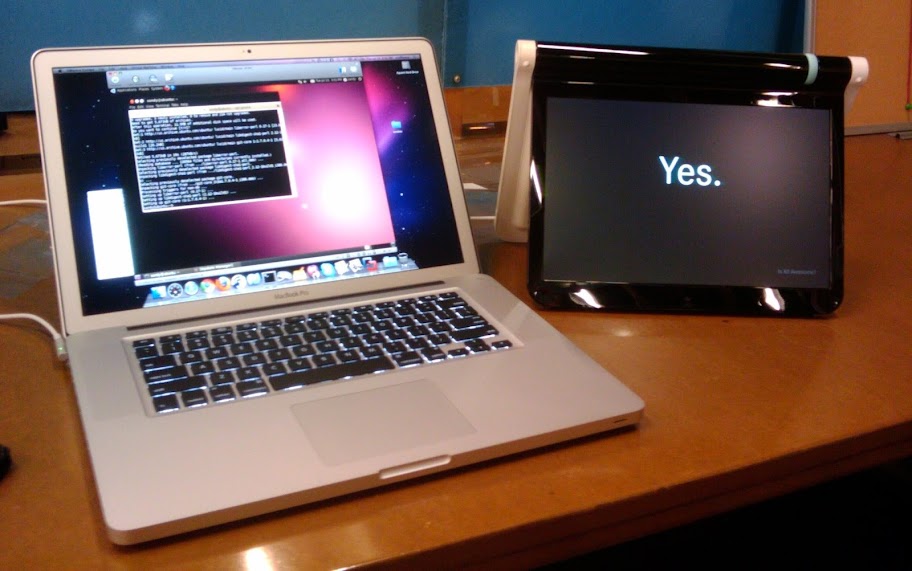
Novell was a great place to work and I recommend it to anyone. I will miss the Mono Accessibility team, but the beauty of being an open source project is that I can just pop into IRC or review some code on ReviewBoard when I'm feeling nostalgic.
At litl, I'll be working with Brad and his crack team to make the channel experience EVEN MORE AWESOME.
If you're wondering "what will the impact be on Tomboy/Snowy/etc?", the answer is that you can expect more polish on the Mac version of Tomboy now that I'll be dogfooding it every day. And it looks like I'll be switching Snowy to use lxml. Nothing else should change. I still intend to be as involved in GNOME as Stewie will let me. ;-)

OBS Development Team Member Job Position
SUSE GmbH has currently a job position open for an OBS Developer. Find details on the job position page at Novell.
OBS is used in the openSUSE project, but also internally at Novell and at plenty other places and companies.
The downside will be of course that you will have to work together with people like me 
Дополнение с проприетарными кодеками для openSUSE
Установка кодеков в openSUSE (установка в 1 клик для: KDE и GNOME)
Если же вы хотите, чтобы кодеки ставились при установки системы, то вам помимо установочного образа понадобятся:
При установке, на этапе "Анализ системы" - поставьте галочку "Использовать дополнительный продукт с отдельного носителя".
Вы также можете использовать эти аддоны и в уже установленной системе:
- yast -> "Дополнительные продукты"
Данные ссылки будут очень полезны, если нужно скачать все кодеки 1-файлом.
Для создания аддона необходим установочный DVD и вот этот http://dl.dropbox.com/u/2984089/addon-script скрипт.
Также, образы доступны на зеркале: http://mirror.suse.ru/addons/
/UPD
Скрипт для создания аддонов, теперь находится здесь: http://gitorious.org/suse-addon-creator/suse-addon-creator/blobs/raw/master/suse-addon-creator , скрипт был сильно переработан - в ближайшее время напишу анонс.

AVR usbtiny based ir-lcd-switch
Dick Streefland has created a software based USB protocol implementation called usbtiny for the AVR attiny microcontroller family. I have stripped down the code so that I was able to add detection of a single programmable IR signal. When the signal is detected, an output pin triggers a power button press for 250ms. That way e.g. media center PCs can be switched on remotely. All this is documented on the project page.
During this project I decided to revive my passing knowledge about board layouting and etching. For layouting I have used kicad, IMHO the first open source layouting software that is actually usable. The result looks pretty good, the 8/10 mil raster shows excellent sharpness and only very little undercut. Especially considering that the material and chemicals have been laying around here unused for - what? - 20 years...

Goblin status update

Shortcut for the package download
If you look at the list of binaries for a package (e.g. icecream), you may think that you can download the RPM right away – but if you follow the link in a browser you get to see details about the rpm.
Now if you only want to download it, you may already know the details and don’t care. So I added a little shortcut: if you request the binary url with a client not accepting html explicitly (e.g. curl, wget…), you get the file directly. Just copy & paste the link to your console and be done.
And due to the joy of rails, it’s just a couple of lines and now I get:
--2010-07-09 13:51:31--  https://build.opensuse.org/stage/package/binary?arch=i586&filename=icecream-0.9.5-11.1.i586.rpm&package=icecream&project=home%3Acoolo&repository=openSUSE_11.3

Resolving build.opensuse.org... 195.135.221.34

Connecting to build.opensuse.org|195.135.221.34|:443... connected.

HTTP request sent, awaiting response... 302 Found

Location: http://download.opensuse.org/repositories/home:/coolo/openSUSE_11.3/i586/icecream-0.9.5-11.1.i586.rpm [following]

--2010-07-09 13:51:32--  http://download.opensuse.org/repositories/home:/coolo/openSUSE_11.3/i586/icecream-0.9.5-11.1.i586.rpm

Resolving download.opensuse.org... 195.135.221.130

Connecting to download.opensuse.org|195.135.221.130|:80... connected.

HTTP request sent, awaiting response... 302 Found

Location: http://widehat.opensuse.org/repositories/home:/coolo/openSUSE_11.3/i586/icecream-0.9.5-11.1.i586.rpm [following]

--2010-07-09 13:51:32--  http://widehat.opensuse.org/repositories/home:/coolo/openSUSE_11.3/i586/icecream-0.9.5-11.1.i586.rpm

Resolving widehat.opensuse.org... 62.146.92.202, 2a01:138:a004:0:21a:a0ff:fe26:efa9

Connecting to widehat.opensuse.org|62.146.92.202|:80... connected.

HTTP request sent, awaiting response... 200 OK

Length: 184745 (180K) [application/x-rpm]

Saving to: `icecream-0.9.5-11.1.i586.rpm'